Please REGISTER or RENEW your account on RAPiDGATOR.net and support us by doing through all RAPiDGATOR working download links on main posts...
June 6

iDownerGo Pro 11.0.0

Description: All-in-one Video Downloader to Save Any Video and Music from 10,000+ Sites. Download Any Videos Up to 8K Resolutions. Download 1080p videos online from 10,000+ pupular streaming sites easily. Save any videos in various resolutions, like 720p HD, 1080p FHD, and even 4K/8K UHD. Download private videos from Facebook, Instagram, Vimeo, YouTube, etc.

Unlock Your Music Freedom with This Music Converter
Supports music downloading from multiple streaming music platforms, including Spotify, Apple Music, Tidal, Deezer, SoundCloud, etc.
Download songs, albums, playlists, podcasts, audiobooks, radio up to 320kbps.
Retain ID3 tags information, including title, artists, Track ID, and album artwork.

Enjoy More Visual and Audio Experience
Support downloading playlists from YouTube, Bilibili, Dailymotion, etc.
Download playlists, channels, albums, artists and more to your computer, save you lots of time.
Bulk download multiple videos at the same time with one click.

Enjoy Video and Music on Multiple Devices
Convert videos to any desired video format, like MP4, MOV, AVI, MKV, etc.
Save your favorite music in MP3, AAC, M4A and more, so you can play the songs on any devices.
Supports getting audio from Facebook, Dailymotion, YouTube, Vimeo, Bilibili, TikTok, or any other video website you like.

Download Live Stream Videos in Real Time
Download livestream videos from Twitch, Vimeo, YouTube, Facebook, TikTok, Stripchat and other well-known websites..
Save live streams in real time so you can play them offline at any time you want without lags or buffering issues.

Download Any Video From Any Website
iDownerGo Video Downloader is a cross-platform app that lets you save high-quality videos from Facebook, Instagram, Dailymotion, TikTok, Bandcamp, and other websites in seconds. It works faster than any free online video downloader — just a click, and you can enjoy content anytime, anywhere.

Release Name: iDownerGo Pro 11.0.0
Size: 392.6 MB
Links: HOMEPAGE – NFO – Torrent Search

Download: RAPiDGATOR

6 Comments
June 6

Topaz Video 1.6.1

Description: Ultra smooth. Ultra sharp. Ultra steady. Topaz Video is a professional, AI-powered video enhancement software that lets you denoise low-light footage, recover and upscale old archival videos to 4K, restore focus, and adjust frame rate by creating new frames out of thin air. Available on Mac and Windows.

Trusted by major film studios and creative pros everywhere.
Denoise with cinema-level detail. Create new frames with frame interpolation. And stabilize the camera after the moment has already passed.

Filmmakers & Editors
Restore, upscale, and refine footage for professional post-production workflows.

Archivists & Historians
Preserve and modernize archival film, VHS, and historical footage with clarity.

Creators & Influencers
Enhance social media videos with sharper detail, higher resolution, and smoother motion.

Hobbyists & Enthusiasts
Improve old family videos and personal projects to look like they were shot today.

System Requirements:
Windows Operating System: 11 (most updated version recommended)
CPU: Intel OR AMD with AVX2 instructions
System Memory (RAM): 16 GB (32 GB or more recommended)
Graphics Card (NVIDIA): NVIDIA GTX 900 series or higher, 6GB VRAM
Graphics Card (AMD): AMD Radeon 500 series or higher, 6GB VRAM
Graphics Card (Intel): Intel ARC A750
CPU Release Year: 2016 or newer

Release Name: Topaz Video 1.6.1
Size: 318 MB
Links: HOMEPAGE – NFO – Torrent Search

Download: RAPiDGATOR

7 Comments
June 6

Ashampoo WinOptimizer Pro 29.0.2

Description: Over time, Windows slows down, accumulates junk files, and shares more data than you might be comfortable with. Ashampoo WinOptimizer Pro 29 thoroughly cleans your system, boosts performance, and restores speed–instantly and noticeably. Unnecessary files are removed, processes optimized, and your privacy safeguarded. Your PC will feel fast, stable, and clean again–almost like a fresh installation.
Your benefits
Speeds up your PC instantly
Four powerful cleaners with One-Click Optimizer
Find and remove sensitive data with Privacy Traces Cleaner
Analyze crashes and error reports with Crash Analyzer
Advanced system analysis to optimize key areas
Customize Windows with Tuning Assistant
Thorough deep cleaning of junk files

All essential maintenance tasks handled automatically
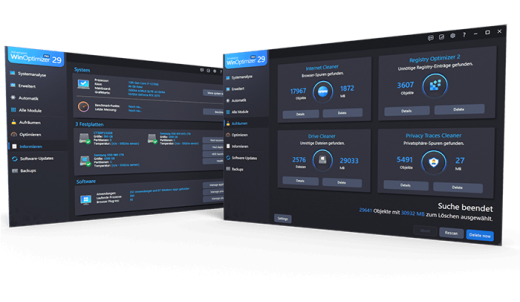
Once engaged, One Click Optimizer takes care of the most important maintenance tasks fully automatically. It combines features from Drive Cleaner, Internet Cleaner, and Registry Optimizer, removes junk files, cleans up the Registry, and deletes web browsing traces–without the need to run these modules individually. Your system is optimized quickly, easily, and reliably. You get maximum results with minimal effort.

Thorough cleaning for more space and performance
Removes junk files, application traces, and unnecessary system leftovers
Over time, unnecessary files, logs, and browsing traces build up, taking up space and slowing down Windows. WinOptimizer removes these leftovers reliably and ensures your system runs clean and efficiently again. Drive Cleaner deletes unnecessary files from your drives, while Internet Cleaner removes web browsing data and traces. The integrated Registry Optimizer fixes invalid and orphaned entries in Windows Registry, and Privacy Traces Cleaner removes sensitive user-related data that may affect your privacy. Even hidden leftovers accumulated over time are detected and removed. This frees up valuable disk space, reduces system load, and lays the foundation for a faster, more stable system.

More speed for your daily PC needs
Optimizes startup, processes, and system resources
Your system starts faster, runs more smoothly, and programs respond without noticeable lag. Live-Tuner prioritizes active applications, while Startup Manager keeps unnecessary programs from launching during boot, reducing startup times. With Service Manager, you stay in control of background services, while Profile Booster fine-tunes system settings to further improve performance. This allows your PC utilize resources more efficiently and remain responsive even under heavy load.

Protect your privacy and stay in control
Eliminates data traces and protects personal information
Web browsing traces, usage data, and sensitive information created during everyday use are reliably removed. Privacy Manager helps you adjust Windows privacy settings, while specialized tools like Internet Cleaner and Privacy Traces Cleaner ensure that personal data is always removed from your system. This reduces tracking, protects your activity, and keeps your system secure.

Keep an eye on your system at all times
Identifies issues and highlights optimization potential
The comprehensive analysis shows exactly where optimization is needed. Tools like DiskSpace Explorer identify space hogs, while Crash Analyzer evaluates system errors and presents them clearly. This helps you detect issues early and take action before they become noticeable.

Customize Windows to your needs
More control through targeted system adjustments
With the integrated tuning modules, you gain direct access to hidden settings and can optimize your system precisely to your needs. The tweaking section offers a wide range of customization options, while tools like Context Menu Manager, File Associator, and User-Rights Manager provide additional control. This allows you to tailor Windows exactly to your needs.

Practical tools for everyday use
Additional features for file and system management
A wide range of additional tools support you in file and system management. With File Wiper, you can securely delete data, while tools like File Splitter, Encrypter, and Undeleter help you split, encrypt, or recover files. The package is rounded out by useful utilities such as the Link Checker, giving you greater control and flexibility in your daily workflow.

Maintenance that runs automatically
Automatic optimization in the background
If desired, regular cleaning and optimization tasks are performed automatically and in the background. This keeps your system consistently clean, fast, and stable, no manual effort required.

Release Name: Ashampoo WinOptimizer Pro 29.0.2
Size: 35.2 MB
Links: HOMEPAGE – NFO – Torrent Search

Download: RAPiDGATOR

7 Comments
June 6

Danil Pristupov Fork 2.20

Description: Fork is getting better and better day after day and we are happy to share our results with you. Commit List - Working Directory Changes - Side by Side Diff - Repository Manager Summary and Statistics.

Merge Conflicts
Resolve your merge-conflicts easily using the merge-conflict helper and built-in merge-conflict resolver.

Interactive Rebase
Edit, reorder and squash your commits using visual interactive rebase.

Image Diffs
Fork allows you to see diffs for the common image formats.

History
With history view you can find all commits where a particular file or directory was changed.


Blame
With blame view you can find the last commit which changed a particular file line.

Basic features
Fetch, pull, push
Commit, amend
Create and delete branches and tags
Create and delete remote repos
Checkout branch or revision
Cherry-pick
Revert
Merge
Rebase
Stashes
Submodules

Work with repository
Open recent repository quickly

Commit view
Stage / unstage changes line-by-line
Access to recent commit messages

More features
Interactive rebase
Blame
Browse the repository file tree at any commit
Intuitive merge conflict resolving
Restore lost commits with Reflog
See your stashes right in the commit list
Git-flow
Git LFS

Operating Systems: Windows 7+

Release Name: Danil Pristupov Fork 2.20
Size: 72.4 MB
Links: HOMEPAGE – NFO – Torrent Search

Download: RAPiDGATOR

7 Comments
June 6

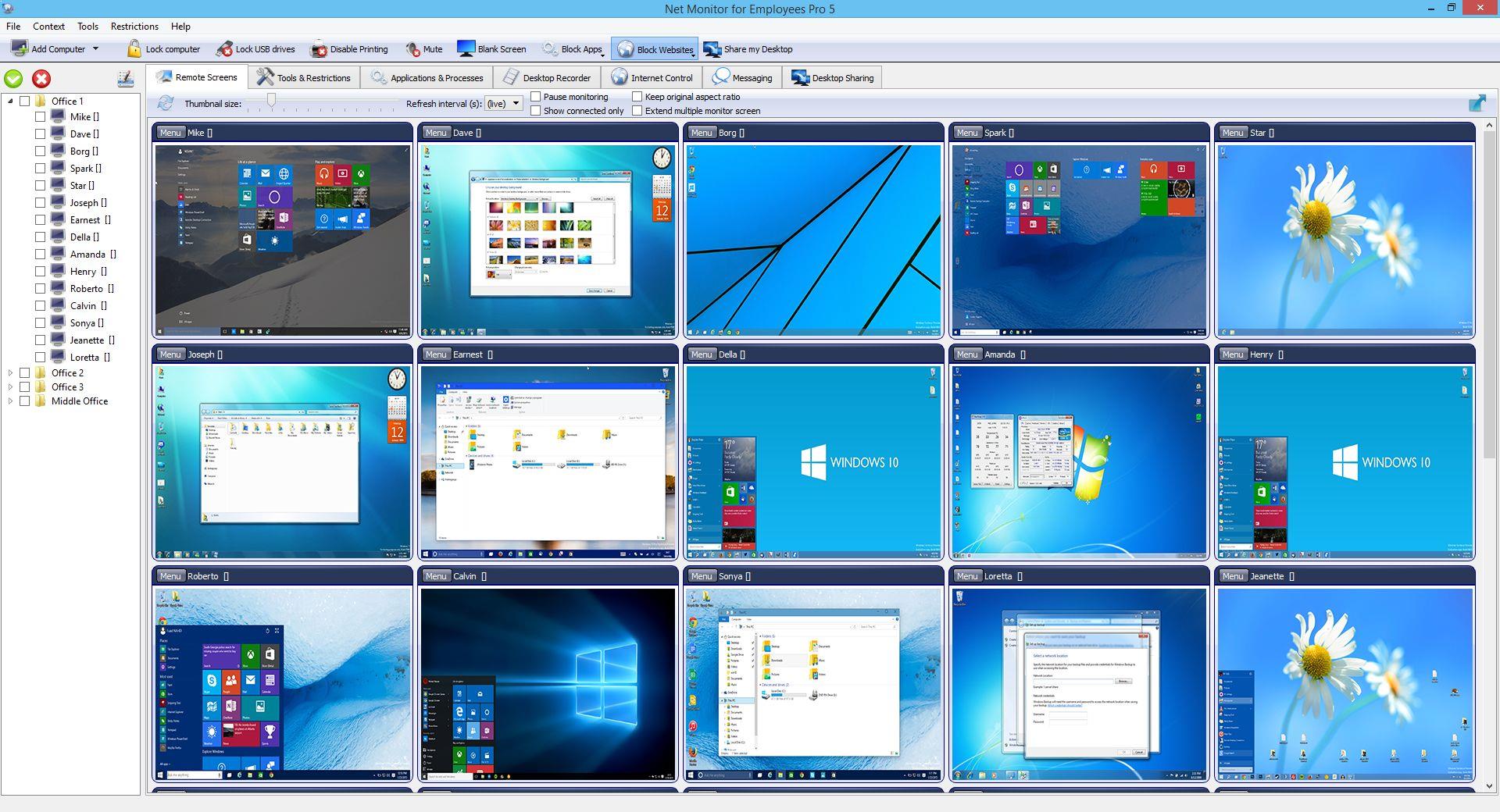
Network LookOut Administrator Pro 5.5.4

Description: Employee Monitoring Software for your Office. Stop employees wasting work time on illegal activity and keep records of such attempts.

Employee Monitoring Benefits
Employee monitoring is an established method used by many companies to help prevent and detect data breaches that can cost their business a fortune.
It is an effective way to boost workers engagement and optimize working processes.
Computer monitoring gives companies an overall picture of how work is done in and out of the office.

Employee Activity Tracking Will Help You
Workers may become disengaged when working remotely.
By using computer surveillance software an organization can lower risk and become more profitable.
Gathered data can be used for analyzing bottelnecks, unusual patterns, and other potential issues.
All this can help managers to improve the business process to gain productivity.

Release Name: Network LookOut Administrator Pro 5.5.4
Size: 111.5 MB
Links: HOMEPAGE – NFO – Torrent Search

Download: RAPiDGATOR
8 Comments
June 6

VideoForge AI Pro 1.0.3

Description: VideoForge AI Pro - AI video upscaling to 4K — pro features, fully offline. VideoForge AI Pro is the professional solution for AI-based video upscaling on Windows. Batch queue, multiple models, ProRes output — all directly on your GPU, no cloud, no subscription.

- Batch queue: process multiple videos in sequence
- Photo/Realistic + Anime/Illustration model selectable
- Output: 4K / 1080p / 720p / Custom — H.265, H.264, ProRes
- Denoise filter · audio preserved in full
- 100% offline · AMD, NVIDIA, Intel (Vulkan/GPU)

BATCH QUEUE
Drop multiple videos and process them all in one run. Each file shows live status: Queued → Processing → Done ✓. Perfect for processing complete Seedance or Kling projects in one go — start it before bed, wake up to 4K.

TWO AI MODELS
- Photo / Realistic — optimized for cinematic footage, people, real-world scenes
- Anime / Illustration — optimized for animated content, stylized AI art, illustrations

FLEXIBLE OUTPUT RESOLUTION
- 4K Native — full Real-ESRGAN 4× output
- FHD 1080p — 1920×1080 (landscape) or 1080×1920 (portrait)
- HD 720p — ideal for social media drafts and previews
- Custom — enter any width × height you need

PROFESSIONAL OUTPUT FORMATS
- H.265 (HEVC) — maximum quality, smallest file
- H.264 (AVC) — broadest compatibility
- ProRes 422 (.mov) — professional quality for DaVinci Resolve, Adobe Premiere, and Final Cut Pro

DENOISE FILTER
Optional hqdn3d pre-filter reduces noise in source footage before AI upscaling — useful for lower-quality source clips.

SAVE AI CREDITS — SCALE PROFESSIONALLY
Generate at 480p, upscale to 4K for free. Why pay 3× more per clip in Seedance when VideoForge AI Pro handles the quality overnight?

System Requirements
- Windows 10 (1809) and Windows 11
- GPU-accelerated — AMD, NVIDIA, Intel all supported

Release Name: VideoForge AI Pro 1.0.3
Size: 547.9 MB
Links: HOMEPAGE – NFO – Torrent Search

Download: RAPiDGATOR
7 Comments
June 6

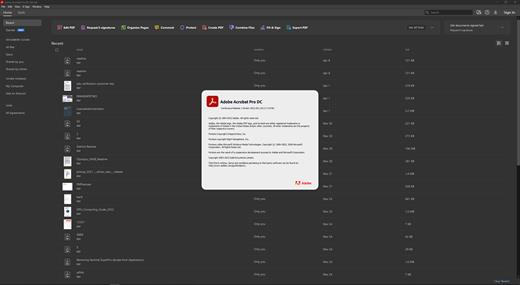
Adobe Acrobat Pro DC 2026.001.21651

Description: Adobe Acrobat Pro DC is the leading PDF converter and much more. Adobe Acrobat Pro DC software lets you deliver professional PDF communications. It's packed with smart tools that give you even more power to communicate. Create and edit PDF files with rich media included, share information more securely, and gather feedback more efficiently.

Adobe Acrobat Pro DC software is the advanced way for business professionals to create, combine, control, and deliver more secure, high-quality Adobe PDF documents for easy, more secure distribution, collaboration, and data collection.

Assemble electronic or paper files into reliable PDF documents that are easy to share with others using free Adobe Reader. You can assemble even Web sites, engineering drawings, and e-mail.

With Adobe Acrobat Pro DC you can manage document reviews, synthesizing feedback from multiple reviewers while preserving document format and integrity. Extend commenting capabilities to anyone using Adobe Reader. Windows users can design intelligent Adobe PDF forms that include business logic, such as calculations and data validations, to help increase the accuracy of data collection while reducing the costs of manual data entry.

Use Adobe Acrobat Pro DC to create high-impact PDF communications, collaborate more easily, and streamline reviews. Adobe Acrobat Dynamic PDF helps you get more done - easier, faster, better.

Edit PDF files
With Adobe Acrobat Pro DC, you can make minor edits to text and images right in your PDF file without requiring the original document or graphic. Edit text in a PDF. Fix a typo, change a font, or add a paragraph to your PDF as easily as you do in other applications using a new point-and-click interface. Edit images in a PDF. Resize, replace, and adjust images in your PDF with no need to track down the original file or graphic.

Export from PDF files
Reduce the time you spend retyping information stuck in PDF files. Convert PDF files to editable Microsoft Office documents. And save fonts, formatting, and effort.
Convert PDF files to Word. Save your PDF as a Microsoft Word document and take your fonts, formatting, and layouts with you. Convert PDF files to Excel. Turn your PDF or just part of it into an editable Excel spreadsheet you can use for data analysis right away. Convert PDF files to PowerPoint. Get a head start on new projects by saving a PDF file as a fully editable PowerPoint presentation.

Create PDF files
Stop worrying about whether the files you send will look right on other people's screens. Turn documents into PDF files anyone can reliably view with free Adobe Reader.
Convert Word, Excel, or PowerPoint to PDF. Right from your Office application in Windows, you can create PDFs, start a shared review, restrict PDF edits, and more. Print to PDF. Convert files to PDF from virtually any application that prints simply by selecting Adobe PDF as your printer. Scan to PDF. When you need to turn a paper document or form into a digital file, just scan it to create a searchable PDF file you can edit. Convert HTML pages to PDF. Save web pages as PDF files to archive web content, review the pages offline, or print them more reliably.

Create and analyze forms
Cut the time you spend creating forms, rekeying data, and correcting errors. Distribute forms online, and then collect responses and analyze results in real time.
Create new PDF and web forms. Customize professional templates or design from scratch with the Adobe FormsCentral desktop app included in Adobe Acrobat Pro DC. Collect form responses with FormsCentral. Easily collect responses by moving your PDF or web forms online with the Adobe FormsCentral online service. Convert existing forms to fillable PDFs. Type less, gather more. Quickly convert your paper, Word, or Excel forms to fillable PDF forms. Collect form responses using Adobe Acrobat tools. Compile returned forms into one PDF, or host forms using a network folder or Microsoft SharePoint server.

System Requirements:
Intel® or AMD processor; 1.5GHz or faster processor
Windows 11 (64 bit), Windows 10 (64 bit) version 1809 or later, Windows Server 2016 (64 bit), or Windows Server 2019 (64 bit)
2GB of RAM
4.5GB of available hard-disk space.
1024x768 screen resolution
Video hardware acceleration (optional)

Release Name: Adobe Acrobat Pro DC 2026.001.21651
Size: 1.6 GB
Links: HOMEPAGE – NFO – Torrent Search

Download: RAPiDGATOR

7 Comments
June 6

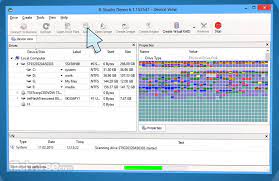
R-Studio Emergency Network 9.5 Build 0806 BootCD

Description: Disk Recovery Software and Hard Drive Recovery tool. Empowered by the new unique data recovery technologies, R-STUDIO is the most comprehensive data recovery solution for recovery files from NTFS, NTFS5, ReFS, FAT12/16/32, exFAT, HFS/HFS+ and APFS (Macintosh), XFS, Little and Big Endian variants of UFS1/UFS2 (FreeBSD/OpenBSD/NetBSD/Solaris) and Ext2/Ext3/Ext4 FS (Linux) partitions.

It also uses raw file recovery (scan for known file types) for heavily damaged or unknown file systems. It functions on local and network disks, even if such partitions are formatted, damaged or deleted. Flexible parameter settings give you absolute control over data recovery.

R-Studio utilities recover files:
Deleted without Recycle Bin, or when Recycle Bin has been emptied;
Removed by virus attack or power failure;
After the partition with the files was reformatted, even for different file system;
Recovering data if: VIRUS has invaded; FAT is damaged; MBR is destroyed; FDISK or other disk utilities have been run;
When the partition structure on a hard disk was changed or damaged;
Data recovery on damaged or deleted partitions;
From hard disk with bad sectors;
When necessary R-Studio can also wipe data on hard drives to prevent accidental data leaks when the drives are to be sold, given away, or disposed off in any other way.

Support for:
Basic(MBR), GPT, BSD(UNIX), APM(Apple partition map) partitions layout schemes;
Support for Bitlocker Drive Encryption, both for BitLocker Drive Encryption and BitLocker ToGo volumes;
Dynamic volumes, Windows Storage Spaces (Windows 2000-2022/8.1/10/11);
Apple software RAIDs, CoreStorage, File Vault, and Fusion Drive;
Linux Logical Volume Manager (LVM/LVM2) and mdadm RAIDs;
Intel Software RAIDs;
R-Studio can automatically recognize and assemble the components of these disk managers even if their databases are slightly damaged. Their components with severe corrupted databases can be added manually.
Support for VMDK/VHD/VHDX/VDI file formats. Read-only for all versions, creation for Technician/T80+ versions.
Read-only support for dmg files (Apple Disk Image: all versions ), E01/(EWF) files (Expert Witness File Format: R-Studio Technician/T80+), and AFF files (Advanced Forensic Format: R-Studio Technician/T80+).

Advanced data recovery algorithm:
to increase the quality of file recovery when the file system is not damaged;
to recover files that are not recognized in file system metadata and not found during a disk scanning procedure;
to fast search for lost partitions;
to recover files from devices with unknown file systems, including HD, CD, DVD, floppy disk, Compact-Flash Card, USB drive, ZIP drive, Memory Sticks and other removable media.

Support for specific file system features:
Recognitions of localized names;
NTFS encrypted files, NTFS alternative data streams, NTFS data deduplication, NTFS LogFile, NTFS Symbolic Links & Directory Junctions;
ReFS: symbolic links, directory junctions, deduplication;
HFS+ journal processing, HFS+ extended attributes, HFS+ compressed files;
Advanced APFS recovery: support for encryption;
Ext2/Ext3/Ext4 FS/UFS journal processing and extended attributes;
XFS extended attributes;
Recovery of names and paths for files deleted to Recycle Bin and Trash.

Release Name: R-Studio Emergency Network 9.5 Build 0806 BootCD
Size: 141.4 MB
Links: HOMEPAGE – NFO – Torrent Search

Download: RAPiDGATOR

7 Comments
June 6

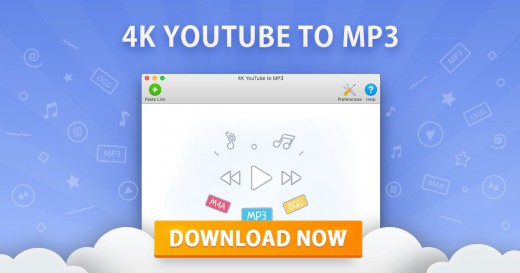
4K YouTube to MP3 26.1.4

Description: Explore 4K YouTube to MP3. Save audio quickly and easily. Just paste the link into the application or search what you want to download in the built-in browser. Enjoy listening to music, audiobooks, podcasts and other audio content offline on all desktop and mobile devices.

Download YouTube Playlists and Channels
Save audio faster by grabbing multiple files in one go. Convert full YouTube playlists and even channels to MP3, M4A and OGG. Paste several links to single videos at once.

Save Audio from All Popular Websites
Download tracks from YouTube, SoundCloud, Bilibili, Niconico, Facebook, Vimeo, Twitch, and many other services.

YouTube Premium Download
Get access to higher-quality YouTube audio. Download tracks, playlists and channels in up to 256kbps. The feature is exclusively available to YouTube Premium members.

Download Speed Control
Increase the download performance with an in-app intensity regulator. Adjust the speed to the possibilities of your Internet connection. Safely download content even when your connection is slow.

Audiobooks Download
Download podcasts and audiobooks from YouTube. Play them on the go through your car stereo or on your iPod, iPad, iPhone, Samsung and other mobile devices.

Built-In Music Player
Convert video links to audio tracks and listen to them right then and there. Use the in-app player to enjoy music, no other applications are required.

Easy Proxy Setup
Change your IP address through the in-app proxy to access and download audio from YouTube and other sites restricted by your Internet service provider or workplace IT administrator.

Smart File Organization
Save playlists and channels into automatically created subfolders. Obtain audio tags based on the track name. Get .m3u files for downloaded playlists to quickly play them.

Private YouTube Playlists Download
Get native YouTube playlists saved to your computer. Download your ‘Watch Later’, ‘Liked videos’ and ‘My Mix’ playlists for permanent offline access.

Instant Search via Built-In Browser
Find the audio you want to download without leaving the application. Use the integrated browser to search for content on different sites and download it on the spot.

Mobile Audio Download
Download audio tracks, playlists and channels to your phone with the Android downloader app. Save content in a variety of formats from multiple sites, just like with the desktop version.

File Export and Import
Secure your downloads database. Export it as a JSON file before major software and hardware reinstallations. Restore all your audio downloads by importing the file.

Private Audio Download
Save private songs, audio tracks and playlists you’ve got access to. Download private audio from Facebook, Soundcloud, Bilibili, and many other sites.

Release Name: 4K YouTube to MP3 26.1.4
Size: 160.6 MB
Links: HOMEPAGE – NFO – Torrent Search

Download: RAPiDGATOR

6 Comments
June 6

FTPie Pro 2026.6.1

Description: Easy Cloud & FTP. A Powerful FTP and Clouds Client with Seamless Google Docs and Microsoft 365 Apps Integration.

Transfer Files
Easily transfer, upload, and manage files between your PC, cloud storage, and FTP

Embedded Apps
Manage files effortlessly with FTPie's built-in viewers and editors, all within the app.

Quick Share
Upload files and generate shareable URLs with a right-click using our shell extension.

Quick Upload
Right-click to upload files or folders to cloud storage or FTP with our shell extension.

Document Editing
Edit Google Docs and Microsoft Office files in FTPie, with seamless local app integration and automatic uploads.

Folder Shortcuts
Instantly create desktop shortcuts for cloud and FTP folders enabling quick access with a double-click.

Release Name: FTPie Pro 2026.6.1
Size: 197.6 MB
Links: HOMEPAGE – NFO – Torrent Search

Download: RAPiDGATOR

8 Comments