Please REGISTER or RENEW your account on RAPiDGATOR.net and support us by doing through all RAPiDGATOR working download links on main posts...
Jan 1

Support US

If you are purchasing an account from Rapidgator's Resellers, please be sure to read this guide before purchasing.

Please buy a RAPIDGATOR premium account by clicking a RAPIDGATOR download link on a main post. If that link is broken, please try a newer RAPIDGATOR download link.

⚠️Please pay attention to the following points when purchasing a Rapidgator account, otherwise we will not be given a commission⚠️

1- Never use the add fund option and pay your purchase directly 2- Always make sure to buy from the last healthy and active link in the main post and never buy from a deleted file 3- Use PC to buy account and DO NOT buy account with mobile phone. 4- Do not use auto paying or auto renew option for your subscription because it doesn't give us any commission. Cancel auto pay and let the subscription expire then purchase via a link on main page links

================

Site is blocked by your ISP? Can't access RLSBB? Get Cloudflare Warp VPN. It's FREE or Use Free Chrome Addons

Unblock RLSBB With OPERA: A free browser VPN is built into Opera Browser for mobile and computer. No add-ons. See more

Use Light Search to get post title only as result.

UK users use .in domain or use VPN

================

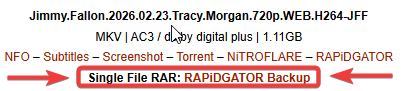
If the main Rapidgator link is deleted or no longer active, you can use the backup link labeled 'Single File RAR: RAPiDGATOR Backup' right below the main one.

To all Nitroflare users, please switch to Rapidgator and purchase a Rapidgator account from now on.

0 Comments
July 24

Directory Opus 13.24.5 Beta

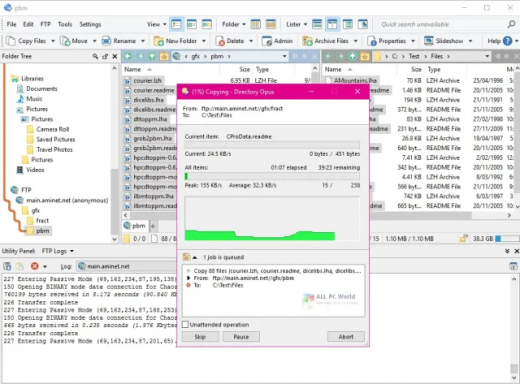
Description: Are you frustrated by the limitations of Windows Explorer? Directory Opus is a complete replacement for Explorer, with far more functionality than any other file manager available today.

You're in control.
Not just a simple file manager; Directory Opus lets you make your computer yours.
With a flexible user interface and unbelievable configurability, you can tailor Opus to streamline your workflow.
Dual panes, dual trees, multiple tabs.
Filter, sort, group your folders. Label and rate your files.
Queued file copies. Powerful batch renaming. Full archive support.
Find your files. Locate duplicates. Synchronize backups.
Assign tags and descriptions. Convert images. Edit metadata.
Fully multi-threaded, native 64 bit high performance code.
Whatever you want to do - Opus can probably do it. And if it's not built-in, you can take advantage of the unrivalled configurability to extend Opus using external tools.

What makes Opus unique?

Built for speed
Opus is written in native C++ multi-threaded code; compiled for the latest 64 bit CPUs, with high performance our number one design principle.

Fully configurable
Change the colors. Change the fonts. Change the toolbars and menus. Set up hotkeys. Opus adapts to how you want to use it.

Makes file management a breeze
Powerful searching, sorting, grouping, labelling and tagging features let you take control of your files like never before.

Endlessly extensible
Work with third-party tools as easily as with the built-in features. A full scripting interface, including scriptable dialogs, means your imagination is really the only limit.

Replace Windows Explorer and don't look back
Our unique Explorer Replacement mode provides a full replacement for Windows Explorer.
Single or dual pane file display and folder trees
Tabbed interface let you keep multiple folders open and switch quickly between them
Integrated viewer, metadata editor and utility panel
Built-in tools including synchronize and duplicate file finder
Leverage indexed search engines like Windows Search and Everything

High performance file management features
Copy, move, rename, duplicate, archive, view, backup and delete your files with ease
Queue multiple file copies for improved performance
Batch renaming including easy-to-use keyboard macros
Support for FTP and archive formats like Zip, 7Zip and RAR
Quickly filter, sort, group and search your folders
Color-code your files, assign status icons, star ratings, tags and descriptions
View images, documents and more. Image marking lets you sort your photos quickly and easily
Calculate folder sizes and print or export folder listings

Unrivalled configurability
Why let the programmers decide for you? You can tailor Opus to look how you want it to look, and to work how you want it to work.
Choose from light mode, dark mode, or design your own theme
Over 600 configurable colors and fonts
All toolbars and menus can be edited, plus you can add your own
Floating toolbars can act as program launchers
Configure your own hotkeys that work everywhere or just in Opus
Full scripting interface lets you design your own dialogs and add your own commands

Release Name: Directory Opus 13.24.5 Beta
Size: 29.7 MB
Links: HOMEPAGE – NFO – Torrent Search

Download: RAPiDGATOR

5 Comments
July 24

Auslogics Video Grabber 1.0.0.13

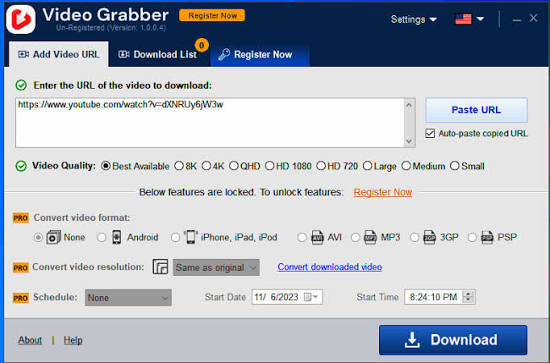
Description: Download individual videos or entire playlists, then convert formats and video resolution with Auslogics Video Grabber.

Why choose Auslogics Video Grabber?
Video Grabber is a quick and easy tool that lets you download videos from YouTube, Dailymotion, Vimeo, Metacafe, Facebook, Bing and many other video sites, then convert them to a format compatible with iPhone, iPad, iPod, Android, or PSP devices. Note that downloading from some sites may require software activation. You can even schedule Video Grabber to start your downloads at a time that’s convenient to you.

What you get with Auslogics Video Grabber
The program has all the features you need to add tons of new videos to your collection and enjoy hours of quality video content offline. Save HD video, run multiple downloads at the same time or set a convenient download schedule.

Multiple sources
Download videos from YouTube, Dailymotion, Vimeo, Metacafe, Facebook, Bing & many other sites.

Simultaneous downloads
Download several videos simultaneously to save time. You can keep adding links to the download list without having to wait for previous downloads to complete.

Download video in HD
The app easily handles high resolution, Full HD (1080p), or HD (720p) videos from YouTube and other video sites, as long as the site supports High Definition Video.

Schedule downloads
Set a convenient time in the app’s scheduler, and Video Grabber will start your downloads at the time you specify.

Auto-paste video links
Video Grabber is smart enough to recognize that you have copied a link, and to automatically paste it into the ‘Add URL’ field, so you will make fewer clicks.

Convert video format
Convert your downloaded videos to 3GP, AVI or a format you can use on your iPhone, iPad, iPod, Android, or PSP devices.

Convert Video Resolution
You can easily change your downloaded video’s resolution without changing its format. Make your videos perfectly fit the screen you will watch them on.

Fast speed
Unlike some other downloaders, Video Grabber will not restrict download speed, so you can get your videos onto your device in less time.

Use a proxy
If you use a proxy for connecting to the Internet, you can specify that proxy in Video Grabber and use it to download videos.

Release Name: Auslogics Video Grabber 1.0.0.13
Size: 75 MB
Links: HOMEPAGE – NFO – Torrent Search

Download: RAPiDGATOR

6 Comments
July 24

Fender Studio Pro 8.1.1

Description: Fender Studio Pro is the next evolution of modern music creation. Built on PreSonus’ award-winning Studio One platform, it combines celebrated features and trusted performance with a modernized interface, Fender’s renowned amps and effects, and intuitive new workflows that make creating music faster, more inspiring, and more connected than ever.

From the first riff to the final mix, Fender Studio Pro empowers musicians, producers, and creators to bring ideas to life effortlessly. Its drag-and-drop workflow, Channel and Arrangement Overviews, and integrated Fender Mustang Guitar and Rumble Bass plug-ins make recording, producing, and performing more intuitive and inspiring than ever. Additional tools like AI-powered Audio-to-Note conversion, Chord Assistant, updated samplers, Studio Verb, and Show Page video playback give creators the precision, flexibility, and sonic depth to produce professional-quality music in any genre.

Fender Mustang Native Guitar & Fender Rumble Native Bass Plug-ins
Fender sounds right in the box. Classic tones, pro presets, and powerful FX — exclusively in Fender Studio Pro. Choose from 39 guitar amps, 39 bass amps, 73 fx pedals, and hundreds of presets.

Channel Overviews
Fender sounds right in the box. Classic tones, pro presets, and powerful FX — exclusively in Fender Studio Pro. Choose from 39 guitar amps, 39 bass amps, 73 fx pedals, and hundreds of presets.

Powerful Production Tools
Create without limits using intelligent songwriting and editing tools like Chord Assistant, AI-powered Audio-to-Note conversion, advanced sampling, and immersive Studio Verb—designed to keep ideas flowing from first take to final mix.

Fender Studio® Pro
Channel & Arrangement Overviews – Full session visibility for quick navigation and control.
Fender Mustang Guitar & Rumble Bass Plug-ins – Classic Fender tones, amps, cabs, pedals, and presets.
Redesigned User Interface – Modern, streamlined workflow for faster creativity.
AI-Powered Audio-to-Note Conversion – Transform audio recordings into editable MIDI instantly.
Chord Assistant – Intelligent chord suggestions to inspire songwriting.
Updated Sample One & Impact Samplers – Advanced sampling and sound-shaping tools.
Studio Verb Plug-in – Create immersive, realistic reverb with intuitive controls.
Video Support on Show Page – Play and edit video within your performance setup.
Seamless Fender Studio Integration – Capture ideas on mobile, continue on desktop.
Drum Metronome & Jam Tracks – Realistic patterns and multi-track songs for practice and recording.

Release Name: Fender Studio Pro 8.1.1
Size: 432.2 MB
Links: HOMEPAGE – NFO – Torrent Search

Download: RAPiDGATOR

5 Comments
July 24

Wolfram Mathematica 15.0.1

Description: For over three decades, Mathematica has defined the state of the art in technical computing—and provided the principal computation environment for millions of innovators, educators, students and others around the world.
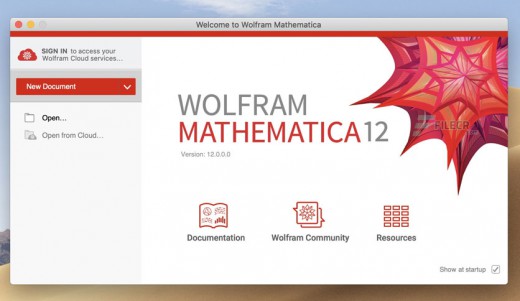
Widely admired for both its technical prowess and elegant ease of use, Mathematica provides a single integrated, continually expanding system that covers the breadth and depth of technical computing—and is seamlessly available in the cloud through any web browser, as well as natively on all modern desktop systems.

For Modern Technical Computing, There's No Other Choice
With energetic development and consistent vision for three decades, Mathematica stands alone in a huge range of dimensions, unique in its support for today's technical computing environments and workflows.

A Vast System, All Integrated
Mathematica has over 6,000 built-in functions covering all areas of technical computing—all carefully integrated so they work perfectly together, and all included in the fully integrated Mathematica system.

Not Just Numbers, Not Just Math—But Everything
Building on three decades of development, Mathematica excels across all areas of technical computing—including neural networks, machine learning, image processing, geometry, data science, visualizations and much more.

Unimaginable Algorithm Power
Mathematica builds in unprecedentedly powerful algorithms across all areas—many of them created at Wolfram using unique development methodologies and the unique capabilities of Wolfram Language.

Higher Level Than Ever Before
Superfunctions, meta-algorithms... Mathematica provides a progressively higher-level environment in which as much as possible is automated—so you can work as efficiently as possible.

Everything Is Industrial Strength
Mathematica is built to provide industrial-strength capabilities—with robust, efficient algorithms across all areas, capable of handling large-scale problems, with parallelism, GPU computing and more.

Powerful Ease of Use
Mathematica draws on its algorithmic power—as well as the careful design of Wolfram Language—to create a system that's uniquely easy to use, with predictive suggestions, natural language input and more.

Documents as well as Code
Mathematica uses the Wolfram Notebook Interface, which allows you to organize everything you do in rich documents that include text, runnable code, dynamic graphics, user interfaces and more.

The Code Makes Sense
With its intuitive English-like function names and coherent design, Wolfram Language is uniquely easy to read, write and learn.

Make Your Results Look Their Best
With sophisticated computational aesthetics and award-winning design, Mathematica presents your results beautifully—instantly creating top-of-the-line interactive visualizations and publication-quality documents.

Instant Real-World Data
Mathematica has access to the vast Wolfram Knowledgebase, which includes up-to-the-minute real-world data across thousands of domains.

Seamless Cloud Integration
Mathematica is now seamlessly integrated with the cloud—allowing sharing, cloud computing and more in a unique and powerful hybrid cloud/desktop environment.

Connected to Everything
Mathematica is built to be connected to everything: file formats (250+), other languages, Wolfram Data Drop, APIs, databases, programs, the Internet of Things, devices—and even distributed instances of itself.

150,000+ Examples
Get started with almost any project with help from 150,000+ examples in the Documentation Center, over 13,000 open-code Demonstrations in the Wolfram Demonstrations Project—and a host of other resources.

Release Name: Wolfram Mathematica 15.0.1
Size: 9.2 GB
Links: HOMEPAGE – NFO – Torrent Search

Download: RAPiDGATOR

1 Comments
July 24

Advanced SystemCare Pro 19.5.0.221

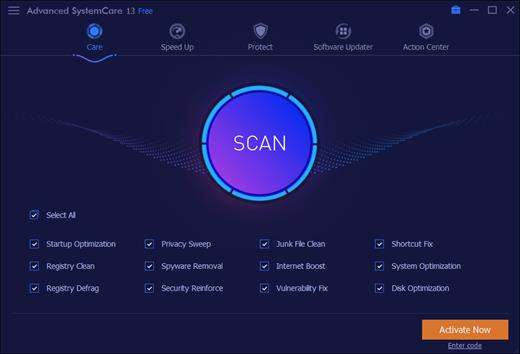
Description: Advanced SystemCare Pro provides an always-on, automated, the all-in-one PC optimization utility. It specializes in ONE-Click solutions to detect, clean, repair, speed up and eventually protect PC. Advanced SystemCare is a PC maintenance program that's incredibly easy to use, the World's Top System Utility for Superior PC Health! With the novel system technology, Advanced SystemCare empowers you to run your computer faster. Ensures more stably and more efficiently than with any other system utilities.

Clean & Optimize PC Performance:
- Basic PC cleaning and optimization
- 1-click to fix disk errors for more stable and efficient PC system
- Smarter AI mode for intelligent scan and premium PC cleaning & optimization
- Deep clean registry to prevent system crash
- Defrag hard drive data to optimize PC performance
- Auto RAM clean to stop unused programs and processes
- Auto care for PC as scheduled
- Monitor system condition in real-time
- 1-click to keep important programs up-to-date

Boost PC Speed:
- Up to 200% quicker PC startup
- Up to 300% Internet speedup with Internet Booster

Ensure PC & Privacy Security:
- Basic PC protection with spyware removal
- Full PC protection for detecting and removing deepest infections
- Capture intruders automatically with FaceID
- Block malicious links and suspicious senders in web emails
- Premium surfing protection with automatically clear tracking data
- Disguise digital fingerprint to keep online behaviour private
- Keep your personal data away from untrusted programs
- Proactively detect and block security holes in real-time
- Detect and enable both antivirus & firewall for dual protection

Release Name: Advanced SystemCare Pro 19.5.0.221
Size: 74.1 MB
Links: HOMEPAGE – NFO – Torrent Search

Download: RAPiDGATOR

6 Comments
July 24

Icecream Slideshow Maker Pro 5.20

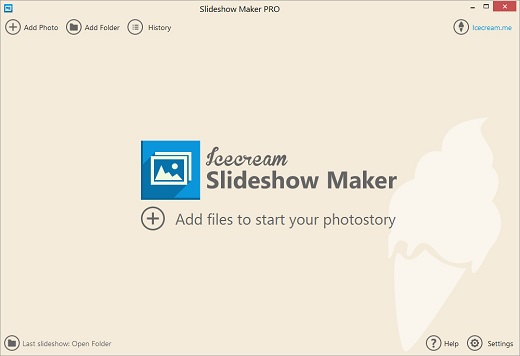
Description: Create impressive slideshows and video presentations with the free slideshow maker by Icecream Apps. Combine photos, add transitions, music, text and more. All in a simple way.

Slideshow Maker’s main features
Easily memorize your wedding, travel, graduation or birthday party with a professionally looking video slideshow.

Slideshow with music
Add background music in MP3, M4A or WAV format to your slideshow. Add a whole audio playlist if your photo slideshow is a longer one.

Add text to slideshow
Add text to the slides with the slideshow maker. Personalize your comments by adjusting font, color, animation, background color and position.

Free slideshow maker
You can perfectly create a great video from photos without watermark even in the Free version of the program. Upgrade to PRO if you are interested in the advanced features.

Simple & friendly GUI
What's the best about our slideshow software? It is really as simple-in-use as possible. Drag&drop images and audio, customize the default/bulk/random settings, sorting options will help you to effortlessly create a beautiful slideshow.

Slideshow preview
Preview the full photo slideshow or specific slides in the slideshow maker’s built-in player. Available instantly after making the changes.

Set timing
Set the duration of each slide and transition in seconds. Apply the needed timing for all the queued slides using the bulk settings.

Add transitions
More than 25 cool transitions to improve your slideshow: fade to black, zoom out, cross fade, flip over, checkerboard and more. ‘Random transition’ option is available.

Resume slideshow projects
Do you need to create a complicated long slideshow? Slideshow maker restores previous project at program's launch. Also, get back to any previously created slideshow and make changes to it from the ‘History’ panel.

Sort slides
Sort photos in a queue alphabetically or shuffle them in a random order with a single mouse click. And, of course, you can always sort and rearrange slides manually by dragging and dropping.

Choose output resolution
Easily create photo slideshows for Instagram and Facebook. You can even create a 4K slideshow in high resolution with the slideshow maker.

Share easily
Instantly upload your slideshow video to Google Drive, YouTube or Dropbox. Share your presentation easily with friends and colleagues.

Burn to DVD
Need a hard copy of your slideshow to watch it later on TV? Burn it to DVD with our free slideshow maker.

Motion effect
Add dynamic movement and visual effects to static images, transforming them into lively and engaging slideshow.

Loop video
Seamlessly repeat your slideshow's playback for a set number of times. Create a smooth and uninterrupted viewing experience.

Release Name: Icecream Slideshow Maker Pro 5.20
Size: 23.8 MB
Links: HOMEPAGE – NFO – Torrent Search

Download: RAPiDGATOR

5 Comments
July 24

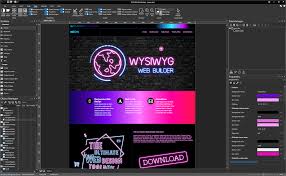
WYSIWYG Web Builder 21.1.2

Description: The ultimate toolbox for creating amazing websites! WYSIWYG Web Builder has a huge set of tools for both beginners and professional designers/developers.

Responsive Web Design
Unlike most other web design applications, you can create both flexible and absolute page layouts. With support for layout grid, flexbox, css grid and fixed layouts with breakpoints.

Web Fonts
Easily add Google Fonts and other Web Fonts to your website.

Animations
Add amazing pre made animations and transitions or create your own animations. More than 150 pre-defined animations are included.

Pre-made Blocks
Use pre-made blocks to quickly get started. More than 250 blocks are available!

Forms Tools
Send Emails, Upload Files, Store Data in MySQL or CSV, Auto Responder, Form Validation, Conditons/Calculations

Images & Media
Image filters, shapes, galleries, carousels, lightboxes, rollover animations, YouTube, Vimeo, TikTok, MP4 and audio

Icon Libraries
Support for Font Awesome, Material Icons and many other icon libraries

Navigation
Navigation buttons, drop down menus, fullscreen menu, mega menu, panel menu, breadcrumb, pagination and much more!

Extensions
Hundreds of extensions to add extra functionality to the software. Including slideshows, navigation, audio/video, webshops, data viewers etc.

One Click Publishing
No external FTP program needed. No special hosting required, use with any Hosting Service!
Supports Secure FTP, FTPS and standard FTP

Drag and Drop
Visually design your website (What-You-See-Is-What-You-Get). Just drag & drop the objects to your web pages. The HTML code will be automatically generated for you!

SEO Tools
Google compatible sitemap and robots.txt generator. The built-in SEO Assistant helps you to make your web pages more search engine friendly.

Password Protect Pages
Multi-user login tools. Sign Up, Password Recovery, Online User Administrator, User Roles etc..

CMS
Built-in (PHP based) Content Management System to allow you or your customers to manage content online. There is also more basic 'Editable Content' functionality available.

Ecommerce
Integrated support for third party ecommerce solutions like PayPal, Ecwid, Stripe, Snipcart, Paddle, Gumroad, WebMoney and Vibracart Pro

Release Name: WYSIWYG Web Builder 21.1.2
Size: 34.1 MB
Links: HOMEPAGE – NFO – Torrent Search

Download: RAPiDGATOR

6 Comments
July 24

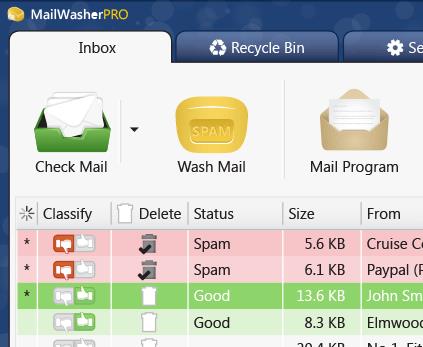
Firetrust MailWasher Pro 8.0.123

Description: Receiving spam is like those telemarketers who call at dinner time, completely annoying and you didn't ask for it. Luckily you can stop this now! Now with free Android, iPhone and iPad version! Install MailWasher today to screen all your email accounts in one place and allow only the email you want in your inbox.

Install MailWasher today to screen all your email accounts in one place and allow only the email you want in your inbox. MailWasher lets you preview all your email before it gets to your computer or mobile device, enabling you to read all your email securely, and instantly delete any unwanted or suspicious email. Your remaining good email is downloaded to your PC or mobile device, so you avoid any spam or email viruses in your PC.

When you use mailwasher, the benefits become obvious.
Zero spam in your computer or mobile device.
Inspect any email before it gets to your computer or mobile device.
Never lose an email because you can’t afford to.
Intelligent spam tools ensure spam is caught and good email is not.

With over 8 million users, 22 languages and featured on both BBC World and CNN you can be confident that using MailWasher is one of the easiest ways to get rid of spam.

Receive only the email you want.
Check your email with MailWasher first. You’ll be safer knowing what’s waiting for you on the server, allowing you to quickly inspect and read your email and remove any unwanted messages quickly and easily.

Inspect all email before it gets to your computer.
View everything about your messages before they get to your computer so you can determine if they’re really spams, scams or good email. This means you can delete unwanted messages at the server so you only get the email you want.
MailWasher lets you view the email safely in plain text, but you can also inspect who it’s really from, who owns the company who sent it (WHOIS report) and all the hidden links.
Given that you can’t afford to lose any legitimate email, MailWasher lets you have the final say on it before letting you ‘Wash’ the spam away.

Intelligent spam tools.
Advanced spam detection technology and tools do all the hard work for you by automatically marking spam emails.
From simple friend's list, blacklists and learning filters to advanced custom filters, MailWasher has you covered.

Release Name: Firetrust MailWasher Pro 8.0.123
Size: 32.1 MB
Links: HOMEPAGE – NFO – Torrent Search

Download: RAPiDGATOR

4 Comments
July 24

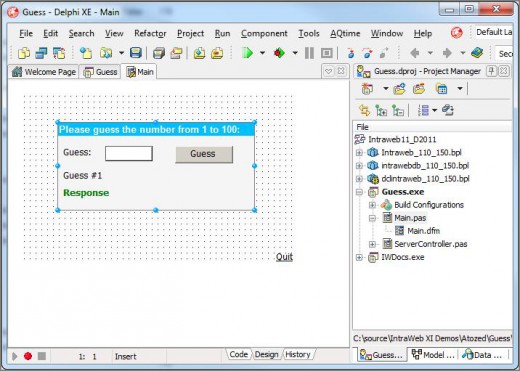
IntraWEB Ultimate 16.2.4

Description: IntraWEB is a tool to build the website. With this tool, the developer can create the page using the same method used to build the Windows program. Because the HTML page directly from the concept design to the user's computer does not download a bit more complicated and in fact is required from web server.

So, the template IntraWeb on the server and download server and displays them to the user. Things technology direction of the IntraWEB Ultimate provides part flexibility and reliable in efforts to remove developer. The support provided by the team members as well as IntraWeb unparalleled.

IntraWeb it's great because the frame is very flexible, powerful and fully compatible with Borland Software Corporation is a culture of excellence suggestions the meet. If you've never tried, don't wait. This tool is Balvaq invaluable. IntraWeb allowed us to build the information systems Website beyond the tools and methods developed traditional construction. The previous tools of the information system Website, the months needed to develop and manage user accounts is limited. New system fast, flexible and user friendly. The members are loving it.

Release Name: IntraWEB Ultimate 16.2.4
Size: 379.2 MB
Links: HOMEPAGE – NFO – Torrent Search

Download: RAPiDGATOR
6 Comments
July 24

Native Instruments Maschine 3.6.0

Description: Beat making and music production software. Maschine is all about getting your musical ideas flowing. It’s there every step of the way from beat making and sampling to arranging and performing your tracks. Use it with virtual instruments or your own samples, both on its own and in a DAW. And if you’re ready to take things up a gear, bring in Maschine hardware to get hands on.

Stem separation
Import any track and Maschine will identify bass, drums, vocals, and other elements at the click of the button. Stem separation opens up a whole world of sampling possibilities, all powered by iZotope’s legendary RX technology.

Community-requested features
Maschine 3 was designed to include feedback from the Maschine community. First there’s Bounce In Place which lets you render sounds, patterns, and ideas as audio, saving CPU power and opening up new creative possibilities. We’ve also added support for compressed file formats and per scene tempo for deep control over track flow. And there’s basic Kontrol MK3 keyboard integration with transport controls and on-keyboard display of Maschine modules and thousands of NKS partner plugins.

No hardware needed
It just got easier to create a track from start to finish without additional gear, thanks to Maschine 3’s new and improved mouse MIDI editing tools. These include split, join, erase, mute, MIDI notes, keyboard shortcuts, computer keyboard, audible MIDI note previews, and more.

Maschine Central
Get everything you need to make tracks in any genre. Maschine Central is a completely redefined library with presets from cult synths Massive, Monark, Prism, over 700 drums, and 144 multi-sampled Kontakt instruments. Buy it on its own or in the Maschine 3 bundle.

Even more software included
Bring your finished tracks to life with essential iZotope mastering software, included free. Get an updated Master Assistant that matches your favorite reference tracks, Assistive Vocal Balance so vocals don’t get lost in your mix, and much more. And old favorites, synths Monark, Massive, and Reaktor Prism come as part of the package too.

How it works
Sketch and arrange your ideas, use virtual instruments or samples to develop your track, mix it, and get it ready to share with the world – all in one application.

The ideas stage
Iterate melodies, beats, and loops with patterns and groups. Draw them in with your mouse, use a keyboard, or pair with Maschine hardware to play them in and create variations.

Start arranging
Build patterns into tracks, arrange audio, mix levels, and fine-tune your track in Song mode. This is where those first ideas become cohesive tracks.

Go deeper
There’s always more to explore as you develop your sound. Maschine lets you route different effects chains, bring in external instruments, and create your own sounds from scratch using its built-in synths and effects.

Add any sound
With thousands of authentic virtual instruments from NI and our third-party developers you’ll find whatever you need. Plus, Expansions offer incredible quality sound packs, tailored for a huge range of different genres.

Release Name: Native Instruments Maschine 3.6.0
Size: 614.6 MB
Links: HOMEPAGE – NFO – Torrent Search

Download: RAPiDGATOR

5 Comments