Please REGISTER or RENEW your account on RAPiDGATOR.net and support us by doing through all RAPiDGATOR working download links on main posts...
Mar 12

MacX MediaTrans 8.3

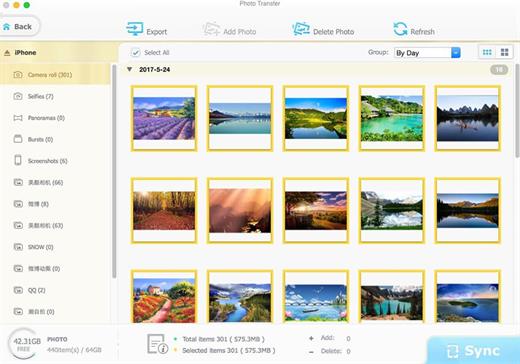
MacX MediaTrans is the fastest mac file manager for iPhone iPad iPod, which gives you full control over iOS data. As iTunes alternative, MacX MediaTrans can transfer and manage any video, music, photo, Podcasts, Audiobooks, iTunesU and more between iPhone iPad iPod and Mac. This iPhone manager also enables you to turn iPhone into a USB drive to store all files like PDF, APP, dmg, etc. Regardless if you want to free up more storage space on your iOS devices, backup iPhone data before upgrading to new iOS/iPhone, or share iPhone files with family and friends, it would be helpful. With MacX MediaTrans, users are empowered to transfer music from iPhone to Mac in batch with 1 click, directly manage/delete playlists, tracks, etc. and create ringtones for iPhone. Who wants to save his time will be pleased by the transferring speed, which allows you transfer 100 4k photos within 8 seconds. For die-hard Apple fans, this iPhone transfer offers powerful auto video converting function so that AVI, MKV, FLV videos can be converted to iOS-friendly format during the transferring process and sideways videos can also be rotated as you will. On top of that, it is the World’s first iPhone transfer for Mac users to delete camera roll photos from iPhone and remove DRM from music, video, audiobook purchased from iTunes and convert to MP4, MP3 to be playable on other computer and devices.
Features


  • Directly transfer video, music, photo, HD movie, TV show from iPhone to Mac and vice versa
  • Import/export/delete ringtones, ebooks, VoiceMemo, iTunesU, Podcast
  • Remove DRM from iTunes M4V Video/M4P AudioBooks/Apple music and convert to MP4, MP3
  • Use iPhone as USB-Stick to send files, including PDF, APP, dmg
  • Make/create ringtone for iPhone
  • Manage playlists, tracks, albums, and genres in batch
  • Able to delete all photos in Camera Roll, as well as recorded videos
  • Transfer files at lightning-fast speed without quality loss or data loss
  • Auto convert AVI, FLV, MKV, etc. to MP4, audio file to mp3 or aac
  • Auto rotate sideways videos for better watching experience on iPhone without hassle
  • Two-way synchronization is available for music
  • Auto convert Epub into PDF, Html, TXT, etc.
  • Added new photo album categories
What’s New

Version 8.3:


  • Release notes were unavailable when this listing was updated.
Compatibility

macOS 10.9 or later


Release Name: MacX MediaTrans 8.3
Size: 41.7 MB
Links: HOMEPAGE – NFO – Torrent Search

Download: RAPiDGATOR

5 Comments
Mar 12

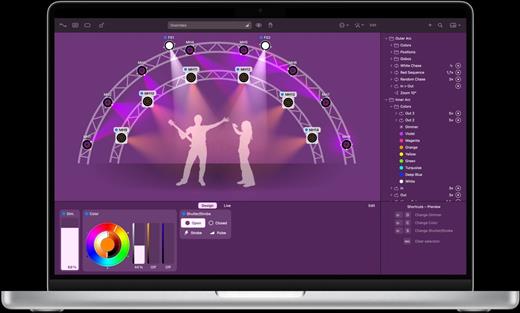
Lightkey 5.9

Instructions:

02. Open Keygen.app
03. Click “Select .app” and choose Lightkey.app
04. Open Lightkey.app -> Manage License -> No Internet connection
05. In the keygen, click “Generate” to create a serial number
06. Then copy and paste it into Lightkey’s activation window
07. Save the activation request file when prompted
08. In the keygen, click “Select Request File”
09. Choose the activation request you just saved
10. Then double-click the generated response in Finder to activate
11. Profit.

What’s New

Version 5.9:


  • Release notes were unavailable when this listing was updated.
Compatibility

macOS 11.0 or later.
Apple Silicon or Intel Core processor


Release Name: Lightkey 5.9
Size: 270.1 MB
Links: HOMEPAGE – NFO – Torrent Search

Download: RAPiDGATOR
6 Comments
Mar 12

ForkLift 4.5.1

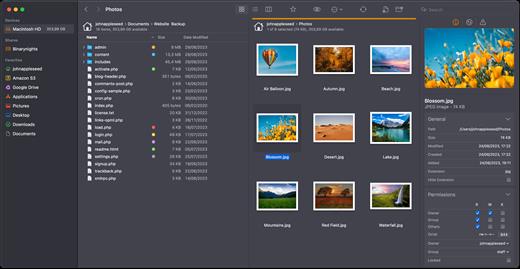
ForkLift is a powerful file manager and ferociously fast FTP client clothed in a clean and versatile UI that offers the combination of absolute simplicity and raw power expected from a well-executed Mac software.

ForkLift will connect to any remote server SFTP, FTP, WebDAV, Amazon S3, Backblaze B2, Google Drive, Rackspace CloudFiles, SMB, AFP and NFS shares on your local network,- pretty much anything you can plug into or hook up to a Mac. ForkLift also carries a complete toolbox for managing your files, including Folder Synchronization, Multi-Rename, Archive handling, Application deleter, editing files over remote connections and many more. All these power features are packaged into a Finder-like, dual-pane interface that delivers superior workflow while remaining absolutely familiar to use, along with Quick Look, Spotlight search and all.

Features


  • Completely rewritten entirely in Swift
  • ForkLift Mini
  • Two-way Sync
  • Preview
  • Quick Open
  • Multi Rename
  • Dark Mode
  • Dual Pane split vertically or horizontally
  • Favorite Sync via Dropbox
  • Dropbox Support
  • Transfer bandwidth throttling
  • Tags Support
  • Disklet
  • Sync Browsing
  • Tabs
  • Search by name, extention, kind, tags, or content
  • Quick Select
  • App Deleter
  • Remote Editing
  • Archive Management
  • Keyboard Control
  • Workspaces
  • FXP Copy
  • Tools
  • Git Support
  • Open in Terminal, iTerm, or Hyper
  • Hidden Files
  • Share
  • Possible to set as default file viewer
  • File Compare with FileMerge, Kaleidoscope, Beyond Compare, and Araxis Merge support
  • Multilingual: English, Chinese Simplified, Czech, French, German, Hungarian, Italian, Polish, Russian, Spanish and Ukrainian
What’s New

Version 4.5.1:


  • Release notes were unavailable when this listing was updated.
Compatibility

macOS 14.6 or later


Release Name: ForkLift 4.5.1
Size: 20.5 MB
Links: HOMEPAGE – NFO – Torrent Search

Download: RAPiDGATOR

5 Comments
Mar 12

Bitwig Studio 6.0

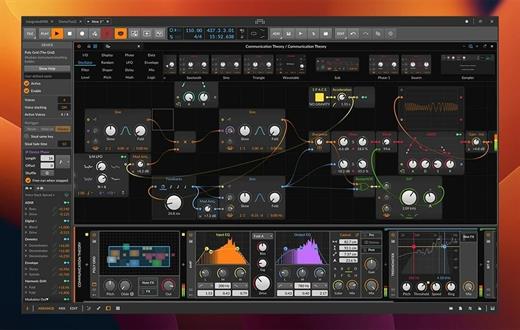
Designed to provide music producers with a high level of control over every step of the music creation process, Bitwig Studio is a full-featured and cross-platform (works on macOS, Linux, Windows) sound and music designing tool.

Besides its impressive collection of sound creation tools, which we will discuss further on, it must be pointed out that Bitwig Studio also comes with a set of in-built instruments, effects, and also offers support for VST plug-ins that makes it easy to design custom sounds with no more than a few mouse clicks.

Of course, if you have a very advanced understanding of music and the whole process behind its creation, Bitwig Studio will not disappoint, as audio and note expressions, histogram-based editing, smart controller integration, automatic slicing, layer editing, and advanced bounce-in-place functions are but a few treats on the table.

What’s more, Bitwig Studio enables you to work with multiple projects at the same time, as well as to link and interconnect many parameters between devices, thus making modulating seem like a walk in the park.

With the help of the “Detail Editor”, you can edit multiple tracks in the same view, as well as stretch, split, pitch, pan, copy, reverse, add, move, and arrange audio effects or parts of tracks as you wish.

With the help of the Bitwig Studio’s “Dynamic Object Inspector”, you have the possibility to select and edit multiple notes and events. Bitwig Studio also enables you to easily modify any of the built-in audio devices or build your very own.

Taking all things into consideration, Bitwig Studio is a comprehensive audio creation tools, which was designed from the ground up to meet the requirements of any music producer or musician. With the right amount of musical knowledge and skill, there really isn’t much you can’t do with this software in terms of music creation.

What’s New

Version 6.0:


  • Release notes were unavailable when this listing was updated.
Compatibility

macOS 10.14 or later


Release Name: Bitwig Studio 6.0
Size: 558.9 MB
Links: HOMEPAGE – NFO – Torrent Search

Download: RAPiDGATOR
5 Comments
Mar 12

TextSoap 9.7.0

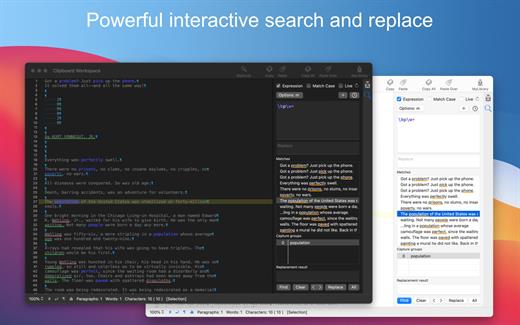
TextSoap can automatically remove unwanted characters, fix up messed up carriage returns, and do pretty much anything else that we can think of to text. Save time and effort. Be more productive.

Stop manually fixing text documents and emails. Let TextSoap help you automate away all that tediousness. And do it all from within your favorite app using TextSoap Menu. Enable it in preferences and access TextSoap in most apps that support standard copy and paste.

Easy to learn for casual users, TextSoap offers the flexibility that expert users need.

What’s New

Version 9.7.0:


  • Release notes were unavailable when this listing was updated.
Compatibility

macOS 11.0 or later


Release Name: TextSoap 9.7.0
Size: 27.9 MB
Links: HOMEPAGE – NFO – Torrent Search

Download: RAPiDGATOR

6 Comments
Mar 12

NetShred X 6.0.9

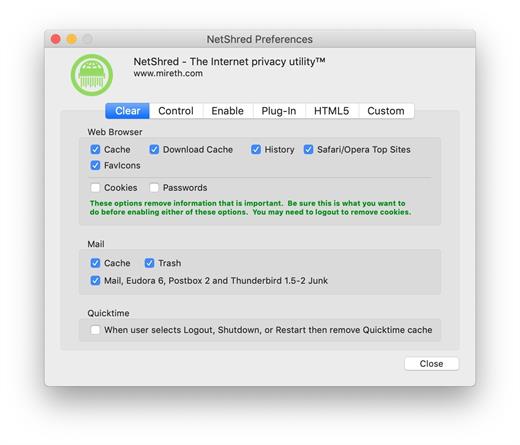
NetShred X is the easy-to-use Internet cache eraser for Mac that securely erases cache files your browser and email programs leave behind. NetShred X is the Internet privacy software that is easy, fast, and cleaner. Easy because it runs automatically – you don’t have to remember to use it. Fast because it runs in the background – you don’t have to wait for it. Cleaner because it will erase, not just delete all Internet tracks for almost every browser and email program on Mac.

Your Web browser stores copies of the images and text that you see when on the internet. This information can be recovered by anyone with access to your computer. These Internet tracks – browser cache, history, download cache, quicktime cache, favicons, cookies and email cache, trash, spam and junk mail – not only potentially compromise your privacy, they also take up a lot of disk space. Clearing your cache, throwing these files in the trash, or deleting them will not remove the file contents from the hard drive – it just removes the file name from the directory, leaving the data intact and recoverable. To dispose of these Internet tracks, you need an Internet eraser to erase them so they can’t be recovered.

What’s New

Version 6.0.9:


  • Release notes were unavailable when this listing was updated.
Compatibility

macOS 10.14 or later, 64-bit processor


Release Name: NetShred X 6.0.9
Size: 4.7 MB
Links: HOMEPAGE – NFO – Torrent Search

Download: RAPiDGATOR
5 Comments
Mar 12

Choosy 2.5.2

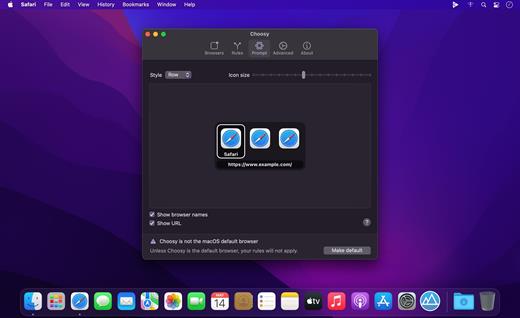
Choosy opens every link in the right browser! Instead of opening links in the default browser, Choosy sends them to the right browser. Every time.

Pick a browser
Choosy can prompt you to select from the browsers on your Mac, or just the ones that are running, so you can decide which browser is right for a particular link.

Let Choosy pick for you
Powerful behaviour rules mean that Choosy can pick the right browser without prompting you. Always want links from your email client to open in Safari? No problem.

Browser extensions
Browser extensions integrate Choosy with your favourite browsers, so you can move a Web page from one browser to another at the click of a button.

Powerful API
Choosy’s powerful URL-based API lets developers trigger Choosy from their own scripts and programs. It works from the Terminal, AppleScript, or anywhere you can open a URL.

What’s New

Version 2.5.2:


  • When an app tries to open a link in the background, Choosy will open the selected browser in the background (broken since 2.4).
  • When configuring a rule with modifier keys, at least one modifier key must be specified before the rule can be saved.
  • Safari extension menu bar icon is now correctly scaled.
Compatibility

macOS 10.15 or later


Release Name: Choosy 2.5.2
Size: 10.3 MB
Links: HOMEPAGE – NFO – Torrent Search

Download: RAPiDGATOR

5 Comments
Mar 12

QLab Pro 5.5.10

QLab is a streamlined and intuitive Mac OS X application that provides the required tools and features to create complex designs that can bring your audio and video content to life.

Versatile and user-oriented show control

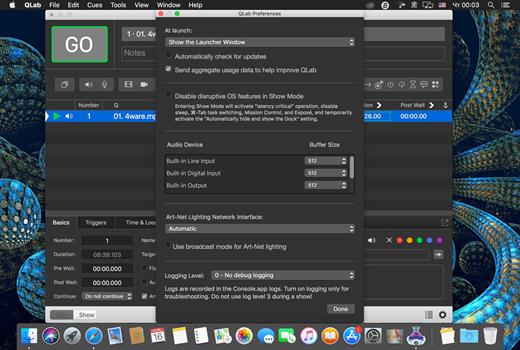
QLab’s user-oriented interface helps you design and handle your multimedia content from within a smooth-running and personalizeable workspace that allows you to manage audio, video, MIDI, OCS and more.

QLab comes with numerous building blocks, also known as “cues”, that can help you design your stunning multimedia performance with just a few mouse clicks. Once you dragged and dropped your files you can start adding commands to fade in and fade out the volume, animate videoclips and apply various video and audio effects.

User-definable scripts and numerous video and audio effects

After getting familiar with the basics, you can step up your game and become a power user by using complex features like scripting, multi-projector edge blending, video corner pinning and audio localization. What is more, you can build multi-computer designs and send commands to multiple QLab systems connected to the same local network.

When you are happy with your Cue List, you can give it a try and hit the “Go” button to preview your show. Thanks to the Warnings panel you can check your list and view all encountered issues.

Support for Blackmagic device input, as well as various types of video surfaces and a host of other similarly powerful tools

QLab comes with support for 48 output and 24 input audio channels, intuitive audio waveform editing, customizable playback rate with pitch adjustment, video and audio faders, animation tools, Matrix mixer, audio and video effects, Syphon integration, keystone correction and corner pinning.

You can also overlay titles, use live video input from various devices, including Blackmagic devices, handle multiple video surfaces, apply fade curves, slice files, use markers and use external video effects.

What’s New

Version 5.5.10:


  • Release notes were unavailable when this listing was updated.
Compatibility

macOS 11.0 or later


Release Name: QLab Pro 5.5.10
Size: 33 MB
Links: HOMEPAGE – NFO – Torrent Search

Download: RAPiDGATOR
5 Comments
Mar 12

Microsoft Excel 16.107

Microsoft Excel spreadsheet app lets you create, view, edit and share your files with others quickly and easily. It also lets you view and edit workbooks attached to email messages. Work in accounting, auditing, finance or other fields, with anyone, anywhere, with confidence. With Excel, your Office moves with you and can implement the most complex formulas, with amazing features

Highlights:


  • Unmistakably Office, designed for Mac – MacBook Pro Touch Bar is fully supported by Microsoft Excel. If you type an equals sign into a cell, Excel will immediately pull up the most recently used functions in the Touch Bar. Go easy on your eyes with Dark Mode. Excel makes it easier to view your spreadsheets in low-light environments by supporting Dark Mode for macOS Mojave
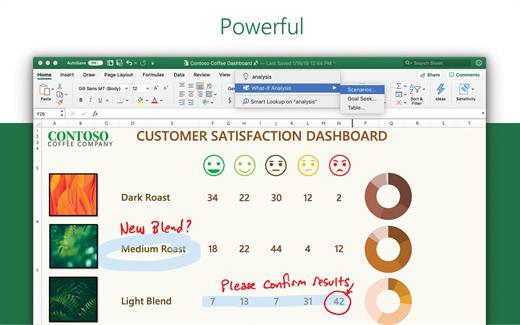
  •  Create, calculate and analyse with confidence – jump-start your budget, task list, accounting or financial analysis with Excel’s modern templates. Use familiar formulas to run calculations and analyse your data. Rich features and formatting options make your workbook easier to read and use. All spreadsheet features, formats and formulas operate the same way – whatever device you use.
  •  Get a better picture of your data – new charts and graphs help you present your data in compelling ways, with formatting, sparklines and tables to better understand your data. Easily create forecasts with just a click to predict trends
  •  Turn data into insights – enhanced by intelligence, Excel learns your patterns, organising your data to save you time. Create spreadsheets with ease from templates or on your own and perform calculations with modern formulas
  •  Work better together – share your workbook with others and always work on the latest version for real-time collaboration to help get work done faster. With Office 365, work within an Excel file from mobile, desktop and web
What’s New

Version 16.107:


  • Bug fixes
Compatibility

macOS 14.0 or later.


Release Name: Microsoft Excel 16.107
Size: 1.1 GB
Links: HOMEPAGE – NFO – Torrent Search

Download: RAPiDGATOR

6 Comments
Mar 12

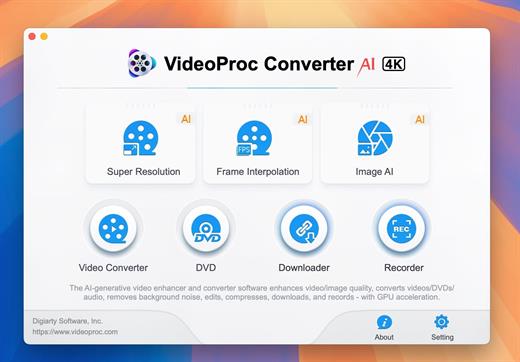
VideoProc Converter AI 8.9

Built with AI tools for video/image/audio enhancement. Remaster, upscale, restore, colorize, convert, edit, compress, download, and record with GPU acceleration. The best video converter works with videos shot with GoPro, DJI, iPhone, Android, DSLR, mirrorless, camcorders, or other 4K cameras.

VideoProc peaks Level-3 Hardware Acceleration fully powered by Intel®, AMD®, NVIDIA® GPUs, and Apple M1/M2/M3/M4 (Pro/Max/Ultra), delivering buttery smooth (4K/8K) video processing and transcoding without compromising quality.

What’s New

Version 8.9:


  • Release notes were unavailable when this listing was updated.
Compatibility

macOS 10.15 or later


Release Name: VideoProc Converter AI 8.9
Size: 256.4 MB
Links: HOMEPAGE – NFO – Torrent Search

Download: RAPiDGATOR
6 Comments