Please REGISTER or RENEW your account on RAPiDGATOR.net and support us by doing through all RAPiDGATOR working download links on main posts...
Jan 31

SiteSucker 6.1.3

SiteSucker is an application that automatically downloads Web sites from the Internet. It does this by copying the site’s HTML documents, images, backgrounds, movies, and other files to your local hard drive. Just enter a URL and click a button and SiteSucker can download the entire site.
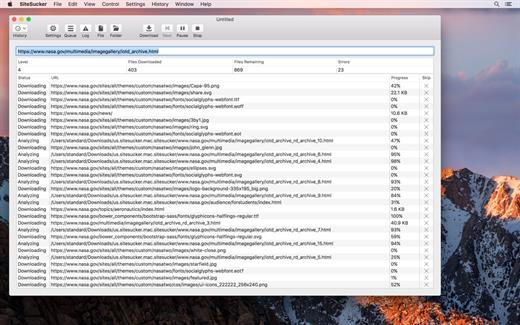
SiteSucker can be used to make local copies of your Web sites for easy maintenance. SiteSucker can download files unmodified, or it can “localize” the files it downloads, allowing you to browse a site off-line.

What’s New

Version 6.1.3:


  • Release notes were unavailable when this listing was updated.
Compatibility

macOS 11.0 or later


Release Name: SiteSucker 6.1.3
Size: 7 MB
Links: HOMEPAGE – NFO – Torrent Search

Download: RAPiDGATOR

8 Comments
Jan 31

Boxy SVG 4.98.1

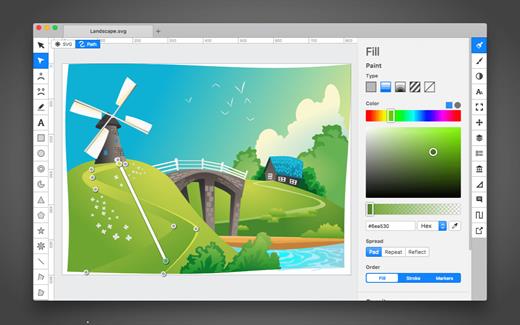
SVG is the standard format for storing vector graphics such as icons, banners, charts and illustrations.

Boxy SVG project goal is to create the best SVG editor for non-technical users as well as for professional designers and developers.

CORE FEATURES

• Clean and intuitive UI heavily inspired by Inkscape, Sketch and Adobe Illustrator
• Extensive support for on-canvas editing of object geometry, transform, paint and other properties
• Save to SVG and SVGZ formats, export to PNG, JPG, WebP, PDF and HTML5
• Open Clip Art Library integration with thousands of free stock vector arts
• Google Fonts integration with hundreds of free fonts
• Configurable keyboard shortcuts for over 100 commands
• Manual guides, smart guides and grid
• Path operations (unite, intersect, subtract, exclude, close, reverse, etc.)
• Arrangement operations (align to, rotate, flip, order, group, etc.)

FOR WEB DEVELOPERS

• Chromium-based rendering engine
• SVG and CSS code inspector similar to Chrome Dev Tools
• Clean SVG output that preserves IDs, classes, titles and other metadata
• SVG sprites editing support

What’s New

Version 4.98.1:


  • Release notes were unavailable when this listing was updated.
Compatibility

macOS 10.15 or later


Release Name: Boxy SVG 4.98.1
Size: 213 MB
Links: HOMEPAGE – NFO – Torrent Search

Download: RAPiDGATOR
9 Comments
Jan 31

MouseBoost Pro 4.1.1

*** Main Features ***
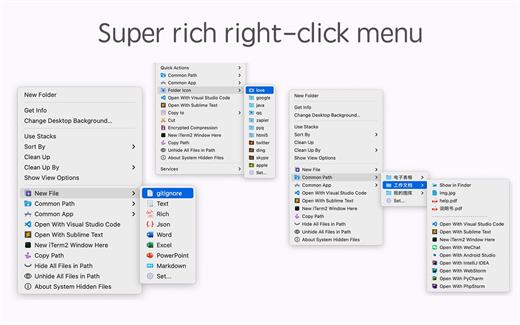
– All menus support custom sorting.
– Quickly create all kinds of commonly used files, and supports custom creation of various file types you want.
– Quickly open your terminal, iTerm2, and go to the directory you want.
– Quickly open VSCode, Sublime Text and Emacs, and customize the various apps you want to open.
– Quickly copy the current path power.
– Complete files deletion is supported.
– Supports files moving, copying and cutting.
– Supports files encrypted compression.
– Quickly open your favorite directory.
– Quickly get file MD5,SHA1,SHA256 and other information.
– Supports hiding and displaying of specified files.
– Supports modify folder icon.

What’s New

Version 4.1.1:


  • Release notes were unavailable when this listing was updated.
Compatibility

macOS 10.11 or later


Release Name: MouseBoost Pro 4.1.1
Size: 17.2 MB
Links: HOMEPAGE – NFO – Torrent Search

Download: RAPiDGATOR

8 Comments
Jan 31

PhotoLine 25.50

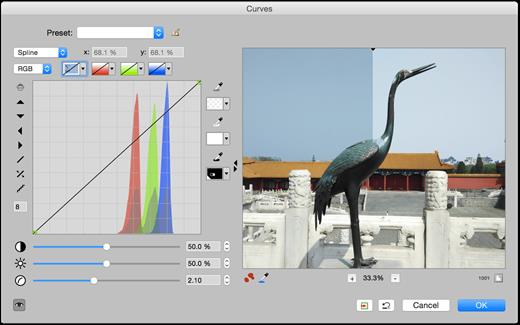
PhotoLine is an image processing utility, image browser, layout program, vector editor, batchconverter and Web editor with a multitude of powerful functions. It is available as 32- or 64-bit application. Imaging functions supported are Lab, CMYK, 16 bit channels, ICC profiles, and raw data profiles for digital cameras. PhotoLine offers all the tools you need: painting, cloning, filtering, blending and flood fill, special effects like squirl, shadow, glowing, distorb, morphing, 3d projection. Also supports, working layers, clipping layers, dynamic layer effects. EXIF digital camera data and IPTC data are also supported. Multiple undo/redo levels, plugin filters and much more.

Save and read your PDF files with PhotoLine. Create vector graphics, add, remove, move vector points. Convert lines to beziers, fill with pattern, etc.

PhotoLine also has an action recorder. You can record your jobs and use the batch converter to convert them into an animated gif. Do all your work for the Web with PhotoLine. Transparent and animated GIFs, animations, JPEG2000, HD-Photo, Flash format (swf). Create animated buttons, image maps, and more with PhotoLine!

What’s New

Version 25.50:


  • Release notes were unavailable when this listing was updated.
Compatibility

macOS 10.13 or later


Release Name: PhotoLine 25.50
Size: 53.5 MB
Links: HOMEPAGE – NFO – Torrent Search

Download: RAPiDGATOR
10 Comments
Jan 31

JSON Wizard 2.6.2

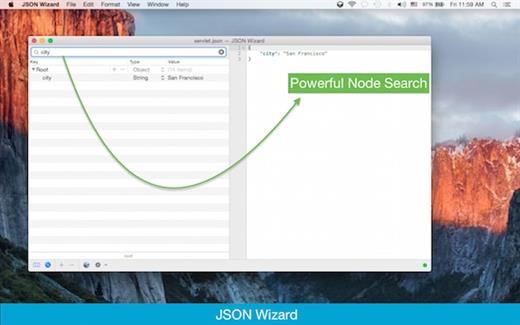
JSON Wizard is the perfect tool for you if you simply want to view and edit your JSON files. Or perhaps you want to be able to import XML/YAML/PLIST/CSV files. Perhaps you even want to be able to export to all those formats as well. JSON Wizard provides both easy visual editing and direct access to the source code with live syntax checking.

Features


  • Import pure JSON, XML, property lists (XML or binary), YAML, and even CSV
  • Edit and view JSON (via the Source-code or the Data-tree view) and observe changes live
  • Advanced live syntax checking/linter, with error checking and live notifications
  • Source beautifier
  • Powerful search feature (to browse through all tree nodes)
  • Search-by-path feature (to access specific nodes)
  • Export/save to JSON, XML, YAML, property list (XML-based or binary)
  • Live HTTP request tool (GET/POST + with additional headers support)
What’s New

Version 2.6.2:


  • Release notes were unavailable when this listing was updated.
Compatibility

macOS 11.0 or later


Release Name: JSON Wizard 2.6.2
Size: 8.8 MB
Links: HOMEPAGE – NFO – Torrent Search

Download: RAPiDGATOR

10 Comments
Jan 31

Bartender 6.3.1

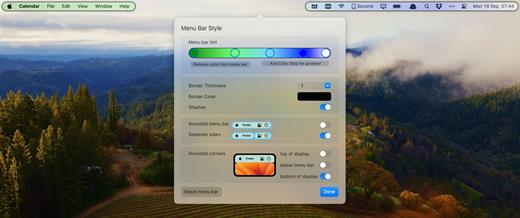
Bartender lets you organize your menu bar apps.

Features


  • Take control of your menu bar – With Bartender you can choose which apps stay in the menu bar, are displayed in the Bartender Bar or are hidden completely.
  • The Bartender Bar – The Bartender Bar can be displayed and hidden as you want, by clicking on the Bartender Icon or via a hot key.
  • Menu bar apps still work the same – Apps still work the same when they are in the Bartender Bar allowing you quick access to them when needed, but keeping them out of sight when not.
  • Show an app in the menu bar when it updates – Set up your apps to be displayed in the menu bar for a period of time when they update.
  • Order your menu bar items – With Bartender you can set the order of the menu bar items, both in the menu bar and in the Bartender Bar, simply by ⌘+dragging the items. The order you set is maintained after restarts. So your menu bar items are always in the order you want.
  • Minimalism – If you want a really clean look and privacy, Bartender can also be hidden.
  • The Bartender Bar can be placed where you want – The Bartender Bar can be moved at any time to any horizontal position immediately under the menu bar. Or it can open under the Bartender icon.
  • Keyboard Navigate your menu bar items – Keyboard navigate all menu items both in the menu bar and the Bartender Bar; simply arrow through them and press return to select.
  • Search menu bar items – You can search the Bartender Bar for menu items, allowing you quick access to a menu item without looking for it. Simply display the Bartender Bar and start typing, then press enter to select the menu item.
Bartender lets you organize your menu bar apps by hiding them, rearranging them, or moving them to Bartender’s Bar. You can display the full menu bar, set options to have menu bar items show in the menu bar when they have updated, or have them always visible in Bartender’s Bar.

What’s New

Version 6.3.1:


  • Release notes were unavailable when this listing was updated.
Compatibility

macOS 14.0 or later


Release Name: Bartender 6.3.1
Size: 30.1 MB
Links: HOMEPAGE – NFO – Torrent Search

Download: RAPiDGATOR
11 Comments
Jan 31

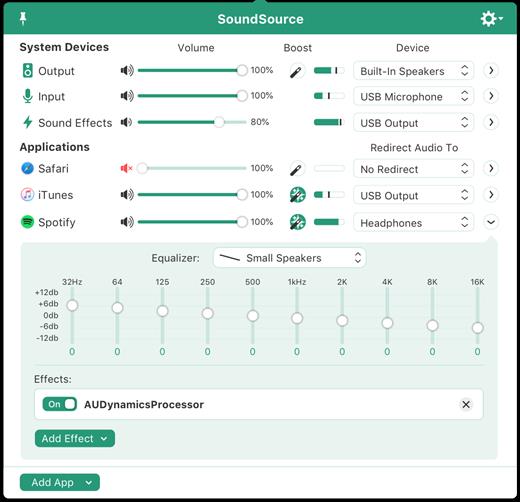
SoundSource 6.0.3

SounceSource lets you adjust your input, output, and sound-effects devices and volume settings in mere moments, right from the menu bar. Enable soft play-thru of input devices to your desired output, so you can hear sound coming in through any microphone or other source. With SoundSource, you get fast access to your Mac’s most important audio settings.


  • Instant Audio-Device Switching – With just two clicks, you can switch the audio devices your Mac is using for input, output, and even sound effects.
  • Fast Volume Control – SoundSource provides easy access to the volume controls for your audio devices as well.
  • Audio Play-Thru, Too – SoundSource’s Play-Thru window makes it easy to monitor the audio coming from any input device.
  • Comprehensive – SoundSource gives you one place to go for all Mac’s most important audio controls.
  • At Your Fingertips – With SoundSource running in your menu bar, your audio controls are always available.
  • Lightweight – When you don’t need SoundSource, it stays out of your way.
What’s New

Version 6.0.3:


  • Release notes were unavailable when this listing was updated.
Compatibility

macOS 10.14.0 or later
Apple Silicon or Intel Core processor


Release Name: SoundSource 6.0.3
Size: 53.9 MB
Links: HOMEPAGE – NFO – Torrent Search

Download: RAPiDGATOR

10 Comments
Jan 31

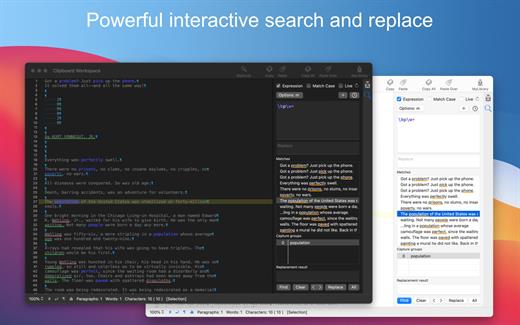
TextSoap 9.6.1

TextSoap can automatically remove unwanted characters, fix up messed up carriage returns, and do pretty much anything else that we can think of to text. Save time and effort. Be more productive.

Stop manually fixing text documents and emails. Let TextSoap help you automate away all that tediousness. And do it all from within your favorite app using TextSoap Menu. Enable it in preferences and access TextSoap in most apps that support standard copy and paste.

Easy to learn for casual users, TextSoap offers the flexibility that expert users need.

What’s New

Version 9.6.1:


  • Release notes were unavailable when this listing was updated.
Compatibility

macOS 11.0 or later


Release Name: TextSoap 9.6.1
Size: 25.3 MB
Links: HOMEPAGE – NFO – Torrent Search

Download: RAPiDGATOR
11 Comments
Jan 31

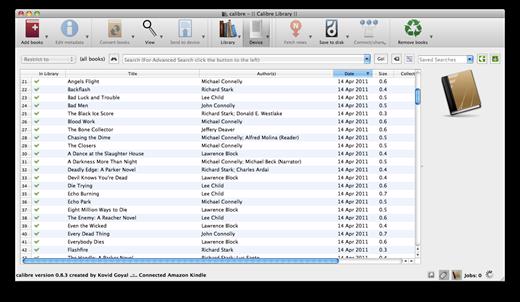
calibre 9.0.0

Calibre is a complete e-book library manager. Organize your collection, convert your books to multiple formats, and sync with all of your devices. Let Calibre be your multi-tasking digital librarian.

Manage, convert, sync, and more


  • Library management. Calibre keeps things orderly by creating single entries for books that contains multiple formats. Add tags and comments for better searchability.
  • Format conversion. Calibre’s robust conversion options support
What’s New

Version 9.0.0:


  • Release notes were unavailable when this listing was updated.
Compatibility

macOS 10.14 or later


Release Name: calibre 9.0.0
Size: 323.5 MB
Links: HOMEPAGE – NFO – Torrent Search

Download: RAPiDGATOR

11 Comments
Jan 31

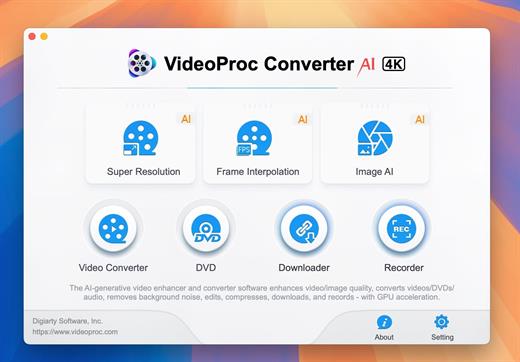
VideoProc Converter AI 8.8

Built with AI tools for video/image/audio enhancement. Remaster, upscale, restore, colorize, convert, edit, compress, download, and record with GPU acceleration. The best video converter works with videos shot with GoPro, DJI, iPhone, Android, DSLR, mirrorless, camcorders, or other 4K cameras.

VideoProc peaks Level-3 Hardware Acceleration fully powered by Intel®, AMD®, NVIDIA® GPUs, and Apple M1/M2/M3/M4 (Pro/Max/Ultra), delivering buttery smooth (4K/8K) video processing and transcoding without compromising quality.

What’s New

Version 8.8:


  • Release notes were unavailable when this listing was updated.
Compatibility

macOS 10.15 or later


Release Name: VideoProc Converter AI 8.8
Size: 255.5 MB
Links: HOMEPAGE – NFO – Torrent Search

Download: RAPiDGATOR
9 Comments