Please REGISTER or RENEW your account on RAPiDGATOR.net and support us by doing through all RAPiDGATOR working download links on main posts...
Jan 14

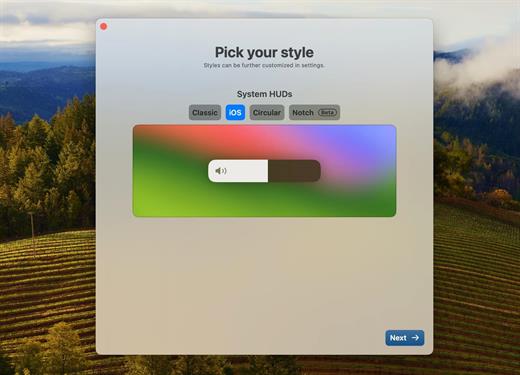
MediaMate 3.8.3

Note:

If the error “Cannot open the program” appears, enter in the terminal

Ignore “Enter License” text and “Enable Demo Mode” button, all features unlocked.

What’s New

Version 3.8.3:


  • Release notes were unavailable when this listing was updated.
Compatibility

macOS 13 or later


Release Name: MediaMate 3.8.3
Size: 9.5 MB
Links: HOMEPAGE – NFO – Torrent Search

Download: RAPiDGATOR

4 Comments
Jan 14

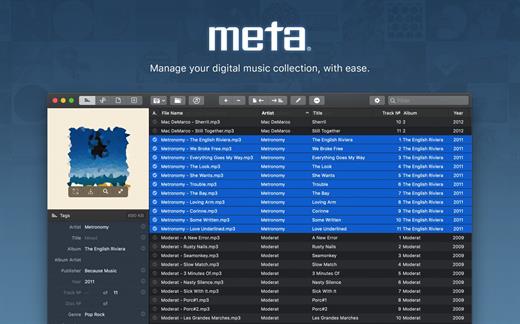
Meta 2.3.1

Meta helps you manage your ever-growing digital music collection. Use it to easily edit information such as a song’s artist, title, album, album cover, etc. It supports editing of most audio formats such as MP3, MP4, M4A, FLAC, Ogg, OGA, SPX, WAV, AIFF, and a variety of metadata formats including ID3v1, ID3v2.3, ID3v2.4, iTunes MP4, Vorbis comments, and APE tags.

Features


  • A polished, intuitive user interface that adopts OS X’s standards
  • Write metadata to multiple files at once (Batch Tag Editing)
  • Remove all metadata from files (Strip Tags)
  • Change typecase (capitalise, upper/lowercase, titlecase), strip underscores
  • Rename files based on their metadata or instead, convert filenames to metadata
  • Find and Replace characters, words, or strings in metadata, with support for regular expressions (patterns)
  • Add selected tracks to iTunes, or refresh their metadata using a simple keyboard shortcut
  • Automatically generate track numbers
  • Benefit from built in file management operations (Move, Delete, Reveal in Finder)
  • Interface is compatible with Retina displays
Album covers can easily be set or exported via drag-and-drop, and it is possible to configure Meta so that it scales, crops, and compresses images each time a new image is set, so as to keep your audio files’ size to a minimum.

What’s New

Version 2.3.1:


  • Release notes were unavailable when this listing was updated.
Compatibility

macOS 10.11 or later.


Release Name: Meta 2.3.1
Size: 9.1 MB
Links: HOMEPAGE – NFO – Torrent Search

Download: RAPiDGATOR

5 Comments
Jan 14

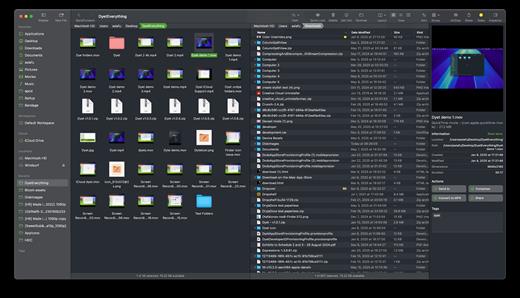
Bloom 1.5.22

Bloom is a refined file management tool designed to enhance your search and navigation experience on macOS, offering a more intuitive and feature-rich alternative to Finder. With Bloom, you can instantly navigate to any location system-wide using the shortcut ⌘⇧⏎, making file access seamless and efficient .

Key Features


  • Enhanced Search Capabilities: Bloom allows you to search files by keyword within predefined locations, scanning tens of thousands of files in seconds for lightning-fast results. You can also search directly in any folder with ⌘F and refresh results with ⌘R .
  • Portal Mode: A compact window without sidebar or preview, Portal retains core functionalities and can be pinned on top of other windows or collapsed into the screen edge for convenience .
  • Archive Viewing: Browse contents of compressed files without extraction and preview text, images, or PDFs under 10MB by pressing Space or double-clicking .
  • Advanced File Management: Features like auto-resizing columns, advanced rename with regex support, workspace customization, iCloud Drive integration, and tag management elevate your file-browsing experience .
  • Media and Productivity Tools: Convert and optimize images, create various file types easily, paste images from the web, and organize files by kind or date. Additionally, Bloom records every operation for easy reversion and supports starting a terminal directly from a folder .
  • Disk Analysis and Task Management: Use Folder Scan to visualize disk usage through a treemap and manage file operations with a Task Scheduler to track progress .
What’s New

Version 1.5.22:


  • Release notes were unavailable when this listing was updated.
Compatibility

macOS 14.0 or later
Apple Silicon or Intel Core processor


Release Name: Bloom 1.5.22
Size: 18.2 MB
Links: HOMEPAGE – NFO – Torrent Search

Download: RAPiDGATOR

4 Comments
Jan 14

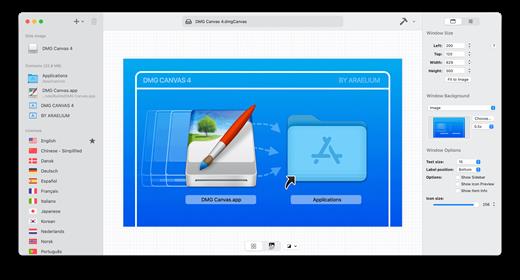
DMG Canvas 4.2.3

DMG Canvas helps you manage the content and appearance of disk image files using helpful templates. Choose your files, create your background image using helpful controls, and click “Build”. Your disk image will appear in Finder exactly as you designed it.

Disk images, delivered with style


  • Simplified design. With DMG Canvas, creating backgrounds is easy. Just drop in images, add customized text, and you’re done.
  • Maximum compatibility. DMG Canvas creates disk images that work seamlessly on any version of OS X. Say goodbye to compatibility issues.
  • Retina ready. DMG Canvas supports Retina displays on OS X 10.7 or later. Your disk images will be bold and beautiful.
  • macOS Sonoma ready. DMG Canvas also supports code signing disk images, so developers can be prepared for changes to Gatekeeper, particular Launch Path Randomization. Apple strongly recommends using disk images to ship applications, so developers should take note!
What’s New

Version 4.2.3:


  • Release notes were unavailable when this listing was updated.
Compatibility

macOS 11.0 or later.
Apple Silicon or Intel Core processor


Release Name: DMG Canvas 4.2.3
Size: 21.4 MB
Links: HOMEPAGE – NFO – Torrent Search

Download: RAPiDGATOR

3 Comments
Jan 14

Permute 3.14.5

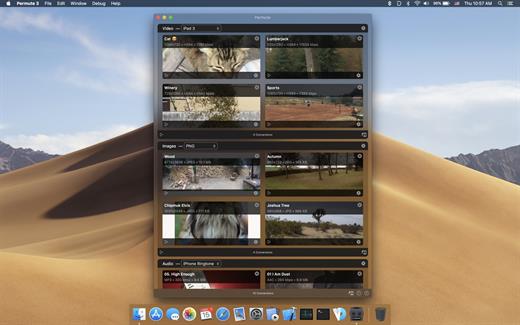
Permute offers easy-to-use drag-and-drop video conversion.

Features:


  • Easy to Use – built from the ground up, Permute is a perfect example of what a Mac app should be. With a gorgeous interface and drag & drop simplicity no need for complicated options.
  • Insanely Fast – Permute was engineered to be incredibly fast. Let us take care of the hard stuff. Just select the video format you want and it’ll be done faster than you can say “hardware acceleration” – MP4 and HEVC presets now take advantage of your machine’s hardware acceleration capabitlities, speeding up HEVC conversions more than 3 times over previous versions of Permute!
  • PDF Support – Permute 3 now includes support for stitching multiple images into a single PDF.
  • Everything Included – It doesn’t matter if you’re converting home movies or processing images. Permute can do it all. We support nearly every format and have plenty of device presets to choose from.
  • Looks Amazing – Whether you use dark mode or not, Permute will look amazing. Taking advantage of the modern technologies, Permute will even change its icon in dark mode.
  • Keep the Schedule – Video re-encoding is quite demanding on computer resources. This is why you can now schedule Permute to convert videos e.g. at night when you’re not using your computer.
  • And so much more! – There are so many other great features in Permute – adjust volume of an audio file or an audio track in a video. Batch-resize, rotate and flip images and videos. And more!
What’s New

Version 3.14.5:


  • Release notes were unavailable when this listing was updated.
Compatibility

macOS 10.12.0 or later


Release Name: Permute 3.14.5
Size: 79.5 MB
Links: HOMEPAGE – NFO – Torrent Search

Download: RAPiDGATOR

3 Comments
Jan 14

WiFi Explorer Pro 3.9.2

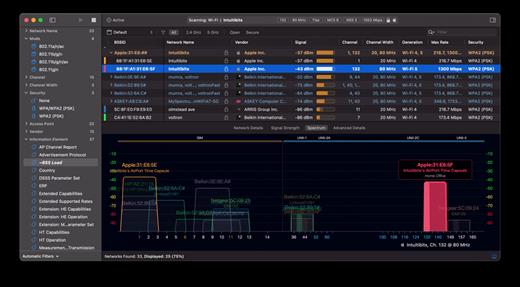
WiFi Explorer Pro takes the code base of WiFi Explorer, and adds a set of features that makes it the right tool for WLAN and IT professionals. You can use WiFi Explorer Pro for preliminary assessments, to help design and validate wireless networks installations, as well as to identify channel conflicts, overlapping, poor signal quality and other issues that may be affecting the connectivity or performance of your home, office or enterprise wireless network.

Features:


  • Passive and directed scan modes
  • Spectrum analysis integration
  • Custom filters
  • Support for remote sensors
  • Support for networks with hidden SSIDs
  • Additional columns with advanced information
  • Additional organization options for scan results
  • Dark and light themes
What’s New

Version 3.9.2:


  • Release notes were unavailable when this listing was updated.
Compatibility

macOS 10.13.0 or later


Release Name: WiFi Explorer Pro 3.9.2
Size: 16.1 MB
Links: HOMEPAGE – NFO – Torrent Search

Download: RAPiDGATOR

4 Comments
Jan 14

Sketch 2025.3.3

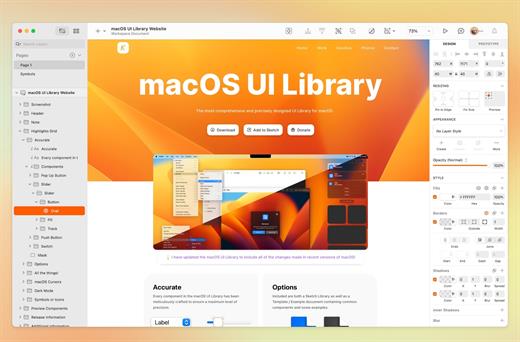
Sketch is a complete design toolkit. With a native Mac app for design and prototyping, and web-based tools to share, get feedback and handoff.

A native macOS app for design and prototyping


  • Powerful tools built for designers, by designers
  • Nestable frames and flexible stack layouts
  • Fast, immersive prototyping to bring your ideas to life
  • Shared Libraries, styles and components to scale your work
  • Full control over color profiles, including P3 support
  • Variable and OpenType font support
  • Offline and local file support
  • Ready for real-time collaboration, or working solo
A flexible web app for feedback, sharing and handoff

  • Store, sync and share documents
  • Document and project permissions
  • Easy Workspace admin
  • Annotate documents with feedback
  • File version history
  • Share Libraries, components and templates
  • Developer handoff tools
  • Test prototypes in any browser
  • View, comment and handoff for free
What’s New

Version 2025.3.3:


  • Release notes were unavailable when this listing was updated.
Compatibility

macOS 14.0 or later


Release Name: Sketch 2025.3.3
Size: 115.5 MB
Links: HOMEPAGE – NFO – Torrent Search

Download: RAPiDGATOR

9 Comments
Jan 14

Abelssoft SendMe 2026 v2.0

for Windows/macOS

Description: Easily Share Files Between Multiple PCs and Smartphones. SendMe seamlessly connects Windows and Apple computers with iPhones and Android devices.
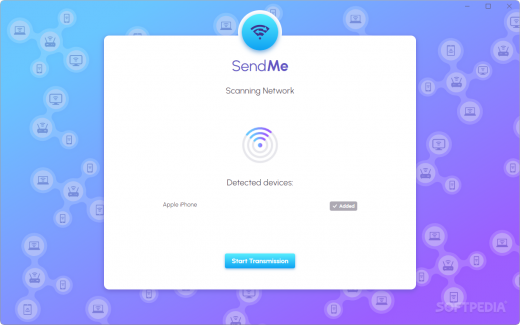
Overview of all functions

Seamless integration across platforms
SendMe connects Windows, Mac, Android, and iOS effortlessly. (Files can be transferred securely and quickly, regardless of the operating system.)

Drag-and-drop operation
The intuitive interface lets you easily move files using a chat-like view. (No technical knowledge is required – it's simple and straightforward.)

Optimized network speeds
SendMe utilizes your local network’s full capacity for exceptionally fast transfers. (Say goodbye to long wait times!)

Local storage security
Your data remains safe as it’s not uploaded to external servers or sent abroad. (Transfers happen exclusively within your local network, ensuring privacy.)

Direct transfers without the cloud
Files are exchanged directly through your Wi-Fi or network, bypassing cloud servers. (This guarantees maximum speed and full control over your data.)

Support for large files
No file size limitations with SendMe. (Even 4K videos or entire photo albums can be transferred effortlessly.)

Support for all major file formats
Whether it's photos, videos, documents, or music, SendMe supports all common formats, (so you can share whatever files you need.)

Release Name: Abelssoft SendMe 2026 v2.0
Size: 295 MB
Links: HOMEPAGE – NFO – Torrent Search

Download: RAPiDGATOR

6 Comments
Jan 13

Mellel 6.6.0

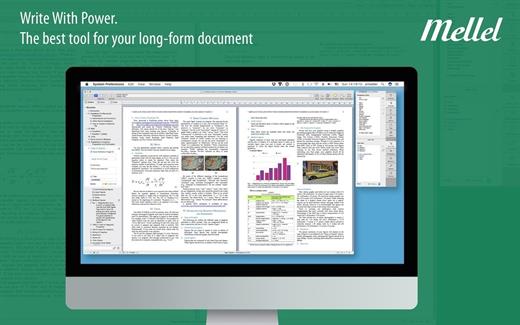
Mellel is the leading word processor for OS X and has been widely considered the industry standard for long form documents since its inception. Mellel focuses on writers and scholars for technical writing and multilingual word processing. It offers special tools to help you write and organize long documents easily. If you need multilingual support or are writing bi-directional text, Mellel is just the thing for you: Arabic, Persian, Hebrew, and Syriac never looked better on a Mac. Even if you don’t need all the bells and whistles, Mellel is still the right choice for you: clean, stable, and easy to use.

What’s New

Version 6.6.0:


  • Release notes were unavailable when this listing was updated.
Compatibility

macOS 10.10 or later


Release Name: Mellel 6.6.0
Size: 111.6 MB
Links: HOMEPAGE – NFO – Torrent Search

Download: RAPiDGATOR

5 Comments
Jan 13

FotoMagico 6.8.3

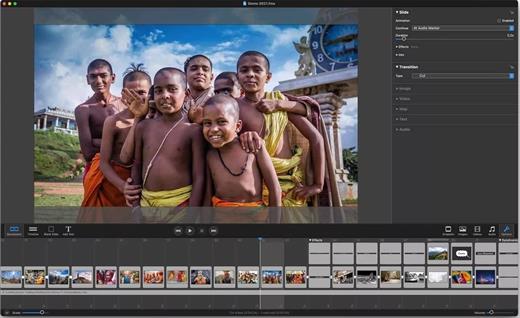
FotoMagico lets you create professional slideshows from your photos and music with just a few, simple mouse clicks. It sports a very clean and intuitive yet powerful user interface. High image quality, fast performance, and user flexibility were some of the design goals for this application.

Features:


  • Create the most spectacular slideshows

    • Scale, move, rotate, zoom or pan around your images to highlight that part that matters the most.
    • Your slides fit together perfectly with the new, gorgeous transitions.
    • Provide more meaning with subtle titles here and there.
  • Present a breathtaking show

    • Your slideshow uses the best possible resolution of your presentation device.
    • Use large displays, HDTV screens and other high resolution devices.
    • Even on a VGA projector, your photos will look better with FotoMagico.
  • Your audience will want to take it home

    • Burn DVDs of your slideshow with iDVD or Roxio Toast.
    • Put your slideshow on the new iPod.
    • Export in almost any QuickTime format.
What’s New

Version 6.8.3:


  • Release notes were unavailable when this listing was updated.
Compatibility

macOS 10.15.2 or later


Release Name: FotoMagico 6.8.3
Size: 75.5 MB
Links: HOMEPAGE – NFO – Torrent Search

Download: RAPiDGATOR

4 Comments