Please REGISTER or RENEW your account on RAPiDGATOR.net and support us by doing through all RAPiDGATOR working download links on main posts...
May 3

Typora 1.13.5

Typora gives you a seamless experience as both a reader and a writer. It removes the preview window, mode switcher, syntax symbols of markdown source code, and all other unnecessary distractions, replacing them with a real-time preview to help you concentrate on the content itself.
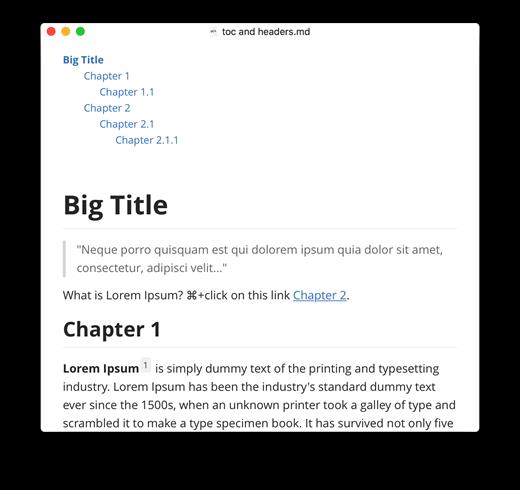
Features:


  • Markdown support including tables, code fences with syntax highlight, LaTeX, table of contents
  • Cross-platform
  • The real-time preview and WYSIWYG features
  • Beautiful interface and custom CSS theme support
  • Easy export
What’s New

Version 1.13.5:


  • Release notes were unavailable when this listing was updated.
Compatibility

macOS 10.13.0 or later, 64-bit processor


Release Name: Typora 1.13.5
Size: 18.6 MB
Links: HOMEPAGE – NFO – Torrent Search

Download: RAPiDGATOR

6 Comments
May 3

calibre 9.8.0

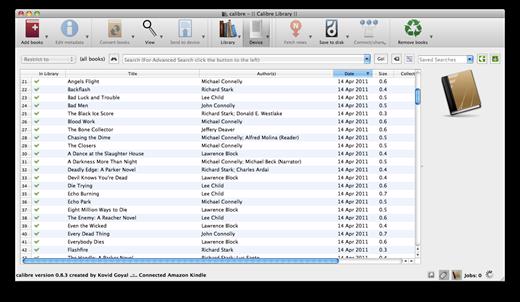
Calibre is a complete e-book library manager. Organize your collection, convert your books to multiple formats, and sync with all of your devices. Let Calibre be your multi-tasking digital librarian.

Manage, convert, sync, and more


  • Library management. Calibre keeps things orderly by creating single entries for books that contains multiple formats. Add tags and comments for better searchability.
  • Format conversion. Calibre’s robust conversion options support
What’s New

Version 9.8.0:


  • Release notes were unavailable when this listing was updated.
Compatibility

macOS 10.14 or later


Release Name: calibre 9.8.0
Size: 325.7 MB
Links: HOMEPAGE – NFO – Torrent Search

Download: RAPiDGATOR
7 Comments
May 3

MWeb Pro 4.8.2

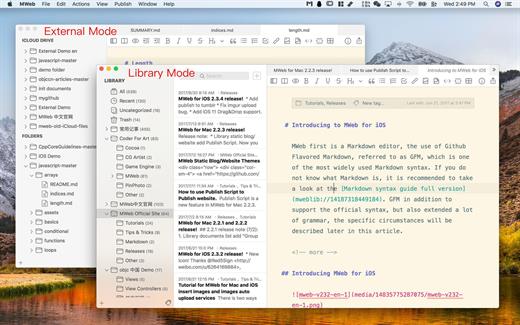
MWeb can handle professional-level markdown with support for markdown extensions. It provides publishing to various social networks and blogging formats, as well as various preview themes. It also has two work modes: external, which allows the addition of external folders; and library, designed for note-taking and static blogging.

Features


  • Full GFM (GitHub Flavored Markdown) supported
  • Publish/Update to WordPress, Metaweblog API services, WordPress.com, Evernote, Blogger, Tumblr.
  • Drag-and-drop or paste to insert pictrue and display immediately.
  • Live preview and export to PDF/HTML/RTF/DOCX
  • External folder, library, static blog/website generator
What’s New

Version 4.8.2:


  • Bug fixes and improvements.
Compatibility

macOS 10.13 or later
Apple Silicon or Intel Core processor


Release Name: MWeb Pro 4.8.2
Size: 38.8 MB
Links: HOMEPAGE – NFO – Torrent Search

Download: RAPiDGATOR

7 Comments
May 3

PDF to Word & Document Converter 6.3.0

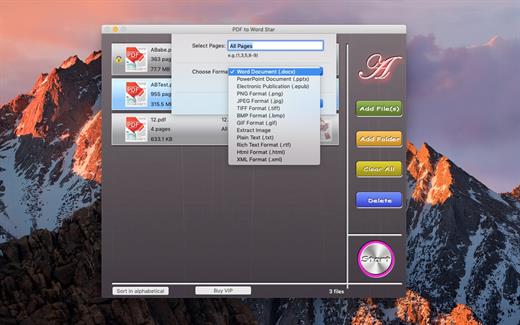
PDF to Word & Document Converter is an app that enables you to quickly convert PDF documents into other format files.​

The app comes with batch processing capabilities. user can easily choose to convert only certain pages for each document.

Key Features:


  • Batch convert PDF to Word files
  • Batch convert PDF to PowerPoint files
  • Batch convert PDF to EPUB files
  • Batch convert PDF to txt files
  • Batch convert PDF to image files
  • Batch convert PDF to html files
  • Batch convert PDF to xml files
  • Batch convert PDF to rtf files
  • Extract Image
  • Offers support for selective conversion
  • Comes with drag and drop support
What’s New

Version 6.3.0:


  • Release notes were unavailable when this listing was updated.
Compatibility

macOS 10.12 or later


Release Name: PDF to Word&Document Converter 6.3.0
Size: 7.1 MB
Links: HOMEPAGE – NFO – Torrent Search

Download: RAPiDGATOR
3 Comments
May 3

Chronicle Pro 14.9.5

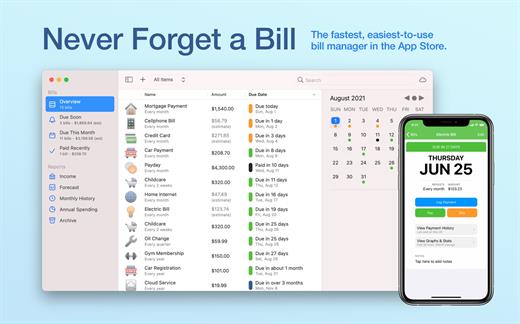
You need Chronicle if you pay bills. It gives you the peace of mind of never having to worry about whether you paid a bill again.

Even if you use another finance application for general finance, you need Chronicle. One late payment can wreak havoc on your credit score, leading to higher interest rates and denied loans– in short, completely affecting your financial life.

That’s why you need Chronicle. Chronicle will remind you when your bills are due, even when it isn’t running. And in just a few minutes a month, you can handle everything related to paying your bills.


  • Never forget a bill — get reminded when your bills are due with alerts that can be synced to your iPhone and across all your Macs, even when Chronicle isn’t running.
  • Easily pay your bills online using Chronicle’s integrated browser, or your default browser.
  • Keep proof of all your payments — store confirmation numbers and receipts right in Chronicle, so you always have proof of your payments.
  • Get reminders in your notification center and put bills on your calendar. Chronicle can remind you via notification center on Mountain Lion, and on all Macs, can add your bills to your calendar so you can visually see when they are due.
What’s New

Version 14.9.5:


  • Release notes were unavailable when this listing was updated.
Compatibility

macOS 11.0 or later.


Release Name: Chronicle Pro 14.9.5
Size: 10.7 MB
Links: HOMEPAGE – NFO – Torrent Search

Download: RAPiDGATOR

6 Comments
May 3

PDF Compressor & PDF Toolbox 6.3.5

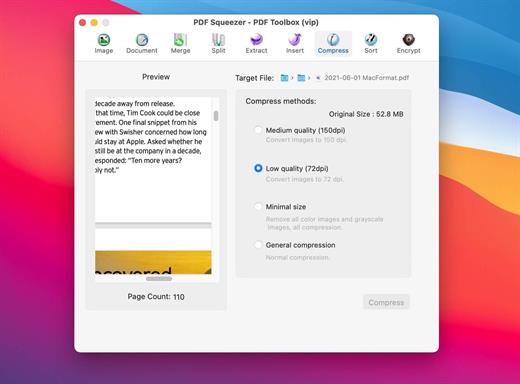
PDF Squeezer – PDF Toolbox is designed for operating PDF files and contains almost all operations you can imagine, such as: compress, merge, split, extract, insert, extract image, convert image, extract text, sequence, encrypt, etc. If you are worried about operating PDF files, download it, it’s so fantastic!

FEATURES:


  1. Merge
    You can easily merge various PDF files that you like into one which is convinent for managing and reading;
  2. Split
    You can arbitrarily split a PDF file at your convenience;
  3. Extract
    You can arbitrarily extract page number from one or more PDF files and merger into a new PDF file;
  4. Insert
    You can insert one PDF file into another;
  5. Extract image
    You can specify the page number of PDF file, and then extract the images or convert the whole page into any other image files in specified format(png,jpeg,bmp,tiff,gif);
  6. Document
    You can extract text in PDF and save as txt or rtfd format;
  7. Compress
    You can compress PDF files making files smaller to save your valuable disk space;
  8. Sort
    You can randomly sequence the page number of PDF file;
  9. Encrypt
    You can encrypt PDF files;

What’s New

Version 6.3.5:


  • Performance improvements.
Compatibility

macOS 10.12 or later


Release Name: PDF Compressor & PDF Toolbox 6.3.5
Size: 9.6 MB
Links: HOMEPAGE – NFO – Torrent Search

Download: RAPiDGATOR
5 Comments
May 3

System Dashboard 5.1.2

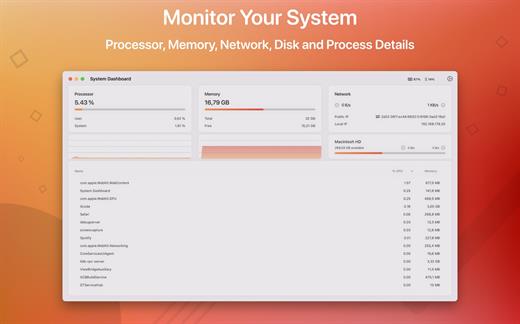
System Dashboard shows the processor, memory, network and disk usages in a small and lightweight window.

The System Dashboard shows all the important characteristics of your system on a single page.

Features:

System Overview

The main window of this app will show the most important and interesting parameters of your system on a single window.

Processor

This category shows the total, user and system CPU usage. The number of threads and tasks is also shown.

Memory

This category shows the used, wired, compressed and free memory of your system.

Network

The network category shows the current download- and upload speed but also the number of open connections and your internet IP address.

Batteries

The app also checks the battery status of connected Bluetooth devices. All Apple peripherals are supported.

What’s New

Version 5.1.2:


  • Release notes were unavailable when this listing was updated.
Compatibility

macOS 11.5 or later
Apple Silicon or Intel Core processor


Release Name: System Dashboard 5.1.2
Size: 7.1 MB
Links: HOMEPAGE – NFO – Torrent Search

Download: RAPiDGATOR

6 Comments
May 3

Bookshelf – Library 6.3.9

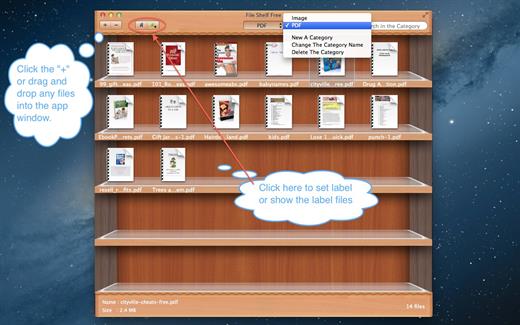
File Shelf Pro is a file index management tool, it can help you manage your files better.

Key Features


  1. You can add any files here, including the folder.
  2. You can create file category in order to manage them conveniently.
  3. You can search for files in current category and all categories.
  4. You can set image file to the desktop image.
  5. You can ascending and descending order files.
  6. You can add file labels, It’s easier to find files.
  7. You can move files from one category to another category.
  8. Move files into the buffer in order to manage your files better, can also let your desktop become cleaner.
  9. Support drag and drop to add files.
  10. Create more categories.

What’s New

Version 6.3.9:


  • Release notes were unavailable when this listing was updated.
Compatibility

macOS 10.13 or later


Release Name: Bookshelf – Library 6.3.9
Size: 8.2 MB
Links: HOMEPAGE – NFO – Torrent Search

Download: RAPiDGATOR
6 Comments
May 3

Astropad Workbench 1.2.0

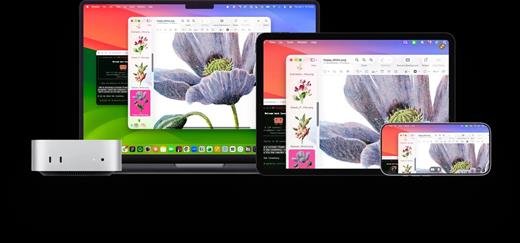
Astropad Workbench is a modern remote desktop solution designed by Astropad, specifically built for users who need to access and control their Mac from an iPad or iPhone with professional-grade responsiveness.

Key Features


  • Powered by LIQUID: Built on proprietary technology to ensure ultra-low latency, crystal-clear Retina support, and 60 FPS performance.
  • Optimized for AI Workflows: Perfect for monitoring AI agents or managing headless Mac minis remotely without needing extra peripherals.
  • Seamless Connectivity: Features a global relay network that works instantly through firewalls and VPNs—no complicated port forwarding required.
  • Native Input Support: Full support for Apple Pencil, touch gestures, and even middle-mouse clicks for complex 3D or CAD software.
  • Voice Integration: Dictate text or commands from your mobile device directly to your Mac using built-in speech-to-text.
What’s New

Version 1.2.0:


  • Release notes were unavailable when this listing was updated.
Compatibility

macOS 15 or later


Release Name: Astropad Workbench 1.2.0
Size: 41.1 MB
Links: HOMEPAGE – NFO – Torrent Search

Download: RAPiDGATOR

8 Comments
May 3

AlDente Pro 1.37.3

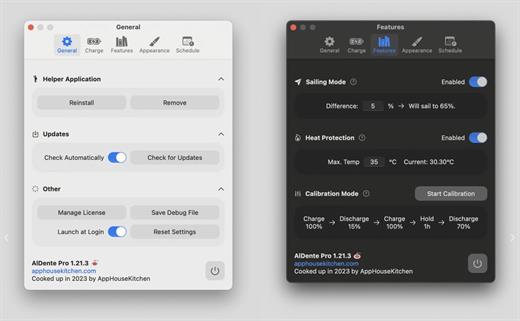
AlDente allows you to limit your MacBook from charging above a certain percentage. This will not only decrease Battery wear but also increase longevity of your Battery.

Features:


  • Charge Limiter allows you to set your maximum charging percentage between 20 and 100 percent. You can either set it by using the slide bar or by typing in the desired percentage in the field above and pressing enter afterwards.
  • Discharge – This feature allows your MacBook to run completely on Battery even if it is plugged in. Therefore, you can actively discharge your MacBook to a more healthy percentage. Unfortunately, while Discharge is activated, clamshell mode is not supported due to technical limitations.
What’s New

Version 1.37.3:


  • Release notes were unavailable when this listing was updated.
Compatibility

macOS 11 or later
Apple Silicon or Intel Core processor


Release Name: AlDente Pro 1.37.3
Size: 10.9 MB
Links: HOMEPAGE – NFO – Torrent Search

Download: RAPiDGATOR
7 Comments