Please REGISTER or RENEW your account on RAPiDGATOR.net and support us by doing through all RAPiDGATOR working download links on main posts...
May 17

Wondershare PDFelement Pro 12.1.15 (OCR)

Wondershare PDFelement is a self-explanatory OS X application that makes it easier for your to preview, edit, join, split and convert PDF documents using a Mac.
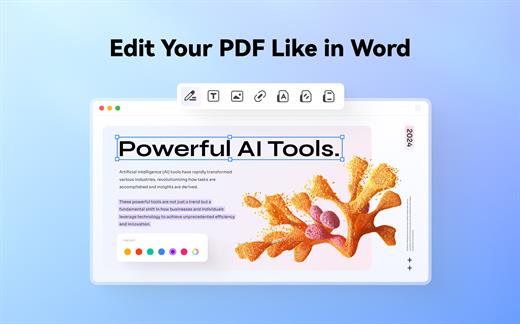
The Wondershare PDFelement also features a simple, clean and intuitive interface that provide instantaneous access to all the tools and features you might need to complete your daily tasks.

Powerful and user-friendly PDF editor for everyday use

Moreover, with Wondershare PDFelement’s help, you can effortlessly edit PDF documents created using text files, web pages or scanned documents.

Consequently, you can add, remove or edit text, move and rearrange pages, insert or remove images and more.

Wondershare PDFelement’s top toolbar helps you hide, show and customize the sidebar in order to display the items and information you are interested in. In addition, you can browse through the loaded document, zoom in or out, print it or email it with just a couple of mouse clicks.

Advanced OCR capabilities make text editing a breeze

Furthermore, you can choose between the “Hand”, “Select” and “Edit” tool, use the advanced OCR feature and convert your source file into plain text or RTF document, ePUB, HTML, as well as file formats compatible with Microsoft Word, Excel, and PowerPoint.

The context menu also helps you switch between the “Move”, “Select” and “Touchup” tool, change the display mode and open the Inspector window to view detailed information about the loaded document.

As an added bonus, by accessing the Document menu, you have the option to add, update or remove an watermark, extract, insert and delete pages, split, merge or convert your document and crop or rotate a page with ease.

Full-featured tool designed to help you stamp, watermark, encrypt and decrypt PDF documents on a Mac

The complete list of all available editing tools, bookmark features, annotation tools and stamp options can be found under the Tools menu.

From here you can easily insert text boxes, add sticky notes, highlight, strike-through and underline text, insert various shapes and use the handy pencil or erase.

On the whole, Wondershare PDFelement comes with the right set of features to help you edit and annotate PDF documents using a Mac, as well as effortlessly add password protect and convert them other formats for easier sharing with your friends and colleagues.

What’s New

Version 12.1.15:


  • Release notes were unavailable when this listing was updated.
Compatibility

macOS 11.0 or later
Apple Silicon or Intel Core processor


Release Name: Wondershare PDFelement Pro 12.1.15 (OCR)
Size: 918.1 MB
Links: HOMEPAGE – NFO – Torrent Search

Download: RAPiDGATOR

6 Comments
May 17

Fork 2.67.0

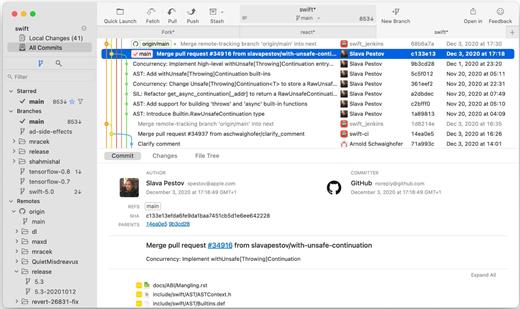
Fast and friendly git client. Fork is getting better and better day after day and we are happy to share our results with you. Commit List – Working Directory Changes – Side by Side Diff – Repository Manager Summary and Statistics

Basic features: Fetch, pull, push | Commit, amend | Create and delete branches and tags | Create and delete remote repos | Checkout branch or revision | Cherry-pick, revert | Merge, rebase | Stashes | Submodules

Work with repository: Create, clone or add existing repos | Open recent repository quickly

Commit view: Stage / unstage changes line-by-line | Access to recent commit messages

More features: Browse the repository file tree at any commit | Intuitive merge conflict resolving | See your stashes right in the commit list

What’s New

Version 2.67.0:


  • Release notes were unavailable when this listing was updated.
Compatibility

macOS 10.13 or later


Release Name: Fork 2.67.0
Size: 44.8 MB
Links: HOMEPAGE – NFO – Torrent Search

Download: RAPiDGATOR
4 Comments
May 17

Topaz Photo 1.6.0

AI-powered photo editing tool that improves photos pixel by pixel.

What is Topaz Photo AI? It is a new-generation photo editing tool that uses AI technology to perfect and denoise pictures pixel by pixel. Topaz Photo AI simplifies the editing process for photographers and designers. Its groundbreaking suite offers multiple tools to satisfy both amateurs and confident pros.

Topaz Photo AI allows editors to denoise, sharpen, upscale, preserve text, recover faces, remove objects, correct lighting, and balance color. Professional photo editors will be amazed at how much power Topaz Photo AI gives, and beginners will appreciate how easy and intuitive this tool is.

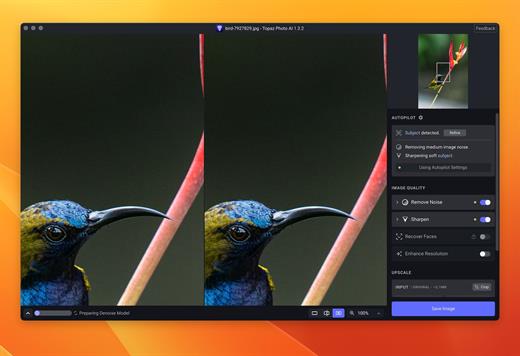
Topaz Photo AI helps you Sharpen, remove noise, and increase the resolution of your photos with tomorrow’s technology.

Maximize the potential of your photos.

Magically enhance image quality and resolution based on a deep understanding of the contents of your photo.

Enhance Quality

Maximize the visual quality of your images with best-in-the-world noise and blur reduction. Particularly useful in difficult settings with fast-moving subjects, low light, or atypical environments.

Crisp, clear, and noise-free.

It’s a magical feeling to see noise evaporate while sharp detail remains. Topaz Photo AI understands the contents of your image and accurately determines the difference between image detail and noise.

Tack-sharp subjects.

Unlike traditional sharpening, Topaz Photo AI’s Sharpen module naturally reverses root causes of blurriness (camera shake, motion blur, missed focus) to create more natural results. In the absence of blur, sharpness remains – crisp, clear detail that’s free of edge haloes or other artifacts.

Increase Resolution

Join hundreds of thousands of photographers and designers who use Topaz technology to generate real image detail for better printing, cropping, restoration, and more.

Magically add real detail.

Topaz Photo AI “remembers” real detail from millions of similar images, then fills in missing pixels based on that understanding. (It’s like how you can picture a friend’s face without being physically in front of them.) Add real image resolution to your photos for tighter crops or better prints.

Recover faces naturally.

Introduced in 2023, the breakthrough Face Recovery AI offers remarkable detail enhancement for low-resolution or blurry faces.

Intelligently improve lighting.

It’s a magical feeling to see noise evaporate while sharp detail remains. Topaz Photo AI understands the contents of your image and accurately determines the difference between image detail and noise.

Improve efficiency with Autopilot

Specify adjustments based on detected image attributes like subject, faces, noise, and blur levels. Autopilot allows you to mold Photo AI to your workflow and unique photographic style.

Easy workflow

Topaz Photo AI works directly on your Mac or PC. Use the standalone to batch process thousands of images in sequence, or use it as a Photoshop plugin for tight workflow integration. We’ve also partnered with major hardware manufacturers like Nvidia, AMD, and Intel to make Photo AI run as fast as possible for your computer.

What’s New

Version 1.6.0:


  • Release notes were unavailable when this listing was updated.
Compatibility

macOS 10.12 or later


Release Name: Topaz Photo 1.6.0
Size: 1.7 GB
Links: HOMEPAGE – NFO – Torrent Search

Download: RAPiDGATOR

3 Comments
May 17

VideoProc Converter AI 8.11

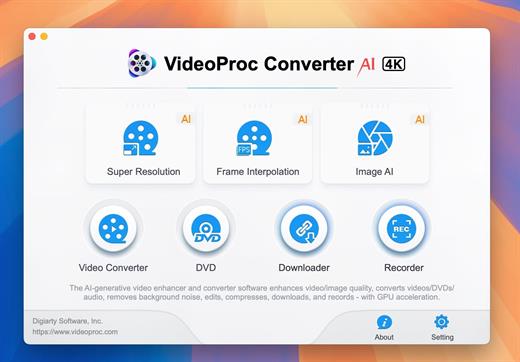
Built with AI tools for video/image/audio enhancement. Remaster, upscale, restore, colorize, convert, edit, compress, download, and record with GPU acceleration. The best video converter works with videos shot with GoPro, DJI, iPhone, Android, DSLR, mirrorless, camcorders, or other 4K cameras.

VideoProc peaks Level-3 Hardware Acceleration fully powered by Intel®, AMD®, NVIDIA® GPUs, and Apple M1/M2/M3/M4 (Pro/Max/Ultra), delivering buttery smooth (4K/8K) video processing and transcoding without compromising quality.

What’s New

Version 8.11:


  • Release notes were unavailable when this listing was updated.
Compatibility

macOS 10.15 or later


Release Name: VideoProc Converter AI 8.11
Size: 256.1 MB
Links: HOMEPAGE – NFO – Torrent Search

Download: RAPiDGATOR
6 Comments
May 17

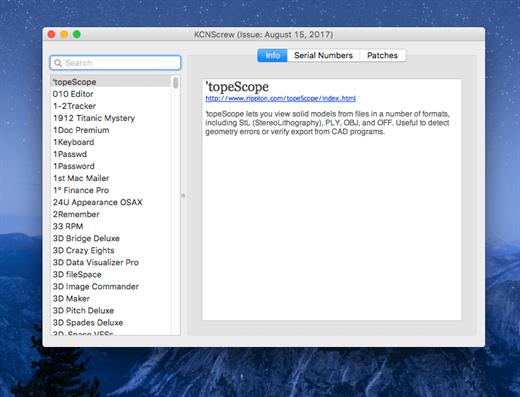
KCNcrew Pack 1.8 (05-15-26)

It’s like Serial Box, which has SN’s but KCN also has cracks and patches. It would be best to have both of these collections, as this often has serials you cannot find in Serial Box.

Unlike Serial Box, no readers are required. Just open the dmg file, drag and drop the application to where you like.

However, there is no way to view what serials, cracks and patches are new in this issue as compared to the previous like Serial Box.

Thanks to all contributors and supporters!

What’s New

Version 1.8 (05-15-26):


  • Release notes were unavailable when this listing was updated.
Compatibility

OS X 10.7 or later, 64-bit processor


Release Name: KCNcrew Pack 1.8 (05-15-26)
Size: 9.8 MB
Links: HOMEPAGE – NFO – Torrent Search

Download: RAPiDGATOR

4 Comments
May 17

Lumenzia 12.0.2

Description: Lumenzia or (Luminosity Masking Panel) is a software integrated into the photoshop as Extension. It helps you to edit the landscape image with the strengthening or reduction of the color saturation, from which to make your photo more beautiful.

With Lumenzia, you will get a preview of the entire screen of the mask before applying. The interaction click on the image to choose (or opt out) tones the color/color at the level you want. There is no need for an interview with the channel plus and minus. Isolate the mask with the specific sections of the image with a simple selection. And you can combine the team mask to easily see the overall mask impact.

Lumenzia offers a compact panel with just the buttons you need and completely remove the need for the channel pallet. Just draw the selection area around the target area to create the texture size, sharpness, or any location in the image. The texture can be easily modified, reversed (to light the central area) or in combination with an increased brightness (to avoid too much darkness).

The features of Lumenzia


  • The work process is fully streamlined and the mask is fully customized
  • BlendIf mask and Vector mask (to save the considerable file capacity and avoid the mask update)
  • Add, except or cut any mask or select area for advanced control
  • Color mask (select in color and/or brightness, visually)
  • Increased the intensity of local contrast (easily and automatically made more details)
  • Direct mask (see as a result of mixing and testing different masks)
  • Area mask for correctable precision
  • Area selection The scope and scope (select a mask that fits visually)
  • The area map to visualize the image in the 0-10 areas.
  • The mask is "brighter/darker" (selecting pixels compared to the surrounding pixels)
  • Custom mask for locations or colors in the image
  • Custom Painting
  • Blurred and writable
  • Storm mask (which controls a particular color saturation)
  • Apply or replace the mask on existing layers with only one click
  • Light and dust imaging tools to easily find and correct. Perspective
  • Advanced method of toning for the portrait (to blur the surface) and landscape (overpass)
  • The actions can be recorded to include light masks and dark/choice in your own actions.
  • The training and support video, as well as the comprehensive usage guide
Release Name: Lumenzia 12.0.2
Size: 122.5 MB
Links: HOMEPAGE – NFO – Torrent Search

Download: RAPiDGATOR
5 Comments
May 17

MusConv Lifetime 4.10.468

Description: More than 125+ music services supported. MusConv- the easiest way to transfer your music data! MusConv transfers playlists, albums, followed artists and liked songs across various services – Spotify, Apple Music, Amazon Music, YouTube, YouTube Music, iTunes, Deezer, Tidal, SoundCloud, Pandora and 125+ music services! Continuously working to bring you new updates and features.

MusConv Features
MusConv transfers playlists, albums, followed artists and liked songs across various services – Spotify, Apple Music, Amazon Music, YouTube, YouTube Music, iTunes, Deezer, Tidal, SoundCloud, Pandora and 125+ music services!
Manage playlists, albums, and artists across more than 125 popular music services
See your most-played songs, artists and albums on Spotify, Apple Music, YouTube Music and other
Browse the most popular songs, artists, and albums on your favorite services
Automatically synchronize playlists and albums between your platforms
Rematch incorrect and failed song matches
Syncing song order

Release Name: MusConv Lifetime 4.10.468
Size: 97.8 MB
Links: HOMEPAGE – NFO – Torrent Search

Download: RAPiDGATOR

5 Comments
May 17

FinalMesh Professional 6.5.0.711

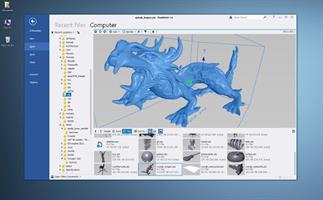
Description: With FinalMesh we implemented an incredible easy and powerful way to create 3D PDF documents or WebGL web pages. With clicking on the regular "Save As" button your 3D model will be converted to a complete WebGL HTML application or PDF with 3D content. Apart from that FinalMesh is a great 3D viewer and converter with fast modern UI and has many useful features.

3D Viewer
View your 3D files, textures, inspect the internals of 3D objects and all this in a modern and fast UI.
Per pixel lighting
Custom render modes
View any node in a new window
Hierarchy tree
List of materials

Converter
Convert 3D model or make final adjustments, save to another file format or render to image file.
Just as an example, Collada can be a good choice for your game engine, while STL file is good format for a 3D printer.

Publisher
Convert and publish 3D models to Adobe PDF document or create HTML application with 3D WebGL content. It is easy to share your 3D data with clients, friends or colleagues over the Internet.
Convert to single 3D PDF document.
Create about WebGL application in few mouse clicks.
Both methods are great, powerful and easy to use in FinalMesh.

PDF
PDF publishing platform integrated into FinalMesh allows to convert sophisticated technical data, 3D models into regular, well known PDF files.
It is easy to select best initial view, render mode, lighting right in PDF Publish mode, all changes are visible right on the screen.
Multiple viewports of the same model are supported, each with it's own settings.
Everything is easy as Save button, but all extra options, like PDF encryption are just one click away.

View
Browse and view your 3D files with thumbnails
View 3D with textures, complex materials
Inspect internal 3D objects topology, apply or change materials
OpenGL and Software renderer for devices with limited Hardware
Fast and modern UI

Convert
Convert 3D content to another 3D format, for instance into STL format for 3D printing
Render 3D model to image using built-in raytracer
Create vector illustrations from 3d file in SVG format
Batch Processing

Geometry
Powerfull geometry engine
Instancing - whole sub-tree tree or just geometry
Meshes with in memory compression technology. Allows to load huge 3D assets
Procedural primitives including splines, cubes, spheres, texts
Modifiers (deformers) including Booleans, Sub-D, Mirror, Extrude and more
Mesh healing, Polygon reduction, Remove Internal Parts
Arrays
NURBS

Markups, Measurements
Callouts, Notes
Point coordinates
Linear Dimensions
Radius, Diameter, Angle
Detail Views

Mesh Editor
Select Faces, Edges and Vertices
Move. Rotate, Scale
Extrude faces
Delete, Create vertices
Combine and divide polygons
Make Chamfer
Reduce Polygon
Optimize and Heal

Animations
Multiple animations
Animation editor
Animation curve editor
Make disassembly and explode animation
Copy Paste animations

Professional Featues
Ambient Occlusion
UV Unwrap
Vector Illustration Output
Make disassembly and explode animation
Geometry Randomizer

Release Name: FinalMesh Professional 6.5.0.711
Size: 16.7 MB
Links: HOMEPAGE – NFO – Torrent Search

Download: RAPiDGATOR
5 Comments
May 17

Valentina Server 17.4

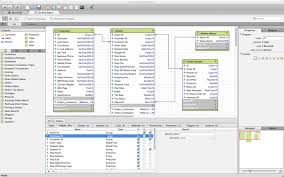
Description: Valentina Server combines a world class Enterprise Reports Server and two Database Servers into a single, powerful solution.

Valentina Server includes Valentina Reports Server, Valentina Forms Server, and two database servers: ValentinaDB Server and Valentina SQLite Server. Reports Server and Forms Server can use the internal database servers as well as most popular data sources. Valentina Server includes a RESTful architecture and native CLIENT runtimes support for every major development on Windows, Linux and MacOS (over 69) at no additional cost. Build Valentina Server solutions with PHP, C# / .net, Java, and many more.

Stored Procedures
Stored procedures with SQL, JavasScript and Python.

Valentina Client ADK for iOS
Build iOS apps with a free VCLIENT to Valentina Server.

Fast Web Applications
Build high performance server-side web applications.

Valentina Forms Server
Register Forms to Valentina Server to share with colleagues and clients.

REST & JSON Access Anywhere
Build solutions using these lightweight protocols.

Notifications
Push notifications through a notification channel to spread among subscribing applications asynchronously.

Hot Back Up Your Data
Back up to any directory on your network without having to shut down your server.

Valentina SQLite Server
Full featured, standards compliant multi-user access SQLite based database server.

Event Scheduler
Automate business, data management processes with support for triggers and event scheduling.

Valentina Reports Server
Serve reports, charts, graphs, barcodes, export to PDF, HTML, email for major databases and servers.

Auto Discover on Network
Optionally make Valentina Server securely discoverable on your network.

ValentinaDB Server
Blazingly fast object-relational database server based on the Valentina DB core model.

Release Name: Valentina Server 17.4
Size: 70.8 MB
Links: HOMEPAGE – NFO – Torrent Search

Download: RAPiDGATOR

6 Comments
May 17

n-Track Studio 10.3.0.10815

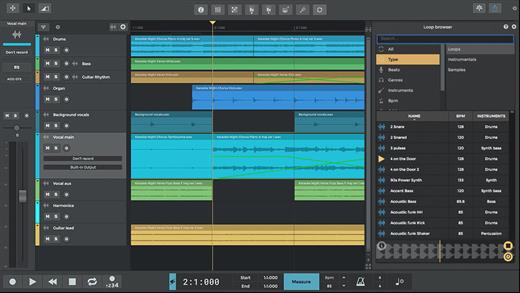
Description: n-Track Studio turns your PC into an easy to use multitrack audio recording studio. It is the perfect tool for professional quality audio recording, encoding, mixing and editing. Record, edit, overdub your audio tracks, apply effects, process audio live input, mix and then burn audio CDs or create mp3 files.


Piano Roll
Write and edit MIDI data for controlling virtual instruments using the intuitive built-in piano roll editor.

Step Sequencer
Create beats, sequences or arpeggios and import your own sounds easily with the Step Sequencer.

VocalTune
Using VocalTune you can do anything from simple pitch correction to completely transform your vocal.

Guitar Amp
Make your guitar sound huge by choosing among great amp head simulators, and different modern and vintage cabinets inspired by classic models.

Bass Amp
Ever felt your bass recordings needed that extra drive, lowend or grit to sit nicely in your mix and surprise your listeners?
Well, you're going to like this!

Screen Drumkit
The new screen Drumkit controller lets you play drum sounds with the look and feel of a real kit.

Songtree Community
Find your next collab and share your songs with the Songtree music community - directly inside n-Track Studio.

Pure Data Support
You can now load your Pure Data patches inside n-Track and use your favorite sounds and effects in your song.

Built-in effects
From Reverb, Compression, Parametric & Graphic EQ to DEnoiser, VocalTune, Shimmer, AutoFilter & Pitch Shift

Audio Part Widgets
Audio parts now have fade and volume widgets for quick and precise editing.

n-Vocal effects processor
The included n-Vocals plugin offers useful and creative ways of tweaking and manipulating your vocal recordings.

Surround mixing
Supports surround mixing for creating audio projects using 5.1, 6.1 and 7.1 channels surround formats

Effects and Instrument Chains
Craft your sonic signature with custom presets

Release Name: n-Track Studio 10.3.0.10815
Size: 296.2 MB
Links: HOMEPAGE – NFO – Torrent Search

Download: RAPiDGATOR
7 Comments