Please REGISTER or RENEW your account on RAPiDGATOR.net and support us by doing through all RAPiDGATOR working download links on main posts...
June 8

NanoClip 1.1.5

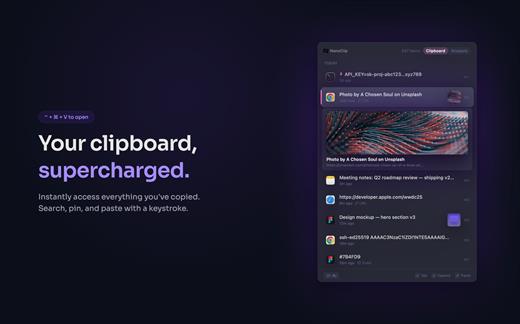
NanoClip is a lightweight macOS menu bar clipboard manager that saves every copy and keeps snippets instantly accessible with a global shortcut. It supports clipboard history, smart text snippets, iCloud sync across Macs, inline previews for images, GIFs, files, colors, and code, plus multiple themes in a fast, privacy-focused design.

What’s New

Version 1.1.5:


  • Release notes were unavailable when this listing was updated.
Compatibility

macOS 15 or later

Release Name: NanoClip 1.1.5
Size: 10.5 MB
Links: HOMEPAGE – NFO – Torrent Search

Download: RAPiDGATOR

5 Comments
June 8

URL Manager Pro 6.5.0

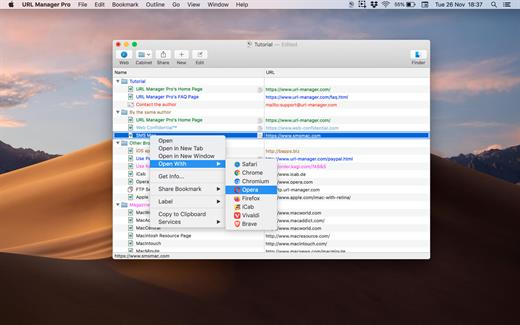
URL Manager Pro is the professional bookmark manager for Safari, Chrome, Chromium, Vivaldi, Opera, iCab, and Firefox browsers, making it easier to manage bookmarks.

This is a classic available since 1996, but now rewritten as a 64-bit application.

Features:

  • System-Wide Access: You can access your bookmarks in any application through a system menu.
  • Integration: You have access to your bookmarks from your browser’s menu bar and from the macOS Dock.
  • Document Storage: Your bookmarks are stored in URL Manager Pro bookmark documents, which you can store and manipulate in the normal Mac way. No need to hunt for your bookmarks in preferences folders of browsers. You can make automatic periodic saves and make copies of bookmark documents on backup devices on each save.
  • History: You can surf the Web using several different browsers while URL Manager Pro will keep recording the History of each.
  • Importing and exporting bookmarks: The File menu gives you a list of all of the browsers that URL Manager Pro can import from and export to. It lets you ‘harvest’ bookmarks by scanning HTML and text files for bookmarks and URLs.
  • It lets you edit and organize bookmarks fast: You can use inline editing, label and colour your bookmarks.
What’s New

Version 6.5.0:


  • Release notes were unavailable when this listing was updated.
Compatibility

macOS 10.13 or later, 64-bit processor


Release Name: URL Manager Pro 6.5.0
Size: 27.4 MB
Links: HOMEPAGE – NFO – Torrent Search

Download: RAPiDGATOR

5 Comments
June 8

Topaz Video 1.6.1

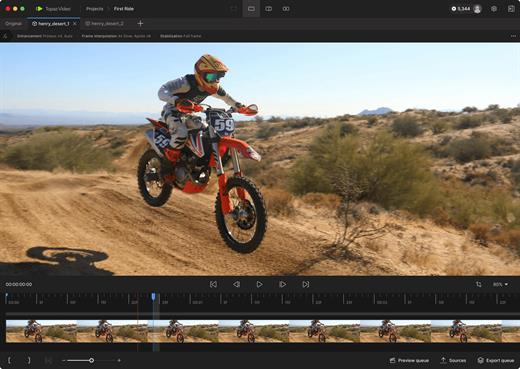
Topaz Video is a professional AI-powered video enhancement application that transforms noisy, low-resolution, or shaky footage into cinematic-quality video. It combines advanced upscaling, denoising, restoration, stabilization, and frame interpolation models in a single, easy-to-use desktop app designed for modern Mac systems.

Key Features


  • AI Upscaling: Intelligently upscale SD to HD, or HD to 4K/8K with crisp details and reduced artifacts.
  • Motion Interpolation: Convert frame rates (e.g., 24fps to 60fps) for smoother playback or generate silky slow-motion effects.
  • Stabilization: Reduce camera shake and correct motion blur caused by fast movement without the “warping” effects of traditional stabilizers.
  • Deinterlacing: Transform classic interlaced footage into modern progressive formats while preserving image integrity.
What’s New

Version 1.6.1:


  • Release notes were unavailable when this listing was updated.
Compatibility

macOS 10.15 or later


Release Name: Topaz Video 1.6.1
Size: 1.5 GB
Links: HOMEPAGE – NFO – Torrent Search

Download: RAPiDGATOR

4 Comments
June 8

WhatCable Pro 0.22.0

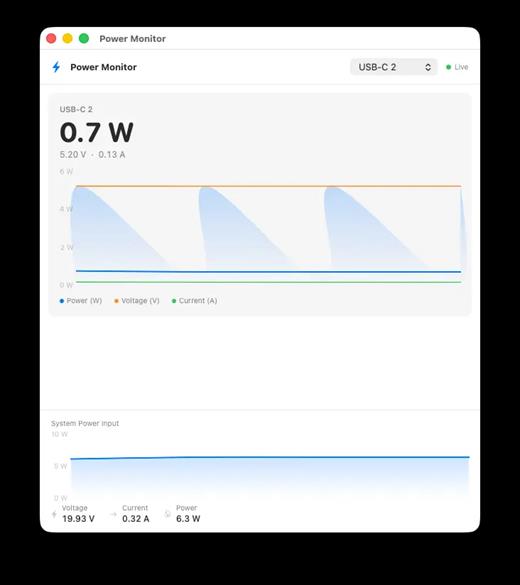
WhatCable Pro is a deep USB-C diagnostics tool designed specifically for Apple Silicon Macs running macOS 14+. While the free version identifies basic cable capabilities, the Pro tier offers advanced, real-time troubleshooting directly from IOKit data—requiring no extra software or root access.

Key Features


  • Negotiation Diagnostics: Easily spot bottlenecks by comparing what your Mac port, cable, and connected device support side-by-side.
  • Live Power Metering: Displays real-time wattage, voltage, and amperage per port, updating every 2 seconds.
  • Hardware & Port Health: Tracks lifetime port errors, resets, and monitors liquid detection (LDCM) sensors.
  • Advanced Insights: Offers Power Delivery (PD) contract inspection, cable resistance estimation, and DisplayPort Alt Mode lane mapping.
  • Developer Friendly: Includes a CLI monitor mode (whatcable –monitor) and desktop widgets for quick tracking.
What’s New

Version 0.22.0:


  • Release notes were unavailable when this listing was updated.
Compatibility

macOS 14.0 or later

Release Name: WhatCable Pro 0.22.0
Size: 9 MB
Links: HOMEPAGE – NFO – Torrent Search

Download: RAPiDGATOR

6 Comments
June 6

XL-Connector 3.7.10

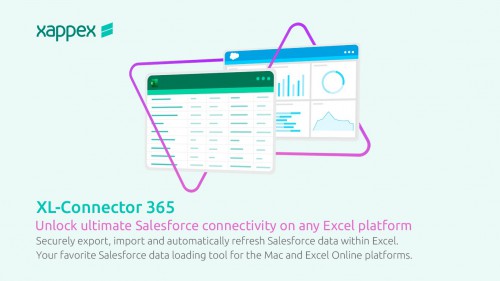
Description: XL-Connector is a popular plugin that safely integrates Excel and Salesforce to seamlessly export, import, refresh and transform data with a lightning fast-api connection. It offers Salesforce admins a comprehensive toolbox that easily performs data and metadata management operations in a familiar Excel environment.

Your ideal tool for Salesforce data management in Excel

Export from Salesforce to Excel
Pull data from an existing Salesforce report or build your own SOQL query directly into Excel.

Get the most valuable Salesforce plugin for excel
- Saves hours and days of data-loading.
- Image not found
- Private and secure.
- Image not found
- Boosts team productivity.
- Amazing features for data manipulation.
- Image not found
- Improves the quality of your data by keeping it up to date.

Perform and automate any data operation in bulk
Mass create, update and upsert opportunities, accounts, leads, quotes and other SFDC objects with XL-Connector. Become a master of bulk updates and upserts in Salesforce with just a click of a button!

Manage your Salesforce duplicate records
Efficiently merge Salesforce Accounts, Contacts, and Leads in bulk (available in the Enterprise Admin edition).

Delete your Salesforce records in bulk
Mass delete records in Salesforce and keep your data fresh and updated.

Perform your Salesforce Data Migration with the help of XL-Connector
Safely migrate large amounts of data.

XL-Connector: Your Ideal tool for Salesforce metadata management.
XL-Connector is the only Excel to Salesforce connector that provides a complete assortment of metadata management tools that will hugely boost the productivity of Salesforce admins.

These tools enable management of such things as fields, validation rules, processes, picklists, security settings, custom metadata and much more. Tasks that normally take days, like updating the descriptions and help texts of data fields, will take minutes with XL-Connector.

Other XL-Connector great features you will appreciate

Super intuitive user interface
A climax between simplicity and comprehensiveness, The user interface is very friendly and presents a minimal learning curve.

Security by design
XL-Connector is a locally installed app that doesn't send your data anywhere outside of your secure environment. There's no cloud component to it, so the data travels directly between your PC and Salesforce instance over a secure encrypted channel.

Release Name: XL-Connector 3.7.10
Size: 19 MB
Links: HOMEPAGE – NFO – Torrent Search

Download: RAPiDGATOR

7 Comments
June 6

COAA PlanePlotter 6.7.5.7

Description: PlanePlotter receives and decodes live digital position reports from aircraft and plots them on a chart. Using PlanePlotter, you can see a radar-like display of all those aircraft around you that are transmitting the appropriate digital messages including ACARS, ADS-B and HFDL.

PlanePlotter - Features
The animated screen grab from PlanePlotter (left) was kindly provided by John Locker.

Message display
PlanePlotter shows a table display of messages received and decoded from live aircraft transmissions.

Data saving
PlanePlotter archives all the digital data that it receives and decodes to a log file.

Chart display
PlanePlotter plots aircraft positions, altitudes and times decoded from the message traffic that it receives. These include embedded position reports, AMDAR reports and ADS reports contained in ACARS messages, ADS-B position reports received by the Kinetic SBS1(tm) or AirNav System RadarBox(tm) Mode-S receivers, and position reports on HF using Charles Brain's PC-HFDL software. The plot can be superimposed on a suitable aeronatical chart that you have prepared, or PlanePlotter can download satellite imagery and plot the aircraft symbols on that. Where altitude information is available (eg Mode-S messages), you can select the data by altitude band to distinguish low level and high level traffic.

Google Earth server
If you are receiving Mode-S ADS-B position reports, PlanePlotter can interface to Google Earth to display aircraft positions over the Google Earth base map. It can even give you a dynamic real-time view from the flight deck of an aircraft that you designate.

Direction finding
PlanePlotter can determine and display the direction of any transmission using a simple passive antenna switch. This allows aircraft to be located even if they are not equipped with ACARS or Mode-S/ADS-B.

Input signals
PlanePlotter can decode ACARS messages, display the message content and plot any positions on a chart.
PlanePlotter can process and display Mode-S/ADS-B position reports captured by the Kinetic SBS1(tm), the AirNav Systems RadarBox(tm), the RxControl Mode-S receiver, the PlaneGadget Radar, the miniADSB, the microADBS and the FPGA Beast.
PlanePlotter can also work in conjunction with Charles Brain's PC-HFDL software (http://www.chbrain.dircon.co.uk/pchfdl.html) by automatically extracting position reports from the log file and plotting them in real time on the same chart display. PlanePlotter adds value by calculating course and heading from successive reports from the same aircraft and plotting the predicted position between reports (right).
PlanePlotter can drive a passive antenna switch and display the direction (QDM) of any aircraft voice transmission.

GPX overlays
PlanePlotter can display waypoints, tracks or routes over the current chart using data from a user-defined GPX format file.

Alerts
PlanePlotter can generate visible and audible alerts on detection of a specified registration, flight number or ADS identifier, on detection of any new aircraft, or on detection of an aircraft whose position is inside a user-defined Alert zone polygon.

Memory-Map Navigator support
PlanePlotter can direct the Memory-Map Navigator program (www.memory-map.com) to display dynamic aircraft position symbols over its proprietary maps using data from either ACARS or Mode-S ADS-B (in conjunction with the SBS1 receiver).

OLE/COM interface
You can access the position and other data for each aircraft known to PlanePlotter using a simple VB script or other OLE/COM capable program. You can use the same interface to update data held by PlanePlotter and to control the user interface.

Release Name: COAA PlanePlotter 6.7.5.7
Size: 7.7 MB
Links: HOMEPAGE – NFO – Torrent Search

Download: RAPiDGATOR

6 Comments
June 6

DVDFab 13.0.6.1

Description: Includes 24 products from DVDFab 13, offers complete multimedia solutions on DVDs, Blu-rays, 4K Ultra HD Blu-rays, and recorded (4K) BDAV Blu-rays.

Backup Any Disc for Playback on Home Media Server with no Quality Loss
DVDFab All-in-One enables lossless backup of any DVD, Blu-ray and UHD for the home media server. The software can clone HD video and audio streams that can preserve your favorite movies and videos for a long time.
Lossless backup ensures there will be no quality compromise during the copy. Further, you can change the disc format while copying it for backup and store it on the media player. The software ensures quality backup even if you change the format and backup the disc for further use on Home Media Server.

Compress Any Disc to Save Storage for Better Playback on Any Standalone Player
Are you trying to save your storage by compressing discs? If yes, then keep the playback compatibility issue on a priority basis. DVDFab All-in-One can deal with such a worrying situation and provide smooth solutions.
The software allows you to copy the disc by compressing it but never compromises the quality. As a result, you'll get a seamless watching experience on any standalone player at home. The compressed disc can provide you with a quality watch without occupying much space.

Copy Disc to Blank Disc or as ISO/Folder to Preserve Valuable Memories
Are you worried about scratched or damaged discs? No more, as the latest disc comes with a coating to prevent the disc from such physical damage. The scratched disc remains unreadable and cannot use on a computer. But with the new disc, there'll be no such issue. Instead, you need a reliable Disc Copy program to copy the blank disc.
Here, DVDFab All-in-One is the trustworthy software you can't afford to miss copying functions to meet your requirements. The software can copy any blank disc or ISO folders saved on HDD, allowing you to enjoy them on your preferable standalone player anytime soon.

Rip Any Disc to Video & Audio in Lossless Quality for Better Playback on Home Theater
Want to rip the disc to lossless video playback for Home theater? Pick DVDFab All-in-One to rip MP4/MKV/ M2TS. Passthrough including audio ( DTS-HD, TrueHD, TrueHD Atmos, DTS:X) to experience high definition playback for home theater.
The best free ripping software lets you set your own preferences for playback modes like Mobile Theater, AI, or Web. Choose anything and ensure the highest quality viewing experience at home.

Compress Video Size Losslessly for Any Mobile Device
Mobile devices are easy to access from anywhere on this planet. If you want to watch full HD movies or videos on mobile devices, including Apple TV, Android, and more, DVDFab All-In-One can provide the best option to watch. If you're going to convert any movie into a device-friendly format, DVDFab All-In-One can convert it into a quick note.
MP4 is considered the best option to watch high-definition movies or videos in 1080p. What else do you want? Compress the video size or convert it into a mobile-friendly format and access it from any corner of this earth.

Rip Any Disc to More Than 1000 Video & Audio Formats
The best free ripping program DVDFab All-In-One supports the conversion of 1000+ video ( MP4, MKV, AVI, MOV WMV, FLV, M4A, TS, DivX, WebM, 3GP, etc.) and audio ( MP3 WMA, AAC, M4A, FLAC, OGG, etc.) formats for playback on several devices. Compatible with Windows and Mac, DVDFab All-In-One can rip any disc to 245+ preset devices, including Apple, Google, Huawei, Microsoft, Samsung, and Sony.
The Profile Filter like 3D, Pass through, 4K/5K/8K, H265, 10/12 bit, etc. Advanced settings include Codec, Frame/ Sample Rate, Resolution Quality Subtitles, Channels, etc., letting you customize the audio and video as per your choice. DVDFab All-In-One understands the diversified needs of various regions and people.

Remove Cinavia Protection and Output High-quality Audio
Cinavia's protection is to prevent illegal copies of any discs by stressing watermark into the recorded audio. The Cinavia watermark will display even after the ripping. Want to remove the watermark from the audio? Here DVDFab All-In-One's Cinavia Removal comes to the rescue and removes Cinavia protection entirely and permanently and supports an extensive range of Ripping and Copying.
With DVDFab All-In-One, you can avail of non-cinavia backup with lossless AAC/AC3, DTS-HD, and TrueHD audio ( the channel up to 2.0 or 5.1) that perfectly works with all playback devices. So what are you waiting for?

Upscale Video to 4K with AI Enhancement Technology
Do you crave sharp, crystal-clear picture quality? Now, you can experience it with UniFab's latest updates. The Enlarger AI feature previously in DVDFab All-In-One has been upgraded and moved into UniFab, which delivers faster, better, and more stable video enhancement.
After ripping your discs to digital videos with DVDFab's Ripper module, you can directly import them to the all-new UniFab to enlarge your video resolution up to 4k, upmix audio tracks to EAC3 5.1/DTS 7.1, or even upscale video to HDR10 or Dolby Vision. Just let UniFab bring you a truly immersive viewing experience.

Built-in Video Editor Provides Diverse Editing Choices
Are you a video editor freak? If yes, pick DVDFab All-In-One to experience the best video editing. The advanced technology lets you crop, trim, merge, rotate, add subtitles and watermark, adjust video color, and many more options. The excellent software can expand your editing skill with its simple user interface and various features.

Release Name: DVDFab 13.0.6.1
Size: 469.8 MB
Links: HOMEPAGE – NFO – Torrent Search

Download: RAPiDGATOR

9 Comments
June 6

PPTube Pro 11.0.0

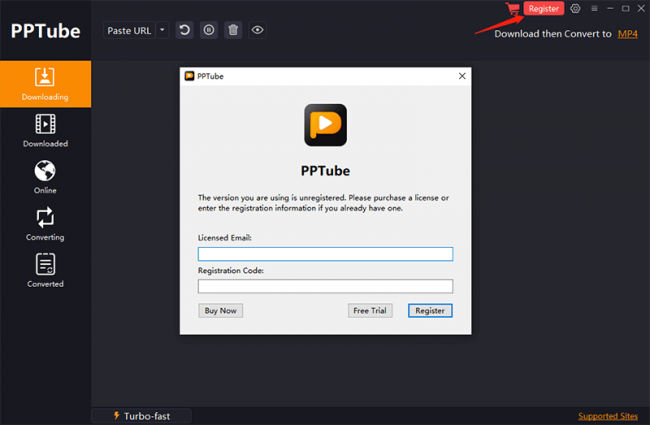
Description: PPTube Video Downloader. Unlimited Download 1080p/4K Videos from 10,000+ Video/Music Streaming Websites.

Download HD Videos Effortlessly
PPTube Video Downloader allows you to download HD videos with ease, ranging from 720p, 1080p, 2K, 4K and 8K.

Support 10000+ Sites
Up to 8K Video Download
10X Faster Download Speed
Bulk Download Multiple Videos
Protect Video Privacy

Save Videos in Bulk
You can save multiple videos in one go. Just copy multiple video URLs from various sites, and paste them to PPTube Downloader, then you can download multiple videos in few seconds.

Support 10,000+ Sites
You can download HD videos from Instagram, TikTok, Facebook, Apple Music, Vimeo, etc. and convert them into MP4, MP3, MOV, AAC, and other 20+ output formats.

Keep the Video Private
PPTube provides a private video mode so you can save your downloaded videos in a password-protected folder. Your videos are hidden with a private lock to keep safe from any prying eyes or miswatching by children.

Built-in Website Browser
Browse various video sites and free download hd videos directly within the website

Support 20+ Output Formats
Download hd video to MP4, MP3, MOV, 3GP, FLV and iPhone/iPod, Android Phone/Tablets, etc.

No Watermark and ADs-free
You can download any videos without any watermark, and no ads annoy.

Release Name: PPTube Pro 11.0.0
Size: 392.5 MB
Links: HOMEPAGE – NFO – Torrent Search

Download: RAPiDGATOR

8 Comments
June 6

Icecream Ebook Reader Pro 6.55

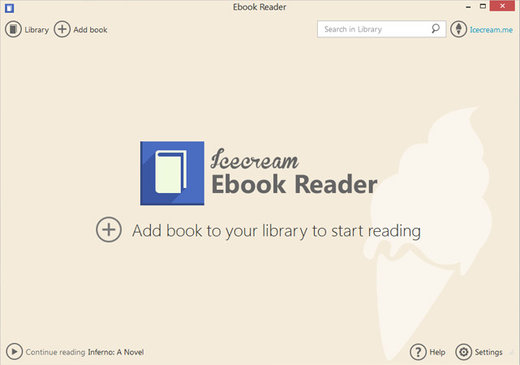
Description: Meet easy-to-use pro EPUB reader for Windows to read eBooks in EPUB, MOBI, PDF and other popular formats. Enjoy books in full screen with Icecream Ebook Reader.

EPUB Reader’s main features
Enjoy reading on PC with the best eBook Reader introduced to you by Icecream Apps.

Supported eBook formats
Not just an EPUB reader. The software also enables you to read books of other formats: MOBI, PDF, FB2, CBR, CBZ, TXT and even ZIP. However, no DRM protected content is supported.

Highlight and add notes
Add notes or highlight text in eBooks of the major formats such as EPUB and MOBI. Search and sort your notes by text or color.

Windows 11/10 support
Our reader supports all the main Windows OSs including Windows 11. We worked hard to make it the perfect, if not the best, Windows 10 EPUB reader.

Full-screen mode
Make the most of your EPUB reader: press F11 to switch to full-screen mode instantly.

Text to speech
Our reader will convert text to speech from any eBook and read it aloud for you. Different voices are available according to your system’s settings.

Search in eBooks
Don’t get lost in your eBook. Use in-book smart search by text or a page number to find what you need in no time.

Dark reading mode
Reading and making notes must be still enjoyable even in dim light. That’s why we created a well-designed night version of the EPUB reader.

Copy, Translate, Google Search
Quickly select eBook text to copy it to clipboard, translate or search it on Google or Wikipedia.

Customizable layout
Adjust font family, font size, line space if needed. Set double or single page text layout.

Create your digital library
Add books to the eBook reader without limits, categorize them, add to favorites, etc. Search the library, track reading progress, use bookmarks and much more.

Release Name: Icecream Ebook Reader Pro 6.55
Size: 32 MB
Links: HOMEPAGE – NFO – Torrent Search

Download: RAPiDGATOR

6 Comments
June 6

Snap Video Translator 1.1.1

Description: Snap Video Translator brings every step of localizing a video into a single Windows app. Load a video and it takes you straight through transcription, AI translation, and either subtitle burn-in or an AI voice-over.

Transcription (runs locally)
Runs OpenAI Whisper on your own PC. Choose from small / medium / large-v3-turbo / large-v3 to balance speed and accuracy. Your audio is never sent to an external server for transcription.

AI translation
Works with AI services such as Gemini, OpenAI, and Claude, or with an OpenAI-compatible local LLM. Produces natural translations of your video's content.

Subtitle burn-in
Adjust font size, text color, outline, and position, then burn subtitles directly into the video.

AI dubbing
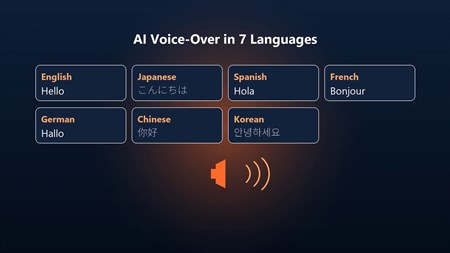
Converts the translation into speech and generates a voice-over in 7 languages (Japanese, English, Chinese, Korean, French, German, Spanish). Mix it with the original audio or replace it.

Subtitle file export
Export subtitle files in SRT / VTT format.

Review & edit mode
Check the subtitle text on screen before burn-in and edit it if needed.

Batch processing
Process multiple videos at once.

Who it's for
- Video creators who want to reach viewers in other languages
- Education and training teams localizing lectures and tutorials
- Companies localizing internal videos

Before you start
- Transcription runs locally with Whisper; your audio is not sent anywhere.
- Using a cloud AI service for translation requires that service's API key. You can also use an OpenAI-compatible local LLM.
- AI translation and AI dubbing require an internet connection (no API key is needed for dubbing).
- Subtitles and dubbed audio are AI-generated. Please review the output before public or business use.
- FFmpeg is bundled as the video processing engine.

System Requirements
Windows 10 version 19041.0 or higher (64-bit)

* Japanese / English UI, selected automatically.

Release Name: Snap Video Translator 1.1.1
Size: 395.6 MB
Links: HOMEPAGE – NFO – Torrent Search

Download: RAPiDGATOR
7 Comments