Please REGISTER or RENEW your account on RAPiDGATOR.net and support us by doing through all RAPiDGATOR working download links on main posts...
May 11

FreeCommander XE 2026 Build 948

Description: FreeCommander is an easy-to-use alternative to the standard windows file manager. The program helps you with daily work in Windows. Here you can find all the necessary functions to manage your data stock. You can take FreeCommander anywhere – just copy the installation directory on a CD or USB-Stick – and you can evenwork with this program on a foreign computer.
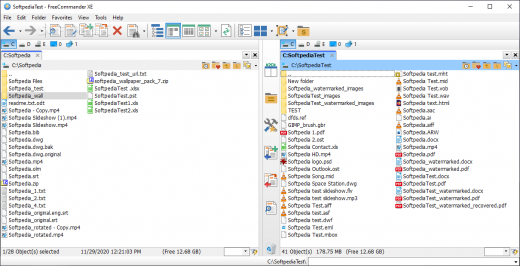
Main features in FreeCommander
Dual-panel technology – horizontal and vertical (one panel possible too)
Tabbed interface
Full access to desktop
Optional tree view for each panel
Built-in file viewer to view files in hex, binary, text or image format
File viewer and thumbnail view inside archives too
Built-in archive handling: ZIP (read, write)
Nested archive handling
Plugins for other archive (RAR, 7z, …)
Plain view – structureless view for files and folders
Linked browsing
Easy access to system folders, control panel, desktop and start menu
Copy, move, delete, rename files and folders (alternatively as Windows or FreeCommander operation)
Drag&drop
File searching (inside archive too)
Searching duplicates
Create and verify MD5 and SHA checksums
Wipe files
Multi rename tool
Paths longer than 255 characters can be opened, copied, moved and renamed
File properties and context menu
Calculation of folder size
Folder comparison
Folder synchronization
Modification of file date and attributes
Folder / program favorites
File filters (regexp possible too) for display and file operations
User defined columns for detailed views
Automatic views
Simple FTP/SFTP client (SFTP only 64 bit)
Access to mobile devices (e.g. smartphones, tablets)
DOS command line
Quick viewer
Quick search
Quick filter
Quick starter
Desktop snapshots
All keyboard shortcuts are definable
Flexible configuration of almost all features
Color schemes
Multiple language support

Release Name: FreeCommander XE 2026 Build 948
Size: 21 MB
Links: HOMEPAGE – NFO – Torrent Search

Download: RAPiDGATOR
6 Comments
May 11

IK Multimedia TONEX MAX 1.12.0

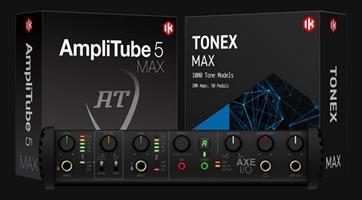
Description: Experience hyper-realistic Tone Models. A revolutionary concept in rig modeling, and the core of the TONEX ecosystem, TONEX software uses breakthrough AI Machine Modeling™ technology to let you model the sound of any amp, cabinet, combo or pedal, and turn it into a plug-in, all with a sonic accuracy that’s virtually indistinguishable from the real thing.

You can instantly play up to 1,100+ Premium Tone Models already available plus browse, demo and download over 20 K Tone Models available on ToneNET in TONEX. Easily add more Premium tones to your library with Tone Partner and signature collections.

From rare one-of-a-kind vintage amps to modern rigs, TONEX makes it possible and affordable to own the most sought-after gear in the world.

TONEX Tone Modeling features
Model amps, cabinets, combos and pedals (like distortion, overdrive, fuzz, EQ or boost) in any combination, from single element to complex rig
Built-in assistant guides you through each step from hardware connection to complete modeling
Assign custom skins to your modeled gear and open them as a plug-in or standalone inside the TONEX software and app, or AmpliTube 5 for Mac/PC
Create Tone Models in minutes (as fast as 5 minutes on modern computers*) using AI Machine Modeling technology with selectable levels of accuracy
Ultra-precise reproduction of high-frequency content
Works also as an IR creator or you can use the built-in VIR™ cabinets with multiple IRs per cabinet

Player
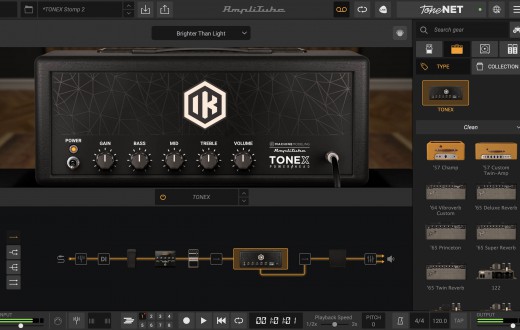
TONEX offers an intuitive, easy-to-use workflow to keep you in the creative zone. Play, practice and record the best guitar and bass tones using TONEX as a standalone application or plug-in inside your favorite DAW. Edit and organize your entire library of tones, and always have the right tone at your fingertips.
With powerful editing tools, it’s easy to take control. Add and adjust every parameter, including effects like modulation, delay, reverb, compression, noise gate and EQ, all from the home screen.
Customize your cab block with Tone Models, VIR™ and Custom IRs for unmatched flexibility. Easily create and manage custom presets, keeping your favorite sounds organized and ready to play within a single user-friendly interface.

Modeler
Harness the power of IK’s advanced AI Machine Modeling technology to turn your rig into virtual models of amps, cabs and pedals (distortion, overdrive, fuzz, EQ and boost) or entire rigs, in any combination.
TONEX uses a specially prepared audio file of actual guitar and bass signals, not just test tones, to capture your rig in true-to-life detail. Then TONEX’s neural network computes the machine modeled tone in minutes. The result is a virtual model that sounds indistinguishable from the real rig, to be used in TONEX software and app.
Add your custom skin and keywords to your Tone Models, then upload and share them with other TONEX users in ToneNET with just one click.

TONEX Editor
TONEX Editor is a FREE standalone application that lets you make real-time adjustments with a connected TONEX Pedal or TONEX ONE. It allows you to access and edit any onboard Tone Model or preset and hear your changes instantly through the pedal. You can also access your entire TONEX library within the Librarian tab, including Tone Models, presets and ToneNET, and quickly load favorites to audition and save to a designated hardware slot on your pedal.

Release Name: IK Multimedia TONEX MAX 1.12.0
Size: 2.9 GB
Links: HOMEPAGE – NFO – Torrent Search

Download: RAPiDGATOR
3 Comments
May 11

DbVisualizer Pro 26.1.2

Description: The database client with the highest user satisfaction. DbVisualizer has a long history of being the preferred database tool for the world’s leading data professionals. Built for navigating complexity. DbVisualizer has everything you need to build, manage and maintain state-of-the-art database technologies. Each feature has been thoughtfully crafted to solve real world problems.

It connects to all popular databases.
DbVisualizer is the only database tool you’ll need. Everything you need to gather data from all your data sources is bundled right in - including support for database-specific object types and more.

Leading the way in user satisfaction.
DbVisualizer is continuously developed in close collaboration with our users. We pride ourselves in engineering software of the highest quality and deliver support to our users directly from our developers.
Because that’s the kind of support we like.

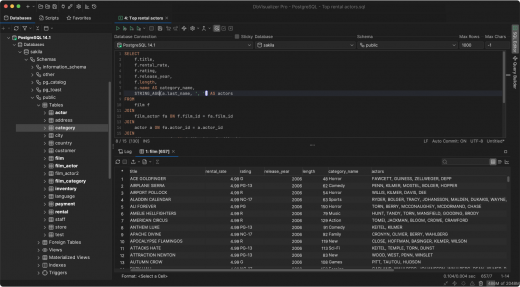
Advanced SQL editor.
DbVisualizer includes an advanced SQL editor that will help make your coding life easier.

Write beautiful queries.
Copy-pasted queries can be easily formatted to your liking and auto-suggestions will help you write efficiently.

Simplify the re-use of queries.
DbVisualizer variables make it easy for users to modify specific values inside a query as it is being initiated.

Access. Explore. Optimize.
DbVisualizer is a universal database client that will help you access, explore and optimize most popular databases.

Explore and visualize
Easily viewed, managed and control your stored data.

Driver management via Maven
JDBC driver management is built in with version handling.

Custom object types and actions
We support unique object types across a huge range of databases.

Taking control of your data.
The data stored in your database can be easily managed and controlled with DbVisualizer.

Results visualization
As you get the result from a query, you can decide how it should be presented. You can choose from a simple table to various graphs with custom design.

Inline editing
You can edit data directly in the DbVisualizer viewer. Each edit will be highlighted and saved locally until you decide to commit your updates to the database.

Exporting
You can export a result set into almost any file format, with specific formatting. There are also quick-export options for when you just want to open the result set as a spreadsheet.

Release Name: DbVisualizer Pro 26.1.2
Size: 209.7 MB
Links: HOMEPAGE – NFO – Torrent Search

Download: RAPiDGATOR

5 Comments
May 11

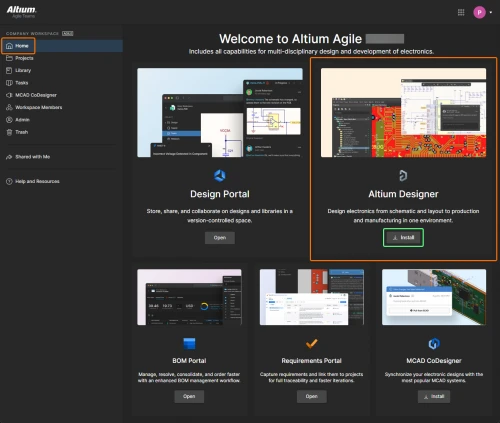
Altium Designer Agile 26.5.1 Build 30

Description: Control Without Complexity. A platform-based solution for electronics product and systems development.

Fast Time-to-Impact
Scales with your needs for control, connectivity and compliance, without sacrificing speed and agility.

Enterprise Power, Without the Weight
Delivers the capabilities of traditional enterprise systems, without the complexity.

Adapts to Existing Environments
Integrates seamlessly with existing tools, systems and processes.

Users
Discover how Altium Agile empowers development organizations by seamlessly connecting users and engineering systems with integrations to Jira, PLM (Enterprise), and access to SiliconExpert and Z2Data components and supply chain data.
Supply chain intelligence improves decision making and reduces the risk of production disruptions
Seamless multidisciplinary engineering integration within a unified project environment, eliminates need for file exports/imports
Robust connectivity with enterprise systems, including but not limited to PLM, Jira, and requirements management

Data
Explore how Altium Agile manages and secures critical engineering data while streamlining access, traceability, and validation. From isolated environments to real-time supply chain checks, data is accurate, protected, and actionable.
Single-tenant and on-premise environment for enhanced data isolation and security
Track project and process data—including guest access, workflows, and milestones—for full visibility and auditability
Real-time supply chain intelligence helps verify component data against standards and requirements, reducing risk and improving design reliability

Processes
Explore how Altium Agile supports efficient and secure electronics development processes through configurable, structured workflows and external contributor management.
Maintain process integrity with separate production and pre-production environments, allowing teams to safely test updates without disrupting active workflows
Collaborate with external contractors while managing access through granular data sharing that align with defined process boundaries and security protocols
Design and manage workflows that reflect your organization’s best practices, enabling consistent, repeatable processes that drive quality and efficiency across projects

Release Name: Altium Designer Agile 26.5.1 Build 30
Size: 3.1 GB
Links: HOMEPAGE – NFO – Torrent Search

Download: RAPiDGATOR
2 Comments
May 11

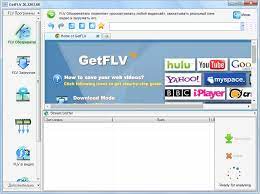
Vdigger GetFLV 32.2605.08

Description: GetFLV – The best web video downloader for Windows.

Grab Web Video URL flawlessly
Simply launch the FLV browser, and visit your favorite video site. Select and play a video, and click "download" to save it to your local disk.

Download Web Video flawlessly
GetFLV dramatically reduces the download time of Web Videos. The program splits the file into sections, and downloads multiple sections simultaneously, efficiently.

Convert Any Web Videos
GetFLV can repair damaged Flash movies. The built-in FLV Fixer and MetaData Injector will analyze and repair Flash files that won't play properly.

Convert other videos to Flash
GetFLV can convert any of these popular video formats into Flash files. It supports almost all types of video formats such as AVI, WMV, MOV, ASF, MP4, 3GP and etc.

Release Name: Vdigger GetFLV 32.2605.08
Size: 259.5 MB
Links: HOMEPAGE – NFO – Torrent Search

Download: RAPiDGATOR

7 Comments
May 11

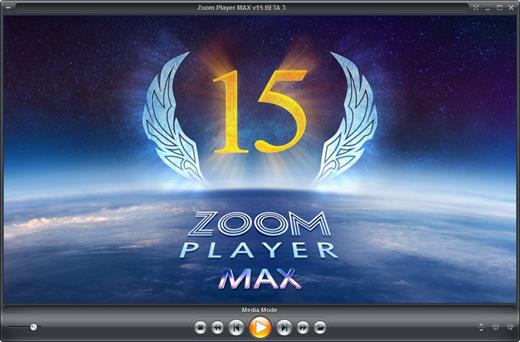
Zoom Player MAX 22.5 Beta 2

Description: Zoom Player, the most Flexible & Sophisticated Media Player for Windows PCs / Tablets. Based on our specially crafted 'Smart Play' technology, more media files and formats play with less hassle, improved stability and greater performance.

Zoom Player's customizable and polished full-screen navigation system makes browsing your content as easily accessible when using a Mouse, a Keyboard, a Remote Control or using a Touch input device such as a Tablet or Phone. Our powerful media library JukeBox features take your Movie & TV collections to a new level by enriching them with posters, backdrops and meta-data information (overview, cast, genre and more).

Zoom Player's fullscreen navigation system includes intuitive interfaces such as the Media Library, File Browser, Playlist, Color Control, Audio Equalizer, Bookmarks, Play History, Subtitle & Audio Stream Selection and many more. Zoom Player's media center simplicity makes it ideal for users with little previous computer experience.

In fact, with Zoom Player, you can instantly Convert any PC into a Home Entertainment Center (HTPC) with no specialized hardware or operating system requirement. Zoom Player runs on every version of Windows and every type of modern PC hardware, including Touch screens and Tablets.

Utilizing Zoom Player's modular design and flexibility, you can easily design a safe viewing environment, limiting or extending functionality, making it ideal for both newbies and professionals.

Supported Video Formats
DVD, BluRay (decrypted main-movie playback), Matroska (MKV), MPEG2 Transport (TS/TP/TSP/TRP/M2T/M2TS/MTS/PVA/TOD), AOMedia Video 1 (AV1), H.264 & AVCHD (MPEG4 AVC), H.265 & HEVC, WebM, XVID, DIVX, AVI, Flash Video (FLV), Windows Media (WMV/ASF), QuickTime (MOV/HDMOV), Ogg Movie (OGM), Theora (OGV), Real Media (RM/RMVB), VideoCD (VCD), Super VideoCD (SVCD), MPEG (MPG), MPEG2 Program (M2V/VOB/MOD), MPEG4 (SP/ASP), MPEG4 ISO (MP4), General Exchange Format (GXF), Material Exchange Format (MXF), Media Center DVR (DVR-MS), CamCorder (MOD/TOD), Digital Video (DV), DVCPRO, VP3, VP6, VP7, VP8, VP9, Motion JPEG (MJPEG), Motion JPEG 2000 (MJPEG2000), Flash (SWF), Cellphone 3GPP (3GP/3G2), FLIC (FLI/FLC) and more . . .

Supported Audio Formats
MP3, Free Lossless Audio CODEC (FLAC), Advanced Audio Coding (AAC), Windows Media (WMA), OGG Vorbis (OGG), OPUS (OPUS), CD-Audio (CDA), Dolby Digital (AC3), Digital Theatre Surround (DTS), Matroska (MKA), Wave Audio (WAV), SHOUTcast (Streaming), Cell Phone (AMR), Monkey Audio (APE), Real Media (RA), MusePack (MPC), OptimFROG (OFR), Shorten (SHN), True Audio (TTA), WavPack (WV), Apple Lossless Audio Coding (ALAC), LPCM, MIDI, AIFF, MO3, IT, XM, S3M, MTM, UMX and more . . .

Supported Interactive Formats
DVD, Hypertext Markup Language (HTML), Flash (SWF).

Supported Image Formats
JPEG (JPG), PNG, GIF, BMP, ICO, WMF, EMF, JFIF, RLE, WIN, VST, VDA, TGA, ICB, TIFF, FAX, EPS, PCX, PCC, SCR, RPF, RLA, SGI, BW, PSD, PDD, PPM, PGM, PBM, CEL, PIC, PCD, CUT, PSP, PN and more . . .

Zoom Player Versions
There are multiple versions of Zoom Player available for download, this table outlines the feature-set of each version.

Release Name: Zoom Player MAX 22.5 Beta 2
Size: 95.7 MB
Links: HOMEPAGE – NFO – Torrent Search

Download: RAPiDGATOR
5 Comments
May 11

IsoBuster Pro 5.8 (Build 5.8.0.0)

Description: The Ultimate data recovery software! IsoBuster for Windows. Supporting ALL types of media, including CD/DVD, BD/HD DVD, Hard Drives, SSD, USB flash drives, Zip drives, Jaz drives, floppies etc.

Rescue lost files from a bad or trashed CD, DVD or a Blu Ray disc. Recover deleted files from a Hard Drive, Memory card or of from flash media that Windows says needs to be formatted ! Save important documents, precious pictures or video from the family, your only system backup.

Features:
Data recovery from all possible CD, DVD and Blu Ray (BD & HD DVD) formats:
CD-i, VCD, SVCD, SACD, CD-ROM, CD-ROM XA, CD-R, CD-RW, CD-MRW, DVD-ROM, DVCD, DVD-RAM, DVD-R, DVD-RW, DVD+R, DVD+RW, DVD+MRW, DVD+R Dual Layer, DVD-R Dual Layer, DVD+RW Dual Layer, DVD+VR, DVD+VRW, DVD-VR, DVD-VRW, DVD-VM, DVD-VFR, BD-ROM, BD-R, BD-R DL, BD-RE, BD-RE DL, BD-R SRM, BD-R RRM, BD-R SRM+POW, BD-R SRM-POW, BD-XL, BDXL-R, BDXL-RE, BDXL-R TL, BDXL-R QL, BDXL-RE TL, UHD, M-Disc, BDAV, BDMV HD DVD-ROM, HD DVD-R, HD DVD-R DL, HD DVD-RW, HD DVD-RW DL, HD DVD-RAM, HD DVD-Video, GD-ROM, UDO, ARRI Codex, … And the list continues.
Data Recovery from Hard Drives, HDD, SSD, ODD, USB flash / thumb sticks, Memory stick, compact media cards, MMC media cards, SD, Micro SD, Mini SD, xD, GSM, CF, SDHC, SDSC, SDXC, SDIO, mobile phone memory card, memory cards that are used in digital cameras, camcorders, cell phones, MP3 players and any other type media cards, Floppy, Zip, Clik, Jaz, MiniDisc, Hi-MD drives etc.
Support for many Toshiba HDD Video recorders
Support for many Pioneer HDD Video recorders
Support for many Sony HDD Video recorders
Support for many Panasonic HDD Video recorders
Support for many Philips HDD Video recorders
Support for many Magnavox HDD Video recorders
Support for many ReplayTV HDD Video recorders
Support for many ShowStopper HDD Video recorders
Support for many Thomson HDD Video recorders
Support for RCA, LiteOn, Medion, Funai, .. HDD Video recorders
All device access, media access, data gathering and interpretation is done exclusively by the software. It does not rely on Windows to provide or interpret the data and so can work completely independent from Windows' limitations.
Better error handling and several retry-mechanisms to aid you in getting the data anyway.
The use of both generic and alternative ways to get to the data, get the best out of your CD/DVD-ROM drive.
The use of primary and secondary file systems to get to the data and/or make use of file system data that might be ignored or 'forgotten' by popular OS. Explore the alternatives.
CDs stay 'readable' after problems (such as Buffer Under-run,…).
Read / Extraction from open sessions.
All sessions, including older ones, are accessible and can be recovered.
Supports mounting several virtual sessions inside a single DVD+RW or DVD-RW track.
Read and Extraction of files, CD/DVD images, tracks and sessions from all optical media.
Scanning for lost UDF files and folders. More on UDF recovery.
Scanning for lost ISO9660 / Joliet sessions.
Scanning for files based on their file-signature.
Scanning for IFO / BUP / VOB file systems on VIDEO and AUDIO DVDs.
Scanning for lost, deleted and orphaned FAT files and folders.
Scanning for lost or deleted NTFS files and folders
and more…

Release Name: IsoBuster Pro 5.8 (Build 5.8.0.0)
Size: 22.9 MB
Links: HOMEPAGE – NFO – Torrent Search

Download: RAPiDGATOR

5 Comments
May 11

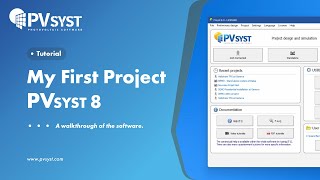
PVsyst 8.1.2.48544

Description: PVsyst 8 brings major enhancements to our software features, demonstrating our ongoing commitment to the development and simulation of photovoltaic projects.

Define your project
System design: Rapidly design grid-connected, standalone, or pumping photovoltaic systems. The program guides you in selecting components for sizing your project.
System sizing: Visualize sizing constraints for modules and inverters, including I/V curves and power distribution, focusing on optimal inverter sizing and comprehensive loss analysis.
New orientations: Benefit from flexibility in project customization by defining unlimited orientations and explore the possibility of combining trackers and fixed plans in a single simulation.
Sub-hourly simulation: Import meteorological data at sub-hourly intervals from Meteonorm 9 or through PVsyst import tools, and then simulate your systems with greater accuracy.
Simulation and results: Calculate annual energy distribution, analyze key metrics such as total energy, yield, and specific energy, through detailed reports on gains and losses.

Setup shadings
Near shadings: Model your 3D scene directly or import it from another CAD tool. Fast design tools, orientation identification, scene validation, and advanced multithreading calculations will allow you to define your system as close to reality as possible.
Horizon: Simply define distant shadows by determining the sun positions to which your system will be directly exposed. The tool allows you to import horizon data directly via Meteonorm and PVGIS.
Layout: Precisely calculate electrical shading losses (mismatch) by calculating the I/V characteristics of the photovoltaic array, by adding the voltage of each module in a string, and aggregating the string currents.

Many different tools
Grid storage and self-consumption: Choose your storage and self-consumption strategy. Grid storage involves storing excess energy from the photovoltaic array for future use, improving energy management and reliability. Self-consumption involves the direct use of photovoltaic energy on the production site, minimising grid dependence and optimizing the use of solar energy.
Bifacial systems and trackers: Simulate bifacial installations and photovoltaic systems on single or dual-axis trackers, with safety and backtracking options.
Meteorological databases: Use on-board mapping (Bing or OpenStreetMaps) to locate your project and automatically import meteorological data from one of these databases: Meteonorm 8.2, NASA-SSE, PVGIS-TMY (5.1 & 5.2), NREL/NSRDB TMY, Solcast TMY, Solar Anywhere TGY, and Solargis. Many other formats can also be imported manually.
Ageing, optimization, and batch processing: Explore our suite of advanced tools providing detailed results for advanced design decisions. Combine multi-year batch simulation for serialised simulations, including row spacing and bifacial height adjustments, and photovoltaic module ageing.
Economic assessment: Evaluate the costs of your systems (CAPEX, OPEX, custom costs), establish detailed pricing strategies. The result of this assessment will calculate NPV, LCOE, ROI, and various profitability metrics.
Components: Access a verified and regularly updated database including photovoltaic panels, inverters, batteries, pumps, and optimizers (AMPT, Huawei, Maxim, Sungrow, SolarEdge, TIGO) for realistic simulations.

Off-grid systems
Pumping systems: Simulate your sun-tracking pumping systems by integrating hydraulic properties and characteristics, water storage, and water requirements through the selection of various components.
Standalone systems: Evaluate the efficiency of your off-grid installations with energy storage, focusing on defining user electrical needs for an accurate assessment of stand-alone systems.

Minimum required configuration:
At least 2 GB of RAM
At least 2 GB of free space on the hard drive
Minimum screen resolution of 1280 × 720 pixels
Graphics card supporting OpenGL 2.0 or higher
.NET 4.8 framework (for Meteonorm)
PVsyst workspace does not support shared or remotely-synced drives / folders (including OneDrive, Google Drive, Dropbox, etc.). Files and workspaces can be synced as a separate task, once PVsyst has been closed

Release Name: PVsyst 8.1.2.48544
Size: 812.9 MB
Links: HOMEPAGE – NFO – Torrent Search

Download: RAPiDGATOR
6 Comments
May 11

reaConverter Pro 8.0.220

Description: Easily process full batches of files and folders. reaConverter combines powerful automation with intuitive tools to streamline image conversion and eliminate repetitive editing.

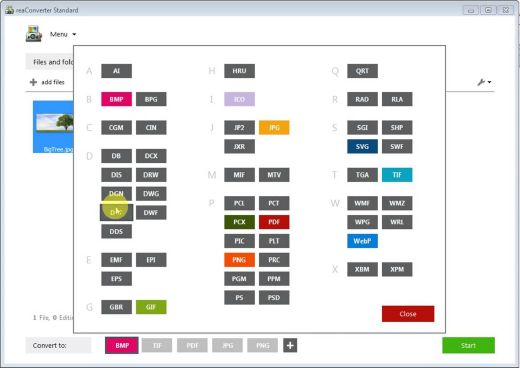
700+ File Formats
reaConverter delivers high-efficiency batch conversion for an extensive range of file formats.

Efficient Conversion
A powerful file conversion toolkit with advanced processing features — giving you precise, granular control over every output.

Image Editing
reaConverter simplifies batch image editing — apply touch-ups, transformations, and effects to unlimited images simultaneously.

Automation
Professional-grade automation features for high-volume file conversion and batch processing.

Development
Integrate reaConverter's functionality into scripts, applications, or websites using its command-line tool or DLL.

Release Name: reaConverter Pro 8.0.220
Size: 399.2 MB
Links: HOMEPAGE – NFO – Torrent Search

Download: RAPiDGATOR

4 Comments
May 11

Modbus Poll 13.2.1.2558

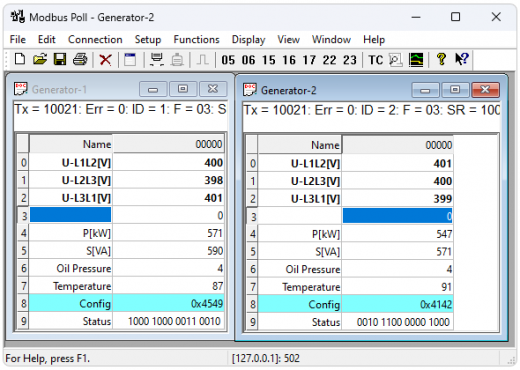
Description: Modbus Poll is a Modbus master simulator designed primarily to help developers of Modbus slave devices or others that want to test and simulate the Modbus protocol. With the multiple document interface you can monitor several Modbus slaves and/or data areas at the same time.

You can read and write registers and coils from any window. If you want to change a single register, simply double click the value. Or you can change multiple registers/coils. Multiple data formats such as float, double and long with word order swapping are available.

Exception errors are shown on the status line.

If you are a slave developer you can compose and send your own test strings in the "test center" and check the result from the slave in hex numbers.

OLE Automation for interfacing with Excel. To interpret and show the Modbus data according to your specific requirements. E.g. edit data in Excel and then transmit the data to your slave device! Try the Excel example.xlsm installed with the program.

Release Name: Modbus Poll 13.2.1.2558
Size: 6.7 MB
Links: HOMEPAGE – NFO – Torrent Search

Download: RAPiDGATOR
5 Comments