Please REGISTER or RENEW your account on RAPiDGATOR.net and support us by doing through all RAPiDGATOR working download links on main posts...
Apr 28

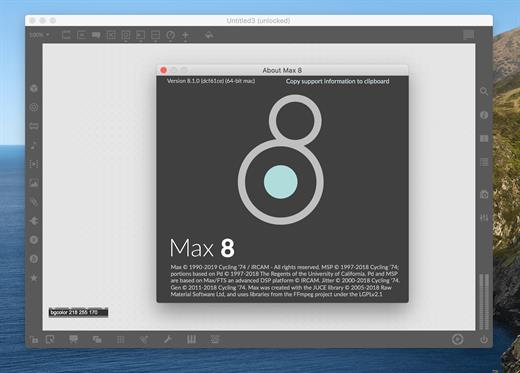
Cycling '74 Max 9.1.4

Description: A Playground for Invention. Max is an infinitely flexible space to create your own interactive software. Connect Ideas Together to Create. Each object does something. Max has objects that generate sound waves, represent hardware, or provide a UI for interaction.
Patchcords connect one object to another. This connection lets objects share their output with connected objects.
Connect UI objects like dials and sliders to provide control values or display results. Modulate, map and scale data to get just the right results.

Create Software Built Around You, In the Moment
Drag in your own audio clips and start manipulating them and connecting effects
Map your patcher with MIDI controllers as you go to start playing with your creation while you work

Expanded Ideas
Max patching starts on a blank canvas, free of any structure. This makes it natural to build and explore unique ideas that would be too complex to make elsewhere. The Max patcher automatically expands to fit your work as it grows, no matter how much space you take up.

Explore Sound without Limits
Design a custom synthesizer with as many oscillators and effects as you wish.
Manipulate samples in every way, including timestretch and pitch shifting.
Build up more layered sounds using MC objects to patch multichannel audio.

Make Sound with a Gesture
In Max, you can build classic synths from scratch or get lost hacking together unusual sounds. Try the XY controls below to hear some sounds you could create with Max.
You can do a lot with just a single oscillator and a filter.
Add some extra modulation and try something a little more wild.

Make Visual Music
Max includes full-featured, expandable video and graphics tools with Jitter. Jitter is optimized for realtime audiovisual work, and is easy to combine with audio, sequencing, and modulation like everything else in Max.

Take Max into the World
Max patching starts on a blank canvas, free of any structure. This makes it natural to build and explore unique ideas that would be too complex to make elsewhere. The Max patcher automatically expands to fit your work as it grows, no matter how much space you take up.

Prototype and Evaluate
Flexible access to hardware makes Max a perfect environment for prototyping. Connect your development board to Max and get instant access to sensors, knobs, and switches. Watch the data stream in as you develop the interaction.
Countless commercial products, art installations, and stage shows have relied on Max to glue together all the parts of their process.

Generate Audio, Video, Code
Use Gen to patch together fine-tuned processes for audio, matrix data, or texture processing. Gen lets you combine procedural commands with visual patching to simplify the creation of custom processes.
Gen objects can also output source code to be used elsewhere if needed.

Release Name: Cycling '74 Max 9.1.4
Size: 535.3 MB
Links: HOMEPAGE – NFO – Torrent Search

Download: RAPiDGATOR

7 Comments
Apr 28

WinArchiver Pro 6.2

Description: WinArchiver is a powerful archive utility, which can open, create, and manage archive files. It supports almost all archive formats, including zip, rar, 7z, iso, and other popular formats. WinArchiver can also mount the archive to a virtual drive without extraction. WinArchiver Virtual Drive is a free Virtual CD/DVD ROM utility. It can mount not only all popular CD/DVD image files, but also all popular archives. You can run programs or access the files from a virtual drive without original cd/dvd discs. The virtual drive works 200x faster than traditional cd/dvd rom drive. WinArchiver Virtual Drive can mount ZIP, RAR, 7Z, and other archives as virtual drive instantly. It provides a more convenient and faster way to access files in archives. You can mount an archive as a virtual drive, then access files in the archive through the virtual drive. With this feature, you don't need unpack archives before open files in archive, which can help you save lots of time.

WinArchiver supports the following file types: .zip (WinZip Files), .rar (WinRAR Files), .7z (7z Files), .mzp (Mountable Archive), .iso (CD/DVD Image File), .001 (7z Sub Volume), .arj, .bz2, .bzip2, .gz, .gzip, .tar, .taz, .tbz, .tbz2, .tgz, .tpz, .cab, .cpio, .deb, .lha, .lzh, .rpm, .split, .swm, .wim (Windows Imaging File), .z, .daa (PowerISO File), .bin, .cue, .mdf, .mds, .ashdisc, .bwi, .b5i, .lcd, .img, .cdi, .cif, .p01, .pdi, .nrg (Nero Disc Image), .ncd, .pxi, .gi, .fcd, .vcd, .c2d, .dmg (Apple Disc Image), .bif, .ima, .flp, .uif (MagicISO File)

MZP is the new archive format supported by WinArchiver. It supports data compression, encryption, and file spanning. WinArchiver can be used to create and manuplate MZP archives. The MZP archive can also be mounted as virtual drive instantly with WinArchiver Virtual Drive, thus you can access files in the archive without extraction. Compared with other archive formats, MZP archives can be mounted more efficiently.

Main Features:
Support almost all popular archive formats.
Open and extract archive files.
Edit existing archives.
Create zip, 7z, iso, mzp archive file from hard disk files.
Support unicode file names.
Mount archive file to a virtual drive without extraction. You can use it as a professional virtual drive software.
Support multivolume, encryption, and archive comments.
Support Windows Explorer shell integration.
Support both 32-bit and 64-bit Windows.

Release Name: WinArchiver Pro 6.2
Size: 6.9 MB
Links: HOMEPAGE – NFO – Torrent Search

Download: RAPiDGATOR
7 Comments
Apr 28

QILING File Shredder 4.6.1 Build 20260425

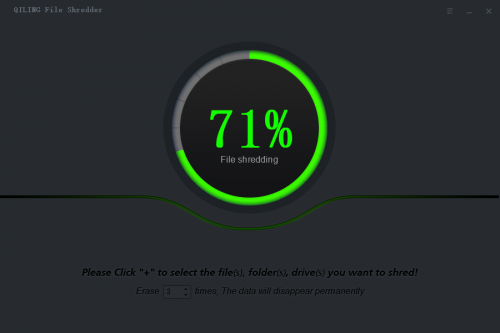
Description: A secure and "unrecoverable deleted" tool to shred files and wipe hard drives. Qiling File Shredder can help you to wipe unused and sensitive data from specific files, folders, desktop, partitions, disks to protect your privacy.

Securely Wipe Drive Data and Shred Sensitive File!
Permanently wipe the disk or shared data, irreversibly remove sensitive data easily and effectively. The File Shredder tool offers the powerful protection for your important information and privacy, the certified data erasure algorithms make sure your data unrecoverable by others, its high-speed wipe feature can save your valuable time, it also rarely occupies system resource.

More Than Erasing Data

File Shredder
Permanently shred and delete unnecessary files from your computer beyond recovery

Hard Drive Wiper
Non-Destructive wipe all existing and history data on HDD and SSD to improve the reading speed

Partition Volume Wiper
Wipe selected partition and volume to improve performance, don't affect the reuse of them

External Drives Wiper
Fast and safe wipe unwanted data form memory card, USB drives, SD card, digital camera etc...

Release Name: QILING File Shredder 4.6.1 Build 20260425
Size: 6.8 MB
Links: HOMEPAGE – NFO – Torrent Search

Download: RAPiDGATOR

7 Comments
Apr 28

VideoClipCutter 1.0.1

Description: Easily extract any part of a video with VideoClipCutter – the lightweight, no-nonsense tool that lets you cut, trim, and save video clips in seconds. Perfect for creators, students, teachers, and anyone who wants to quickly grab a moment from a video – **100% offline, no internet required, no data uploaded.

Whether you're editing a home video, saving a highlight from a tutorial, or sharing a funny clip with friends, **VideoClipCutter** makes it fast and frustration-free.

Trim & Cut Any Video
Select start and end times with precision. Extract the exact segment you want.

Supports Popular Formats
Works with MP4, AVI, MKV, MOV, WMV, FLV, and more – no conversion needed.

Zero Quality Loss
Save clips in original quality or choose custom resolution (HD, Full HD, etc.).

Batch Processing
Cut multiple clips from one video – save time when editing highlights.

Fast & Lightweight
Built for Windows 10/11. Runs smoothly even on older PCs.

100% Offline & Private
No cloud, no tracking, no ads. Your videos stay on your device – safe and secure.

System Requirements
- OS: Windows 10 version 17763.0 or higher
- Memory: 6 GB

Release Name: VideoClipCutter 1.0.1
Size: 227.7 MB
Links: HOMEPAGE – NFO – Torrent Search

Download: RAPiDGATOR
8 Comments
Apr 28

reaConverter Pro 8.0.217

Description: Easily process full batches of files and folders. reaConverter combines powerful automation with intuitive tools to streamline image conversion and eliminate repetitive editing.

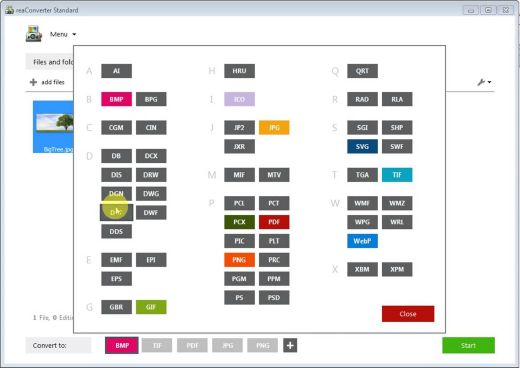
700+ File Formats
reaConverter delivers high-efficiency batch conversion for an extensive range of file formats.

Efficient Conversion
A powerful file conversion toolkit with advanced processing features — giving you precise, granular control over every output.

Image Editing
reaConverter simplifies batch image editing — apply touch-ups, transformations, and effects to unlimited images simultaneously.

Automation
Professional-grade automation features for high-volume file conversion and batch processing.

Development
Integrate reaConverter's functionality into scripts, applications, or websites using its command-line tool or DLL.

Release Name: reaConverter Pro 8.0.217
Size: 399.1 MB
Links: HOMEPAGE – NFO – Torrent Search

Download: RAPiDGATOR

7 Comments
Apr 28

QILING Safe Disk 3.1.3 Build 20260425

Description: QILING Safe Disk keeps your confidential data in a strongly encrypted form on your disk and provides you with transparent access to it from any application. Safe Disk is a program that allows the creation and use of virtual encrypted drives. You create a container file on an existing hard drive which is created with a specific password. The virtual drive can then only be accessed with the correct password.

Without the correct password the files on the virtual drive are totally inaccessible. Once the password has been entered correctly and the drive is mounted the new virtual drive can then be used as a normal drive, files can be saved and retrieved to the drive. Maximum size of an encrypted drive mapped to a correspondent container file is 2048 GBytes. Upgrades: Upgrades are free. System requirements: All Windows. Algorithm: Safe Disk uses Blowfish (448 bit keysize), AES (256 bit keysize), GOST (256 bit keysize) and 3DES (168 bit keysize).

In Any Case, We Can Help You protect All Data

Protect your data in flash media and USB hard disk drives
Ultimate security standard for encryption at the physical sector level. Based on the most secure technology, AES256, this product is an outstanding data security tool. Support of flash media and USB hard disk drives, so that no one will be able to access your data if you lose it.

Protect your data on your PC or laptop
reliable protection of confidential information and records of negotiations with clients or business partners on your PC or laptop;

Protect your confidential data
Security of your company's financial data and personal computer privacy; Lack of access to the logs of your computer activity (site visit logs in the browser history, history logs of the instant messenger, incoming and outgoing emails).

Free fast AES 128-bit Disk encryption program. Private Disk Light allows you to create a Secure space for all your work, exchange encrypted data with others, and feel sure that your information is safe from external and internal manipulation.

Release Name: QILING Safe Disk 3.1.3 Build 20260425
Size: 8.7 MB
Links: HOMEPAGE – NFO – Torrent Search

Download: RAPiDGATOR
5 Comments
Apr 28

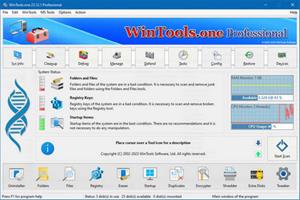
WinTools.one 26.4.1

Description: WinTools.one - this program is designed to help both ordinary users and advanced users, as well as computer engineers, fine-tune the MS Windows operating system. It allows you to increase the performance of the operating system, maintain its performance at a high level, correct operating system errors, free up space on the hard drives of your computer, and control the operation of installed programs. In addition, the program allows you to store and protect your confidential and secret information, as well as work with virtual disks.

WinTools.one contains the following tools: Clean Uninstaller, Scan Folders, Scan Files, Scan Shortcuts, Scan Registry, Objects Eraser, Startup Manager, Duplicate Files, File Encryptor, File Shredder, Extra Disks and System Tweaker, that contains dozens of useful settings and fixes.

The WinTools.one program is available in two editions: Home and Professional. WinTools.one Professional is the premium edition of the WinTools.one Home program. It includes an additional tool for managing Duplicate Files and an expanded set of features in the System Tweaker tool.

WinTools.one represents the next evolution of the WinTools.net program. Here are the key differences

between WinTools.one and WinTools.net:
It no longer supports older operating systems such as MS Windows XP and Me.
It is optimized for modern MS Windows 11 systems.
It features completely new code for x64 architecture.
The program boasts a newly modified interface.
It includes tools for working with both regular and encrypted virtual disks.
It offers an additional tool specifically for encrypting secret files.
The System Tweaker tool has been completely redesigned to cater to modern operating systems.

Release Name: WinTools.one 26.4.1
Size: 8.9 MB
Links: HOMEPAGE – NFO – Torrent Search

Download: RAPiDGATOR
4 Comments
Apr 28

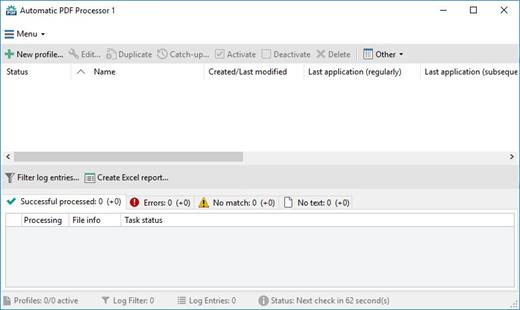
Gillmeister Automatic PDF Processor 2.1.6

Description: With Automatic PDF Processor, PDF files can be processed automatically. Any number of folders can be monitored in order to automatically print, rename or move incoming PDF files to dynamically named folders.

Numerous metadata of the PDF document can be used in addition to the content, for example to include invoice information in the file path. The PDF files to be processed can be narrowed down with various profile-specific filters - the document text, PDF metadata and general file information are available as filters.

Extraction of data from the text of PDF files is optional. An unlimited number of extraction rules can be created within a profile. The extracted data can be used (after optional validation and formatting) for naming folders or the file name, and can be saved as an extract in a CSV file. Another task that can be automated with the Automatic PDF Processor is the extraction of attachments from PDF files, for example to save ZUGFeRD XML files, XRechnung attachments or similar as part of a PDF invoice in the same folder.

Features:
Print, rename, move, or copy PDF files automatically
Store embedded PDF attachments in any folder for archiving
Extract textual data from PDF documents automatically and save them as CSV file
Monitor any number of folders (hot folder monitoring)
Create individual rules for different tasks
Filter by document text, file date, attachment name or count, title …
Create the storage location (storage folder) dynamically from PDF document properties or based on content
Get informed about different processing statuses by email
Limit the automatic processing of PDF files to certain days and times, for example to print only during office hours
Combine a scan and OCR process with subsequent automatic naming by the Automatic Email Processor in order to be able to file older PDF documents in a structured way as well
Perform subsequent actions e.g., start a program with the path of the saved PDF file or PDF attachment as parameter
Process all already existing PDF files of a folder (with user-defined criteria)
Sort PDF — files automatically or have them moved to another folder and subfolder created dynamically from file properties
Send an Excel report with overview and detailed information on a regular basis

System requirements:
Microsoft Windows 11, 10, 8, 7 or Server (32-bit or 64-bit version)

Release Name: Gillmeister Automatic PDF Processor 2.1.6
Size: 226.4 MB
Links: HOMEPAGE – NFO – Torrent Search

Download: RAPiDGATOR
6 Comments
Apr 28

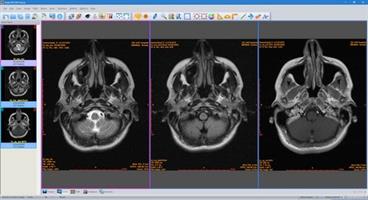
Sante DICOM Viewer Pro 14.4

Description: Sante DICOM Viewer Pro is a professional DICOM viewer, anonymizer, converter, PACS client, mini PACS server, patient CD/DVD burner (with viewer) and much more.

New Version 14!
New, faster graphics engine (Direct2D instead of GDI+)
TLS support for DICOM network connections
OHIF viewer support (a study can be reviewed with OHIF viewer as well)
Export network and database search results as csv files
Create new study, series and SOP instance UIDs during anonymizing (user option)
Memory and speed optimizations

Features and benefits
Powerful 2D/3D DICOM workstation and viewer
PACS client that supports all the DICOM network services (C-FIND SCU/SCP, C-MOVE SCU/SCP, C-STORE SCU/SCP, C-GET SCU/SCP, C-ECHO SCU/SCP)
It can be used as a mini PACS server as well
(the number of stored patients/studies depends on disk size only)
Migration tool for file transferring from other DICOM viewers
Command line switches for integration with PACS servers (learn more...)
Easy to use with native Windows "look and feel"
Support of all charsets (latin, chinese, japanese, korean, cyrillic, arabic, greek, turkish, etc.)
Creation of 3D model by the Isosurface technique
Creation of 3D model by the Transfer Function (Volume rendering) technique
Creation of 3D model by the Maximum Intensity Projection (MIP) technique
On-line, case sensitive help
Compatible with all modalities (CT, MR, NM, US, XA, MG, CR etc.), all manufacturers and all DICOM 3.0 and NEMA 2 file types.
Supports also jpeg, jpeg2000, tiff, png, and bitmap image formats
Dual monitor support (new in version 10, learn more...)
Structured Report support (new in version 10.3)
Built-in DICOM File Editor
Built-in DICOM Multi-File Editor
Full support of DICOMDIRs (view, open, create, edit, image/series selection for viewing or/and for transferring in another folder)
Built-in Anonymizer (Patient data de-identification, suitable as well for avoiding issues with the GDPR regulation 2016/679 of EU)
Scout image/localizer support
Support for Overlays
Study comparison side-by-side
Attachment of PDF report files to studies
Encapsulated PDF DICOM file support
Printing to DICOM printers and Windows printers
Creation of DICOM CD/DVD disks with free DICOM viewer for Windows and macOS
Support of Epson and Primera CD/DVD Disk Publishers (robots)
Advanced ROI selection tools (free hand, magic wand, eye-dropper, rectangle, circle, ellipse, polygon)
Statistical analysis of ROIs (pixel count, min value, max value, mean value, standard deviation, area, volume)
Synchronized frame view between the series
Synchronized level-window between the series
Synchronized field of view between the series
Measurement tools (distance, angle, cobb angle, polyline, area, volume)
Ultrasound region calibration module support (calibrated Ultrasound measurements)
Annotation texts and arrows
Interpolated (smooth) zoom and advanced zoom tools (e.g. zoom dynamic, zoom window)
Comparison of DICOM files tag by tag
Built-in Hexadecimal File Editor
Built-in Hexadecimal DICOM Viewer
File searching with criteria (patient name, study ID etc.), within hard disk's or CD's folders
File searching by tag's existence and/or tag's value, within hard disk's or CD's folders
External DICOM dictionary support
Image orientation (flip, rotate)
Image and canvas resizing
Image processing filters (blur, sharpening, convolution masks, min mask, max mask, median mask etc.)
Subtraction filter for DSA
Video (wmv) creation with or without annotations
Batch convert to image formats (JPEG, TIFF, BMP, PNG, etc.)
Batch anonymizing, with ability of burned-in annotations removal
Export DICOM Headers to text files
Orthogonal Multi-planar Reconstruction (MPR)
Easy to use with native Windows "look and feel"
Windows 11/10/8.1/8/7/ and Vista compatible

Release Name: Sante DICOM Viewer Pro 14.4
Size: 147.2 MB
Links: HOMEPAGE – NFO – Torrent Search

Download: RAPiDGATOR
7 Comments
Apr 28

Sweet Home 3D 7.6.6

Description: Sweet Home 3D is an easy to learn interior design application that helps you draw the plan of your house in 2D, arrange furniture on it and visit the results in 3D. An interior design application that helps you draw the plan of your house, arrange furniture on it and visit the results in 3D.

Key Features

Draw
Draw walls and rooms of your home from scratch or upon the image of an existing plan, on one or more levels.

Change the color
Change the color or the texture of the walls, the floors and the ceilings, importing images of your own patterns if needed.

Drag and drop
Drag and drop doors, windows and furniture onto the plan from a catalog of 1400 objects organized by categories, in which you can import 3D models created by yourself or downloaded from the web.

Customize
Customize the size, the orientation, the elevation, the colors and the textures of each piece of furniture.

View
View the changes in the plan simultaneously in a 3D view, in which you can navigate either from an aerial view point, or from a virtual visitor view point.

Create
Create a photorealistic image of your arrangement depending on the time of the day and the light sources placed in the plan.

Create a video
Create a video from a virtual path in the 3D view.

Print
Print the home plan and the 3D view or export them in files at PDF, PNG, JPEG, SVG, OBJ standard formats, to reuse designed homes in other software.

System Requirements
Windows 7, 8.1, 10, 11

Microsoft Store Version - All inclusive texture and furniture libraries.

Release Name: Sweet Home 3D 7.6.6
Size: 834.8 MB
Links: HOMEPAGE – NFO – Torrent Search

Download: RAPiDGATOR
8 Comments