Please REGISTER or RENEW your account on RAPiDGATOR.net and support us by doing through all RAPiDGATOR working download links on main posts...
Apr 20

JP Software TCC 36.00.32

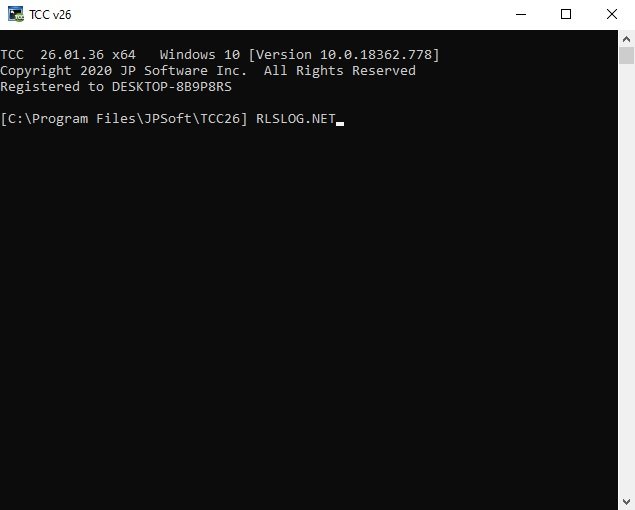
Description: TCC: Upgrading the Windows CMD Command Line Prompt. The command line is essential for developers, systems administrators and advanced users, offering many advantages to anyone wanting to save time, expand their control and/or to automate their tasks.

TCC is our console mode Windows command processor (formerly known as 4NT). TCC is a replacement for CMD.EXE, the default Windows command processor. TCC is compatible with your existing Windows console applications and batch files, but offers major improvements to the CMD prompt in command line editing, interactive file and system management, batch file programming and debugging.

TCC is a superset of CMD, with 275+ internal commands (CMD has about 42), 800+ internal variables and functions (CMD has 6), hundreds of additional options for existing CMD commands, and thousands of additional features.

Whether you're a seasoned CMD prompt user or just getting started, TCC is the tool that will take your command line prompt experience to the next level.

Why Switch From the CMD Shell to TCC?

Familiarity
TCC is a CMD replacement Windows command processor that is compatible with your existing CMD commands and batch files while adding hundreds of new commands, variables, and variable functions.

Productivity
TCC provides vastly improved line editing and tab file completion, and adds thousands of new features. You're immediately more productive, and you can learn TCC's new features at your own pace.

Batch Files
Create and debug your batch scripts in a fraction of the time with TCC's integrated editor and batch file debugger.

Comprehensive Help
The extensive help (including context-sensitive popup help for command and variable syntax) speeds your development time and reduces errors.

Syntax
TCC's internal commands share a consistent syntax, reducing your learning and development time.

Multilingual
The user interface is available in English, French, German, Italian, Russian, and Spanish. (Online help is available in English, French, German, and Spanish.)

Release Name: JP Software TCC 36.00.32
Size: 55 MB
Links: HOMEPAGE – NFO – Torrent Search

Download: RAPiDGATOR

4 Comments
Apr 20

MyLanViewer Enterprise 6.7.9

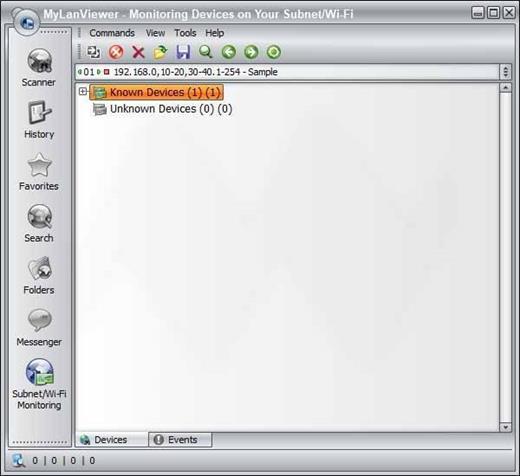
Description: MyLanViewer Network/IP Scanner is a powerful Netbios and LAN/Network IP address scanner for Windows, whois and traceroute tool, remote shutdown and Wake On LAN (WOL) manager, wireless network scanner and monitor. This application will help you find all IP addresses, MAC addresses and shared folders of computers on your wired or wireless (Wi-Fi) network.

The program scans network and displays your network computers in an easy to read, buddy-list style window that provides the computer name, IP address, MAC address, NIC vendor, OS version, logged users, shared folders and other technical details for each computer.

MyLanViewer Network/IP Scanner supports remote shutdown, wake-on-lan, lock workstation, log off, sleep, hibernate, reboot and power off. It is able to monitor IP address and show notifications when the states of some computers change. MyLanViewer Network/IP Scanner can also view and access shared folders, terminate user sessions, disable shared folders, show netstat information and detect rogue DHCP servers. The software can monitor all devices (even hidden) on your subnet, and show notifications when the new devices will be found (for example, to know who is connected to your WiFi router or wireless network). The program easy to install and use, and has a user-friendly and beautiful interface.

Enterprise License - A enterprise license grants an organization rights to install and use the software on an unlimited number of computers or servers at an unlimited number of locations used by the organization in many cities or countries.

Release Name: MyLanViewer Enterprise 6.7.9
Size: 9.9 MB
Links: HOMEPAGE – NFO – Torrent Search

Download: RAPiDGATOR

5 Comments
Apr 20

JP Software Take Command 36.00.32

Description: Replace Your Windows Console and CMD Command Prompt Windows. The Windows Command Prompt shortcut is a Windows console (command line, or character mode) session that runs the default Windows command shell CMD.EXE.
The command line is essential for developers, systems administrators and advanced users. Unfortunately, CMD Windows commands and the Windows console UI have always been woefully lacking in ability compared to what is available in most other operating systems. Because of the limitations in CMD and the Windows console, users have been forced to use the GUI for inappropriate tasks, or even to write custom programs to perform simple tasks that CMD should have been able to handle.

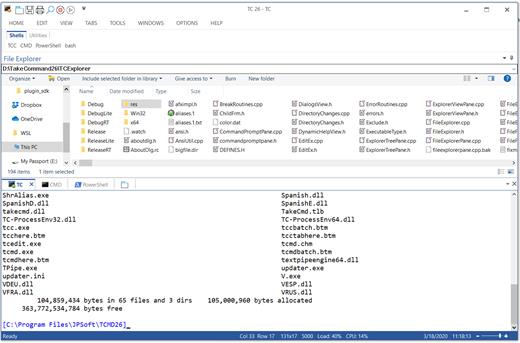
Take Command is a comprehensive interactive GUI and Windows command line toolkit that makes your command prompt windows easier to use and far more powerful. Take Command includes optional Windows Explorer integration, tabbed console windows, and major enhancements to standard Windows CMD commands such as COPY, DEL, DIR, FOR, MOVE, REN, SET, and START And it and adds more than 235 new commands, command dialogs, command line syntax coloring, vastly improved command line editing, programmable filename and directory tab completion, and thousands of other features.

Take Command is also a powerful batch file programming tool, including an integrated IDE with a sophisticated editor and batch debugger. Take Command offers extensions such as DO loops, SWITCH statements, error and exception handling, system monitoring and event triggers, and more than 780 built-in variables and functions. And you can extend that with 3rd-party plugins and user-defined functions.

12 Reasons Why You Should Replace Your Windows Console
The Windows console is responsible for running character-mode applications, including CMD, PowerShell, WSL bash, etc. It was introduced in Windows NT 3.1 in 1993, and some major internal architectural improvements were made in Windows 10 and 11.

Unfortunately, the improvements to the user interface were relatively minor, and though some efforts were made to improve the CMD console UI in Windows Terminal, they fall far short of what Take Command has been providing for years.

So why replace it with Take Command?

The Windows console is slow, and even slower when using Windows Terminal. Take Command's tab windows typically display output between 20% and 300% faster.
Take Command (like Windows Terminal) offers tabbed windows to run your character-mode applications. But Take Command takes it to another level by including vertical or horizontal tab groups and splitter windows.
Tabbed windows can be reordered, detached, or torn off, and existing console windows can be attached as new Take Command tab windows.
Take Command provides an optional embedded Windows File Explorer window that displays a tree view of the folders on your system and the contents of the selected folder (List View) on the right. You can drag folders and files from the Explorer window and drop them in a command prompt window.
Take Command can be easily configured for your preferences with its configuration dialogs.
Take Command has an optional tabbed tool bar that you can use to execute internal or external commands, aliases, or batch files with the click of a mouse (or an accelerator key). You can define up to 20 tabs, each with up to 50 toolbar buttons.
Take Command provides a configurable Status Bar that can display quick help for the current command, tooltips, and system information, including tab window size, CPU usage, memory usage, date & time, character values at the cursor location, and a slider control for window transparency.
Cut and Paste options are limited in the default CMD console or Windows Terminal. Take Command adds both line and column selection, double-click or triple-click selections, overwriting or appending to the Windows clipboard, and a variety of paste options.
Take Command windows can be styled with a choice of 18 themes.
Take Command and TCC offer a wide variety of colorization options, not just foreground and background colors.
Take Command includes invaluable tools, including a batch file debugging IDE, a regular expression creator / analyzer, search and replace in files, and a macro recorder / playback.
Extensive help (quick help, context sensitive help, and general help) is available in English, French, German, and Spanish at the touch of a button.

Release Name: JP Software Take Command 36.00.32
Size: 57.3 MB
Links: HOMEPAGE – NFO – Torrent Search

Download: RAPiDGATOR

5 Comments
Apr 20

CoolUtils Total Image Converter 8.2.0.297

Description: Total Image Converter converts images to other formats, crops, resizes and rotates them. Convert large TIFFs into small JPEGs, make photos suitable for the web or recover old photos in unsupported formats - Total Image Converter will do everything you need.

Supports TIFF, JPEG, RAW, PNG, BMP, PSD, TGA, and many other image formats;
Works incredibly fast with new multi-threading feature;
Converts CMYK to RGB;
Handy resize and crop options to make your photos smaller;
Watermarking: add your comment, logo or date.

Unique options of Total Image Converter
/image converterTotal Image Converter supports TIFF, JPEG, JPEG2000, RAW, PNG, BMP, ICO, PSD, TGA, PCX, PCD and many other rare image file types files complete list).
rotate imageAlong with conversions you can rotate your images! All is done in batch so you save a lot of your valuable time.
resize cadWith Total Image Converter it's very easy to resize your photos or images.
colorWith Total Image Converter you can specify the color space for your output images.
combine foldersWhat to combine images within folders? No problem! Our powerful batch image converter can do that too.
frame jpegTotal Image Converter will also add a frame to your images in batch.
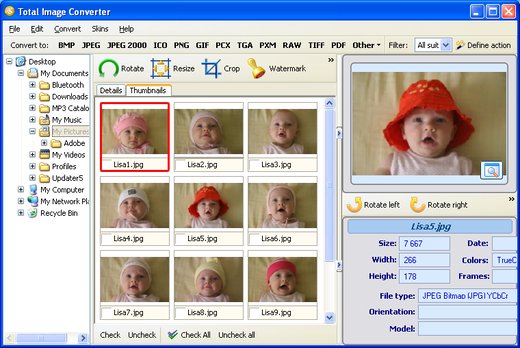
interfaceConvert TIFF, JPEG, PSD and many other files in seconds via our clear wizard-mode interface (thumbnails or file lists with details).
/image formatsThe widest list of output file types: PDF, TIFF, BMP, PNG, JPEG, JPEG2000, ICO, GIF, PCX, TGA, PXM, PS, PCL! Besides, it supports many rare formats like PALM, PICT, XPM, FIX, etc.
html converterTotal Image Converter supports almost all RAW camera photos (CRW, CR2, NEF, PEF, RAF, X3F, RAW, BAY, ORF, NRW, SRF, MRW).
previewThe built-in Preview panel helps you to view each file full-sized and learn the indo about it.
/image watermarkAdd text watermarks to the header or the footer of the output file to prevent unauthorized use.
dxf to pdfWhen you convert images to PDF you can set user permissions, password-protect your files or sign them with your digital signature.

Release Name: CoolUtils Total Image Converter 8.2.0.297
Size: 106.5 MB
Links: HOMEPAGE – NFO – Torrent Search

Download: RAPiDGATOR

4 Comments
Apr 20

JP Software CMDebug 36.00.32

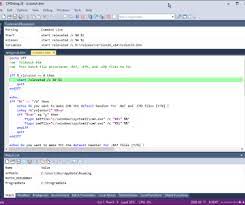
Description: CMDebug is a stand-alone version of the Take Command IDE and batch debugger. CMDebug is intended to help developers create a batch file to run in CMD (the Windows default command processor) or TCC-RT (the free runtime version of TCC). It provides a comprehensive set of batch debugging features specifically designed for batch file development.

CMDebug allows you to write and debug your CMD batch files with the integrated graphical IDE. CMDebug includes tabbed edit windows and a sophisticated debugger with single stepping, conditional breakpoints, syntax coloring tooltips, bookmarks, and tabbed breakpoint, call stack, variable, alias, and watch windows. Windows batch file programming has never been easier or more powerful!

You can use CMDebug to develop either CMD-compatible batch files (*.BAT or *.CMD), or faster (and far more capable) TCC-RT-compatible batch scripts (.BTM). If you select the "TCC Syntax" option, CMDebug supports the full TCC-RT command set. If you select the "CMD Syntax" option, CMDebug will disable TCC-only internal commands, variables, and functions, and use the limited Windows CMD batch file commands syntax. Some internal CMD / TCC commands will also behave slightly differently or modify their display output in order to match CMD's behavior (and bugs!) more closely.

Using CMDebug with the TCC-RT syntax option allows you to create and debug (and optionally encrypt) batch files using the TCC command language, and then distribute them with the free TCC-RT runtime on an unlimited number of target machines.

Release Name: JP Software CMDebug 36.00.32
Size: 42.8 MB
Links: HOMEPAGE – NFO – Torrent Search

Download: RAPiDGATOR
4 Comments
Apr 20

DBF Viewer 2000 v9.15

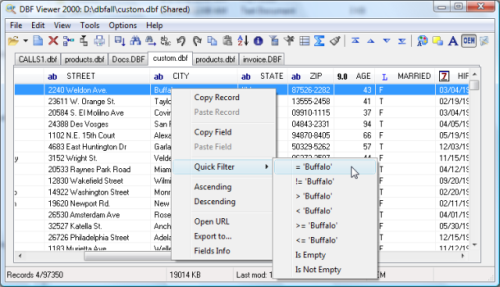
Description: If you're seeking a fast, effective solution for viewing and editing all sorts of DBF files, DBF Viewer 2000® is the answer. This feature-rich program can handle files from dBase, Visual dBase, Foxpro, Visual FoxPro and Clipper, to name just a few, with a performance that easily rivals costly professional database utilities.

Its optimised proprietary engine means that no matter what your file size, DBF Viewer 2000 is incredibly fast, performing any task you set it - from a simple query and duplicate clean-up to data export - at lightning speed.

With DBF Editor's simple, dynamically generated visual dialogues, you can easily see the structure of your DBF files and edit them exactly as you would with native database management tools. In addition to being able to view the contents and structure of DBF files, you can also view and edit dBase III, dBase IV, dBase Level 7, FoxPro and Visual FoxPro format memo fields.

Command line automation is fully supported, making it simple to repeat activities including data import, replacement and export and clean-up of duplicate records. Because DBF Viewer 2000 is completely independent of database engines, drivers and database management systems, you can simply install the program and start viewing and editing DBF files immediately.

Operating System: Windows from 2000 through XP, Windows 11, 10, 8, 7 and Server Editions

Release Name: DBF Viewer 2000 v9.15
Size: 4.8 MB
Links: HOMEPAGE – NFO – Torrent Search

Download: RAPiDGATOR
6 Comments
Apr 20

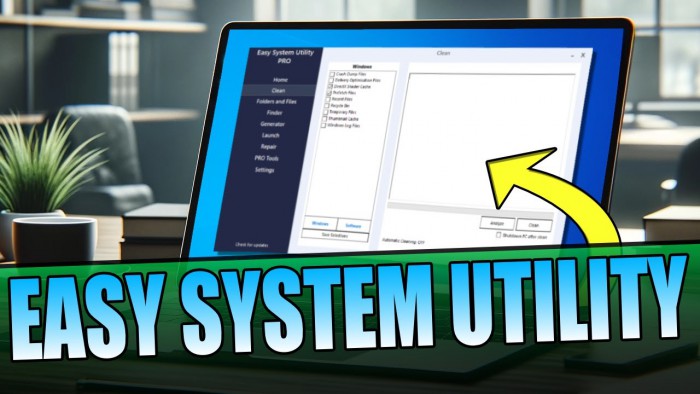
Easy System Utility Pro 1.1.56

Description: Easy System Utility is a powerful, all-in-one program designed for Windows 10 and 11 users. This versatile tool will be your main choice for making your computer experience better!

Home Tab
Identify your computer’s hardware specifications with the system overview.
You can view your operating system, CPU model, GPU, Memory, Motherboard, Network, and also drivers.
This will save you time as all the info is in one place.

Clean Tab
Clear out unnecessary Windows and software files and junk files.
You can analyze the files first and then quickly and easily clean and remove them from your PC or laptop.
Choose your options from DirectX Shader Cache, Prefetch Files, Recycle Bin, Temp files, Thumbnail Cache, and Windows Log Files. This will save you disk space on your computer.
Over on the Software tab, there are many more options to choose from to further clear old temp files. This will free up even more disk space!

Folders/Files Tab
This tab has many tools related to Files and Folders.
Unlock files and folders with permission issues, easily reduce image sizes, and add watermarks to images.
You can also rename folders and remove large folders hogging up valuable space on your PC.
If you want to use the bulk features you will need to purchase PRO.

Password Generator
This tab will allow you to create random and secure passwords with a variety of different characters.
You can customize the password length as well as change numbers, symbols, uppercase, and lowercase.

Launch Tab
Launch programs, files, and folders from the ESU system tray icon so you don’t have to keep opening them up.
If you use a certain folder often or want to launch a program without having to keep searching for it, then you can add it to the ESU system tray icon to be able to quickly launch at any time.

Check For Dead & Stuck Pixels
Check for stuck and dead pixels on your screen. And hopefully fix the stuck pixels using the attempt fix button.
Sometimes a problematic pixel can be fixed, so if you are having this problem give EGU a try at solving it for you.

System Requirements:
Easy System Utility will require the following: .NET Framework Windows 10 / Windows 11 operating system Internet connection required

Release Name: Easy System Utility Pro 1.1.56
Size: 2.2 MB
Links: HOMEPAGE – NFO – Torrent Search

Download: RAPiDGATOR

5 Comments
Apr 19

Microsoft Office 2024 Pro Plus LTSC v2408 Build 17932.20742 (x64) Incl. Activator

Description: Microsoft Office is the complete, cross-platform, cross-device solution for the modern workplace, with smart tools for individuals, teams, and businesses. It can open your applications, documents anywhere, across multiple devices. Get the installed applications you know and trust – Word, Excel, PowerPoint, OneNote, Outlook, Publisher, Access. Always have the latest, full installed versions of Word, Excel, PowerPoint, OneNote, Outlook, Publisher, and Access and capture your ideas however you work best – using a keyboard, pen, touchscreen.

Features –


  • Microsoft has officially announced the availability of the final version of its Office 2024 release for Windows and Mac users. Following the release of the preview version in the first half of this year, the product has been refined and is now available to users. Office 2024 includes updated versions of apps from the suite, Word, Excel, PowerPoint, Outlook, Access, and Publisher.
  • Office 2024 includes virtually every change that has been added to the suite of programs in Office 365 over the past 3 years, although some features remain exclusive to subscribers. In addition to the main programs Word, Excel, PowerPoint, and Outlook, which are available for both Windows and macOS, the Access and Publisher versions are only available for Windows and are included, as usual, only in premiums. Visio and Project for Windows are also available, although they are not part of the ongoing release of Office.
How To Install?

  • Disable your Windows defender or Antivirus. (Otherwise, it’ll cause problems during installation)
  • Download the MS Office and extract the files.
  • Run “Setup.exe” and select what all you want to install.
  • Click on “Start installation”
  • Give it some time and it’ll install.
  • Now, to activate the MS Office.. Go to “Alternative Activator” and extract the zip file.
  • Run the activator script as admin.
  • Use it to activate your MS Office.
  • Boom! Product Activated.. Enjoy now.
Release Name: Microsoft Office 2024 Pro Plus LTSC v2408 Build 17932.20742 (x64) Incl. Activator
Size: 6.1 GB
Links: HOMEPAGE – NFO – Torrent Search

Download: RAPiDGATOR
2 Comments
Apr 19

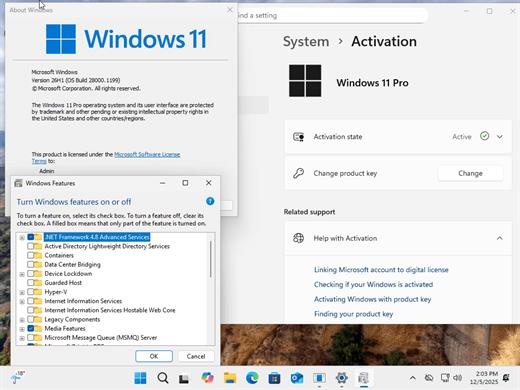
Windows 11 Pro 25H2 Build 26200.8246 TPM Bypassed & Pre-Activated April 2026

Description: On August 29, 2025, Microsoft released the first official preview of Windows 11 version 25H2 (2025 Update) in the Release Preview Channel of the Windows Insider Program. The update is rolling out as an enablement package for devices already running version 24H2.
Windows 11 versions 24H2 and 25H2 use the same underlying system files and architecture. That means there’s no need to reinstall or replace the core operating system to move between them. Instead of delivering a large, full-featured update, the software giant simply “flips the switch” with a small enablement package that activates the 25H2 features already present in 24H2. This makes the update faster, less risky, and easier to roll back.

What’s New


  • Some of the features that you can expect to find on Windows 11 25H2 include
  • Start menu redesign: Wider layout, more pinned apps, a new “All” apps section, and optional removal of “Recommended.”
  • File Explorer dark mode: More dialogs now match the theme, including copy and delete prompts.
  • Notification Center: Now shows full clock (with seconds) on secondary monitors.
  • Android app resume: Continue mobile app activity directly from the Taskbar.
  • Start menu sidebar: Expanded access to messages, calls, and photos from your phone with a new interface.
  • Click to Do: New “Describe Image” action, selection modes (Freeform, Rectangle, Ctrl + Click), and touch gestures.
  • Admin Protection: Prompts for elevation on untrusted apps—adds a visual warning layer.
  • Passkeys with 1Password: Native support for plugin-based passkey managers.
  • Text & image AI activity log: Track recent AI usage from third-party apps.
Release Name: Windows 11 Pro 25H2 Build 26200.8246 TPM Bypassed & Pre-Activated April 2026
Size: 6.5 GB
Links: HOMEPAGE – NFO – Torrent Search

Download: RAPiDGATOR
4 Comments
Apr 19

Sequence Generator Pro 4.5.0.1636

Description: Sequence Generator Pro is best in class automation software for astrophotography. With it, you can sequence and coordinate all of your gear in order to make the most of your time under dark skies. Those nights are rare enough as it is.

No need to waste precious time fighting with gear. SGPro will control your camera (CCD, CMOS, Canon, Nikon), filter wheel, focuser, mount, camera rotator, flatbox, dome or roll-off roof observatory, weather stations and more. It is perfect for beginners and it has enough power to suit even the most demanding photographers. If you are just starting out, don’t be intimidated by that list of gear! All you need to start using SGPro is a camera.

For the rest of it, SGPro will grow right alongside your new gear and skill level over time. You can be rest assured that you won’t need to purchase new software once you become an intermediate or expert level photographer. Even better, if you decide to just dabble in astrophotography, the free version of Sequence Generator (Lite) will likely meet all of your needs.

Sequence Generator Lite, despite being free, is still more powerful than even some other paid versions of software. Over the years it has become increasingly difficult to effectively convey what SGPro does for you, but here is a list of the highlights. Take your night back! Look at the stars, watch TV, even sleep… let SGPro take care of your rig and relax.

Complex Mosaic Sequences in Just Minutes
With this tool you can plan complex mosaics in mere minutes and get to imaging quickly. Simply download the image that has your intended target (via the provided interface), rotate to find your camera angle, draw a square around the area of interest and start imaging (the tool will create a sequence for you). It’s really that easy… You can also use this tool for single frame images just to ensure that your camera angle is in the ideal position.

Powerful Sequencing Engine
Take advantage of Sequence Generator Pro’s powerful sequencing engine. With it, you can coordinate a wide variety of equipment including cameras (CCD and Canon DSLRs), color filters, focus controllers and telescopes. If it’s made for astronomy, we can probably control it.  String together any combination of targets and events you can imagine in order to capture “light”, “dark”, “bias” or “flat” frames.

Auto Focus
Stay in focus even when the temperature and gear are working against you! Fast temperature drops, different filters, and gravity are now an afterthought.  Our powerful focus routines will be able to determine proper focus for almost any deep space target. No need to slew off target to find suitable focus stars… No need to wake up and pull out a focus mask… Simply start your sequence near good focus and auto focus will take care of the rest!

Equipment & User Profiles
Use our profile manager to make your life easier. Have multiple mounts or scopes? Have multiple sets of filters? Multiple locations you like to use? Do they require different settings when you create sequences? The profile manager can record these settings and allow you create new sequences from existing profiles. This can be a huge time saver and will get you imaging faster every time!  Even better, profiles are portable files and can be backed up or easily transferred between machines.

Know When Something Goes Wrong
Night sky imaging can be hard.  When you combine a complex rig with unpredictable weather you create an environment where things can go wrong.  Clouds cause auto guider gone off the rails?  Normal, user requested, sequence pauses?  Equipment malfunction? While SGPro can automatically recover from many issues, it will also make sure you know when something needs your attention and get the sequence back on  track as soon as possible.

Automatic Target Centering & Meridian Flips
Use our powerful auto centering routines to find your target fast and start imaging! Ideal for multi-night imaging or even after meridian flips, we can get you back on track fast. As long as your sequence targets have a location defined, SGPro will automate the process of getting you where you need to be to start capturing data. When one target is done for the night and the next starts, automatic centering will move you to the next target automatically and continue with the sequence. In addition, this feature also supports automatic meridian flips. This, of course, means that you don’t need to set an alarm clock and walk out to your rig in a daze to perform a manual flip.

Center Using an Existing Image
Using any image that has an obtainable location, simply point the mouse at the area of the image on which you want to center and click. That’s it! This process will use the same cenerting process outlined above and get you within pixels of the chosen location. No more continually nudging and checking to get where you want to be.

Release Name: Sequence Generator Pro 4.5.0.1636
Size: 132.8 MB
Links: HOMEPAGE – NFO – Torrent Search

Download: RAPiDGATOR
5 Comments