Please REGISTER or RENEW your account on RAPiDGATOR.net and support us by doing through all RAPiDGATOR working download links on main posts...
Apr 16

Nero AI Video Upscaler Pro v1.3.14.0 Pre-Cracked

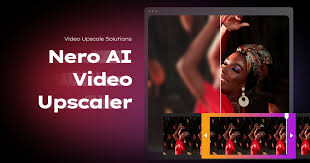
Description: Bigger, better, sharper! With state-of-the-art AI technology, Nero AI Video Upscaler PRO takes your videos to the next level. Enlarge films, clips and recordings up to 4K or 8K - razor-sharp, rich in detail and colourful. This makes old videos fresh again and new projects even more impressive.

Super Resolution
- Enhance videos to 2x or 4x their original quality.
- Remove noise and grain, ensuring your videos are crystal clear.

6 AI models for every need
- Fast: Upscale quickly, perfect for time-sensitive projects.
- Animation: Recommended for animation and AI-generated content.
- Realistic: Enhance actual video footage for true-to-life quality.
- Versatile: Enhance the video quality with less artifacts and keep more details.
- Face Enhancement: Face detection, recognition, and video enhancement can be used to recover faces from old videos and increase overall quality.
- Restoration (New) - Designed to recover fine textures and revive old or low-quality footage.

Clip selection
Enhance any clip within a video without the need for pre-cutting.

AI Frame Interpolation
Nero AI Video Upscaler intelligently analyzes your video frames and fills in the gaps to increase the frame rate, providing a truly smooth and fluid viewing experience. Boost your videos up to 120 FPS for the ultimate in seamless playback.

- Slow-Motion - Generate high-quality slow-motion effects without needing high-speed cameras.
- Low FPS Videos - Convert low FPS videos into 60 FPS or even up to 120 FPS for ultra-smooth, fluid motion.
- AI-Generated Videos - Ensure your AI-created videos play at up to 120 FPS for professional-grade output.

Minimum Requirements
- Windows Operating System: Windows 10 64-bit or Windows 11 64-bit
- CPU: AMD Ryzen or Intel Core, released after 2017
- System Memory (RAM): 8 GB RAM
- Graphics Card (GPU): AMD Radeon 500 series / NVIDIA GeForce GTX 900 series or higher, 4 GB VRAM for Full HD upscaling to 4K
- At least 20 GB of free space on the system hard disk

Recommendations
- Windows Operating System: Windows 10 64-bit or Windows 11 64-bit
- CPU: AMD Ryzen or Intel Core, released after 2017
- System Memory (RAM): 32 GB RAM
- Graphics Card (GPU): AMD Radeon RX 6700 XT / NVIDIA GeForce RTX 3060 or higher, 12 GB VRAM for 4K upscaling to 8K
- At least 20 GB of free space on the system hard disk

Release Name: Nero AI Video Upscaler Pro v1.3.14.0 Pre-Cracked
Size: 623 MB
Links: HOMEPAGE – NFO – Torrent Search

Download: RAPiDGATOR

5 Comments
Apr 16

V-Ray for SketchUp 7.30.00 [2021-2026]

V-Ray® for Rhino is a 3D rendering software that combines real-time and photoreal rendering into one complete suite of visualization tools. From architecture to product design, it’s everything you need to bring your next design project to life.

Why choose V-Ray for rendering in Rhino?

V-Ray and Enscape compatibility
You can now open your real-time Enscape scenes directly in V-Ray to continue building on your work to take it to the highest possible level of photorealism. Your department can now experience a fast and easy end to end design process.

Visualize in real-time.
New in V-Ray 5, V-Ray Vision gives you a live real-time view as you build your model, apply materials, and light your Rhino and Grasshopper designs. Now you can visualize any project in real-time while you design. You can also package your V-Ray Vision result for others to experience just like you did in Rhino.

Turn your vision into reality.
With photorealistic lights, cameras, and materials, Rhino rendering with V-Ray is as real as it gets. Communicate and collaborate with confidence, knowing that your designs look just right.

Go beyond rendering.
Introducing all-new tools that let you fine-tune and finish your renders without needing an extra app. Composite render layers, make color corrections, and instantly adjust lighting in the new V-Ray Frame Buffer.

levate your designs.
Choose from a collection of smart assets — including high-quality models of plants, people, vehicles and furniture — and give your project real-world context. The all-new Chaos® Cosmos asset browser lets you easily place render-ready 3D content right into your Rhino scene.

Seamless Grasshopper integration.
Visualize your parametric designs on the fly. V-Ray for Grasshopper comes with V-Ray for Rhino and includes a collection of nodes to support V-Ray geometry, lighting, materials, rendering, and animation.

System Requirements:

Minimum:
Rhinoceros 6
Windows® 10
Only IPv4 is supported, IPv6 is currently not supported
8 GB RAM
Intel 64, AMD64 or compatible processor with SSE4.2 support

Recommended:
Windows® 10
IPv4
16 GB RAM or more
Intel 64, AMD64 or compatible processor with SSE4.2 support. Larger cache memory, higher memory bandwidth and more cores are better.

Release Name: V-Ray for SketchUp 7.30.00 [2021-2026]
Size: 1.21 GB
Links: HOMEPAGE – NFO – Torrent Search

Download: RAPiDGATOR

4 Comments
Apr 16

Nero Blur Face – AI Motion Tracking Video Editor v1.0.52.0

Description: Blur Face (Motion Tracking Video Editor) allows you to continuously track a specific area in your video. Once tracking is complete, you can choose to apply a blur or mosaic effect to the area to cover or protect private information such as faces, license plates, signs and confidential information on paper in your video. Now also add personalized messages or captions to your videos using a variety of fonts, sizes and colors, or further personalize your videos with pre-designed clipart illustrations of popular themes.

Motion tracking
Continuously track an area of the video and adapt to its size.

Apply effects
Apply blur and mosaic effects to the tracking area and be able to adjust the intensity of the effect.

Personalization
Add text or clip art to the tracking area.

Export video
Export the processed video in MP4 format without losing the original quality.

System Requirements
- OS: Windows 10 version 14393.0 or higher
- DirectX: Version 11
- Memory: 2 GB (Minimum), 4 GB (Recommended)

Release Name: Nero Blur Face – AI Motion Tracking Video Editor v1.0.52.0
Size: 263.52 MB
Links: HOMEPAGE – NFO – Torrent Search

Download: RAPiDGATOR

4 Comments
Apr 16

DVDFab v13.0.5.9 (x64)

Description: Includes 24 products from DVDFab 13, offers complete multimedia solutions on DVDs, Blu-rays, 4K Ultra HD Blu-rays, and recorded (4K) BDAV Blu-rays.
Backup Any Disc for Playback on Home Media Server with no Quality Loss
DVDFab All-in-One enables lossless backup of any DVD, Blu-ray and UHD for the home media server. The software can clone HD video and audio streams that can preserve your favorite movies and videos for a long time.
Lossless backup ensures there will be no quality compromise during the copy. Further, you can change the disc format while copying it for backup and store it on the media player. The software ensures quality backup even if you change the format and backup the disc for further use on Home Media Server.

Compress Any Disc to Save Storage for Better Playback on Any Standalone Player
Are you trying to save your storage by compressing discs? If yes, then keep the playback compatibility issue on a priority basis. DVDFab All-in-One can deal with such a worrying situation and provide smooth solutions.
The software allows you to copy the disc by compressing it but never compromises the quality. As a result, you'll get a seamless watching experience on any standalone player at home. The compressed disc can provide you with a quality watch without occupying much space.

Copy Disc to Blank Disc or as ISO/Folder to Preserve Valuable Memories
Are you worried about scratched or damaged discs? No more, as the latest disc comes with a coating to prevent the disc from such physical damage. The scratched disc remains unreadable and cannot use on a computer. But with the new disc, there'll be no such issue. Instead, you need a reliable Disc Copy program to copy the blank disc.
Here, DVDFab All-in-One is the trustworthy software you can't afford to miss copying functions to meet your requirements. The software can copy any blank disc or ISO folders saved on HDD, allowing you to enjoy them on your preferable standalone player anytime soon.

Rip Any Disc to Video & Audio in Lossless Quality for Better Playback on Home Theater
Want to rip the disc to lossless video playback for Home theater? Pick DVDFab All-in-One to rip MP4/MKV/ M2TS. Passthrough including audio ( DTS-HD, TrueHD, TrueHD Atmos, DTS:X) to experience high definition playback for home theater.
The best free ripping software lets you set your own preferences for playback modes like Mobile Theater, AI, or Web. Choose anything and ensure the highest quality viewing experience at home.

Compress Video Size Losslessly for Any Mobile Device
Mobile devices are easy to access from anywhere on this planet. If you want to watch full HD movies or videos on mobile devices, including Apple TV, Android, and more, DVDFab All-In-One can provide the best option to watch. If you're going to convert any movie into a device-friendly format, DVDFab All-In-One can convert it into a quick note.
MP4 is considered the best option to watch high-definition movies or videos in 1080p. What else do you want? Compress the video size or convert it into a mobile-friendly format and access it from any corner of this earth.

Rip Any Disc to More Than 1000 Video & Audio Formats
The best free ripping program DVDFab All-In-One supports the conversion of 1000+ video ( MP4, MKV, AVI, MOV WMV, FLV, M4A, TS, DivX, WebM, 3GP, etc.) and audio ( MP3 WMA, AAC, M4A, FLAC, OGG, etc.) formats for playback on several devices. Compatible with Windows and Mac, DVDFab All-In-One can rip any disc to 245+ preset devices, including Apple, Google, Huawei, Microsoft, Samsung, and Sony.
The Profile Filter like 3D, Pass through, 4K/5K/8K, H265, 10/12 bit, etc. Advanced settings include Codec, Frame/ Sample Rate, Resolution Quality Subtitles, Channels, etc., letting you customize the audio and video as per your choice. DVDFab All-In-One understands the diversified needs of various regions and people.

Remove Cinavia Protection and Output High-quality Audio
Cinavia's protection is to prevent illegal copies of any discs by stressing watermark into the recorded audio. The Cinavia watermark will display even after the ripping. Want to remove the watermark from the audio? Here DVDFab All-In-One's Cinavia Removal comes to the rescue and removes Cinavia protection entirely and permanently and supports an extensive range of Ripping and Copying.
With DVDFab All-In-One, you can avail of non-cinavia backup with lossless AAC/AC3, DTS-HD, and TrueHD audio ( the channel up to 2.0 or 5.1) that perfectly works with all playback devices. So what are you waiting for?

Upscale Video to 4K with AI Enhancement Technology
Do you crave sharp, crystal-clear picture quality? Now, you can experience it with UniFab's latest updates. The Enlarger AI feature previously in DVDFab All-In-One has been upgraded and moved into UniFab, which delivers faster, better, and more stable video enhancement.
After ripping your discs to digital videos with DVDFab's Ripper module, you can directly import them to the all-new UniFab to enlarge your video resolution up to 4k, upmix audio tracks to EAC3 5.1/DTS 7.1, or even upscale video to HDR10 or Dolby Vision. Just let UniFab bring you a truly immersive viewing experience.

Built-in Video Editor Provides Diverse Editing Choices
Are you a video editor freak? If yes, pick DVDFab All-In-One to experience the best video editing. The advanced technology lets you crop, trim, merge, rotate, add subtitles and watermark, adjust video color, and many more options. The excellent software can expand your editing skill with its simple user interface and various features.

Release Name: DVDFab v13.0.5.9 (x64)
Size: 467.27 MB
Links: HOMEPAGE – NFO – Torrent Search

Download: RAPiDGATOR

7 Comments
Apr 16

LumaBooth 8.1.16

Description: The long-loved dslrBooth has been renamed to LumaBooth for Windows. It’s the same powerful features and rock-solid reliability that photo booth professionals have relied on for years. LumaBooth for Windows is now part of the LumaBooth platform, which brings the added ability to create and edit events using a web-based dashboard, including hundreds of pre-made layouts and overlays to make it even easier to set up your events.

Capture
Capture photos, GIFs, boomerangs, videos, and 360s with the LumaBooth for Windows photo booth app.

Customize
Shape your photo booth experience to fit your event or brand from start screen to theme color to video and print layout customization.

Share
Share using email, SMS, Instagram, QR code, AirDrop, WhatsApp, or physical paper prints of any size.

The easiest photo booth software
Running a photo booth shouldn't be complicated or expensive. Run LumaBooth for Windows PC photo booth software on your pc, hook up your Canon, Nikon, Sony, GoPro, or Webcam and you have a professional photo, 360, video, and GIF booth.

Release Name: LumaBooth 8.1.16
Size: 238.9 MB
Links: HOMEPAGE – NFO – Torrent Search

Download: RAPiDGATOR

7 Comments
Apr 16

Foxit PDF Editor Pro v14.0.4.33508

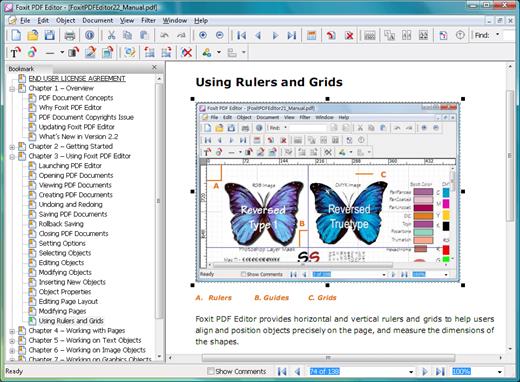
Description: Foxit PDF Editor (formerly) Foxit PhantomPDF is a business ready PDF toolkit to create professional looking PDF documents and forms. You can do that for tasks such as developing personal documents, implementing workgroup collaboration, designing company forms. Produce company collateral, finalizing agreements, applying digital signatures, or document archiving.

Award winning Foxit PDF creator allows you to produce great looking PDF document and forms quickly, affordably, and securely. This is the perfect solution for home/home offices, small and medium sized businesses, and large enterprises. Foxit PDF Editor comes in three versions to fit the diverse use cases that different users require.

This Foxit software can combine, split or repackage various PDF files. The documents can be merged or split based on page numbers, page outlines or bookmarks. Plus, this Suite can batch convert existing documents to a single or multiple PDF files.

Foxit PDF Editor Features:

Edit PDF like a pro
Quickly and easily update your own PDF documents. Works like a word processor – reflow text across paragraphs, columns, and pages; change document layout, modify text size, font, or line spacing, and add multimedia.

Share and collaborate live
Connect teammates together to increase flexibility and results. Integrate with leading Content Management Systems, utilize popular cloud storage services, and initiate shared reviews to provide and manage feedback

Export to popular file formats
Easily share PDF content by exporting PDF to Word, PowerPoint, Excel, RTF, HTML, text, and image formats. Export the whole document or just a selected area.

Create PDF docs and forms
Create PDF, PDF/A, PDF/X, and PDF/E from virtually any file format or web pages. Make PDF Portfolios to easily share multiple files together and use Form Field Recognition to quickly create interactive PDF Forms to collect data. Render PRC 3D PDF and create 3D PDF from .DWG files.

Organize PDF the simple way
Organize and manipulate PDF pages to support your workflows. Merge and split documents; drag and drop pages within a file or from one document to another; and add stamps, watermarks, headers, footers, and more.

Protect PDF properly
Protect the information in your confidential documents. Permanently redact and remove text and images, secure documents with password encryption or with Microsoft AIP, sanitize documents, and digitally sign PDFs.

Create accessible PDF
Enable PDF document accessibility for people with disabilities who use assistive technology to have access to information. Check accessibility of PDF files to verify if the document complies with Section 508 technology standards.

Scan and OCR paper docs
Scan and convert paper documents or images to PDF. Run text recognition (OCR) to create selectable and searchable text. Make text editable and update hardcopy just like digital documents.

System Requirements:
• Windows 8.x Full Version
• Windows 10
• Microsoft Office® 2010 or later version (required for some PDF creation features)
• Verified as Citrix Ready® with Citrix XenApp® 7.13

Release Name: Foxit PDF Editor Pro v14.0.4.33508
Size: 1.2 GB
Links: HOMEPAGE – NFO – Torrent Search

Download: RAPiDGATOR

3 Comments
Apr 16

The Foundry Nuke Studio 17.0v2

Description: Next-level workflows. Step into the future of compositing and review workflows with Nuke 16.0. Speed up your workflows, so you can focus on the final picture. Work across multiple shots at once, experience large-scale roto performance, faster shot review, approval and delivery, and more.

Variable-enabled multishot workflows
Create more, iterate less — by compositing multiple shots, or an entire sequence at once. Nuke now includes a native, variable-enabled workflow for efficient, reliable, and scalable multishot compositing. This makes applying the same changes to similar shots simple and intuitive, giving you more time for the creative comp work you enjoy.

Graph Scope Variables
As a core element of multishot workflows, Graph Scope Variables provide the option to create a ‘context’ that applies to multiple shots. Apply single scripts to multiple shots or entire sequences within a variable.

VariableSwitch node
With the VariableSwitch node you can create "split and join" workflows based on the variables set for your multishot workflow. Giving you the control you need when comping multiple shots at once.

Link nodes
Nuke 16.0’s Node Graph gives you more freedom to work your way. Now you can create Linked Nodes, for the option to change nodes simultaneously or make use of per-knob overrides, giving you the control you need without clones.

Group Node internal view
See and edit the contents of Groups and LiveGroups within the same Node Graph. This update supports smooth multishot workflows. providing a way to organize and manage multiple scopes.

Faster large-scale roto
We’ve refined the roto node to speed up scripts when working with large, or lots of shapes. Including improvements to caching, playback, interactivity when editing and moving shapes in the Viewer, and motion blur performance.

Contact Sheet in HieroPlayer
Keep your eye on the final sequence with the Contact Sheet in HieroPlayer — free with Nuke and NukeX licenses. View all of your shots at once, or compare with shots from other artists, to ensure full consistency.

BlinkScript updates
Want to create the kind of unique, stylized effects and brushes that define entire universes? Now you can make incredible custom effects more easily than ever, whether you’re already an experienced BlinkScript user, or just starting to experiment with writing your own BlinkScripts, with updates that make it easier to read, write, learn, and troubleshoot your code.

Improved editor
Create custom effects and innovative new looks with updates to the BlinkScript Editor that make it more intuitive. With formatting changes, error handling updates, new keyboard shortcuts, and more.

Library files
The BlinkScript Kernels are now more extensible. Now you can write your own functions for common operations and read them into multiple BlinkScripts. Reducing the code needed for each effect.

Safety Rails
New Safety Rails options catch and report operations that could cause problems when run directly on the underlying processor. So it’s easier to troubleshoot and fix the causes of these issues in your Kernel code.

Release Name: The Foundry Nuke Studio 17.0v2
Size: 3.5 GB
Links: HOMEPAGE – NFO – Torrent Search

Download: RAPiDGATOR
3 Comments
Apr 16

Iperius Backup Full 8.8

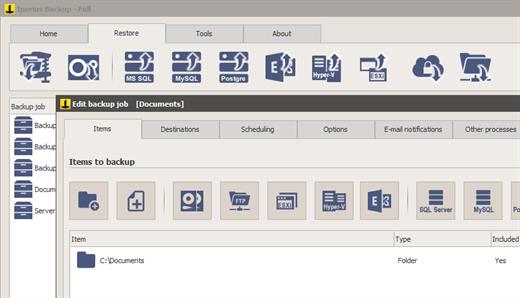
Description: The most comprehensive and versatile backup software. Backup for PCs, Servers, Virtual Machines, Databases, Mail Servers, and Microsoft 365. Any Destination: Cloud, S3, NAS, FTPS, Google Drive and many others.

Drive Image, Synchronization, FTP and Cloud backup
Hard disk cloning and P2V conversion (instant restore)
Complete restore of the system with the Iperius Recovery Environment recovery drive
Incremental backup to NAS and external USB drives
Automatic backup and Open file backup (VSS)
Backup to Google Drive, Amazon S3, Azure Storage, OneDrive, Dropbox
Lifetime license with free support and updates

Disk image
This powerful feature allows you to make exact copies of the entire disk (Drive Image), which can be used to restore the whole computer without having to reinstall the operating system and programs. The backup is done without interrupting any service neither the user's work (hot backup).

Hard Drive Cloning - P2V
Iperius drive image can be used to clone a hard disk and restore it to another disk. Cloning allows you to create an exact copy of Windows and start the cloned system on a Hyper-V virtual machine (instant restore) or restore it even on different hardware.

Automatic incremental backup
Iperius can perform automatic backups based on specific days and times, making a smart scanning of files that saves time and disk space. The incremental backup ensures that only new or changed files are copied after the first full backup.

Iperius Recovery Environment
Iperius allows you to restore a backup in different ways. You can recover individual files from an image backup, or create an Iperius Recovery Environment recovery drive for complete system restore (bare-metal), even on different hadrware.

Online backup Cloud/FTP
Iperius has several functions for online backup, for both upload and download. You can quickly create tasks to upload any file to Google Drive or to any FTP server, as well as perform website updates, or the automatic downloading of web sites.

Synchronization and VSS
Iperius can synchronize unlimited folders via FTP, deleting from the backup those files no longer existing in the local folders. It also allows you to copy any open or locked file (VSS), compress files in zip format, keep multiple copies of the backup and send e-mail notifications at the end of the backup.

Key features
Drive image backup (disaster recovery)
Backup to Google Drive, Amazon S3, Azure Storage, OneDrive, Dropbox
Remote backup FTP/SFTP
Compression and AES encryption
Scheduling of automatic backups
Installation as service
Lightweight and portable
Upload and Download of websites
Flexible backup retention policies
Incremental backup and synchronization
Open file backup (VSS)
Backup to NAS, USB drives, RDX, etc.
E-mail notifications
Support and updates included

Operating System: XP, 2003, Windows 7, Server 2008, SBS, Server 2012, Server 2016, Server 2019, Server 2022, Windows 8/8.1, Windows 10, Windows 11

Release Name: Iperius Backup Full 8.8
Size: 146.1 MB
Links: HOMEPAGE – NFO – Torrent Search

Download: RAPiDGATOR

6 Comments
Apr 16

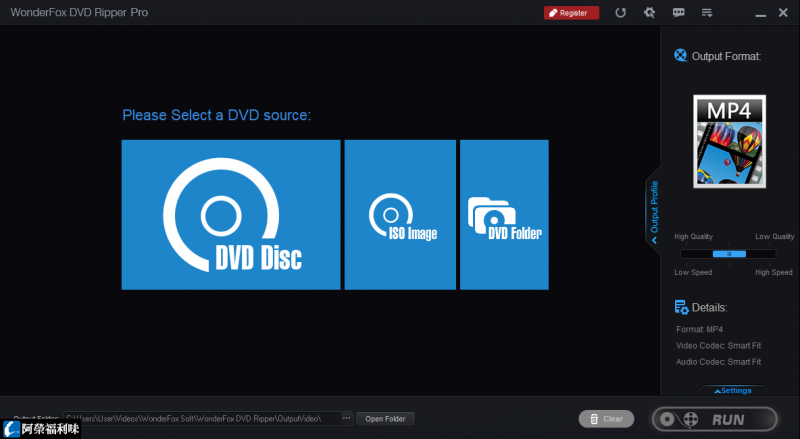
WonderFox DVD Ripper Pro 24.3

Description: Rip a DVD to Digital in 5 Minutes with Flawless 1:1 Quality. Hi Guys, So, please allow me to introduce myself. I'm WonderFox DVD Ripper Pro. The real No. 1 speed smart DVD ripping software that can fast digitize any DVD to hot video, audio, and device formats.

I’m a zero-difficulty DVD ripper tool for everyone!
Only 3 steps: Load DVD > Select Output Format and Settings > Get Started
You can rip DVD to digital or copy DVD to ISO, Folder, or MPEG-2.
Fast ripping speed, lossless output, and 600+ export profiles.
DVD ripping and backup have never been so easy and fast.

For Legendary DVD Decryption Technology, I'm Just Being Myself 
Decrypt DVD CSSBypass and remove all sorts of DVD copy protections, such as DVD CSS, CPRM, Multi-angle, RCE, Sony ARccOS, UOP, Disney X-Project DRM and Cinavia Protection. Provide "Enhanced Decryption" mode for stronger decryption capabilities.
Support ripping DVD Movie, TVThe best DVD converter that supports ripping homemade DVDs, old & new DVD movies, TV shows, anime, music concert, Tutorial or Fitness/Workout (P90X/T25/...), etc.
DVD region freeRemove DVD region code effortlessly. No need to order a new DVD player for your DVD from another region.
DVD backupBackup DVDs for getting digital copies of movies you already own.

Compression with a Perfect Balance between File Size and Output Quality
Reduce DVD file size (7.5 GB) to digital video(1-2 GB) without losing quality.

Fastest DVD-to-Digital Conversion Speed
Only 20 minutes to rip a 150-minute DVD to MP4, AVI, MKV, MOV, etc. with 0-Quality-Loss and much less time to copy DVD to MPEG-2 (only 5 minutes).

Intelligently Detect Main Title of 99-title DVDs
Smart select the right title from 99 titles and remove ads, trailers, previews, and other unnecessary clips.

Release Name: WonderFox DVD Ripper Pro 24.3
Size: 98.4 MB
Links: HOMEPAGE – NFO – Torrent Search

Download: RAPiDGATOR

7 Comments
Apr 16

TubeDownload Pro 7.3.2

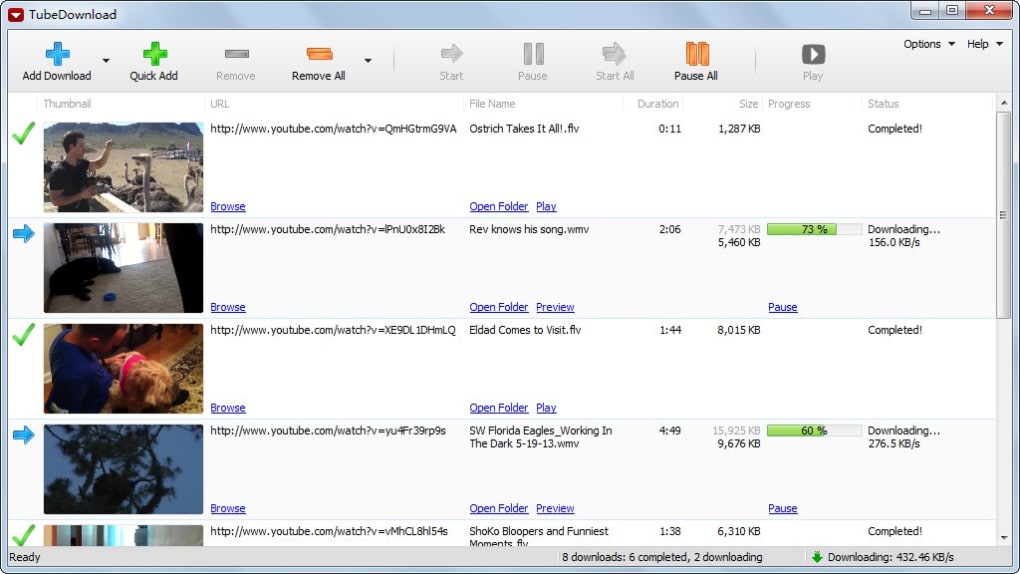
Description: TubeDownload Pro is a professional Windows application for downloading your favorite videos from YouTube and hundreds of other video sites. TubeDownload Pro can increase download speeds by up to 500%, or even more.

Features:
Download your favorite videos from YouTube and hundreds of other video sites.
Increase download speeds by up to 500%, or even more.
Download 720p, 1080p, 2K, 4K, and 8K HD videos from YouTube.
Download an entire playlist with just a few clicks.
Download multiple videos at the same time.
Pause and resume downloads at any time.
Convert video and audio files between MP4, FLV, WebM, WMV, MP3, AAC, OGG, and other video/audio formats.

Release Name: TubeDownload Pro 7.3.2
Size: 148 MB
Links: HOMEPAGE – NFO – Torrent Search

Download: RAPiDGATOR
5 Comments