Please REGISTER or RENEW your account on RAPiDGATOR.net and support us by doing through all RAPiDGATOR working download links on main posts...
June 10

GoodSync 12.11.3.3

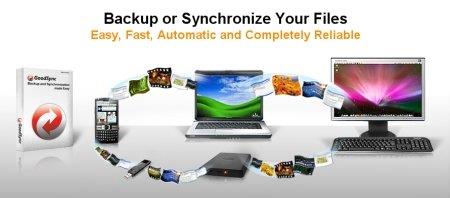
Description: File Synchronization and Backup Software. Easily back up and sync your files with GoodSync. Our simple and secure file backup and synchronization software will ensure that your files are never lost.

File Backup
An easy, fast, and secure way to automatically back up all of your data to multiple destinations and to restore it when needed.

File Synchronization
Real-time and automated data replication for one-way or two-way synchronization across multiple destinations and platforms.

Features for Every Backup and Synchronization Task

Real Time Data Transfer
Automated, scheduled, and real-time backup and synchronization with no user interaction required.

Block Level Data Transfer
Propagates only the data blocks changed since the last analysis, significantly reducing backup time, network consumption, and storage requirements.

Unattended Service
Runs as a background service, performing automated, scheduled, and real-time backups with no user interaction required.

END TO END ENCRYPTION
Improves security by applying AES-256 bit encryption to your mission critical data in transit and at rest.

Version History Control
Saves single or multiple versions of your data change history, ensuring maximum protection and minimal data recovery time.

Copy Locked Files
Guaranteed backup and synchronization of files that are simultaneously open on users' devices.

File and Folder Move/Rename Detection
GoodSync detects file/folder renames and executes them as Move commands.

SECURITY ATTRIBUTE PROPAGATION
Capable of monitoring and propagating file security attributes across the Internet maintaining same access permission levels at different locations.

RealDisk Online Storage
GoodSync provides its own RealDisk online storage, which is really fast, especially on large number of small files.

Release Name: GoodSync 12.11.3.3
Size: 77 MB
Links: HOMEPAGE – NFO – Torrent Search

Download: RAPiDGATOR

5 Comments
June 10

Power-user Premium 1.7.83.385

Description: Power-user, your smart tool to supercharge Microsoft 365. Build clear, convincing and on-brand documents at lightning speed. Save time to create value for your business.

WORK 50% FASTER
Assemble, format and clean documents in minutes on PowerPoint, Excel & Word. Save time to focus on what matters.

BE CRYSTAL CLEAR
Bring clarity in your organization with slides designed as masterpieces, streamlining your communication.

SECURE BRAND CONSISTENCY
Deliver branded content to your teams, enforce compliance checks and make every document branded by design.

Customization
We can customize Power-user with your brand to enforce consistency:
Converting all templates and content in your theme
Setting up corporate styles for charts, tables and cells
Integrating key resources like a corporate presentation, brand book, CVs of the team, time-saver decks, financial models templates, etc.
Integrating custom branded icons or pictures
Setting up tombstones or case studies to deliver winning proposals

Trainings and adoption support
We help you onboard your team with dedicated live training sessions. Each training can be adjusted to your team's experience and priorities, while ensuring understand the key features of Power-user and how to apply them to their daily work.
Each user also receives self-service resources such as a user guide, training videos, email tips...

Features:
Power-user offers dozens of features for Microsoft PowerPoint, Excel and Word. It is by far the most complete add-in, designed to save your time and make you Office heroes. You will find below some of the top features of Power-user. Since there are many features, not all of them are described here so you will need to download to try them all.

ACCESS THOUSANDS OF VISUAL ASSETS
Browse and insert high-quality visual assets to make a presentation in minute. This content will save you a huge amount of time and make your presentations look very professional.

AUTOMATE FORMATTING TASKS
Automate heavy formatting tasks with Power-user to save hours every week and refocus on what really matters in your presentations.

MAKE YOUR LIFE EASIER
Creating slides has never been so simple. Power-user brings on a single tab all the great tools you need to work efficiently, so you can focus on messages rather than formatting.

UNLOCK NEW POWERS IN EXCEL
Our toolbox of Excel macros and utilities will save you hours on repetitive tasks and help you quickly structure, format, analyze and visualize your data.

Power-user is fully compatible with PowerPoint, Excel and Word, for any of the following Office versions:


  • Office 2007
  • Office 2010
  • Office 2013
  • Office 2016
  • Office 2019
  • Office 2021
  • Office 365
Release Name: Power-user Premium 1.7.83.385
Size: 49 MB
Links: HOMEPAGE – NFO – Torrent Search

Download: RAPiDGATOR

6 Comments
June 10

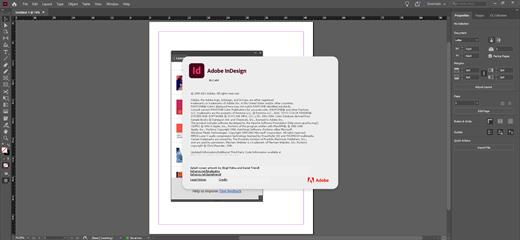
Adobe InDesign 2025 v20.5.4

Description: Standout layouts. Only with InDesign. InDesign is the industry-leading layout and page design software for print and digital media. Create beautiful graphic designs with typography from the world's top foundries and imagery from Adobe Stock.

Quickly share content and feedback in PDF. Easily manage production with Adobe Experience Manager. InDesign has everything you need to create and publish books, digital magazines, eBooks, posters, interactive PDFs, and more.

Make an impression in print.
Design everything from stationery, flyers, and posters to brochures, annual reports, magazines, and books. With professional layout and typesetting tools, you can create multicolumn pages that feature stylish typography and rich graphics, images, and tables.

Digital publications. Dazzling interactions.
Create digital magazines, eBooks, and interactive online documents that draw people in with audio, video, slideshows, and animations. InDesign makes it easy to manage your design elements and quickly deliver immersive experiences in any format.

Keep your team on the same page.
Design faster and smarter with tools built for collaboration. Make changes quickly with Paragraph, Character, or Object Styles. Share feedback and edits from PDFs. InDesign integrates with Creative Cloud and Adobe Experience Manager, so you can share content, fonts, and graphics across all your projects.

See what new can do.
InDesign is always getting better, with new features rolling out regularly. And with your Creative Cloud membership, you get them as soon as we release them. Here are some of the latest updates.

Peak performance
Our latest upgrades include faster launch times and performance improvements.

Adobe Experience Manager integration
Keep your content up to date and share assets across all your projects using Adobe Experience Manager.

SVG import
Import SVG files into your InDesign projects to create interactive graphics and animations.

Variable fonts
Design with variable fonts — customizable typefaces that compact multiple fonts into a single file.

Release Name: Adobe InDesign 2025 v20.5.4
Size: 1.3 GB
Links: HOMEPAGE – NFO – Torrent Search

Download: RAPiDGATOR

4 Comments
June 10

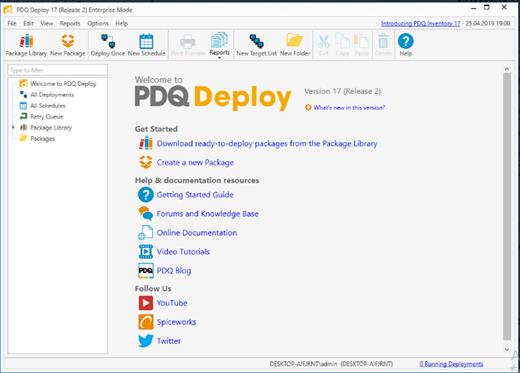
PDQ Deploy 20.0.17

Description: Let automation handle the heavy lifting with PDQ Deploy. Update third-party software, deploy custom scripts, and make impactful configuration changes to your on-prem Windows devices in minutes with PDQ Deploy.

Set it and forget it. No, really.
Free yourself and your team from pesky, repetitive tasks by unlocking powerful automations so everyone can focus on more important things, like covering up the evidence of who ate the rest of the breakroom snacks.

Deploy just about anything
Rapidly deploy precisely what you need, from the latest Windows cumulative update to a specific custom software install, and see details on how every deployment went. Inconceivable power is at your fingertips!

Package library
More than 200 common apps are ready for you to deploy in our Package Library. We keep these packages updated and we test each one to ensure silent installations.

Custom packages
Create multistep packages, like installing an MSI or running a PowerShell script. Start from scratch or modify a prebuilt package from our Package Library to your liking.

Deployment history
See current and completed deployments, their status, the package deployed, target details, and more. You can also schedule post-deployment confirmation emails.

Automate patch management
Streamline your device management workload by automating recurring maintenance tasks to reduce the need for manual interventions. Say farewell to repetitive processes and hello to more efficient patch management!

Schedule updates
Automate deployments to run at specific times or recurring intervals. For example, deploy the latest version of Zoom or a weekly reboot to targeted PDQ Inventory collections.

Heartbeat trigger
Deploy software or updates based on the availability of the machine and ensure deployments reach devices that are offline at the time of your scheduled run.

Central server
Centrally maintain packages, deployment histories, and schedules across multiple administrators at a single company with high visibility.

Securely manage your Windows devices
PDQ Deploy & Inventory data is locally stored on your network, allowing you full control, offline operations, and more. We encrypt the password data we store for you as well as in-transit data.

Release Name: PDQ Deploy 20.0.17
Size: 103.5 MB
Links: HOMEPAGE – NFO – Torrent Search

Download: RAPiDGATOR

6 Comments
June 10

EaseUS PDF Editor Pro 6.4.1.0 Build 06/08/2026

Description: All-in-One PDF Maker, Reader, Editor and Converter. Convert PDF files to Excel, Word, PowerPoint, images or vice versa. Edit, OCR, merge, split, compress, create and annotate your PDFs. Sign, print, encrypt, remove password and add watermark to PDF.
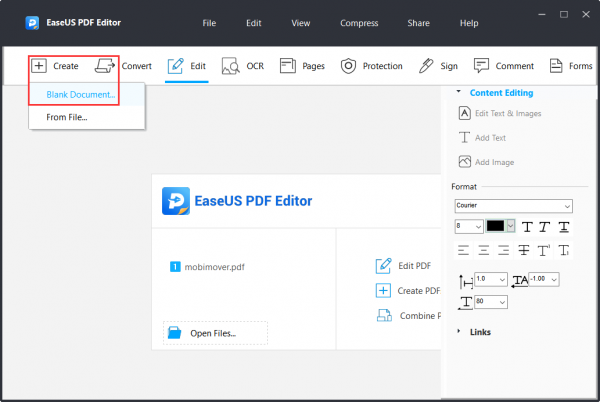
PDF is so reliable - whatever device you are using, the original fonts, pictures and other layout of the document will look the same everywhere. Now you can use EaseUS's PDF editing software to easily create a blank PDF or convert your images, Office files and other popular files to PDF, while keeping original content and format unchanged.

PDF is popular, but you may need different file formats for your daily use. EaseUS PDF Editor can quickly convert your PDF file to the most common formats, including doc, docx, xls, xlsx, ppt, pptx, png, bmp, tiff, jpg and jpeg, without losing original fonts, images and formatting.

Editing text in a scanned document is so easy! Featuring OCR (Optical Character Recognition) technology, this PDF converter can recognize and convert image-based PDF to editable format. It can accurately detect and convert as many as 29 languages, such as English, French, German, Italian, Korean, Japanese, etc.

PDFs are hard to edit, and that's by design. No worries. EaseUS makes PDF editing a piece of cake - add, modify or remove text, images and links in PDF as you want. You can also insert, delete, reorder, extract, crop, rotate pages or change pdf page size with ease. In addition, you can add headers, footers and page numbers to your PDF in no time.

Team members now can easily collaborate on PDF. Simply add comments, boxes, arrows, lines and other highlights to point out and explain the important content of the document, create bookmarks for pages for quick navigation, even send PDF file to your team members via email in a snap.

Create a new fillable PDF form for questionnaire or any other needs without hassle. This PDF editor software provides 6 interactive form controls, including push button, check box, radio button, combo box, list box and text field, helping you easily custom fillable forms. You can also export and import data to fill out multiple PDF forms with one click.

Batch Print Multiple PDFs
As a frequent business report processor, you may need to print multiple PDF documents at once. Our PDF Editor is designed to cater to this demand. It comes with an intuitive function that allows batch printing, making your document management more efficient and time-saving.

Sign Your PDF Digitally
Add your e-signature to your documents, invoices and contracts by using the Add Image feature. In addition, you can also sign PDF with your digital ID which contains location, date, time and more. You can also remove signature from PDF if you don't want to keep it.

Reduce the Size of PDF with Zero Loss
It might be painful if your PDF file is too large to be sent via email or uploaded to the web. But it is a thing of the past, thanks to the Compress feature of EaseUS PDF maker. EaseUS can quickly reduce the size of PDF files while remaining original quality. It's just a click away.

Combine Multiple PDFs Effortlessly
Having trouble handling multiple files like PDFs and images? You can use EaseUS PDF Editor as a free PDF merger to quickly combine them into one PDF which is easy to organize, share, search, or send out for review.

Add Watermark
You can add text or image to your PDF pages as watermark, and freely set its rotation, opacity, size, location and position. If you don't want to keep the watermark on your PDF, you can also remove it with ease.

Set a Password for Your PDF
Simply add a password to your PDF document, to protect your information from unauthorized viewing, copying, editing, signing, extracting and printing. If you need, you can also easily remove password from PDF.

Release Name: EaseUS PDF Editor Pro 6.4.1.0 Build 06/08/2026
Size: 172.6 MB
Links: HOMEPAGE – NFO – Torrent Search

Download: RAPiDGATOR

6 Comments
June 10

Directory Opus 13.23.8 Beta

Description: Are you frustrated by the limitations of Windows Explorer? Directory Opus is a complete replacement for Explorer, with far more functionality than any other file manager available today.

You're in control.
Not just a simple file manager; Directory Opus lets you make your computer yours.
With a flexible user interface and unbelievable configurability, you can tailor Opus to streamline your workflow.
Dual panes, dual trees, multiple tabs.
Filter, sort, group your folders. Label and rate your files.
Queued file copies. Powerful batch renaming. Full archive support.
Find your files. Locate duplicates. Synchronize backups.
Assign tags and descriptions. Convert images. Edit metadata.
Fully multi-threaded, native 64 bit high performance code.
Whatever you want to do - Opus can probably do it. And if it's not built-in, you can take advantage of the unrivalled configurability to extend Opus using external tools.

What makes Opus unique?

Built for speed
Opus is written in native C++ multi-threaded code; compiled for the latest 64 bit CPUs, with high performance our number one design principle.

Fully configurable
Change the colors. Change the fonts. Change the toolbars and menus. Set up hotkeys. Opus adapts to how you want to use it.

Makes file management a breeze
Powerful searching, sorting, grouping, labelling and tagging features let you take control of your files like never before.

Endlessly extensible
Work with third-party tools as easily as with the built-in features. A full scripting interface, including scriptable dialogs, means your imagination is really the only limit.

Replace Windows Explorer and don't look back
Our unique Explorer Replacement mode provides a full replacement for Windows Explorer.
Single or dual pane file display and folder trees
Tabbed interface let you keep multiple folders open and switch quickly between them
Integrated viewer, metadata editor and utility panel
Built-in tools including synchronize and duplicate file finder
Leverage indexed search engines like Windows Search and Everything

High performance file management features
Copy, move, rename, duplicate, archive, view, backup and delete your files with ease
Queue multiple file copies for improved performance
Batch renaming including easy-to-use keyboard macros
Support for FTP and archive formats like Zip, 7Zip and RAR
Quickly filter, sort, group and search your folders
Color-code your files, assign status icons, star ratings, tags and descriptions
View images, documents and more. Image marking lets you sort your photos quickly and easily
Calculate folder sizes and print or export folder listings

Unrivalled configurability
Why let the programmers decide for you? You can tailor Opus to look how you want it to look, and to work how you want it to work.
Choose from light mode, dark mode, or design your own theme
Over 600 configurable colors and fonts
All toolbars and menus can be edited, plus you can add your own
Floating toolbars can act as program launchers
Configure your own hotkeys that work everywhere or just in Opus
Full scripting interface lets you design your own dialogs and add your own commands

Release Name: Directory Opus 13.23.8 Beta
Size: 29.6 MB
Links: HOMEPAGE – NFO – Torrent Search

Download: RAPiDGATOR

5 Comments
June 10

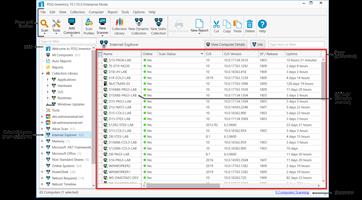
PDQ Inventory 20.0.17

Description: PDQ Inventory: Streamline your systems management. Scan, collect, and organize your on-prem Windows machines so deployments go exactly where you need them to with PDQ Inventory.

The Swiss Army knife of sysadmin tools
Free yourself and your team from pesky, repetitive tasks by unlocking powerful automations so everyone can focus on the important things, like a spirited debate over what to order for lunch.

Efficiently organize your network inventory
Gain immediate, deep visibility into your environment so you can quickly spot and address machines that need attention. 20/20 vision into your environment, and no optometrist appointment necessary.

Collection Library
Save time with our prebuilt device groups, which provide a real-time display of which machines have old software versions installed or are low on disk space.

Custom collections
Create collections of devices to meet your specific needs. These groupings can either be static or set to dynamically include new computers that meet your defined criteria.

Auto sync with AD
Enable PDQ Inventory to automatically import computer records from your Active Directory domain for accurate, centralized visibility of your inventory data.

Get centralized, tailored inventory insights
Get specific on what matters most to you and save time in the long run by pulling in additional data and automating repeat tasks. Please let us do more of your work for you, we insist.

Custom scanners
Bring additional scanned data, like specific registry data or custom script results, into PDQ Inventory for more thorough monitoring and investigation of your environment.

Custom tools
Utilize prebuilt tools for reboots, remote assistance, and Wake-on-LAN, or create and save your own tool for any command that can be run with Windows.

Custom variables
Create and store custom values for repeated use, like the version number of a custom software application, or static fields like a computer’s department.

Integrate inventory workflows
Automate your workflow by leveraging both PDQ Inventory and Deploy together, and efficiently collaborate with teammates to ensure everyone sees what they need, in a pretty damn quick fashion.

Targeted deployments
Automate your patch management by targeting PDQ Inventory collections for recurring deployments on a set schedule with PDQ Deploy.

Central server
Multiple admins at a single company can centrally maintain packages, deployment histories, and schedules across multiple administrators with high visibility.

Reporting
Gather insights and metrics with our prebuilt and custom reports. Schedule them to automatically run on a chosen cadence and email results to colleagues.

Securely manage your Windows devices
PDQ Deploy & Inventory data is locally stored on your network, allowing you full control, offline operations, and more. We encrypt the password data we store for you as well as in-transit data.

Release Name: PDQ Inventory 20.0.17
Size: 106.9 MB
Links: HOMEPAGE – NFO – Torrent Search

Download: RAPiDGATOR

7 Comments
June 10

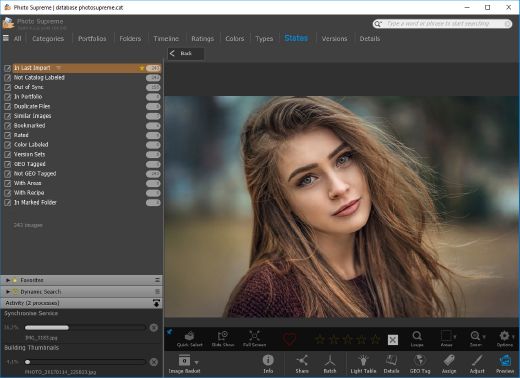
IDimager Photo Supreme 2026.3.0.9268

Description: Photo Supreme v2026 is a thoughtful and forward-looking release. This update has focused on smarter discovery, faster performance, and modern workflow expectations, especially around large catalogs, mobile integration, searches, and team environments.

Import and Select
One of the standout additions in Photo Supreme v2026 is the new multi-pass Import and Select workflow. This allows users to review and refine image selections in multiple stages instead of making all decisions in one pass. It’s especially useful for large shoots, letting photographers cull images more deliberately and with less pressure. In addition, the Import and Select feature now loads images faster than ever. Mac users will also appreciate direct iOS device importing, which makes it possible to bring photos straight from an iPhone or iPad into the catalog without relying on intermediary software. This significantly streamlines mobile-first workflows.

Powerful Searches
Photo Supreme now supports natural language searching, allowing users to find images using plain, conversational phrases rather than rigid metadata queries. This feature is powered by AI services such as OpenAI, Google Gemini, or local models with Ollama. This gives users flexibility in how advanced features are enabled. In addition, a new classification system enhances search accuracy by grouping images into meaningful categories upon import, making it easier to surface relevant results in large or complex catalogs.

Video & Media Handling
For users working with video, Photo Supreme v2026 introduces hover-based video previews. Simply hovering over a video thumbnail now reveals a short animated preview, making it much faster to identify clips without opening them individually. Support for modern formats has also been expanded, ensuring the software keeps pace with current media standards.

Sharing with ZIP
Exporting images is more flexible in v2026 thanks to ZIP output support in transfer profiles. This makes it easy to bundle images into a single archive for delivery, backup, or client sharing, all directly from within Photo Supreme. These enhancements simplify distribution workflows and reduce the need for external tools.

GEO Maps
GEOgraphic-Mapping features can now generate maps using not only Google Maps, but also OpenFreeMap with OpenStreetMaps. This removes the need for API keys while still delivering rich, interactive map displays. This update makes location-based browsing easier to configure and more accessible for all users.

Performance and Refinements
Photo Supreme v2026 delivers notable performance enhancements, resulting in faster browsing and a more responsive overall experience. Response times are improved by up to 10%, with especially noticeable gains for large libraries containing many catalog labels.
Catalogs with numerous stacks also see significant performance improvements, particularly when displayed in stacked views.
v2026 includes a wide range of refinements, such as: "Visually similar" stack detection, numerous stability fixes and workflow enhancements, polished UI behavior in collections, searches, and metadata handling

Wait, there's more, a lot more…
New "RAW Files" and "Video Files" catalog states
Added support for Google Gemini as an AI service
Added support for OpenAI GPT-5.2 as an AI Service
Added support for Ministral3 model with Ollama
Added file management support for ACR sidecar files
Update HTTP Server with Photo Supreme Online (Server Edition)
Faster face recognition
Added "AI-Estimated GEO Location" to the AI Panel
Faster result display in the Collection Viewer
"Cascade Metadata" from image to Stack or Version Set is now a background process
A highlighted stroke has been added to the active tabs, improving navigation
Now you can display metadata charts and graphs across multiple tabs
Added support for Ctrl/Cmd+Z functionality in text and memo fields
Defined the new Affinity v3 .AF and .AVIF file format as a supported "other file format"
Switching the collection viewer's view style is faster (eg from Basic to Grid to Clean to Custom Thumb Info)
Advanced Search now has an option to search by "File Size" and "File Size MB"
Finetuned the check for "need to compact" on PostgreSQL (Server Edition)
Bookmark keyboard shortcuts are now a "toggle", similar to ratings and color labels
Expanding nodes in the Catalog Tree is ~25% faster
When using the "Dump Full to Catalog File" feature, there's now the option to create either a "catalog dump" file, or a "catalog with thumbs" dump files
Added a XMP Storage Location for "original file AND non-standard sidecar file"
In "Stacked View", you can now select a specific item from the stack to show
Support for PostgreSQL 18.
And more…

Highlights for v2026
Multi-Pass "Import and Select": Seamlessly transition through passes with a fast-culling system that optimizes your workflow.
Direct iOS Image Import on macOS: Import images directly from your iOS devices with ease.
Video Thumbnail Preview: Hover over a video thumbnail or open the Quick View to view a live video preview.
Natural Language Search Powered by AI: Search your content using plain language, with smart integration through OpenAI, Google Gemini, or Ollama models.
Transfer Profiles can now create ZIP output files: Copy or send sets of images as a single ZIP file for easier sharing.
Maps with OpenFreeMap: Display images on interactive maps using OpenFreeMap/OpenStreetMaps with no API key needed.
Server Edition Thumbnail Caching: Enjoy faster performance with local thumbnail caching, automatic cleanup, and customizable settings for retention and cache size.
Classifications: Enhance search accuracy with an automatic image classification mechanism on import.

Release Name: IDimager Photo Supreme 2026.3.0.9268
Size: 162.5 MB
Links: HOMEPAGE – NFO – Torrent Search

Download: RAPiDGATOR
7 Comments
June 10

FileZilla Pro 3.70.6

Description: The Universal File Transfer Tool. Transfer files from your computer via FTP / SFTP / FTPS and Cloud Services: Amazon S3, Backblaze B2, Box, Dropbox, Google Cloud, Google Drive, Microsoft Azure, OneDrive, OneDrive for Business, SharePoint, OpenStack Swift and WebDAV.

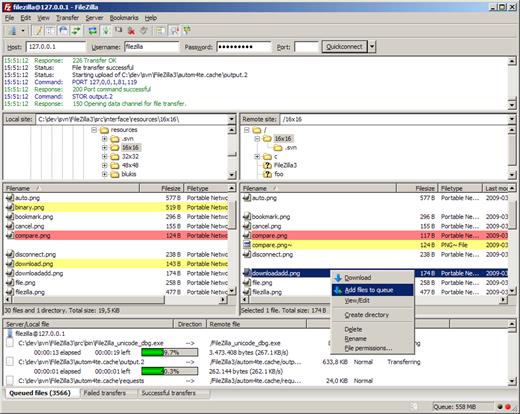
FileZilla Pro manages all of your transfers no matter how many files are in your source directory,
it is heavily optimized for speed and you can also adjust the pace of your transfers at will.

Transfer files from your computer via FTP/SFTP/FTPS, Amazon S3, Backblaze B2,  Box, Dropbox,  Google Cloud, Google Drive, Microsoft Azure, Microsoft OneDrive, Microsoft OneDrive for Business, Microsoft SharePoint, OpenStack Swift and WebDAV.
One tool to find, transfer and download all of your files.
Get the professional tool for file transfers, it allows you to focus on getting your job done.

Supported Protocols
Access all your storage easily via FTP, SFTP, FTPS, Amazon S3, WebDAV and 15 other cloud services.

Site Manager
FileZilla Pro Site Manager makes easy to organize your sites and bookmarks.

Sync your config
FileZilla Pro now allows you to synchronize Site Manager data.

Super Fast
It is the result of over 20 years spent to design the most efficient FTP client in the world.

Transfer Queue
Queue all your files for transmission, stop and resume at will.

Comparative Search
Compare local and remote, filter and hide files, and more.

Upload site files
Uploading your site has never been so easy and reliable.

Set your editors
FileZilla Pro will open every file with your tool of choice.

Security
Set a Master password to store all your passwords encrypted.

Here and on the App Store
You can either buy it on the FileZilla Pro website  or on the Mac App Store, your call.

Multi-language
Not just for English speakers. Available in over 50 languages, and counting.

Release Name: FileZilla Pro 3.70.6
Size: 38.1 MB
Links: HOMEPAGE – NFO – Torrent Search

Download: RAPiDGATOR

5 Comments
June 10

AccessAgility WiFi Scanner 2.9.8.563

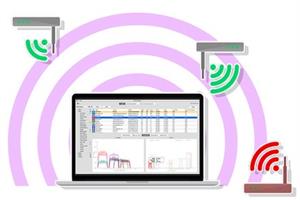
Description: Simple, fast wireless network discovery of 802.11 a/b/g/n/ac/ax access points. Use WiFi Scanner to select the best configuration for your WiFi access point / router and optimize network speed.

Also includes upload and download speed testing to quickly measure and analyze WiFi Internet performance problems. Using WiFi Scanner you’ll see nearby wireless access points and their details, including channels, signal levels (RSSI), noise, channel width, and MAC address, signal quality, maximum data rate, encryption, and much more.

WiFi Scanner is great for determining the best position for an access point at home or in the office. After selecting the best position, the optimal channel to use can be determined by selecting the least used channel resulting in improved WiFi speeds.

Key Features
Simple, fast wireless network discovery of 802.11 a/b/g/n/ac/ax access points.
Full support for both 2.4 and 5 GHz networks (Mac OS WiFi Scanner)
Full support for both 2.4, 5 GHz, 6 E / 6 GHZ WiFi networks (Windows WiFi Scanner using 6E adapters )
Support for all channel bandwidths (20, 40, 80, and 160 MHz)
Display detailed wireless network parameters: network name (SSID), signal level (RSSI), MAC address (BSSID), signal quality, channel, maximum data rate, encryption, etc.
Display changes in signal level over time in graphical form.
Filter list of detected wireless networks by specified parameters (SSID/network name, channel, channel band, signal strength)
Display wireless connection statistics in the form of graphs and tables.
Give each access point a custom label
Export results to comma separated value (CSV) files
Generate summary reports in HTML format
WLAN Pi, WLAN Pi Pro, and WLAN Pi CE support as remote sensors / scanners
Any Linux device / Raspberry Pi as remote sensors / scanners

WiFi Speed Testing
Upload and download WiFi speed testing
Use speed testing feature to troubleshoot WiFi networks
Auto run speed test when client roams to different access point
Auto repeat speed test with wait time between tests

Advanced Features (supported by some access points)
Display access point name if configured by network administrator
Display number of devices connected to each access point
Display channel utilization
Display if 802.11r is enabled and type
Display if WiFi protection mechanisms are enabled
6E / 6 GHz frequency (tri-band consumer and enterprise WiFi access points and routers)

Release Name: AccessAgility WiFi Scanner 2.9.8.563
Size: 27.7 MB
Links: HOMEPAGE – NFO – Torrent Search

Download: RAPiDGATOR

6 Comments