Please REGISTER or RENEW your account on RAPiDGATOR.net and support us by doing through all RAPiDGATOR working download links on main posts...
May 21

UPDF 2.5.3

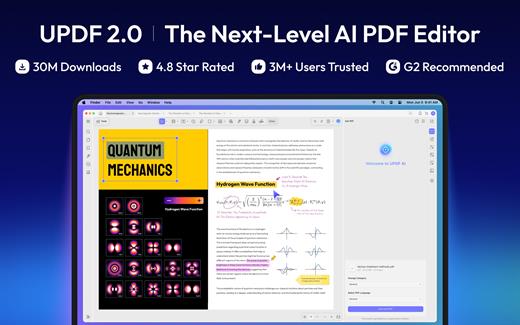
Description: An all-in-one AI PDF editor on Windows that allows you to efficiently and easily edit, annotate, summarize, translate, and convert PDFs.
Editing PDF on PC is as Easy as in Word
UPDF for Windows is an easy-to-use Windows PDF software! Enjoy powerful editing tools for text, images, links, and more in your PDF. Customize backgrounds, watermarks, and page sizes with simplicity like in Word.

Analyze PDFs with 10X Efficiency
Upload a PDF with 100+ pages to get lightning-fast summaries, precise translations, in-depth explanations, and engaging conversations from your documents. Experience a new era of efficiency and accuracy with AI in this PDF editor software for Windows!

Read and Annotate, All in UPDF on Windows
UPDF for Windows offers diverse page display modes and scaling options for an optimal reading experience. Utilize its practical annotation toolkit, including sticky notes, stickers, stamps, highlighters, underlines, and more, to enhance your PDF review.

PDF Conversion. So Fast, So Accurate, So Easy
UPDF PDF editor for Windows offers a complete solution for transforming documents across formats. It provides 7 methods to create PDFs and supports converting PDF to 14 formats.

Digitize Paperwork for Better Collaboration
This PDF editor for PC can help you create fillable forms, share for collaborative filling, embed signatures, and enhance your PDF capabilities. Experience a seamless and customizable PDF journey that boosts versatility for improved collaboration.

Release Name: UPDF 2.5.3
Size: 226.1 MB
Links: HOMEPAGE – NFO – Torrent Search

Download: RAPiDGATOR

5 Comments
May 21

Lucen Timeline Expert 14.14.00.00

Description: Office Timeline is now called Lucen Timeline, part of Lucen Software! The #1 PowerPoint Timeline Maker for Windows and Office. Create PowerPoint timelines or roadmaps as fast as clients and executives need them. Simple but powerful PowerPoint add-in that anyone can use to quickly make and manage impressive timelines.

Beauty trumps complexity.
Build stunning PowerPoint timelines without the effort and cost.

Free yourself from manually building and managing visual project plans.
Office Timeline helps you make timelines, Gantt charts and Swimlanes in PowerPoint almost instantly. Customize them with just a few clicks to create clear, elegant high-level presentations that everyone will understand.

User-friendly PowerPoint timeline generator. Works the way clients and colleagues do.
Office Timeline works with all versions of PowerPoint. Give them stunning PowerPoint slides that can be viewed, edited and shared by anyone who has Microsoft Office.

Manage and change data with ease.
The plugin’s powerful Data wizard and drag & drop Visual Editor make timeline management agile and intuitive. Updating timelines when projects and plans change is quick and easy.

PowerPoint timelines made easy.
No complex steps. No learning curve. No hassle!

Start from scratch or pick a template.
The timeline wizard was designed to make it simple. It all starts by selecting the type of timeline you want to make.

Enter your data and click Create.
Once you’ve selected a timeline template, enter or import your key milestones and tasks. Set their dates, click the Create button, and voilà ! Timeline created.

Arrange and style to impress.
Use Drag & Drop to instantly rearrange or update your visual. Then customize it your way â colors, shapes, date formats, task duration, percent complete⦠change any detail, anyway you want.

Enjoy more freedom with Plus Edition.
While the Free edition is fully functional, Office Timeline Plus brings more! Plus Edition unlocks predesigned templates and gives you the freedom to add as much data as needed, so you can create detailed, unique PowerPoint timelines and Gantt charts.

See the power of Pro Edition.
Office Timeline Pro gives you everything you get with the Plus add-in, but adds powerful extra features. Pro Edition creates impressive Swimlanes and roadmaps, so you can manage complex projects with big-picture visuals that anyone can understand.

System Requirements
- Microsoft Windows 10 (64-bit version; LTSB, CBB and CB), Windows 11
- The following 64-bit versions of Microsoft Office are supported: Microsoft 365, Office 2021, Office 2019
- .NET Framework 4.8.

Release Name: Lucen Timeline Expert 14.14.00.00
Size: 147.6 MB
Links: HOMEPAGE – NFO – Torrent Search

Download: RAPiDGATOR

7 Comments
May 21

MailStore Server / Service Provider 26.2.1.24065

Description: MailStore Server allows businesses to reap all the benefits of a modern email archive, simply and securely. MailStore Server creates copies of all emails in a central archive, thus ensuring the availability and security of any amount of data over many years. Users can still access their emails and browse them quickly, for example with the help of a seamless integration with Microsoft Outlook.

Assistance with regulatory compliance
MailStore Server helps companies to meet a growing number of compliance requirements and obligations under the GDPR.

Protection against data loss
Journal archiving helps to safeguard the integrity of the archive. Even PST files can be centrally archived and protected.

Reduce storage requirements
Rule-based deletion of emails from the server after archiving, de-duplication, and compression help you to save storage space.

Simplified backup & restore
Reduced data volumes on the email server and one-click restore options for users mean shorter backup and restore times.

Increase productivity
Users benefit from the fast full-text search function, intuitive operation and the elimination of mailbox quotas.

Independence
Archiving that is independent from the email service is an additional security measure for your email data.

Release Name: MailStore Server / Service Provider 26.2.1.24065
Size: 210.3 MB
Links: HOMEPAGE – NFO – Torrent Search

Download: RAPiDGATOR
6 Comments
May 21

Canva Cavalry 2.7.2

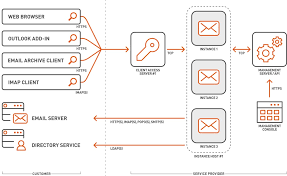
Description: Powerful 2D Animation Software. Connected Creativity. Created by animators, for animators — Cavalry makes 2d animation smarter, easier and faster to produce. Design in real-time for advertising, mobile, data visualisation, web, broadcast, ui, generative art, experiential, games and more.

Easy versioning
Powerful versioning capabilities make managing big projects a breeze. Leave data to do the hard work for you.

Design in real-time
Lightning fast viewport rendering means you can stay focused on being creative.

End to end workflow
Move seamlessly from artworking to animation and build vector based creative from the ground up.

Creative playground
Mix procedural workflows with traditional techniques to iterate quickly and evolve concepts in a fun and playful environment.

Native Features 
Cavalry includes fundamental features that connect with each other directly in-app so you can spend less time and money managing third party plug-ins.
Rig Control
Rubber Hose
Connect Shapes
Color Palettes
Magic Easing
Text Animation
Duplicator
Data Import
Lottie Export Pro
Forge Dynamics Pro
Falloffs
Quad Tree

Release Name: Canva Cavalry 2.7.2
Size: 113.2 MB
Links: HOMEPAGE – NFO – Torrent Search

Download: RAPiDGATOR
4 Comments
May 21

Zortam Mp3 Media Studio Pro 33.90

Description: Zortam Mp3 Media Studio is an all-in-one music application suite that is designed to edit the tags of music files. It has several modules such us AutoTagger, Music Organizer, Music Tag Editor, Integrated Music Player, Mp3 Volume Normalizer,BPM (Beats Per Minute) Analyzer, CD Ripper, YouTube To MP3 converter, MP3 to Wav converter, Auto rename file editor.

The application supports MP3, FLAC, WMA, MP4, WAV tags and music formats.

With Zortam Mp3 Media Studio you can batch auto-tag your music files, rename files, search for duplicate files using the tag information or filename checksum, write tags using information from the filename, and much more.

The batch auto tagger process identifies your music and automatically downloads album art, lyrics, and other metadata such as artist, title, year, genre, and track info to your music files.

The software recognizes over 35 million music tracks. Album covers, lyrics, and other metadata are saved to tags and can be viewed in iTunes, iPhone, iPod, and Android mobile or tablet devices.

The program is designed to run on the Microsoft Windows operating system and supports Windows 2000,Windows XP, Windows 7, Windows Vista, Windows 8 and Windows 10, Windows 11.

The program is translated into English, German, Italian, French, Spanish and Portuguese. There is also an Android version of the program which you can download from Google Play.

Program features:
Automatically identify and organize your digital music collection
Auto Tag MP3, FLAC, WMA, M4A and WAV music files
Free Tag Editor
Integrated music player
Mp3 Volume Normalizer
Automatically add cover art
Automatically add lyrics
Rename Mp3 files automatically using tag information
Auto-tag files and clean-up tags automatically
Write tags from filenames using custom formats
Tag and rename music files automatically
Automatically import songs from the iTunes library
Fix broken tags
YouTube Mp3 Converter
Organize a huge music library with ease
BPM song analyzer
Find duplicate MP3 files using MP3 tags or file information
CD Ripper automatically adds cover art, lyrics, and other tags
Export whole or part of the Mp3 library to CSV, Excel, HTML
Identify music tracks using an advanced fingerprint algorithm

Release Name: Zortam Mp3 Media Studio Pro 33.90
Size: 75.3 MB
Links: HOMEPAGE – NFO – Torrent Search

Download: RAPiDGATOR

6 Comments
May 21

ChemDraw Professional Suite 25.5.0.5789

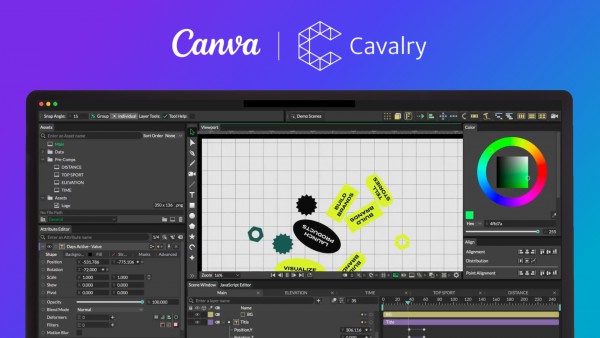
Description: The #1 Trusted Chemical Drawing Solution. Since 1985 ChemDraw has provided powerful capabilities to turn your ideas into publications you can be proud of. A complete suite for creating, managing, sharing, and presenting your chemistry research and discoveries.

Chemistry That Stands Out
- Elevate your chemical communication and collaboration with ChemDraw.
- Bring your ideas to life with comprehensive chemical drawing tools.
- Communicate complex chemistry clearly with striking, accurate visual depictions.
- Share chemical and biological intelligence instantly using built‑in collaboration features.
- Integrate with your research apps, simplify reporting, and choose the flexibility of desktop or cloud workflows.

Students
Create high-quality, publication-ready drawings using an intuitive, comprehensive toolset.

Pharma & Biotech
From drawing small molecules to biologics, empower your teams with the tools and databases to support your research.

Materials Science
Use ChemDraw templates to support drawing of complex structures. Includes advanced representations of polymers not found in other chemical drawing solutions.

System Requirements
- Windows 10 (64 bit)
- Windows 11 (64 bit)
- Memory (RAM): 64-bit OS: Minimum 2 GB, Recommended 3 GB
- Processor: Minimum 1.6 GHz or higher, Recommended 3.0 GHz or higher dual-core processor
- Free Space Required on Hard Drive: Minimum 1 GB - 4 GB (4 GB is for installing the full ChemOffice Professional version.) This is for installation only and does not include any creation/expansion of any databases. 10 GB recommended specification
- Screen: Resolution: 1024 x 768 or higher recommended specification

Release Name: ChemDraw Professional Suite 25.5.0.5789
Size: 1.5 GB
Links: HOMEPAGE – NFO – Torrent Search

Download: RAPiDGATOR
5 Comments
May 20

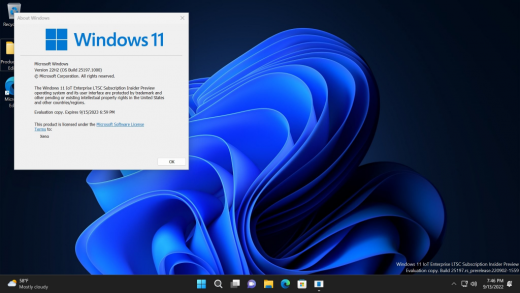
Windows 11 Education/Pro Education 25H2 Build 26200.8457 TPM Bypassed & Pre-Activated May 2026

Description: Windows 11, version 25H2 is an enablement update that builds on the features of 24H2 by enabling new, “continuous innovation” features, rather than introducing entirely new features itself. Key updates include a Braille Viewer for the Narrator, improvements to Click-to-Do (including a new “Convert to Table” feature), support for plug-in credential managers for passkeys, and enhancements to the mobile device companion experience. Microsoft is also implementing IT admin-focused features like the ability to remove pre-installed Store apps and a new Quick Machine Recovery system to reduce downtime.

Features


  1. Accessibility
    The Narrator now includes a Braille Viewer, allowing users to see the braille equivalent of on-screen text on a refreshable braille display.
  2. Passkeys
    Users can now utilize plug-in credential managers for setting up and using passkeys, offering improved security and management.
  3. Time & Language
    Ported settings from the Control Panel to the Settings app, including configuring additional clocks and changing the NTP time server.
  4. Mobile Experience
    The mobile device companion has a new, more accessible layout to view calls, messages, photos, and more from your phone.
  5. Click-to-Do
    New AI features for Click-to-Do are included, such as a new “Convert to Table” capability for converting text to an Excel table and more flexible selection methods.
  6. Quick Machine Recovery
    This new feature in the recovery system aims to reduce downtime and simplifies the process for recovering a system, according to PCMag.
  7. Removable Apps
    IT admins can now remove certain pre-installed Microsoft Store apps via Group Policy or MDM CSP on Enterprise/EDU devices.
  8. Feature Removals
    25H2 removes older components like PowerShell 2.0 and WMIC for greater security and efficiency.

Release Name: Windows 11 Education/Pro Education 25H2 Build 26200.8457 TPM Bypassed & Pre-Activated May 2026
Size: 7 GB
Links: HOMEPAGE – NFO – Torrent Search

Download: RAPiDGATOR

5 Comments
May 20

Windows 11 Home/Home N 25H2 Build 26200.8457 TPM Bypassed & Pre-Activated May 2026

Description: Windows 11, version 25H2 is an enablement update that builds on the features of 24H2 by enabling new, “continuous innovation” features, rather than introducing entirely new features itself. Key updates include a Braille Viewer for the Narrator, improvements to Click-to-Do (including a new “Convert to Table” feature), support for plug-in credential managers for passkeys, and enhancements to the mobile device companion experience. Microsoft is also implementing IT admin-focused features like the ability to remove pre-installed Store apps and a new Quick Machine Recovery system to reduce downtime.

Features


  1. Accessibility
    The Narrator now includes a Braille Viewer, allowing users to see the braille equivalent of on-screen text on a refreshable braille display.
  2. Passkeys
    Users can now utilize plug-in credential managers for setting up and using passkeys, offering improved security and management.
  3. Time & Language
    Ported settings from the Control Panel to the Settings app, including configuring additional clocks and changing the NTP time server.
  4. Mobile Experience
    The mobile device companion has a new, more accessible layout to view calls, messages, photos, and more from your phone.
  5. Click-to-Do
    New AI features for Click-to-Do are included, such as a new “Convert to Table” capability for converting text to an Excel table and more flexible selection methods.
  6. Quick Machine Recovery
    This new feature in the recovery system aims to reduce downtime and simplifies the process for recovering a system, according to PCMag.
  7. Removable Apps
    IT admins can now remove certain pre-installed Microsoft Store apps via Group Policy or MDM CSP on Enterprise/EDU devices.
  8. Feature Removals
    25H2 removes older components like PowerShell 2.0 and WMIC for greater security and efficiency.

Release Name: Windows 11 Home/Home N 25H2 Build 26200.8457 TPM Bypassed & Pre-Activated May 2026
Size: 7 GB
Links: HOMEPAGE – NFO – Torrent Search

Download: RAPiDGATOR
4 Comments
May 20

Windows 11 Enterprise/Iot Enterprise 25H2 Build 26200.8457 TPM Bypassed & Pre-Activated May 2026

Description: Windows 11, version 25H2 is an enablement update that builds on the features of 24H2 by enabling new, “continuous innovation” features, rather than introducing entirely new features itself. Key updates include a Braille Viewer for the Narrator, improvements to Click-to-Do (including a new “Convert to Table” feature), support for plug-in credential managers for passkeys, and enhancements to the mobile device companion experience. Microsoft is also implementing IT admin-focused features like the ability to remove pre-installed Store apps and a new Quick Machine Recovery system to reduce downtime.

Features


  1. Accessibility
    The Narrator now includes a Braille Viewer, allowing users to see the braille equivalent of on-screen text on a refreshable braille display.
  2. Passkeys
    Users can now utilize plug-in credential managers for setting up and using passkeys, offering improved security and management.
  3. Time & Language
    Ported settings from the Control Panel to the Settings app, including configuring additional clocks and changing the NTP time server.
  4. Mobile Experience
    The mobile device companion has a new, more accessible layout to view calls, messages, photos, and more from your phone.
  5. Click-to-Do
    New AI features for Click-to-Do are included, such as a new “Convert to Table” capability for converting text to an Excel table and more flexible selection methods.
  6. Quick Machine Recovery
    This new feature in the recovery system aims to reduce downtime and simplifies the process for recovering a system, according to PCMag.
  7. Removable Apps
    IT admins can now remove certain pre-installed Microsoft Store apps via Group Policy or MDM CSP on Enterprise/EDU devices.
  8. Feature Removals
    25H2 removes older components like PowerShell 2.0 and WMIC for greater security and efficiency.

Release Name: Windows 11 Enterprise/Iot Enterprise 25H2 Build 26200.8457 TPM Bypassed & Pre-Activated May 2026
Size: 7 GB
Links: HOMEPAGE – NFO – Torrent Search

Download: RAPiDGATOR

3 Comments
May 20

DockView 1.7.5

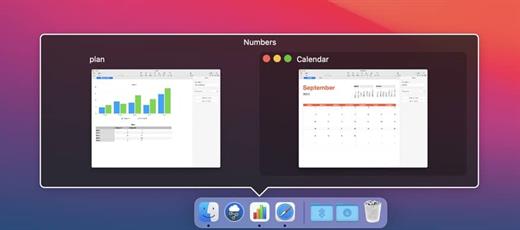
DockView is a utility that adds a preview of the windows of the selected application in the macOS Dock. You just need to bring the mouse to its icon and thumbnails of all its windows will appear. By clicking on the one you need, you will immediately go to it. Through Window Thumbnails, you can quickly close, minify and manage windows.

Features:


  • Fast switching between windows of the selected application
  • Window management (minimize, de-minimize, close)
  • DockView doesn’t modify the Dock or any system file.
PS: Block outgoing connections to Paddle etc.

What’s New

Version 1.7.5:


  • Release notes were unavailable when this listing was updated.
Compatibility

macOS 10.12.0 or later


Release Name: DockView 1.7.5
Size: 5.2 MB
Links: HOMEPAGE – NFO – Torrent Search

Download: RAPiDGATOR
5 Comments