Please REGISTER or RENEW your account on RAPiDGATOR.net and support us by doing through all RAPiDGATOR working download links on main posts...
Apr 28

MediaHuman YouTube To MP3 Converter 3.9.20 (2504)

Description: You like to listen to music on YouTube, SoundCloud or Bandcamp and want to save it for offline playing. Or you want to download the soundtrack of a new movie. Then we recommend you to try out this software developed specifically for this purpose.
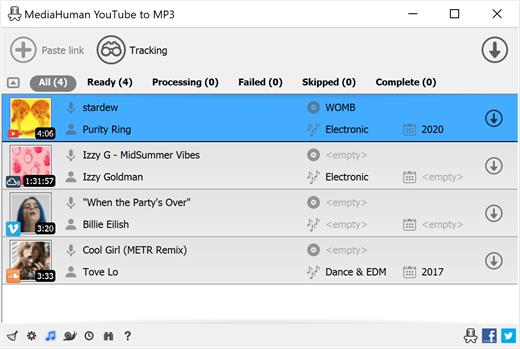
Downloads all music from a playlist or channel
Tracks playlist/channel updates and downloads only new videos
Downloads highest available quality up to 320 kbps
Supports YouTube, Vimeo, SoundCloud, Mixcloud, etc.
Downloads simultaneously several tracks
Includes simple tag editor with cover art image support
Works on all modern platforms (macOS, Windows, Ubuntu)
Exports downloaded files to iTunes/Music.app

Main Features:
Playlists and channels
The software supports downloading all videos in a playlist or channel. There is also an option to subscribe and download only newly uploaded tracks.

iTunes/Music.app support
In the app preferences, you can select the option to automatically add the downloaded tracks to your iTunes/Music.app library. You can also specify the playlist to which the converted tracks will be added.

Saves your time & traffic
The app detects audio track in YouTube video clip and downloads it, skipping the video part. As a result download speed increases dramatically, especially on HD-quality content and higher.

Simple tag editor
Application automatically detects artist name and track title of the video and saves it in the downloaded file. But at the same time, you can easily change tags to whatever you want. You can even change a cover art image.

Original format, no conversions
You can save audio tracks in original quality without any conversion. It means that there will be no loss of quality and it greatly reduces the downloading time.

Free music
There is a great amount of music on YouTube. And our app will help you to convert YouTube videos to MP3 or save it on your computer in original M4A/AAC format. Just find the track you like and download it in the quality you need.

Not only YouTube
Vevo.com, Vimeo, DailyMotion, Soundcloud, Bandcamp, HypeMachine, MixCloud, MixUpload, Audiomack, UOL, Hearthis.at, Play.fm, Naver, BitChute, Brandnewtube, Brighteon, Rumble and many other sites are also supported. So you can download music just as easily as you can from YouTube.

Clipboard tracking
The program tracks the content of the system clipboard. It means that you can easily add a video clip to the download list without switching from your favorite browser. Just copy an URL into the clipboard and it will be added to the download queue.

Multilingual interface
Localized to: Arabic, Armenian, Azerbaijani, Bulgarian, Catalan, Chinese (Hong Kong SAR China), Chinese (Simplified), Chinese (Taiwan), Croatian, Czech, Danish, Dutch, English, Esperanto, French, German, Greek, Hebrew (Israel), Hungarian, Indonesian, Italian, Japanese, Korean, Latvian, Lithuanian, Malay, Norwegian Bokmål, Polish, Portuguese, Portuguese (Brazil), Romanian, Russian, Serbian, Slovenian, Spanish, Swedish, Turkish, Vietnamese

Release Name: MediaHuman YouTube To MP3 Converter 3.9.20 (2504)
Size: 80.9 MB
Links: HOMEPAGE – NFO – Torrent Search

Download: RAPiDGATOR

8 Comments
Apr 28

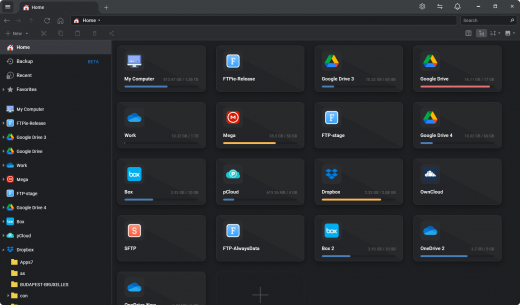
FileZilla Pro 3.70.4

Description: The Universal File Transfer Tool. Transfer files from your computer via FTP / SFTP / FTPS and Cloud Services: Amazon S3, Backblaze B2, Box, Dropbox, Google Cloud, Google Drive, Microsoft Azure, OneDrive, OneDrive for Business, SharePoint, OpenStack Swift and WebDAV.

FileZilla Pro manages all of your transfers no matter how many files are in your source directory,
it is heavily optimized for speed and you can also adjust the pace of your transfers at will.

Transfer files from your computer via FTP/SFTP/FTPS, Amazon S3, Backblaze B2,  Box, Dropbox,  Google Cloud, Google Drive, Microsoft Azure, Microsoft OneDrive, Microsoft OneDrive for Business, Microsoft SharePoint, OpenStack Swift and WebDAV.
One tool to find, transfer and download all of your files.
Get the professional tool for file transfers, it allows you to focus on getting your job done.

Supported Protocols
Access all your storage easily via FTP, SFTP, FTPS, Amazon S3, WebDAV and 15 other cloud services.

Site Manager
FileZilla Pro Site Manager makes easy to organize your sites and bookmarks.

Sync your config
FileZilla Pro now allows you to synchronize Site Manager data.

Super Fast
It is the result of over 20 years spent to design the most efficient FTP client in the world.

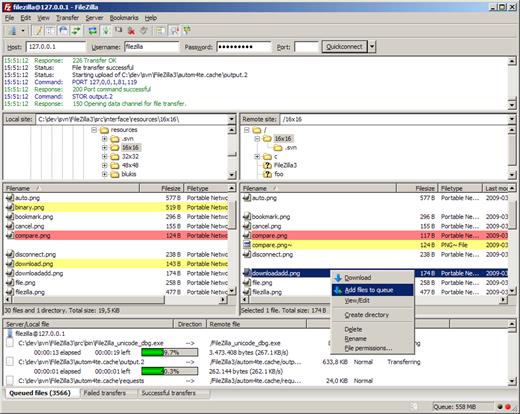
Transfer Queue
Queue all your files for transmission, stop and resume at will.

Comparative Search
Compare local and remote, filter and hide files, and more.

Upload site files
Uploading your site has never been so easy and reliable.

Set your editors
FileZilla Pro will open every file with your tool of choice.

Security
Set a Master password to store all your passwords encrypted.

Here and on the App Store
You can either buy it on the FileZilla Pro website  or on the Mac App Store, your call.

Multi-language
Not just for English speakers. Available in over 50 languages, and counting.

Release Name: FileZilla Pro 3.70.4
Size: 38 MB
Links: HOMEPAGE – NFO – Torrent Search

Download: RAPiDGATOR
6 Comments
Apr 28

Text to Speech Studio 2.0.0

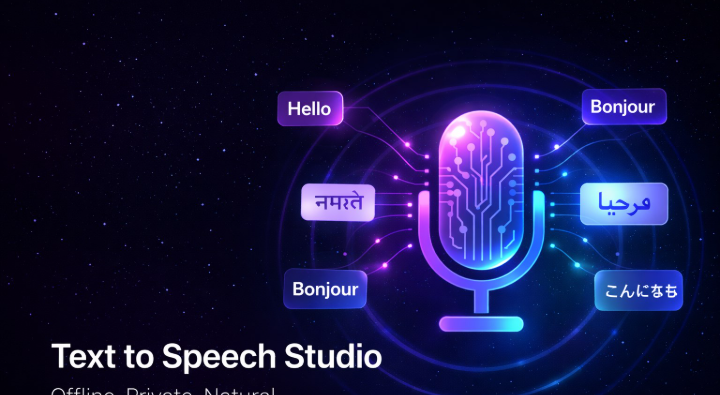
Description: Turn text into high-quality audio in seconds. Text to Speech Studio is a powerful and easy-to-use text-to-speech application that lets you convert written text into natural-sounding audio. Whether you're creating voiceovers, narration, or accessibility content, Text to Speech Studio gives you full control over how your audio sounds.

Natural Text-to-Speech Voices
Choose from a variety of high-quality voices to generate clear and realistic speech.

Background Music Support
- Enhance your audio with background music.
- Add your own music files
- Adjust volume levels
- Apply smooth fade-in and fade-out effects
- Segment-Based Timeline

Break your script into multiple segments for precise control
- Edit individual sections of text
- Set custom delays between segments
- Create natural pacing and timing
- Preview Before Export
- Instantly preview your audio before rendering to ensure everything sounds just right.

Flexible Export Options
Export your audio in multiple formats and quality levels to match your needs.

Automatic Output Management
Rendered files are saved to a dedicated folder on your desktop for quick access.

Perfect For
- Content creators
- Voiceover production
- Training and presentations
- Accessibility and narration
- Podcast and media production

Privacy First
Text to Speech Studio processes your content locally whenever possible. Your text and audio files are not collected or stored by the application.

Simple, Clean, and Powerful
Designed with a clean interface and intuitive workflow, TTS Studio makes it easy to go from script to finished audio in minutes.

System Requirements
Windows 10 version 17763.0 or higher

Release Name: Text to Speech Studio 2.0.0
Size: 601.9 MB
Links: HOMEPAGE – NFO – Torrent Search

Download: RAPiDGATOR
7 Comments
Apr 28

Directory Opus 13.22.9 Beta

Description: Are you frustrated by the limitations of Windows Explorer? Directory Opus is a complete replacement for Explorer, with far more functionality than any other file manager available today.

You're in control.
Not just a simple file manager; Directory Opus lets you make your computer yours.
With a flexible user interface and unbelievable configurability, you can tailor Opus to streamline your workflow.
Dual panes, dual trees, multiple tabs.
Filter, sort, group your folders. Label and rate your files.
Queued file copies. Powerful batch renaming. Full archive support.
Find your files. Locate duplicates. Synchronize backups.
Assign tags and descriptions. Convert images. Edit metadata.
Fully multi-threaded, native 64 bit high performance code.
Whatever you want to do - Opus can probably do it. And if it's not built-in, you can take advantage of the unrivalled configurability to extend Opus using external tools.

What makes Opus unique?

Built for speed
Opus is written in native C++ multi-threaded code; compiled for the latest 64 bit CPUs, with high performance our number one design principle.

Fully configurable
Change the colors. Change the fonts. Change the toolbars and menus. Set up hotkeys. Opus adapts to how you want to use it.

Makes file management a breeze
Powerful searching, sorting, grouping, labelling and tagging features let you take control of your files like never before.

Endlessly extensible
Work with third-party tools as easily as with the built-in features. A full scripting interface, including scriptable dialogs, means your imagination is really the only limit.

Replace Windows Explorer and don't look back
Our unique Explorer Replacement mode provides a full replacement for Windows Explorer.
Single or dual pane file display and folder trees
Tabbed interface let you keep multiple folders open and switch quickly between them
Integrated viewer, metadata editor and utility panel
Built-in tools including synchronize and duplicate file finder
Leverage indexed search engines like Windows Search and Everything

High performance file management features
Copy, move, rename, duplicate, archive, view, backup and delete your files with ease
Queue multiple file copies for improved performance
Batch renaming including easy-to-use keyboard macros
Support for FTP and archive formats like Zip, 7Zip and RAR
Quickly filter, sort, group and search your folders
Color-code your files, assign status icons, star ratings, tags and descriptions
View images, documents and more. Image marking lets you sort your photos quickly and easily
Calculate folder sizes and print or export folder listings

Unrivalled configurability
Why let the programmers decide for you? You can tailor Opus to look how you want it to look, and to work how you want it to work.
Choose from light mode, dark mode, or design your own theme
Over 600 configurable colors and fonts
All toolbars and menus can be edited, plus you can add your own
Floating toolbars can act as program launchers
Configure your own hotkeys that work everywhere or just in Opus
Full scripting interface lets you design your own dialogs and add your own commands

Release Name: Directory Opus 13.22.9 Beta
Size: 29.4 MB
Links: HOMEPAGE – NFO – Torrent Search

Download: RAPiDGATOR

6 Comments
Apr 28

NoiseTuner 1.0.1

Description: NoiseTuner – Fine-Tune Your Audio & Video. Remove Noise, Keep Clarity. Say goodbye to background hiss, static, wind noise, and grainy footage with NoiseTuner – a lightweight, powerful tool that cleans up your audio and video in seconds. Whether it’s a podcast, interview, home movie, or lecture recording, NoiseTuner helps you enhance quality effortlessly.

No complicated settings. No internet required. Just open, process, and enjoy cleaner sound and sharper visuals — **100% offline, no data uploaded, no privacy risks. Perfect for creators, students, professionals, and anyone who values clear communication.

Audio Noise Removal
Reduce unwanted background noise like hum, wind, or room echo while preserving voice clarity.

Video Denoising
Smooth out grain, static, and low-light artifacts for cleaner, more professional-looking videos.

Simple & Intuitive Interface
Preview your media, adjust noise reduction strength, and apply changes with one click.-

Supports Popular Formats
Works with MP4, AVI, MKV, MOV, WMV, MP3, WAV, and other common audio and video files.

Runs Completely Offline
All processing happens on your PC. No cloud, no tracking, no ads – just fast, private results.

Perfect For
- Podcasters & Voice Recorders – Deliver crisp, professional audio
- Video Creators – Improve the look of shaky or dark footage
- Students & Teachers – Enhance online lectures and study materials
- Remote Workers – Clean up meeting recordings and voice memos
- Families – Preserve memories with clearer home videos

Private. Secure. Reliable.
Unlike online tools that upload your files, NoiseTuner works entirely on your device. Your content stays yours – safe and protected.

System Requirements
- OS: Windows 10 version 17763.0 or higher
- Memory: 6 GB

Release Name: NoiseTuner 1.0.1
Size: 190.2 MB
Links: HOMEPAGE – NFO – Torrent Search

Download: RAPiDGATOR

8 Comments
Apr 28

CCleaner 6.40.11562

Editions: Professional / Business / Technician

Description: CCleaner a utility for cleaning the debris in the operating system. In the course of their work CCleaner (Crap Cleaner) is looking for and removes unused files. These include: cookies, history, visiting sites in IE, temporary Internet files, search strings, files, Recycle Bin, etc.

CCleaner is the number-one tool for cleaning your Windows PC. It protects your privacy online and makes your computer faster and more secure. This app is easy to use, one click cleaning so beginners can optimize their computers in seconds. In addition, it's packed with advanced features for power users.
It is system optimization and privacy tool. Removes unused files from your system, allowing Windows to run faster and freeing up valuable hard disk space. It also cleans traces of your online activities such as your Internet history.

CCleaner can run from a USB drive and be installed or run on a computer without a complicated setup process. It is possible to specify files, folders and registry keys to ignore from the cleaning process.
Especially relevant that it's fast. Normally taking less than a second to run. And contains NO Spyware or Adware!

CCleaner cleans the following
Internet Explorer. Temporary files, history, cookies, super cookies. Also the Autocomplete form history and index.dat files.
Firefox. Temporary files, history, cookies, super cookies. Also download history and form history.
Google Chrome. Temporary files, history, cookies, super cookies. Also download history and form history.
Opera. Temporary files, history, cookies, super cookies and download history.
Apple Safari. Temporary files, history, cookies, super cookies, form history.
Other Supported Browsers. K-Meleon, Rockmelt, Flock, Google Chrome Canary, Chromium, SeaMonkey, Chrome Plus, SRWare Iron. Also Pale Moon, Phoenix, Netscape Navigator, Avant and Maxthon.
Windows. Recycle Bin, Recent Documents, Temporary files, Log files, Clipboard. Also DNS Cache, Error Reporting, Memory Dumps and Jump Lists.
Registry Cleaner. Advanced features to remove unused and old entries. Including File Extensions, ActiveX Controls, ClassIDs, ProgIDs. Also Uninstallers, Shared DLLs, Fonts, Help Files, Application Paths, Icons. Invalid Shortcuts and more...
Third-party applications. Removes temp files and recent file lists (MRUs) from many apps. Including Windows Media Player, eMule, Google Toolbar, Microsoft Office. Also Nero, Adobe Acrobat, WinRAR, WinAce, WinZip and many more...

CCleaner Professional is the most powerful version of Piriform's celebrated PC cleaner. It makes it easy to speed up a slow computer and keep your activity private - automatically and in the background.

These are some of the features you get with CCleaner Professional
Automatic Cleaning
Regularly cleans junk files to keep your computer running smoothly
Automatic Privacy Protection
Clears history and cookies when you're not using your web browser
Automatic Updates
Windows and browsers constantly evolve. CCleaner updates once a month to stay on top!

Release Name: CCleaner 6.40.11562
Size: 242.2 MB
Links: HOMEPAGE – NFO – Torrent Search

Download: RAPiDGATOR

8 Comments
Apr 28

Sante DICOM Editor 10.4

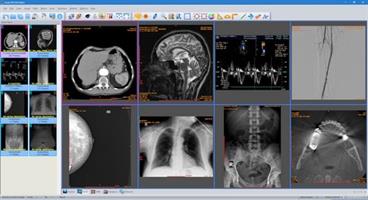
Description: Sante DICOM Editor is a professional DICOM editor, 2D/3D viewer, anonymizer, converter, dicomizer, PACS client, mini PACS server, patient CD/DVD burner (with viewer) and much more.

New Version 10!
New, faster graphics engine (Direct2D instead of GDI+)
TLS support for DICOM network connections
OHIF viewer support (a study can be reviewed with OHIF viewer as well)
Export MPR reconstructed planes as DICOM series
Import image(s) as DICOM files to series/studies/patients
Import frame(s) to DICOM files
Remove frame(s) from DICOM files
Replace image(s) in DICOM file(s)
Export network and database search results as csv files
Create new study, series and SOP instance UIDs during anonymizing (user option)
Memory and speed optimizations

Features and benefits
Powerful 2D/3D DICOM workstation, viewer and editor
PACS client that supports all the DICOM network services (C-FIND SCU/SCP, C-MOVE SCU/SCP, C-STORE SCU/SCP, C-GET SCU/SCP, C-ECHO SCU/SCP)
It can be used as a mini PACS server as well
(the number of stored patients/studies depends on disk size only)
Migration tool for file transferring from other DICOM viewers
Command line switches for integration with PACS servers (learn more...)
Easy to use with native Windows "look and feel"
Support of all charsets (latin, chinese, japanese, korean, cyrillic, arabic, greek, turkish, etc.)
Creation of 3D model by the Isosurface technique
Creation of 3D model by the Transfer Function (Volume rendering) technique
Creation of 3D model by the Maximum Intensity Projection (MIP) technique
On-line, case sensitive help
Compatible with all modalities (CT, MR, NM, US, XA, MG, CR etc.), all manufacturers and all DICOM 3.0 and NEMA 2 file types.
Editing and modification of DICOM files (even of sequence attributes)
Simultaneous editing of all DICOM files of a series/study
DICOMDIR editor
Dual monitor support(learn more...)
Structured Report support
Presentation State file editor
Structured Report file editor
Study comparison side-by-side
Attachment of PDF report files to studies
Encapsulated PDF DICOM file support
Printing to DICOM printers and Windows printers
DICOM to DICOM conversion, DICOM file modification (transfer syntax, image width and height, color depth, frame insertion, removal, sorting, etc.)
Built-in Anonymizer, burned-in annotations removal (Patient data de-identification, suitable as well for avoiding issues with the GDPR regulation 2016/679 of EU)
Built-in Dicomizer: DICOM file creation from video files (avi, wmv) and plain image formats (jpeg, jpeg2000, tiff, bmp, and png)
Ultrasound region calibration module support (calibrated Ultrasound measurements)
Merging of DICOM files
Creation of DICOM CD/DVD disks with free DICOM viewer for Windows and macOS
Support of Epson and Primera CD/DVD Disk Publishers (robots)
Contrast Agent Probe
Windows 11/10/8.1/8/7 and Vista compatible

Release Name: Sante DICOM Editor 10.4
Size: 149.9 MB
Links: HOMEPAGE – NFO – Torrent Search

Download: RAPiDGATOR

7 Comments
Apr 28

QILING Fast Cache Standard / Server 3.2.3 Build 20260425

Description: QILING Fast Cache can improve overall system performance. The temporary files frequently accessed by system or other application, and the read the RAM memory speeds far greater than the real hard disk, so caching frequently accessed data into RAM significantly improves the speed at which data is read; additional hard disk, and SSD storage medium has its read and write times limit, so the QILING Fast Cache improve the life of a real hard disk too.

In Any Case, We Can Help You improve overall system performance and speed
Improve system performance
The system frequently reads certain sectors and files. If these files are cached in memory, they increase access speed and improve system performance.
Improve the responsiveness of the game
Contemporary games will frequently access different data, such as map data, if the disk reading speed is relatively slow, there will be stuttering, affecting the experience of playing the game. The fast cache caches frequently used map data, speeding up the read of map data, so the game runs smoothly.
Improve the responsiveness of service programs
Many programs access many different files, and some files are accessed frequently. Fast cache will cache these high-frequency files in memory, then the overall access speed will be significantly improved.
Improve the life of a real hard disk
All hard disks have read and write life, and fast cache reduces the number of reads, which will increase the life of the hard disk.

Release Name: QILING Fast Cache Standard / Server 3.2.3 Build 20260425
Size: 5.6 MB
Links: HOMEPAGE – NFO – Torrent Search

Download: RAPiDGATOR
6 Comments
Apr 28

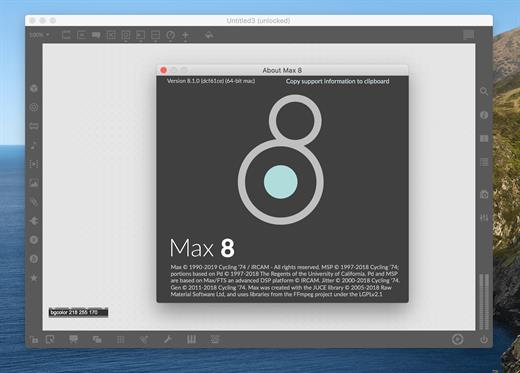
Cycling '74 Max 9.1.4

Description: A Playground for Invention. Max is an infinitely flexible space to create your own interactive software. Connect Ideas Together to Create. Each object does something. Max has objects that generate sound waves, represent hardware, or provide a UI for interaction.

Patchcords connect one object to another. This connection lets objects share their output with connected objects.
Connect UI objects like dials and sliders to provide control values or display results. Modulate, map and scale data to get just the right results.

Create Software Built Around You, In the Moment
Drag in your own audio clips and start manipulating them and connecting effects
Map your patcher with MIDI controllers as you go to start playing with your creation while you work

Expanded Ideas
Max patching starts on a blank canvas, free of any structure. This makes it natural to build and explore unique ideas that would be too complex to make elsewhere. The Max patcher automatically expands to fit your work as it grows, no matter how much space you take up.

Explore Sound without Limits
Design a custom synthesizer with as many oscillators and effects as you wish.
Manipulate samples in every way, including timestretch and pitch shifting.
Build up more layered sounds using MC objects to patch multichannel audio.

Make Sound with a Gesture
In Max, you can build classic synths from scratch or get lost hacking together unusual sounds. Try the XY controls below to hear some sounds you could create with Max.
You can do a lot with just a single oscillator and a filter.
Add some extra modulation and try something a little more wild.

Make Visual Music
Max includes full-featured, expandable video and graphics tools with Jitter. Jitter is optimized for realtime audiovisual work, and is easy to combine with audio, sequencing, and modulation like everything else in Max.

Take Max into the World
Max patching starts on a blank canvas, free of any structure. This makes it natural to build and explore unique ideas that would be too complex to make elsewhere. The Max patcher automatically expands to fit your work as it grows, no matter how much space you take up.

Prototype and Evaluate
Flexible access to hardware makes Max a perfect environment for prototyping. Connect your development board to Max and get instant access to sensors, knobs, and switches. Watch the data stream in as you develop the interaction.
Countless commercial products, art installations, and stage shows have relied on Max to glue together all the parts of their process.

Generate Audio, Video, Code
Use Gen to patch together fine-tuned processes for audio, matrix data, or texture processing. Gen lets you combine procedural commands with visual patching to simplify the creation of custom processes.
Gen objects can also output source code to be used elsewhere if needed.

Release Name: Cycling '74 Max 9.1.4
Size: 535.3 MB
Links: HOMEPAGE – NFO – Torrent Search

Download: RAPiDGATOR
7 Comments
Apr 28

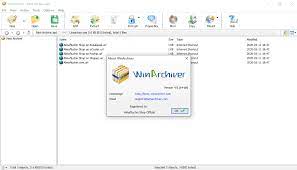
WinArchiver Pro 6.2

Description: WinArchiver is a powerful archive utility, which can open, create, and manage archive files. It supports almost all archive formats, including zip, rar, 7z, iso, and other popular formats. WinArchiver can also mount the archive to a virtual drive without extraction. WinArchiver Virtual Drive is a free Virtual CD/DVD ROM utility. It can mount not only all popular CD/DVD image files, but also all popular archives. You can run programs or access the files from a virtual drive without original cd/dvd discs. The virtual drive works 200x faster than traditional cd/dvd rom drive. WinArchiver Virtual Drive can mount ZIP, RAR, 7Z, and other archives as virtual drive instantly. It provides a more convenient and faster way to access files in archives. You can mount an archive as a virtual drive, then access files in the archive through the virtual drive. With this feature, you don't need unpack archives before open files in archive, which can help you save lots of time.

WinArchiver supports the following file types: .zip (WinZip Files), .rar (WinRAR Files), .7z (7z Files), .mzp (Mountable Archive), .iso (CD/DVD Image File), .001 (7z Sub Volume), .arj, .bz2, .bzip2, .gz, .gzip, .tar, .taz, .tbz, .tbz2, .tgz, .tpz, .cab, .cpio, .deb, .lha, .lzh, .rpm, .split, .swm, .wim (Windows Imaging File), .z, .daa (PowerISO File), .bin, .cue, .mdf, .mds, .ashdisc, .bwi, .b5i, .lcd, .img, .cdi, .cif, .p01, .pdi, .nrg (Nero Disc Image), .ncd, .pxi, .gi, .fcd, .vcd, .c2d, .dmg (Apple Disc Image), .bif, .ima, .flp, .uif (MagicISO File)

MZP is the new archive format supported by WinArchiver. It supports data compression, encryption, and file spanning. WinArchiver can be used to create and manuplate MZP archives. The MZP archive can also be mounted as virtual drive instantly with WinArchiver Virtual Drive, thus you can access files in the archive without extraction. Compared with other archive formats, MZP archives can be mounted more efficiently.

Main Features:
Support almost all popular archive formats.
Open and extract archive files.
Edit existing archives.
Create zip, 7z, iso, mzp archive file from hard disk files.
Support unicode file names.
Mount archive file to a virtual drive without extraction. You can use it as a professional virtual drive software.
Support multivolume, encryption, and archive comments.
Support Windows Explorer shell integration.
Support both 32-bit and 64-bit Windows.

Release Name: WinArchiver Pro 6.2
Size: 6.9 MB
Links: HOMEPAGE – NFO – Torrent Search

Download: RAPiDGATOR
7 Comments