Please REGISTER or RENEW your account on RAPiDGATOR.net and support us by doing through all RAPiDGATOR working download links on main posts...
Apr 10

IDM UltraEdit 32.2.0.24

If you need a text editor, you need UltraEdit. UltraEdit is the most flexible, powerful, and secure text editor.
What can UltraEdit do for a system administrator?
Exact search (including multi-line and binary character search)
Pattern or wildcard search
Replace text can even preserve the case of the original!
Disk based text editing
Supports files in excess of 4 gigabytes
Minimum RAM used even for multi-megabyte files
Insert string at every increment
Ideal for formatting database records
Column/block mode text editing
Allows insertion/removal of columns of data
Insert/fill columns
Insert line numbers
Sum columns/selection
Convert to fixed column
Convert to character delimited

An editor that makes programming and development easier.
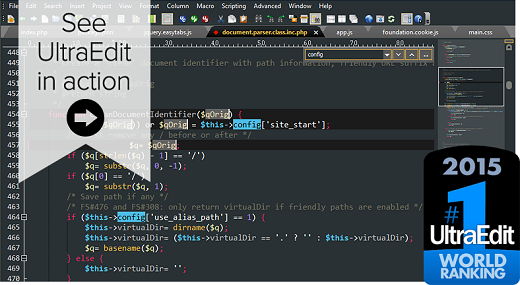
Color coded editor, syntax highlighting, and bookmarks!
UltraEdit delivers easy viewing and editing of code and variables. In addition to the standard editing functions such as undo, copy and paste, and searching, UltraEdit’s color-coded editor allows programmers to decipher different code types and variables, and you are going to love the powerful code-folding too. Additional productivity enhancing features include delimiter matching that shows you the location of the opening and closing of parentheses, and bookmarking which helps you remember and find significant sections of code such as subroutines and constant declarations.

Dynamic code auto-completion with IntelliTips
Intellitips provides code and context-aware auto-complete suggestions. This offers class members, functional tips, and intuitive prompts for most modern programming languages. The level of automation can be configured.

Multi-caret/multi-select
One of the most powerful and intuitive multi-caret editing and multi-selection capabilities in the business. Once your cursors or selections are where you want them to be, you can copy, cut, paste, select and delete just the same as you normally would.

HTML / Markdown live preview
Watch your HTML or Markdown pages rendered in real time with live preview—even as you edit them. Also comes with Github Flavored Markdown (GFM) code highlighting and compatibility.
Double-click an element in the preview to jump to its definition in source.

Search
UltraEdit’s omniscient search can find files across folders and directories even on files as large as 4GB. Use various filters such as regular expressions to fine tune search

Integrated FTP, SSH & Telnet
Whether you need to make quick edits to a file on a server or upload a massive codebase, UltraEdit’s integrated FTP capabilities and SSH/Telnet make it easy to work with remote files and interact with servers from a single, powerful application.

Column mode
When editing horizontally just isn’t quite good enough, Column Mode is there for you. Use Column Mode to intuitively edit along the Y axis anywhere in your document. It’s just one of the many powerful ways UltraEdit helps you edit tabular data or code files.

Customizable UI
The user interface has been built with customizability in mind.
Our menu system has been rebuilt from the ground up to make it even more customizable than ever. Our deeply customizable new menu can be laid out however you’d like. Set yourself up with Ribbon mode for a familiar look and feel. Or maybe you prefer the simple toolbar with only your most commonly needed features. The possibilities are endless.

Themes
Themes allow users to configure UI systems, menu layouts, and colors.
Choose from our core themes or from our user-contributed submissions to get UltraEdit exactly how you like it. Feel free to modify it too.

Release Name: IDM UltraEdit 32.2.0.24
Size: 443.9 MB
Links: HOMEPAGE – NFO – Torrent Search

Download: RAPiDGATOR

6 Comments
Apr 10

Adobe Acrobat Reader DC 2026.001.21411

Description: Adobe Acrobat Reader DC is the completely reimagined desktop version of the world’s best PDF solution. And with Adobe Acrobat Reader DC, you can create, export, edit and track PDFs from anywhere - and stay connected to recent files across all your devices.

Clean feature lineup
The application allows you to write down comments and feedback using a separate frame in the right side of the window, while the reading space is not affected at all.

In fact, this is one of this tool's strong points: the interface is quite clean, but still manages to provide a lot of tools for zooming, selecting text, printing, adding bookmarks and many others.

Supported file formats and fast searches
A great thing about Adobe Reader XI is its ability to work with CAD designs and geospatial maps converted to Portable Document Format. Also, in case you need to locate any element within a PDF file, the application offers a comprehensive file searching engine that finds what you need in a matter of seconds.

Security tools
The security functions enable you to view and work with PDF documents without having to worry about malicious code being executed on your machine. The 'Protected Mode' and the 'Enhanced Security' features are designed to safeguard your computer and provide data protection and privacy.

Configuration settings
When it comes to customizing Adobe Reader XI, the Preferences area will give you the possibility to modify a wide range of settings. Comments, 3D and multimedia, measuring and reading options are available, as well as spelling or page units configurations.

In case you find Adobe Reader XI too difficult to use, the application includes a comprehensive help manual. Unfortunately you will need an Internet connection to access it, which means you won't be able to read the documentation in offline mode.

A top PDF viewer on the market
All things considered, with this software app you can't get it wrong simply because it still sets the standards insofar as PDF documents are concerned. Adobe Reader XI really works as advertised and is the leading tool for viewing Portable Document Format files.

Release Name: Adobe Acrobat Reader DC 2026.001.21411
Size: 1.2 GB
Links: HOMEPAGE – NFO – Torrent Search

Download: RAPiDGATOR
8 Comments
Apr 10

Macrium Reflect 8.1.8846

Description: Macrium Reflect - backup and recovery for individual PCs and servers. Reflect Workstation - Designed for endpoint backup of business-critical PCs and workstations. Peace of mind for organisations when backing up Windows PCs.

Solution highlights:
- New Backup Engine: Incremental and differential images up to 60 times faster
- Instant virtual booting of backup images: instantly create, start and manage Microsoft Hyper-V virtual machines
- Ultra-fast Live imaging of windows systems, physical and virtual
- Restore images to dissimilar hardware using Macrium ReDeploy
- Greatly simplified administration including pre-defined Backup Plans for popular backup strategies
- Fully featured file and folder level backup and recovery
- Updated support for all the latest Windows Operating Systems and disk formats

Macrium Reflect Features:
- Backup your entire PC to a single compressed image file.
- Backup files and folders to a single compressed archive file.
- Recover partitions and entire disk images with just a few clicks of your mouse
- Dynamic disk support
- MBR and GPT disk support
- Restore images to dissimilar hardware using Macrium ReDeploy

Release Name: Macrium Reflect 8.1.8846
Size: 732.5 MB
Links: HOMEPAGE – NFO – Torrent Search

Download: RAPiDGATOR

5 Comments
Apr 10

reaConverter Pro 8.0.213

Description: Easily process full batches of files and folders. reaConverter combines powerful automation with intuitive tools to streamline image conversion and eliminate repetitive editing.

700+ File Formats
reaConverter delivers high-efficiency batch conversion for an extensive range of file formats.

Efficient Conversion
A powerful file conversion toolkit with advanced processing features — giving you precise, granular control over every output.

Image Editing
reaConverter simplifies batch image editing — apply touch-ups, transformations, and effects to unlimited images simultaneously.

Automation
Professional-grade automation features for high-volume file conversion and batch processing.

Development
Integrate reaConverter's functionality into scripts, applications, or websites using its command-line tool or DLL.

Release Name: reaConverter Pro 8.0.213
Size: 399 MB
Links: HOMEPAGE – NFO – Torrent Search

Download: RAPiDGATOR

6 Comments
Apr 10

TweakNow WinSecret Plus 9.0

Description: A number-one all-in-one utility for optimizing and maintaining Windows 11 and 10. It includes more than 20 tools to make your everyday life easier.

Safely Unlock Windows 11 and 10 Hidden Settings
Effortlessly personalize hidden settings in Windows 11 and 10 to customize your taskbar, desktop, privacy preferences, and more.

Powerful and Comprehensive System Information at Your Fingertips
System Information module is designed to quickly and lightweightly provide all the detailed information you need about your PC's performance and components.

Looking to Supercharge Your Apps or Games Performance?
You can increase the priority level of apps or games to allocate more system resources, such as CPU time and RAM, to them.

Effortlessly Connect to Wi-Fi With QRr Codes
Using a QR code to share your Wi-Fi is super convenient and easy. Instead of typing out a long password, your friends can just scan the code with their phone and connect instantly.

View and Extract Icons From Windows Library (imageres.dll, shell32.dll, Etc.)
Windows 11 has a lot of attractive icons that make both the system look good and fun to use. Have you ever wondered where Windows may bury them in the system?

Keep Your PC Awake While You Are Leaving!
There are times when you might need to keep your PC running and prevent it from going into sleep mode or hibernation.

Effortlessly Convert PDF Into Images
At times, you may need to transform PDF documents into image files.

Quickly Convert HEIC to JPG on Windows
HEIC (High Efficiency Image Format) is a file format for images introduced by Apple with the release of iOS 11 in 2017.

Highlighted Modules
Create a shortcut to launch CPU-intensive app or game at above normal or high priority to improve performance
Running an application or game at high priority can give it more system resources, potentially improving its performance.
With the apps and games launcher module, you can easily create shortcuts to run your favorite apps and games at any priority level (low priority, below normal priority, normal priority, above normal priority, or high priority).

Combine multiple photos to create beautiful photo collages
Photo collages are a fun and creative way to display your photos and tell a story. You can use them for personal or professional purposes, such as making gifts, decorating your home, or promoting your brand.
With the Photo Collage Maker module, you can combine up to ten (10) photos many different layouts to choose to create a unique and beautiful photo collage.

Create and share beautiful QR Codes
A QR code is a type of barcode that can store information such as a URL, a Wi-Fi password, or a contact card. You can scan a QR code with your smartphone camera and access the information easily.

Safely change hidden Windows registry settings to improve your Windows experience
Windows registry is a database that stores settings and options for the Windows operating system. Unfortunately, most settings are not accessible from the Windows Settings or Control Panel. With the Windows Secret module, you can safely access more than one hundred (100) registry tweaks.

Quickly find out what’s taking up your disk space
The Folder Usage Analyzer module is useful for identifying which files and folders are taking up the most space on your hard drive. This can help you free up space by deleting unnecessary files or moving them to an external drive.

Remove duplicate images and freeing up valuable storage space
The Find Duplicate image module is useful for identifying and removing duplicate images from your computer, freeing up valuable storage space. These apps can help you find and delete multiple identical photos, saving you time, space, and money.

Release Name: TweakNow WinSecret Plus 9.0
Size: 34.6 MB
Links: HOMEPAGE – NFO – Torrent Search

Download: RAPiDGATOR
4 Comments
Apr 10

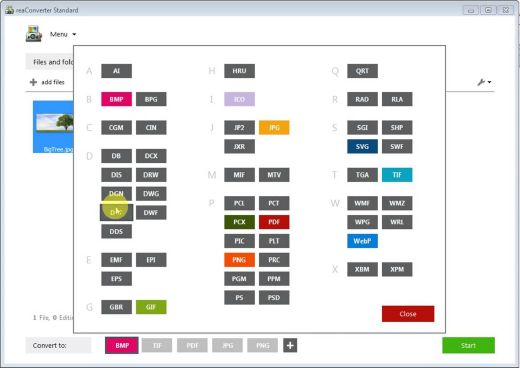
MobaXterm 26.3

Description: Enhanced terminal for Windows with X11 server, tabbed SSH client, network tools and much more. MobaXterm is your ultimate toolbox for remote computing. In a single Windows application, it provides loads of functions that are tailored for programmers, webmasters, IT administrators and pretty much all users who need to handle their remote jobs in a more simple fashion.

MobaXterm provides all the important remote network tools (SSH, X11, RDP, VNC, FTP, MOSH, ...) and Unix commands (bash, ls, cat, sed, grep, awk, rsync, ...) to Windows desktop, in a single portable exe file which works out of the box.

There are many advantages of having an All-In-One network application for your remote tasks, e.g. when you use SSH to connect to a remote server, a graphical SFTP browser will automatically pop up in order to directly edit your remote files. Your remote applications will also display seamlessly on your Windows desktop using the embedded X server.

You can download and use MobaXterm Home Edition for free. If you want to use it inside your company, you should consider subscribing to MobaXterm Professional Edition: this will give you access to much more features and the "Customizer" software.

When developing MobaXterm, we focused on a simple aim: proposing an intuitive user interface in order for you to efficiently access remote servers through different networks or systems.

Embedded X server
Fully configured Xserver based on X.org

Easy DISPLAY exportation
DISPLAY is exported from remote Unix to local Windows

X11-Forwarding capability
Your remote display uses SSH for secure transport

Tabbed terminal with SSH
Based on PuTTY with antialiased fonts and macro support

Many Unix/Linux commands on Windows
Basic Cygwin commands (bash, grep, awk, sed, rsync,...)

Add-ons and plugins
You can extend MobaXterm capabilities with plugins

Versatile session manager
All your network tools in one app: Rdp, Vnc, Ssh, Mosh, X11, ...

Portable and light application
MobaXterm has been packaged as a single executable which does not require admin rights and which you can start from an USB stick

Professional application
MobaXterm Professional has been designed for security and stability

Release Name: MobaXterm 26.3
Size: 42.8 MB
Links: HOMEPAGE – NFO – Torrent Search

Download: RAPiDGATOR
5 Comments
Apr 10

IDM UEStudio 25.2.0.24

Description: UEStudio: The power of UltraEdit with Git integration. UEStudio is specialized version of UltraEdit with features for Git development. Utilize native integration of all your Git branches and team collaboration features.

Git editor
Why use an editor and a separate Git management tool? As a Git editor, UEStudio combines UltraEdit’s powerful text editing with the power of Git all within a single application. Edit and update your source files, then commit them with the stroke of a hotkey or the click of a mouse.

Preview Git markdown
Markdown is an essential ingredient of many Git repos. UEStudio features live preview for Markdown (and HTML) so you can update your repo’s README.md file and double-check formatting without ever opening your browser.

Merge branches, resolve conflicts
You can easily merge branches in UEStudio’s Git branch manager (or in the Git shell if that’s your style). Merge conflicts are no problem with UltraCompare’s merge tool. Quickly review and resolve them with minimal effort.

Review Git changes
Want to see what specifically you’ve changed in your repository’s working directory since your last commit? Open up your repository in UltraCompare and click on the different files for a quick text compare of the working copy and the indexed version.

Compare versions of files
Ever wanted to compare a file from a repo to a previous version of itself, or perhaps its state in a different branch? Or perhaps you want to compare your uncommitted changes to the HEAD version? UltraCompare’s Git version compare makes it this possible.

Native difftool / mergetool integration
Prefer doing your Git work on the command line? UltraCompare natively integrates as Git difftool and mergetool so you can fire it up the GUI only when you need it.

Write code faster
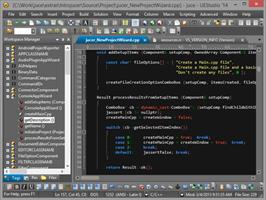
UEStudio parses your project and source files to provide you with intelligent, automatic source code completion. See function tips, class data members, function parameters and more via helpful contextual code hints. Write code more efficiently with smart templates.

Release Name: IDM UEStudio 25.2.0.24
Size: 502 MB
Links: HOMEPAGE – NFO – Torrent Search

Download: RAPiDGATOR

7 Comments
Apr 9

Runtime RAID Recovery for Windows v4.05

Description:Recovery for NTFS-formatted Windows RAIDs, includes hardware RAIDs and Windows software RAIDs. Supports RAID-0 and RAID-5 configurations. Automatically finds RAID parameters, such as start sector, block size, rotation, and drive order. Easy to use wizard, no user input required, fully automated recovery.

Highlights
Recover NTFS-formatted Windows RAIDs, including hardware RAID and Windows software RAIDs, within minutes
Supports RAID-0 and RAID-5 configuration
Automatically finds RAID parameters
No other software needed
Comfortable viewer for many file types
Easy to use wizard, no user input required, fully automated recovery
Safe, read-only design
Run from a WinPE Boot Medium or a Runtime Live CD
Free lifetime updates with purchase
Robust disk search feature

Data Recovery Software for Windows RAIDs
RAID Recovery for Windows recovers the entire content of your broken RAID within minutes. You will be able to copy the files and folders over to another disk.

RAID Recovery for Windows works for NTFS-formatted RAID-0 or RAID-5 configurations. It supports both, hardware RAIDs managed by the motherboard or a controller card, and software RAIDs managed by Windows (dynamic disk arrays).

Remove the drives from the RAID controller and attach them locally to your machine. Make sure the drives are all recognized by Windows Disk Management. If you are trying to recover a RAID-5, it is Ok to attach one drive less than the total number of drives in that RAID. RAID Recovery for Windows also works with images of your drives.

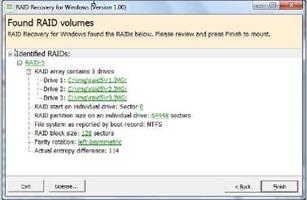
Install RAID Recovery for Windows to your computer and start the program. A wizard will guide you through the recovery. A couple of minutes later, an Explorer-like window will show all recoverable files and folders. Now you can copy your data over to another disk. You can also view many file types before copying them, e.g., pictures, documents, etc.

RAID Recovery for Windows is easy to use. It automatically finds all parameters needed for the recovery, such as RAID start sector, block size, rotation, and drive order. No data recovery background required. No need to buy any other software.

Supported RAID Types
RAID Recovery for Windows supports the following RAIDs:
NTFS-formatted RAID-0 and RAID-5 controlled by the motherboard or a RAID controller card (hardware RAID)
NTFS-formatted RAID-0 and RAID-5 administered by Windows (Windows software RAID)

System Requirements:
4 GB RAM, Windows 95, 98, ME, 2000, XP, Vista, 7, 8, 10, Server 2008, 2012, 2016, 32 or 64 bit
Disk controller card required capable of handling all drives in RAID individually.

Release Name: Runtime RAID Recovery for Windows v4.05
Size: 2 MB
Links: HOMEPAGE – NFO – Torrent Search

Download: RAPiDGATOR
7 Comments
Apr 9

Runtime NAS Data Recovery v4.05

 Description: Recovery for XFS- or EXT-formatted NAS devices, e.g., Buffalo, Seagate, Western Digital, DLink, or Iomega. Supports single-drive, RAID-0, RAID-1, and RAID-5 configurations. Automatically finds NAS RAID parameters, such as start sector, block size, rotation, and drive order. Easy to use wizard, no user input required, fully automated recovery.

Highlights
Recover XFS- or EXT-formatted NAS devices, such as Buffalo, Seagate, Western Digital, DLink, or Iomega, within minutes
Supports single-drive, RAID-0, RAID-1, RAID-5
Automatically finds RAID parameters
No other software needed
Comfortable viewer for many file types
Easy to use wizard, no user input required, fully automated recovery
Safe, read-only design
Run from a WinPE Boot Medium or a Runtime Live CD
Free lifetime updates with purchase
Robust disk search feature

Network Attached Storage (NAS) Recovery Software
NAS Data Recovery recovers the entire content of your broken NAS. You will be able to copy the files and folders over to another disk.

NAS Data Recovery works for all XFS- or EXT-formatted single-drive, RAID-0, RAID-1, or RAID-5 NAS stations from manufacturers such as Buffalo, Seagate, Western Digital, DLink, or Iomega.

Remove the drives from your NAS station and attach them locally to your machine. Make sure the drives are all recognized by Windows Disk Management. If you are trying to recover a RAID-5, it is Ok to attach one drive less than the total number of drives in that NAS. NAS Data Recovery also works with images of your drives.

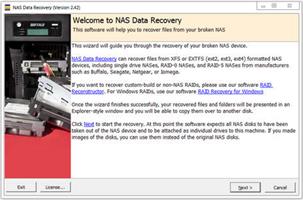
Install NAS Data Recovery to your computer and start the program. A wizard will guide you through the recovery. A couple of minutes later, an Explorer-like window will show all recoverable files and folders. Now you can copy your data over to another disk. You can also view many file types before copying them, e.g., pictures, documents, etc.

NAS Data Recovery is easy to use. It automatically finds all parameters needed for the recovery, such as RAID start sector, block size, rotation, and drive order. No data recovery background required. No need to buy any other software.

Supported NAS Devices
NAS Data Recovery supports the following NAS devices:
Buffalo, DLink, Seagate, Western Digital, or Iomega NAS devices configured as single-drive, RAID-0, RAID-1, or RAID-5
XFS- or EXT-formatted NAS devices from other manufacturers, configured as single-drive, RAID-0, RAID-1, or RAID-5

System Requirements:
4 GB RAM, Windows 95, 98, ME, 2000, XP, Vista, 7, 8, 10, Server 2008, 2012, 2016, 32 or 64 bit
Disk controller card required capable of handling all drives in RAID individually.

Release Name: Runtime NAS Data Recovery v4.05
Size: 2 MB
Links: HOMEPAGE – NFO – Torrent Search

Download: RAPiDGATOR

5 Comments
Apr 9

Luminar Neo 1.27.0.16779

Description: AI-driven creative image editor. A creative image editor to bring your ideas to life. Have you ever wanted to achieve more with your images? Luminar Neo is an innovative image editor powered by AI technologies of the future that simplifies complex editing routines and enables creators to bring their boldest ideas to life.

Control the light in 3D space with RelightAI
Relight backlit photos or darkened images in a click with the RelightAI feature. Luminar Neo calculates the depth of a photo and creates a 3D map, making it possible to spread light naturally in 3D space across a 2D image. You can also relight the background and foreground separately — meaning you can darken parts of the image as well. This opens up an opportunity for creative relighting in order to bring your artistic vision to life.

Remove messy powerlines with AI
Automatically remove distracting elements in your cityscapes, urban landscapes or travel photos. Get a clear sky with no cluttered phone or power lines.

Unleash your creativity with Layers and AI Masking
Use both MaskAI and Layers for limitless creativity. MaskAI automates the masking process by identifying objects in the image and creating precise masks. You can always manually refine those masks with a brush if you choose to. Layers open up a whole new level of creative expression, with endless possibilities for adding objects, textures, watermarks, and any other graphics to your images.

Replace the sky in one click
Cutting-edge sky replacement technology with water reflections, sky positioning, and human-aware relighting to match the new sky.

Lightning-fast creative editing with an all-new image engine.
Designed as a module system its parts now can be optimized separately, for the best performance.

What is Luminar Neo?
Have you ever wanted to achieve more with your images? Luminar Neo is an innovative image editor powered by AI technologies of the future that simplifies complex editing routines and enables creators to bring their boldest ideas to life. And enjoy it.

- Get speed and flexibility in your editing with our brand-new core engine and layers workflow.
- The new engine we built for Luminar Neo is based on all the best solutions from our combined and evolved experience for maximum performance and creativity and is developed for achieving complex creative results.
- Adjust the light in your photo for creative control over the lighting in a scene. You can control the exposure of an image based on the distance from the lens to independently adjust the background and foreground exposure.
- Automatically remove spots on your images caused by dust and dirt on your lens and sensor.
- Clean up unwanted power lines from the skies in your cityscapes.
- Experiment with infinite creative possibilities by effortlessly combining two or more images in a shot.

...And much more.
The new technologies and innovative user experience in Luminar Neo make creative image editing simple and fun.

What’s New in Luminar Neo?
Luminar Neo is a giant leap forward to more innovative, AI-based editing that targets the pains of photographers. Its goal is high-quality, fast, easy, and enjoyable results for anyone who wants to edit their images and channel their creativity in new ways.

The collection of AI-powered tools take a significant jump forward in function and performance with Luminar Neo. The application expands its toolbox with more groundbreaking AI-powered tools. The new tools are joined by additional options to solve even more problems and unleash creativity.

Speed up your editing workflow with our new fast core engine.
It’s based on unique technologies developed by Skylum and works on a module system, which means that different parts of the application can now be optimized separately for the best results. Thanks to the independent modules engine, Luminar Neo will be updated more frequently. Luminar Neo has a more flexible editing process, which means less memory is required to edit photos. The new engine has many small background optimizations of memory use, which increases the speed of all processes inside the application, from uploading to applying editing effects, using layers, and exporting.

Completely transform your photos with new relighting options.
Luminar Neo analyzes each image to recognize the depth of a scene and its subject allowing for unique control over exposure and tone.

Easily remove distracting image blemishes caused by a dirty camera sensor or lens.
There are also new tools to clean up unwanted elements in the background of a photo.

Explore creativity with an effortless layers workflow.
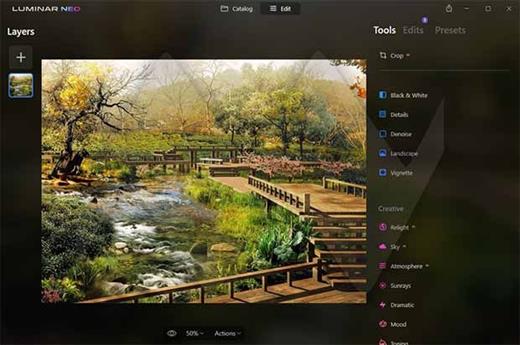
Discover a collection of textures, overlays, and visual effects to add creativity to an image and personalize it. This addition unlocks new creative options for compositing images and visuals to create a custom style. You can add an infinite number of Layers, move Layers on top of each other, use blending modes and masking modes, make collages, add double exposure effects, and do more on each layer.

Release Name: Luminar Neo 1.27.0.16779
Size: 2.2 GB
Links: HOMEPAGE – NFO – Torrent Search

Download: RAPiDGATOR
6 Comments