Please REGISTER or RENEW your account on RAPiDGATOR.net and support us by doing through all RAPiDGATOR working download links on main posts...
May 26

Power-user Premium 1.7.81.383

Description: Power-user, your smart tool to supercharge Microsoft 365. Build clear, convincing and on-brand documents at lightning speed. Save time to create value for your business.

WORK 50% FASTER
Assemble, format and clean documents in minutes on PowerPoint, Excel & Word. Save time to focus on what matters.

BE CRYSTAL CLEAR
Bring clarity in your organization with slides designed as masterpieces, streamlining your communication.

SECURE BRAND CONSISTENCY
Deliver branded content to your teams, enforce compliance checks and make every document branded by design.

Customization
We can customize Power-user with your brand to enforce consistency:
Converting all templates and content in your theme
Setting up corporate styles for charts, tables and cells
Integrating key resources like a corporate presentation, brand book, CVs of the team, time-saver decks, financial models templates, etc.
Integrating custom branded icons or pictures
Setting up tombstones or case studies to deliver winning proposals

Trainings and adoption support
We help you onboard your team with dedicated live training sessions. Each training can be adjusted to your team's experience and priorities, while ensuring understand the key features of Power-user and how to apply them to their daily work.
Each user also receives self-service resources such as a user guide, training videos, email tips...

Features:
Power-user offers dozens of features for Microsoft PowerPoint, Excel and Word. It is by far the most complete add-in, designed to save your time and make you Office heroes. You will find below some of the top features of Power-user. Since there are many features, not all of them are described here so you will need to download to try them all.

ACCESS THOUSANDS OF VISUAL ASSETS
Browse and insert high-quality visual assets to make a presentation in minute. This content will save you a huge amount of time and make your presentations look very professional.

AUTOMATE FORMATTING TASKS
Automate heavy formatting tasks with Power-user to save hours every week and refocus on what really matters in your presentations.

MAKE YOUR LIFE EASIER
Creating slides has never been so simple. Power-user brings on a single tab all the great tools you need to work efficiently, so you can focus on messages rather than formatting.

UNLOCK NEW POWERS IN EXCEL
Our toolbox of Excel macros and utilities will save you hours on repetitive tasks and help you quickly structure, format, analyze and visualize your data.

Power-user is fully compatible with PowerPoint, Excel and Word, for any of the following Office versions:


  • Office 2007
  • Office 2010
  • Office 2013
  • Office 2016
  • Office 2019
  • Office 2021
  • Office 365
Release Name: Power-user Premium 1.7.81.383
Size: 49 MB
Links: HOMEPAGE – NFO – Torrent Search

Download: RAPiDGATOR
5 Comments
May 26

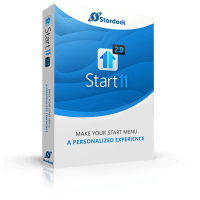
Stardock Start11 v2.7.1

Description: Make your Start menu a personalized experience. Start11 is a Start menu replacement that lets you bring multiple different styles to Windows 10 and 11.

Personalized to your preferences
Customize your Start menu by adding or removing sections, changing the icon, adding tabs, and a lot more.

Customizable from top to bottom
Easily change the colors, transparency, spacing, alignment, icon size and more.

Enhance your productivity with essential features.
Add new functionality to the taskbar and restore classic features.

Faster access to your content
Easily pin files and folders directly to the taskbar or create a folder menu to quickly access content without having to open File Explorer.

Restore classic functionality
Bring back a fully featured context menu for the taskbar or move the taskbar to the top of your monitor.

Take complete control with an improved search experience.
Improve your search experience with no distractions and better results.

Customized search experience
Your most frequently used content appears higher in the results and supports deep integration with the Everything search engine.

Advanced Index Functionality
When paired with the Edge browser, open tabs will also appear in your search contents.

Make Your Desktop Yours
Take complete control of your desktop with Start11. With multiple styles that restore classic Start menu layouts to our all-new designs like Pro and Launcher, you can make your Start experience personalized to your exact preferences.
Pick your favorite style of Start menu and then change up the colors, textures, transparency and more.
Change the Start button icon to any of the included icons or create your own for a truly unique desktop.
Fully customize the taskbar by rounding the corners, changing the colors, adding a texture or making it float to look like an app dock.

Features You Expect
Windows 11 removed many features that were present in Windows 10, Start11 brings them back. From the basics like returning the right-click menu on the taskbar to ungrouping of windows on the taskbar. You can also choose to have your icons centered on the taskbar with your Start menu left aligned.
Quickly access any folder directly from the taskbar with a folder menu and spend more time accessing your content than searching File Explorer.
Quickly access shared network drives and folders directly from the Start menu.
Advanced customization options to add network drives, web content, or remove unwanted sections.
Fully featured context menu when right clicking on the taskbar.

One Desktop to Rule Them All
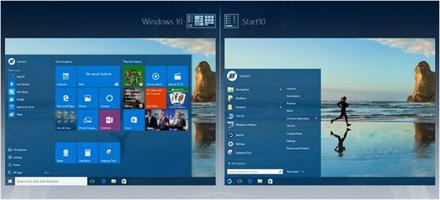
When working with multiple devices across various versions of Windows, Start11 can help you create a common desktop experience. Make Windows 10 look like Windows 11, or 11 look like Windows 10. Or how about making both Windows 10 and 11 look like Windows 7? The choice is yours.
Easily change the Start menu to look the same across all supported versions of Windows.
Create a search experience that is the same on each desktop without any advertisements.
Utilize a right-click menu on the taskbar that feels familiar on Windows 11.

Remove Unwanted Content
Windows 11 brings with it a new design language but also more advertisements and content that you can’t remove. Take back complete control with Start11 and remove unwanted outside content and sections of the Start menu that you don’t want to see.
Option to remove the web content that shows up next to your local search results and advertisements in the Start menu.
Advanced local search functionality that prioritizes your content and can index open Edge tabs.
Option to remove the “Recent Documents” section of the Windows 11 Start menu.

Release Name: Stardock Start11 v2.7.1
Size: 100.5 MB
Links: HOMEPAGE – NFO – Torrent Search

Download: RAPiDGATOR
5 Comments
May 26

Alfa eBooks Manager 9.4.24.1

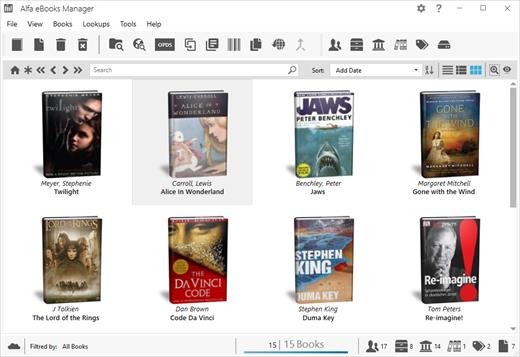
Description: Alfa is a PC software that allows to organize your electronic and paper books in a single e-Library. Alfa eBooks Manager is the top choice for book lovers, knowledge workers, students, academicians and business libraries.

Create e-Library
Get your paper, electronic and audio-books in single e-library.

Catalog books
Catalog any book data Add tags and custom fields.

Customize design
Customize look and feel of your e-Library.

Scan computer for ebooks
Scan your computer for ebooks, parse metadata.

Read e-Books
Built-in ebook reader supports all popular e-book formats.

Update from the Web
Update books from Amazon, Google and other sites.

Edit ebook metadata
All popular formats are supported: EPUB, MOBI, FB2, PDF, AZW

Ebook converter
Convert ebooks for your Kindle, iPhone or Android reader.

View books in 3D
Play with realistic 3D-models of your favorite books.

Import from Calibre
Alfa is the best Calibre alternative for those who like comfort.

Web Interface
Access you library in local network even from mobile devices.

Manage audio books
Quickly add, organize audio books. Built-in audiobook player.

Release Name: Alfa eBooks Manager 9.4.24.1
Size: 235.8 MB
Links: HOMEPAGE – NFO – Torrent Search

Download: RAPiDGATOR

4 Comments
May 26

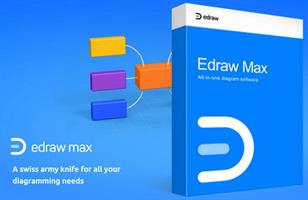
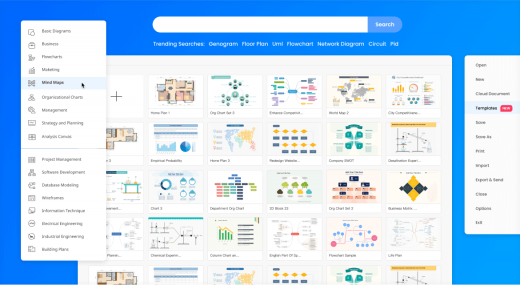
EdrawMax Ultimate 15.2.1.1532

Description: Visualize your ideas with simplicity and style. Use EdrawMax diagram maker for easy and smart diagramming.

One-stop diagram and chart maker
Create 210 types of diagrams including flowcharts, mind maps, org charts, gantt charts, floor plans, and ER diagrams for various use cases.

Dive right in, no fuss needed
Clean and neat interface similar to MS Office
Intuitive and easy-to-navigate toolsets
Seamless drag-and-drop functionality
Complete user guides and video tutorials

Find all the resources you need
23K+ user-made templates for 210 diagram types
850 elaborately made built-in templates
26k free symbols covering all diagram types

Generate & analyze with AI
Generate symbols, stickers, and 22 types of diagrams with AI
Analyze flowcharts, org charts, and more
Text to Drawing and Picture to Drawing & AI Chat
Easily transform the style and unify fonts or colors

Share seamlessly
Save files on the cloud and share through links
Send works via social media or e-mail
Export diagrams in 13 formats including VSDX, PPTX, and SVG

Release Name: EdrawMax Ultimate 15.2.1.1532
Size: 163.1 MB
Links: HOMEPAGE – NFO – Torrent Search

Download: RAPiDGATOR
7 Comments
May 26

reaConverter Pro 8.0.223

Description: Easily process full batches of files and folders. reaConverter combines powerful automation with intuitive tools to streamline image conversion and eliminate repetitive editing.

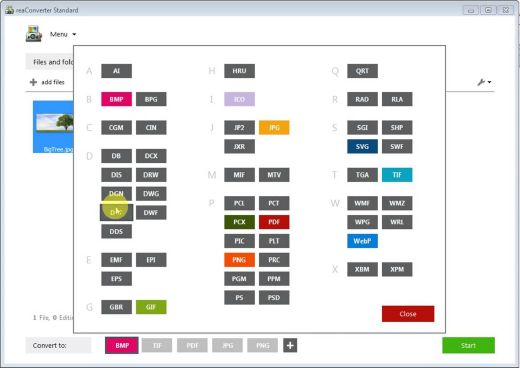
700+ File Formats
reaConverter delivers high-efficiency batch conversion for an extensive range of file formats.

Efficient Conversion
A powerful file conversion toolkit with advanced processing features — giving you precise, granular control over every output.

Image Editing
reaConverter simplifies batch image editing — apply touch-ups, transformations, and effects to unlimited images simultaneously.

Automation
Professional-grade automation features for high-volume file conversion and batch processing.

Development
Integrate reaConverter's functionality into scripts, applications, or websites using its command-line tool or DLL.

Release Name: reaConverter Pro 8.0.223
Size: 421.8 MB
Links: HOMEPAGE – NFO – Torrent Search

Download: RAPiDGATOR
6 Comments
May 26

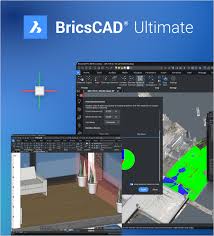
Bricsys BricsCAD Ultimate 26.2.05

Description: All-in-one CAD platform. Professional, familiar DWG‐based 2D & 3D CAD with building and manufacturing toolsets.

2D Drafting
Quickly create detailed drawings with a comprehensive set of intelligent drafting tools.
Create 2D geometry, modify existing data, and annotate files using a unified set of commands within one application.
Customize via LISP and run existing LISP code to handle industry-specific workflows.

3D Modeling
Visualize concept to production in a single platform for designing, building, and manufacturing.
Capture design intent using existing 2D data or create geometry to build accurate 3D models.
Work smarter using parametric, direct or hybrid modeling approach for precise feature based geometry control.

Land surveying
Unlock performance with tools created specifically for how surveyors work.
Fast and easy access to survey data from Leica instruments.
Harness survey data to create accurate CAD deliverables.

Mechanical tools
Create 3D assemblies and 2D detailed documentation of manufactured products.
Work on 2D mechanical designs and drafting, sheet metal unfolding, and 3D assembly modeling.
Optimize production processes with easy-to-use Design for Manufacturing and Assembly (DFMA) Tools.

Building documentation tools (BIM)
Modeling and detail production in a single DWG compatible platform.
Introduce 3D workflows alongside your familiar 2D drafting tools.
Convert 2D and 3D assets into BIM data and increase LOD and LOI with automated tools.

Release Name: Bricsys BricsCAD Ultimate 26.2.05
Size: 978.6 MB
Links: HOMEPAGE – NFO – Torrent Search

Download: RAPiDGATOR
4 Comments
May 26

YT Geek YTDL 12.3.9

Description: YTDL is a little program for downloading videos from YouTube and other video sites.

Key Features
- Download videos from YouTube and other video sites.
- Increase download speeds by up to 400%.
- Download multiple videos at the same time.
- Pause and resume downloads at any time.
- Preview video content while downloading.

Release Name: YT Geek YTDL 12.3.9
Size: 73.8 MB
Links: HOMEPAGE – NFO – Torrent Search

Download: RAPiDGATOR
6 Comments
May 26

Mindjet MindManager 25.2.160

Description: MindManager makes it easier to think, plan, and communicate. Information is invaluable. But it’s also overwhelming. MindManager puts you in command of the information surrounding your work, business and world — instead of controlled, confused or overwhelmed by it.

The World's Most Powerful Mind Mapping Software
- Turn mental & digital clutter into actionable clarity
- Work like your brain does: quickly & dynamically
- See the big picture and little details in one view
- Stop things from falling through the cracks
- And more!

See Everything
Built-in sync with the tools you use every day, plus available integration with 800+ apps, gives you one-stop access to all the information that matters.

Share Everywhere
With improved HTML5 export, you can easily share your maps and create alignment with just about anyone — on your team, in your org and beyond.

Customize Your View
Make your maps communicate exactly what you need, with new capabilities like Timeline layout, more powerful filtering, easier navigation and walk-through mode.

Work at the speed of mind.
Rigid, linear tools can leave your best thinking on the table. MindManager lets your brain work with information the way it was designed to — fast & dynamically — so you don’t lose a single brilliant insight or critical detail.

- Quickly break main concepts into smaller details, while keeping connections simple and clear.
- Add detail and context to tasks as you create them, without stepping out of the flow.
- Rearrange or replicate information with simple drag & drop.

Take the devil out of the details.
Productivity isn’t productive if you’re working on the wrong things. MindManager shows your tasks, ideas, data and detail in a shared context, so you immediately see what’s relevant, what should be prioritized and what you can let go.

- Uncover hidden connections between topics, tasks and data.
- Eliminate redundancies, identify risks and uncover opportunities.
- Make better decisions by seeing the downstream impact of actions before you take them.

Seal your communication cracks.
Disjointed email chains, unproductive meetings and misalignment are project killers. MindManager lets you consolidate all information related to a project, plan or concept into one central, shared portal that keeps your team on task, on time and most importantly, on the same page.

- Transparently communicate ownership, priorities, deadlines and more.
- Visually connect related and dependent action items, to eliminate redundancy and encourage collaboration.
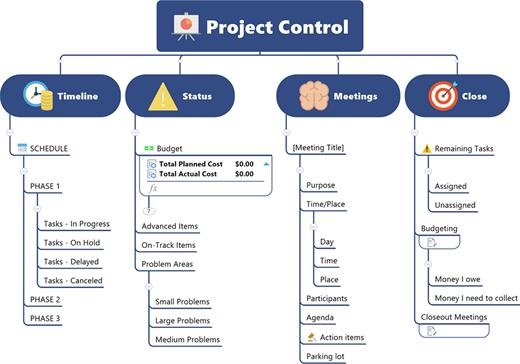
- View projects by resource, tasks, timeline, in Gantt charts and more for visibility into progress, status, red flags and risks.

See your world in a single glance.
Knowledge is only power if you can access it.
MindManager integrates scattered data into a single, structured dashboard and presents it as a unified whole, so everything is connected and accounted for, it all makes sense and it all gets done.

- Sync related data from Microsoft Office files, content repositories and over 800 apps.
- Easily add, correlate and view files, images, links, media and more – for consolidated control over your day, work and world.
- Fluidly change the information you’re seeing or showing, without switching windows or splitting screens.

Release Name: Mindjet MindManager 25.2.160
Size: 923.3 MB
Links: HOMEPAGE – NFO – Torrent Search

Download: RAPiDGATOR
6 Comments
May 26

Cutting Optimization Pro 5.18.25

Description: Cutting Optimization Pro is a software application used to obtain optimal cutting layouts for one (1D) and two (2D) dimensional pieces. The software also lets you to define and handle complex products, such as table, desk, cupboard, locker, book shelf ... Cutting Optimization Pro can be used for cutting rectangular sheets made of glass, wood, woodworking, metal, furniture, or any other material used by industrial applications.

Features of Cutting Optimization pro ...
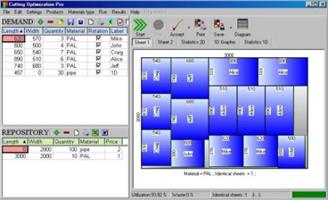
1D and 2D optimization in the same cutting program - you may use the program for both 2D and 1D optimization.
Guillotine optimization - The cuts are performed from one side to the other of the material. This feature is very useful for glass, wood, thermopan, ...
Non-guillotine (nested) optimization - The cutting machine can follow the shape of the material. In this case you need to have a complex machine based on laser or flame blade.
Multi-stage guillotine - all cuts in a stage are perpendicular to the cuts on the previous stage. The user may specify the number of stages and the direction of cuts for the first stage.
Any number of pieces in the INVENTORY and DEMAND - virtually no limit for the number of pieces that you want to optimize.
Any measurement metric- The way in which you introduce the data is a general one. You don't have to specify a metric. Just choose a metric in your mind and enter all data using that metric only.
Fractional input. Pieces can be introduced either as 100.5 or 100 1/2. More info about fractional input can be read here.
Adjustable cutting blade thickness- For glass cutting with diamond the cutting blade thickness is 0, but for wood, metal handling you need a saw with a greater thickness.
Adjustable optimization level- One may specify how many layouts to be generated before the solution is outputted. If you don't have too much time and you don't have a good computer you may set the Optimization Level to a low level. This feature helps you to run your program on any kind of computer (from 486 to the best processors available today).
Maximal cut length limit - You may specify how long a cut can be. This is useful when you perform the cuttings manually.
Adjustable useful waste - all wastes smaller than this size are garbage (will not be added to repository).
Adjustable limit for breakable parts - No waste will have a size lower than this parameter and no 2 parallel cuts will be closer than this. It is used in order to avoid the breaking of too small material. Useful in glass industry.
Reduces panel waste and costs - By using the latest achievements in the field of Artificial Intelligence you may obtain reduce the waste by 15%.
Grain direction control - useful for wood cutting optimisation. A parameter let the user to specify if the piece can be rotated or it should be kept fixed.
Automatic offcuts handling - the useful waste is automatically added to the Inventory of materials.
Vertical printing of the labels and edge bands - this will optimise and simplify your layout.
Graphical display black-white or colourful images and text mode of the obtained results - the results are displayed as images (black and white or colourful) or as text-tables.
Save images automatically - all the obtained 2D sheets can be saved as bmp images with 1 click. The programs automatically appends a number to an image.
Copy-paste from Excel. Just select some columns from Excel and paste them in Demand or Inventory grids.
Grouping similar layouts - this will reduce the number of printed sheets of paper. The number of repetitions for each sheet will be displayed.
Magnifying a sheet. This is useful if you have a long roll which you can visualize it by magnifying it.
Printing the obtained layouts - on any printer.
Printing multiple layouts on the same page - You may print 1, 2, 4 or 6 layouts on the same sheet of paper.
Printing the REPOSITORY and the DEMAND of the customer - you may print the pieces that you want to optimize.
The cuts are shown in text format in order to use them with a CNC machine.
Edge banding handling - the quantity and the type of material attached to the edges of the wood sheets is manipulated by the program.
Computes / Prints the total cutting length.
Displays diagrams - a table which contain the pieces cut for each sheet.
Possibility to define complex products such as table, desk, cupboard, locker, book shelf ...
Possibility to define types of materials (glass, wood, band) - for each material the user has a special table where it can introduce more information about the material.
Automatic tool for computing the size of the pieces based on the external sizes of the product.
Statistics related to the current cut / layout- At the end of the optimisation process you will have access to the: number of cuts, cuts definition (starting and ending point), number of waste rectangles, the waste rectangles (the coordinates of the top-left and bottom-right corners), number of utilized pieces, the placement of the utilized pieces, used surface, ...
Saves/loads results - All results can saved in txt files and loaded later.
Generates and prints adhesive labels -
Load data from xml, *.dbt (specific files), *.2d (Real Cut 2D files), *.xls (Excel files), *.csv (comma separated) and *.1d (Real Cut 1D files).
Automatically computing of the order price -
The REPOSITORY and the DEMAND can be sorted - by using various criteria: Length, Width, Quantity, Type, Rotation, Labels
Maximises productivity, saves time and money ....
Data can be exported into very popular formats: Word, Excel, HTML, CSV (comma separated) and XML files.
All panels and table's columns are resizable - You may customize the workspace. The new positions are automatically stored.
Very fast running time - Solutions are obtained within seconds.
Optimization engines provided by Optimal Programs Cut 2D X and Cut 1D X components.
Interface in multiple languages: Dutch, English, French, German, Italian, Portuguese, Romanian, Spanish and Swedish.

Release Name: Cutting Optimization Pro 5.18.25
Size: 2.3 MB
Links: HOMEPAGE – NFO – Torrent Search

Download: RAPiDGATOR

5 Comments
May 26

QueueExplorer Professional 5.0.81

Description: Explorer-like management for queues. Works with multiple queuing systems. QueueExplorer supports multiple systems from the same installation, without need for additional licensing: MSMQ, Azure Service Bus, RabbitMQ, and ActiveMQ. With QueueExplorer you can do much more than with built-in management console - copy, move or delete messages, save and load, stress test, view and edit full message bodies (with support for XML, JSON, .Net objects...), and much more. QueueExplorer is a fast, native Windows application.

The indispensable tool for working with queues and messages:
understand and manage your system
figure out what went wrong
fix it

Find out all about your messages
With QueueExplorer you can dig into your queues and see which message went where, whether they were correctly formatted, with correct headers and settings, etc. Multiple viewers are at your disposal: JSON, XML, WCF, Hex, text with different encodings...

Develop and test producers and consumers separately
With QueueExplorer you can test individual pieces of your solution, or even simulate third party messages going in or out. You can create and edit test messages, send one by one or bunch of them together.

Test performance and load handling of your app
Send thousands of messages for performance testing to see how system handles that load.

Troubleshoot, fix, and resend problematic messages
If something is wrong, QueueExplorer is the fastest and easiest way to investigate and fix incorrect, poison, or failed/deadletter messages.

See status of your system at glance
Check if some of queues are growing too large, if there are messages in deadletter queues, etc. With autorefresh functionality see how entire system works in near real time.

Filter and sort messages to quickly find important data
QueueExplorer allows you to quickly find messages you're interested in. Professional edition allows you to even extract your business data from within messages using XPath, JSON, or Regex, and to immediately see e.g. invoice totals, etc.

Backup and restore messages
Backup messages to files, or move/copy them to another queue.

Copy, compare and sync queues, topics and other schema (metadata) objects
This can be used to migrate queues (and other objects) to another server, e.g. to propagate from development to production. Or just to compare and see which changes were made. Or to backup schema before changes are made. You can also duplicate queues with all their settings on the same server (Professional).

Release Name: QueueExplorer Professional 5.0.81
Size: 36 MB
Links: HOMEPAGE – NFO – Torrent Search

Download: RAPiDGATOR
6 Comments