Please REGISTER or RENEW your account on RAPiDGATOR.net and support us by doing through all RAPiDGATOR working download links on main posts...
May 10

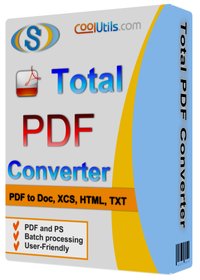
Coolutils Total PDF Converter 6.5.0.158

Description: Total PDF Converter Software changes PDF files to DOC, RTF, TIFF, XLS, HTML, EPS, PS, TXT, CSV, PDF/A and images in batch. Unlike other batch PDF converters, the Total PDF Converter is extremely user-friendly thanks to a well-planned interface. Additionally, registered users gain direct access to command line support for quiet automatic functioning on the back end.
Download the full desktop version that does not require Internet connection or sharing your files online.
Convert PDF files in batches, whole folders in one go.
Add page numbers to your output files.
Convert several PDF files into one Doc or DocX. More unique options.

With support for over 25 different formats Total PDF Converter is neither complex nor difficult to use. If you need a server version without any GUI or interrupting messages check out the Total PDF Converter X with ActiveX. Buy your license today and convert PDF files with the full registered version in 5 minutes.

Why download our PDF Converter Software
pdfTotal PDF Converter supports PDF, PCL, PS, EPS, PRN, XPS, OXPS files. It's not a simple PRN converter, it's the all-in-one solution. New formats are constantly being added.
javaTell Total PDF Converter if you want to omit images from the source files. You can also get the new file with images only without text if you like.
javaConvert PDF to PDF/A in batch. Update thousands of multiple files in one process.
split pdfTotal PDF Converter can act as a PDF splitting utility and extract selected pages from a multi-page PDF. It can also split PDF by bookmarks or by blank pages.
time stampsTotal PDF Converter will change the date of the file or keep the original time stamps. Just check the appropriate checkbox.
sign pdfSign PDF documents with your digital signature during the file conversion process.
combine pdfCombine several PDF files into one multi-page document with out powerful batch PDF converter.
rotateTotal PDF Converter can automatically rotate your documents.
pdf to wordPDF to Word converter supports both Doc and DOCX for your convenience.
pdf to jpegConvert PDF to JPG? Customize the final image to your needs. Set the desired quality of the JPEG image to compromize the file size. The app also extracts selected pages and converts them to JPEG.
interfaceConvert PDF/PS/EPS/PRN files via our clear interface with lots of hints for beginners.
formatsThe widest list of output file types: DOC, DOCX, RTF, XLS, HTML, BMP, JPEG, GIF, WMF, EMF, PNG, EPS, PS, TIFF, TXT, CSV, PDF/A and PDF!
pdf converterTotal PDF Converter can combine several PDF files into one TIFF image. Or place every page of a multi-page PDF into a new TIFF files.
javaTune the output: set new margins in inches to your standards (ready for printing).
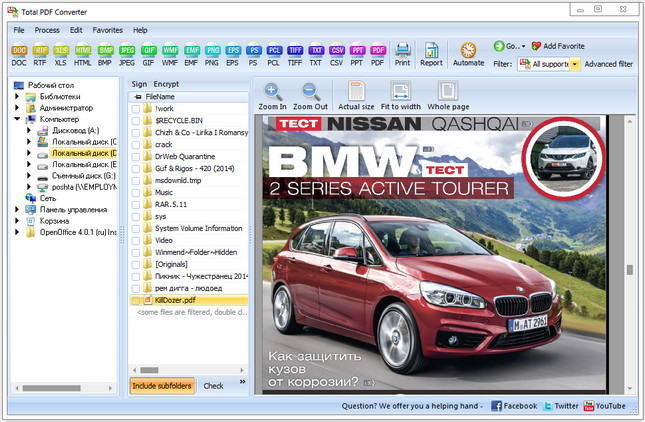
previewEach PDF file is displayed in Preview panel. You can zoom it in/out or view the document full-sized. Preview option makes it easy to find the necessary PDF file.
pdf watermarkAdd text or image watermarks to the header or the footer of the output file. It's perfect for stamping bates too!
pageWant more order? Add pagination (sequential numbering of folders is available).
pdf load imagesTotal PDF Converter can extract odd or even pages for you.
pdf converterUnlike free PDF converter software, our app processes thousands of documents keeping the folder structure.
pdf to docNo matter what MS Office you have, our app can convert PDF to DOC and DocX.
serverWe also offer PDF Converter SDK for Web\SQL server\ASP\.NET\C#. With ActiveX you can easily implement our PDF converter into your application and redistribute it to the end users.
cmdTotal PDF Converter has full command line support (get the ready-to-use command line from GUI).

Release Name: Coolutils Total PDF Converter 6.5.0.158
Size: 218.8 MB
Links: HOMEPAGE – NFO – Torrent Search

Download: RAPiDGATOR
5 Comments
May 10

Broadgun pdfMachine 20.59

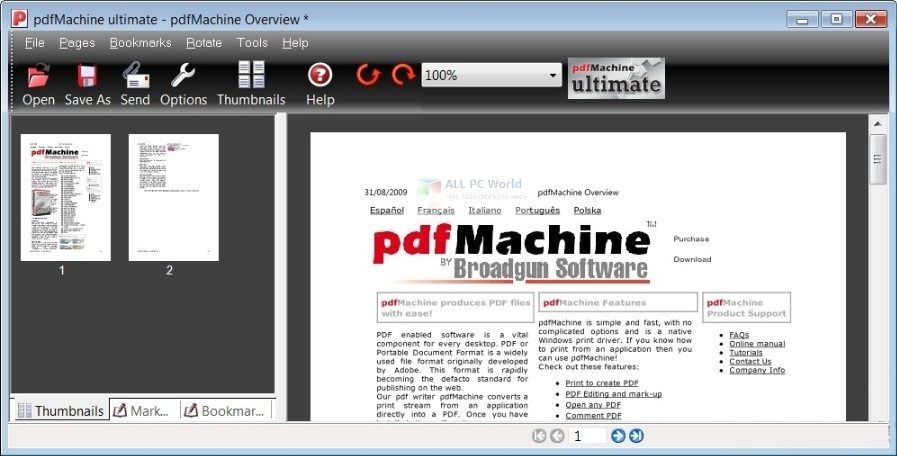
Description: The easy way to make a PDF. Just print to the "Broadgun pdfMachine printer" and that's it - you have a PDF! Easy to assemble a PDF from multiple sources - just print each document and they automatically append to the open PDF.

Use OCR to create searchable text.
Using optical character recognition (OCR) scanned PDFs can be converted into searchable text that is stored invisibly with the PDF when saved. This allows readers of the PDF to search the PDF for the text, and also to copy and paste the converted text. More details

Redaction
Use pdfMachine to redact (permanently remove) blocks of text and images from the PDF, replacing them with black blocks. The information is removed, not just hidden. Redaction provides a means to protect sensitive or confidential information.Details here.

Stamper
The stamper is a nice way to ask a user to fill out a form then have the results of that form "stamped" onto the PDF. Details here.

Split PDF into many PDFs
The Split PDF functionality allows you to split or 'explode' a PDF into smaller PDFs. You can split per page or per set number of pages. Details here.

Directory Watcher
Allows you to specify a directory for monitoring by pdfMachine. New PDFs appearing in that directory will be launched by pdfMachine as if the were printed. This includes applying any updates configured in the pdfMachine options. Details here.

Flatten
The flatten feature allows you to embed annotations, form fields, and other interactive elements directly into the content of a PDF. This process converts these elements into regular, non-interactive content. Flattening can be useful for ensuring that your PDF looks the same on all devices and for preventing further modifications to form fields and annotations. Details here.

Orientate and Deskew
The orientate and deskew button found on the Page Controls toolbar allows you to easily tidy scanned pages. It will straighten the pages in the PDF and adjust the orientation where required eg portrait to landscape. This means you don't have to spend the time rotating the pages yourself.

Mark-up a PDF
Place text annotations, emojis, shapes, lines and arrows on a PDF.
Text highlighting, strike-out and underlining.
Insert text and image stamps.

Release Name: Broadgun pdfMachine 20.59
Size: 22.1 MB
Links: HOMEPAGE – NFO – Torrent Search

Download: RAPiDGATOR
6 Comments
May 10

Xero Software TaxCycle Enterprise 15.1.62261

Description: Professional tax software for accountants and bookkeepers. From file carryforward to EFILE, get the Canadian tax software that simplifies tax compliance.

Exclusive Features

Reduced Data Entry
Carryforward conversions from other software. Auto-fill my return (AFR) data download. Carry back to prior years. Refresh carryforwards. Smart copy/paste. Corporate linking. Excel® import. SlipSync from slips to T1 returns.

Tools you can't live without
Electronic signatures, client portal, EFILE, Data Mining, DoxCycle, Client Manager and Template Editor help you serve clients better and faster. Customizable workflow. Review messages with quick fix solutions. Family Transmit all returns in a file at once.

Professional audit and review tools
Messages immediately alert you about potential issues. Quick Fix solutions help you resolve them in one click. Disable review messages you don’t need. Manage multiple reviewers with review marks and memos.

Intuitive form and field search
Form search that works like your favourite search engine. Search by keyword, line number, amount, account number, name, business, and more. On a form, search the words on the page to jump quickly to the field you need.

Familiar forms and shortcuts
Keyboard shortcuts and forms you've seen before. Forms-based screens for data entry. F4 Fast Find for natural-language search. Ctrl+F to find on a form. Get the full list of keyboard shortcuts.

Options for everyone
TaxCycle fits your office, whether large or small. Share only the options you want. Hide review messages you don't need. Configure status items, workflow tools and custom reports.

Release Name: Xero Software TaxCycle Enterprise 15.1.62261
Size: 696.7 MB
Links: HOMEPAGE – NFO – Torrent Search

Download: RAPiDGATOR

6 Comments
May 10

Reclaim Time FocusMe 7.7.2.8

Description: Take Back Control of Your Time. Conquer digital distractions with the world’s most powerful focus software. FocusMe blocks distractions, reveals your online habits and helps you build the routines that make deep work possible.

How FocusMe Works
In a world of highly addictive websites and apps, FocusMe studies your digital patterns and reveals your online behavior. Where your attention drifts, when you work best and what needs stronger boundaries. Your AI Coach is an optional feature which then turns those insights into practical recommendations for blocking plans and focus routines, which you can immediately apply using the tools built directly into FocusMe.

The app runs in the background limiting exposure to distractions, setting screen time limits and scheduling focused work sessions. These are fully customizable to your daily schedule. If you want extra accountability, you can lock your set-up using Force Mode. With built-in Pomodoro timers, break reminders and real-time progress tracking, FocusMe becomes your digital productivity coach.

Release Name: Reclaim Time FocusMe 7.7.2.8
Size: 51.3 MB
Links: HOMEPAGE – NFO – Torrent Search

Download: RAPiDGATOR
5 Comments
May 10

COAA PlanePlotter 6.7.4.6

Description: PlanePlotter receives and decodes live digital position reports from aircraft and plots them on a chart. Using PlanePlotter, you can see a radar-like display of all those aircraft around you that are transmitting the appropriate digital messages including ACARS, ADS-B and HFDL.

PlanePlotter - Features
The animated screen grab from PlanePlotter (left) was kindly provided by John Locker.

Message display
PlanePlotter shows a table display of messages received and decoded from live aircraft transmissions.

Data saving
PlanePlotter archives all the digital data that it receives and decodes to a log file.

Chart display
PlanePlotter plots aircraft positions, altitudes and times decoded from the message traffic that it receives. These include embedded position reports, AMDAR reports and ADS reports contained in ACARS messages, ADS-B position reports received by the Kinetic SBS1(tm) or AirNav System RadarBox(tm) Mode-S receivers, and position reports on HF using Charles Brain's PC-HFDL software. The plot can be superimposed on a suitable aeronatical chart that you have prepared, or PlanePlotter can download satellite imagery and plot the aircraft symbols on that. Where altitude information is available (eg Mode-S messages), you can select the data by altitude band to distinguish low level and high level traffic.

Google Earth server
If you are receiving Mode-S ADS-B position reports, PlanePlotter can interface to Google Earth to display aircraft positions over the Google Earth base map. It can even give you a dynamic real-time view from the flight deck of an aircraft that you designate.

Direction finding
PlanePlotter can determine and display the direction of any transmission using a simple passive antenna switch. This allows aircraft to be located even if they are not equipped with ACARS or Mode-S/ADS-B.

Input signals
PlanePlotter can decode ACARS messages, display the message content and plot any positions on a chart.
PlanePlotter can process and display Mode-S/ADS-B position reports captured by the Kinetic SBS1(tm), the AirNav Systems RadarBox(tm), the RxControl Mode-S receiver, the PlaneGadget Radar, the miniADSB, the microADBS and the FPGA Beast.
PlanePlotter can also work in conjunction with Charles Brain's PC-HFDL software (http://www.chbrain.dircon.co.uk/pchfdl.html) by automatically extracting position reports from the log file and plotting them in real time on the same chart display. PlanePlotter adds value by calculating course and heading from successive reports from the same aircraft and plotting the predicted position between reports (right).
PlanePlotter can drive a passive antenna switch and display the direction (QDM) of any aircraft voice transmission.

GPX overlays
PlanePlotter can display waypoints, tracks or routes over the current chart using data from a user-defined GPX format file.

Alerts
PlanePlotter can generate visible and audible alerts on detection of a specified registration, flight number or ADS identifier, on detection of any new aircraft, or on detection of an aircraft whose position is inside a user-defined Alert zone polygon.

Memory-Map Navigator support
PlanePlotter can direct the Memory-Map Navigator program (www.memory-map.com) to display dynamic aircraft position symbols over its proprietary maps using data from either ACARS or Mode-S ADS-B (in conjunction with the SBS1 receiver).

OLE/COM interface
You can access the position and other data for each aircraft known to PlanePlotter using a simple VB script or other OLE/COM capable program. You can use the same interface to update data held by PlanePlotter and to control the user interface.

Release Name: COAA PlanePlotter 6.7.4.6
Size: 7.7 MB
Links: HOMEPAGE – NFO – Torrent Search

Download: RAPiDGATOR

5 Comments
May 10

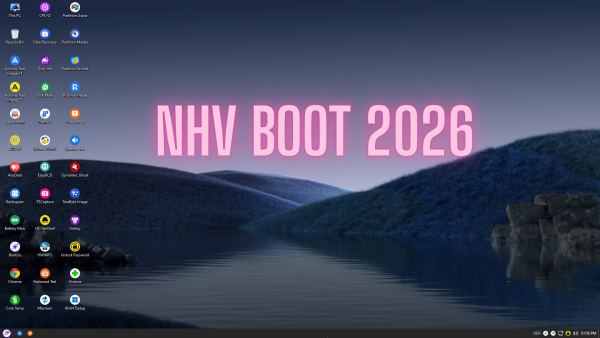
NHV BOOT 2026 v2600 EXTREME

Description: NHV BOOT Computer rescue toolkit with modern, professional design, fast speed, support from old to newest computers. NHV BOOT offers many advanced features for everyone to be able to handle errors and computer problems. NHV BOOT with a modern, intuitive interface targets all users. NHV BOOT every detail is meticulously hardened by the author with a visual interface directed to every user audience.

WinPE (Windows Preinstallation Environment) is a shortened version of Windows intended to rescue, install, and repair full Windows. WinPE runs directly on RAM (Random Access Memory) without using a physical hard drive. NHV BOOT is using 2 versions of WinPE including: Win11PE (64-bit) and Win10PE (32-bit) with powerful design, multi-hardware recognition, very fast boot speed, modern and intuitive interface. WinPE NHV BOOT always ensures stability, many features are trusted by technicians and system administrators in many countries.

Features
- Modern design. NHV BOOT with completely new and modern design. Intuitive, easy-to-use user interface
- Cross-platform support. NHV BOOT supports multi-platform from old to new computers. Supports Windows, macOS operating systems...
- Premium features. NHV BOOT has all the most advanced rescue features. Full professional software
- WinPE boot speed. NHV BOOT with very fast boot speed. WinPE works extremely stable. Ensure processing
- Optimize experience. NHV BOOT is designed to suit all types of users. Bring the best experience
- Support and updates. NHV BOOT will always support users. Regularly update new features and software packages

Features NHV BOOT EXTREME RESCUE KIT
- Boot according to 2 standards UEFI (secure boot) and Legacy (CSM)
- UEFI 32bit boot support (for computers that support UEFI 32bit)
- WinPE is compatible from old computers to the latest generation computers
- Supports Windows installation, backup, and restoration (backup/restore) of the operating system
- Full hard drive management, partitioning and system testing tools
- WinPE Boot speed, opening application software is very fast
- Includes 2 versions of WinPE: Win11PE (64bit) and Win10PE (32bit)
- Supports WiFi+ LAN network, Touchpad, Sound, Microphone
- The WiFi connection interface is very fast, modern, and intuitive
- Supports data sharing, backup, and restore (backup/restore) via LAN
- Supports remote control of computers in WinPE
- The WinPE user interface is very beautiful, has a synchronous and modern design
- Automatically add Intel Gen 11, 12, 13 NVME drivers when installing Windows with Setup.exe
- Supports customizing background image changes on all WinPE versions
- Read and write APFS partition data (macOS) and Ext4 (Linux)
- Support for Bitlocker unlocking in WinPE (requires password or recovery key)
- Unlock computer with password, fingerprint, Microsoft account and Domain
- Supports most WiFi + LAN and Touchpad drivers for all computers
- Full software and applications, always updated to the latest version
- Support for screen recording (Screen Recorder) in WinPE
- Always improving, upgrading, updating and enhancing features

Minimum configuration to be able to use NHV BOOT well
- USB, HDD/SSD BOX: Minimum 4 GB
- CPU: 2 cores or more
- RAM: Minimum 1 GB with Win10PE 32-bit. 2 GB with Win11PE 64-bit
* For computers with 1 -2 GB RAM, we recommend using the Win10PE (32-bit) version. To use the web browser in WinPE requires a minimum of 4 GB of RAM

Release Name: NHV BOOT 2026 v2600 EXTREME
Size: 2.7 GB
Links: HOMEPAGE – NFO – Torrent Search

Download: RAPiDGATOR

2 Comments
May 10

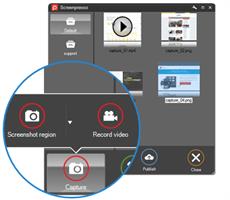
Screenpresso Pro 2.2.10

Description: Screenpresso captures your desktop (screenshots and HD videos) for your training documents, collaborative design work, IT bug reports, and more… Screenpresso is a NEW Light-weight screen grab tool with built-in image editor, user guide generator and sharing options.

Capture in Videos or Images
Capture what you see on your screen with just a few clicks. Manage your capture history by workspaces.

Create great looking images and documents
Edit and highlight what matter in your screenshots with our built-in image editor. Create PDF documents with our document generator.

Share your screen captures
Drag & drop your captures to your emails to create attachments in 1 second. Share videos and images with Screenpresso Cloud without registration. Publish to Google Drive, Twitter, OneDrive, Dropbox and more…

Capture screenshots including scrolling parts
Press the Print Screen button, and you will see how Screenpresso magically assists you in screen capture:
The mouse cursor will turn into a crosshair, and moving it around the screen will automatically highlight the area that can be captured in red. It does some pretty cool edge snapping to the screen, so you can choose to grab part of a window, or the entire window, or even the whole screen.
Capture full screen, part of the screen or a specific window with the same shortcut/hotkey
Make sure to capture what you need. Click and drag anywhere on your screen to select a region with pixel-perfect accuracy thanks to the zoom lens at the right bottom of the screen
Capture scrolling windows: Can’t fit it on the screen? Make a unique image of scrolling windows thanks to the stitching mechanism
Capture your mouse cursor and the context of the capture
Delay capture for capturing context menu

Capture your screen in HD videos
A small video is a key to reduce misunderstanding in documentation.
Screenpresso records your screen in a video and produces lightweight MP4 video files for easy sharing.
Capture in MP4 format for lightweight files
Capture sounds and webcam
Export frames/images
Crop the video
Mute, change video speed, or change the format

Smooth workflow It has a 3-step process:
Press [PrintScreen] key to start a Capture. You don’t need to bother on filename
Edit your capture with built-in editor
Publish your capture (PDF, email attachment, drag anywhere or post online)

Powerful built-in image editor
Screenpresso provides a built-in vector image editor to mark up your screen captures.
Double-click on an image in the Screenpresso’s workspace to open the editor or click on the Edit button
Add arrows, spotlight an area, colorful speech bubbles, rectangles, ellipses, text boxes, callouts and more
Crop, add drop-shadow, rounded corners, reflection, torn edges and more fancy border effects
Step Tool: quickly highlight a series of steps: each click gets the next number in the series

Release Name: Screenpresso Pro 2.2.10
Size: 46.3 MB
Links: HOMEPAGE – NFO – Torrent Search

Download: RAPiDGATOR

6 Comments
May 10

Emurasoft EmEditor Professional 26.1.0

Description: EmEditor is a fast, lightweight, yet extensible, easy-to-use text editor, code editor, CSV editor, and large file viewer for Windows. Both native 64-bit and 32-bit builds are available, and moreover, the 64-bit includes separate builds for SSE2 (128-bit), AVX-2 (256-bit), and AVX-512 (512-bit) instruction sets.

The text editor supports powerful macros, Unicode, CSV, and very large files. Emurasoft’s timeless mission is to achieve our clients’ needs and wants by listening to them with empathy and expertise. We value timely customer support, and are honored to have distinguished users, including major corporations, educational institutions, institutions of the European Union, ministries of Japan, and governments from all over the world.

Release Name: Emurasoft EmEditor Professional 26.1.0
Size: 103 MB
Links: HOMEPAGE – NFO – Torrent Search

Download: RAPiDGATOR
6 Comments
May 9

Adobe InCopy 2026 v21.3 [FINAL] (x64) Pre-Cracked

Description: Collaborate with copywriters and editors. InCopy lets copywriters and editors style text, track changes, and make simple layout modifications to a document while designers work on the same document simultaneously in Adobe InDesign - all without overwriting each other’s contributions.

Features:
- Endnote support
- Add paragraph borders
- Find similar fonts
- Advanced font filtering
- Footnotes that span columns
- Open Type enhancements
- Modern user interface
- Work with glyphs easily
- Place images into tables
- Simple application of shading to text; includes controls for offsets and more
- Place Gun for adding borders to tables
- New Find Previous command
- Shortcuts and preferences memory
- Footnote enhancements that respect text wrap
- Color swatch folders for swatch management
- Drag-and-drop table editing
- HiDPI and Retina display support in Windows
- Adobe Typekit integration
- Typekit font syncing
- Quick font searching
- Convenient hyperlink creation
- Different page views when editing
- Enhanced copyfitting
- Save to Cloud command lets you access files on any device
- View recently used fonts
- Middle Eastern language support

Release Name: Adobe InCopy 2026 v21.3 [FINAL] (x64) Pre-Cracked
Size: 1.2 GB
Links: HOMEPAGE – NFO – Torrent Search

Download: RAPiDGATOR
3 Comments