

HighTop 1.3.1
HighTop is the most convenient way to work with favorite local folders, Google Drive, or Dropbox. Avoid hunting for Finder windows, digging up a buried Desktop, or loading a browser tab.
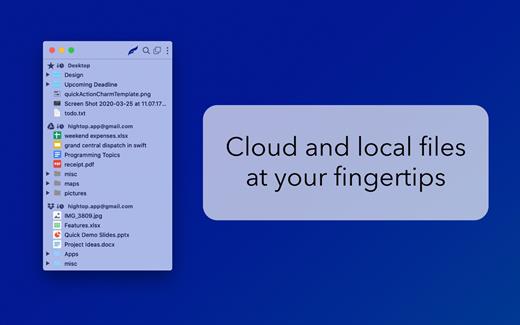
Simply put, HighTop is a tree view of your files, and it’s packed with macOS integration.
- Minimal learning curve and setup.
- Drag and drop to and from folders in the app to move, upload, and download files and folders.
- Drag and drop files and folders on the dock or menu bar icon.
- Drag and drop to a “drop panel” that is displayed when files are dragged in macOS.
- Quickly search as you type across all cloud accounts and favorite local folders at once.
- Cloud accounts are accessed securely and directly using official libraries.
- No servers in the middle handle your data.
- No user data is collected by the app.
- Easily switch between menu bar and window views.
- Minimal usage of system resources compared to other file browsers and cloud storage clients.
Version 1.3.1:
- Removed a default restriction where shared Google Drives were limited to 10
- Adjusted the behavior for moving / tearing off the menu bar view, and removed the little line at the top
- Updated third party libraries
macOS 10.12 or later
Apple Silicon or Intel Core processor
Release Name: HighTop 1.3.1
Size: 27 MB
Links: HOMEPAGE – NFO – Torrent Search
Download: UPLOADGiG – NiTROFLARE – RAPiDGATOR



