

Replacicon 2.1

Replacicon helps customize macOS app icons by scanning installed apps and showing alternative icons from online sources in one place. It supports one-click replacement, original icon restoration, Dock-focused filtering, hidden app cleanup, custom icon imports, automatic preservation across app updates, and Apple Intelligence/Image Playground icon generation on supported systems.
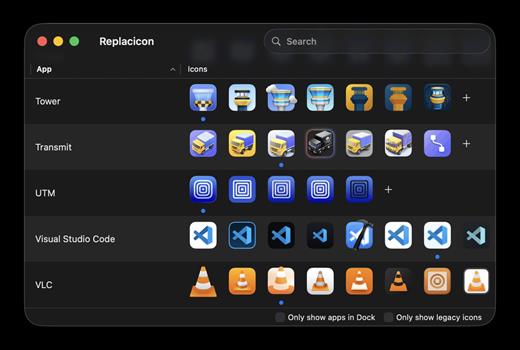
Features
- Explore thousands of alternative icons for hundreds of Mac apps from sources like macosicons.com.
- Search all installed apps to find the one you want to fix up. Use filters to focus on apps in your Dock.
- Restore original icons if you change your mind.
- Keep your alternate icons across app updates entirely automatically.
- Hide apps and icons you do not want to see to narrow down the list.
- Import your own icons from disk and manage them with all the rest.
- Replacicon is a native app built just for macOS, and it works great with Intel and Apple Silicon Macs.
- Run Replacicon on macOS 13 “Ventura” or newer. macOS 26 “Tahoe” is fully supported.
- Replacicon speaks your language, and you can help translate the app on CrowdTranslate.
Version 11.1.2:
- Release notes were unavailable when this listing was updated.
macOS 13 or later
Release Name: Replacicon 2.1
Size: 5.6 MB
Links: HOMEPAGE – NFO – Torrent Search
Download: RAPiDGATOR



