Please REGISTER or RENEW your account on RAPiDGATOR.net and support us by doing through all RAPiDGATOR working download links on main posts...
May 5

Boris FX Continuum Complete 2020.5 v13.5.0.1182-P2P


Description: A plug-in collection for Adobe, Apple, Avid and OFX host applications, Continuum features range from Image Restoration, to Extruded Text, titling and 3D Objects, to Chromakey and Compositing, Particles, and Image Stabilization. Continuum serves NLE editors and Compositors alike with the newly integrated Masking and Planar Tracking Pixel Chooser powered by Academy Award-winning Mocha technology.
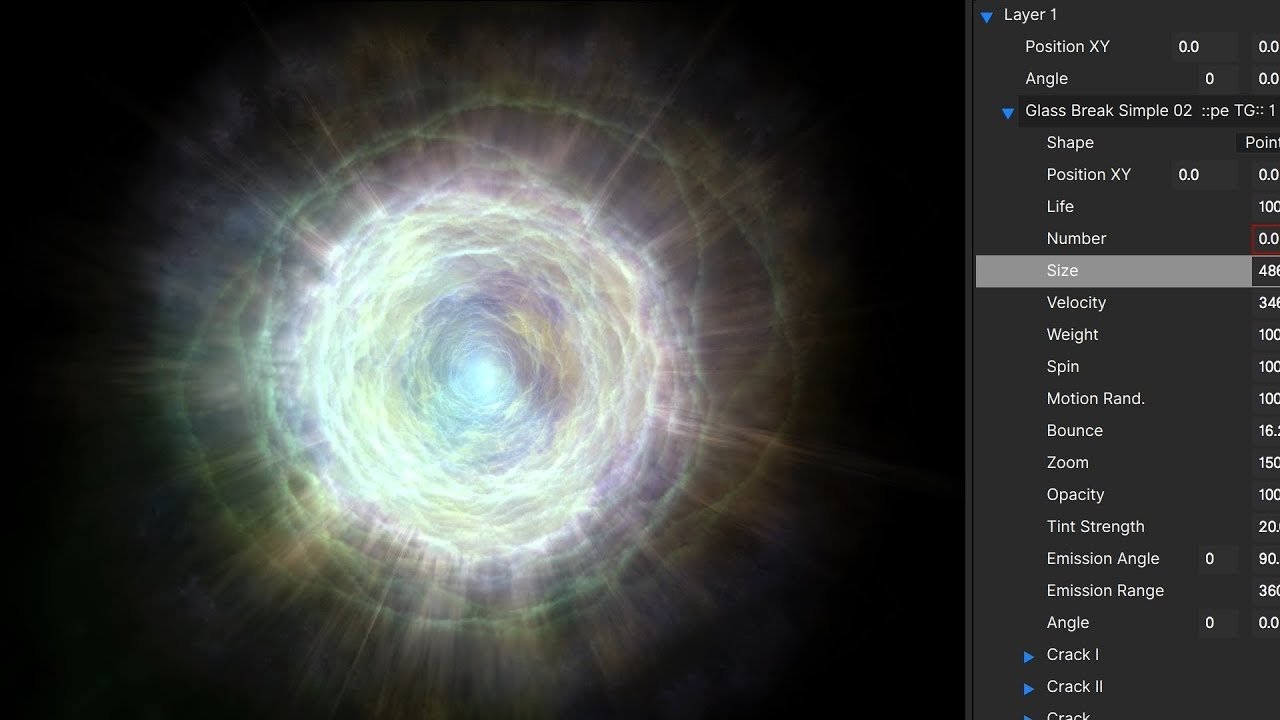
WHAT’S NEW IN CONTINUUM 2020:


  • New! Corner Pin Studio: Simplify screen inserts and more with built-in Mocha planar tracking and integrated color correction, light wrap, and drop shadow
  • New! Reflection Effect: Quickly generate mirror surface reflections
  • New! Cast Shadow Effect: Easily generate true 3D cast shadows with a built-in 3D camera and light system
  • New! Curl Effect: Instantly create auto-animating heat haze, surface drops, and curlycue distortions
  • New! Transitions: Add 6 more slick auto-animating transitions with on-screen controls to your toolkit New in Continuum 2020: Curl Dissolve, Colorize Glow Dissolve, RGB Displacement Dissolve, RGB Blur Dissolve, Kaleidoscope Dissolve, and Prism Dissolve.
  • New! Mocha Area Brush: Track and mask faster using paint-like gestural strokes
  • New! Particle Illusion: updates include new professionally-designed emitter, improved search, and tons of new time-saving functionality
  • New! Title Studio: updates include new professionally-designed preset templates, new materials & shaders, and overall interface improvements to work faster
Continuum 2020 is the latest major release of the post-production industry’s most comprehensive plugin collection. Key new features include 4 effects, 6 transitions, and nearly 100 professionally-designed presets. You’ll work even more efficiently with Particle Illusion and Title Studio’s new functionality and updated interfaces. And tracking and masking takes seconds with the addition of an Area Brush tool to integrated Mocha.

NEW! CORNER PIN STUDIO
Corner pinning and compositing inserts just got a lot easier. Corner Pin Studio’s next-gen workflow makes replacing screens/billboards/devices a cinch with a single Mocha planar tracker that targets the surface and four offset pins to accurately position the source shot onto the target. Includes post-processing options for foreground color correction, edge chokes, drop shadow, light wrap, and 27 unique blend modes.

NEW! REFLECTION
Need to add a reflection to an element or titles? The Reflection effect instantly generates a planar reflection using a filtered source image. Reflections can be easily tweaked with options for blurring, shimmering, scaling, repositioning, and independent animation. Includes a built-in animatable 3D camera system to fill the gap if your host application doesn’t offer native cameras. After Effects artists have the option to use AE’s native cameras.

NEW! CAST SHADOW
Throw a shadow onto your shot! The Cast Shadow effect generates true 3D shadows using an integrated point or parallel light source positioned in 3D space. Includes options to control the intensity, color, and length of a shadow blur, plus a ripple feature if you’re casting a shadow over water. Use the built-in animatable 3D camera system to reposition the source as needed. After Effects artists have the option to use AE’s native cameras and lights.

NEW! CURL
Curl is a warp effect that’s perfect for creating heat haze, underwater distortions, and smoky effects. Users can easily tweak the number, speed, and angle of curls. Includes the integrated Beat Reactor to make your effect bounce to music.

NEW TRANSITIONS FOR 2020
Continuum 2020 features 6 brand new drag and drop transitions for editors looking to spice up their sequences.


  • Curl Dissolve – Based on the new Curl effect, the Curl Dissolve transition adds a psychedelic look to projects. Simply drag-and-drop the dissolve in between clips, use one of the included presets, or customize.
  • Colorize Glow Dissolve – The Colorize Glow Dissolve transition pumps up projects with a slick stylized dose of color between shots. Easily control the color glow with the included gradient generator.
  • RGB Displacement Dissolve – The RBG Displacement Dissolve transition separates color channels then adds warp displacements. Perfect for music videos or highly-stylized looks.
  • RGB Blur Dissolve – The RGB Blur Dissolve transition gives editors even more options to play with the RBG color channels between two clips. Includes a master level blur control, separate horizontal and vertical scale controls, or individual blur level by color channel.
  • Kaleidoscope Dissolve – Remember how much fun you had using a kaleidoscope as a kid? You can now apply those geometric designs between clips! The Kaleidoscope Dissolve transition includes two independent tile controls that come with their own set of presets as well as an undistort option.
  • Prism Dissolve – The Prism Dissolve transition adds a subtle chromatic aberration with prismatic color separation that dissolves between clips.
MOCHA IMPROVEMENTS – NEW AREA BRUSH
If you’re not a fan of working with splines, you’ll love Mocha’s new Area Brush tool with Quick Mask mode. Track and mask even faster by painting over track search areas. Includes full support for Wacom tablets. Paint strokes automatically convert into splines for a simple new workflow.

PARTICLE ILLUSION IMPROVEMENTS
Particle Illusion’s fast and easy-to-use real-time particle and motion graphics generator gets a major update with new functionality and UI improvements. Highlights include:


  • New professionally-designed emitters
  • New high-resolution thumbnails for all emitters
  • Particle sprites can now be selected from any emitter library
  • New Preview Window toolbar with ability to choose background color
  • Motion blur enable / disable in emitter preview window
  • List and grid views for emitter library
  • Resizable thumbnails in the grid view
  • Improved visible emitter tagging and emitter search function
  • Emitters can now be renamed, modified, saved, deleted
TITLE STUDIO IMPROVEMENTS
Title Studio’s Cinema 4D integration results in the best and most accurate renders of any 3D model plugin for NLE and compositing systems — and now includes more shaders and materials than ever before. Highlights include:


  • New preset templates added and updates to earlier ones to help you work faster
  • New Vertex and Pixel shaders allow users to create 3D warps for 3D titles and imported 3D models or map real-world materials (sand, stone, marble, metals) independently over any 3D object surface
  • New Texture Specular Bump Reflection and Texture Specular Reflection materials makes adding reflections simple
Release Name: Boris FX Continuum Complete 2020.5 v13.5.0.1182-P2P
Size: 253.12 MB/242.04 MB
Links: HOMEPAGE – NFO – Torrent Search

Download Adobe: UPLOADGiG – NiTROFLARE – RAPiDGATOR

Download OFX: UPLOADGiG – NiTROFLARE – RAPiDGATOR

18 Comments
Dec 21

Boris FX Continuum Complete 2020 v13.0.2.606-P2P


Description: A plug-in collection for Adobe, Apple, Avid and OFX host applications, Continuum features range from Image Restoration, to Extruded Text, titling and 3D Objects, to Chromakey and Compositing, Particles, and Image Stabilization. Continuum serves NLE editors and Compositors alike with the newly integrated Masking and Planar Tracking Pixel Chooser powered by Academy Award-winning Mocha technology.

WHAT’S NEW IN CONTINUUM 2020:


  • New! Corner Pin Studio: Simplify screen inserts and more with built-in Mocha planar tracking and integrated color correction, light wrap, and drop shadow
  • New! Reflection Effect: Quickly generate mirror surface reflections
  • New! Cast Shadow Effect: Easily generate true 3D cast shadows with a built-in 3D camera and light system
  • New! Curl Effect: Instantly create auto-animating heat haze, surface drops, and curlycue distortions
  • New! Transitions: Add 6 more slick auto-animating transitions with on-screen controls to your toolkit New in Continuum 2020: Curl Dissolve, Colorize Glow Dissolve, RGB Displacement Dissolve, RGB Blur Dissolve, Kaleidoscope Dissolve, and Prism Dissolve.
  • New! Mocha Area Brush: Track and mask faster using paint-like gestural strokes
  • New! Particle Illusion: updates include new professionally-designed emitter, improved search, and tons of new time-saving functionality
  • New! Title Studio: updates include new professionally-designed preset templates, new materials & shaders, and overall interface improvements to work faster
Continuum 2020 is the latest major release of the post-production industry’s most comprehensive plugin collection. Key new features include 4 effects, 6 transitions, and nearly 100 professionally-designed presets. You’ll work even more efficiently with Particle Illusion and Title Studio’s new functionality and updated interfaces. And tracking and masking takes seconds with the addition of an Area Brush tool to integrated Mocha.

NEW! CORNER PIN STUDIO
Corner pinning and compositing inserts just got a lot easier. Corner Pin Studio’s next-gen workflow makes replacing screens/billboards/devices a cinch with a single Mocha planar tracker that targets the surface and four offset pins to accurately position the source shot onto the target. Includes post-processing options for foreground color correction, edge chokes, drop shadow, light wrap, and 27 unique blend modes.

NEW! REFLECTION
Need to add a reflection to an element or titles? The Reflection effect instantly generates a planar reflection using a filtered source image. Reflections can be easily tweaked with options for blurring, shimmering, scaling, repositioning, and independent animation. Includes a built-in animatable 3D camera system to fill the gap if your host application doesn’t offer native cameras. After Effects artists have the option to use AE’s native cameras.

NEW! CAST SHADOW
Throw a shadow onto your shot! The Cast Shadow effect generates true 3D shadows using an integrated point or parallel light source positioned in 3D space. Includes options to control the intensity, color, and length of a shadow blur, plus a ripple feature if you’re casting a shadow over water. Use the built-in animatable 3D camera system to reposition the source as needed. After Effects artists have the option to use AE’s native cameras and lights.

NEW! CURL
Curl is a warp effect that’s perfect for creating heat haze, underwater distortions, and smoky effects. Users can easily tweak the number, speed, and angle of curls. Includes the integrated Beat Reactor to make your effect bounce to music.

NEW TRANSITIONS FOR 2020
Continuum 2020 features 6 brand new drag and drop transitions for editors looking to spice up their sequences.


  • Curl Dissolve – Based on the new Curl effect, the Curl Dissolve transition adds a psychedelic look to projects. Simply drag-and-drop the dissolve in between clips, use one of the included presets, or customize.
  • Colorize Glow Dissolve – The Colorize Glow Dissolve transition pumps up projects with a slick stylized dose of color between shots. Easily control the color glow with the included gradient generator.
  • RGB Displacement Dissolve – The RBG Displacement Dissolve transition separates color channels then adds warp displacements. Perfect for music videos or highly-stylized looks.
  • RGB Blur Dissolve – The RGB Blur Dissolve transition gives editors even more options to play with the RBG color channels between two clips. Includes a master level blur control, separate horizontal and vertical scale controls, or individual blur level by color channel.
  • Kaleidoscope Dissolve – Remember how much fun you had using a kaleidoscope as a kid? You can now apply those geometric designs between clips! The Kaleidoscope Dissolve transition includes two independent tile controls that come with their own set of presets as well as an undistort option.
  • Prism Dissolve – The Prism Dissolve transition adds a subtle chromatic aberration with prismatic color separation that dissolves between clips.
MOCHA IMPROVEMENTS – NEW AREA BRUSH
If you’re not a fan of working with splines, you’ll love Mocha’s new Area Brush tool with Quick Mask mode. Track and mask even faster by painting over track search areas. Includes full support for Wacom tablets. Paint strokes automatically convert into splines for a simple new workflow.

PARTICLE ILLUSION IMPROVEMENTS
Particle Illusion’s fast and easy-to-use real-time particle and motion graphics generator gets a major update with new functionality and UI improvements. Highlights include:


  • New professionally-designed emitters
  • New high-resolution thumbnails for all emitters
  • Particle sprites can now be selected from any emitter library
  • New Preview Window toolbar with ability to choose background color
  • Motion blur enable / disable in emitter preview window
  • List and grid views for emitter library
  • Resizable thumbnails in the grid view
  • Improved visible emitter tagging and emitter search function
  • Emitters can now be renamed, modified, saved, deleted
TITLE STUDIO IMPROVEMENTS
Title Studio’s Cinema 4D integration results in the best and most accurate renders of any 3D model plugin for NLE and compositing systems — and now includes more shaders and materials than ever before. Highlights include:

  • New preset templates added and updates to earlier ones to help you work faster
  • New Vertex and Pixel shaders allow users to create 3D warps for 3D titles and imported 3D models or map real-world materials (sand, stone, marble, metals) independently over any 3D object surface
  • New Texture Specular Bump Reflection and Texture Specular Reflection materials makes adding reflections simple
Release Name: Boris FX Continuum Complete 2020 v13.0.2.606-P2P
Size: 253.12 MB/242.04 MB
Links: HOMEPAGE – NFO – Torrent Search

Download Adobe: UPLOADGiG – NiTROFLARE – RAPiDGATOR

Download OFX: UPLOADGiG – NiTROFLARE – RAPiDGATOR

12 Comments
Nov 24

Boris FX Continuum Complete 2020 v13.0.1.511-P2P


Description: A plug-in collection for Adobe, Apple, Avid and OFX host applications, Continuum features range from Image Restoration, to Extruded Text, titling and 3D Objects, to Chromakey and Compositing, Particles, and Image Stabilization. Continuum serves NLE editors and Compositors alike with the newly integrated Masking and Planar Tracking Pixel Chooser powered by Academy Award-winning Mocha technology.

WHAT’S NEW IN CONTINUUM 2020:


  • New! Corner Pin Studio: Simplify screen inserts and more with built-in Mocha planar tracking and integrated color correction, light wrap, and drop shadow
  • New! Reflection Effect: Quickly generate mirror surface reflections
  • New! Cast Shadow Effect: Easily generate true 3D cast shadows with a built-in 3D camera and light system
  • New! Curl Effect: Instantly create auto-animating heat haze, surface drops, and curlycue distortions
  • New! Transitions: Add 6 more slick auto-animating transitions with on-screen controls to your toolkit New in Continuum 2020: Curl Dissolve, Colorize Glow Dissolve, RGB Displacement Dissolve, RGB Blur Dissolve, Kaleidoscope Dissolve, and Prism Dissolve.
  • New! Mocha Area Brush: Track and mask faster using paint-like gestural strokes
  • New! Particle Illusion: updates include new professionally-designed emitter, improved search, and tons of new time-saving functionality
  • New! Title Studio: updates include new professionally-designed preset templates, new materials & shaders, and overall interface improvements to work faster
Continuum 2020 is the latest major release of the post-production industry’s most comprehensive plugin collection. Key new features include 4 effects, 6 transitions, and nearly 100 professionally-designed presets. You’ll work even more efficiently with Particle Illusion and Title Studio’s new functionality and updated interfaces. And tracking and masking takes seconds with the addition of an Area Brush tool to integrated Mocha.

NEW! CORNER PIN STUDIO
Corner pinning and compositing inserts just got a lot easier. Corner Pin Studio’s next-gen workflow makes replacing screens/billboards/devices a cinch with a single Mocha planar tracker that targets the surface and four offset pins to accurately position the source shot onto the target. Includes post-processing options for foreground color correction, edge chokes, drop shadow, light wrap, and 27 unique blend modes.

NEW! REFLECTION
Need to add a reflection to an element or titles? The Reflection effect instantly generates a planar reflection using a filtered source image. Reflections can be easily tweaked with options for blurring, shimmering, scaling, repositioning, and independent animation. Includes a built-in animatable 3D camera system to fill the gap if your host application doesn’t offer native cameras. After Effects artists have the option to use AE’s native cameras.

NEW! CAST SHADOW
Throw a shadow onto your shot! The Cast Shadow effect generates true 3D shadows using an integrated point or parallel light source positioned in 3D space. Includes options to control the intensity, color, and length of a shadow blur, plus a ripple feature if you’re casting a shadow over water. Use the built-in animatable 3D camera system to reposition the source as needed. After Effects artists have the option to use AE’s native cameras and lights.

NEW! CURL
Curl is a warp effect that’s perfect for creating heat haze, underwater distortions, and smoky effects. Users can easily tweak the number, speed, and angle of curls. Includes the integrated Beat Reactor to make your effect bounce to music.

NEW TRANSITIONS FOR 2020
Continuum 2020 features 6 brand new drag and drop transitions for editors looking to spice up their sequences.


  • Curl Dissolve – Based on the new Curl effect, the Curl Dissolve transition adds a psychedelic look to projects. Simply drag-and-drop the dissolve in between clips, use one of the included presets, or customize.
  • Colorize Glow Dissolve – The Colorize Glow Dissolve transition pumps up projects with a slick stylized dose of color between shots. Easily control the color glow with the included gradient generator.
  • RGB Displacement Dissolve – The RBG Displacement Dissolve transition separates color channels then adds warp displacements. Perfect for music videos or highly-stylized looks.
  • RGB Blur Dissolve – The RGB Blur Dissolve transition gives editors even more options to play with the RBG color channels between two clips. Includes a master level blur control, separate horizontal and vertical scale controls, or individual blur level by color channel.
  • Kaleidoscope Dissolve – Remember how much fun you had using a kaleidoscope as a kid? You can now apply those geometric designs between clips! The Kaleidoscope Dissolve transition includes two independent tile controls that come with their own set of presets as well as an undistort option.
  • Prism Dissolve – The Prism Dissolve transition adds a subtle chromatic aberration with prismatic color separation that dissolves between clips.
MOCHA IMPROVEMENTS – NEW AREA BRUSH
If you’re not a fan of working with splines, you’ll love Mocha’s new Area Brush tool with Quick Mask mode. Track and mask even faster by painting over track search areas. Includes full support for Wacom tablets. Paint strokes automatically convert into splines for a simple new workflow.

PARTICLE ILLUSION IMPROVEMENTS
Particle Illusion’s fast and easy-to-use real-time particle and motion graphics generator gets a major update with new functionality and UI improvements. Highlights include:


  • New professionally-designed emitters
  • New high-resolution thumbnails for all emitters
  • Particle sprites can now be selected from any emitter library
  • New Preview Window toolbar with ability to choose background color
  • Motion blur enable / disable in emitter preview window
  • List and grid views for emitter library
  • Resizable thumbnails in the grid view
  • Improved visible emitter tagging and emitter search function
  • Emitters can now be renamed, modified, saved, deleted
TITLE STUDIO IMPROVEMENTS
Title Studio’s Cinema 4D integration results in the best and most accurate renders of any 3D model plugin for NLE and compositing systems — and now includes more shaders and materials than ever before. Highlights include:

  • New preset templates added and updates to earlier ones to help you work faster
  • New Vertex and Pixel shaders allow users to create 3D warps for 3D titles and imported 3D models or map real-world materials (sand, stone, marble, metals) independently over any 3D object surface
  • New Texture Specular Bump Reflection and Texture Specular Reflection materials makes adding reflections simple
Release Name: Boris FX Continuum Complete 2020 v13.0.1.511-P2P
Size: 332.28 MB/301.26 MB
Links: HOMEPAGE – NFO – Torrent Search

Download Adobe: UPLOADGiG – NiTROFLARE – RAPiDGATOR

Download OFX: UPLOADGiG – NiTROFLARE – RAPiDGATOR

3 Comments
June 18

Boris FX Continuum Complete 2019 v12.5.0.4490 for OFX-P2P


Description: A plug-in collection for Adobe, Apple, Avid and OFX host applications, Continuum features range from Image Restoration, to Extruded Text, titling and 3D Objects, to Chromakey and Compositing, Particles, and Image Stabilization. Continuum serves NLE editors and Compositors alike with the newly integrated Masking and Planar Tracking Pixel Chooser powered by Academy Award-winning Mocha technology.

Primatte Studio

Easily chroma key and composite using the same Academy Award nominated compositing tech (Photron’s Primatte) as major blockbusters like the Lord of the Rings series, Harry Potter films, and Spider-Man. The new Primatte Studio is the ultimate blue/green screen toolset. Exclusive features include:

- Automatic green/blue screen analysis

- Manual transparency tuning

- Adjust lighting to correct unevenly lit screens

- Foreground object detection to deliver a perfect key with a single color sample

- Integrated Academy Award winning Mocha masking and planar tracking system

VR Unit

Editing and finishing immersive 360 video is a time consuming task. The VR Unit gives editors five new 360 optimized filters to speed up post workflows. Work inside your host timeline while avoiding the seams inherent to regular non-VR filters. Supports 180, 360, mono, and stereoscopic! Based on Mocha VR’s award-winning 360/VR tech.

Broadcast Safe

Tired of your projects failing broadcast safe standards? The new Broadcast Safe filter is the one click-solution you’ve been looking for. Simply choose the desired broadcast standard preset and the filter automatically produces the final picture-perfect result — guaranteed. Part of Image Restoration Unit, the Broadcast Safe filter offers:

- Automatic operation – just select the desired preset

- Presets included for all broadcast standards such as EBU 103, PAL, NTSC

- Filter automatically detects correct color range for both 709 and 601 color spaces

- Multiple color modes including RGB, YRGB, Composite, Chroma

- Custom mode with total manual control over knee and clip across all color ranges

- Develop and save customized presets

Title Studio Updates

New improvements to Title Studio include a 3D render engine for realistic 3D cast shadows and depth-of-field, a spline-based motion path for animating multiple objects on one path, faster performance, a simplified user interface, and many more presets/templates.

Title Studio is a next-gen 2D/3D titling plug-in. Features include:

- Create stylized 2D or 3D titles with custom bevels, fills and styles.

- OpenGL-accelerated features include 3D extrusions, materials, cameras, lights, and deformers

- Import 3D models from Maxon C4D or Adobe Illustrator EPS files.

- Includes a custom interface plug-in and stand-alone application.

Release Name: Boris.FX.Continuum.Complete.2019.12.5.0.4490.for.OFX-P2P
Size: 219 MB
Links: HOMEPAGE – NFO – Torrent Search

Download: UPLOADGiGNiTROFLARERAPiDGATOR

6 Comments