

Hasleo Disk Clone 5.8.2

Description: Hasleo Disk Clone is a free and all-in-one disk cloning software for Windows 11/10/8/7/Vista and Windows Server, which allows you to migrate Windows OS to another disk, clone disks or clone one partition to another location quickly and efficiently. Hasleo Disk Clone natively supports Windows ARM64, improving performance and reducing energy consumption on ARM64-based systems.
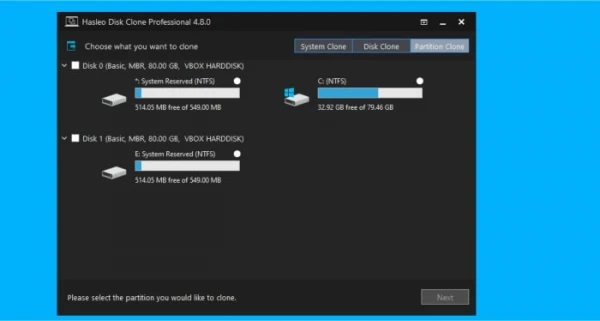
Hasleo Disk Clone is professional Windows cloning software providing multiple disk alignment modes, sector-by-sector cloning of disks and partitions, flexible partition adjustment (location/size on the destination disk), and MBR/GPT disks conversion during cloning (MBR=>GPT or GPT=>MBR). Additionally, you can create a bootable WinPE emergency disk to migrate disks or partitions.
Migrate Windows from one disk to another without reinstalling the OS, or apps.
Clone one disk to another and ensure identical data content on both disks.
Clone a partition to another location without any data loss.
Adjust the size and location of the destination partitions easily.Improved
Convert MBR to GPT or convert GPT to MBR by cloning.
Extremely cloning speeds (Intelligent sector copy technology and Delta clone technology).
Creation of Windows PE emergency disk, and multi-language support.Improved
Windows Vista/Server 2008 or later runs on X86/X64/ARM64 processors.
System Clone
Easily migrate a Windows system (including user settings, drivers, and applications) from one disk to another, without reinstalling and configuring your Windows working environment.
Disk Clone
Clone the entire disk to another disk and ensure identical data content on both disks. This is very useful for upgrading to an SSD or a larger capacity disk.
Partition Clone
Clone a partition to another location and keep the data intact. It is very useful to back up the important partition, allowing you to quickly restore the lost files.
Delta Clone
Our advanced delta detection algorithm can accurately identify the blocks that have been changed on the drive, saving you valuable time by only cloning the changed blocks.
Convert MBR to GPT/Convert GPT to MBR
Converting MBR to GPT or GPT to MBR ensures no data loss after conversion and keeps Windows booting from the converted disk.
Resize and Move Partition
Before cloning, you can resize and move partitions as needed via the GUI, which is useful when a special disk layout is required.
Extremely Fast Cloning Speed
The deeply optimized file system cloning algorithm can perform cloning operations at an extremely fast speed, ensuring data consistency while significantly reducing processing time.
Native support for Windows X86/X64/ARM64
Native support for Windows X86/X64/ARM64 delivers significantly improved performance, reduced power consumption, and ensures better compatibility and user experience.
Bootable WinPE Media
You can create a bootable WinPE media and boot from it to perform cloning operations.
Release Name: Hasleo Disk Clone 5.8.2
Size: 32.6 MB
Links: HOMEPAGE – NFO – Torrent Search
Download: RAPiDGATOR

