Please REGISTER or RENEW your account on RAPiDGATOR.net and support us by doing through all RAPiDGATOR working download links on main posts...

iClip is the premier multiple-clipboard and scrapbook tool that enables you to keep a history of almost anything you copy, instead of only the last thing.
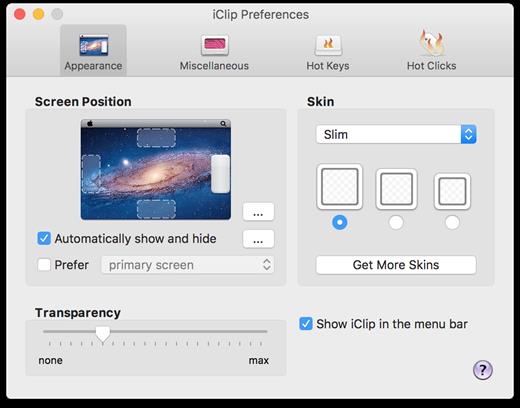
iClip was designed to be accessed as simply as the Mac’s Dock: just move your cursor to the side of the screen and iClip pops out for instant use.
- Get things into and out of iClip with hotkeys, drag-and-drop, or just 1-click.
- Organize your stored clips into multiple sets and have them ready to paste in an instant.
- Imagine having common email replies, logos and signatures, code-snippets, and more just a single click or keyboard shortcut away!
What’s New Version 5.6.0:
- Release notes were unavailable when this listing was updated.
Compatibility macOS 10.10 or later
Apple Silicon or Intel Core processor
Release Name: iClip 5.6.0
Size: 50.5 MB
Links: HOMEPAGE – NFO – Torrent Search
Download: RAPiDGATOR
iClip is the premier multiple-clipboard and scrapbook tool that enables you to keep a history of almost anything you copy, instead of only the last thing.
iClip was designed to be accessed as simply as the Mac’s Dock: just move your cursor to the side of the screen and iClip pops out for instant use.
- Get things into and out of iClip with hotkeys, drag-and-drop, or just 1-click.
- Organize your stored clips into multiple sets and have them ready to paste in an instant.
- Imagine having common email replies, logos and signatures, code-snippets, and more just a single click or keyboard shortcut away!
What’s New Version 5.5.9:
- Release notes were unavailable when this listing was updated.
Compatibility macOS 10.10 or later
Apple Silicon or Intel Core processor
Release Name: iClip 5.5.9
Size: 42.1 MB
Links: HOMEPAGE – NFO – Torrent Search
Download: RAPiDGATOR

iClip is the premier multiple-clipboard and scrapbook tool that enables you to keep a history of almost anything you copy, instead of only the last thing.
iClip was designed to be accessed as simply as the Mac’s Dock: just move your cursor to the side of the screen and iClip pops out for instant use.
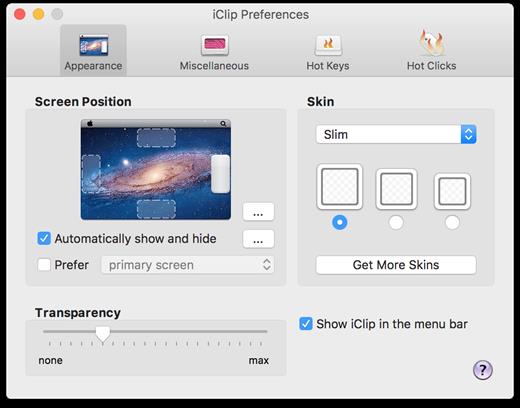
- Get things into and out of iClip with hotkeys, drag-and-drop, or just 1-click.
- Organize your stored clips into multiple sets and have them ready to paste in an instant.
- Imagine having common email replies, logos and signatures, code-snippets, and more just a single click or keyboard shortcut away!
What’s New Version 5.5.6 beta2:
- Release notes were unavailable when this listing was updated.
Compatibility macOS 10.10 or later
Apple Silicon or Intel Core processor
Release Name: iClip 5.5.6 beta2
Size: 45.8 MB
Links: HOMEPAGE – NFO – Torrent Search
Download: UPLOADGiG – NiTROFLARE – RAPiDGATOR
iClip is the premier multiple-clipboard and scrapbook tool that enables you to keep a history of almost anything you copy, instead of only the last thing.
iClip was designed to be accessed as simply as the Mac’s Dock: just move your cursor to the side of the screen and iClip pops out for instant use.
- Get things into and out of iClip with hotkeys, drag-and-drop, or just 1-click.
- Organize your stored clips into multiple sets and have them ready to paste in an instant.
- Imagine having common email replies, logos and signatures, code-snippets, and more just a single click or keyboard shortcut away!
What’s New Version 5.5.6b1:
- Release notes were unavailable when this listing was updated.
Compatibility OS X 10.10.0 or later, 64-bit processor
Apple Silicon or Intel Core processor
Release Name: iClip 5.5.6b1
Size: 45.1 MB
Links: HOMEPAGE – NFO – Torrent Search
Download: UPLOADGiG – NiTROFLARE – RAPiDGATOR



