Moom 4.5.1

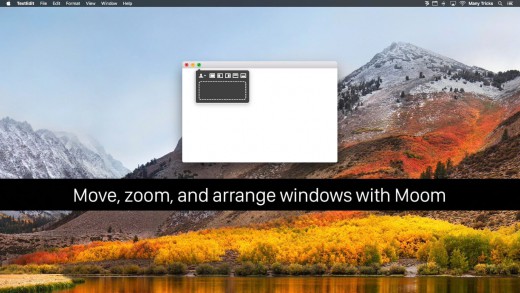
Moom allows you to move and zoom windows – using either the mouse or the keyboard – to predefined locations and sizes, or to full screen mode.
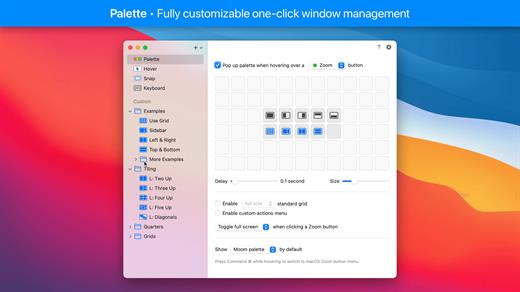
When used via the mouse, all you need to do is hover over a green resize button, and Moom’s interface appears. When used via the keyboard, press your defined shortcut, and the Moom keyboard bezel appears; you can then move windows using the arrow keys and modifier keys.
Moom can be run as a traditional application, a menu bar application, or a completely faceless background application.
What’s NewVersion 4.5.1:
- Adjusted the settings window and its various controls to macOS 26's new look. This required a lot of small changes that all apply conditionally, depending on which macOS version Moom is running on. (At the risk of editorializing a little: Regardless of how much anyone likes said new look, we think there's value in native apps at least making an honest attempt at being consistent with the system and its bundled apps.)
- Improved window highlighting on macOS 26. The highlight now matches the highlighted window's radius (which can vary depending on factors such as whether the window has a toolbar), at least for apps that interpret macOS 26's fondness of concentric circles correctly.
- Fixed a rare issue where tiny windows made Moom crash. (Hat tip to Andreas S.)
- Improved the settings window's accessibility support.
- Moom's app icon now supports macOS 26's light, dark, and clear/tinted app icon looks.
- Adapted to a change in Google Chrome, which affected window matching for layouts.
- Worked around Cluely's invisible overlay window.(Hat tip to pkubigjoe on Discord.
- Worked around an issue where weird things happened on macOS 26 when launching Moom by opening a *.moom file.
macOS 10.13 or later
Apple Silicon or Intel Core processor
Release Name: Moom 4.5.1
Size: 12.5 MB
Links: HOMEPAGE – NFO – Torrent Search
Download: RAPiDGATOR