Please REGISTER or RENEW your account on RAPiDGATOR.net and support us by doing through all RAPiDGATOR working download links on main posts...
July 21

OCRKit Pro 26.5

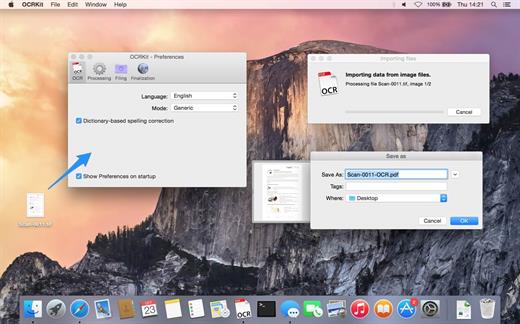
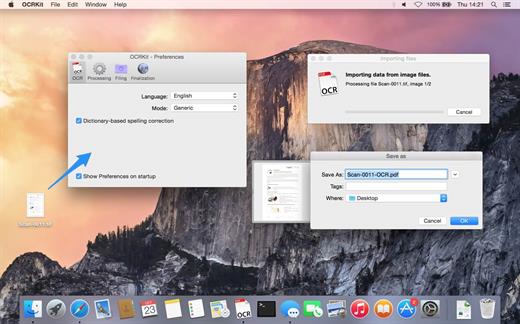
OCRKit uses OCR (optical character recognition) technology to recognize the text in the graphic, which is particularly useful for PDFs received via e-mail, created by DTP, office applications, or with a scanner or copier. Create searchable PDFs, RTF, HTML, or Unicode plain text simply by dragging a document on the OCRKit application or Dock icon.
OCR Engine


  • Text recognition accuracy
  • Instant content search ability
  • PDF compression
  • High-speed conversion
  • Stability and performance

The OCR engine recognizes the following languages: Bulgarian, Croatian, Czech, Danish, Dutch, English, Estonian, Finnish, French, German, Hungarian, Italian, Latvian, Lithuanian, Polish, Portuguese, Rumanian, Russian, Serbian, Slovenian, Spanish, Swedish, Turkish, Ukrainian, and Norwegian.

Pro Features

  • Automatic Language Detection – You often find yourself switching OCR settings between documents in another languages? OCRKit Pro comes with an new “Automatic” languages choice. It transparently detects the langauge and switches to the apropriate alphabet and dictionary for each page of the document independently.
  • Higher Multi-Threading Performance – OCRKit Pro further optimizes the use of the many cores available today. Allowing the Pro version to archive even higher performance compared to the already blazing fast standard version of OCRKit.
  • Imprinter – The Imprinter allows OCRKit Pro to print text onto the page’s image. For example the scanned date, or watermarks such as “APPROVED”, “VOID”, “PRELIMINARY”, “CONFIDENTIAL” or anything else you may need.
What’s New

Version 26.5:


  • Release notes were unavailable when this listing was updated.
Compatibility

macOS 10.9 or later


Release Name: OCRKit Pro 26.5
Size: 19.6 MB
Links: HOMEPAGE – NFO – Torrent Search

Download: RAPiDGATOR
4 Comments
Mar 2

OCRKit Pro 22.12

OCRKit uses OCR (optical character recognition) technology to recognize the text in the graphic, which is particularly useful for PDFs received via e-mail, created by DTP, office applications, or with a scanner or copier. Create searchable PDFs, RTF, HTML, or Unicode plain text simply by dragging a document on the OCRKit application or Dock icon.

OCR Engine


  • Text recognition accuracy
  • Instant content search ability
  • PDF compression
  • High-speed conversion
  • Stability and performance
The OCR engine recognizes the following languages: Bulgarian, Croatian, Czech, Danish, Dutch, English, Estonian, Finnish, French, German, Hungarian, Italian, Latvian, Lithuanian, Polish, Portuguese, Rumanian, Russian, Serbian, Slovenian, Spanish, Swedish, Turkish, Ukrainian, and Norwegian.

Pro Features


  • Automatic Language Detection – You often find yourself switching OCR settings between documents in another languages? OCRKit Pro comes with an new “Automatic” languages choice. It transparently detects the langauge and switches to the apropriate alphabet and dictionary for each page of the document independently.
  • Higher Multi-Threading Performance – OCRKit Pro further optimizes the use of the many cores available today. Allowing the Pro version to archive even higher performance compared to the already blazing fast standard version of OCRKit.
  • Imprinter – The Imprinter allows OCRKit Pro to print text onto the page’s image. For example the scanned date, or watermarks such as “APPROVED”, “VOID”, “PRELIMINARY”, “CONFIDENTIAL” or anything else you may need.
What’s New

Version 22.12:


  • Release notes were unavailable when this listing was updated.
Compatibility

OS X 10.6.6 or later, 64-bit processor


Release Name: OCRKit Pro 22.12
Size: 20 MB
Links: HOMEPAGE – NFO – Torrent Search

Download: UPLOADGiGNiTROFLARERAPiDGATOR

2 Comments