
Please REGISTER or RENEW your account on RAPiDGATOR.net and support us by doing through all RAPiDGATOR working download links on main posts...
Apr 24

Office Tool Plus 11.3.12

Description: Office Tool Plus based on Office Deployment Tool (ODT), you can deploy Office very easily.

Powerful Customization
Office Tool Plus support all features of Office Deployment Tool. You can deploy Office easily.

Rich Features
Office Tool Plus includes tools, you can fix, manage and configure Office very easily.

Generate Config
You can create XML profile with Office Tool Plus and use it to deploy Office on other computers.

Always up to date
Office Tool Plus get Office from Microsoft, make sure you can deploy the latest version of Office.

Fast & Easy, deploy Office in just two steps.

1. Config and Deploy Office
Office Tool Plus support multiple edition of Office, Visio and Project, you can configure more options for deploy.

2. Activate your Office
If you can't activate Office normally, you can use Office Tool Plus to install keys, get IID or set KMS to activate Office.

Release Name: Office Tool Plus 11.3.12
Size: 42.2 MB
Links: HOMEPAGE – NFO – Torrent Search

Download: RAPiDGATOR

5 Comments
Apr 15

Office Tool Plus 11.2.19

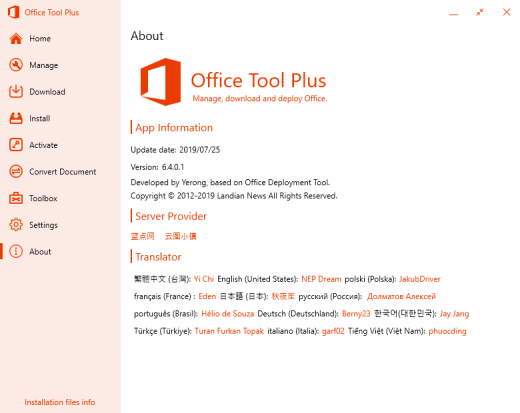
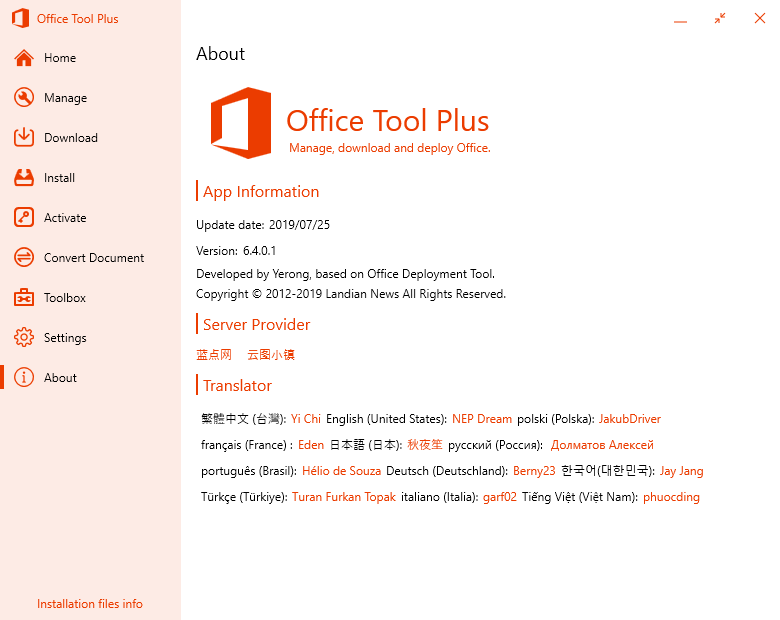
Description: Office Tool Plus based on Office Deployment Tool (ODT), you can deploy Office very easily.
Powerful Customization
Office Tool Plus support all features of Office Deployment Tool. You can deploy Office easily.

Rich Features
Office Tool Plus includes tools, you can fix, manage and configure Office very easily.

Generate Config
You can create XML profile with Office Tool Plus and use it to deploy Office on other computers.

Always up to date
Office Tool Plus get Office from Microsoft, make sure you can deploy the latest version of Office.

Fast & Easy, deploy Office in just two steps.

1. Config and Deploy Office
Office Tool Plus support multiple edition of Office, Visio and Project, you can configure more options for deploy.

2. Activate your Office
If you can't activate Office normally, you can use Office Tool Plus to install keys, get IID or set KMS to activate Office.

Release Name: Office Tool Plus 11.2.19
Size: 42.2 MB
Links: HOMEPAGE – NFO – Torrent Search

Download: RAPiDGATOR
6 Comments
Feb 11

Office Tool Plus 11.0.27

Description: With Office Tool Plus, you can easily customize the Office installation, specify what to install and which products to update. In addition, with Office Tool Plus, you can also download the files required for an offline Office installation through Thunder, save a lot of time when installing offline, and customize the XML files needed for batch deployment.

Opportunities:
1. Configure the Office installation, as well as customize the installed C2R products, such as adding and removing components, language packs, etc.
2. Download the Office installation package or the language pack, which can be downloaded using the official programs Thunder, Aria or Microsoft.
3. Configure your current Office, change the update channel, delete the product language, or delete the product, or use the built-in scripts or tools to clean the Office
4. Activate your office. Easily set the product key and configure your KMS server address or convert the Office version. (PS: the tool does not have a built-in KMS activation, it simply provides the ability to configure a KMS server.)

Supported products:
• MS Office 2016 -> Standard, Pro Plus, Mondo, Professional, Personal, Home Business, Home Student, O365 ProPlus, O365 Business, O365 Small Business, O365 Home Premium
• MS Office 2019 -> Standard, Pro Plus, Professional, Standard 2019 Volume, ProPlus 2019 Volume, Office 365, Home Business, Home Student

Release Name: Office Tool Plus 11.0.27
Size: 42.1 MB
Links: HOMEPAGE – NFO – Torrent Search

Download: RAPiDGATOR

11 Comments
Jan 11

Office Tool Plus 10.6.2.0 Multilingual

Description: With Office Tool Plus, you can easily customize the Office installation, specify what to install and which products to update. In addition, with Office Tool Plus, you can also download the files required for an offline Office installation through Thunder, save a lot of time when installing offline, and customize the XML files needed for batch deployment.

Opportunities:
1. Configure the Office installation, as well as customize the installed C2R products, such as adding and removing components, language packs, etc.
2. Download the Office installation package or the language pack, which can be downloaded using the official programs Thunder, Aria or Microsoft.
3. Configure your current Office, change the update channel, delete the product language, or delete the product, or use the built-in scripts or tools to clean the Office
4. Activate your office. Easily set the product key and configure your KMS server address or convert the Office version. (PS: the tool does not have a built-in KMS activation, it simply provides the ability to configure a KMS server.)

Supported products:
• MS Office 2016 -> Standard, Pro Plus, Mondo, Professional, Personal, Home Business, Home Student, O365 ProPlus, O365 Business, O365 Small Business, O365 Home Premium
• MS Office 2019 -> Standard, Pro Plus, Professional, Standard 2019 Volume, ProPlus 2019 Volume, Office 365, Home Business, Home Student


Release Name: Office Tool Plus 10.6.2.0 Multilingual
Size: 207.5 MB
Links: HOMEPAGE – NFO – Torrent Search

Download: FiKPERNiTROFLARERAPiDGATOR

9 Comments
Oct 16

Office Tool Plus 10.3.1.2 Multilingual

Description: With Office Tool Plus, you can easily customize the Office installation, specify what to install and which products to update. In addition, with Office Tool Plus, you can also download the files required for an offline Office installation through Thunder, save a lot of time when installing offline, and customize the XML files needed for batch deployment.

Opportunities:
1. Configure the Office installation, as well as customize the installed C2R products, such as adding and removing components, language packs, etc.
2. Download the Office installation package or the language pack, which can be downloaded using the official programs Thunder, Aria or Microsoft.
3. Configure your current Office, change the update channel, delete the product language, or delete the product, or use the built-in scripts or tools to clean the Office
4. Activate your office. Easily set the product key and configure your KMS server address or convert the Office version. (PS: the tool does not have a built-in KMS activation, it simply provides the ability to configure a KMS server.)

Supported products:
• MS Office 2016 -> Standard, Pro Plus, Mondo, Professional, Personal, Home Business, Home Student, O365 ProPlus, O365 Business, O365 Small Business, O365 Home Premium
• MS Office 2019 -> Standard, Pro Plus, Professional, Standard 2019 Volume, ProPlus 2019 Volume, Office 365, Home Business, Home Student

Release Name: Office Tool Plus 10.3.1.2 Multilingual
Size: 19.5 MB
Links: HOMEPAGE – NFO – Torrent Search

Download: FiKPERUPLOADGiGNiTROFLARERAPiDGATOR

5 Comments
Feb 16

Office Tool Plus 10.0.5.2 Multilingual

Description: With Office Tool Plus, you can easily customize the Office installation, specify what to install and which products to update. In addition, with Office Tool Plus, you can also download the files required for an offline Office installation through Thunder, save a lot of time when installing offline, and customize the XML files needed for batch deployment.

Opportunities:
1. Configure the Office installation, as well as customize the installed C2R products, such as adding and removing components, language packs, etc.
2. Download the Office installation package or the language pack, which can be downloaded using the official programs Thunder, Aria or Microsoft.
3. Configure your current Office, change the update channel, delete the product language, or delete the product, or use the built-in scripts or tools to clean the Office
4. Activate your office. Easily set the product key and configure your KMS server address or convert the Office version. (PS: the tool does not have a built-in KMS activation, it simply provides the ability to configure a KMS server.)

Supported products:
• MS Office 2016 -> Standard, Pro Plus, Mondo, Professional, Personal, Home Business, Home Student, O365 ProPlus, O365 Business, O365 Small Business, O365 Home Premium
• MS Office 2019 -> Standard, Pro Plus, Professional, Standard 2019 Volume, ProPlus 2019 Volume, Office 365, Home Business, Home Student

Release Name: Office Tool Plus 10.0.5.2 Multilingual
Size: 10.9 MB
Links: HOMEPAGE – NFO – Torrent Search

Download: UPLOADGiGNiTROFLARERAPiDGATOR

5 Comments
Jan 27

Office Tool Plus 10.0.4.11 Multilingual

Description: With Office Tool Plus, you can easily customize the Office installation, specify what to install and which products to update. In addition, with Office Tool Plus, you can also download the files required for an offline Office installation through Thunder, save a lot of time when installing offline, and customize the XML files needed for batch deployment.

Opportunities:
1. Configure the Office installation, as well as customize the installed C2R products, such as adding and removing components, language packs, etc.
2. Download the Office installation package or the language pack, which can be downloaded using the official programs Thunder, Aria or Microsoft.
3. Configure your current Office, change the update channel, delete the product language, or delete the product, or use the built-in scripts or tools to clean the Office
4. Activate your office. Easily set the product key and configure your KMS server address or convert the Office version. (PS: the tool does not have a built-in KMS activation, it simply provides the ability to configure a KMS server.)

Supported products:
• MS Office 2016 -> Standard, Pro Plus, Mondo, Professional, Personal, Home Business, Home Student, O365 ProPlus, O365 Business, O365 Small Business, O365 Home Premium
• MS Office 2019 -> Standard, Pro Plus, Professional, Standard 2019 Volume, ProPlus 2019 Volume, Office 365, Home Business, Home Student

Release Name: Office Tool Plus 10.0.4.11 Multilingual
Size: 10.9 MB
Links: HOMEPAGE – NFO – Torrent Search

Download: UPLOADGiGNiTROFLARERAPiDGATOR

5 Comments
July 29

Office Tool Plus v6.4.0.1 Multilingual-P2P

Description: With Office Tool Plus, you can easily customize the Office installation, specify what to install and which products to update. In addition, with Office Tool Plus, you can also download the files required for an offline Office installation through Thunder, save a lot of time when installing offline, and customize the XML files needed for batch deployment.

Opportunities:
1. Configure the Office installation, as well as customize the installed C2R products, such as adding and removing components, language packs, etc.
2. Download the Office installation package or the language pack, which can be downloaded using the official programs Thunder, Aria or Microsoft.
3. Configure your current Office, change the update channel, delete the product language, or delete the product, or use the built-in scripts or tools to clean the Office
4. Activate your office. Easily set the product key and configure your KMS server address or convert the Office version. (PS: the tool does not have a built-in KMS activation, it simply provides the ability to configure a KMS server.)

Supported products:
• MS Office 2016 -> Standard, Pro Plus, Mondo, Professional, Personal, Home Business, Home Student, O365 ProPlus, O365 Business, O365 Small Business, O365 Home Premium
• MS Office 2019 -> Standard, Pro Plus, Professional, Standard 2019 Volume, ProPlus 2019 Volume, Office 365, Home Business, Home Student

Release Name: office-tool-plus-v6-4-0-1-multilingual-p2p
Size: 6.6 MB
Links: HOMEPAGE – NFO – Torrent Search

Download: UPLOADGiGNiTROFLARERAPiDGATOR

7 Comments