Please REGISTER or RENEW your account on RAPiDGATOR.net and support us by doing through all RAPiDGATOR working download links on main posts...
Oct 23

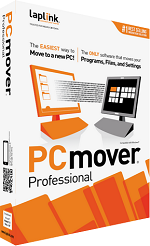
PCmover Professional v11.2.1014.529 Multilingual-P2P

Description: PCmover Professional is the ONLY software that automatically moves or restores all selected files, settings, user profiles, and even programs from an old PC to a new one, or old operating system to a new one. And because most transferred applications are installed ready-to-use on the new PC, there’s usually no need to find old CDs, previously downloaded programs, serial numbers or license codes.

PCmover Professional is the easiest way to restore or move to a new PC without leaving anything behind, even when there are different versions of Windows on the old and new PC. Nothing is changed on the old PC and nothing is overwritten on the new PC.
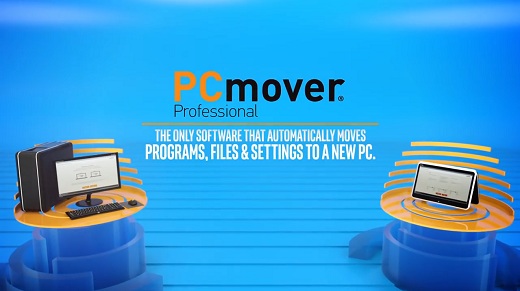
Feature :
PCmover Professional is the easiest way to restore or move to a new PC without leaving anything behind, even when there are different versions of Windows on the old and new PC. Nothing is changed on the old PC and nothing is overwritten on the new PC.

Step 1: Install
Simply install PCmover Professional on both your old and new computers and go!

Step 2: Transfer
Click through the easy-to-use wizard to select which type of transfer you want to do.

Step 3: Done!
Your new computer has the same personality and functionality as your old PC. No need to reinstall programs because PCmover did it for you.

Easy to use
Install PCmover on both of your computers and follow the simple setup to start transferring everything you select to your new PC or upgraded operating system.

Release Name: PCmover Professional v11.2.1014.529 Multilingual-P2P
Size: 273.27 MB
Links: HOMEPAGE – NFO – Torrent Search

Download: UPLOADGiG – NiTROFLARE – RAPiDGATOR

9 Comments
Sept 5

PCmover Professional v11.2.1014.496 Multilingual-P2P

Description: PCmover Professional is the ONLY software that automatically moves or restores all selected files, settings, user profiles, and even programs from an old PC to a new one, or old operating system to a new one. And because most transferred applications are installed ready-to-use on the new PC, there’s usually no need to find old CDs, previously downloaded programs, serial numbers or license codes.

PCmover Professional is the easiest way to restore or move to a new PC without leaving anything behind, even when there are different versions of Windows on the old and new PC. Nothing is changed on the old PC and nothing is overwritten on the new PC.

Feature :
PCmover Professional is the easiest way to restore or move to a new PC without leaving anything behind, even when there are different versions of Windows on the old and new PC. Nothing is changed on the old PC and nothing is overwritten on the new PC.

Step 1: Install
Simply install PCmover Professional on both your old and new computers and go!

Step 2: Transfer
Click through the easy-to-use wizard to select which type of transfer you want to do.

Step 3: Done!
Your new computer has the same personality and functionality as your old PC. No need to reinstall programs because PCmover did it for you.

Easy to use
Install PCmover on both of your computers and follow the simple setup to start transferring everything you select to your new PC or upgraded operating system.

Release Name: PCmover Professional v11.2.1014.496 Multilingual-P2P
Size: 273.39 MB
Links: HOMEPAGE – NFO – Torrent Search

Download: UPLOADGiG – NiTROFLARE – RAPiDGATOR

11 Comments
July 30

PCmover Professional 11.2.1013.431 Multilingual-P2P

Description: PCmover Professional is the ONLY software that automatically moves or restores all selected files, settings, user profiles, and even programs from an old PC to a new one, or old operating system to a new one. And because most transferred applications are installed ready-to-use on the new PC, there’s usually no need to find old CDs, previously downloaded programs, serial numbers or license codes.

PCmover Professional is the easiest way to restore or move to a new PC without leaving anything behind, even when there are different versions of Windows on the old and new PC. Nothing is changed on the old PC and nothing is overwritten on the new PC.

Feature :
PCmover Professional is the easiest way to restore or move to a new PC without leaving anything behind, even when there are different versions of Windows on the old and new PC. Nothing is changed on the old PC and nothing is overwritten on the new PC.

Step 1: Install
Simply install PCmover Professional on both your old and new computers and go!

Step 2: Transfer
Click through the easy-to-use wizard to select which type of transfer you want to do.

Step 3: Done!
Your new computer has the same personality and functionality as your old PC. No need to reinstall programs because PCmover did it for you.

Easy to use
Install PCmover on both of your computers and follow the simple setup to start transferring everything you select to your new PC or upgraded operating system.

Release Name: PCmover Professional 11.2.1013.431 Multilingual-P2P
Size: 272 MB
Links: HOMEPAGE – NFO – Torrent Search

Download: UPLOADGiG – NiTROFLARE – RAPiDGATOR

10 Comments
July 26

PCmover Professional v11.2.1013.422 Multilingual-P2P

Description: PCmover Professional is the ONLY software that automatically moves or restores all selected files, settings, user profiles, and even programs from an old PC to a new one, or old operating system to a new one. And because most transferred applications are installed ready-to-use on the new PC, there’s usually no need to find old CDs, previously downloaded programs, serial numbers or license codes.

PCmover Professional is the easiest way to restore or move to a new PC without leaving anything behind, even when there are different versions of Windows on the old and new PC. Nothing is changed on the old PC and nothing is overwritten on the new PC.

PCmover Professional is the easiest way to restore or move to a new PC without leaving anything behind, even when there are different versions of Windows on the old and new PC. Nothing is changed on the old PC and nothing is overwritten on the new PC.

*Applications may require re-entry of a license code or re-activating on the new PC. Certain system settings and applications may not be transferred due to their incompatibility with the operating system on the new PC.

Easy to use
Install PCmover on both of your computers and follow the simple setup to start transferring everything you select to your new PC or upgraded operating system.

Free Transfer Assistance
Quickly set up your new PC with the help of a certified PC migration expert, over the phone or remotely. Free, 24 hours a day, 7 days a week.

Keep Everything
Automatically transfer the programs, files, and settings you choose to your new PC. Programs are installed and ready to use right away.

Set it and forget it
You start the transfer and walk away. PCmover does the rest!

Release Name: PCmover Professional v11.2.1013.422 Multilingual-P2P
Size: 272 MB
Links: HOMEPAGE – NFO – Torrent Search

Download: UPLOADGiG – NiTROFLARE – RAPiDGATOR

10 Comments
June 22

PCmover Professional 11.01.1009.0 Multilingual-P2P

Description: PCmover Professional is the ONLY software that automatically moves or restores all selected files, settings, user profiles, and even programs from an old PC to a new one, or old operating system to a new one. And because most transferred applications are installed ready-to-use on the new PC, there’s usually no need to find old CDs, previously downloaded programs, serial numbers or license codes.

PCmover Professional is the easiest way to restore or move to a new PC without leaving anything behind, even when there are different versions of Windows on the old and new PC. Nothing is changed on the old PC and nothing is overwritten on the new PC.

Step 1: Install
Simply install PCmover Professional on both your old and new computers and go!

Step 2: Transfer
Click through the easy-to-use wizard to select which type of transfer you want to do.

Step 3: Done!
Your new computer has the same personality and functionality as your old PC. No need to reinstall programs because PCmover did it for you.

Features:


  • Easy to use – Install PCmover on both of your computers and follow the simple setup to start transferring everything you select to your new PC or upgraded operating system.
  • Quick Setup – Quickly set up your new PC with the help of a certified PC migration expert, over the phone or remotely.
  • Keep Everything – Automatically transfer the programs, files, and settings you choose to your new PC. Programs are installed and ready to use right away.
  • Set it and forget it! – You start the transfer and walk away. PCmover does the rest!
Release Name: PCmover Professional 11.01.1009.0 Multilingual-P2P
Size: 287 MB
Links: HOMEPAGE – NFO – Torrent Search

Download: UPLOADGiG – NiTROFLARE – RAPiDGATOR

8 Comments