Please REGISTER or RENEW your account on RAPiDGATOR.net and support us by doing through all RAPiDGATOR working download links on main posts...
Feb 22

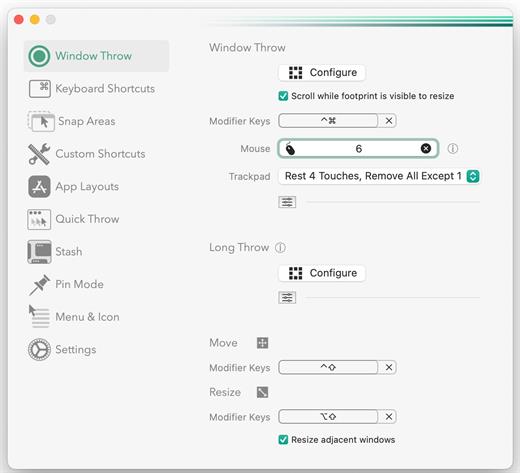
Rectangle Pro 3.69

Additional Efficiency and Speed
• Each window action can be configured with a quick, simple cursor movement and modifier key combination
• Just press and release modifier keys while you move your cursor over the window you want to snap

What’s New

Version 3.69:


  • Release notes were unavailable when this listing was updated.
Compatibility

macOS 10.12 or later
Apple Silicon or Intel Core processor


Release Name: Rectangle Pro 3.69
Size: 8.3 MB
Links: HOMEPAGE – NFO – Torrent Search

Download: RAPiDGATOR

10 Comments
Feb 22

PullTube 1.8.6.24

Sharing videos via online hosting services, such as YouTube or Vimeo is a common practice, yet streaming the content might not work as expected if you have a slow internet connection.
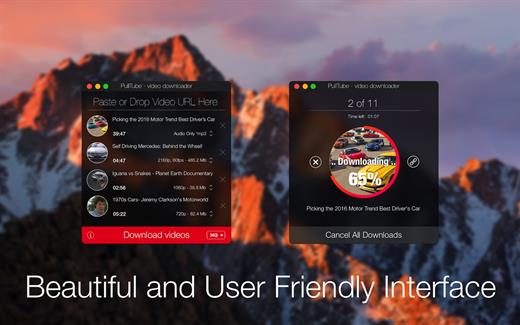
PullTube offers you the possibility to download videos from both sources (YouTube and Vimeo), while other platforms might be added at a later time. The app can handle playlists, allows you to select the output quality, and can even extract only the audio.

Video downloader that can import links with drag and drop and can detect playlists

The PullTube user interface is represented by a small window where you get to quickly paste the video URL. Note that you can also add a video by dropping the link on top of the PullTube window.

Worth mentioning is that, if PullTube detects that the video is part of a playlist, will offer to download the entire collection: will fetch the data for each entry and handle the downloads consecutively.

Download videos hosted on YouTube or Vimeo to different output sizes and formats

PullTube will start fetching the video data right away so you can see the video name, duration, and a small thumbnail. When configuring a download, you get to select the output quality (highest, 4K, HD or regular with different resolutions) or choose to export only the audio to an M4A or MP3 file.

Via the PullTube Settings panel, you can change the default download location and the default MP3 bitrate (320Kbps, 256Kbps, 128Kbps, 64Kbps). You can also add the quality info to the video’s name and choose to quit the app when all downloads are completed.

Get offline access to videos hosted online in just a few steps

PullTube proposes a streamlined workflow for quickly downloading videos from YouTube or Vimeo, provides control over the output quality, and enables you to extract the audio to MP3 or M4A files.

However, during our tests, we have noticed that PullTube has trouble completing the download when handling videos that are longer that 2 minutes. The process stops without any explanation, and you can eventually complete the task, but you need to add the link to download tool multiple times.

What’s New

Version 1.8.6.24:


  • Release notes were unavailable when this listing was updated.
Compatibility

macOS 10.12 or later


Release Name: PullTube 1.8.6.24
Size: 232.1 MB
Links: HOMEPAGE – NFO – Torrent Search

Download: RAPiDGATOR

13 Comments
Feb 22

Adobe Dreamweaver 2025 v21.6

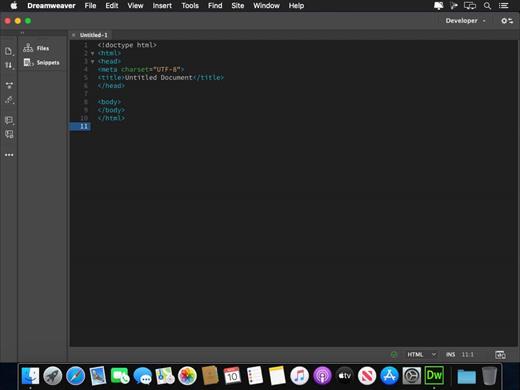
Adobe Dreamweaver 2025 allows you to design, develop, and publish for web and mobile platforms without getting buried in code. Dreamweaver provides an intuitive visual interface for website creation and editing, and offers up-to-date compatibility with web standards as well as first-class support for HTML5/CSS3 and jQuery.

What’s New

Version 21.6:


  • Release notes were unavailable when this listing was updated.
Compatibility

macOS 10.14 or later


Release Name: Adobe Dreamweaver 2025 v21.6
Size: 1.2 GB
Links: HOMEPAGE – NFO – Torrent Search

Download: RAPiDGATOR

9 Comments
Feb 22

Bloom 1.5.26

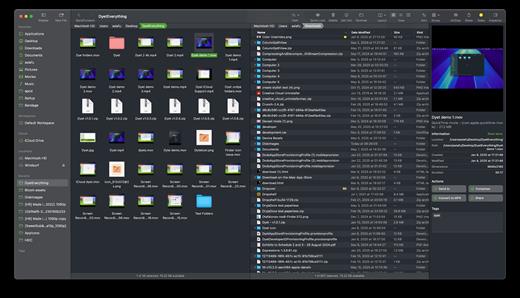
Bloom is a refined file management tool designed to enhance your search and navigation experience on macOS, offering a more intuitive and feature-rich alternative to Finder. With Bloom, you can instantly navigate to any location system-wide using the shortcut ⌘⇧⏎, making file access seamless and efficient .

Key Features


  • Enhanced Search Capabilities: Bloom allows you to search files by keyword within predefined locations, scanning tens of thousands of files in seconds for lightning-fast results. You can also search directly in any folder with ⌘F and refresh results with ⌘R .
  • Portal Mode: A compact window without sidebar or preview, Portal retains core functionalities and can be pinned on top of other windows or collapsed into the screen edge for convenience .
  • Archive Viewing: Browse contents of compressed files without extraction and preview text, images, or PDFs under 10MB by pressing Space or double-clicking .
  • Advanced File Management: Features like auto-resizing columns, advanced rename with regex support, workspace customization, iCloud Drive integration, and tag management elevate your file-browsing experience .
  • Media and Productivity Tools: Convert and optimize images, create various file types easily, paste images from the web, and organize files by kind or date. Additionally, Bloom records every operation for easy reversion and supports starting a terminal directly from a folder .
  • Disk Analysis and Task Management: Use Folder Scan to visualize disk usage through a treemap and manage file operations with a Task Scheduler to track progress .
What’s New

Version 1.5.26:


  • Release notes were unavailable when this listing was updated.
Compatibility

macOS 14.0 or later
Apple Silicon or Intel Core processor


Release Name: Bloom 1.5.26
Size: 15.4 MB
Links: HOMEPAGE – NFO – Torrent Search

Download: RAPiDGATOR

10 Comments
Feb 21

4K YouTube to MP3 Pro 26.0.5

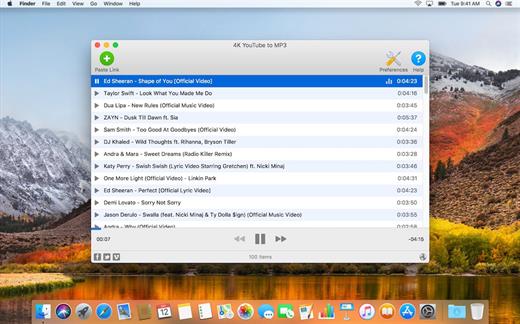
4K YouTube to MP3 was specifically created to extract audio from YouTube, Vimeo or Facebook and save it in MP3, M4A, OGG. No annoying and complicated settings to deal with, just a clean, friendly and functional interface. Downloading is simple and straightforward: just copy the link from your browser and click ‘Paste Url’. Done!

Features


  • Extract audio from YouTube videos and save it in MP3, M4A or OGG in high quality.
  • Download full YouTube playlists or channels and generate m3u files.
  • Transfer downloaded tracks automatically into iTunes and upload them on your iPhone or iPod.
  • Listen music via native built-in music player.
  • Download and extract audio tracks from SoundCloud, Vimeo, Flickr and DailyMotion videos.
  • Download audio books from YouTube.
  • Extract audio tracks even from embedded in HTML page videos.
  • Use 4K YouTube to MP3 on your PC, Mac or Linux, doesn’t matter what OS you prefer.
What’s New

Version 26.0.5:


  • Release notes were unavailable when this listing was updated.
Compatibility

macOS 10.10 or later


Release Name: 4K YouTube to MP3 Pro 26.0.5
Size: 406.4 MB
Links: HOMEPAGE – NFO – Torrent Search

Download: RAPiDGATOR
6 Comments
Feb 21

Animated Wallpapers 1.0.17

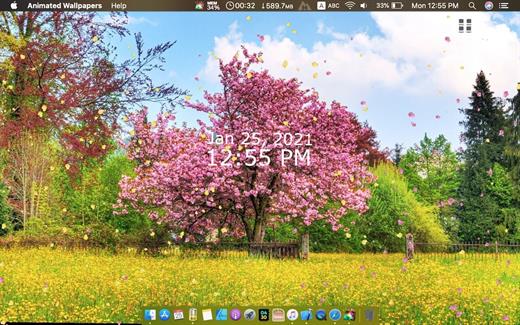
Feel the breeze of your desktop, your desktop is not boring anymore!


  • Select from 14 themes: Nature, Space and more.
  • Show/Hide Desktop Icons : it can be used as a curtain to hide desktop icons, Just in case you are having a work presentation and you want to hide all the mess on the desktop.
  • Big desktop clock.
What’s New

Version 1.0.17:


  • New Wallpapers
Compatibility

macOS 10.11 or later.


Release Name: Animated Wallpapers 1.0.17
Size: 281.5 MB
Links: HOMEPAGE – NFO – Torrent Search

Download: RAPiDGATOR

8 Comments
Feb 21

OmniPlayer Pro 2.1.17

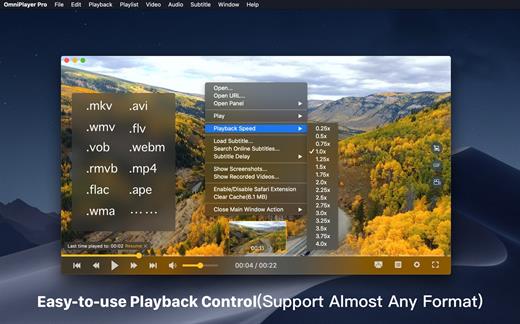
OmniPlayer is a comprehensive media player for almost any video and audio format on macOS. It has powerful features with modern and clean design. You can use it to play various 4K/1080P/720P HD videos and normal/lossless audios easily with hardware decoding. You can also control and adjust the playback/playlist/video image/audio track/subtitles/screenshot etc. conveniently with the rich features.

Features


  • Support Multiple Media Types Play almost any format of the local and remote server(samba/FTP protocol) videos and audios. Support online videos and audios with Http/https protocol. Play Youtube and Vimeo videos with webpage URL directly without online ads.
  • Playlist Control Record media files to playlist automatically, and support clear all when exiting player automatically. Play/Search/Delete/Change repeat mode of media items in the playlist.
  • Playback Control Pause/Resume/Fast forward/Rewind/Jump to specified progress time. Record last progress time of playback when stopping automatically. Show preview images on progress bar when playing a local video. Hide controls automatically to display pure video view without any occlusion. Adjustment playback speed from 0.25x-4x
  • Video Image Adjustment Adjust window size and video image aspect ratio quickly. Adjust video image rotation in all directions. Adjust video image equalizer including brightness, contrast, and saturation.
  • Audio Control Change audio delay time to make audio and video synchronization. Choose different audio tracks in the video. Choose audio mode such as Stereo, Dolby Surround, Headphones, etc. Customize audio equalizer or choosing predefined equalizer such as Classic, Rock, Pop, etc.
  • Subtitle Control Load different formats of local subtitles in real-time. Search and load subtitles online with video name or hash, support most languages. Change subtitle color, size in real-time. Change the encoding of subtitles in different languages to fix the garbled problem.
  • Screenshot Take a screenshot with different formats. Generating gif image up to 60s. One-click exporting movie thumbnail
  • Wireless display DLNA protocol Chromecast protocol Roku channel
What’s New

Version 2.1.17:


  • Release notes were unavailable when this listing was updated.
Compatibility

macOS 10.13 or later.


Release Name: OmniPlayer Pro 2.1.17
Size: 77.9 MB
Links: HOMEPAGE – NFO – Torrent Search

Download: RAPiDGATOR
8 Comments
Feb 21

Overloud TH-U Premium 2.0.12

CREATIVE EFFECTS
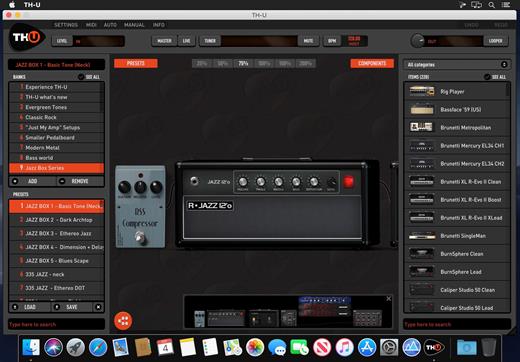
TH-U is not just an amplifier replacement. It is a creative tool which allows you to craft your personal tone and explore the boundaries of your instrument. Transform your electric guitar into an acoustic guitar, create synth-like tones with the ring modulator. Turn the guitar into an organ with the organ-tone-maker. Import any Impulse Response from third part libraries to extend the TH-U tones without limits.

What’s New

Version 2.0.12:


  • Release notes were unavailable when this listing was updated.
Compatibility

macOS 10.14 or later


Release Name: Overloud TH-U Premium 2.0.12
Size: 1.4 GB
Links: HOMEPAGE – NFO – Torrent Search

Download: RAPiDGATOR

6 Comments
Feb 21

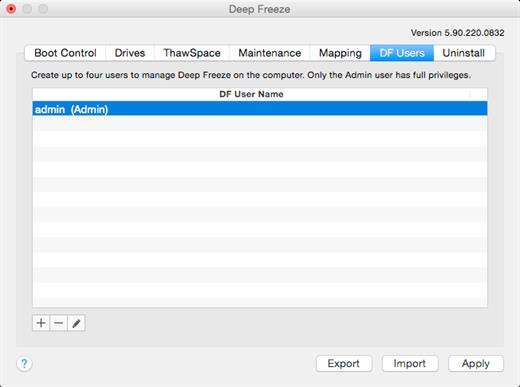
Deep Freeze 7.30.220.0207

Deep Freeze Mac has changed the way IT Professionals approach end-point security; its non-restrictive concept offers the most robust Mac protection available. The need for IT professionals to perform rebuilds, re-image, or troubleshoot computers is eliminated with Deep Freeze Mac ARD reboot-to-restore technology. The result is a dramatic reduction in support and IT expenditures and a substantial increase in computer uptime. This edition of Deep Freeze Mac can be deployed and controlled with Apple Remote Desktop (ARD).

Protection and Security:


  • Guarantees 100% workstation recovery on restart
  • Provides password protection and complete security
  • Protects multiple hard drives and partitions
Configuration Options:

  • Customize user name and password
  • Choose whether the Deep Freeze icon will appear in the menu bar
  • Choose whether the hard drive icon will appear with the Deep Freeze badge
Control and Flexibility:

  • Freeze administrator accounts or root account
  • Selectively Freeze or Thaw fixed drives, volumes, or partitions
  • Import or export configuration information files to or from other Deep Freeze Controllers for deployment
  • Use Deep Freeze Assistant to create customized installation packages
Integration and Compatibility:

  • Integrates with Apple Remote Desktop (ARD) 2 or 3 for enterprise style capability
  • Use Deep Freeze Assistant to install specific Saved Tasks into the ARD console
  • Use Saved Tasks related to Deep Freeze for use with ARD, such as Boot Frozen, Boot Thawed, Uninstall Deep Freeze, and others
  • Localized in English, French, Spanish, German, Russian, and Japanese
What’s New

Version 7.80:


  • Release notes were unavailable when this listing was updated.
Compatibility

macOS 10.13.0 or later, 64-bit processor


Release Name: Deep Freeze 7.30.220.0207
Size: 13.2 MB
Links: HOMEPAGE – NFO – Torrent Search

Download: RAPiDGATOR
8 Comments
Feb 21

Float 6.0

Float is a lightweight web browser that stays on top of your apps.
Open websites instantly without switching spaces or juggling windows—Float “floats” above everything else (even other browsers).

Float is a handy always-on-top browser for macOS—perfect for keeping reference pages, chats, dashboards, docs, or quick searches visible while you work. No more constant app switching: your web is always within reach.

Fast AF (fully native)

Float is built as a native macOS app, designed to be fast, lightweight, and efficient.

Privacy-first by design

Float doesn’t explicitly collect usage analytics, doesn’t track you, and your data stays on your device. (Apple may still collect certain device analytics depending on your settings.)

Customizable to your workflow

Tweak the look and feel—theme, window border, and more—so Float fits right into your setup.

Built-in blocking

Float blocks ads and cookies by default and ignores caches to keep things clean and minimal.

What’s New

Version 6.0:


  • Release notes were unavailable when this listing was updated.
Compatibility

macOS 12.0 or later


Release Name: Float 6.0
Size: 4.7 MB
Links: HOMEPAGE – NFO – Torrent Search

Download: RAPiDGATOR

6 Comments