Please REGISTER or RENEW your account on RAPiDGATOR.net and support us by doing through all RAPiDGATOR working download links on main posts...
May 27

EdgeView 5.8.7

EdgeView 5 is fast image viewer has elegant user interface. EdgeView 5 is developed and designed for modern MacOS. It can open various image files such as JPEG, PNG, TIFF, BMP, and RAW file of DSLR, EPS and PDF, AI(Adobe Illustrator). Can open image files in archive directly without extraction.
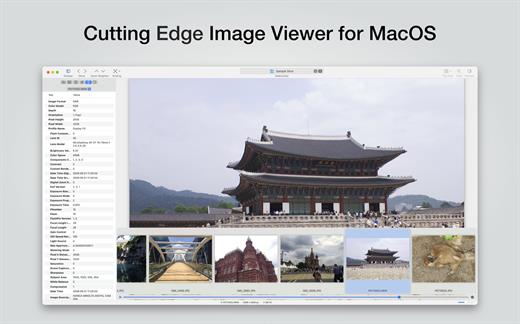
User can open files, rename files, delete files from EdgeView’s file browser. Also can access to SMB/AFP/FTP network volume.

User can navigate images quickly by using keyboard shorcut, mouse wheel, trackpad gesture. EdgeVew show EXIF information, play animation GIF/PNG/WebP smoothly. Save last status to history, and restore when reopen file.

EdgeView 5 will be the best choice when viewing and managing image files.

What’s New

Version 5.8.7:


  • Release notes were unavailable when this listing was updated.
Compatibility

macOS 11.1 or later
Apple Silicon or Intel Core processor


Release Name: EdgeView 5.8.7
Size: 146 MB
Links: HOMEPAGE – NFO – Torrent Search

Download: RAPiDGATOR

7 Comments
May 27

RAR Extractor Max – Unzip File 13.6

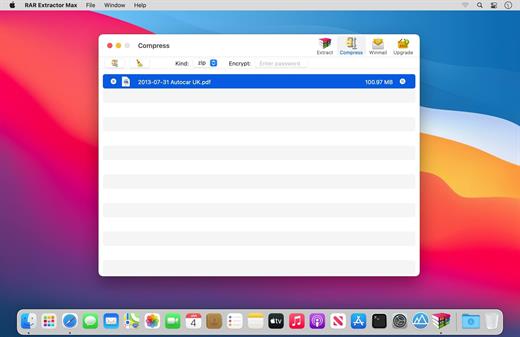
“RAR Extractor Max” inherited the advantages of “RAR Extractor Pro”, we redesigned the UI and added more powerful functionalities.


  • Support unarchive RAR, winmail.dat, ZIP, 7z, tbz, sti, tar, xar, lha, lzh, hqx, bin, bz2, bzip2, bz, xz, iso, cid, nrg, mdf, taz, lzma, exe, msi, cpio, lzx, jar, swf, xip, ace, arj, pak, pkg, apk, lbr, lqr, cab, rpm, cpt, sea, pdf, nsa, dcs, now, spk…
  • Support archive files and folder to encrypted zip&7z
  • Quicklook files in archive before extraction.
MAIN FEATURES

  • Extract extract compressed files in all most formats(over 50 formats).
  • Unzip, unrar encrypted archives.
  • Preview and open the file in winmail.dat sent from Microsoft Outlook
  • Easy view of an archive’s file list.
  • Quicklook files in archive before extraction.
  • Unarchive & unrar the selected individual file or folder in the archive.
  • Double click to display or extract directly after setting this APP as default archiver.
  • Drag archives to the dock icon to extract or display directly.
  • Batch decompress many archives
  • Create password-protected ZIP & 7Z archives.
  • AES256 encryption algorithm to create ZIP & 7Z archives.
  • Drag the file in archive to the desktop to extract directly
What’s New

Version 13.6:


  • Release notes were unavailable when this listing was updated.
Compatibility

OS X 10.10 or later, 64-bit processor


Release Name: RAR Extractor Max – Unzip File 13.6
Size: 14.7 MB
Links: HOMEPAGE – NFO – Torrent Search

Download: RAPiDGATOR
6 Comments
May 27

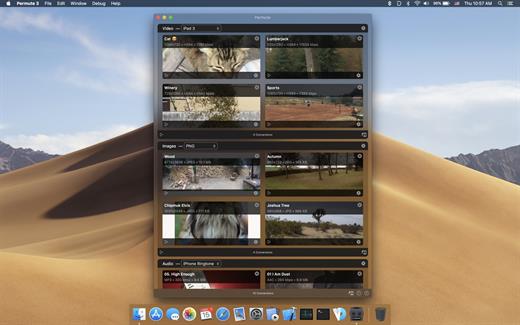
Permute 3.14.8

Permute offers easy-to-use drag-and-drop video conversion.

Features:


  • Easy to Use – built from the ground up, Permute is a perfect example of what a Mac app should be. With a gorgeous interface and drag & drop simplicity no need for complicated options.
  • Insanely Fast – Permute was engineered to be incredibly fast. Let us take care of the hard stuff. Just select the video format you want and it’ll be done faster than you can say “hardware acceleration” – MP4 and HEVC presets now take advantage of your machine’s hardware acceleration capabitlities, speeding up HEVC conversions more than 3 times over previous versions of Permute!
  • PDF Support – Permute 3 now includes support for stitching multiple images into a single PDF.
  • Everything Included – It doesn’t matter if you’re converting home movies or processing images. Permute can do it all. We support nearly every format and have plenty of device presets to choose from.
  • Looks Amazing – Whether you use dark mode or not, Permute will look amazing. Taking advantage of the modern technologies, Permute will even change its icon in dark mode.
  • Keep the Schedule – Video re-encoding is quite demanding on computer resources. This is why you can now schedule Permute to convert videos e.g. at night when you’re not using your computer.
  • And so much more! – There are so many other great features in Permute – adjust volume of an audio file or an audio track in a video. Batch-resize, rotate and flip images and videos. And more!
What’s New

Version 3.14.8:


  • Release notes were unavailable when this listing was updated.
Compatibility

macOS 10.12.0 or later


Release Name: Permute 3.14.8
Size: 69 MB
Links: HOMEPAGE – NFO – Torrent Search

Download: RAPiDGATOR
7 Comments
May 27

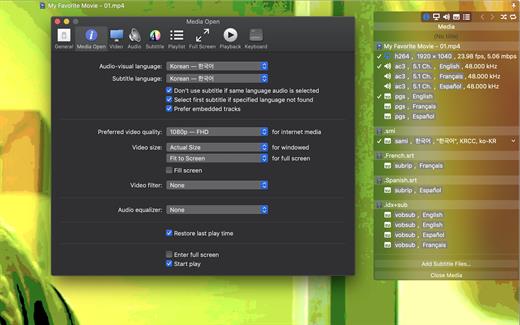
Movist Pro 2.15.4

Movist is a movie player based on QuickTime and FFmpeg.

Features:


  • Supports QuickTime and FFmpeg
  • Customizable high quality caption
  • Supports smi, srt format captions
  • Playlist support
  • Media playback control
  • Full screen control panel
  • Simple user interface
  • Universal binary
Additional features for Movist Pro

  • Safari, Chrome Browser Extension
  • Supports Web Meida such as YouTube, Ted and so on
  • Picture in Picture 기능
  • Open URL
  • Default Application Setting
  • No Access Folder Permissions Required
  • Supports Networm Server such as FTP, SFTP, WebDAV and SMB (to be added)
  • Supports Media Keys (to be added)
  • Supports AirPlay (to be added)
What’s New

Version 2.15.4:


  • Release notes were unavailable when this listing was updated.
Compatibility

macOS 10.13 or later
Apple Silicon or Intel Core processor


Release Name: Movist Pro 2.15.4
Size: 61.8 MB
Links: HOMEPAGE – NFO – Torrent Search

Download: RAPiDGATOR
7 Comments
May 27

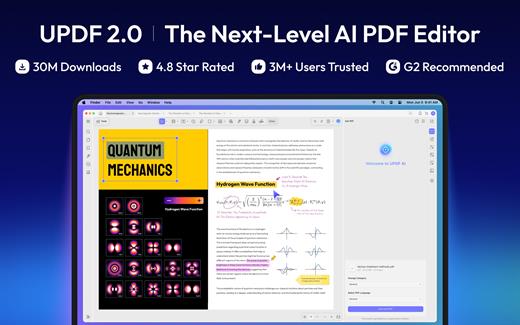
UPDF 2.5.3

UPDF is an all-in-one AI-integrated PDF editor software that you can use to AI chat with PDF, edit, annotate, convert PDFs, and more. One UPDF license allows you to use it across all platforms, including macOS/iOS/iPadOS (universal purchase).

FEATURES

AI Assistant


  • Powered by GPT-5 and Full DeepSeek (R1).
  • AI chat with your PDF to summarize, translate full PDFs without losing format, and get answers related to the PDFs.
  • Convert PDFs to mind maps.
  • Chat with images and ask any questions about the images.
  • Ask any prompts and get answers from AI.
Edit PDFs

  • Edit text in PDF to change the properties of the text, such as the color, font, size, etc.
  • Edit images in PDF to change the size, crop, rotate, extract, replace, delete, etc.
  • Add or remove links to the web or a page.
Annotate PDFs

  • Highlight, underline, strikethrough, or squiggly the text in PDFs.
  • Add sticky notes, text boxes, text comments, text callouts, or shapes to PDFs.
  • Free-hand drawing within a PDF.
  • Add stamps, stickers, and signatures to PDFs.
  • Measure PDF.
UPDF Cloud

  • Sync files across different devices and platforms.
OCR (This feature is NOT AVAILABLE on the Mac App Store. To use OCR, you can download from https://updf.com.)

  • Convert scanned PDFs or images into searchable and editable PDFs or vice versa.
  • Can recognize text in 38 languages.
Convert PDFs

  • Convert PDFs to: DOCX, XLSX, and PPTX.
  • Convert PDFs to image: PNG, JPEG, BMP, TIFF, and GIF.
  • Convert PDFs to TXT, RTF, CSV, HTML, and XML.
Organize PDF Pages

  • Insert, replace, extract, split, rotate, remove, and reorder the pages in PDFs
  • Crop or extend page margins.
  • Split a long single page into multiple pages.
Protect PDFs

  • Add an open or permission password to protect PDFs from opening, copying, editing, and printing.
Prepare Form

  • Create fillable PDF forms by adding interactive form fields.
  • Fill PDF forms and add an e-signature.
  • Add digital signatures to prove the sender’s identity.
Batch Process PDFs

  • Support batch process to convert, merge, OCR, compress, print, create, insert, and encrypt PDFS
  • Support batch process to add or remove backgrounds, watermarks, header & footer, and Bates numbering in multiple PDFs
  • Batch Remove text markup, measurements, stamps, form fields, and signatures.
Read and Print PDFs

  • View PDF single page or two-page view/scrolling.
  • Text-to-speech.
  • Search and find text.
  • Slideshow PDF.
  • Support light and dark mode.
  • Add and manage bookmarks.
  • Print PDFs.
Create PDFs

  • Create a blank PDF with different backgrounds or from Word/Excel/PPT/image/CAJ/Paperwork/selection capture/window capture/screen capture/clipboard/scanner.
MORE

  • Share PDF via link, QR code, or email.
  • Compare PDFs.
  • Redact sensitive information in PDF.
  • Add, edit, or remove watermarks from PDFs.
  • Edit the background for PDFs.
  • Edit the header and footer from PDFs.
  • Save as PDF/A.
  • Flatten PDFs.

Note: AI features won’t work

What’s New

Version 2.5.3:


  • Release notes were unavailable when this listing was updated.
Compatibility

macOS 11.0 or later.


Release Name: UPDF 2.5.3
Size: 128.1 MB
Links: HOMEPAGE – NFO – Torrent Search

Download: RAPiDGATOR

7 Comments
May 27

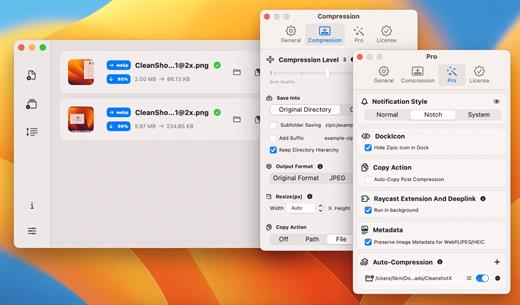
Zipic 1.9.7

Zipic is a native macOS application designed for efficient, high-quality image compression. It lets users shrink image files locally, with no uploads or dependency on the cloud. All processing happens on your own device—so your privacy and speed stay intact.

Key Features and Highlights:


  • High Compression, Near-Lossless Quality: Zipic utilizes powerful compression algorithms to achieve a high compression ratio with minimal perceived quality loss, making the compressed image virtually indistinguishable from the original.
  • Fast & Local Processing: Being a native macOS application, all image processing occurs locally on your device. This ensures lightning-fast performance, efficient handling of massive batches, and high data privacy with no cloud uploads or network dependence.
  • Comprehensive Format Support: The tool supports a wide range of formats, including basic ones like JPEG, PNG, WebP, HEIC, and GIF, and Pro formats like AVIF, JXL, TIFF, and ICNS.
  • Effortless Workflow: It offers multiple simple compression methods, including drag-and-drop, folder monitoring, and Finder integration (right-click).
  • Custom Control: Users can create custom presets for different quality levels and scenarios, allowing for precise control over the compression outcome.
  • Pro Features for Automation: Advanced features include Clipboard auto-compress, Folder Watch for automated compression in specific directories, and integration options like Raycast Extension and Apple Shortcuts.

Zipic aims to be the seamless solution for developers, designers, bloggers, and photographers who need to optimize and compress images efficiently.

What’s New

Version 1.9.7:


  • Release notes were unavailable when this listing was updated.
Compatibility

macOS 13.0 or later


Release Name: Zipic 1.9.7
Size: 21.5 MB
Links: HOMEPAGE – NFO – Torrent Search

Download: RAPiDGATOR
6 Comments
May 27

Awesome Copy 6.1.2

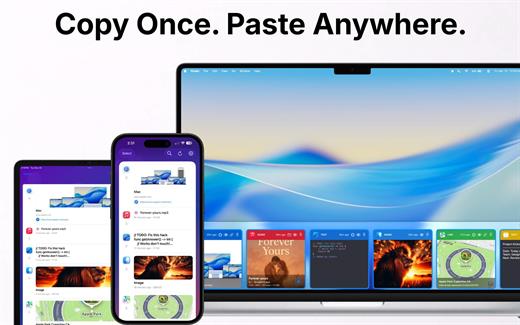
Awesome Copy is a powerful, privacy-first clipboard manager designed for the Apple ecosystem. It continuously works in the background to automatically save everything you copy—text, links, images, code, and files—giving you instant access to your clipboard history whenever you need it.

Key Features


  • Seamless iCloud Sync: Copy on your Mac and instantly paste on your iPhone or iPad.
  • Smart Organization: Effortlessly browse, search, and categorize your history, or pin your favorite clips for quick access.
  • Quick Paste Menu: Press a custom hotkey to bring up a compact menu right at your cursor for lightning-fast workflows.
  • Advanced Privacy Controls: Exclude sensitive applications (like password managers) and auto-clear your history to ensure your data stays secure.
What’s New

Version 6.1.2:


  • Release notes were unavailable when this listing was updated.
Compatibility

macOS 13.0 or later


Release Name: Awesome Copy 6.1.2
Size: 17.7 MB
Links: HOMEPAGE – NFO – Torrent Search

Download: RAPiDGATOR

7 Comments
May 27

NanoClip 1.1.2

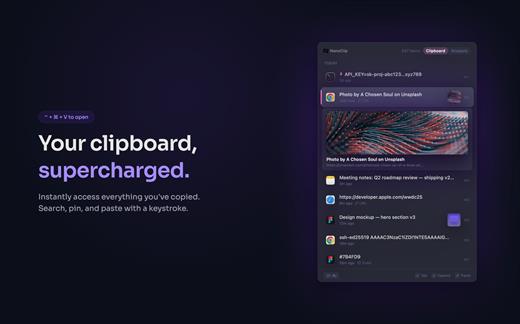
NanoClip is a lightweight macOS menu bar clipboard manager that saves every copy and keeps snippets instantly accessible with a global shortcut. It supports clipboard history, smart text snippets, iCloud sync across Macs, inline previews for images, GIFs, files, colors, and code, plus multiple themes in a fast, privacy-focused design.

What’s New

Version 1.1.2:


  • Release notes were unavailable when this listing was updated.
Compatibility

macOS 15 or later

Release Name: NanoClip 1.1.2
Size: 10.1 MB
Links: HOMEPAGE – NFO – Torrent Search

Download: RAPiDGATOR
7 Comments
May 27

Unclutter 2.2.18

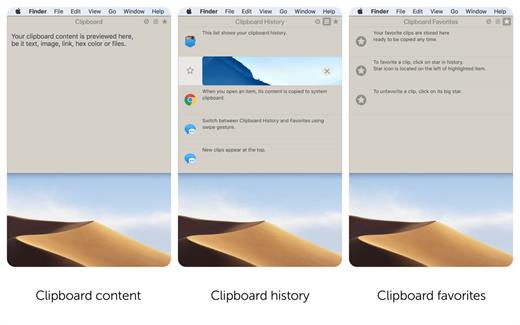
Unclutter is a new handy place on your desktop for storing notes, files and pasteboard clips. To open the pocket, simply move your mouse to the very top of screen and scroll down. Drag items from other applications to the top of screen to store them in Unclutter.

Features


  • Instant, configurable access even in full screen mode.
  • Full multi-display support.
  • File Storage, to keep your Desktop clean from temporary files.
  • Notes, to write down something quickly.
  • Clipboard manager, to track what you copy and paste, browse clipboard history.
  • Draggable cards that can stick on top of other windows.
  • Files and notes auto-sync across all your Macs via Dropbox.
  • Retina display support.
What’s New

Version 2.2.18:


  • Release notes were unavailable when this listing was updated.
Compatibility

macOS 10.13 or later


Release Name: Unclutter 2.2.18
Size: 13.5 MB
Links: HOMEPAGE – NFO – Torrent Search

Download: RAPiDGATOR

8 Comments
May 27

AudiBar 2.3.0

Simple audio playback and live streaming from your menu bar. No library management, no complexity. Just drag, drop, and play files or tune into internet radio.

AudiBar: Menu Bar Audio Playback and Streaming Made Simple

Stop fighting with bloated music apps. AudiBar lives in your menu bar and does two things exceptionally well: plays your audio files instantly and streams internet radio effortlessly. No library management, no cloud sync, no subscriptions. Just drag a file onto the menu bar and it plays, or add radio stations for instant streaming.

Premium Features (One-Time Purchase)


  • Playlist management with visual track list and playback controls
  • Seek slider with previous/next track buttons
  • Current time display with elapsed and total duration
  • Playlist sorting by title or duration
  • Drag folders to create playlists instantly
  • Auto-play next track with seamless transitions
  • Shuffle mode for randomized playback
  • Unlimited tracks per playlist
  • Add currently playing track to playlist
  • Persistent playlists across restarts
  • Visual highlighting of currently playing track
  • Internet radio streaming with saved stations
  • Stream list panel with management options
  • Multiple streaming formats: M3U/M3U8, PLS, XSPF, ASX/WAX, RSS/XML, direct URLs
  • Smart track naming with metadata extraction or filename display
  • Configurable settings panel
  • Tooltips for all controls

Free Features


  • Instant playback from menu bar
  • Drag-and-drop file loading
  • Play/pause controls with real-time progress
  • Time display
  • File picker for browsing
  • All major audio formats supported
  • iCloud Drive support with smart loading
  • Scrolling display for long filenames
  • Clean, distraction-free interface
  • Context menu for quick actions
  • Remembers last played track or stream
  • Native macOS window controls
What’s New

Version 2.3.0:


  • Release notes were unavailable when this listing was updated.
Compatibility

macOS 13.5 or later.


Release Name: AudiBar 2.3.0
Size: 6.4 MB
Links: HOMEPAGE – NFO – Torrent Search

Download: RAPiDGATOR
8 Comments