Please REGISTER or RENEW your account on RAPiDGATOR.net and support us by doing through all RAPiDGATOR working download links on main posts...
May 24

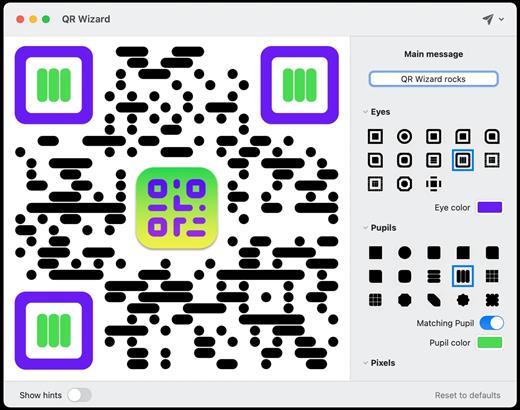
QR Wizard 3.0.2

Generate & style beautiful QRCode images directly from your Mac

Features


  • Easy to use: Simple, practical and ultra-easy to use: Set your data/text and you’re pretty much ready to go@ Tons of options: Lots and lots of options (colors, shapes, and more!) so that you can create a QRCode that stands out! Lightning fast: Work elegantly and lightning-fast: PNG, JPG, SVG, even ASCII art export supported!
What’s New

Version 3.0.2:


  • Release notes were unavailable when this listing was updated.
Compatibility

macOS 10.13 or later


Release Name: QR Wizard 3.0.2
Size: 6.6 MB
Links: HOMEPAGE – NFO – Torrent Search

Download: RAPiDGATOR

6 Comments
May 24

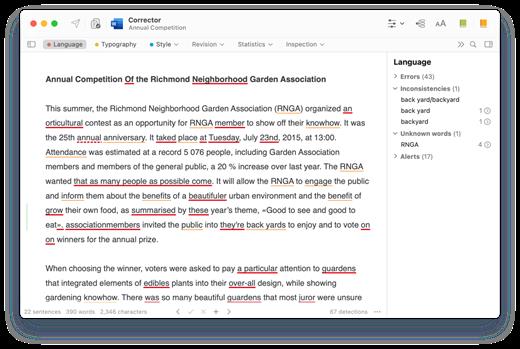
Antidote 12.4

Antidote Français is a complete set of software reference tools for writing French. Tools include an advanced grammar checker which corrects all the text at once, an important collection of twelve dictionaries, and an interactive compendium of grammar rules. Seamlessly integrated with major word processors, email programs and web browsers, Antidote’s tools are as near as your text. With the addition of the English module, you can also make correction of text in English.

Antidote English is a complete set of software reference tools for writing English. Tools include an advanced grammar checker which corrects all the text at once, an important collection of twelve dictionaries, and an interactive compendium of grammar rules. Seamlessly integrated with major word processors, email programs and web browsers, Antidote’s tools are as near as your text. With the addition of the French module, you can also make correction of text in French.

What’s New

Version 12.4:


  • Release notes were unavailable when this listing was updated.
Compatibility

macOS 10.12 or later


Release Name: Antidote 12.4
Size: 1.4 GB
Links: HOMEPAGE – NFO – Torrent Search

Download: RAPiDGATOR

5 Comments
May 24

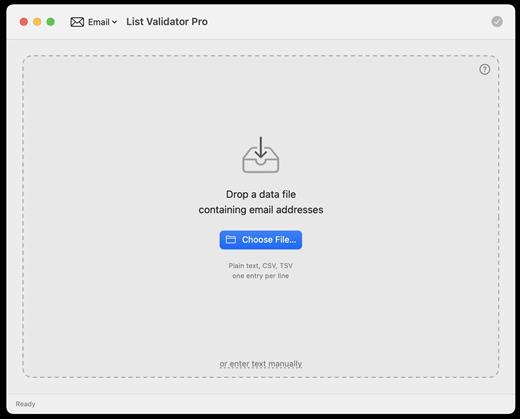
List Validator Pro 1.0.45

List Validator Pro is a powerful, privacy-first desktop application designed for macOS that allows users to bulk-check and clean large lists of data in seconds. Whether you are dealing with thousands of email addresses, web URLs, or financial codes, this utility processes your data locally on your Mac with blazing speed.

Key Features


  • Effortless Data Input: Simply drag and drop your files straight into the window, select a file via Finder, or paste your text directly into the built-in editor featuring live line numbers.
  • 100% Privacy & Security: Your data never leaves your machine. Because the application runs entirely locally, there are no server uploads, no data logging, and no external rate limits.
  • Smart Filtering: Quickly isolate your results. The app splits data into valid and invalid entries so you can easily spot exactly which lines need fixing.
  • Flexible Export Options: Cleaned-up results can be exported instantly to multiple formats, including CSV, TSV, JSON, plain text, or PDF—making it ready for your spreadsheets, databases, or reports.
What’s New

Version 1.0.45:


  • Release notes were unavailable when this listing was updated.
Compatibility

macOS 13.0 or later


Release Name: List Validator Pro 1.0.45
Size: 6.4 MB
Links: HOMEPAGE – NFO – Torrent Search

Download: RAPiDGATOR

6 Comments
May 24

BBEdit 16.0

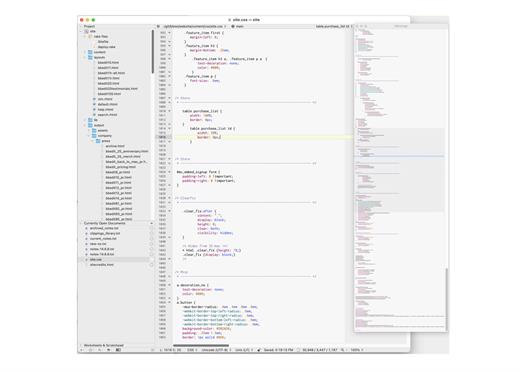
BBEdit is the leading professional HTML and text editor for the Mac. Specifically crafted in response to the needs of Web authors and software developers, this award-winning product provides a plethora of features for editing, searching, and manipulation of text. BBEdit transforms text with high performance.

An intelligent interface provides easy access to BBEdit’s best of class features including grep pattern matching, search and replace across multiple files, function navigation and syntax coloring for numerous source code languages, FTP and SFTP open and save, AppleScript, Perl, and OS X Unix scripting support, glossary support, and a complete set of HTML tools.

What’s New

Version 16.0:


  • Release notes were unavailable when this listing was updated.
Compatibility

macOS 11.0 or later.


Release Name: BBEdit 16.0
Size: 29.3 MB
Links: HOMEPAGE – NFO – Torrent Search

Download: RAPiDGATOR

5 Comments
May 23

OmniFocus Pro 4.8.11

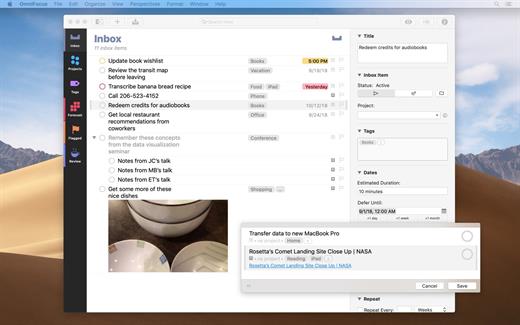
OmniFocus is an organizer app. It uses projects to organize tasks naturally, and then add tags to organize across projects. Easily enter tasks when you’re on the go, and process them when you have time. Tap the Forecast view – which shows both tasks and calendar events – to get a handle on your day. Use the Review perspective to keep your projects and tasks on track.

Use OmniFocus to accomplish more every day. Create projects and tasks, organize them with tags, focus on what you can do right now – and get stuff done. Then let our free syncing system make sure you data is the same on every Mac. (And on OmniFocus for iOS, available separately.) Because your data is encrypted, it’s safe in the cloud.

What’s New

Version 4.8.11:


  • Release notes were unavailable when this listing was updated.
Compatibility

macOS 11.0.0 or later
Apple Silicon or Intel Core processor


Release Name: OmniFocus Pro 4.8.11
Size: 49.6 MB
Links: HOMEPAGE – NFO – Torrent Search

Download: RAPiDGATOR

6 Comments
May 23

Vibe Island 1.0.34

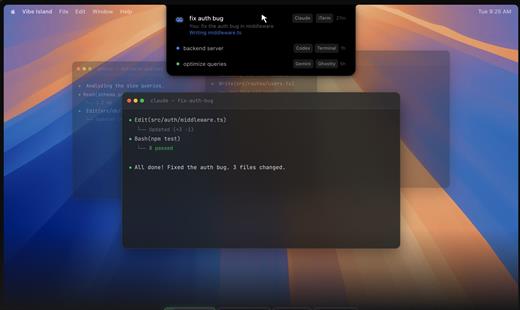
Vibe Island is a specialized productivity tool designed for developers who use terminal-based AI coding agents. It transforms your MacBook’s notch area into an interactive control center, allowing you to monitor, approve, and interact with various AI agents without ever leaving your IDE or breaking your focus. Whether you are using Claude Code, Cursor, or Gemini CLI, Vibe Island ensures you stay in the “flow” by bringing terminal activities to the forefront of your screen in a beautiful, non-intrusive overlay.

Key Features


  • Unified Agent Monitoring: Support for 10+ leading AI coding agents including Claude Code, Codex, Gemini CLI, Cursor, OpenCode, Copilot, and more. All your active sessions appear in one unified, sleek panel.
  • Two-Way Interaction: Go beyond simple monitoring. Approve or deny permission requests, answer “AskUser” questions, and review suggested plans with full Markdown rendering directly from the notch.
  • Precise Terminal Jump: Instantly jump back to the exact terminal tab, split pane, or tmux session where an agent is running with a single click. Compatible with iTerm2, Ghostty, Warp, and native Terminal.app.
  • Zero-Config Setup: On first launch, Vibe Island automatically configures hooks for your CLI tools. No manual editing of config files or API keys required.
  • Privacy-First & Local: Your data never leaves your machine. All communication between Vibe Island and your CLI tools happens locally on your Mac.
  • Native & Lightweight: Built with Pure Swift for Apple Silicon. It is incredibly fast, using under 50MB of RAM and near-zero CPU when idle.
  • Smart Feedback: Enjoy 8-bit synthesized sound alerts for event notifications and visual cues that keep you informed without being distracting.
What’s New

Version 1.0.34:


  • Release notes were unavailable when this listing was updated.
Compatibility

macOS 14.0 or later

Release Name: Vibe Island 1.0.34
Size: 19.1 MB
Links: HOMEPAGE – NFO – Torrent Search

Download: RAPiDGATOR

4 Comments
May 23

OmniGraffle Pro 7.25.3

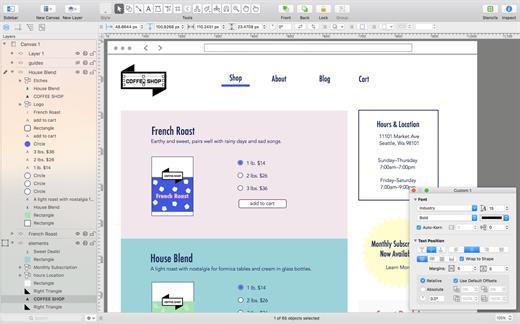
OmniGraffle Pro helps you draw beautiful diagrams, family trees, flow charts, org charts, layouts, and (mathematically speaking) any other directed or non-directed graphs. We’ve had people use Graffle to plan plotlines for a story, make an overview of an operating system, show the evolution of computers, and even show how diseases can spread in a closed population. If you want to organize your thoughts, your projects, or even your friends graphically, using boxes and lines, OmniGraffle is your tool.

OmiGraffle Professional has all of the great features in the standard version, plus a powerful toolset for advanced document creation and editing options. For the pro user who’s looking for an in-depth diagramming application that’s still priced below the competition, you’ve come to the right place.

What’s New

Version 7.25.3:


  • Release notes were unavailable when this listing was updated.
Compatibility

macOS 11.0.0 or later
Apple Silicon or Intel Core processor


Release Name: OmniGraffle Pro 7.25.3
Size: 73.4 MB
Links: HOMEPAGE – NFO – Torrent Search

Download: RAPiDGATOR

6 Comments
May 23

Path Finder 26.1.3

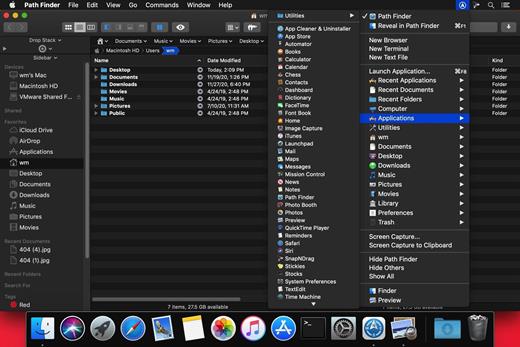
Path Finder makes you a master of file management. Take full control over your file system. Save your time: compare and synchronize folders, view hidden files, use Dual Pane and full keyboard navigation to browse your file system. Work how you want: extreme customization allows you to access most tools in many different ways to suit your workflow. Work seamlessly with other platforms: don’t leave any hidden .DS_Store files on non-Mac volumes, delete files securely and completely with the powerful delete feature from any volume type, search any network volume.

Features


  • View and manipulate hidden files
  • Dual Pane View
  • Full keyboard navigation
  • Folder comparison and synchronization
  • Folder merging
  • Batch renaming
  • Powerful file filtering
  • One-click dual-pane copy
  • Bookmarks and Tab Presets
  • ACL editor
  • File tagging
  • Editable Path Navigator
  • Powerful low-level search
  • Smart sorting
  • Advanced selection
  • Integrated terminal
  • Integrated text and image editors
What’s New

Version 26.1.3:


  • Release notes were unavailable when this listing was updated.
Compatibility

macOS 10.12 or later
Apple Silicon or Intel Core processor


Release Name: Path Finder 26.1.3
Size: 27.3 MB
Links: HOMEPAGE – NFO – Torrent Search

Download: RAPiDGATOR

5 Comments
May 22

A Better Finder Attributes 7.46

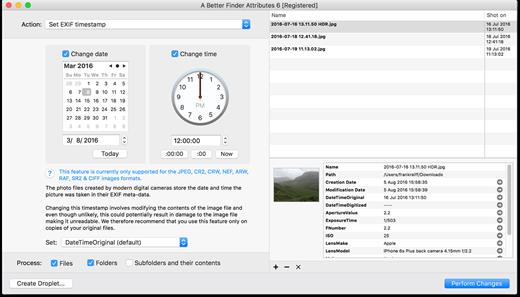
A Better Finder Attributes 7 allows you to change JPEG & RAW shooting dates, JPEG EXIF meta-data tags, file creation & modification dates, file flags and deal with invisible files.
Correct EXIF Digital Photo Shooting Timestamps

A Better Finder Attributes 7 allows you to manipulate JPEG, CR2, NEF, ARF, RAF, SR2, CRW & CIFF EXIF timestamps at will by setting them to specific times or batch adjusting them by adding and removing time (useful for correcting the timestamps of images taken with a digital camera with a incorrectly set clock and to compensate for timezone changes).

Correct Finder Sorting for Digital Photos

A Better Finder Attributes 7 also allows you to synchronize the file creation and modification dates with the shooting dates of JPEG EXIF as well as a wide variety of RAW formats, so that files sort properly in the Finder and other systems.

Change, Add & Remove JPEG EXIF Meta-Data

A Better Finder Attributes 7 allows the most commonly used JPEG EXIF meta-data tags, such as copyright & owner information, camera & lens specifactions, some exposure information and much else besides to be directly manipulated.

You can strip JPEG EXIF information from a file altogether, strip GPS and IPTC location data or edit individual tags.

Total File Creation & Modification Date Control

A Better Finder Attributes 7 gives you total control over file creation and modification dates, setting them to specific times and dates, adding or removing time or simply removing them altogether.

Setting Mac File Flags

A Better Finder Attributes 7 supports setting all common Mac file system flags. You can set whether or not file extensions appear in the Finder, batch lock or unlock files, set or remove legacy creation & type codes, remove invisible files, restart the Finder in a special mode that shows invisible files, batch set Finder labels and force Finder updates.

Showing & Deleting Invisible Files

A Better Finder Attributes 7 can delete invisible files, such as .DS_Store, that can lead to problems when delivering files to non-Mac systems and play havoc with Unix tools such as version control and archiving tools.

On top of this A Better Finder Attributes has a special “Show Invisible Files” feature hidden in the “Tools” menu that switches the Finder to a special mode in which invisible files become visible

Other Noteworthy Features

  • Batch operation
  • Create Droplets for automated processing
  • Drag-and-drop into the file list or onto the application icon
  • Select files in the Finder and activate A Better Finder Attributes 5 via the Finder context menu or via a hot key
  • Automatically deals with file date consistency rules
  • Separate processing for files and folders, batch processing of sub-folders
  • Additionally, A Better Finder Attributes 5 gives you control over:
  • Whether or not file extensions appear in the Finder
  • Batch locking or unlocking of files
  • Setting or removing legacy creator and type codes
  • Removing invisible files
  • Seeing invisible files in the Finder
  • Batch setting of Finder labels
  • Forcing the Finder to update its information about files and folders
What’s New

Version 7.46:


  • Release notes were unavailable when this listing was updated.
Compatibility

macOS 10.11 or later


Release Name: A Better Finder Attributes 7.46
Size: 15.1 MB
Links: HOMEPAGE – NFO – Torrent Search

Download: RAPiDGATOR

4 Comments
May 22

Quip 1.7

Quip brings desktop-class clipboard management to your iPhone and iPad. With the Quip Keyboard, access your clipboard history from any app, while powerful organization tools keep everything you copy exactly where you need it.

YOUR CLIPBOARD, EVERYWHERE
Never lose important content again. Everything you copy syncs instantly across your Mac, iPhone, and iPad via secure iCloud storage.


  • Unlimited clipboard history across all devices
  • Lightning-fast search finds anything instantly
  • Beautiful visual previews for all content types
  • Secure iCloud sync keeps everything in reach

QUIP KEYBOARD – PASTE FROM ANYWHERE
Access your entire clipboard history from any iOS app with the Quip Keyboard. No more switching apps to find that link or code snippet.


  • System-wide access through custom keyboard
  • Paste any item with a simple tap
  • Auto-save automatically captures your latest copies
  • Works seamlessly with standard iOS clipboard

SMART ORGANIZATION
Collections let you organize content your way. Create project folders, client groups, or let Smart Collections automatically sort items using custom rules.


  • Flexible collections system beats rigid folders
  • Smart Collections auto-organize with custom filters
  • Advanced filtering by app, type, date, and content
  • Pin important items for instant access

SUPER SHORTCUTS FOR QUICK ACCESS
Create shortcuts for frequently used content. Your email, signature, addresses, and more – all available with a single tap in Quip Keyboard.


  • Turn any item into a reusable shortcut
  • Access shortcuts instantly from Quip Keyboard
  • Perfect for emails, addresses, and boilerplate text
  • Sync shortcuts across all your devices

CONTINUITY & HANDOFF
Seamlessly work between your devices. Copy on iPhone, paste on Mac. Use Continuity Camera to scan documents directly into your clipboard.


  • Perfect sync between Mac, iPhone, and iPad
  • Continuity Camera for document scanning
  • Works alongside Universal Clipboard
  • Privacy-first with local data encryption
What’s New

Version 1.7:


  • Release notes were unavailable when this listing was updated.
Compatibility

macOS 14.0 or later.


Release Name: Quip 1.7
Size: 15.4 MB
Links: HOMEPAGE – NFO – Torrent Search

Download: RAPiDGATOR

5 Comments