Please REGISTER or RENEW your account on RAPiDGATOR.net and support us by doing through all RAPiDGATOR working download links on main posts...
May 22

A Better Finder Rename 12.30

A Better Finder Rename is the most complete renaming solution available on the market today. That’s why, since 1996, tens of thousands of hobbyists, professionals and businesses depend on A Better Finder Rename to organize and maintain files.
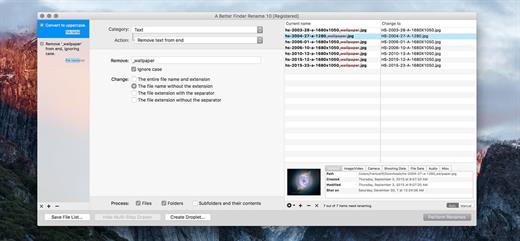
The Instant Preview feature eliminates guesswork and costly errors and helps you find the right settings quickly and accurately by providing as-you-type feedback.

A Better Finder Rename offers a complete set of renaming options that are organized into 15 categories covering all the text, character, position, conversion and truncation features that you would expect from a file renamer, but it does not stop there. The multi-step renaming feature allows multiple renaming steps to be combined to deal with complex renaming jobs in a single operation. Unlike other tools, A Better Finder Rename allows any number of renaming actions to be combined, re-ordered, copied and deleted.

What’s New

Version 12.30:


  • Release notes were unavailable when this listing was updated.
Compatibility

macOS 10.13 or later
Apple Silicon or Intel Core processor

Release Name: A Better Finder Rename 12.30
Size: 16.6 MB
Links: HOMEPAGE – NFO – Torrent Search

Download: RAPiDGATOR

4 Comments
May 22

App Cleaner & Uninstaller Pro 9.2.1

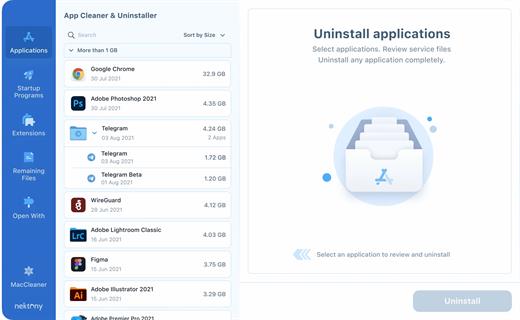
App Cleaner & Uninstaller (was App Cleaner) can remove applications and their service files on macOS. Make sure they aren’t eating up precious space on your drive with this helpful app that does the legwork for you.

Features


  • Scan the system and preview installed applications
  • Remove all types of service files
  • Remove remains of previously uninstalled apps
  • Reset application to a first-launch state
  • Easy-to-use shortcuts
  • Any file or app quick preview
  • Specific app-associated file formats preview
  • In-app help assistance
  • Show unused applications
  • Skip list option
What’s New

Version 9.2.1:


  • Release notes were unavailable when this listing was updated.
Compatibility

macOS 10.13 or later


Release Name: App Cleaner & Uninstaller Pro 9.2.1
Size: 42.6 MB
Links: HOMEPAGE – NFO – Torrent Search

Download: RAPiDGATOR
5 Comments
May 22

4K Video Downloader Plus Pro 26.1.2

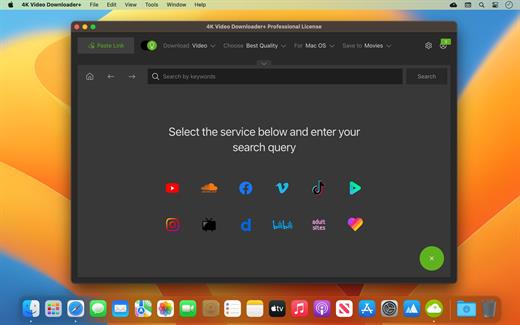
4K Video Downloader allows to download video, audio and subtitles from YouTube in high-quality and as fast as your computer and connection will allow. If you want that video on your iPad, iPhone or other device we’ve got you covered. Downloading is simple and straightforward: just copy the video link from your browser and click ‘Paste Url’. Done!

Proxy Connection for Unrestricted Access


  • Bypass restrictions set by your Internet service provider and get around your school or workplace firewall. Connect through an in-app proxy to access and download from YouTube and other sites.

All Popular Sites Support


  • Save video and audio from YouTube, Vimeo, TikTok, SoundCloud, Bilibili, Niconico, Flickr, Facebook, Instagram, DailyMotion, Naver TV, Likee and Tumblr. Download recorded streams from Twitch and YouTube Gaming.

New YouTube Video Auto-Download


  • Subscribe to the download of your favorite YouTube playlists and creators. Save whole channels and playlists in one go. Get new videos downloaded automatically as soon as they are uploaded to YouTube.

3D Video Download


  • Get a one of a kind experience by watching stereoscopic 3D videos on your computer or TV. Download 3D Youtube videos in MP4, MKV, FLV, 3GP and other formats

360° Video Download


  • Feel the action all around you with virtual reality videos. Download 360° videos to relive the mind-blowing VR experience as many times as you want.

Easy Downloads Management


  • Sort and filter downloads by type, name and date. Import and export all files as a single JSON file. Easily track and control the progress of both individual downloads and entire groups of downloading files.
What’s New

Version 26.1.2:


  • Release notes were unavailable when this listing was updated.
Compatibility

macOS 10.13 or later

Release Name: 4K Video Downloader Plus Pro 26.1.2
Size: 275.4 MB
Links: HOMEPAGE – NFO – Torrent Search

Download: RAPiDGATOR

5 Comments
May 22

ON1 Photo RAW MAX 2026.4 v20.4.0.18729

ON1 Photo RAW is a standalone macOS application designed to help you enhance your photos collection by quickly applying various effects, image layers, or masks, by employing the included retouching tools, or by resizing the original file.

Complex photo editing suite featuring a stylish yet organized user interface

Right off the bat, in the main window, you can easily browse your images collection and add new source image folders. The built-in image browser allows you to preview your photos and enables you to send them to other workspaces.

Even if ON1 Photo RAW does not take up too many resources, the switch between various workspaces, and applying different effects, comes with a slight delay.

Moreover, if you don’t interact with ON1 Photo RAW in fullscreen mode, the buttons associated with the various working spaces (develop, layers, resize, and so on), do not seem to work properly.

Enhance your photos quality and apply effects and masks to improve the final result

The capabilities are organized into multiple workspaces that can be accessed via different toolbars. This way, the currently selected image can be sent to any layer, enhanced, masked and/or resized very easily.

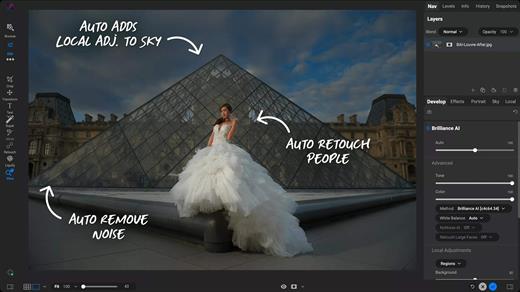
Finding your way around the application is quite easy since the workspace names are quite self-explanatory. Noteworthy is that ON1 Photo RAW can automate portrait retouching tasks, such as removing blemishes or cleaning up teeth.

Streamlined software solution designed to help you process and intensify certain image characteristics

ON1 Photo RAW provides a collection of powerful tools designed to help you deal with common photo editing problems: enhancing the image quality by adjusting the color, the tone, by cleaning certain unwanted elements, or by applying different effects, including black and white styles.

Moreover, it can automate face retouching tasks, enables you to resize the images, and offers you the possibility to work with multiple layers and masks.

What’s New

Version 20.4.0:


  • Release notes were unavailable when this listing was updated.
Compatibility

macOS 10.15 or later


Release Name: ON1 Photo RAW MAX 2026.4 v20.4.0.18729
Size: 1.1 GB
Links: HOMEPAGE – NFO – Torrent Search

Download: RAPiDGATOR
6 Comments
May 22

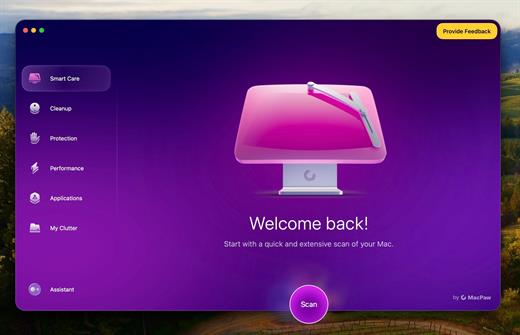
CleanMyMac 5.5.4

CleanMyMac is all-in-one package to awesomize your Mac. It cleans megatons of junk and makes your computer run faster. Just like it did on day one.

CleanMyMac makes space for the things you love. Sporting a range of ingenious new features, CleanMyMac lets you safely and intelligently scan and clean your entire system, delete large, unused files, reduce the size of your iPhoto library, uninstall unneeded apps or fix the ones that started to work improperly, manage all your extensions from one place and do much more – all from one newly designed and beautifully simple interface.

Note:

wait a second to let it activate itself

If prompted:”The application “CleanMyMac” can’t be opened.”

What’s New

Version 5.5.4:


  • Release notes were unavailable when this listing was updated.
Compatibility

macOS 14.0 or later


Release Name: CleanMyMac 5.5.4
Size: 156.8 MB
Links: HOMEPAGE – NFO – Torrent Search

Download: RAPiDGATOR

5 Comments
May 22

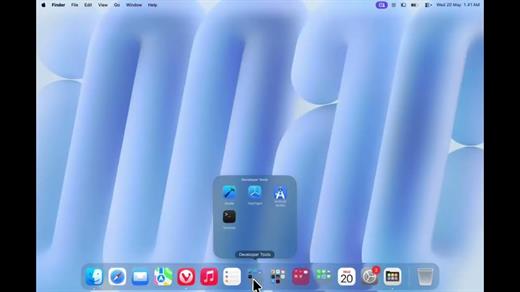
DockFolders 1.0.0

Bring iOS-style folders to macOS. Group your apps, expand them instantly, and keep your workspace perfectly clutter-free.

Key Features


  • iOS-Style App Folders: Group your apps just like you do on your iPhone. Click to expand into a beautiful grid, and click away to collapse.
  • Simple Drag-and-Drop Setup: Easily add, remove, or rearrange items. Just drag files or applications from your Finder sidebar straight into your folders.
  • Quiet Menubar Integration: Runs lightly in the background via a minimalist menubar icon, giving you instant access without cluttering your view.
  • Fully Customizable: Tweak the background blur, icon colors, folder appearance, and custom gestures to match your exact desktop aesthetic.
  • Native macOS Feel: Designed to look and behave like a built-in Apple feature, complete with native context menus and full Finder support.
  • Performance Optimized: Lightweight architecture with zero impact on your Mac’s battery life or CPU performance.
What’s New

Version 1.0.0:


  • Release notes were unavailable when this listing was updated.
Compatibility

macOS 14 or later


Release Name: DockFolders 1.0.0
Size: 5.9 MB
Links: HOMEPAGE – NFO – Torrent Search

Download: RAPiDGATOR
5 Comments
May 22

4K YouTube to MP3 Pro 26.1.2

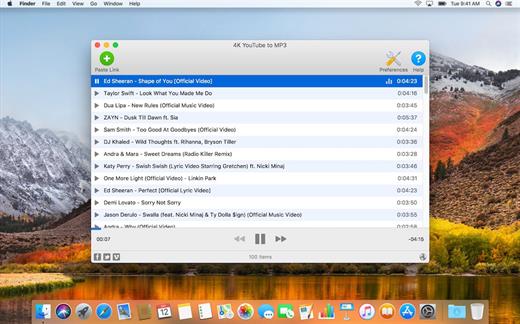
4K YouTube to MP3 was specifically created to extract audio from YouTube, Vimeo or Facebook and save it in MP3, M4A, OGG. No annoying and complicated settings to deal with, just a clean, friendly and functional interface. Downloading is simple and straightforward: just copy the link from your browser and click ‘Paste Url’. Done!

Features


  • Extract audio from YouTube videos and save it in MP3, M4A or OGG in high quality.
  • Download full YouTube playlists or channels and generate m3u files.
  • Transfer downloaded tracks automatically into iTunes and upload them on your iPhone or iPod.
  • Listen music via native built-in music player.
  • Download and extract audio tracks from SoundCloud, Vimeo, Flickr and DailyMotion videos.
  • Download audio books from YouTube.
  • Extract audio tracks even from embedded in HTML page videos.
  • Use 4K YouTube to MP3 on your PC, Mac or Linux, doesn’t matter what OS you prefer.
What’s New

Version 26.1.2:


  • Release notes were unavailable when this listing was updated.
Compatibility

macOS 10.10 or later


Release Name: 4K YouTube to MP3 Pro 26.1.2
Size: 245.8 MB
Links: HOMEPAGE – NFO – Torrent Search

Download: RAPiDGATOR

4 Comments
May 22

BrewStation 2.0.3

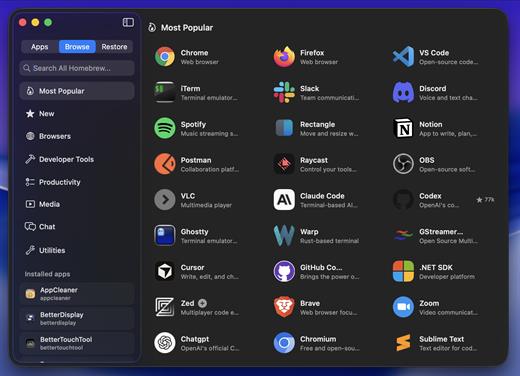
Skip the terminal and get all the benefits of using Homebrew with full app and formulae management with a simple to use GUI application. Manage and view all your Homebrew apps in one place. Search all of Homebrew directly in the app. Homebrewing made simple!

Uscases:

Can be used as a Homebrew viewer and manager.
Can be used as a App restore tool that backs up and saves app states (full snapshot) to be viewed and managed with the built-in snapshot library.
Can be used as a New Mac setup tool, save app snapshots from one Mac and install and restore them (Fully!) with one click on another Mac.

Homebrew:

brew tap hreinssondev/brewstation

brew install –cask hreinssondev/brewstation/brewstation

What’s New

Version 2.0.3:


  • Release notes were unavailable when this listing was updated.
Compatibility

macOS 13 or later

Release Name: BrewStation 2.0.3
Size: 8.3 MB
Links: HOMEPAGE – NFO – Torrent Search

Download: RAPiDGATOR
5 Comments
May 22

Path Finder 26.1.2

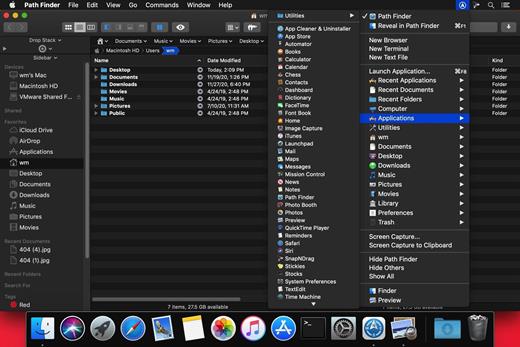
Path Finder makes you a master of file management. Take full control over your file system. Save your time: compare and synchronize folders, view hidden files, use Dual Pane and full keyboard navigation to browse your file system. Work how you want: extreme customization allows you to access most tools in many different ways to suit your workflow. Work seamlessly with other platforms: don’t leave any hidden .DS_Store files on non-Mac volumes, delete files securely and completely with the powerful delete feature from any volume type, search any network volume.

Features


  • View and manipulate hidden files
  • Dual Pane View
  • Full keyboard navigation
  • Folder comparison and synchronization
  • Folder merging
  • Batch renaming
  • Powerful file filtering
  • One-click dual-pane copy
  • Bookmarks and Tab Presets
  • ACL editor
  • File tagging
  • Editable Path Navigator
  • Powerful low-level search
  • Smart sorting
  • Advanced selection
  • Integrated terminal
  • Integrated text and image editors
What’s New

Version 26.1.2:


  • Release notes were unavailable when this listing was updated.
Compatibility

macOS 10.12 or later
Apple Silicon or Intel Core processor


Release Name: Path Finder 26.1.2
Size: 27.3 MB
Links: HOMEPAGE – NFO – Torrent Search

Download: RAPiDGATOR

4 Comments
May 21

Movist Pro 2.15.4

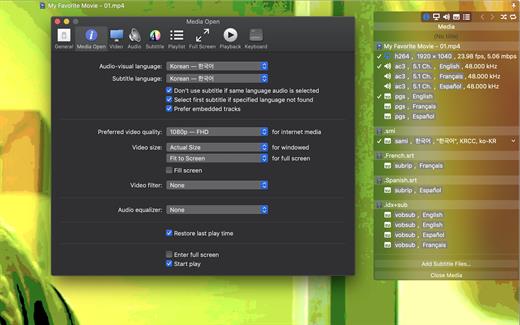
Movist is a movie player based on QuickTime and FFmpeg.

Features:


  • Supports QuickTime and FFmpeg
  • Customizable high quality caption
  • Supports smi, srt format captions
  • Playlist support
  • Media playback control
  • Full screen control panel
  • Simple user interface
  • Universal binary
Additional features for Movist Pro

  • Safari, Chrome Browser Extension
  • Supports Web Meida such as YouTube, Ted and so on
  • Picture in Picture 기능
  • Open URL
  • Default Application Setting
  • No Access Folder Permissions Required
  • Supports Networm Server such as FTP, SFTP, WebDAV and SMB (to be added)
  • Supports Media Keys (to be added)
  • Supports AirPlay (to be added)
What’s New

Version 2.15.4:


  • Release notes were unavailable when this listing was updated.
Compatibility

macOS 10.13 or later
Apple Silicon or Intel Core processor


Release Name: Movist Pro 2.15.4
Size: 61.8 MB
Links: HOMEPAGE – NFO – Torrent Search

Download: RAPiDGATOR
4 Comments