Please REGISTER or RENEW your account on RAPiDGATOR.net and support us by doing through all RAPiDGATOR working download links on main posts...
Jan 20

Baby Audio Everything Bundle v01.2026

The Baby Audio Complete Bundle offers the most cost-effective way to get your hands on all of Baby Audio’s award winning-plugins. With five modern mix effects to add polish and impact, three retro effects to bring the sonic signature of the analogue era into your DAW, as well as Baby Audio’s latest beloved synth, the Complete Bundle is designed to push your studio’s boundaries and take you to that next sonic level.


  • Atoms v1.2
  • BA-1 v1.7
  • Comeback Kid v1.6
  • Crystalline v1.8
  • Humanoid v1.2
  • IHNY-2 v1.5
  • Parallel Aggressor v1.5
  • Smooth Operator Pro v1.2
  • Spaced Out v1.7
  • Super VHS v1.6
  • TAIP v1.6
  • Tekno v1.1
  • Transit 2 v2.2
What’s New

Version 01.2026:


  • Release notes were unavailable when this listing was updated.
Compatibility

macOS 10.11 or later


Release Name: Baby Audio Everything Bundle v01.2026
Size: 1.8 GB
Links: HOMEPAGE – NFO – Torrent Search

Download: RAPiDGATOR

9 Comments
Jan 20

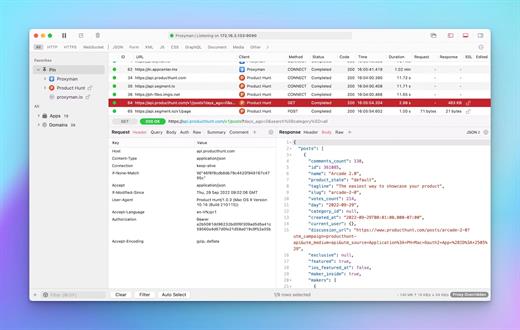
Proxyman 6.4.0

Proxyman is a high-performance macOS app, which enables developers to view HTTP/HTTPS requests from apps and domains.

Features


  • ? Native macOS app. Written by Swift, Objective-C. Powered by Apple SwiftNIO for the high-performance network application.
  • ? Fully support Apple Chip (e.g M1, M2, M1 Pro/Max).
  • ? Built for macOS Monterey & Ventura.
  • ✅ Hassle-free Intercept HTTP/HTTPS requests/response and WebSocket from Web Browsers, iOS, and Android devices.
  • ✅ Modern and intuitive UI
  • ? Multiple filters
  • Comprehensive Guideline to set up with iOS simulator and iOS and Android devices.
  • Basic debugging tools: Compose, Repeat, Wildcard/Regex Filter, Multiple Filters, Customize Columns, Toolbar…
  • Advanced Tools: Breakpoint, Map Local, Map Remote, Backlist, External Proxying, No Caching, Protobuf, Clear Cache, Custom Certificates, Scripting, Network Conditions, Reverse Proxy, Diff, Access Control etc
  • Automatic Setup for Backend Development: Auto capture HTTP(s) traffic from NodeJS, Ruby and Python.
  • macOS 10.15+
What’s New

Version 6.4.0:


  • Release notes were unavailable when this listing was updated.
Compatibility

macOS 10.15 or later


Release Name: Proxyman 6.4.0
Size: 33.7 MB
Links: HOMEPAGE – NFO – Torrent Search

Download: RAPiDGATOR

6 Comments
Jan 20

Kerlig 2.5.2 – AI Writing App

Kerlig is a in-context writing assistant that integrates AI into any macOS application, boosting productivity and communication. It can be used to correct spelling errors before sending messages, craft responses on Slack and Mail, summarize websites and articles, chat with PDFs and documents, improve copy in Figma, translate into any language, adjust tone, and more. Kerlig is compatible with all models from OpenAI, Anthropic Claude, Perplexity, X.AI, Groq, DeepSeek and Google Gemini.

What’s New

Version 2.5.2:


  • Fresh model lineup with the latest AI models across all providers
  • Custom actions now have the option to appear automatically when you add content from supported apps
  • Auto Close option makes Kerlig window close when you switch to another app
  • Longer custom model names now support up to 50 characters (increased from previous limit)
  • Custom Actions graduate from beta – they're now fully stable feature
Compatibility

macOS 10.15 or later
Apple Silicon or Intel Core processor


Release Name: Kerlig 2.5.2 – AI Writing App
Size: 268.4 MB
Links: HOMEPAGE – NFO – Torrent Search

Download: RAPiDGATOR

7 Comments
Jan 20

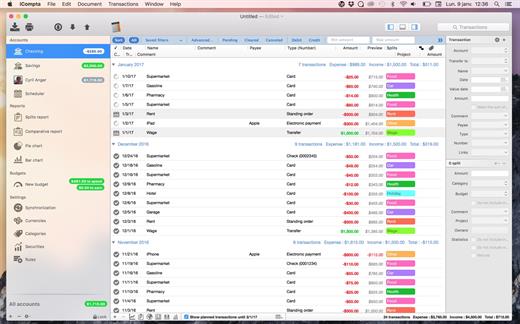
iCompta Pro 6.2.1

iCompta is a simple and powerful personal finance management application. iCompta is designed to be as easy to use as possible while maintaining an array of features to help you track your money down and start saving!

Features


  • Multiple currencies: Each account can have its own currency and you can organize transactions by category.
  • Compatibility: iCompta lets you reconcile transactions which are on your bank reports by downloading your transactions from your bank site either with the embedded Web browser or via OFX direct connect for supported financial institutions. Factory settings are even available for most financial institutions to let you setup your account quickly.
  • Budgets: You can set budgets for your accounts to track your income and expenses on a periodic basis.
  • IOU’s: iCompta lets you deal with the common problem of who owes what to who when you buy things with people.
  • Synchronization: Sync your iPhone with a wireless network via Bonjour.
  • Analysis and Statistics: You can sort and filter transactions to make statistics on your incomes and expenses. You can show a graph of the balance evolution of an account and even have a forecast for the next months.
  • Rules: You can create rules to modify your transactions automatically in order to be more productive.
  • Import / Export: iCompta can import / export the following formats: CSV, QIF, OFX
  • Transfers: Make funds transfers between multiple accounts
  • Security: iCompta documents can be password encrypted
What’s New

Version 6.2.1:


  • Release notes were unavailable when this listing was updated.
Compatibility

macOS 10.9 or later.


Release Name: iCompta Pro 6.2.1
Size: 26.5 MB
Links: HOMEPAGE – NFO – Torrent Search

Download: RAPiDGATOR

5 Comments
Jan 20

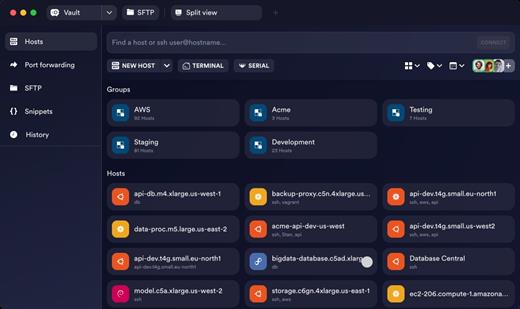
Termius 9.35.4

Termius the most innovative and popular cross-platform SSH client. Manage your Raspberry Pi, a Linux machine or a UNIX server farm easily.

Features:


  • Termius is available for all major mobile and desktop systems.
  • Enjoy a beautiful, hand-crafted interface.
  • Supports ECDSA and ed25519 keys as well as chacha20-poly1305 cipher.
  • Termius is always ad-free. You are not the product.
  • Pair credentials and servers for quick access.
  • Create groups to define shared settings and themes.
  • Tag your servers to stay organized.
  • Make it yours with 12 colorful themes and adjustable fonts.
  • Power through late night sessions with dark mode.
  • Make multiple connections to the same host or connect to multiple hosts.
  • Port forwarding lets you encrypt nearly any service or connection.
  • Import your desktop’s ~/.ssh/config file via the command line.
Note:

What’s New

Version 9.35.4:


  • Release notes were unavailable when this listing was updated.
Compatibility

macOS 10.14 or later
Apple Silicon or Intel Core processor


Release Name: Termius 9.35.4
Size: 179.4 MB
Links: HOMEPAGE – NFO – Torrent Search

Download: RAPiDGATOR

5 Comments
Jan 20

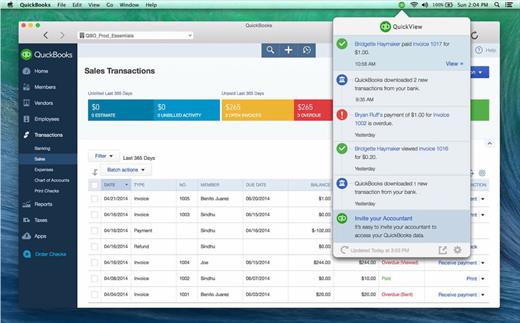
QuickBooks 2024 v23.1.10 R11.1

Powerful features that are easy to use
According to G2 Crowd, QuickBooks Enterprise is the accounting leader in the mid-market category, has the highest user adoption, is easiest to use, and provides the fastest implementation.* With Enterprise’s intuitive design, you’ll be able to work fast and increase productivity.

What’s New

Version 23.1.10:


  • Release notes were unavailable when this listing was updated.
Compatibility

macOS 12.0 or later

Apple Silicon or Intel Core processor


Release Name: QuickBooks 2024 v23.1.10 R11.1
Size: 169 MB
Links: HOMEPAGE – NFO – Torrent Search

Download: RAPiDGATOR

6 Comments
Jan 20

Mimestream 1.9.7

Mimestream combines your favorite Gmail features with the power of a native macOS app so you can move through your email effortlessly

Made for Mac, optimized for Gmail

As a native app written in Swift, Mimestream leverages the full power of macOS to deliver a lightning-fast and instantly familiar experience. Instead of using the IMAP protocol, Mimestream utilizes the Gmail API to enable an enhanced set of features that let you work with ease.

Work smarter, email faster

  • Rise above the noise and focus on the work that matters most. Mimestream makes it easy to keep your inbox organized with confidence.

  • Categorized Inbox – with support for Gmail’s categories, focus on what matters most and triage the rest at your leisure.
  • Multiple Accounts
  • Label Management
Committed to Privacy

Your data and credentials are stored only on your device, and the app only makes direct connections to Gmail. There are no intermediary servers, and Mimestream does not collect or sell your email.

Key Features

  • Lightweight and Fast – Mimestream is built for speed, and only uses a minimal amount of disk space to cache recent messages
  • Offline Access – Fully functional when offline and on the slowest connections-perfect for business travelers and whenever you’re on the go
  • System Notifications – Receive macOS system notifications when you receive new messages, so you never fall behind on important threads
  • Aliases – Your email aliases are automatically synced from Gmail without any setup and are used for replies when appropriate
  • Signatures – Signatures set up in Gmail are automatically synced with Mimestream
  • Robust Search – Enter any Gmail search query into Mimestream and get consistent results. Search while offline, too
  • Swipe Gestures – Use familiar macOS swipe gestures to quickly triage and archive your email
  • Tracking Prevention – Read your email privately – Mimestream blocks tracking pixels from 50+ of the most common tracking services
  • Keyboard Shortcuts – Triage your email quickly using keyboard shortcuts, including the option to use familiar Gmail or Apple Mail shortcut sets
What’s New

Version 1.9.7:
✨ Improved


  • Support drag and drop reordering of Mimestream signatures
? Fixed

  • Mimestream login fails if there's a Google account in a login-failed state
  • Mimestream account login fails if logging in via copied Oauth login
  • Hovering over the snooze menu repeatedly adds dividers
Compatibility

macOS 10.15.0 or later


Release Name: Mimestream 1.9.7
Size: 9 MB
Links: HOMEPAGE – NFO – Torrent Search

Download: RAPiDGATOR

5 Comments
Jan 20

PullTube 1.8.6.20

Sharing videos via online hosting services, such as YouTube or Vimeo is a common practice, yet streaming the content might not work as expected if you have a slow internet connection.
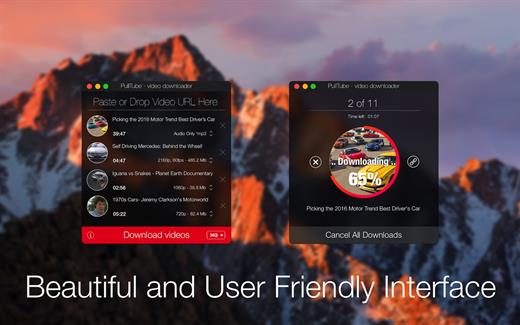
PullTube offers you the possibility to download videos from both sources (YouTube and Vimeo), while other platforms might be added at a later time. The app can handle playlists, allows you to select the output quality, and can even extract only the audio.

Video downloader that can import links with drag and drop and can detect playlists

The PullTube user interface is represented by a small window where you get to quickly paste the video URL. Note that you can also add a video by dropping the link on top of the PullTube window.

Worth mentioning is that, if PullTube detects that the video is part of a playlist, will offer to download the entire collection: will fetch the data for each entry and handle the downloads consecutively.

Download videos hosted on YouTube or Vimeo to different output sizes and formats

PullTube will start fetching the video data right away so you can see the video name, duration, and a small thumbnail. When configuring a download, you get to select the output quality (highest, 4K, HD or regular with different resolutions) or choose to export only the audio to an M4A or MP3 file.

Via the PullTube Settings panel, you can change the default download location and the default MP3 bitrate (320Kbps, 256Kbps, 128Kbps, 64Kbps). You can also add the quality info to the video’s name and choose to quit the app when all downloads are completed.

Get offline access to videos hosted online in just a few steps

PullTube proposes a streamlined workflow for quickly downloading videos from YouTube or Vimeo, provides control over the output quality, and enables you to extract the audio to MP3 or M4A files.

However, during our tests, we have noticed that PullTube has trouble completing the download when handling videos that are longer that 2 minutes. The process stops without any explanation, and you can eventually complete the task, but you need to add the link to download tool multiple times.

What’s New

Version 1.8.6.20:


  • Release notes were unavailable when this listing was updated.
Compatibility

macOS 10.12 or later


Release Name: PullTube 1.8.6.20
Size: 232.2 MB
Links: HOMEPAGE – NFO – Torrent Search

Download: RAPiDGATOR

6 Comments
Jan 20

Video Converter X2 1.3.3

Video Converter X2 is a full-featured format conversion software that supports converting almost all multimedia file formats, including video MP4, AVI, 3GP, WMV, MKV, VOB, MOV, FLV; audio MP3, AC3, FLAC, AAC, M4A, AIFF, WAV, etc.

Video Converter X2 has built-in format templates optimized for different devices, such as Mac, iPhone, iPod, Android, Windows, TV, etc., so you don’t need to worry about what formats correspond to different devices, but just select the device type you need from the template list of Video Converter X2, and start converting easily.

Features


  • Support almost all types of multimedia formats and easily convert them to the format you want.
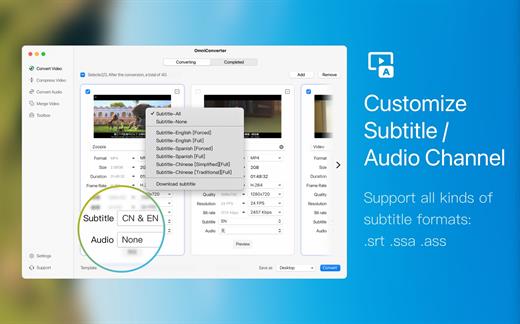
  • Support choose built-in subtitle or load from external SRT, SSA file.
  • Support choose from multiple audio tracks.
  • Video File Compression helps you to reduce your video file size, It saves space on your hard drive.
  • Support templates for Mac, iPhone, iPod, Android, Windows, TV and other devices in specified formats.
  • Support common website and application formats Built-in video format templates optimized for WeChat, Bilibili, Facebook, Instagram, Youtube, so the conversion operation can be done in one click.
  • Fast video merging support merging multiple video files. Even if the original formats are different, they can be perfectly combined into a new file.
What’s New

Version 1.3.3:


  • Release notes were unavailable when this listing was updated.
Compatibility

macOS 10.15 or later
Apple Silicon or Intel Core processor


Release Name: Video Converter X2 1.3.3
Size: 52.8 MB
Links: HOMEPAGE – NFO – Torrent Search

Download: RAPiDGATOR

4 Comments
Jan 20

Path Finder 2211

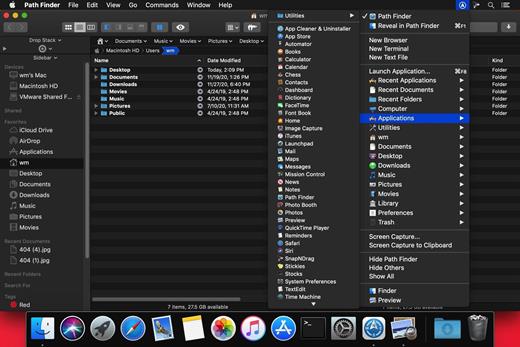
Path Finder makes you a master of file management. Take full control over your file system. Save your time: compare and synchronize folders, view hidden files, use Dual Pane and full keyboard navigation to browse your file system. Work how you want: extreme customization allows you to access most tools in many different ways to suit your workflow. Work seamlessly with other platforms: don’t leave any hidden .DS_Store files on non-Mac volumes, delete files securely and completely with the powerful delete feature from any volume type, search any network volume.

Features


  • View and manipulate hidden files
  • Dual Pane View
  • Full keyboard navigation
  • Folder comparison and synchronization
  • Folder merging
  • Batch renaming
  • Powerful file filtering
  • One-click dual-pane copy
  • Bookmarks and Tab Presets
  • ACL editor
  • File tagging
  • Editable Path Navigator
  • Powerful low-level search
  • Smart sorting
  • Advanced selection
  • Integrated terminal
  • Integrated text and image editors
What’s New

Version 2211:


  • Release notes were unavailable when this listing was updated.
Compatibility

macOS 10.12 or later
Apple Silicon or Intel Core processor


Release Name: Path Finder 2211
Size: 25.4 MB
Links: HOMEPAGE – NFO – Torrent Search

Download: RAPiDGATOR

7 Comments