Please REGISTER or RENEW your account on RAPiDGATOR.net and support us by doing through all RAPiDGATOR working download links on main posts...
Jan 16

MacCleanse 14.3

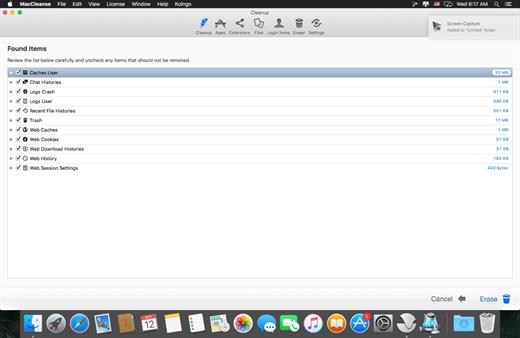
MacCleanse is the product of thousands of hours of intense research and development. It meticulously scans all of the nooks and crannies of a computer for unnecessary junk that can take up huge amounts of disk space! Because of this, Apps in MacCleanse are also uninstalled correctly, catching the numerous logs, caches, plugins, and other resources left behind versus simply dragging them to the Trash. Your privacy is protected and computer performance enhanced by MacCleanse as it wipes your web and app histories, and can toggle resource-hungry extensions!
What’s New

Version 14.3:


  • Release notes were unavailable when this listing was updated.
Compatibility

macOS 10.15 or later, 64-bit processor


Release Name: MacCleanse 14.3
Size: 102.2 MB
Links: HOMEPAGE – NFO – Torrent Search

Download: RAPiDGATOR

4 Comments
Jan 16

Things 3.22.9

Things is a task management solution that helps to organize your tasks in an elegant and intuitive way. Things combines powerful features with simplicity through the use of tags and its intelligent filter bar.

Features:


  • Collect Your Thoughts – Get things off your mind quickly: no matter what app you’re in, a keyboard shortcut instantly reveals Quick Entry. Type your thoughts and save them to the Inbox. Or just talk to Siri on any device (“Remind me to…”) and import from Reminders.
  • Get Organized – Create a project for each of your goals, then add the steps to reach them. For clarity, add structure with headings. Then group your projects by areas of responsibility, such as “Family”, “Work”, or “Health”. Review these regularly to stay on top of things.
  • Plan Your Time – See your calendar events alongside your to-dos and plan your time effectively. Create repeating to-dos for things you do every few days, weeks, or months – Things will remind you on the right day.
  • Make the Most of Your Day – Every morning, grab a coffee and prepare your list for “Today”: review previously planned to-dos and make quick decisions on what to tackle. Pick some more steps from your projects and then get going. The Today list is the only place you’ll need to look for the rest of the day.
  • Customize Your Workflow – Use tags to categorize your to-dos or add context. For example, tag places like “Office” or “Home”, or tag all your “Errands”, or everything you’re working on with “Kate”. You can easily find everything you’ve tagged via filtering or search.
What’s New

Version 3.22.9:


  • Release notes were unavailable when this listing was updated.
Compatibility

macOS 10.15 or later
Apple Silicon or Intel Core processor


Release Name: Things 3.22.9
Size: 37.9 MB
Links: HOMEPAGE – NFO – Torrent Search

Download: RAPiDGATOR

6 Comments
Jan 16

Camtasia 2026.0.5

Camtasia for remarkable screencasts made easy. Create eye-catching training, presentation, and demo videos…the easy way. Camtasia screen-recording software is streamlined, intuitive, and makes you look like a pro.

Easily record onscreen activity, Keynote slides, camera video, microphone, or system audio – all with sparkling clarity. Record in front of a live audience or at your desk. Edit to perfection. Turn it into a stunning, HD-quality video at the perfect size to share on popular video sites, Apple devices, your website, blog, or anywhere you like. Make them wonder how you did it.

What’s New

Version 2026.0.5:


  • Release notes were unavailable when this listing was updated.
Compatibility

macOS 13.0 or later
Apple Silicon or Intel Core processor


Release Name: Camtasia 2026.0.5
Size: 421.7 MB
Links: HOMEPAGE – NFO – Torrent Search

Download: RAPiDGATOR

4 Comments
Jan 16

MacCleaner 4 Pro 4.0.2

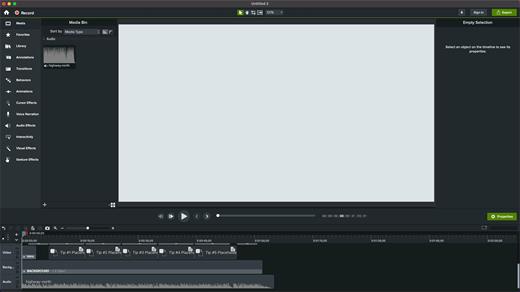
MacCleaner Pro is a Mac optimizer, which will help you to quickly and easily free up space on your Mac and optimize its performance.

Just launch any app from the bundle depending on your needs and perform Mac cleanup:


  • Duplicate File Finder – find and remove duplicate files and folder, merge Similar folders.
  • App Cleaner & Uninstaller – uninstall apps completely and safely, manage your extensions.
  • Memory Cleaner – clear inactive RAM memory to get a boost performance.
  • ClearDisk – clear cache and other junk files from your Mac.
  • Disk Expert – analyze your disk space usage and find the bulkiest content.
  • Funter – find hidden files and folders, change your files visibility.
What’s New

Version 4.0.2:


  • - MacCleaner Pro 4.0
  • - App Cleaner & Uninstaller 9.0
  • - Disk Space Analyzer 6.0
  • - Duplicate File Finder 8.5.1
  • - Funter 7.1
  • - Memory Cleaner 5.5
Compatibility

macOS 10.12 or later


Release Name: MacCleaner 4 Pro 4.0.2
Size: 151 MB
Links: HOMEPAGE – NFO – Torrent Search

Download: RAPiDGATOR
4 Comments
Jan 16

Aiarty Image Enhancer 3.8

Supported Input & Output Formats
Supported Input Formats
.jpg, .jpeg .jp2, .j2k, .jpf, .jpm, .jpg2, .j2c, .jpc, .jpx, .mj2, .png, .tif, .tiff, .webp, .bmp, .avif, and RAW formats (.dng, .cr3, .cr2, .crw, .nef, .nrw, .arq, .arw, .sr2, .srf, .raf, .rw2, .orf, .ori, .pef, .ptx, .3fr, .fff, .iiq, .cap, .eip, .rwl, .srw, .erf, .mos, .mef, .mrw, .mdc, .dcr, .kdc, .dcs, .drf, .k25, .bay, .pxn, .r3d, and .rwz)

Supported Output Formats
.jpg, .png (8-bit, 16-bit)

Supported Output DPIs

What’s New

Version 3.8:


  • Release notes were unavailable when this listing was updated.
Compatibility

macOS 10.15 or later


Release Name: Aiarty Image Enhancer 3.8
Size: 111.5 MB
Links: HOMEPAGE – NFO – Torrent Search

Download: RAPiDGATOR

5 Comments
Jan 16

A Better Finder Rename 12.23

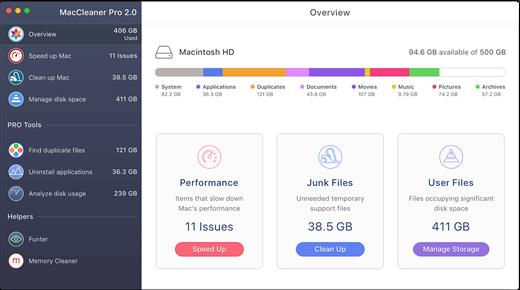
A Better Finder Rename is the most complete renaming solution available on the market today. That’s why, since 1996, tens of thousands of hobbyists, professionals and businesses depend on A Better Finder Rename to organize and maintain files.

The Instant Preview feature eliminates guesswork and costly errors and helps you find the right settings quickly and accurately by providing as-you-type feedback.

A Better Finder Rename offers a complete set of renaming options that are organized into 15 categories covering all the text, character, position, conversion and truncation features that you would expect from a file renamer, but it does not stop there. The multi-step renaming feature allows multiple renaming steps to be combined to deal with complex renaming jobs in a single operation. Unlike other tools, A Better Finder Rename allows any number of renaming actions to be combined, re-ordered, copied and deleted.

What’s New

Version 12.23:


  • Release notes were unavailable when this listing was updated.
Compatibility

macOS 10.13 or later
Apple Silicon or Intel Core processor


Release Name: A Better Finder Rename 12.23
Size: 15.8 MB
Links: HOMEPAGE – NFO – Torrent Search

Download: RAPiDGATOR
5 Comments
Jan 15

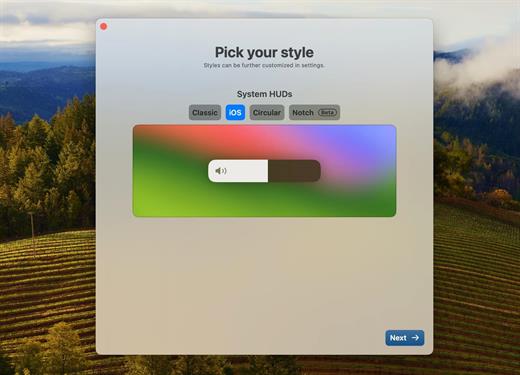
MediaMate 3.8.3

Note:

If the error “Cannot open the program” appears, enter in the terminal

Ignore “Enter License” text and “Enable Demo Mode” button, all features unlocked.

What’s New

Version 3.8.3:


  • Release notes were unavailable when this listing was updated.
Compatibility

macOS 13 or later


Release Name: MediaMate 3.8.3
Size: 9.5 MB
Links: HOMEPAGE – NFO – Torrent Search

Download: RAPiDGATOR

3 Comments
Jan 15

Downie 4.11.8

A simple download manager that offers you the possibility to quickly save videos from different websites to your own disk drive.

If you are using a poor internet connection, trying to visualize videos streamlined online might not work properly since the content is loaded too slowly. Downie is a simple Mac app that can help you download those videos to your computer, and then watch them by using your default media player.

User friendly video downloader featuring support for drag and drop actions

Working with Downie is extremely straightforward: simply drop the video URL on top of the app’s main window or on the Dock icon. Downie adds the video to your downloads list, so all you have to do next is start the process by pressing the appropriate button. Of course, you can also remove items from the list.

By default, Downie downloads MP4 files and places them in your default Downloads folder, but you can easily change this via the Preferences window. The same area allows you to setup notifications, or post processing actions (convert to MP4 if necessary, or extract audio only).

Effortlessly download videos from a wide collection of hosting websites

Downie provides support for more than 400 different websites that host video content, among which there are the most popular choices, such as YouTube, Apple, LiveLeak, Vimeo, BBC, and so on. If a certain website is not included, within the app you can send a request email to the Downie developers.
Moreover, Downie also provides matching extensions for various popular web browsers, such as Firefox, Safari, Google Chrome or Chromium. The add-ons are not installed by default: open the Preferences window and install only the ones you plan to use.

Straightforward solution for downloading video content hosted online

Downie is a great tool for saving videos posted on various websites to your Mac for offline playback. The application is extremely useful especially if you have a slow internet connection.

What’s New

Downie 4.11.8:


  • Improved: macOS 26 compatibility and UI updates.
  • Improved: facebook.com, nbc.com, novinky.cz, radiko.jp, youtubte.com.
Compatibility

macOS 10.12 or later
Apple Silicon or Intel Core processor


Release Name: Downie 4.11.8
Size: 51.7 MB
Links: HOMEPAGE – NFO – Torrent Search

Download: RAPiDGATOR

4 Comments
Jan 15

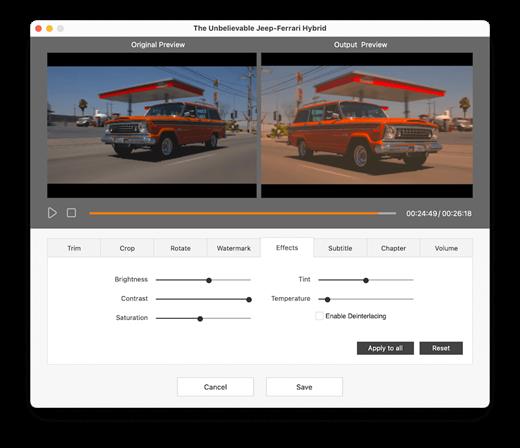
Cisdem VideoPaw 10.1.0

Convert almost all video and audio files in different encoding. Rip DVD/Blu-ray to share or backup digital media files with high quality. Download videos and music from 1000+ sites safely to play offline. Advanced compression and editing features ensure optimal outputs.

-Convert almost all video and audio files in different encoding.
-Rip DVD/Blu-ray to share or backup digital media files with high quality.
-Download videos and music from 1000+ sites safely to play offline
-Advanced compression and editing features ensure optimal outputs.

Excellent format support
Convert various videos and audios to 600+ popular and obscure formats, including MP4, AVI, MKV, MOV, WMV, M4V, WebM, MXF, MP3, M4A, FLAC, AIFF, WAV, WMA, M4B, etc.

What’s New

Version 10.1.0:


  • Release notes were unavailable when this listing was updated.
Compatibility

macOS 10.12 or later


Release Name: Cisdem VideoPaw 10.1.0
Size: 100.6 MB
Links: HOMEPAGE – NFO – Torrent Search

Download: RAPiDGATOR

4 Comments
Jan 15

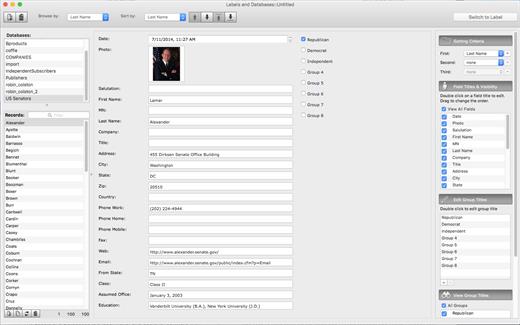
Labels and Databases 1.8.8

The Labels and Databases is a label maker and designer software with complex database support. It helps you to create labels, envelopes, and cards using various built-in label formats, and fill them with the information contained in user databases, that is create and print labels by using Mail Merge.

Various objects, like text, graphics and images, boxes, ovals, lines, patterns in any font, color or rotation, gradient fills, database field objects, barcodes can be easily added to your documents. Numerous image effects, like opacity level and image mask, in combination with other settings allow you to make visually stunning effects.

The product contains comprehensive list of label formats. Advanced Database customizes data presentation.

What’s New

Version 1.8.8:


  • Release notes were unavailable when this listing was updated.
Compatibility

macOS 11.0 or later


Release Name: Labels and Databases 1.8.8
Size: 76.4 MB
Links: HOMEPAGE – NFO – Torrent Search

Download: RAPiDGATOR
5 Comments