Please REGISTER or RENEW your account on RAPiDGATOR.net and support us by doing through all RAPiDGATOR working download links on main posts...
Jan 15

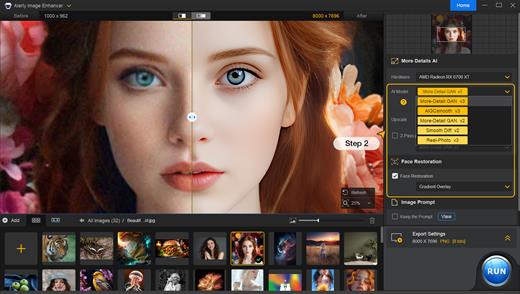
Aiarty Image Enhancer 3.8

Supported Input & Output Formats
Supported Input Formats
.jpg, .jpeg .jp2, .j2k, .jpf, .jpm, .jpg2, .j2c, .jpc, .jpx, .mj2, .png, .tif, .tiff, .webp, .bmp, .avif, and RAW formats (.dng, .cr3, .cr2, .crw, .nef, .nrw, .arq, .arw, .sr2, .srf, .raf, .rw2, .orf, .ori, .pef, .ptx, .3fr, .fff, .iiq, .cap, .eip, .rwl, .srw, .erf, .mos, .mef, .mrw, .mdc, .dcr, .kdc, .dcs, .drf, .k25, .bay, .pxn, .r3d, and .rwz)
Supported Output Formats
.jpg, .png (8-bit, 16-bit)

Supported Output DPIs

What’s New

Version 3.8:


  • Release notes were unavailable when this listing was updated.
Compatibility

macOS 10.15 or later


Release Name: Aiarty Image Enhancer 3.8
Size: 111.5 MB
Links: HOMEPAGE – NFO – Torrent Search

Download: RAPiDGATOR

4 Comments
Jan 15

106 Editor 2.8.1

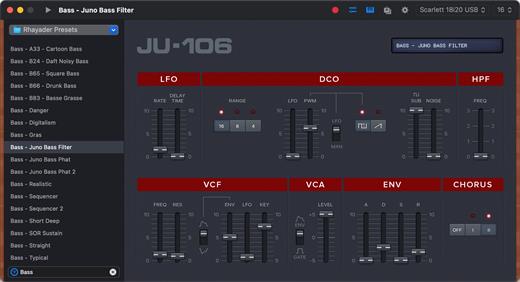
106 Editor is a preset editor and library for the Roland Juno 106 and MKS7 Synthesizers. Save, organize and edit presets via a simple MIDI connection.

Presets can be created from scratch or received from the synthesizer’s inner memory, and are stored as .jep documents or .syx files (sysex) on your hard drive.

Features:


  • Presets as Files: Perfect for sharing or backup !
  • Keyboard Playback
  • Undo Support
  • Quick Search
  • Retina Display Ready Interface
  • MIDI Out and Channel are directly customizable in the main window
  • Compatible with the Roland MKS7
What’s New

Version 2.8.1:


  • Release notes were unavailable when this listing was updated.
Compatibility

macOS 10.14 or later


Release Name: 106 Editor 2.8.1
Size: 9.8 MB
Links: HOMEPAGE – NFO – Torrent Search

Download: RAPiDGATOR
4 Comments
Jan 15

CHM Reader Pro 3.0.2

The GM EPUB Reader is a full-featured ebook reader with a simple and beautiful interface and a good reading experience.

CHM Reader


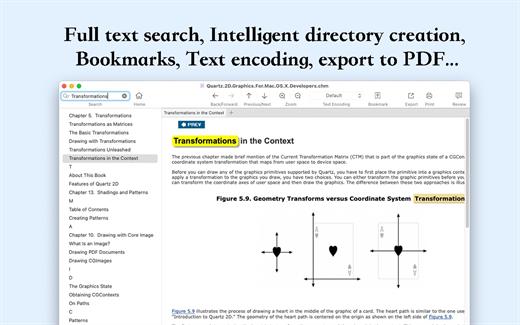
  • Support single page search and full text search, and highlight search results.
  • Support the forward and backward browsing history.
  • Support page turning, zooming, and sidebar shrinking.
  • Support page printing.
  • Support CHM to PDF.
Bookshelf

  • All the files you have read will be saved in the bookshelf for quick review next time.
  • Support file(s) drag and drop addition.
Reading Experience

  • It can remember the location of the last reading, so that it can continue reading next time.
  • Photo adaptation, better layout.
  • Support for page zooming using command+ or command- key combinations.
  • Support for quick page turns and quick view of history pages using a combination of command and up and down left and right arrows.
  • In the process of page reading, you can use the buttons J and K to quickly slide up and down the page.
What’s New

Version 3.0.2:


  • Release notes were unavailable when this listing was updated.
Compatibility

macOS 10.13 or later.


Release Name: CHM Reader Pro 3.0.2
Size: 20.3 MB
Links: HOMEPAGE – NFO – Torrent Search

Download: RAPiDGATOR

5 Comments
Jan 15

MacMagic 1.8.0

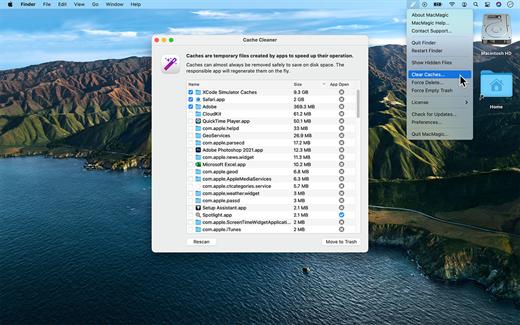
MacMagic can help clear up gigabytes of lost storage space crowded up by the caches of poorly optimized apps, hide and show hidden files in the Finder, help force-delete the contents of the Trash or stubborn files, and perform various other tasks to help automate or simplify your daily workflow!

What’s New

Version 1.8.0:


  • Release notes were unavailable when this listing was updated.
Compatibility

macOS 10.14 or later.


Release Name: MacMagic 1.8.0
Size: 73.2 MB
Links: HOMEPAGE – NFO – Torrent Search

Download: RAPiDGATOR
7 Comments
Jan 15

MacCleaner 4 Pro 4.0.2

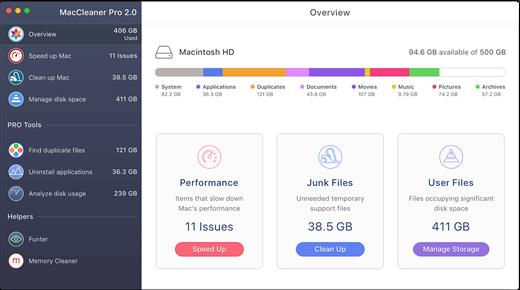
MacCleaner Pro is a Mac optimizer, which will help you to quickly and easily free up space on your Mac and optimize its performance.

Just launch any app from the bundle depending on your needs and perform Mac cleanup:


  • Duplicate File Finder – find and remove duplicate files and folder, merge Similar folders.
  • App Cleaner & Uninstaller – uninstall apps completely and safely, manage your extensions.
  • Memory Cleaner – clear inactive RAM memory to get a boost performance.
  • ClearDisk – clear cache and other junk files from your Mac.
  • Disk Expert – analyze your disk space usage and find the bulkiest content.
  • Funter – find hidden files and folders, change your files visibility.
What’s New

Version 4.0.2:


  • - MacCleaner Pro 4.0
  • - App Cleaner & Uninstaller 9.0
  • - Disk Space Analyzer 6.0
  • - Duplicate File Finder 8.5.1
  • - Funter 7.1
  • - Memory Cleaner 5.5
Compatibility

macOS 10.12 or later

Release Name: MacCleaner 4 Pro 4.0.2
Size: 151 MB
Links: HOMEPAGE – NFO – Torrent Search

Download: RAPiDGATOR

4 Comments
Jan 15

eBookBinder 1.12.10

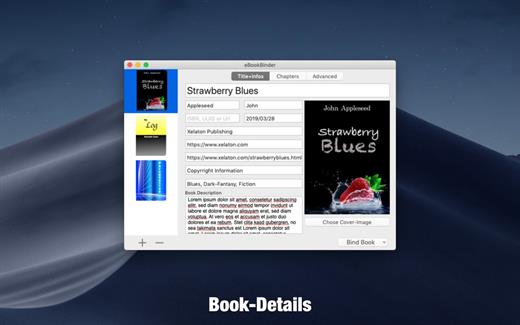
eBookBinder is the super-easy tool to create your own ebooks using your existing documents. When compiling your book project, eBookBinder creates an epub file. There are just three major steps to your very own eBook:


  1. Enter book details. Name of the book and its author, add an image for the book-cover, webpage of the publisher and other details can be entered. There is no need to fill all fields, at least you should enter a name for your book.
  2. Add text files as chapters to your book project. Every single text file you add to eBookBinder is treated as a single chapter. Give your chapters a name and order them per drag-and-drop to your desired sequence of chapters.
  3. Create your ebook. Just hit the “Bind Book” Button and eBookBinder will compile the ebook for you. That’s all!

What can be added to eBookBinder:


  • eBookBinder supports several different types of text files. Next to plain-text files also DOC, ODT, RTF, RTFD, HTML, Textbundle, Textpack and webarchive files are supported by eBookBinder.
  • Support of markup languages eBookBinder also accepts plain-text files written in Markdown, MultiMarkdown, Textile, Wikitext, and Smark as input. These will be converted on the fly when adding these as chapters to your book-process. Visit the preferences of eBookBinder to determine the file extensions which should be treated for conversion. All files with appropriate file extensions will be converted when imported.
Built-in editor – eBookBinder also features a built-in editor which offers some basic editing features like setting text bold, inverse, or underlined, and alignment of text. However, the best feature of the editor is the reduce feature: select the text you want to keep and hit the reduce button. Anything not selected will be removed. This is ideal for editing web articles to remove all the advertising and navigation stuff quickly.

What’s New

Version 1.12.10:


  • Release notes were unavailable when this listing was updated.
Compatibility

macOS 10.10 or later, 64-bit processor


Release Name: eBookBinder 1.12.10
Size: 5.3 MB
Links: HOMEPAGE – NFO – Torrent Search

Download: RAPiDGATOR
5 Comments
Jan 15

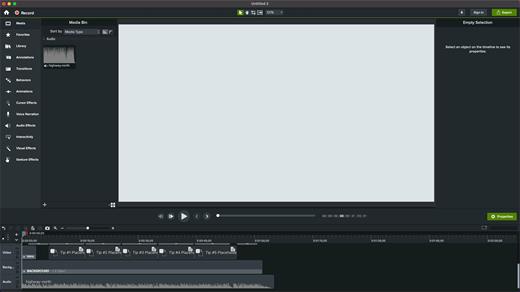
Camtasia 2026.0.5

Camtasia for remarkable screencasts made easy. Create eye-catching training, presentation, and demo videos…the easy way. Camtasia screen-recording software is streamlined, intuitive, and makes you look like a pro.

Easily record onscreen activity, Keynote slides, camera video, microphone, or system audio – all with sparkling clarity. Record in front of a live audience or at your desk. Edit to perfection. Turn it into a stunning, HD-quality video at the perfect size to share on popular video sites, Apple devices, your website, blog, or anywhere you like. Make them wonder how you did it.

What’s New

Version 2026.0.5:


  • Release notes were unavailable when this listing was updated.
Compatibility

macOS 13.0 or later
Apple Silicon or Intel Core processor


Release Name: Camtasia 2026.0.5
Size: 421.7 MB
Links: HOMEPAGE – NFO – Torrent Search

Download: RAPiDGATOR

5 Comments
Jan 15

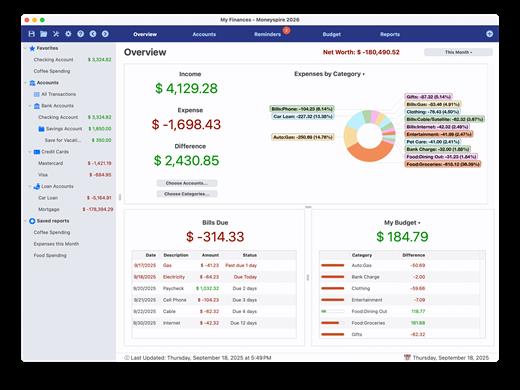
Moneyspire 2026 v26.0.7

Moneyspire is remarkably great personal finance software! Enjoy these benefits:


    • Keep track of your bank accounts, credit cards, etc. and see all your account balances in one place.
    • Categorize your spending and income. Balance your checkbook and keep your accounts in order.
    • Set bill reminders and see all your upcoming payments so you never forget to pay a bill again.
    • Generate detailed reports and charts and see exactly where your money is going. Use reports to make tax time easier and less stressful.
    • Set a budget for all your expenses and keep track of your progress.
    • Forecast your future account balances to help prevent insufficient funds.
    • Reconcile with your banking statements to make sure every transaction is accounted for, and to prevent account fraud and bank errors.
    • Manage your finances when you’re on the go with our free mobile companion app.
    • Optionally import transactions from your financial institution’s website, and Direct Connect and automatically download transactions and pay bills. If your bank does not support Direct Connect, we have an additional service called Moneyspire Connect.
    • Supports customizable categories and tags for powerful and robust reporting capabilities.
    • Supports OFX, QFX, QIF, QMTF and CSV file format imports, and exporting to spreadsheet and QIF file format. Easily migrate from another personal finance app via our import feature.
    • Supports investment accounts, including downloading of stock quotes and tracking investment actions like buy, sell, etc. and other investment-related tasks.
    • Supports check printing on blank check stock, including a calibration tool allowing for easy calibration for different check types.
    • Supports all world currencies, including transfers between accounts with different currencies. Also supports downloading of current exchange rates.
    • You can optionally store your data in the cloud and work on your finances anywhere.
    • Your financial data is stored encrypted on your hard drive and is never transmitted.
    • For personal use, you can use the software on all of the computers in your household with just one license!
    • Other companies force you into a subscription or force you to upgrade your software, or else they disable features. Moneyspire will never force you into a subscription or upgrade, and does not disable your features!
    • Other companies force you to put your data online. With Moneyspire you have the choice to keep your data local on your computer if you want to.

What’s New

Version 26.0.7:


  • Release notes were unavailable when this listing was updated.
Compatibility

macOS 10.15 or later


Release Name: Moneyspire 2026 v26.0.7
Size: 88.5 MB
Links: HOMEPAGE – NFO – Torrent Search

Download: RAPiDGATOR
5 Comments
Jan 14

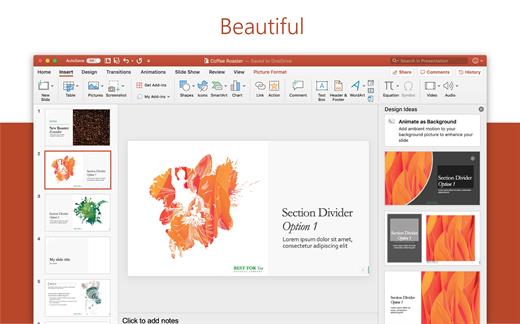
Microsoft Office 2024 v16.105

Note: If it doesn’t work, uninstall the old version of Office completely and reinstall it. For uninstallation method, please use Google search.

What’s New

Version 16.105:


  • Release notes were unavailable when this listing was updated.
Compatibility

macOS 12.0 or later


Release Name: Microsoft Office 2024 v16.105
Size: 2.9 GB
Links: HOMEPAGE – NFO – Torrent Search

Download: RAPiDGATOR

9 Comments
Jan 14

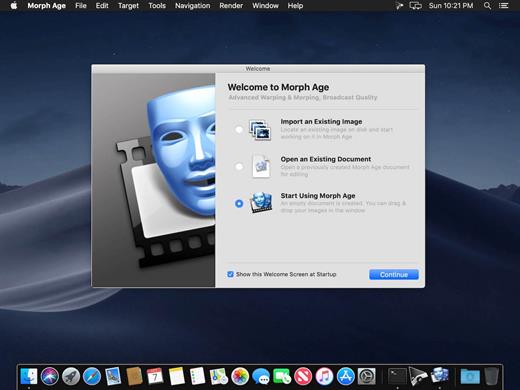
Morph Age 5.3.0

Morph Age (was Morph Age Express) is an application for morphing faces and warping images on OS X. It works by allowing you to define curves on one or more images and changes based on those curves are reflected in the resulting image through the corresponding distortion and morphing effect.

Features


  • Definitely Mac – Morph Age is 100% Mac software from the start. You can import various image formats from almost any source, including direct access to your iPhoto media. You can even use your iSight camera directly from within Morph Age to import pictures. The rendered animation is in QuickTime format, enabling further composition in Final Cut Pro, iMovie, or even export it to your iOS devices!
  • Controlling the morphing animation – Morph Age can animate warp curves independently, so that different parts of the image move at different times (the eyes, then the ears, then the mouth…). Also, animation effects are available, such as springy motion. Morph Age shows the result in real time, so that you can quickly and easily prototype the transformation.
  • Non-linear transformations – In Morph Age, not only shapes and curves can be animated at will in a fully controlled way but also blended. Blending allows you to control what amount, or percentage, of the first image that you want to combine with the second one.
  • Sub-pixel Accuracy – Morph Age has full support for zooming and scrolling capabilities. Through subpixel accuracy and zooming Morph Age gives you precise curve placement. This permits fine tuning of the curves that define the transformation, thus avoiding the “ghost” effect typical of morphing applications. Fine tuning of curves is seen in real-time in the interactive preview panel.
  • Zooming – Zooming allows accurate curve placement. This is necessary as Morph Age offers sub-pixel accuracy. The real-time preview rendering can also be zoomed and can serve to assist precise curve placement.
  • Colorizing – Morph Age has colorizing options that makes it possible for Hulk-like warp effects. This works by allowing the user to define, independently for each curve, a color that will “bleed” on the underlying image parts. This color bleeding is animated consistently with the deformation.
  • Layers – Layers in Morph Age is a way to highlight the changes in one part of the image over others. This allows you to morph specific parts of the image over the background, giving your transitions and morphing a more realistic look.
  • Real-time Rendering – Morph Age uses advanced GPU rendering techniques, allowing real-time preview even for large images. Click Play, and you see the morph/warp in real-time, whatever the image size. You can even move the curves that define the transformation while the animation is playing. This makes it convenient for iterative placement of curves as there is no lag in the render-cycle, making Morph Age well suited to easily and rapidly prototype the effect you want.
What’s New

Version 5.3.0:


  • Release notes were unavailable when this listing was updated.
Compatibility

macOS 10.12 or later
Apple Silicon or Intel Core processor


Release Name: Morph Age 5.3.0
Size: 27.6 MB
Links: HOMEPAGE – NFO – Torrent Search

Download: RAPiDGATOR
5 Comments