Please REGISTER or RENEW your account on RAPiDGATOR.net and support us by doing through all RAPiDGATOR working download links on main posts...
Dec 21

OmniReader Pro 3.3.7

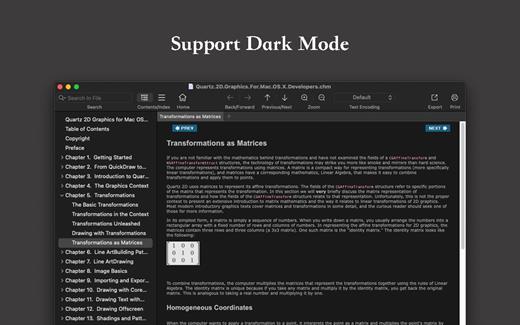
Read EPUB,CHM,MOBI… use it.. OmniReader is a fully functional book Reader with a simple and beautiful interface and a good reading experience.

Features


  • Supports reading EPUB, CHM and Kindle files.
  • Support single page search and full text search, and highlight search results.
  • Support the forward and backward browsing history.
  • Supports page turning, zooming, and sidebar shrinking.
  • Support page printing.
  • Support to view the basic information of the file.
  • Supports file export to EPUB, PDF.
  • Support to extract all images in the file.
  • Support file coding, deal with the problem of garbled code.
  • Support image adaptive, automatically adjust the size of the picture.
Bookrack

  • All the files you have read will be saved in the bookshelf for quick review next time.
  • Supports file drag and drop addition.
What’s New

Version 3.3.7:


  • Release notes were unavailable when this listing was updated.
Compatibility

macOS 10.13 or later


Release Name: OmniReader Pro 3.3.7
Size: 34.5 MB
Links: HOMEPAGE – NFO – Torrent Search

Download: RAPiDGATOR

9 Comments
Dec 15

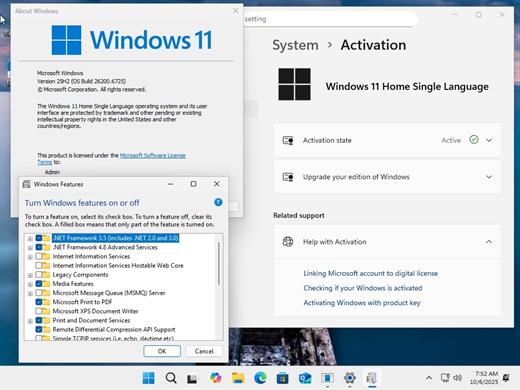
Windows 11 Aio 16in1 25H2 Build 26200.7462 (No TPM Required) Preactivated Multilingual December 2025

Edition includes
1. “Windows 11 Home”
2. “Windows 11 Home N”
3. “Windows 11 Pro”
4. “Windows 11 Pro N”
5. “Windows 11 Home Single Language”
6. “Windows 11 Enterprise”
7. “Windows 11 IoT Enterprise”
8. “Windows 11 IoT Enterprise Subscription”
9. “Windows 11 Enterprise multi-session”
10. “Windows 11 Education”
11. “Windows 11 Pro Education”
12. “Windows 11 Pro for Workstations”
13. “Windows 11 Enterprise N”
14. “Windows 11 Education N”
15. “Windows 11 Pro Education N”
16. “Windows 11 Pro N for Workstations”

Languages: Arabic,English,German,Greek,French,Spanish,Italian,Portuguese-Portuguese,Portuguese-Brazil,Turkish,Dutch,Czech,Norwegian |

What’s New

Version 26200.7462:


  • Release notes were unavailable when this listing was updated.
Compatibility

PC * 1 gigahertz (GHz) dual-core 64-bit processor


Release Name: Windows 11 Aio 16in1 25H2 Build 26200.7462 (No TPM Required) Preactivated Multilingual December 2025
Size: 7.2 GB
Links: HOMEPAGE – NFO – Torrent Search

Download: RAPiDGATOR

4 Comments
Dec 15

iZip Archiver Pro 25.12

SHARE FILES
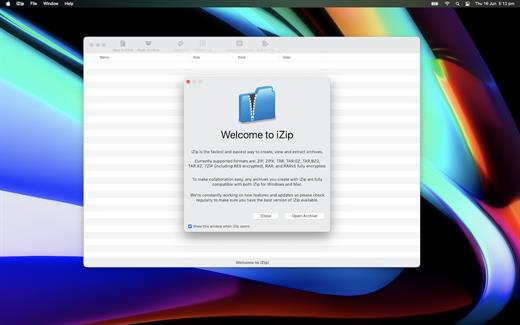
iZip for macOS and PC are fully interoperable, simply AES-256 encrypt your archive to securely send and receive files amongst your friends and colleagues whether they own a Mac or a PC.

What’s New

Version 25.12:


  • Release notes were unavailable when this listing was updated.
Compatibility

macOS 11.0 or later


Release Name: iZip Archiver Pro 25.12
Size: 7.3 MB
Links: HOMEPAGE – NFO – Torrent Search

Download: RAPiDGATOR

11 Comments
Dec 15

ArchiCAD 29.0.2 (Intel )

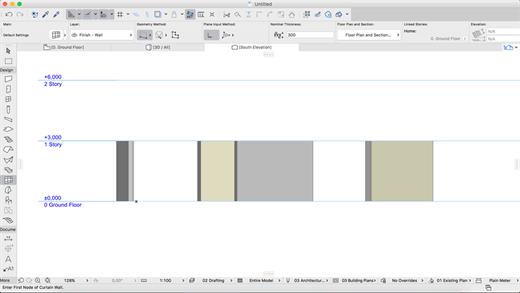
ARCHICAD enables architects to model faster and create accurate construction details and quantity estimations for reinforced concrete, complex steel, timber, and composite beams and columns. Complex columns, curved and haunched beams can now be modeled and documented to meet graphic and representation standards. Beams and columns can be displayed using various projected and symbolic views and cover fills.
Building Together

Archicad connects architects and engineers in a shared BIMcloud environment — powered by advanced collaboration and communication workflows — to deliver integrated design. Seamless and transparent information exchange builds trust among team members, eliminates model duplication, and redundant work between architects and engineers.

Model anything. Model everything.

Create the BIM model of the entire building with Archicad 24’s powerful toolkit. Integrate the structural model and the architectural model in one shared design hub, resulting in a powerful, collaborative environment. Archicad tools now integrate the Structural Analytical Model.

Built-in MEP modeler

Built-in MEP design tools further extend the integrated design approach of Archicad 24. As of this version, MEP Modeler is a core part of the software. Access intelligent MEP equipment inside the architectural model. Integrate MEP systems correctly in the BIM model without the need for a federated approach.

Share and explore your ideas

Explore ideas and design alternatives, leaving no stone unturned. Model and submit ideas for review by your team. When accepted, they’ll immediately become part of the project.

Object creation made easy

Create your own objects with the node-based visual PARAM-O tool without the need for GDL programming knowledge. Model anything from interior details to urban landscapes with parametric capabilities. Create parametric BIM elements with ease — the possibilities are endless!

Build better buildings

Archicad puts architects and structural engineers on the same page with an integrated structural analytical model in the BIM model. Keep architects and engineers in sync, save time and costs with a collision-free, one model strategy and a bi-directional workflow.

Built-in physical and analytical model checking

Increase the reliability and accuracy of your model with the help of built-in physical and analytical model checking and a seamless, bi-directional workflow between Archicad 24 and the analysis application — saving you time and money on the job site.

One shared model

Save time, avoid mistakes, and minimize the risk of data loss thanks to efficient project management between architects and engineers based on a shared model and design hub — built to OPEN BIM standards. Strengthen team performance and design better buildings through solutions powered by streamlined data management processes.

Stay in the loop

Detect and visualize the changes between models and revisions in a more intuitive way thanks to smart change monitoring and real-time notifications.

Change management made easy

With multiple stakeholders on each project, the job of following, understanding, and adapting ongoing design changes is a significant task. Archicad introduces Model Compare. Compare two 3D models or versions, and visualize and filter the differences between them. Keep track of design changes accurately and even evaluate design variants to get to the best possible design.

Track and change

Resolve issues faster and reduce the risk of unsolved issues thanks to clear organization and real-time notifications of BIM model changes. Integrate issues from third parties based on compatibility with industry standard issue management solutions.

Always in sync

Upload and refresh content in the model regardless of each team members’ location thanks to our fast and simple publishing workflow and BIMcloud. Save time, avoid mistakes and share files with confidence, knowing everything’s up-to-date. Real-time access to the shared model throughout the design process means all team members are in sync at all times.

Direct information exchange with Revit

Exchange information with Revit directly “out-of-the-box.” Import and export elements with their precise geometry and parameters (as non-editable content) from Revit (RVT) files for coordination and model referencing purposes. Access RVT files locally or via BIMcloud, using Hotlink or Publish functions.

Simple project submission

Publish projects from Archicad to shared online locations with ease thanks to a streamlined submission process. There’s no need to stay glued to the screen to watch for the publishing to finish, or additional manual uploads. Archicad takes care of it all.

Connect to industry-leading CDE solutions such as Aconex via buildingSMART-defined “open” protocols.

Automate your workflows

Using higher-level programming languages like Python, create automation scripts in Archicad, and complete command chains from outside. Access general element, property information and element listing information, and modify these and other Archicad element classifications as necessary.

Smarter information exchange

Exchange data with consultants outside of the model environment in a smart, efficient way: option set properties are now exported to Excel, guaranteeing accurate and high-quality information input into your BIM model.

New and updated surface materials

Is it real or is it rendered? Create high-end visualizations quickly and easily with new and updated surfaces in the Additional Surface Catalog. 500+ surface materials, including new wallpaper and realistic metal surfaces, result in stunning photo-realistic renderings.

Bring your interiors to life

Add life to your 2D and 3D views for a more contemporary look and feel. Furnish your scenes with brand-new objects from the updated library quickly and easily, thanks to an improved design workflow.

What’s New

Version 29.0.2:


  • Release notes were unavailable when this listing was updated.
Compatibility

macOS 10.14 or later


Release Name: ArchiCAD 29.0.2 (Intel )
Size: 3.2 GB
Links: HOMEPAGE – NFO – Torrent Search

Download: RAPiDGATOR

5 Comments
Dec 15

Mimestream 1.9.3

Mimestream combines your favorite Gmail features with the power of a native macOS app so you can move through your email effortlessly

Made for Mac, optimized for Gmail

As a native app written in Swift, Mimestream leverages the full power of macOS to deliver a lightning-fast and instantly familiar experience. Instead of using the IMAP protocol, Mimestream utilizes the Gmail API to enable an enhanced set of features that let you work with ease.

Work smarter, email faster

  • Rise above the noise and focus on the work that matters most. Mimestream makes it easy to keep your inbox organized with confidence.

  • Categorized Inbox – with support for Gmail’s categories, focus on what matters most and triage the rest at your leisure.
  • Multiple Accounts
  • Label Management
Committed to Privacy

Your data and credentials are stored only on your device, and the app only makes direct connections to Gmail. There are no intermediary servers, and Mimestream does not collect or sell your email.

Key Features

  • Lightweight and Fast – Mimestream is built for speed, and only uses a minimal amount of disk space to cache recent messages
  • Offline Access – Fully functional when offline and on the slowest connections-perfect for business travelers and whenever you’re on the go
  • System Notifications – Receive macOS system notifications when you receive new messages, so you never fall behind on important threads
  • Aliases – Your email aliases are automatically synced from Gmail without any setup and are used for replies when appropriate
  • Signatures – Signatures set up in Gmail are automatically synced with Mimestream
  • Robust Search – Enter any Gmail search query into Mimestream and get consistent results. Search while offline, too
  • Swipe Gestures – Use familiar macOS swipe gestures to quickly triage and archive your email
  • Tracking Prevention – Read your email privately – Mimestream blocks tracking pixels from 50+ of the most common tracking services
  • Keyboard Shortcuts – Triage your email quickly using keyboard shortcuts, including the option to use familiar Gmail or Apple Mail shortcut sets

Note:

You may need to uninstall the old version before reinstalling.

What’s New

 Fixed


  • Some evicted attachments fail to redownload
  • Screenshots copied directly to the pasteboard may fail to paste inline
Compatibility

macOS 10.15.0 or later


Release Name: Mimestream 1.9.3
Size: 12.5 MB
Links: HOMEPAGE – NFO – Torrent Search

Download: RAPiDGATOR

5 Comments
Dec 15

PullTube 1.8.6.16

Sharing videos via online hosting services, such as YouTube or Vimeo is a common practice, yet streaming the content might not work as expected if you have a slow internet connection.

PullTube offers you the possibility to download videos from both sources (YouTube and Vimeo), while other platforms might be added at a later time. The app can handle playlists, allows you to select the output quality, and can even extract only the audio.

Video downloader that can import links with drag and drop and can detect playlists

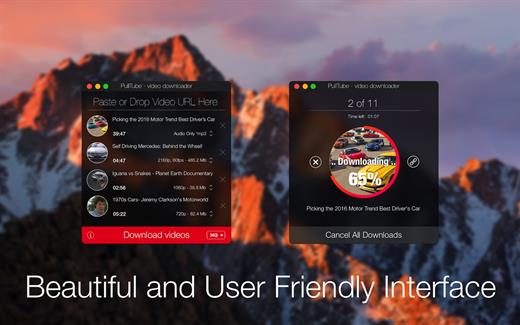
The PullTube user interface is represented by a small window where you get to quickly paste the video URL. Note that you can also add a video by dropping the link on top of the PullTube window.

Worth mentioning is that, if PullTube detects that the video is part of a playlist, will offer to download the entire collection: will fetch the data for each entry and handle the downloads consecutively.

Download videos hosted on YouTube or Vimeo to different output sizes and formats

PullTube will start fetching the video data right away so you can see the video name, duration, and a small thumbnail. When configuring a download, you get to select the output quality (highest, 4K, HD or regular with different resolutions) or choose to export only the audio to an M4A or MP3 file.

Via the PullTube Settings panel, you can change the default download location and the default MP3 bitrate (320Kbps, 256Kbps, 128Kbps, 64Kbps). You can also add the quality info to the video’s name and choose to quit the app when all downloads are completed.

Get offline access to videos hosted online in just a few steps

PullTube proposes a streamlined workflow for quickly downloading videos from YouTube or Vimeo, provides control over the output quality, and enables you to extract the audio to MP3 or M4A files.

However, during our tests, we have noticed that PullTube has trouble completing the download when handling videos that are longer that 2 minutes. The process stops without any explanation, and you can eventually complete the task, but you need to add the link to download tool multiple times.

What’s New

Version 1.8.6.16:


  • Release notes were unavailable when this listing was updated.
Compatibility

macOS 10.12 or later


Release Name: PullTube 1.8.6.16
Size: 232.1 MB
Links: HOMEPAGE – NFO – Torrent Search

Download: RAPiDGATOR

8 Comments
Dec 15

TinkerTool System 9.85

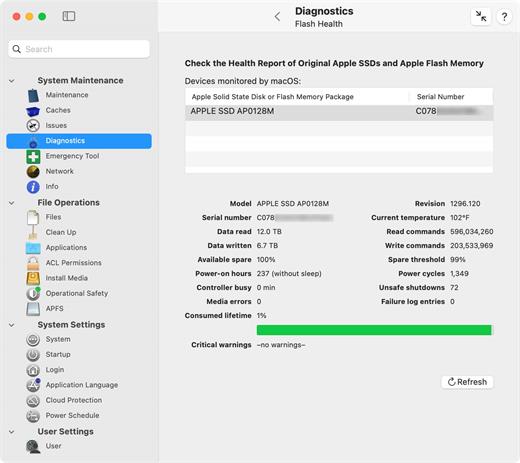
TinkerTool System is a collection of system utility features helping you in performing advanced administration tasks on Apple Macintosh computers. The application makes use of a self-adapting user interface which automatically adjusts to the computer model and to the version of macOS you are running. All options available in the current situation are accessible via “panes”, very similar to the techniques you already know from the System Preferences application. The features are controlled via a single window which allows you to use the application as a general toolbox and First Aid assistant. This includes:


  • Built-in maintenance features of macOS, usually not visible on the graphical user interface;
  • Extended file operations, not available in the macOS Finder;
  • The possibility to access advanced system settings which are not visible in System Preferences;
  • Genuine and unique features of TinkerTool System, designed to resolve typical real-world problems of administrators and to fix the effects of certain defects (“bugs”) in the operating system;
  • An emergency tool to troubleshoot and repair macOS in cases where the graphical user interface is no longer starting correctly or the user account of the system administrator has been damaged;
  • Features to protect your privacy, e.g., by reviewing and editing the list of Internet cookies stored for your user account;
  • Functions to collect advanced information about the hardware, operating system, and applications.

What’s New

Version 9.85:


  • Release notes were unavailable when this listing was updated.
Compatibility

macOS 15.0 or later


Release Name: TinkerTool System 9.85
Size: 29.3 MB
Links: HOMEPAGE – NFO – Torrent Search

Download: RAPiDGATOR
6 Comments
Dec 15

Clipboard Manager 2.7.2

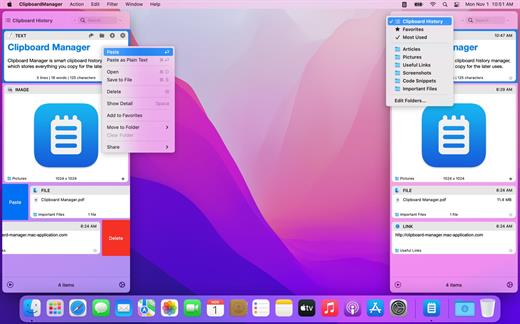
Clipboard Manager is a simple and efficient clipboard-history manager.

Features


  • Friendly native interface
  • Global shortcut to display the application
  • Direct paste to the current application
  • Simple search in clipboard history – just start typing and search begins
  • Paste part of selected item – just select content and paste
  • Edit content before paste
  • Left or right window mode
What’s New

Version 2.7.2:


  • Bug Fixes.
Compatibility

macOS 10.11 or later.


Release Name: Clipboard Manager 2.7.2
Size: 6.1 MB
Links: HOMEPAGE – NFO – Torrent Search

Download: RAPiDGATOR
9 Comments
Dec 15

Fig Player – play mp4 mkv mp3 1.3.27

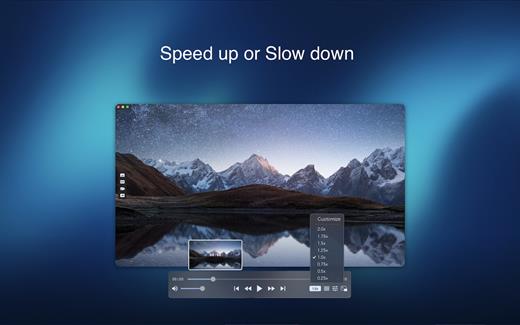
Fig Player, is a media player for Mac that supports a wide variety of media files and allows you to listen to music, watch videos and movies.

If you have an extensive media library but don’t have a good media player for Mac, here’s a good solution. Fig Player. It’s free to use and comes with a friendly interface. On the screen, you’ll be able to see all of the buttons that give you control over your experience, such as the play and stop button, playback options, volume slider, preview section, screenshot, and recording.

More Advanced Features


  • Smooth, seamless video play, support 4K.
  • Auto deinterlacing.
  • H/W-acceleration.
  • A-B loop.
  • Frame by Frame playback.
  • PIP mode.
  • Support various Subtitle formats(Text subtitles(SRT), Vobsub
    and ASS/SSA, etc.).
  • Choose which one when you have multiple sound output devices.
  • Create the scene poster with snapshots.
  • Playlist with upper-level folder name.
  • Support multiple windows and play multiple videos at the same time.
  • Support Wireless display to DLNA, Chromecast, Roku devices.
  • OCR Text Recognition(macOS 12+)
Supported Formats

Videos: mkv, rmvb, rm, avi, mov, wmv, flv, f4v, f4p, f4a, f4b, swf, mpg, mpeg, mpeg1, mpeg2, m1v, m2v, mpv, mp4, mpeg4, m4v, 3gp, 3gpp, 3g2, 3gp2, m2p, ps, ts, m2ts, mts, mt2s, ogm, ogv, divx, dv, asf, wtv, webm, etc.

Audios: flac, ape, m2a, mp1, mp2, mpa, mp3, mpg3, m4a, m4b, wma, wav, wv, xm, aiff, aif, ac3, a52, aac, opus, ogg, oga, mid, midi, mka, etc.

Subtitles: ASS, SSA, SRT, IDX&SUB

What’s New

Version 1.3.27:


  • Release notes were unavailable when this listing was updated.
Compatibility

macOS 10.13 or later


Release Name: Fig Player – play mp4 mkv mp3 1.3.27
Size: 74.9 MB
Links: HOMEPAGE – NFO – Torrent Search

Download: RAPiDGATOR
9 Comments