Please REGISTER or RENEW your account on RAPiDGATOR.net and support us by doing through all RAPiDGATOR working download links on main posts...
Nov 8

Luminar Neo 1.25.0

Luminar Neo is an AI-driven creative image editor. A creative image editor to bring your ideas to life. Have you ever wanted to achieve more with your images? Luminar Neo is an innovative image editor powered by AI technologies of the future that simplifies complex editing routines and enables creators to bring their boldest ideas to life. And enjoy it.
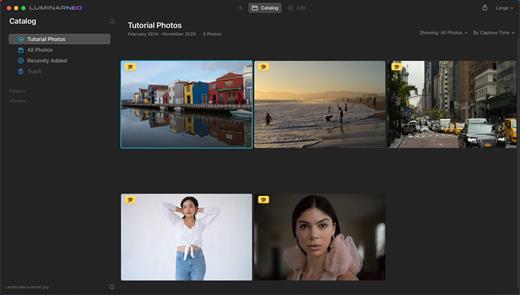
Control the light in 3D space with RelightAI
Relight backlit photos or darkened images in a click with the RelightAI feature. Luminar Neo calculates the depth of a photo and creates a 3D map, making it possible to spread light naturally in 3D space across a 2D image. You can also relight the background and foreground separately — meaning you can darken parts of the image as well. This opens up an opportunity for creative relighting in order to bring your artistic vision to life.

Remove messy powerlines with AI
Automatically remove distracting elements in your cityscapes, urban landscapes or travel photos. Get a clear sky with no cluttered phone or power lines.
Unleash your creativity with Layers and AI Masking
Use both MaskAI and Layers for limitless creativity. MaskAI automates the masking process by identifying objects in the image and creating precise masks.

You can always manually refine those masks with a brush if you choose to. Layers open up a whole new level of creative expression, with endless possibilities for adding objects, textures, watermarks, and any other graphics to your images.

Replace the sky in one click
Cutting-edge sky replacement technology with water reflections, sky positioning, and human-aware relighting to match the new sky.
Lightning-fast creative editing with an all-new image engine.
Designed as a module system its parts now can be optimized separately, for the best performance.

What’s New

Version 1.25.0:


  • Release notes were unavailable when this listing was updated.
Compatibility

macOS 11.0.0 or later
Apple Silicon or Intel Core processor


Release Name: Luminar Neo 1.25.0
Size: 3.8 GB
Links: HOMEPAGE – NFO – Torrent Search

Download: RAPiDGATOR

7 Comments
Nov 8

WiFi Explorer Pro 3.9.0

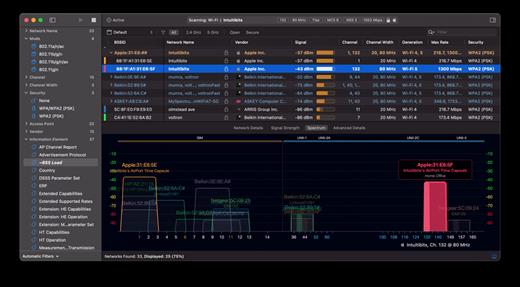
WiFi Explorer Pro takes the code base of WiFi Explorer, and adds a set of features that makes it the right tool for WLAN and IT professionals. You can use WiFi Explorer Pro for preliminary assessments, to help design and validate wireless networks installations, as well as to identify channel conflicts, overlapping, poor signal quality and other issues that may be affecting the connectivity or performance of your home, office or enterprise wireless network.

Features:


  • Passive and directed scan modes
  • Spectrum analysis integration
  • Custom filters
  • Support for remote sensors
  • Support for networks with hidden SSIDs
  • Additional columns with advanced information
  • Additional organization options for scan results
  • Dark and light themes
What’s New

Version 3.9.0:


  • Release notes were unavailable when this listing was updated.
Compatibility

macOS 10.13.0 or later


Release Name: WiFi Explorer Pro 3.9.0
Size: 16.1 MB
Links: HOMEPAGE – NFO – Torrent Search

Download: RAPiDGATOR
7 Comments
Oct 30

Capture One Enterprise 16.7.0.50

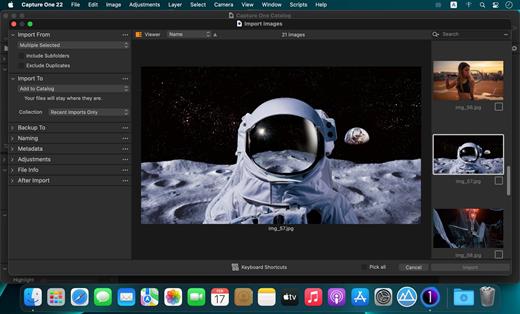
Capture One Enterprise – the photo editing solution for image production studios and e-commerce platforms. Its authentic true-to-life color processing, seamless editing experience, and fastest tethering in the industry gives you total creative control, making it a household name in studios across the world. Based in Copenhagen, Denmark, Capture One empowers photographers with cutting-edge features to keep your photography one step ahead

With an updated processing engine, market-leading performance, and powerful new features, Capture One is the professional choice in imaging software. You get the highly responsive precision tools you need to create stunning images from your camera’s RAW files in a time-saving workflow that can be customized to fit your needs.

What’s New

Version 16.7.0.50:


  • Release notes were unavailable when this listing was updated.
Compatibility

macOS 10.13 or later
Apple Silicon or Intel Core processor


Release Name: Capture One Enterprise 16.7.0.50
Size: 1.2 GB
Links: HOMEPAGE – NFO – Torrent Search

Download: RAPiDGATOR

7 Comments
Oct 30

CleanMyMac 5.2.8

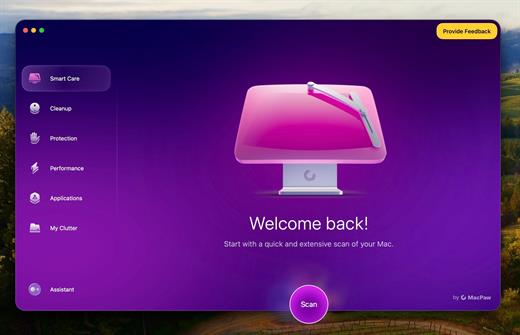
CleanMyMac is all-in-one package to awesomize your Mac. It cleans megatons of junk and makes your computer run faster. Just like it did on day one.

CleanMyMac makes space for the things you love. Sporting a range of ingenious new features, CleanMyMac lets you safely and intelligently scan and clean your entire system, delete large, unused files, reduce the size of your iPhoto library, uninstall unneeded apps or fix the ones that started to work improperly, manage all your extensions from one place and do much more – all from one newly designed and beautifully simple interface.

Note:

wait a second to let it activate itself

If prompted:”The application “CleanMyMac” can’t be opened.”

What’s New

Version 5.2.8:


  • Release notes were unavailable when this listing was updated.
Compatibility

macOS 14.0 or later


Release Name: CleanMyMac 5.2.8
Size: 143.9 MB
Links: HOMEPAGE – NFO – Torrent Search

Download: RAPiDGATOR
5 Comments
Oct 30

PDF Expert 3.10.23

PDF Expert springs into action with smooth scrolling and fast search from the first document you select. PDFs open instantly, whether they are just small email attachments or 2000-page reports.


  • Professional Annotation Tool – From simple changes to marathon editing sessions, PDF Expert lives up to its name. Powerful yet easy-to-use tools are just a click away so you can leave your mark in record time.
  • Read – An award-winning, lightning-fast, tabbed document viewer will get you through multiple PDFs faster than ever.
  • Excellent for Form Filling – PDF Expert provides the best experience for filling out PDF forms. Text fields, checkboxes, radio buttons, and other form elements work as you expect, and all the information you enter is saved within the form. Even complex interactive forms with Javascript work impressively well.
  • An Easy Way to Sign Documents – Signing document on your Mac is as simple as it could be. Just type your name on a keyboard and PDF Expert will transform it into beautiful handwriting. Or use your Macbook’s trackpad and write with your finger. You can even use signatures already created in PDF Expert for iOS.
  • Wide Sharing Options – You don’t work alone, and neither does PDF Expert. When it’s time to send documents to clients, coworkers, and everyone in between, PDF Expert has top-notch support for your Mac’s system-wide share sheet and other apps. If an app accepts PDFs, PDF Expert can get them there.
  • Works across all your devices – Use PDF Expert on any Apple device – Mac, iPad, and iPhone. Use Apple’s Continuity and Handoff features to seamlessly transfer document from one device to another and continue editing where you left.
Note: If the error is reported, Run with terminal.

AI features aren’t activated, it’s a server side feature, can’t be K’ed..

What’s New

Version 3.10.23:


  • Release notes were unavailable when this listing was updated.
Compatibility

macOS 10.15 or later

Apple Silicon or Intel Core processor


Release Name: PDF Expert 3.10.23
Size: 109.3 MB
Links: HOMEPAGE – NFO – Torrent Search

Download: RAPiDGATOR

9 Comments
Oct 30

Rectangle Pro 3.63

Snap windows faster in this featureful Rectangle superset. Toss windows in the right places with cursor movement, move multiple windows with one command, create custom shortcuts, and more.

One simple key combo
• 16 window sizes & positions
• No need to remember a ton of keyboard shortcuts, but those are all here, too

A Supercharged Rectangle Superset
• Keyboard shortcuts
• Drag windows to screen edges to snap

PRO
• Move and resize by holding a key and moving your cursor
• Snap windows under your cursor, even if not in focus
• Custom shortcuts for any size & position
• Sync your settings over iCloud

The Lightweight Gesture Champ
• Unlike touch gesture based window managers, Rectangle Pro only consumes CPU when configured modifier keys are pressed. Even then it’s minimal
• Rectangle Pro is a breeze to learn, and doesn’t conflict with any built-in macOS behavior
• Use it with any device that moves the cursor

Unmatched Customization and Actions
• Create keyboard shortcuts with any window size and location, and specify what happens on each repeated execution
• Fill left and right actions make it simple to maximize screen usage without overlap
• Match the keyboard shortcut window management of that other OS

Multiple Windows at Once
• Cascade windows
• Move all windows for an app to another display or screen half
• Tile top windows in a 2×2 or 2×3 grid

Additional Efficiency and Speed
• Each window action can be configured with a quick, simple cursor movement and modifier key combination
• Just press and release modifier keys while you move your cursor over the window you want to snap

*** You need to disable the System Integrity Protection (SIP) to perform the selected Application.

What’s New

Version 3.63:


  • Release notes were unavailable when this listing was updated.
Compatibility

macOS 10.12 or later
Apple Silicon or Intel Core processor


Release Name: Rectangle Pro 3.63
Size: 10.5 MB
Links: HOMEPAGE – NFO – Torrent Search

Download: RAPiDGATOR
8 Comments
Oct 30

PhotoFoundry 1.2.6

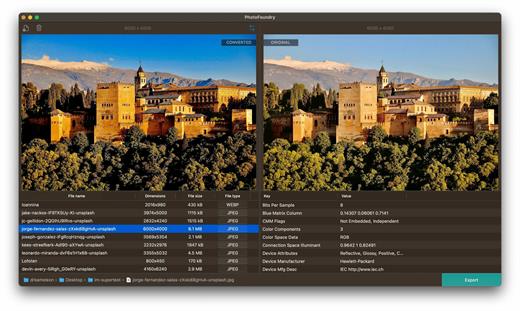
Professional batch photo-editing. Filters, photo effects, resizing, watermarks, …anything you’ve been looking for in a photo-editing app.

Features

Easy-to-use

Just open or drag’n’drop your photos and PhotoFoundry will take care of the rest.

Fast

All the speed of the Mac at your fingertips. With highly-optimized algorithms for image processing, our topmost goal has been performance.

Versatile

Reads pretty much all the image formats you’ll need. Want to export? Great! PhotoFoundry currently supports PNG, JPEG, BMP, TIFF and GIF.

Extremely configurable

With close to 200 available – and parametrizable – actions, we’ve got you covered: Blends? Color adjustments? Ready-to-use photo effects? Everything at your fingertips!

Live preview

Preview your changes live, as-you-make-them, or side-by-side – so that you’re always sure what the resulting images are going to look like!

Smart Export

Ready to export? Awesome! Just click the Export button and PhotoFoundry will take care of the rest for you.

What’s New

Version 1.2.6:


  • Release notes were unavailable when this listing was updated.
Compatibility

macOS 11.0 or later.
Apple Silicon or Intel Core processor


Release Name: PhotoFoundry 1.2.6
Size: 45 MB
Links: HOMEPAGE – NFO – Torrent Search

Download: RAPiDGATOR

5 Comments
Oct 30

Downie 4.11.4

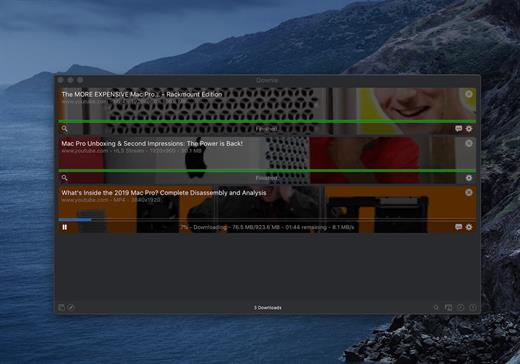
A simple download manager that offers you the possibility to quickly save videos from different websites to your own disk drive.

If you are using a poor internet connection, trying to visualize videos streamlined online might not work properly since the content is loaded too slowly. Downie is a simple Mac app that can help you download those videos to your computer, and then watch them by using your default media player.

User friendly video downloader featuring support for drag and drop actions

Working with Downie is extremely straightforward: simply drop the video URL on top of the app’s main window or on the Dock icon. Downie adds the video to your downloads list, so all you have to do next is start the process by pressing the appropriate button. Of course, you can also remove items from the list.

By default, Downie downloads MP4 files and places them in your default Downloads folder, but you can easily change this via the Preferences window. The same area allows you to setup notifications, or post processing actions (convert to MP4 if necessary, or extract audio only).

Effortlessly download videos from a wide collection of hosting websites

Downie provides support for more than 400 different websites that host video content, among which there are the most popular choices, such as YouTube, Apple, LiveLeak, Vimeo, BBC, and so on. If a certain website is not included, within the app you can send a request email to the Downie developers.
Moreover, Downie also provides matching extensions for various popular web browsers, such as Firefox, Safari, Google Chrome or Chromium. The add-ons are not installed by default: open the Preferences window and install only the ones you plan to use.

Straightforward solution for downloading video content hosted online

Downie is a great tool for saving videos posted on various websites to your Mac for offline playback. The application is extremely useful especially if you have a slow internet connection.

What’s New

Downie 4.11.4:


  • Improved: macOS 26 compatibility and UI updates.
  • Improved: facebook.com, nbc.com, novinky.cz, radiko.jp, youtubte.com.
Compatibility

macOS 10.12 or later
Apple Silicon or Intel Core processor


Release Name: Downie 4.11.4
Size: 56 MB
Links: HOMEPAGE – NFO – Torrent Search

Download: RAPiDGATOR
7 Comments
Oct 30

PCalc 4.11.1

PCalc 4 is a brand new version of my veteran calculator application.

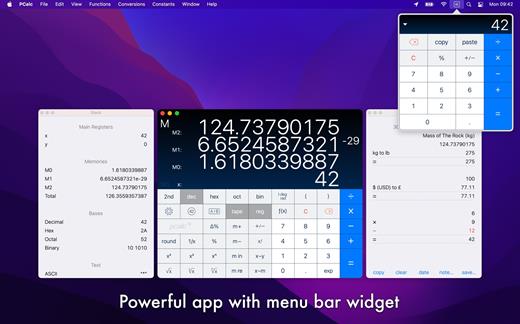
It is a fully featured scientific calculator for macOS with support for hexadecimal, octal and binary calculations, as well as an optional RPN mode, parentheses, programmable functions, and an extensive set of unit conversions.

Features include:


  • Switchable button layouts – choose from many different horizontal and vertical layouts to suit your needs. Includes all the layouts from the iPhone and iPad, as well as Mac-specific ones.
  • A powerful Notification Center widget, for quick access to PCalc.
  • Calculator themes – pick your look, all the way from minimalist to striking.
  • An RPN mode with one button access to the stack, and optional multiple-line display.
  • Editable user conversions, functions, and constants which are synced automatically across multiple devices.
  • Hexadecimal, octal and binary modes, complete with a variety of bitwise operators.
  • A simulated paper tape to keep track of your calculations with a “ticker tape” mode under the main display.
  • Smart searching of conversions, functions, and constants. Just search for “$ to £” for example.
  • Stylish, consistent user interface.
  • Support for Retina displays.
  • Full AppleScript support.
  • Multiple undo and redo.
  • Modern 64-bit application.
  • Handoff of in-progress calculations between PCalc on iOS, macOS, and watchOS.
  • Support for the Touch Bar on the MacBook Pro.
  • Support for macOS 10.15 Catalina, including Dark Mode.
What’s New

Version 4.11.1:


  • Added support for macOS 26.
  • Added a new default dark mode theme, "Dathomir".
  • Updated the scientific constants to include the latest CODATA 2022 values.
  • You can now choose custom theme tint, digit, and display colors.
  • Fixed a crash at startup on Macs with broken Ethernet cards.
  • Fixed various bugs.
Compatibility

macOS 11.0 or later.


Release Name: PCalc 4.11.1
Size: 12.9 MB
Links: HOMEPAGE – NFO – Torrent Search

Download: RAPiDGATOR

6 Comments
Oct 30

Proxyman 6.0.2

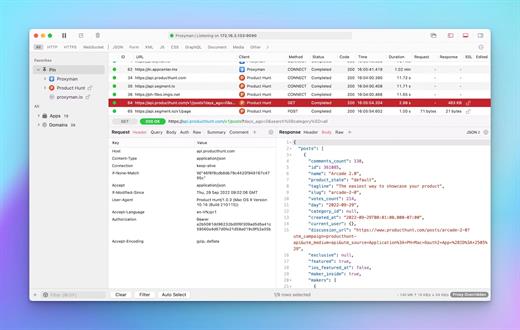
Proxyman is a high-performance macOS app, which enables developers to view HTTP/HTTPS requests from apps and domains.

Features


  • ? Native macOS app. Written by Swift, Objective-C. Powered by Apple SwiftNIO for the high-performance network application.
  • ? Fully support Apple Chip (e.g M1, M2, M1 Pro/Max).
  • ? Built for macOS Monterey & Ventura.
  • ✅ Hassle-free Intercept HTTP/HTTPS requests/response and WebSocket from Web Browsers, iOS, and Android devices.
  • ✅ Modern and intuitive UI
  • ? Multiple filters
  • Comprehensive Guideline to set up with iOS simulator and iOS and Android devices.
  • Basic debugging tools: Compose, Repeat, Wildcard/Regex Filter, Multiple Filters, Customize Columns, Toolbar…
  • Advanced Tools: Breakpoint, Map Local, Map Remote, Backlist, External Proxying, No Caching, Protobuf, Clear Cache, Custom Certificates, Scripting, Network Conditions, Reverse Proxy, Diff, Access Control etc
  • Automatic Setup for Backend Development: Auto capture HTTP(s) traffic from NodeJS, Ruby and Python.
  • macOS 10.15+
What’s New

Version 6.0.2:


  • Release notes were unavailable when this listing was updated.
Compatibility

macOS 10.15 or later


Release Name: Proxyman 6.0.2
Size: 31.6 MB
Links: HOMEPAGE – NFO – Torrent Search

Download: RAPiDGATOR
7 Comments