Please REGISTER or RENEW your account on RAPiDGATOR.net and support us by doing through all RAPiDGATOR working download links on main posts...
Nov 9

PCalc 4.11.2

PCalc 4 is a brand new version of my veteran calculator application.
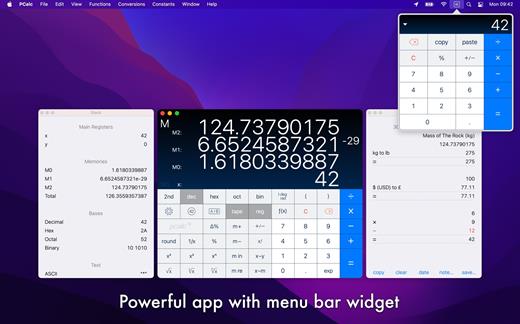
It is a fully featured scientific calculator for macOS with support for hexadecimal, octal and binary calculations, as well as an optional RPN mode, parentheses, programmable functions, and an extensive set of unit conversions.

Features include:


  • Switchable button layouts – choose from many different horizontal and vertical layouts to suit your needs. Includes all the layouts from the iPhone and iPad, as well as Mac-specific ones.
  • A powerful Notification Center widget, for quick access to PCalc.
  • Calculator themes – pick your look, all the way from minimalist to striking.
  • An RPN mode with one button access to the stack, and optional multiple-line display.
  • Editable user conversions, functions, and constants which are synced automatically across multiple devices.
  • Hexadecimal, octal and binary modes, complete with a variety of bitwise operators.
  • A simulated paper tape to keep track of your calculations with a “ticker tape” mode under the main display.
  • Smart searching of conversions, functions, and constants. Just search for “$ to £” for example.
  • Stylish, consistent user interface.
  • Support for Retina displays.
  • Full AppleScript support.
  • Multiple undo and redo.
  • Modern 64-bit application.
  • Handoff of in-progress calculations between PCalc on iOS, macOS, and watchOS.
  • Support for the Touch Bar on the MacBook Pro.
  • Support for macOS 10.15 Catalina, including Dark Mode.
What’s New

Version 4.11.2:


  • Improved support for macOS 26.
  • Fixed a problem with stray button clicks with the "Maximize in foreground" option switched on.
  • Fixed a problem with the conversion sheet appearing in the wrong place.
  • Fixed a problem with the buttons in the tape window.
Compatibility

macOS 11.0 or later.


Release Name: PCalc 4.11.2
Size: 12.5 MB
Links: HOMEPAGE – NFO – Torrent Search

Download: RAPiDGATOR

5 Comments
Nov 9

Fork 2.59.0

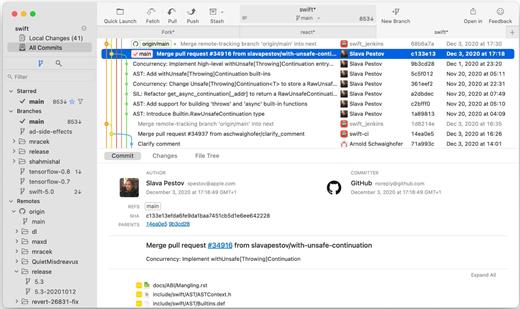
Fast and friendly git client. Fork is getting better and better day after day and we are happy to share our results with you. Commit List – Working Directory Changes – Side by Side Diff – Repository Manager Summary and Statistics

Basic features: Fetch, pull, push | Commit, amend | Create and delete branches and tags | Create and delete remote repos | Checkout branch or revision | Cherry-pick, revert | Merge, rebase | Stashes | Submodules

Work with repository: Create, clone or add existing repos | Open recent repository quickly

Commit view: Stage / unstage changes line-by-line | Access to recent commit messages

More features: Browse the repository file tree at any commit | Intuitive merge conflict resolving | See your stashes right in the commit list

What’s New

Version 2.59.0:


  • Release notes were unavailable when this listing was updated.
Compatibility

macOS 10.13 or later


Release Name: Fork 2.59.0
Size: 51.5 MB
Links: HOMEPAGE – NFO – Torrent Search

Download: RAPiDGATOR
6 Comments
Nov 8

Infuse Pro 8.3.1

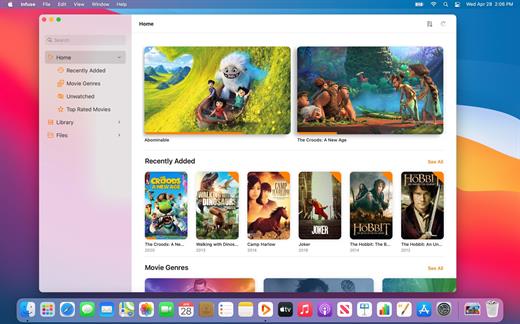
Ignite your video content with Infuse – the beautiful way to watch almost any video format on your iPhone, iPad, Apple TV, and Mac. No need to convert files! Infuse is optimized for macOS 12, with powerful streaming options, Trakt sync, and unmatched AirPlay & subtitle support. Gorgeous interface. Precise controls. And silky-smooth playback.

Play more video types

A powerful video player that plays just about anything, including the standard MP4, M4V and MOV – plus MKV, AVI, WMV, MTS, ISO, VIDEO_TS, FLV, OGM, OGV, ASF, 3GP, DVR-MS, WebM, and WTV. Includes fully certified Dolby® Digital Plus (AC3/E-AC3), DTS® and DTS-HD® audio.

Stream from other devices

Browse and play videos stored on your Mac, PC, NAS, Wi-Fi hard drive, apps like Plex, Emby, and Jellyfin, or from cloud services like Dropbox, Google Drive, OneDrive, Box, pCloud, Yandex.Disk, and Mega.nz – no syncing required!

Trakt 2-way sync

Connect with Trakt to sync watched history, submit ratings and post comments.

Optimized subtitles powered by opensubtitles

Bring your own subtitles, or download them on the fly (for free) in virtually any language.

The basics:


  • Silky-smooth video player (plays full 4K w/ HDR & Dolby Vision)
  • Stream from a Mac, PC, NAS or Wi-Fi enabled hard drive
  • Connect with Plex, Emby, Jellyfin, Kodi (XBMC), WMC and other media servers
  • Beautiful layout with quick access to video info
  • Artwork and metadata added automatically
  • Picture-in-Picture
  • Spatial audio
Supported formats:

  • Video: 3GP, AVI, ASF, BDMV, DIVX, DVDMEDIA, DVR-MS, FLV, ISO, M4V, MKV, MOV, MP4, M2TS, MTS, OGM, OGV, TP, TS, VIDEO_TS, WEBM, WMV, WTV
  • Audio: AAC, AC3/E-AC3, DOLBY TRUEHD, DTS, DTS-HD MA, FLAC, MP3, OGG, PCM, WMA
  • Subtitles: DVB, DVDSUB, MICRODVD, MPL2, PGS, SMI, SSA/ASS, SRT, SUB, TIMED TEXT, TMP, TXT, VOBSUB, VTT, XSUB
Player features:

  • Multiple audio tracks
  • Chapters
  • Gesture controls
  • 8 video zoom options
  • Continuous playback
  • Deinterlacing
Extras:

  • Library organization
  • Folders
  • One-click subtitle downloads from OpenSubtitles
  • Scrobble plays to Trakt
  • Download videos from networked devices
  • Drag and drop uploads via web browser
  • Get extra onboard storage by adding USB drives
Get more with infuse pro!

  • Play even more video formats
  • Enjoy Dolby® Digital Plus (AC3/E-AC3), DTS® and DTS-HD® mobile surround sound
  • Stream a wide variety of video types over AirPlay and Google Cast
  • Access videos stored in cloud services like Dropbox, Google Drive, Box, OneDrive, pCloud, Yandex.Disk, and Mega.nz
  • Sync libraries, settings, watched history, and playback progress between devices
Note:

What’s New

Version 8.3.1:


  • Release notes were unavailable when this listing was updated.
Compatibility

macOS 11.0 or later.
Apple Silicon or Intel Core processor


Release Name: Infuse Pro 8.3.1
Size: 91.1 MB
Links: HOMEPAGE – NFO – Torrent Search

Download: RAPiDGATOR

5 Comments
Nov 8

Noir – Dark Mode for Safari 2025.2.6

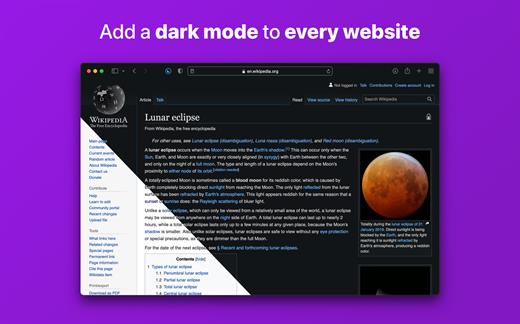
Noir is a Safari extension that automatically adds a dark mode to every website you visit.

It makes browsing the web at night so much better. With Noir, you won’t be blinded by bright websites ever again.

And the results look great too. Noir generates a custom dark style for each website you visit, based on the colors that are used on a page. You won’t even notice this happening in the background – that’s how fast it is – but you’ll certainly appreciate the end result: a beautiful dark mode tailored for each website, where contrast is preserved and highlights still pop.

Noir works with any website you visit in Safari, automatically. By default, Noir is linked to your device’s Dark Mode, so websites will only go dark when you want them to. But you can easily customize this to your liking, even per website. Only want to use Noir on just a few specific websites? Sure thing! Disable Noir on some websites? No problem!

The app feels right at home on your device. It is a Safari extension, which means there’s no need to manually activate it every time you load a new page. The app also tightly integrates with system features such as Shortcuts to fully integrate Noir in all your workflows. And your settings are automatically synced to all your devices using iCloud.

And just as importantly, Noir takes your privacy seriously: it doesn’t collect any of your browsing data. Period.

Noir is made by a solo developer. It does not include any subscriptions or ads. Buy Noir once, use it forever.

What’s New

Version 2025.2.6:


  • Release notes were unavailable when this listing was updated.
Compatibility

macOS 12.0 or later.


Release Name: Noir – Dark Mode for Safari 2025.2.6
Size: 11.9 MB
Links: HOMEPAGE – NFO – Torrent Search

Download: RAPiDGATOR
7 Comments
Nov 8

Acorn 8.3.2

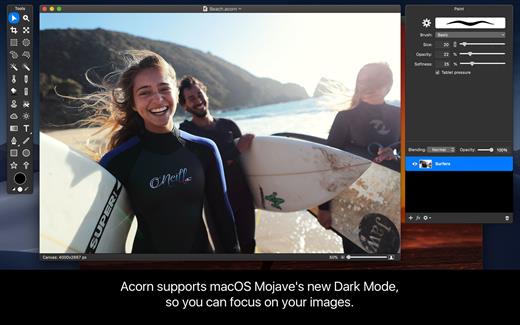
Acorn is a new image editor built with one goal in mind – simplicity. Fast, easy, and fluid, Acorn provides the options you’ll need without any overhead. Acorn feels right, and won’t drain your bank account.


  • Take screenshots using Acorn and edit them right away.
  • Chain together image filters to create stunning effects.
  • Layer based image editing, an industry standard.
  • Make new images and layers using your built-in iSight.
  • Easy image and canvas resizing, just by changing the size of your window.
  • Take advantage of every pixel of your monitor with full screen image editing.
  • Tablet sensitive for pressure strokes and using the tablet’s eraser.
  • Vector shape and text layers.
  • Freeform, elliptical, rectangular, and magic wand selections.
  • Gradients.
  • Create and apply custom text styles.
  • Control opacity and blending modes for each layer.
  • Write plugins using the Python scripting language, as well as in Objective-C.
  • GPU powered. The same graphics card that makes your gaming experience smooth, helps Acorn fly through the toughest of graphics operations.
What’s New

Version 8.3.2:


  • Release notes were unavailable when this listing was updated.
Compatibility

macOS 10.14.0 or later
Apple Silicon or Intel Core processor


Release Name: Acorn 8.3.2
Size: 82.6 MB
Links: HOMEPAGE – NFO – Torrent Search

Download: RAPiDGATOR

7 Comments
Nov 8

Steinberg Cubase Pro 15.0.5

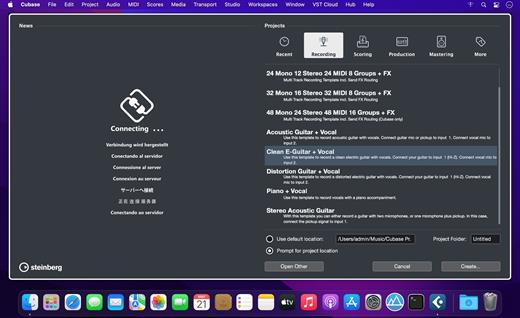
Do you want to start creating your own music, bring your production up to a professional level, or streamline your workflow for short deadlines? Whatever you need, Cubase helps you to reach your full creative potential. From Hollywood blockbuster composers and Billboard Hot 100 producers right through to keen beginners, the world of music production trusts the comprehensive feature set, straightforward tools and unrivaled sound of our acclaimed music production software.

Cubase Elements welcomes you to the world of Cubase, offering a streamlined music production environment with plenty of features that help seize the moment when musical creativity strikes. Sharing the same pristine audio quality as its larger siblings in the Cubase family, Cubase Elements provides the perfect starting point for intuitive song writing, studio-grade recordings and finalizing your mix. Do you want to elevate your sound to a new level? Cubase Elements is your next step.

Follow the flow

Cubase Elements can keep up with the pace with which your ideas flow. Whether you want to record your instruments and vocals or program cutting-edge beats, you will find all the creative tools and features in Cubase Elements that will guarantee an efficient and rewarding workflow. Improve your tracks with professional and precise editing and mixing capabilities and polish you productions with the top-notch channel strip in the integrated MixConsole — just exactly to the standards you expect from a Cubase-line product.

Get your private assistants

Composing music consists of finding an idea that you can elaborate into a full music composition. Cubase Elements makes it easy to harmonize and arrange your music with the innovative and unique Chord Pads and Arranger Track. Regardless whether you’re looking for further inspiration, a quick and easy way to play chords or try out different arrangements, Cubase Elements offers you maximum flexibility combined with a lightweight user interface to refine your ideas and get the best out of your music.

Your sound of music

Stay a step ahead of the rest with powerful instruments and awesome sounds. HALion Sonic SE, Groove Agent SE and Prologue — Cubase Elements provide a vast array of high-end sampled instruments, uplifting acoustic and electronic drums and grooves, state-of-the-art synths and experimental sound design tools. With the acclaimed VST Amp Rack tone suite all the amps you need stand right by your side to give your music that very individual tone.


  • The reference standard for music production software
  • Produce tracks from start to finish
  • Suitable for all genres, levels and budgets
  • Fast, flexible and intuitive workflows
What’s New

Version 15.0.5:


  • Release notes were unavailable when this listing was updated.
Compatibility

macOS 10.15 or later


Release Name: Steinberg Cubase Pro 15.0.5
Size: 1.7 GB
Links: HOMEPAGE – NFO – Torrent Search

Download: RAPiDGATOR
7 Comments
Nov 8

Cookie 8.0

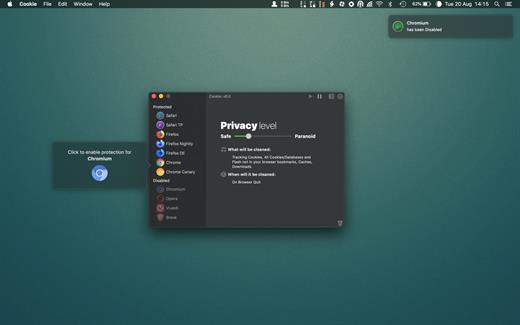
Cookie prevents third parties from hijacking your browsing experience. The sites you visit store “cookies” in your browser without your knowledge or consent. Some are helpful, but others are frustrating and invasive. Cookie can help.

Features:


  • Consolidate all your browser privacy settings
  • Simplified View that takes care of all the technical details for you
  • Advanced View which puts you in total control of all your privacy settings
  • Combined cookie view displaying all cookie/flash/localStorage data in one easy to manage view
  • Cookie’s can be favorited on a per domain, or per cookie basis. You decide
  • Individual Browser settings. It is possible to configure different automatic removal options for each browser. In the case of Chrome/Chromium/Canary/Brave you can even configure settings per user!
  • A number of removal schedules are possible: When quitting Cookie, when a Browser is Quit, on computer login, On computer waking from sleep, on a customizable time schedule, or entirely manually
  • Hotkey support, so you can remove all unwanted data quickly and easily
  • Customizable tracking cookie definitions
  • Whitelist individual tracking cookies
  • Clean, modern and Intuitive User Interface
  • Helpful setup window
  • Browser extension protection
  • Full Screen support
  • iCloud support
  • Dark/Regular theme
What’s New

Version 8.0:


  • Release notes were unavailable when this listing was updated.
Compatibility

macOS 10.14 or later, 64-bit processor


Release Name: Cookie 8.0
Size: 9.4 MB
Links: HOMEPAGE – NFO – Torrent Search

Download: RAPiDGATOR

7 Comments
Nov 8

2Do 2.9.5

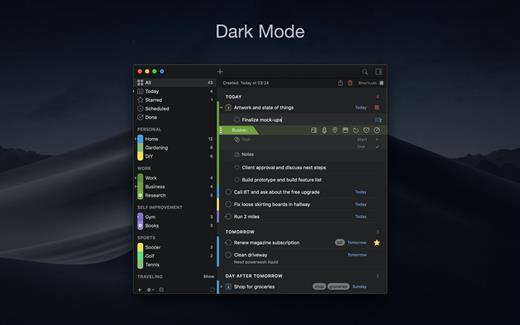
2Do lets you take a completely different approach to managing your tasks. With its extremely simple-to-use interface and a comprehensive and flexible set of powerful features, it lets you focus on what’s most important to you: your life. There is no wrong way of using 2Do, and unlike other to-do apps, it won’t force you to use a particular task management methodology. 2Do will simply amaze you, from start to finish.

Features:


  • Simple tasks, checklists, and projects
  • Lists and smart lists
  • Tags
  • Sync
  • Quick Look
  • Quick entry
  • Alarms and notifications
  • Password protection
  • Themes
  • Automatic backups
What’s New

Version 2.9.5:


  • Release notes were unavailable when this listing was updated.
Compatibility

macOS 10.12 or later.
Apple Silicon or Intel Core processor


Release Name: 2Do 2.9.5
Size: 61.2 MB
Links: HOMEPAGE – NFO – Torrent Search

Download: RAPiDGATOR
7 Comments
Nov 8

Money Pro – Personal Finance 2.11.17

Money Pro is the next generation of Money app (over 2 million downloads worldwide).

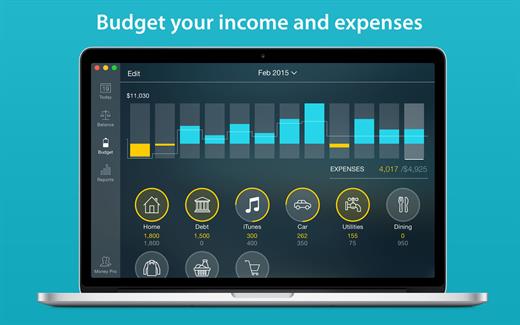
Money Pro is the one place for bill planning, budgeting and keeping track of your accounts. Easy sync with iPhone/iPad versions. Money Pro works great for home budgeting and even for business use.

Features:


  • Calendar
  • Today view
  • Bills due notifications
  • Budgets
  • Budget rollover
  • Checkbook register
  • Account reconciliation
  • Import of bank statements
  • Split transactions
  • Calculator and currency converter
  • Search
  • Detailed reports
  • Lots of options for customization
  • iCloud
  • Multiple profiles
  • Data export
  • Notification Center widget
What’s New

Version 2.11.17:


  • Bug fixes and performance improvements
Compatibility

macOS 10.12.0 or later
Apple Silicon or Intel Core processor


Release Name: Money Pro – Personal Finance 2.11.17
Size: 47.8 MB
Links: HOMEPAGE – NFO – Torrent Search

Download: RAPiDGATOR

7 Comments
Nov 8

Multitouch 1.39

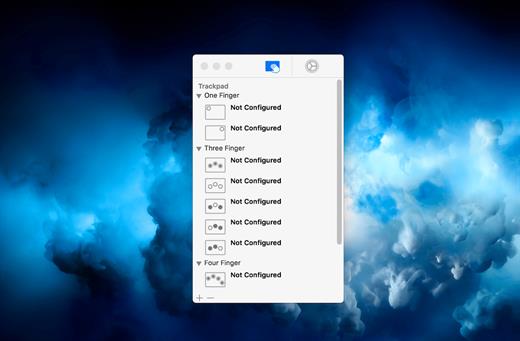
Multitouch (formerly TouchOven) ties a custom action to a specific magic trackpad or magic mouse gesture. For example, a three finger click can execute a paste. Improve your workflow by executing keyboard shortcuts, controlling your browser’s tabs, performing a middle mouse click, and much more.

Features


  • A growing list of gestures and actions.
  • Privacy. No user data is gathered from the app.
*** You need to disable the System Integrity Protection (SIP) to perform the selected Application.

What’s New

Version 1.39:


  • Release notes were unavailable when this listing was updated.
Compatibility

macOS 10.15 or later


Release Name: Multitouch 1.39
Size: 11.3 MB
Links: HOMEPAGE – NFO – Torrent Search

Download: RAPiDGATOR
7 Comments