Please REGISTER or RENEW your account on RAPiDGATOR.net and support us by doing through all RAPiDGATOR working download links on main posts...
Oct 9

Dropshare 6.7

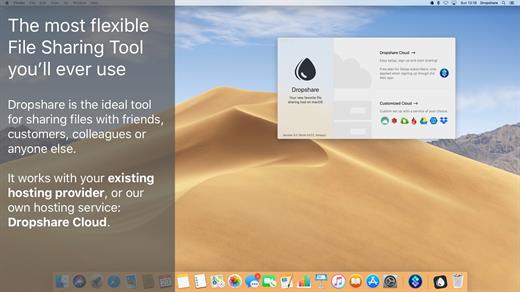
Dropshare is a menu bar application for drag & drop upload files, screenshots and even directories to your own server, Amazon S3, Backblaze B2 Cloud Files, Rackspace Cloud Files, Microsoft Azure Blob Storage, Google Drive or Dropbox. Additionally, Dropshare offers a file sharing provider called Dropshare Cloud, which is perfectly suitable to start uploading in just minutes. Sharing files with friends, customers, colleagues or anyone else has never been so easy an professional! Dropshare supports Multiple Connections: You can set up different upload destinations at the same time and switch between them using user-defined keyboard shortcuts, or by holding ⌘ while dragging & dropping a file No matter if files, folders, text or screenshots – Dropshare uploads every file and data to your selected destination – also from clipboard or other applications like Safari. Share Extension included Set up your own keyboard shortcuts for fullscreen or selection-based screenshots that’ll be uploaded automatically with Dropshare. Set up a custom keyboard shortcut for taking a screenshot and annotating it afterwards with Dropshare itself, or an app you already like: Preview.app, Skitch.app, Napkin.app or Annotate.app Take & upload Screen Recordings directly with Dropshare, both fullscreen and selection-based recordings are available, as well as GIF conversion Choose from a number of free designs or craft an individual design on your own using HTML, CSS and JavaScript, including upload previews Synchronize your upload history across all your devices, supports both iOS and macOS. Your upload history will automatically be synchronized across all your Apple devices with iCloud Dropshare supports URL shorteners as well, e.g. dsh.re or Rebrandly, or configure your very own URL shortener service like bit.ly or YOURLS.
Technical requirements:


  • A working SSH user account is required on the server. A password or SSH key pair is also required. To have the uploaded file displayed in a web browser, a web server needs to be installed and configured on the server
  • Dropshare supports services like OpenStack Swift. Check User Guide for more information
  • A regular Google account is required in order to use Google Drive
  • A regular Dropbox account is required in order to use Dropbox
  • Microsoft Azure Blob Storage, Backblaze B2 Cloud Files, Amazon Simple Storage Service (S3), Rackspace Cloud Files. A subscription may be neccessary in order to use Dropshare with one of these providers. Please check out the terms of use and payment information at the website of the selected provider
What’s New

Version 6.7:


  • Fastmail Files: Add support for storage provider Fastmail Files
  • Annotation Editor: Add option to save annotated image to disk with CMD+S, copy annotated image to clipboard with CMD+C
  • Annotation Editor: Fixing issue where drag & drop would not work for some apps
  • Permissions: Fix issue with Input Monitoring permission (would never say "Granted" in settings)
  • Floating Captures: Adding expert option to automatically hide floating captures after a timeout
  • CLI: Add option to specify name of uploaded file via CLI tool
Compatibility

macOS 12.3 or newer
Apple Silicon or Intel Core processor


Release Name: Dropshare 6.7
Size: 44.7 MB
Links: HOMEPAGE – NFO – Torrent Search

Download: RAPiDGATOR

8 Comments
Oct 9

Camtasia 2025.2.4

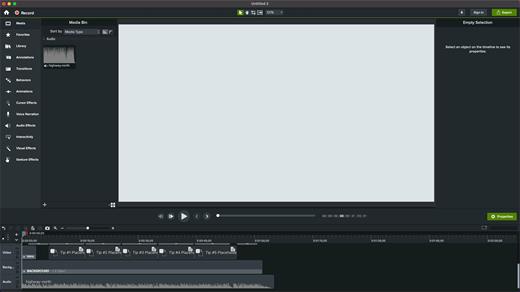
Camtasia for remarkable screencasts made easy. Create eye-catching training, presentation, and demo videos…the easy way. Camtasia screen-recording software is streamlined, intuitive, and makes you look like a pro.

Easily record onscreen activity, Keynote slides, camera video, microphone, or system audio – all with sparkling clarity. Record in front of a live audience or at your desk. Edit to perfection. Turn it into a stunning, HD-quality video at the perfect size to share on popular video sites, Apple devices, your website, blog, or anywhere you like. Make them wonder how you did it.

What’s New

Version 2025.2.4:


  • Release notes were unavailable when this listing was updated.
Compatibility

macOS 13.0 or later
Apple Silicon or Intel Core processor


Release Name: Camtasia 2025.2.4
Size: 443 MB
Links: HOMEPAGE – NFO – Torrent Search

Download: RAPiDGATOR
8 Comments
Oct 9

DSync 2.8.2

DSync allows you to easily compare and synchronize two folders on your computer.

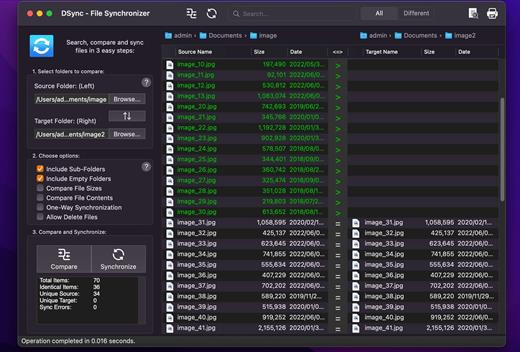
Three steps is all it takes for DSync to synchronize your files. Select the folders, compare them, synchronize them.
Can it really be that easy? Sure it can.
After spending years trying to use tools that are too complicated, create hidden files or just too limited, we’ve developed DSync – the easiest way to synchronize files on Mac.

With the advanced algorithms in the latest version of DSync, synchronizing large folders with many files won’t be a problem. You can even fine-tune your synchronization by skipping, deleting of reversing the copy direction of the files you choose to.

Features


  • Easy to use interface 3-step user interface
  • Compare folders
  • Search ability with real-time results
  • Results filtering
  • Ability to compare massive amount of files
  • Fast scanning performance and low memory usage
  • Traverse sub-folders option
  • Compare File Sizes
  • Compare File Contents, based on file CRC checksum
  • Asymmetric synchronization option
  • Manual per-file synchronization option
  • Swap folders ability
  • Can Delete Files option to prevent accidental deletion of files
  • Fast synchronization
  • Progressbar to see exact progress when comparing and when synchronizing
  • Shows folder contents including name, size and date for each item
  • Ability to override synchronization direction
  • Fine-grained selection of synchronization procedures
  • Support for iCloud, DropBox and Google Drive
  • QuickLook support
  • Print ability
  • Fullscreen support
  • On-screen tutorial
What’s New

Version 2.8.2:


  • added QuickLook for Target items as well (open from right-click menu or Shift+Space)
  • added Include Hidden Files option
  • added New Folder button when browsing for target folder
  • fixed empty file issue when attempting to compare certain symlink or aliases
  • fixed reported issues
Compatibility

macOS 10.13 or later


Release Name: DSync 2.8.2
Size: 5.5 MB
Links: HOMEPAGE – NFO – Torrent Search

Download: RAPiDGATOR

6 Comments
Oct 8

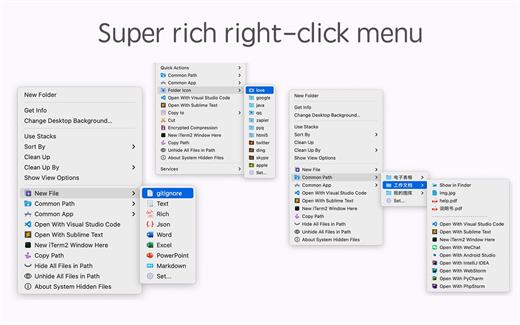
MouseBoost Pro 3.8.9

MouseBoost Pro integrates more than 30 kinds of small tools, and the operation way is very simple, as long as you click the right mouse button, you can activate all kinds of functions you want, so that your work efficiency is greatly improved.

You can create any file type you want, open any APP you want, self-sorting, fully customized!

*** Main Features ***
– All menus support custom sorting.
– Quickly create all kinds of commonly used files, and supports custom creation of various file types you want.
– Quickly open your terminal, iTerm2, and go to the directory you want.
– Quickly open VSCode, Sublime Text and Emacs, and customize the various apps you want to open.
– Quickly copy the current path power.
– Complete files deletion is supported.
– Supports files moving, copying and cutting.
– Supports files encrypted compression.
– Quickly open your favorite directory.
– Quickly get file MD5,SHA1,SHA256 and other information.
– Supports hiding and displaying of specified files.
– Supports modify folder icon.

What’s New

Version 3.8.9:


  • Release notes were unavailable when this listing was updated.
Compatibility

macOS 10.11 or later


Release Name: MouseBoost Pro 3.8.9
Size: 16.8 MB
Links: HOMEPAGE – NFO – Torrent Search

Download: RAPiDGATOR
5 Comments
Oct 8

CleanMyMac 5.2.5 v2

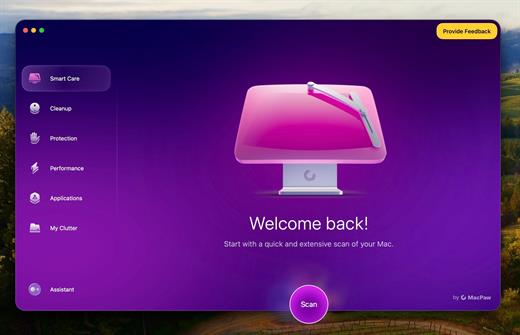
CleanMyMac is all-in-one package to awesomize your Mac. It cleans megatons of junk and makes your computer run faster. Just like it did on day one.

CleanMyMac makes space for the things you love. Sporting a range of ingenious new features, CleanMyMac lets you safely and intelligently scan and clean your entire system, delete large, unused files, reduce the size of your iPhoto library, uninstall unneeded apps or fix the ones that started to work improperly, manage all your extensions from one place and do much more – all from one newly designed and beautifully simple interface.

Note:

wait a second to let it activate itself

If prompted:”The application “CleanMyMac” can’t be opened.”

What’s New

Version 5.2.5:


  • Release notes were unavailable when this listing was updated.
Compatibility

macOS 14.0 or later


Release Name: CleanMyMac 5.2.5 v2
Size: 138.7 MB
Links: HOMEPAGE – NFO – Torrent Search

Download: RAPiDGATOR

5 Comments
Oct 8

Network Radar 3.2

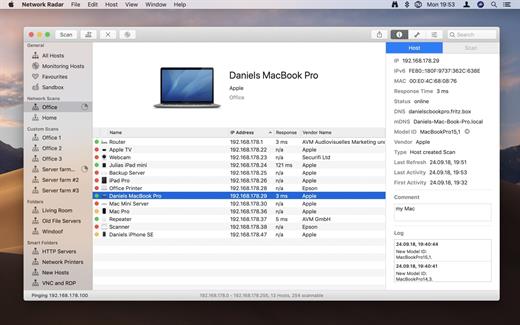
Network Radar is an advanced network scanning and managing tool. Featuring an easy-to-use and streamlined design, the all-new Network Radar 2 has been engineered from the ground up as a modern Mac application.

Features


  • Scan your network and retrieve detailed information on network devices
  • Run useful network tools and commands with the click of a button
  • Use the monitoring feature and get notified about changes in your network
  • Access devices from previous scans, even in different networks
  • Use the simple rules / actions system for automatic processing of devices
  • Simply connect to a device by double-clicking it in the list
  • Assign your own names and choose from provided icons or import own icons
  • Organize your hosts in folders and smart folders
  • Create scans with custom IP ranges
  • Export a scan to XML, CSV, TXT, PDF or NETRADR
Supported Network Interfaces

  • Built-in WiFi
  • Built-in Ethernet
  • Apple’s USB to Ethernet Adapter
  • Apple’s Thunderbolt to Ethernet Adapter
  • Apple’s Thunderbolt Display Ethernet *Please note that the amount of information Network Radar can find depends on the network it scans.
What’s New

Version 3.2:


  • Release notes were unavailable when this listing was updated.
Compatibility

macOS 10.13 or later


Release Name: Network Radar 3.2
Size: 26.7 MB
Links: HOMEPAGE – NFO – Torrent Search

Download: RAPiDGATOR
6 Comments
Oct 8

Native SQLite Manager 1.31

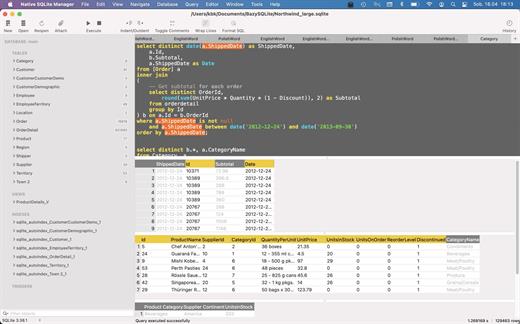
Native SQLite Manager is an minimalist SQLite database manager.

Application features


  • Support for many versions of SQLite
  • Support for SQLCipher
  • SQLite extensions support
  • Autocompletion and syntax highlighting
  • Customizable themes
  • SQL formatter
  • Export data to CSV, JSON, XML
  • Import data from CSV
  • Minimalist interface without unnecessary additions
What’s New

Version 1.31:


  • Support for SQLite 3.39.1, 3.39.2
Compatibility

macOS 10.15 or later
Apple Silicon or Intel Core processor


Release Name: Native SQLite Manager 1.31
Size: 56.2 MB
Links: HOMEPAGE – NFO – Torrent Search

Download: RAPiDGATOR

9 Comments
Oct 8

Swift Publisher 5.7.4

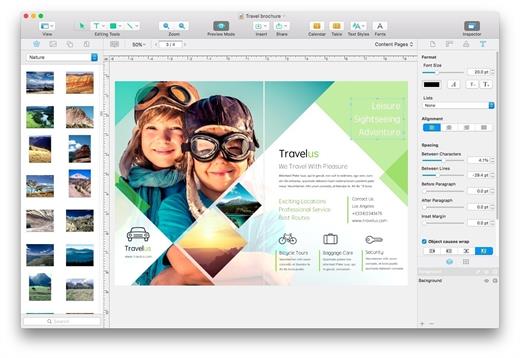
Swift Publisher takes the headache out of desktop publishing: print colorful flyers, newsletters, brochures, letterheads, and more.

Features


  • An easy-to-learn alternative. Ditch those massive, daunting design apps aimed at professional publishers — with its accommodating interface, Desktop Publisher is a digital drawing board for the rest of us.
  • Text toolkit. Customize text styles, link text boxes, and create visually pleasing wrap-around effects. With Swift Publisher, manipulating your content is never a chore.
  • Inspiring options. Spark your creativity. Swift Publisher includes images, designs, and unique masks, giving you the templates and resources you need to jump-start the design process.
  • Perfect personalization. When your publication has to be personalized, turn to Swift Publisher. Whether you need to tint, tile, group, rotate, or adjust the opacity of an object, you’ll find the tool you need.
What’s New

Version 5.7.4:


  • Release notes were unavailable when this listing was updated.
Compatibility

macOS 10.12.0 or later
Apple Silicon or Intel Core processor


Release Name: Swift Publisher 5.7.4
Size: 458.5 MB
Links: HOMEPAGE – NFO – Torrent Search

Download: RAPiDGATOR
7 Comments
Oct 8

ChatGPT for macOS 1.2025.273

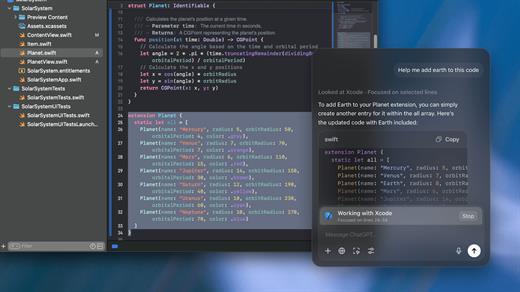
This is the official OpenAI ChatGPT app for macOS.

Whether you’re writing emails, exploring ideas, learning something new, or just curious about the world, ChatGPT is here to help. Designed with a clean, native experience for Mac users, the app makes it easier than ever to start a conversation with advanced AI.

Get answers. Find inspiration. Be more productive.

Free to use. Easy to try. Just ask and ChatGPT can assist with writing, learning, brainstorming, coding, and more. It’s like having an intelligent assistant, tutor, or creative partner always within reach—right from your menu bar.

Includes access to GPT-o3 (for pro users), memory features, and voice input. Works seamlessly on macOS, optimized for speed and simplicity.

Key Features:


  • Instant AI-powered responses on your desktop
  • Natural language understanding and generation
  • Voice conversations with the built-in Whisper model
  • Synced across devices with your OpenAI account
  • Support for both GPT-4o (free) and GPT-o3 (with Plus subscription)
Get started in seconds—no complex setup required. Just launch the app, log in, and start chatting.

What’s New

Version 1.2025.273:


  • Release notes were unavailable when this listing was updated.
Compatibility

macOS 14.0 and Apple Silicon (M1 or better)


Release Name: ChatGPT for macOS 1.2025.273
Size: 49.6 MB
Links: HOMEPAGE – NFO – Torrent Search

Download: RAPiDGATOR

9 Comments
Oct 8

ColorWell 8.0.1

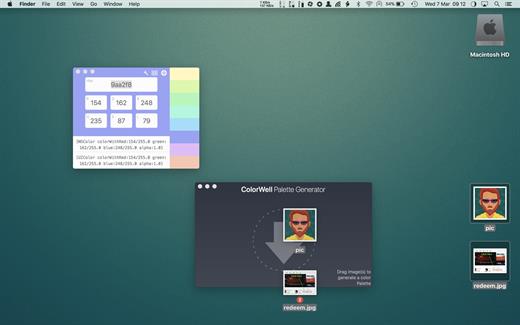
ColorWell is a professional color theme generator with full history support, and macOS palette synchronization


  •  System wide color palettes – ColorWell synchronize’s palettes with the macOS System color picker. So, all your carefully created color schemes are available for use in Pages, Affinity Photo, Final Cut Pro or any other first class macOS app! All the system palettes are also available to view and create custom palettes from
  •  Professional file support – ColorWell supports import and export to Adobe .ase, and Apple .clr file formats. This makes it easier than ever to share your color schemes. And with ColorWell’s universal palette database, any imported scheme’s will naturally be imported directly into the macOS color picker, ready for sytem wide use
  •  Full History support – Every color change you make is saved to History. So even if you can’t remember what color you were inspecting 3 days ago – ColorWell can! History support is not limited to single colors, the entire color state is saved on each change. So the current active color along with any saved swatches are right there when you need them
  •  Advanced palette generation – Use stored palettes as a starting point, fine-tune individual colors. Grab complementary, analagous, triadic, tetradic, or monochromatic colors from the palette generator. Rip colors from images, and finetune the color selection. You can create palette’s with unlimited number’s of swatches
What’s New

Version 8.0.1:


  • interim release to migrate update manifest
Compatibility

macOS 10.14 or later
Apple Silicon or Intel Core processor


Release Name: ColorWell 8.0.1
Size: 6 MB
Links: HOMEPAGE – NFO – Torrent Search

Download: RAPiDGATOR
6 Comments