Please REGISTER or RENEW your account on RAPiDGATOR.net and support us by doing through all RAPiDGATOR working download links on main posts...
Mar 24

Unite Pro 1.0.2

Unite for macOS lets you turn any website into a fully native Mac app with deep customization, fast performance, and macOS integration. Instead of opening sites in a browser with many tabs, Unite creates standalone apps that live in your Dock, support native window controls, and behave like real macOS software.
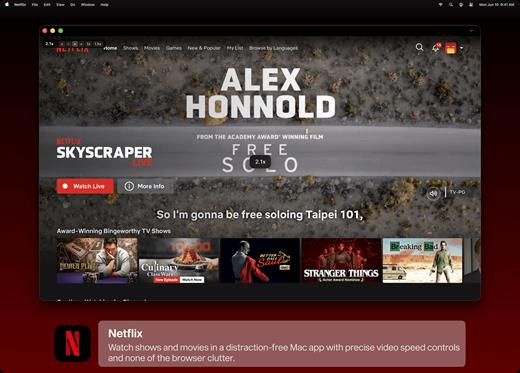
With Unite you can create an app in seconds by entering a URL, choosing an icon, and tailoring appearance and behavior to your preferences. Each app runs in its own isolated, lightweight WebKit‑based environment that feels more integrated and efficient than browser web apps or Electron alternatives. 

Unite apps offer extensive customization. You can hide or show title bars, adjust colors to match site branding, control window appearance, manage multiple tabs with advanced options like pinning and locking, and choose how links open within or outside the app. Notifications and macOS Focus Modes work per app, helping reduce distractions. 

Unite also includes flexible app modes, such as standard Mac windows, sidebar views, floating windows, compact views, and menu bar utilities. A built‑in ad blocker and customizable keyboard shortcuts streamline everyday use and navigation. 

What’s New

Version 1.0.2:


  • Release notes were unavailable when this listing was updated.
Compatibility

macOS 15 or later


Release Name: Unite Pro 1.0.2
Size: 28.7 MB
Links: HOMEPAGE – NFO – Torrent Search

Download: RAPiDGATOR
7 Comments
Mar 24

Muffle 1.1

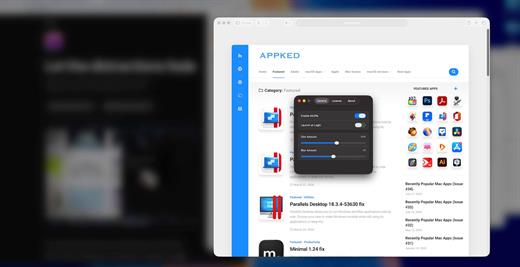
Muffle is a lightweight macOS utility designed to enhance your productivity by reducing visual distractions. It automatically blurs and dims all background windows, keeping your active window clear and in focus.

Unlike traditional dimming tools, Muffle combines both blur and dimming effects to create a more natural and immersive focus environment, while maintaining extremely low system resource usage.

What’s New

Version 1.1:


  • Release notes were unavailable when this listing was updated.
Compatibility

macOS 114.0 or later


Release Name: Muffle 1.1
Size: 4.5 MB
Links: HOMEPAGE – NFO – Torrent Search

Download: RAPiDGATOR
7 Comments
Mar 24

HandBrake 1.11.1

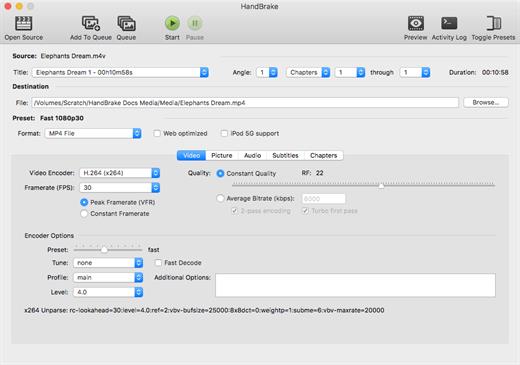
HandBrake is a tool for converting video from nearly any format to a selection of modern, widely supported codecs.

Features


  • Supported Sources

    • VIDEO_TS folder, DVD image or real DVD (unencrypted — CSS is not supported internally and must be handled externally with third-party software and libraries), BDMV folder (unencrypted), and some .VOB and .TS files
    • Any multimedia file it can get libavformat to read and libavcodec to decode.
  • Outputs

    • File format: MP4 and MKV
    • Video: MPEG-2, MPEG-4, H.264 or Theora (1 or 2 passes or constant quantizer/rate encoding)
    • Audio: AAC, HE-AAC, AC3, MP3, Vorbis, FLAC (16-bit, 24-bit) or AAC, MP3, AC3, DTS and DTS-HD pass-through (supports encoding of several audio tracks)
  • Miscellaneous features

    • Chapter selection
    • Soft subtitle support (DVD/VobSub in DVD/MKV/MP4, Blu-ray/PGS in BD/MKV, SRT files, SRT/UTF-8 in MKV, ASS/SSA in MKV, TX3G/3GPP in MP4 – DVD/VobSub, Blu-ray/PGS and ASS/SSA subtitles can also be burned-in the picture)
    • Picture deinterlacing, cropping and scaling
    • Grayscale encoding
What’s New

Version 1.11.1:


  • Release notes were unavailable when this listing was updated.
Compatibility

macOS 10.13 or later
Apple Silicon or Intel Core processor


Release Name: HandBrake 1.11.1
Size: 45.5 MB
Links: HOMEPAGE – NFO – Torrent Search

Download: RAPiDGATOR

7 Comments
Mar 24

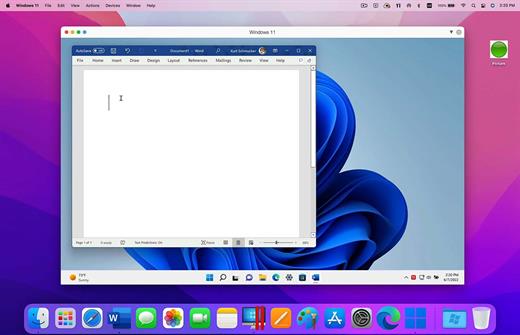
Parallels Desktop 20.4.1

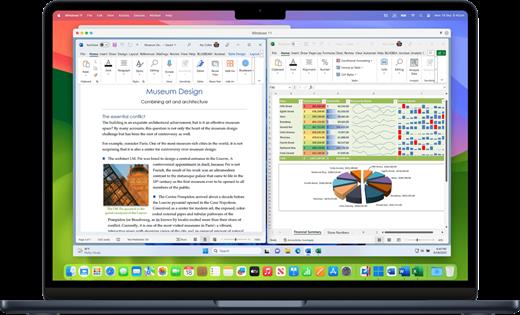
Parallels Desktop allows you to run Windows and Mac applications side by side. Choose your view to make Windows invisible while still using its applications, or keep the familiar Windows background and controls on your Mac.

Works with Boot Camp®


  • Reuse your existing Boot Camp installation. Converting a virtual machine from Boot Camp is now much easier and more intuitive than ever.
Not just for Windows

  • Run a wide array of operating systems including OS X, Windows 10, 8.1 & 7, Linux, and Google ChromeTM. You can run just about anything on your Mac!
One-click tuning

  • Select productivity, games, design, or development, and Parallels Desktop 11 for Mac will optimize your virtual machine settings and performance for you.
Robust Performance

  • Parallels Desktop Pro Edition gives your virtual machines more processing power. Up to 64 GB vRAM and 16 vCPUs per virtual machine lets you run even the most demanding applications with ease.
Business Class Software

  • Keep IT in control of end user licenses and Windows virtual machines with a Unified Volume License Key, centralized license management, and advanced security features available in Parallels Desktop Business Edition.
What’s New

Version 20.4.0:


  • Release notes were unavailable when this listing was updated.
Compatibility

macOS 12 or later


Release Name: Parallels Desktop 20.4.1
Size: 243 MB
Links: HOMEPAGE – NFO – Torrent Search

Download: RAPiDGATOR
8 Comments
Mar 24

Parallels Desktop 19.4.3

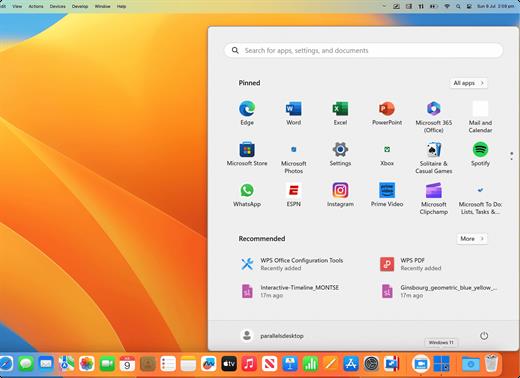
Parallels allows you to run Windows and Mac applications side by side. Choose your view to make Windows invisible while still using its applications, or keep the familiar Windows background and controls on your Mac.

Now Supporting Windows 11 and macOS Monterey


  • Optimized for Windows 11 and macOS Monterey, Parallels Desktop continues to stay up to date so you can keep working without interruption.
  • We make it easy to get all of your files, applications, browser bookmarks, and more from your PC to your Mac; just follow the setup assistant.
Works with Boot Camp®

  • Reuse your existing Boot Camp installation. Converting a virtual machine from Boot Camp is now much easier and more intuitive than ever.
Not just for Windows

  • Run a wide array of operating systems including OS X, Windows 10, 8.1 & 7, Linux, and Google ChromeTM. You can run just about anything on your Mac!
One-click tuning

  • Select productivity, games, design, or development, and Parallels Desktop 11 for Mac will optimize your virtual machine settings and performance for you.
Robust Performance

  • Parallels Desktop Pro Edition gives your virtual machines more processing power. Up to 64 GB vRAM and 16 vCPUs per virtual machine lets you run even the most demanding applications with ease.
Business Class Software

  • Keep IT in control of end user licenses and Windows virtual machines with a Unified Volume License Key, centralized license management, and advanced security features available in Parallels Desktop Business Edition.
What’s New

Version 19.4.3:


  • Release notes were unavailable when this listing was updated.
Compatibility

macOS 12 or later
Apple Silicon or Intel Core processor


Release Name: Parallels Desktop 19.4.3
Size: 354.8 MB
Links: HOMEPAGE – NFO – Torrent Search

Download: RAPiDGATOR
8 Comments
Mar 24

Parallels Desktop 18.3.4-53630 fix

Parallels Desktop allows you to run Windows and Mac applications side by side. Choose your view to make Windows invisible while still using its applications, or keep the familiar Windows background and controls on your Mac.

Now Supporting Windows 11 and macOS Monterey


  • Optimized for Windows 11 and macOS Monterey, Parallels Desktop continues to stay up to date so you can keep working without interruption.
  • We make it easy to get all of your files, applications, browser bookmarks, and more from your PC to your Mac; just follow the setup assistant.
Works with Boot Camp®

  • Reuse your existing Boot Camp installation. Converting a virtual machine from Boot Camp is now much easier and more intuitive than ever.
Not just for Windows

  • Run a wide array of operating systems including OS X, Windows 10, 8.1 & 7, Linux, and Google ChromeTM. You can run just about anything on your Mac!
One-click tuning

  • Select productivity, games, design, or development, and Parallels Desktop 11 for Mac will optimize your virtual machine settings and performance for you.
Robust Performance

  • Parallels Desktop Pro Edition gives your virtual machines more processing power. Up to 64 GB vRAM and 16 vCPUs per virtual machine lets you run even the most demanding applications with ease.
Business Class Software

  • Keep IT in control of end user licenses and Windows virtual machines with a Unified Volume License Key, centralized license management, and advanced security features available in Parallels Desktop Business Edition.
What’s New

Version 18.3.4:


  • Release notes were unavailable when this listing was updated.
Compatibility

macOS 10.14.6 or later


Release Name: Parallels Desktop 18.3.4-53630 fix
Size: 370.5 MB
Links: HOMEPAGE – NFO – Torrent Search

Download: RAPiDGATOR
9 Comments
Mar 24

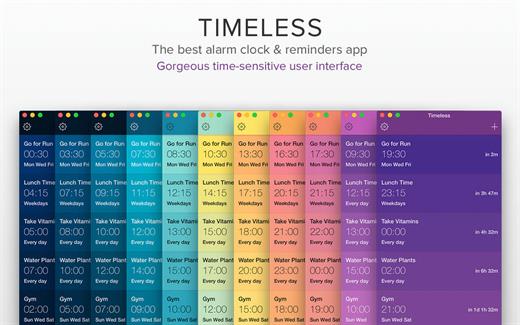
Timeless: Alarm Clock 1.94

Timeless is the best and most gorgeous alarm clock and reminder app for your Mac. With its beautiful and easy to use interface, Timeless is a pleasure to use and will integrate seamlessly into your workflow, from morning till night.

Key Features:


  • Ability to set unlimited unique alarms
  • Ability to add custom titles to each alarm
  • Beautiful full screen Nightstand Mode
  • Choose from a wide array of alarm sounds
  • Ability to add in your own custom alarm sounds
  • Snooze functionality with adjustable snooze time
  • Alarm volume adjustability
  • Support for Fading In of alarms
  • Gorgeous time-based user interface colours
  • Ability to run the app via both the menu bar and the Dock
Benefits:

  • The slickest and best Alarm clock app for your Mac
  • Lightning fast and very easy to use
  • Pleasant colours and a user interface that adjusts according to the time of day
  • The ability to input unlimited alarms and reminder notes means you’ll never miss a beat!
  • Customizable to your personal tastes
  • Regular free updates
What’s New

Version 1.94:


  • Updated for macOS Tahoe
Compatibility

macOS 12.0 or later.


Release Name: Timeless: Alarm Clock 1.94
Size: 20.9 MB
Links: HOMEPAGE – NFO – Torrent Search

Download: RAPiDGATOR
9 Comments
Mar 24

Window Focus 1.0.8 (18.1)

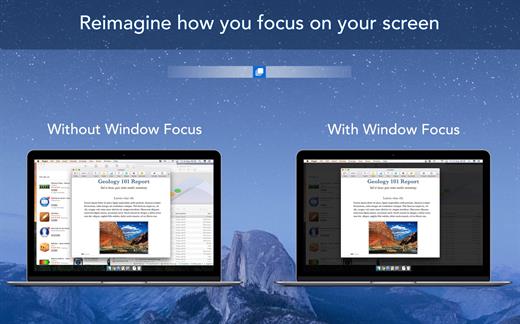
Window Focus is a super useful and beautiful app that helps you focus on what’s important. The app highlights the current working window and dims all the others in the background.

If you want to concentrate on a task at hand on your Mac, Window Focus is an absolutely essential app. By highlighting the window you are currently working on and have open, all other background windows are dimmed, which minimizes the distraction they cause and helps boost your productivity.

KEY FEATURES:


  • Highlight the current app window that you have open
  • Dim all apps and windows in the background
  • Adjust the overlay tint colour to any colour of your choice
  • Control overlay opacity level using an adjuster scale
  • Ability to highlight either the single window within an app that you have open, or all windows within that app and dimming every other app’s windows that are open in the background
BENEFITS:

  • Be able to improve your focus on the window that you have open
  • Heightened productivity
  • Reduced distraction from flashing images, chats, colours, multiple open windows etc in the background
What’s New

Version 1.0.8:


  • Updated for macOS Tahoe support
  • New liquid glass app icon
  • Bug fixes and performance improvements
Compatibility

macOS 11.5 or later.


Release Name: Window Focus 1.0.8 (18.1)
Size: 14.4 MB
Links: HOMEPAGE – NFO – Torrent Search

Download: RAPiDGATOR
5 Comments
Mar 23

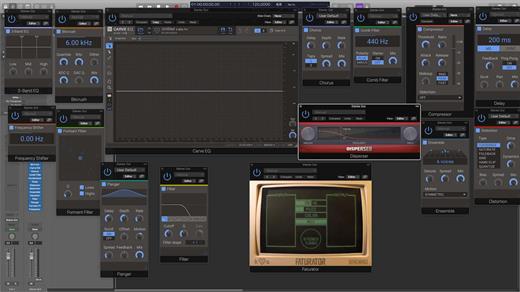
Kilohearts Complete Bundle 2.4.6

System Requirements


  • Operating System: Mac (M1 Native supported)
  • CPU: 2 GHz or faster
  • Memory: 1 GB or more
  • Software: Any DAW supporting VST 2, VST 3, AAX, or Audio Unit plugin standards. All plugin formats in 64-bit only.

What’s New

Version 2.4.6:


  • Release notes were unavailable when this listing was updated.
Compatibility

macOS 10.15.0 or later

Apple Silicon or Intel Core processor


Release Name: Kilohearts Complete Bundle 2.4.6
Size: 4.9 GB
Links: HOMEPAGE – NFO – Torrent Search

Download: RAPiDGATOR
6 Comments
Mar 23

AudiBar 1.2.0

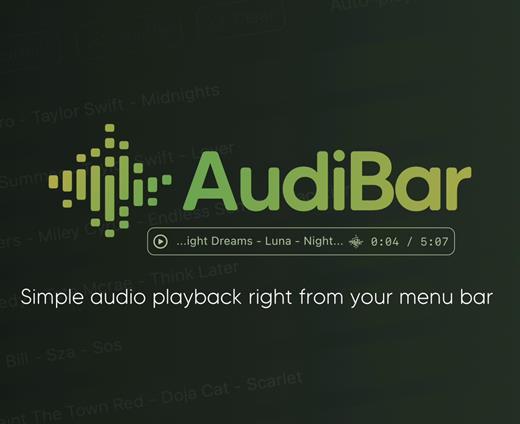
Simple audio playback and live streaming from your menu bar. No library management, no complexity. Just drag, drop, and play files or tune into internet radio.

AudiBar: Menu Bar Audio Playback and Streaming Made Simple

Stop fighting with bloated music apps. AudiBar lives in your menu bar and does two things exceptionally well: plays your audio files instantly and streams internet radio effortlessly. No library management, no cloud sync, no subscriptions. Just drag a file onto the menu bar and it plays, or add radio stations for instant streaming.

Premium Features (One-Time Purchase)


  • Playlist management with visual track list and playback controls
  • Seek slider with previous/next track buttons
  • Current time display with elapsed and total duration
  • Playlist sorting by title or duration
  • Drag folders to create playlists instantly
  • Auto-play next track with seamless transitions
  • Shuffle mode for randomized playback
  • Unlimited tracks per playlist
  • Add currently playing track to playlist
  • Persistent playlists across restarts
  • Visual highlighting of currently playing track
  • Internet radio streaming with saved stations
  • Stream list panel with management options
  • Multiple streaming formats: M3U/M3U8, PLS, XSPF, ASX/WAX, RSS/XML, direct URLs
  • Smart track naming with metadata extraction or filename display
  • Configurable settings panel
  • Tooltips for all controls
Free Features

  • Instant playback from menu bar
  • Drag-and-drop file loading
  • Play/pause controls with real-time progress
  • Time display
  • File picker for browsing
  • All major audio formats supported
  • iCloud Drive support with smart loading
  • Scrolling display for long filenames
  • Clean, distraction-free interface
  • Context menu for quick actions
  • Remembers last played track or stream
  • Native macOS window controls
What’s New

Version 1.2.0:


  • Release notes were unavailable when this listing was updated.
Compatibility

macOS 13.5 or later.


Release Name: AudiBar 1.2.0
Size: 4.8 MB
Links: HOMEPAGE – NFO – Torrent Search

Download: RAPiDGATOR
6 Comments