Please REGISTER or RENEW your account on RAPiDGATOR.net and support us by doing through all RAPiDGATOR working download links on main posts...
May 6

AI Ebook to Audio Converter 1.1.29

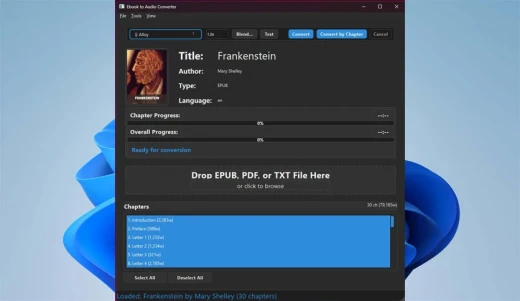
Description: AI Ebook to Audio Converter transforms your ebooks into high-quality audiobooks using advanced AI voice technology. Convert EPUB, PDF, and TXT files into MP3 audiobooks with natural-sounding voices, all while working completely offline with no subscription fees.

Advanced Voice Technology
- High-quality AI voice synthesis with natural-sounding results
- Voice blending system - blend multiple voices together for custom sound
- Save and load voice presets for consistent results
- Test voice samples before conversion

Comprehensive Format Support
- EPUB files (most common ebook format)
- PDF documents
- Plain text (TXT) files

Complete Control Over Conversion
- Convert entire books or only selected chapters
- Adjust reading speed to your preference
- Real-time progress tracking with time estimates
- Create a single audiobook file or separate chapter files

Privacy-Focused Design
- Works 100% offline - no internet connection required
- No data collection or tracking
- All processing happens locally on your device
- No subscription fees or hidden costs

User-Friendly Experience
- Intuitive interface with dark/light theme support
- Drag-and-drop file loading
- Clear progress indicators
- Detailed book information display

Transform your reading experience today - convert your favorite ebooks into audiobooks you can listen to anywhere!

System Requirements
- OS: Windows 10 version 17763.0 or higher (64-bit)
- Memory: 4 GB (Minimum), 8 GB (Recommended)

Microsoft Store - Full Version

Release Name: AI Ebook to Audio Converter 1.1.29
Size: 1.4 GB
Links: HOMEPAGE – NFO – Torrent Search

Download: RAPiDGATOR

5 Comments
May 6

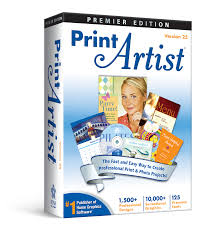
Print Artist Premier 25.1.0.1

Description: Print Artist® Premier 25 is unlike any print software you’ve ever used – its unparalleled quality combined with unprecedented ease of use lets you produce amazing print projects for your home, school or business. Impress friends, family and clients with the creative edge that only Print Artist Premier can offer – 28,000+ professionally-designed templates, 377,000+ sensational graphics, 1,000+ premium fonts and more!

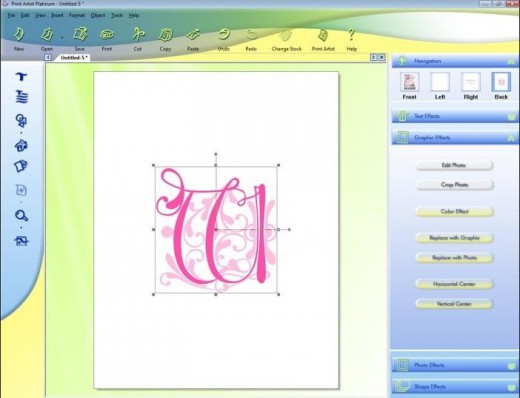
With its powerful, yet easy-to-use design, text and drawing customization tools, advanced photo editor, special text effects gallery and more, you’ll be creating expert, eye-popping print projects with a professional, custom look that truly raises the bar!

Key Features of Print Artist Premier


  • 28,000+ Professionally-Designed Templates
  • 377,000+ Sensational Graphics
  • 1,000+ Premium Fonts
  • NEW User Interface! Now Even Easier to Use
  • Easily Upload Projects to Facebook & YouTube
  • Photo Card Projects & Photo Clip Art
  • Digital Photo Editor Makes Your Pictures Shine
  • Bonus! Create CD Slideshows You Can Watch on TV
Release Name: Print Artist Premier 25.1.0.1
Size: 880 MB
Links: HOMEPAGE – NFO – Torrent Search

Download: RAPiDGATOR

6 Comments
May 6

Easy Cut Studio 6.020

Description: The easiest way to design and cut signs, decals, stickers, car lettering, display graphics, shapes, logos, labels, window film, stencils, and etc. Take your sign-making to a whole new level with Easy Cut Studio.
Introducing Easy Cut Studio 6
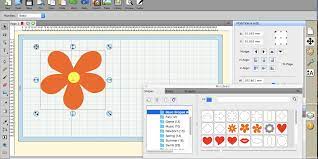
The world’s most-loved sign making and vinyl cutting software, developed to perfectly match your vinyl cutter and cutting plotter. Easily create designs and cut in one simple workflow. It gives you the ability to cut any font, SVG, AI, PDF, as well as your own original designs with your vinyl cutting plotter. This awesome vinyl cutter software even supports vectorize your images and built-in shape library includes hundreds of vectorial designs ready for cutting. With the intuitive interface and robust toolset, Now anyone can cut designs like a pro with professional-grade features! Now available in both Windows and macOS.

Powerful Design Tools
Drawing and Designing couldn’t get any easier! This powerful vinyl cutter software comes with a suite of various design and layout tools that you need. Easily draw unique shapes, modify signs, edit vector images, create graphics, customize text with all fonts on your computer plus special effects. Easy Cut Studio 6 will make your design and cut your signs easier than with any other vinyl cutting software in the industry. It is a little design powerhouse for plotting vinyl. Everyone can design like a pro, No skills needed.

Versatile Import/Export options
Import and edit various vector files, including SVG, PDF, AI, EPS, PNG, GSD, FCM, WPC and other major embroidery files as editable objects. Giving you the power to cut any shapes and custom artworks. You can also export your design to SVG, PNG, TIFF, PDF, JPG, BMP, FCM, and G-code.

Image Tracing & Vectorizing
Unmatched image vectorization, Turn images into editable vectors with ease. Simply use the powerful tracing tool to create cuttable outlines from any imported raster graphics (including PNG, JPG, PDF, BMP, GIF, PSD, TIFF, TGA, etc.) or any scanned images. Easily create accurate vector paths ready for cutting or make further editing.

Node Editing
Easy node editing tools give you total control over outlines. Individual lines, curves and nodes can be manipulated to any degree for perfect results. The simplify feature is useful for trying to reduce the number of points/nodes in a shape.

Design and Cut Rhinestone Templates
Easily convert designs into rhinestone templates and make your own custom rhinestone designs with typeable rhinestone ready fonts. and ability to add a spray of rhinestones surrounding a design. With the help of Easy Cut Studio Rhinestone feature, you can now apply rhinestones to practically everything from T-shirts, handbags, jeans, textiles, cell phones and so on.

Weld Text and Shapes Together
Welding is an advanced option allows you to make overlapping text and shapes to become a single shape, by joining shapes together wherever an overlap occurs. There are two ways to combine shapes/letters together: welding and joining.

Working With Layers
Easily create complex designs using multiple layers, grouping to organize the display order of objects. Using Layers can help you more control over how you organize, edit and cut objects with Easy Cut Studio (including ability to cut by layer). You can also assign layers to print only, cut only, score, draw or both print and cut. The Shadow Layer option will create cuttable shadows from any shapes.

Print and Cut (Contour Cutting)
Print and Cut made easy, fast and accurate. Automatic creation of registration marks for print and cut applications. Easily print your design and then cut out around the printed design using your cutting plotter, which is perfect to create decals and stickers. User control over registration size, thickness and offset will help the cutter find the contour cut marks easily.

Full control over your vinyl cutter
Cut vinyl signs with incredible ease. Flexible cut settings that allow you to cut exactly what you want. You can set cut mode, pressure & speed, score force, cut selection only, multi-cut, blade offset, overcut, mirror, Print+Cut and many more professional vinyl cutter controls. Further enhancing the potentiality of vinyl cutter. Get the job done, faster.

Supported Vinyl Cutters and Plotters
Works with a wide range of vinyl cutters/plotters including Graphtec, Vevor, Roland, GCC, Mimaki, Summa, HP Latex, Siser, Mutoh, Secabo, LOKLiK, USCutter, UKCutter, Desay Master, JinKa, KNK, Silhouette, DGI, E-cut, Mycut, Refine, Saga, Teneth, Rabbit, Vicsign, Seiki, Foison, Workhorse, KASA, SkyCut, Creation PCut, Ioline, AnaGraph, ROHS, Yinghe, HobbyCut, GSN, DGI, BDF, ProCut, Vinyl Systems, Jaguar, MUSE, Liyu, PixMax, Redsail, GoldCut, Vinyl Express machines and much more (700+). (No longer work with the Cricut cutting machines).

Release Name: Easy Cut Studio 6.020
Size: 38.4 MB
Links: HOMEPAGE – NFO – Torrent Search

Download: RAPiDGATOR

6 Comments
May 6

AnyRec Video Converter 1.0.62

AnyRec Video Converter AI Supported is All-in-One Video Converter and Editor! Your smart video converter that converts 1000+ media formats and brings complete video toolbox! Convert, edit, process, and enhance media files in one stop.

Convert Video to Any Format and Device
AnyRec Video Converter is your superfast and reliable free video converting software. You can convert videos to and from 1000+ popular formats and devices, including the latest iPhone 13 (check iPhone 13 VS iPhone 12), MacBook Pro 13/14/16, etc. For example, you can convert M4A to MP3,MP4 to MP3, MP4 to WAV, MOV to GIF, MKV to MP4,M3U8 to MP4, and much more. Compared with other competitors, you can convert and upscale videos to 480p, 720p, 1080p, 4K UHD, 5K, and even 8K with high quality. AnyRec Video Converter supports keeping your original video quality during the conversion. Or you can use its video quality enhancer, metadata editor, and other tools to make more changes.

50x Faster Speed & No File Size Limit
→ 50x video converting speed
→ Batch conversion
→ No file size limit
→ Full GPU acceleration
Need to convert large video files in bulk? Thanks to the Blu-Hyper encoding technology, AnyRec Video Converter can accelerate the video converting speed from 30x to 50x dramatically. Regardless the condition of CPU, NVIDIA, and AMD graphics on your computer, you can batch convert video and audio files at 50x faster than before. Compared with online video converters, you can save a lot of time on endless waiting. AnyRec Video Converter is exactly the best batch video converter you are looking for. If you have fast Internet speed, you can run free online video converter as an alternative as well.

Improve Video Quality with AI
→ Upscale resolution
→ Optimize brightness & contrast
→ Remove video noise
→ Reduce video shaking
There is an advanced video enhancer based on the latest Artificial Intelligence technology. You can enhance video quality and make your video look better with easy clicks. Here you can quickly upscale low-quality video, auto-optimize video contrast & brightness, remove dirt-like video noise, and minimize the video shaky problem within the free video editing software. It is also supported to upscale 720p to 1080p, 1080p to 4K, and higher resolutions.

Create Your First MV with Movie Maker
To some degree, AnyRec Video Converter can be your best free video editor. If you want to quickly make a cool music video, you can use the built-in MV Maker. Considering many users have no technical background, AnyRec Video Converter has simplified the entire process into easy options. Just add video footage, apply a preset, and then add audio to video. Furthermore, you can choose from lots of pre-made themes, transitions, filters, and customizable background music. There is no steep learning curve. Moreover, you can find your favorite music video and upload it for further editing as well. By using the free video editing software for beginners, you can make your first MV with any video footage and pictures.

Make a Photo or Video Collage with Music
→ Various layouts & filters
→ Add any BGM
→ Adjust frame size
→ Manage output settings
Is it possible to put two, three, four, and more videos into one frame? Of course, the answer is Yes. You can make a split screen video within the free video editing software. Here you can get 44+ different split-screen templates and multiple editing filters. Each split-screen layout is adjustable. You can drag the split line or resize your video/picture freely within the free video collage maker. Later, follow the on-screen instruction to edit split-screen effects and add background music. Once you export the collage video, you can see those videos play in one frame simultaneously. Actually, you can create many interesting videos with AnyRec video editing software free.

Edit Your Video/Audio with Multiple Effects
→ Smart video editor
→ Add custom watermark
→ Multiple video effects
→ Adjust subtitles
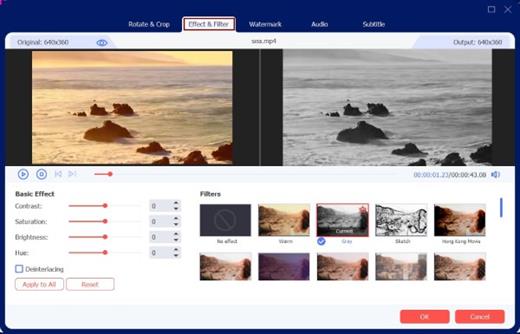
Don’t forget those powerful video editing filters within AnyRec Video Converter. It can be your best free video editing software on Windows and Mac. You can rotate, flip, crop video, trim, merge, add watermark, and apply other video effects. Each video editing filter is easy to use. You can edit videos before the conversions. In addition, you can also add subtitles and audio tracks to your video with customizable filters. The real-time preview window can show you everything in detail.

What’s New

Version 1.0.62:


  • Release notes were unavailable when this listing was updated.
Compatibility

macOS 10.12 or later
Apple Silicon or Intel Core processor

Release Name: AnyRec Video Converter 1.0.62
Size: 135 MB
Links: HOMEPAGE – NFO – Torrent Search

Download: RAPiDGATOR

6 Comments
May 6

Infuse Pro 8.4.4

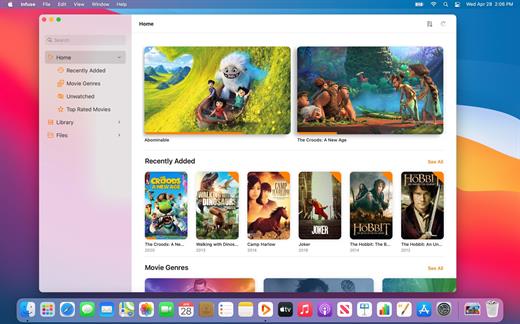
Ignite your video content with Infuse – the beautiful way to watch almost any video format on your iPhone, iPad, Apple TV, and Mac. No need to convert files! Infuse is optimized for macOS 12, with powerful streaming options, Trakt sync, and unmatched AirPlay & subtitle support. Gorgeous interface. Precise controls. And silky-smooth playback.

Play more video types

A powerful video player that plays just about anything, including the standard MP4, M4V and MOV – plus MKV, AVI, WMV, MTS, ISO, VIDEO_TS, FLV, OGM, OGV, ASF, 3GP, DVR-MS, WebM, and WTV. Includes fully certified Dolby® Digital Plus (AC3/E-AC3), DTS® and DTS-HD® audio.

Stream from other devices

Browse and play videos stored on your Mac, PC, NAS, Wi-Fi hard drive, apps like Plex, Emby, and Jellyfin, or from cloud services like Dropbox, Google Drive, OneDrive, Box, pCloud, Yandex.Disk, and Mega.nz – no syncing required!

Trakt 2-way sync

Connect with Trakt to sync watched history, submit ratings and post comments.

Optimized subtitles powered by opensubtitles

Bring your own subtitles, or download them on the fly (for free) in virtually any language.

The basics:


  • Silky-smooth video player (plays full 4K w/ HDR & Dolby Vision)
  • Stream from a Mac, PC, NAS or Wi-Fi enabled hard drive
  • Connect with Plex, Emby, Jellyfin, Kodi (XBMC), WMC and other media servers
  • Beautiful layout with quick access to video info
  • Artwork and metadata added automatically
  • Picture-in-Picture
  • Spatial audio
Supported formats:

  • Video: 3GP, AVI, ASF, BDMV, DIVX, DVDMEDIA, DVR-MS, FLV, ISO, M4V, MKV, MOV, MP4, M2TS, MTS, OGM, OGV, TP, TS, VIDEO_TS, WEBM, WMV, WTV
  • Audio: AAC, AC3/E-AC3, DOLBY TRUEHD, DTS, DTS-HD MA, FLAC, MP3, OGG, PCM, WMA
  • Subtitles: DVB, DVDSUB, MICRODVD, MPL2, PGS, SMI, SSA/ASS, SRT, SUB, TIMED TEXT, TMP, TXT, VOBSUB, VTT, XSUB
Player features:

  • Multiple audio tracks
  • Chapters
  • Gesture controls
  • 8 video zoom options
  • Continuous playback
  • Deinterlacing
Extras:

  • Library organization
  • Folders
  • One-click subtitle downloads from OpenSubtitles
  • Scrobble plays to Trakt
  • Download videos from networked devices
  • Drag and drop uploads via web browser
  • Get extra onboard storage by adding USB drives
Get more with infuse pro!

  • Play even more video formats
  • Enjoy Dolby® Digital Plus (AC3/E-AC3), DTS® and DTS-HD® mobile surround sound
  • Stream a wide variety of video types over AirPlay and Google Cast
  • Access videos stored in cloud services like Dropbox, Google Drive, Box, OneDrive, pCloud, Yandex.Disk, and Mega.nz
  • Sync libraries, settings, watched history, and playback progress between devices
What’s New

Version 8.4.4:


  • Release notes were unavailable when this listing was updated.
Compatibility

macOS 11.0 or later.
Apple Silicon or Intel Core processor

Release Name: Infuse Pro 8.4.4
Size: 107.7 MB
Links: HOMEPAGE – NFO – Torrent Search

Download: RAPiDGATOR

6 Comments
May 6

Microsoft Office 2024 v16.108.3

Office LTSC 2024 offers a locked-in-time version of familiar productivity tools, updated with a subset of the features that have been added to Microsoft 365 Apps for enterprise over the last three years. New features for this release include Dynamic Charts and more than a dozen new text and array functions in Excel, enhanced search and meeting creation options in Outlook, and improvements to performance, security, and accessibility.

That same Office, especially for Mac

The new, modern versions of Word, Excel, PowerPoint, Outlook, OneNote, and OneDrive for Mac feature a familiar interface and the unique, beloved features of a Mac, so you can get started quickly.

Microsoft Word

Word is a robust application that lets you create, edit, view, and share text documents (even email attachments). It’s ideal for anyone who works with documents: bloggers, writers, journalists, reviewers, students, or project managers.

Microsoft Excel

The powerful Excel application makes it quick and easy to create, view, edit, and share spreadsheet files. New charts and Ideas provide visualization of data and trends. No matter where you are, you can confidently use this application to collaborate in accounting, auditing, or finance.

Microsoft PowerPoint

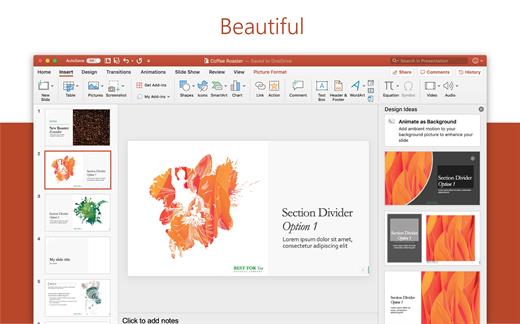
PowerPoint is the smart app you know and love that helps you communicate your ideas vividly and visually with beautiful layouts, animations, moving camera effects, 3D models, and icons. Save time and create engaging presentations that are up-to-date with the latest trends.

Microsoft Outlook

With Outlook, you have all your email accounts and calendars at your fingertips. Manage your messages and plan in detail—it has everything you need to organize your workflow efficiently.

Microsoft OneNote

Whether you need to streamline the tedious planning process or quickly jot down a brilliant idea, OneNote, your digital notebook, is your go-to. It’s indispensable when you need to prepare for a big event or when you need to make sure you don’t miss any important tasks that you can’t trust to someone else.

Microsoft OneDrive

OneDrive keeps all your Microsoft 365 files at your fingertips. Share and collaborate in real time across Word, Excel, and PowerPoint on your desktop, web, and mobile — all conveniently and securely

Note: If it doesn’t work, uninstall the old version of Office completely and reinstall it. For uninstallation method, please use Google search.

What’s New

Version 16.108.3:


  • Release notes were unavailable when this listing was updated.
Compatibility

macOS 12.0 or later

Release Name: Microsoft Office 2024 v16.108.3
Size: 2.7 GB
Links: HOMEPAGE – NFO – Torrent Search

Download: RAPiDGATOR
3 Comments
May 6

iBarcoder 3.17.10

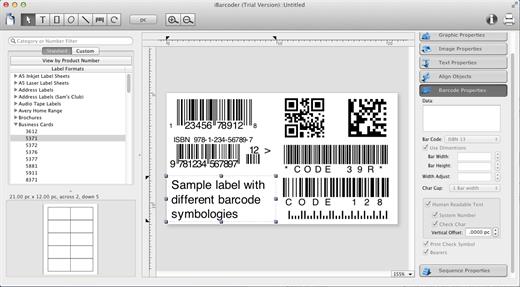
iBarcoder allows you to design and print your own barcoded labels, stickers, and tags. Create barcode graphics for retail packages, books, stickers, and more. Mac QR code and Datamatrix generator. Add text boxes, image boxes, rectangles, ovals and lines to your labels. Type in the necessary text, insert the desired images, to create the professional barcode labels for commercial use. Create sequential barcodes for catalogs and retail operations. Specify the sequence in which barcodes are printed or exported.

Smart, Intuitive Barcode Software


  • Create professional barcoded labels with a few mouse clicks
  • Live preview feature
  • Modify your Mac barcodes by changing types, sizes, and other attributes intrinsic to a certain barcode type. Advanced tools make customizing your barcode easy
  • Print barcodes directly to your printer using standard Avery formats provided
  • Create and save your own custom label formats
  • Export barcodes as a high-resolution image files, or vector graphics:

    • PDF (vector)
    • EPS (vector)
    • BMP
    • TIFF
    • JPEG
    • PNG
    • PNTG
    • Photoshop
    • …and more…!
  • Make the desired font and color settings
  • Copy, then paste finished graphics right to Adobe Illustrator, InDesign, Photoshop, or other software from Mac clipboard
Supports the following barcode types:

  • Postnet
  • Japanpost customer barcode
  • FIM Codes
  • Horizontal bars
  • UPC A
  • UPCE
  • EAN 13
  • EAN 8
  • ISBN
  • ISSN
  • Code 128
  • Codabar
  • ITF14
  • Code 39
  • Code 11
  • Code 93
  • MSI
  • Interleaved 2 of 5
  • Datamatrix
  • Intelligent Mail Barcode
  • Pharmacode
  • QR Code
What’s New

Version 3.17.10:


  • Release notes were unavailable when this listing was updated.
Compatibility

macOS 10.10 or later

Release Name: iBarcoder 3.17.10
Size: 16.6 MB
Links: HOMEPAGE – NFO – Torrent Search

Download: RAPiDGATOR
5 Comments
May 6

Path Finder 11.2

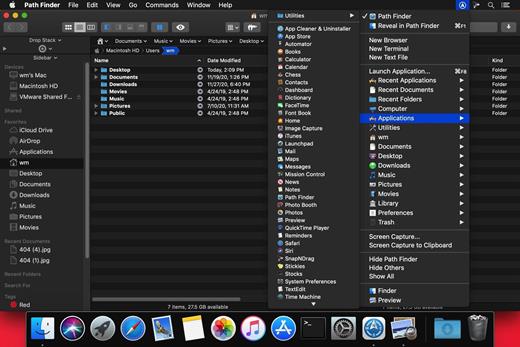
Path Finder makes you a master of file management. Take full control over your file system. Save your time: compare and synchronize folders, view hidden files, use Dual Pane and full keyboard navigation to browse your file system. Work how you want: extreme customization allows you to access most tools in many different ways to suit your workflow. Work seamlessly with other platforms: don’t leave any hidden .DS_Store files on non-Mac volumes, delete files securely and completely with the powerful delete feature from any volume type, search any network volume.

Features


  • View and manipulate hidden files
  • Dual Pane View
  • Full keyboard navigation
  • Folder comparison and synchronization
  • Folder merging
  • Batch renaming
  • Powerful file filtering
  • One-click dual-pane copy
  • Bookmarks and Tab Presets
  • ACL editor
  • File tagging
  • Editable Path Navigator
  • Powerful low-level search
  • Smart sorting
  • Advanced selection
  • Integrated terminal
  • Integrated text and image editors
What’s New

Version 11.2:


  • Release notes were unavailable when this listing was updated.
Compatibility

macOS 10.12 or later
Apple Silicon or Intel Core processor


Release Name: Path Finder 11.2
Size: 25.4 MB
Links: HOMEPAGE – NFO – Torrent Search

Download: RAPiDGATOR
6 Comments
May 6

AnyRec Blu-ray Player 1.0.20

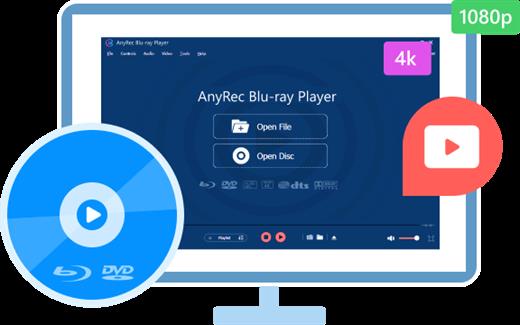
Your smart Blu-ray Player that can play Blu-ray disc, Blu-ray folder, DVD disc/folder/ISO file, 4K UHD/1080p HD videos on Windows and Mac. AnyRec Blu-ray Player is your all-in-one solution for home theater entertainment.

AnyRec Blu-ray Player is designed to play commercial and homemade Blu-ray discs in any regions. You can enjoy newly released Blu-ray movies with high audiovisual experience.

– RightGet lossless Blu-ray playback with the advanced NVIDIA hardware acceleration.
– RightSupport BD-5, BD-9, BD-25, BD-50, BD-XL, BD-R, BD-RE, BD-ROM, BD-J, etc.
– RightBring vivid visuals, lifelike, and crystal-clear details of Blu-ray movies.

What’s New

Version 1.0.20:


  • Release notes were unavailable when this listing was updated.
Compatibility

macOS 10.12 or later

Release Name: AnyRec Blu-ray Player 1.0.20
Size: 44.5 MB
Links: HOMEPAGE – NFO – Torrent Search

Download: RAPiDGATOR

6 Comments
May 6

Uplock 3.2.3

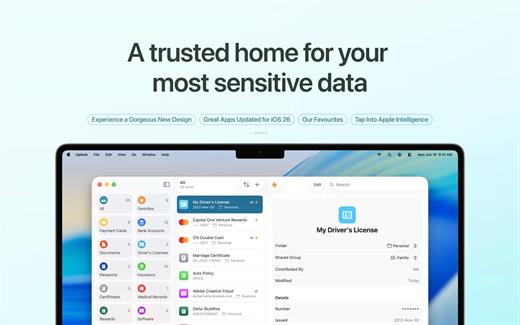
Uplock is a meticulously crafted security app designed to be the ultimate companion to Apple’s native Passwords app. While Apple handles your logins, Uplock securely stores everything else—from digital copies of your passport and driver’s license to medical records and secure notes.

What’s New

Version 3.2.3:


  • Release notes were unavailable when this listing was updated.
Compatibility

macOS 15 or later

Release Name: Uplock 3.2.3
Size: 14.6 MB
Links: HOMEPAGE – NFO – Torrent Search

Download: RAPiDGATOR
7 Comments