Please REGISTER or RENEW your account on RAPiDGATOR.net and support us by doing through all RAPiDGATOR working download links on main posts...
Apr 25

Windows 11 25H2 (x64) Build 26200.8246 Consumer Editions AIO April 2026 Incl. Activator

Description: Windows 11, version 25H2 is an enablement update that builds on the features of 24H2 by enabling new, “continuous innovation” features, rather than introducing entirely new features itself. Key updates include a Braille Viewer for the Narrator, improvements to Click-to-Do (including a new “Convert to Table” feature), support for plug-in credential managers for passkeys, and enhancements to the mobile device companion experience. Microsoft is also implementing IT admin-focused features like the ability to remove pre-installed Store apps and a new Quick Machine Recovery system to reduce downtime.


Editions Includes –


  1. Windows 11 Home
  2. Windows 11 Home N
  3. Windows 11 Home Single Language
  4. Windows 11 Education
  5. Windows 11 Education N
  6. Windows 11 Pro
  7. Windows 11 Pro N
  8. Windows 11 Pro Education
  9. Windows 11 Pro Education N
  10. Windows 11 Pro for Workstations
  11. Windows 11 Pro N for Workstations

Release Name: Windows 11 25H2 (x64) Build 26200.8246 Consumer Editions AIO April 2026 Incl. Activator
Size: 8 GB
Links: HOMEPAGE – NFO – Torrent Search

Download: RAPiDGATOR
2 Comments
Apr 25

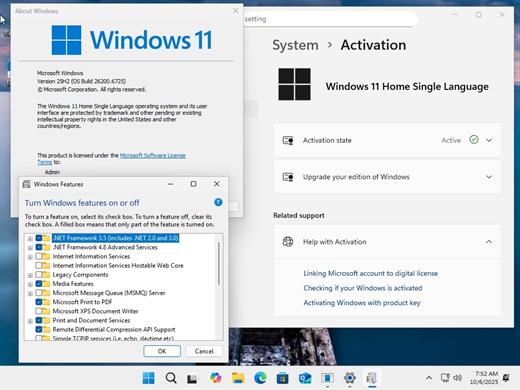
Windows 11 AIO 16in1 25H2 Build 26200.8246 TPM Bypassed & Pre-Activated April 2026

Description: On August 29, 2025, Microsoft released the first official preview of Windows 11 version 25H2 (2025 Update) in the Release Preview Channel of the Windows Insider Program. The update is rolling out as an enablement package for devices already running version 24H2.
Windows 11 versions 24H2 and 25H2 use the same underlying system files and architecture.

Editions Includes –


  1. “Windows 11 Home”
  2. “Windows 11 Home N”
  3. “Windows 11 Pro”
  4. “Windows 11 Pro N”
  5. “Windows 11 Home Single Language”
  6. “Windows 11 Enterprise”
  7. “Windows 11 IoT Enterprise”
  8. “Windows 11 IoT Enterprise Subscription”
  9. “Windows 11 Enterprise multi-session”
  10. “Windows 11 Education”
  11. “Windows 11 Pro Education”
  12. “Windows 11 Pro for Workstations”
  13. “Windows 11 Enterprise N”
  14. “Windows 11 Education N”
  15. “Windows 11 Pro Education N”
  16. “Windows 11 Pro N for Workstations”

Release Name: Windows 11 AIO 16in1 25H2 Build 26200.8246 TPM Bypassed & Pre-Activated April 2026
Size: 7.4 GB
Links: HOMEPAGE – NFO – Torrent Search

Download: RAPiDGATOR
4 Comments
Apr 25

Microsoft Office Pro Plus 2021-2024 v2604 Build 19929.20090 (x64) Incl. Activator

Description: Microsoft has officially announced the availability of the final version of its Office 2024 release for Windows and Mac users. Following the release of the preview version in the first half of this year, the product has been refined and is now available to users. Office 2024 includes updated versions of apps from the suite, Word, Excel, PowerPoint, Outlook, Access, and Publisher.

Office 2024 includes virtually every change that has been added to the suite of programs in Office 365 over the past 3 years, although some features remain exclusive to subscribers. In addition to the main programs Word, Excel, PowerPoint, and Outlook, which are available for both Windows and macOS, the Access and Publisher versions are only available for Windows and are included, as usual, only in premiums. Visio and Project for Windows are also available, although they are not part of the ongoing release of Office.

Microsoft Office 2021-2024 includes
Microsoft Office 2021-2024 Professional Plus
Microsoft Access 2021-2024
Microsoft Excel 2021-2024
Microsoft Lync 2021-2024
Microsoft OneNote 2021-2024
Microsoft Outlook 2021-2024
Microsoft PowerPoint 2021-2024
Microsoft Publisher 2021-2024
Microsoft Visio Viewer 2021-2024
Microsoft Word 2021-2024
Microsoft Visio pro 2021-2024
Microsoft Project 2021-2024
Skype for business 2021-2024
OneDrive for Business 2021-2024
Office Shared Features
Profing Tools Only 2021-2024
And many more

Release Name: Microsoft Office Pro Plus 2021-2024 v2604 Build 19929.20090 (x64) Incl. Activator
Size: 7 GB
Links: HOMEPAGE – NFO – Torrent Search

Download: RAPiDGATOR

3 Comments
Apr 25

Pro Microphone 1.8.5

Voice & music recording studio For beginner singers or those who want to be heard – Pro Microphone. Make your voice sound louder! Sing and save all of your songs, choose different mics to match your mood! Professional studio microphone is always in your Mac.

VARIOUS MIC TYPES


  • Dynamic, stage, valve, condenser and others;
  • Each of them has its own sound effects!
  • Detailed information about each mic with its frequency response.
SPEAK, SING, RECORD

  • Recordings and loops with multiple slots;
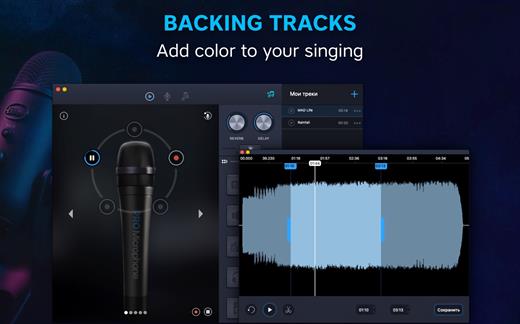
  • Various backing tracks.
YOUR BACKING TRACKS

  • Just drag & drop files
  • Edit it if needed
What’s New

Version 1.8.5:


  • We fixed minor bugs and made general improvements to make the app better for you. Please continue to send your feedback to help us improve the app in future updates.
Compatibility

macOS 10.12 or later, 64-bit processor


Release Name: Pro Microphone 1.8.5
Size: 142.8 MB
Links: HOMEPAGE – NFO – Torrent Search

Download: RAPiDGATOR

8 Comments
Apr 25

Vellum 4.1.2

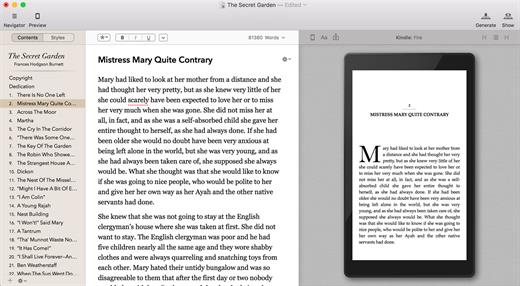
Vellum is an eBook-generating tool that lets you easily create an eBook from a text manuscript or from scratch within the application. Choose the appropriate style from several options, view instant previews of the finished product, and easily generate and regenerate eBooks with a single click to avoid disaster upon finding mistakes.

What’s New

Version 4.1.2:


  • Release notes were unavailable when this listing was updated.
Compatibility

macOS 10.15 or later


Release Name: Vellum 4.1.2
Size: 107.4 MB
Links: HOMEPAGE – NFO – Torrent Search

Download: RAPiDGATOR

6 Comments
Apr 25

Acorn 8.5.0

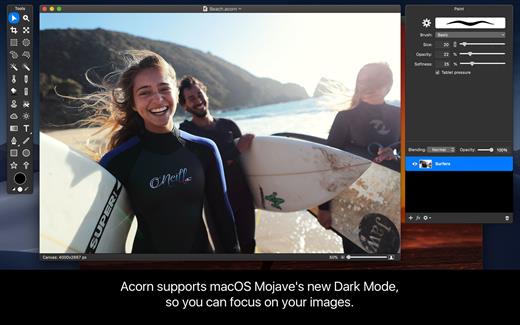
Acorn is a new image editor built with one goal in mind – simplicity. Fast, easy, and fluid, Acorn provides the options you’ll need without any overhead. Acorn feels right, and won’t drain your bank account.


  • Take screenshots using Acorn and edit them right away.
  • Chain together image filters to create stunning effects.
  • Layer based image editing, an industry standard.
  • Make new images and layers using your built-in iSight.
  • Easy image and canvas resizing, just by changing the size of your window.
  • Take advantage of every pixel of your monitor with full screen image editing.
  • Tablet sensitive for pressure strokes and using the tablet’s eraser.
  • Vector shape and text layers.
  • Freeform, elliptical, rectangular, and magic wand selections.
  • Gradients.
  • Create and apply custom text styles.
  • Control opacity and blending modes for each layer.
  • Write plugins using the Python scripting language, as well as in Objective-C.
  • GPU powered. The same graphics card that makes your gaming experience smooth, helps Acorn fly through the toughest of graphics operations.
What’s New

Version 8.5.0:


  • Release notes were unavailable when this listing was updated.
Compatibility

macOS 10.14.0 or later
Apple Silicon or Intel Core processor


Release Name: Acorn 8.5.0
Size: 84.1 MB
Links: HOMEPAGE – NFO – Torrent Search

Download: RAPiDGATOR
8 Comments
Apr 25

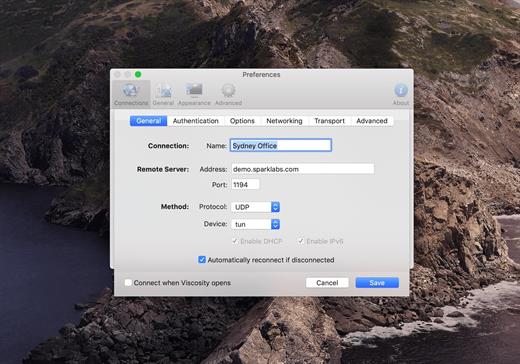
Viscosity 1.12.1

Viscosity is an OpenVPN client for Mac, providing a rich Cocoa user interface for creating, editing, and controlling VPN connections. Viscosity provides a complete OpenVPN solution for OS X 10.5 Leopard, and does not require any additional downloads or software.

With Viscosity and OpenVPN you can securely connect to your home or company network from a remote location, protect your network traffic when using public or wireless networks, access websites with country restrictions, and tunnel through restrictive firewalls and proxy servers to give your computer full Internet access. Viscosity can connect to any VPN server running OpenVPN, including most popular free and commercial VPN providers. Viscosity allows connections to be completely configured through a GUI, without any need to know how to use the command-line or OpenVPN’s configuration-file syntax. Advanced users still have full manual control over configuration options if desired.

Features


  • Cocoa GUI
  • Connection and traffic statistics
  • Multiple simultaneous connections
  • Robust DNS Support
  • Keychain integration
  • System proxy integration
  • Deployment features designed for enterprise
  • Easy connection importing
  • Growl integration
What’s New

Version 1.12.1:


  • Release notes were unavailable when this listing was updated.
Compatibility

macOS 12.0 or later


Release Name: Viscosity 1.12.1
Size: 31.8 MB
Links: HOMEPAGE – NFO – Torrent Search

Download: RAPiDGATOR

6 Comments
Apr 25

FSNotes 7.1.4

FSNotes is a plain-text note manager for macOS, and is modern reinvention of notational velocity (nvALT) on steroids. Our application respects the following open formats: plain/text, Markdown, and RTF, and stores data in the file system. You can view, edit, and copy data in your favourite external editor, and see live results in FSNotes.

Features:


  • ICloud synchronization
  • Keyboard centric
  • Global shortcuts (clipboard save / search field)
  • Markdown and RTF markup (files stored on disk as plain/text and rich text)
  • Markdown preview mode
  • Elastic two pane view (vertical and horizontal layout)
  • Blazing fast and lightweight
  • Open files in finder / works with external editors (changes seamless live sync with UI)
  • Pin/unpin important notes in top
  • Multi folder storage
  • Markdown live highlighting with over 170 languages in code blocks
What’s New

Version 7.1.4:


  • Release notes were unavailable when this listing was updated.
Compatibility

macOS 10.14 or later


Release Name: FSNotes 7.1.4
Size: 19.7 MB
Links: HOMEPAGE – NFO – Torrent Search

Download: RAPiDGATOR
7 Comments
Apr 25

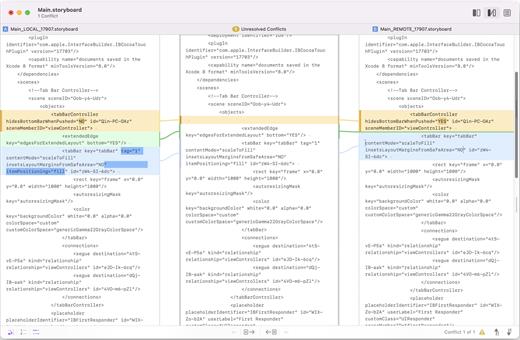
Kaleidoscope 6.7

Kaleidoscope spots differences in text and image files.

Kaleidoscope Features


  • General

    • Single window workflow: One tab per comparison
    • Compare two+ files: Add any number of files per tab
    • Always up to date: Auto-refreshes when files change
    • File Shelf: Quickly go from file to file
    • Path Bar: See where your files are
    • Keyboard shortcuts: Every action has a shortcut
  • Text Scope

    • Supports any text file: Plain text, source code, HTML, etc.
    • Clear comparisons
    • Three layouts: Blocks, Fluid, and Unified
    • Compare documents: Imports text from .doc and .rtf files
    • Instant search
    • Change Stepper: Quickly jump from change to change
    • Highlights: Added, deleted and changed text
  • Image Scope

    • All popular image file formats: JPEG, TIFF, PNG, PSD and more.
    • Four connected layouts: Two-Up, One-Up, Split, and Difference
    • Comprehensive image support: RGB/CMYK/LAB, alpha, any size.
    • Multi-touch support: Smooth scrolling and pinch to zoom
    • Customizable environment: Change background color, difference mask and checkerboard settings
    • Two difference mask modes: Spot absolute or relative changes
  • Integration

    • Git, Mercurial, SVN, and Bazaar: Integrate with a couple of clicks
    • Versions
    • TextMate SVN
    • Cornerstone
    • ksdiff Command-line tool: Integrate with practically anything
What’s New

Version 6.7:


  • Release notes were unavailable when this listing was updated.
Compatibility

macOS 11.1.0 or later
Apple Silicon or Intel Core processor


Release Name: Kaleidoscope 6.7
Size: 46.7 MB
Links: HOMEPAGE – NFO – Torrent Search

Download: RAPiDGATOR

7 Comments
Apr 25

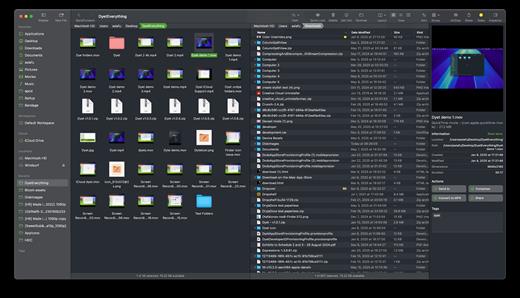
Bloom 1.5.33

Bloom is a refined file management tool designed to enhance your search and navigation experience on macOS, offering a more intuitive and feature-rich alternative to Finder. With Bloom, you can instantly navigate to any location system-wide using the shortcut ⌘⇧⏎, making file access seamless and efficient .

Key Features


  • Enhanced Search Capabilities: Bloom allows you to search files by keyword within predefined locations, scanning tens of thousands of files in seconds for lightning-fast results. You can also search directly in any folder with ⌘F and refresh results with ⌘R .
  • Portal Mode: A compact window without sidebar or preview, Portal retains core functionalities and can be pinned on top of other windows or collapsed into the screen edge for convenience .
  • Archive Viewing: Browse contents of compressed files without extraction and preview text, images, or PDFs under 10MB by pressing Space or double-clicking .
  • Advanced File Management: Features like auto-resizing columns, advanced rename with regex support, workspace customization, iCloud Drive integration, and tag management elevate your file-browsing experience .
  • Media and Productivity Tools: Convert and optimize images, create various file types easily, paste images from the web, and organize files by kind or date. Additionally, Bloom records every operation for easy reversion and supports starting a terminal directly from a folder .
  • Disk Analysis and Task Management: Use Folder Scan to visualize disk usage through a treemap and manage file operations with a Task Scheduler to track progress .
What’s New

Version 1.5.33:


  • Release notes were unavailable when this listing was updated.
Compatibility

macOS 14.0 or later
Apple Silicon or Intel Core processor


Release Name: Bloom 1.5.33
Size: 15.3 MB
Links: HOMEPAGE – NFO – Torrent Search

Download: RAPiDGATOR
7 Comments