Please REGISTER or RENEW your account on RAPiDGATOR.net and support us by doing through all RAPiDGATOR working download links on main posts...
May 1

Let It Be Light 2.0.15

Description: Let It Be Light – Illuminate the Unseen, Unleash Infinite Content! Tired of missing out on dark, low-light footage that could be your next viral hit? Say hello to Let It Be Light – the revolutionary AI-powered image and video processing software that transforms zero-visibility clips into stunning, well-lit masterpieces!
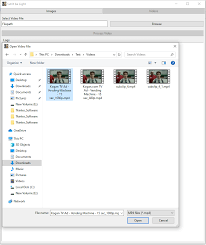
Unlock Hidden Content
Turn dark, grainy, or underexposed footage from movies, old archives, or social media into crisp, bright, and usable content. No more discarding "unusable" clips—now, every frame is potential gold!

Repurpose & Reinvent
Imagine breathing new life into classic movie scenes, forgotten vlogs, or trending challenges shot in poor lighting. With Let It Be Light, you can remix, re-edit, and reimagine content like never before.

Stay Ahead of Trends
Social media moves fast, and sometimes the best moments happen in low light. Now, you can enhance and capitalize on trending clips instantly—no reshoots needed!

AI-Powered Precision
Our advanced neural networks analyze and intelligently illuminate shadows, recover details, and balance colors naturally—no artificial, overblown effects.

Endless Possibilities for Creators
- Remaster old footage for throwback content with a fresh, modern look.
- Enhance live events, concerts, or nightlife videos without losing atmosphere.
- Create cinematic B-roll from previously unusable dark shots.
- Boost engagement with repurposed viral clips—now perfectly lit.

"Let It Be Light" isn’t just a tool—it’s your backstage pass to the world’s unseen content. Whether you're a filmmaker, YouTuber, TikToker, or marketer, stop letting darkness limit your creativity.

System Requirements
Windows 10 version 17763.0 or higher (64-bit)

* NOTE: Software offers standalone operation with no cloud dependency. For optimal performance, an NVIDIA GPU is strongly recommended—enabling significantly faster processing, especially for video processing. While the software remains fully functional on CPU-only systems, processing speeds may vary based on hardware capabilities.

Microsoft Store - Full Version

Release Name: Let It Be Light 2.0.15
Size: 1.7 GB
Links: HOMEPAGE – NFO – Torrent Search

Download: RAPiDGATOR
5 Comments
May 1

n-Track Studio 10.3.0.10791

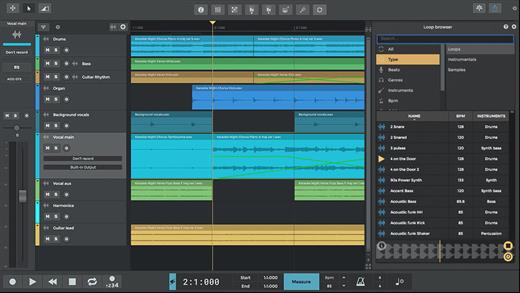
Description: n-Track Studio turns your PC into an easy to use multitrack audio recording studio. It is the perfect tool for professional quality audio recording, encoding, mixing and editing. Record, edit, overdub your audio tracks, apply effects, process audio live input, mix and then burn audio CDs or create mp3 files.


Piano Roll
Write and edit MIDI data for controlling virtual instruments using the intuitive built-in piano roll editor.

Step Sequencer
Create beats, sequences or arpeggios and import your own sounds easily with the Step Sequencer.

VocalTune
Using VocalTune you can do anything from simple pitch correction to completely transform your vocal.

Guitar Amp
Make your guitar sound huge by choosing among great amp head simulators, and different modern and vintage cabinets inspired by classic models.

Bass Amp
Ever felt your bass recordings needed that extra drive, lowend or grit to sit nicely in your mix and surprise your listeners?
Well, you're going to like this!

Screen Drumkit
The new screen Drumkit controller lets you play drum sounds with the look and feel of a real kit.

Songtree Community
Find your next collab and share your songs with the Songtree music community - directly inside n-Track Studio.

Pure Data Support
You can now load your Pure Data patches inside n-Track and use your favorite sounds and effects in your song.

Built-in effects
From Reverb, Compression, Parametric & Graphic EQ to DEnoiser, VocalTune, Shimmer, AutoFilter & Pitch Shift

Audio Part Widgets
Audio parts now have fade and volume widgets for quick and precise editing.

n-Vocal effects processor
The included n-Vocals plugin offers useful and creative ways of tweaking and manipulating your vocal recordings.

Surround mixing
Supports surround mixing for creating audio projects using 5.1, 6.1 and 7.1 channels surround formats

Effects and Instrument Chains
Craft your sonic signature with custom presets

Release Name: n-Track Studio 10.3.0.10791
Size: 296.2 MB
Links: HOMEPAGE – NFO – Torrent Search

Download: RAPiDGATOR
7 Comments
May 1

Cockos REAPER 7.71

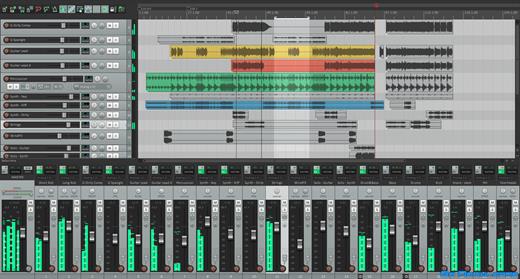
Description: Cockos REAPER is an effective but realistic home windows application that helps you to file, arrange, edit, and render multi-music waveform audio. REAPER Latest Version offers an intensive set of features but is a totally small and lightweight software (the installer is much less than 1 megabyte, and includes many outcomes and a pattern assignment). Reaper Review helps Asio, kernel streaming, wave out, and Direct Sound for playback and recording.

Cockos REAPER Keygen 2021 is a complete digital audio production application for computers, offering a full multi track audio and MIDI recording, editing, processing, mixing and mastering toolset. Latest Cockos REAPER Serial Key supports a vast range of hardware, digital formats and plugins, and can be comprehensively extended, scripted and modified. Using Cockos REAPER Crack For Windows you can import any audio and MIDI, synthesize, sample, compose, arrange, edit, mix, and master songs or any other audio projects.

Download Cockos Reaper Activation Key Features:


  • You can very easily convert audio receivers and mic into an excellent music studio room.
  • Accounts Reaper Damaged can just operate on the Windows os.
  • Functions more effectively while utilizing Linux
  • Retains the software that is ideal history.
  • With power, features make it an uncommon item for the mass of the customers.
  • The idea of creating is offering help in composing.
  • The application provides a fast, cost preserving and long-lasting outcome with wonderful characteristics.
  • It is an essential option for export customers.
  • Outstanding device for just about all age consumers on the planet
  • In addition, for more info just click here.
  • For the newbies, it is greatest to select the products that are useful for performing.
  • Crack Reaper BitTorrent is one of the majorities of popular audio modifying applications.
Whats’s New In Cockos REAPER Crack Download

  • Access help repair
  • REAPER License Key free Several videos, chips correct memory errors
  • Promote Stem Drawing
  • Encouraged remarkable colours
  • Avoid fresh startup windows with the official name bar
  • Display toolbar when editing marker /loop/time choic
Cockos REAPER System Requirements:

  • Windows: XP/Vista/7/8/10 (32 or 64-bit)
  • Requires GTK+3 and ALSA.
  • GTK+2 supported with additional effort.
  • Supports x86_64, i686, and armv7l.
Release Name: Cockos REAPER 7.71
Size: 34.4 MB
Links: HOMEPAGE – NFO – Torrent Search

Download: RAPiDGATOR

6 Comments
May 1

Valentina Server 17.3.1

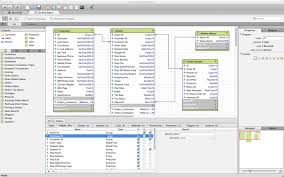
Description: Valentina Server combines a world class Enterprise Reports Server and two Database Servers into a single, powerful solution.

Valentina Server includes Valentina Reports Server, Valentina Forms Server, and two database servers: ValentinaDB Server and Valentina SQLite Server. Reports Server and Forms Server can use the internal database servers as well as most popular data sources. Valentina Server includes a RESTful architecture and native CLIENT runtimes support for every major development on Windows, Linux and MacOS (over 69) at no additional cost. Build Valentina Server solutions with PHP, C# / .net, Java, and many more.

Stored Procedures
Stored procedures with SQL, JavasScript and Python.

Valentina Client ADK for iOS
Build iOS apps with a free VCLIENT to Valentina Server.

Fast Web Applications
Build high performance server-side web applications.

Valentina Forms Server
Register Forms to Valentina Server to share with colleagues and clients.

REST & JSON Access Anywhere
Build solutions using these lightweight protocols.

Notifications
Push notifications through a notification channel to spread among subscribing applications asynchronously.

Hot Back Up Your Data
Back up to any directory on your network without having to shut down your server.

Valentina SQLite Server
Full featured, standards compliant multi-user access SQLite based database server.

Event Scheduler
Automate business, data management processes with support for triggers and event scheduling.

Valentina Reports Server
Serve reports, charts, graphs, barcodes, export to PDF, HTML, email for major databases and servers.

Auto Discover on Network
Optionally make Valentina Server securely discoverable on your network.

ValentinaDB Server
Blazingly fast object-relational database server based on the Valentina DB core model.

Release Name: Valentina Server 17.3.1
Size: 70.7 MB
Links: HOMEPAGE – NFO – Torrent Search

Download: RAPiDGATOR
6 Comments
May 1

JRiver Media Center 35.0.74

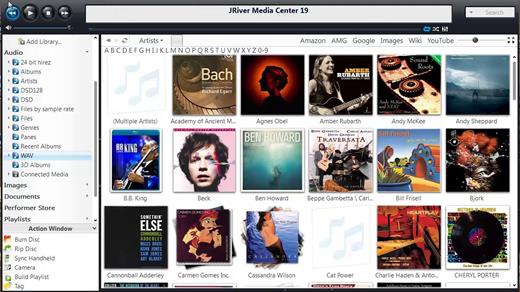
Description: Supports more cell phones, MP3 players, DLNA, and other devices. Powers an HTPC to entertain your family. Even different playback in multiple zones. And it can record high definition TV, and provide a replacement for cable TV. It has a Theater View interface, controllable by a Media Center Remote, an iPad, iPhone, Android, a Windows netbook or Touchscreen. MC is a DirectShow player. Obsessive taggers will be delighted with cover art and metadata options. And MC backs up your work so you can sleep at night.

JRiver Media Center has a streamlined user interface designed to make it even easier to organize, find and play your digital files, and to connect to hardware devices. Make a CD of music for your car. Record your favorite shows and watch them on your TV. More than one soundcard? Play different music simultaneously in different rooms. MC’s Media Server can even stream your music to your PC at work!

Audio:
* Native support of DirectShow DSP filters
* Audiophile – WASAPI exclusive output using high-end USB DACs
* Audiophile – Added ability to play files from memory instead of disk
* Audiophile – Support for high end USB DAC’s with WASAPI
* Headphone DSP makes listening more natural and comfortable.
* /SoundcardSwitch command for the launcher (MC14.exe), allows soundcard selection on Vista and W7
* 3D album view adjusts text size to display more tracks when necessary
* 3D album view allows playing, adding, shuffling, and adding as next to play

Images:
* Image Preview allows zoom from a thumbnail to rotate, delete, compare, edit, and more
* Image thumbnail frames (optional)
* Photoshop PSD file support
* Single command copy / send to an editor like Photoshop, and stack new image with original

Video:
* Video tagging using sidecar files
* Chapter Support for MKV and MP4
* Chapters added to On Screen Display
* Info Panel displays metadata

Television:
* Added new “watched” column to metadata
* EPG can automatically retrieve XMLTV data
* Automatic correlation of XML channel names and MC channel names
* Info Panel displays metadata, including TV program art
* TV program art from YADB

Theater View:
* Watch Hulu and YouTube from Theater View
* Customizable nested views in Theater View
* Customizable File Info panel to display metadata
* Speed and quality enhancements
* Custom backgrounds
* Touch screen support
* On screen clock

Remotes and Servers:
* Wiki articles: Remotes and Servers
* Remote Relay using IR transceivers for controlling a set top box or receiver
* Remote Setup Wizard
* Media Center Remote learning and blasting
* Media Center can connect to another Media Center to act as a remote (TRemote)
* New HID remote control plug-in — supports shortcuts with keyboard, mouse, & gamepad
* Remote control with REST based Web Service Interface in Library Server
* Library Server supports read and write to allow for shared, multi-user database access
* DLNA added to the UPnP Server
* Library Server clients can write changes back to server
* Library Server connections allow playback on server as Playing Now zones

Release Name: JRiver Media Center 35.0.74
Size: 47.6 MB
Links: HOMEPAGE – NFO – Torrent Search

Download: RAPiDGATOR

7 Comments
May 1

ChrisPC VideoTube Downloader Pro 15.26.0430

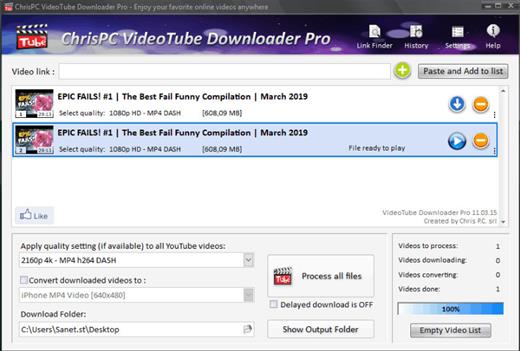
Description: A powerful software that allows you to download videos from BBC iPlayer, YouTube, Vimeo, Dailymotion, Metacafe, Viaplay & convert them to video formats compatible with iPad, iPhone, MPEG-4, MP3.

ChrisPC VideoTube Downloader is a powerful software with a friendly user interface that allows you to download videos and playlists from YouTube, videos from Dailymotion, BBC iPlayer, ITV Player, Viaplay, ABC, FOX, CBS.com, Vimeo, Prosieben, Metacafe, CBC.ca many more video websites. Once the videos are downloaded, you can convert them to formats compatible with iPad, iPhone, iPod, MPEG-4 H.264, MP3, AC3.

Version 14 comes with new features and improvements:
Added new advanced features Playlist Preview and Playlist History for YouTube videos, that lets you easily find the videos you want to download from a playlist.
The Playlist Preview loads all available videos from a playlist and lets you filter/search the list by name. You can also sort the list alphabetically, by duration or author.
Video selection can be made individually by clicking the checkboxes from 1st column or by batch using the SHIFT key and UP/DOWN arrow keys (or mouse) and pressing the SPACE key.
With Playlist History you can monitor new videos added to a playlist from previous versions or compare it with another list.
Added the option Set live recording end time (available for YouTube live streams and M3U8 streams, by pressing on the 3 dots menu of the video). It can be adjusted at any time during live recording.
Added the option Disable sleep mode while software is running, it will prevent your PC from entering in sleep mode (Settings->Advanced settings).
Link Finder Expert is a new powerful feature to be used when you can`t detect and download your video using copy/paste mode or with Link Finder engine.
Improved detection using Link Finder for videos from My5, Channel4, TVNow, TVNZ, threenow, UKTV Play, RTEPlayer, TG4, Atresplayer, NPOStart, 9Now, 7Plus, GlobalTV, CityTV, CTV, VirginPlayer, TF1, Prosieben, 6play, TVAPlus, VRai, MediasetPlay, Kijk, Zee5 and many more.
Added the Advanced Mode to Link Finder engine, which lets you choose the browser type from a list of 25+ browser configurations, like Safari on iPhone, Edge on iPad, Chrome on Android and many more. This way, you can find different video streams (like M3U8, MPD, MP4 or MP3) for the same video content depending on the platform it is played on.
Added advanced settings where you can choose how many parts to be downloaded at same time for M3U8 and MPD DASH streams. If your Internet connection is fast you can download up to 10 parts simultaneous.
Improved download speed by up to 15x times for M3U8, MPD and F4M streams.
Added segmented download option to improve YouTube video download by up to 12x times.
Improved Link Finder engine detection of HTML 5 videos, M3U8, F4M, MPD, MP4, M4A, M4V, MP3 video and audio streams.
Video Download History keeps a log of all your downloads, helps you find downloaded videos by title, author, day of download.
Added the option to automatically select subtitle language to download for YouTube, ITV, BBC, CBS, ABC, NBC, FOX and others.
You can download videos up to 3 GB with the free version from the popular video websites: YouTube, Vimeo, DailyMotion, Metacafe.
Record live streams from YouTube, Livestream, Ustream, M3U8 HLS and F4M HDS streams.

Release Name: ChrisPC VideoTube Downloader Pro 15.26.0430
Size: 51 MB
Links: HOMEPAGE – NFO – Torrent Search

Download: RAPiDGATOR
7 Comments
May 1

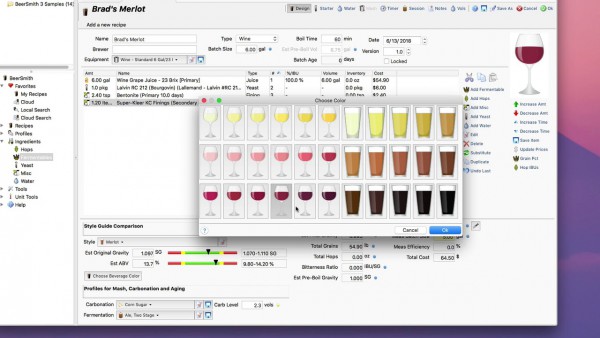
BeerSmith 4.0.19

Description: Find out how to design world class beers at home, improve your brewing experience and simplify your brewing day. Make mead, wine and cider as well with BeerSmith. As you gain in experience, BeerSmith grows with you.

Design Great Beer at Home
Design award winning beers with BeerSmith by matching the style and color of classic beers from around the world. Instantly search and access 10's of thousands of recipes on BeerSmithRecipes.com within BeerSmith.

Watch BeerSmith In Action!
Watch our BeerSmith 3 Video Tutorials - The world's most advanced beer brewing software used by hundreds of breweries worldwide.

Fun Fast and Easy to Use
Years in the Making - BeerSmith 3 has been redesigned from the ground up to give it a modern look and feel with ribbons, themes and tabbed browsing. Its designed to make your brewing as easy to use as possible.

Mead, Wine and Cider Support
BeerSmith 3 now includes support for mead, wine and cider recipe types as well as new native support for fruit, juice and honey to make it easier than ever to build and track your favorite beverages in one tool.

New BeerSmith 3 Water Profile and Mash pH Calcs in the Recipe
BeerSmith 3 is the only software with integrated water profile builder and mash pH estimation and adjustment built right in the recipe builder for all grain brewers. This lets you see the direct impact of a bit of gypsum on your water profile. The mash pH tool takes into account your mash water additions, grain bill and also acid adjustments. Eliminates the need for a separate water tool or spreadsheet.

Build Recipes Quickly
Building a recipe in BeerSmith is as easy as picking ingredients off a list. Hundreds of preloaded ingredients are available including grains, hops, yeasts, misc ingredients and waters. As you add ingredients, the color, gravity and bitterness are updated automatically.

Release Name: BeerSmith 4.0.19
Size: 21.2 MB
Links: HOMEPAGE – NFO – Torrent Search

Download: RAPiDGATOR

6 Comments
May 1

JP Software CMDebug 36.00.40

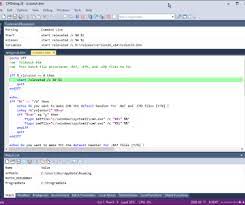
Description: CMDebug is a stand-alone version of the Take Command IDE and batch debugger. CMDebug is intended to help developers create a batch file to run in CMD (the Windows default command processor) or TCC-RT (the free runtime version of TCC). It provides a comprehensive set of batch debugging features specifically designed for batch file development.

CMDebug allows you to write and debug your CMD batch files with the integrated graphical IDE. CMDebug includes tabbed edit windows and a sophisticated debugger with single stepping, conditional breakpoints, syntax coloring tooltips, bookmarks, and tabbed breakpoint, call stack, variable, alias, and watch windows. Windows batch file programming has never been easier or more powerful!

You can use CMDebug to develop either CMD-compatible batch files (*.BAT or *.CMD), or faster (and far more capable) TCC-RT-compatible batch scripts (.BTM). If you select the "TCC Syntax" option, CMDebug supports the full TCC-RT command set. If you select the "CMD Syntax" option, CMDebug will disable TCC-only internal commands, variables, and functions, and use the limited Windows CMD batch file commands syntax. Some internal CMD / TCC commands will also behave slightly differently or modify their display output in order to match CMD's behavior (and bugs!) more closely.

Using CMDebug with the TCC-RT syntax option allows you to create and debug (and optionally encrypt) batch files using the TCC command language, and then distribute them with the free TCC-RT runtime on an unlimited number of target machines.

Release Name: JP Software CMDebug 36.00.40
Size: 42.9 MB
Links: HOMEPAGE – NFO – Torrent Search

Download: RAPiDGATOR
7 Comments
May 1

JP Software TCC 36.00.40

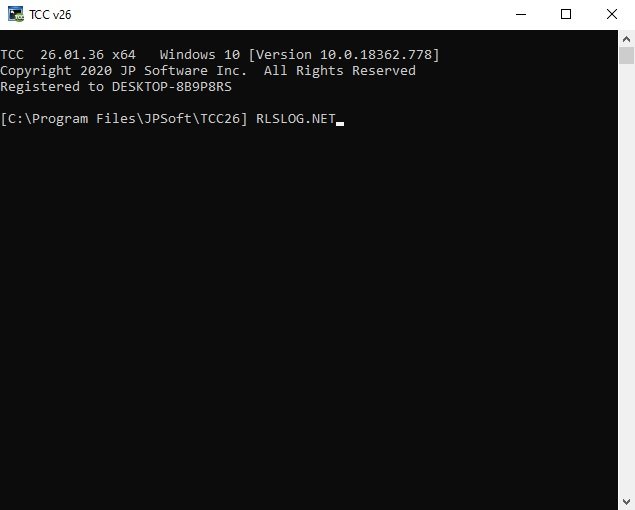
Description: TCC: Upgrading the Windows CMD Command Line Prompt. The command line is essential for developers, systems administrators and advanced users, offering many advantages to anyone wanting to save time, expand their control and/or to automate their tasks.

TCC is our console mode Windows command processor (formerly known as 4NT). TCC is a replacement for CMD.EXE, the default Windows command processor. TCC is compatible with your existing Windows console applications and batch files, but offers major improvements to the CMD prompt in command line editing, interactive file and system management, batch file programming and debugging.

TCC is a superset of CMD, with 275+ internal commands (CMD has about 42), 800+ internal variables and functions (CMD has 6), hundreds of additional options for existing CMD commands, and thousands of additional features.

Whether you're a seasoned CMD prompt user or just getting started, TCC is the tool that will take your command line prompt experience to the next level.

Why Switch From the CMD Shell to TCC?

Familiarity
TCC is a CMD replacement Windows command processor that is compatible with your existing CMD commands and batch files while adding hundreds of new commands, variables, and variable functions.

Productivity
TCC provides vastly improved line editing and tab file completion, and adds thousands of new features. You're immediately more productive, and you can learn TCC's new features at your own pace.

Batch Files
Create and debug your batch scripts in a fraction of the time with TCC's integrated editor and batch file debugger.

Comprehensive Help
The extensive help (including context-sensitive popup help for command and variable syntax) speeds your development time and reduces errors.

Syntax
TCC's internal commands share a consistent syntax, reducing your learning and development time.

Multilingual
The user interface is available in English, French, German, Italian, Russian, and Spanish. (Online help is available in English, French, German, and Spanish.)

Release Name: JP Software TCC 36.00.40
Size: 55 MB
Links: HOMEPAGE – NFO – Torrent Search

Download: RAPiDGATOR

6 Comments
May 1

JP Software Take Command 36.00.40

Description: Replace Your Windows Console and CMD Command Prompt Windows. The Windows Command Prompt shortcut is a Windows console (command line, or character mode) session that runs the default Windows command shell CMD.EXE.

The command line is essential for developers, systems administrators and advanced users. Unfortunately, CMD Windows commands and the Windows console UI have always been woefully lacking in ability compared to what is available in most other operating systems. Because of the limitations in CMD and the Windows console, users have been forced to use the GUI for inappropriate tasks, or even to write custom programs to perform simple tasks that CMD should have been able to handle.

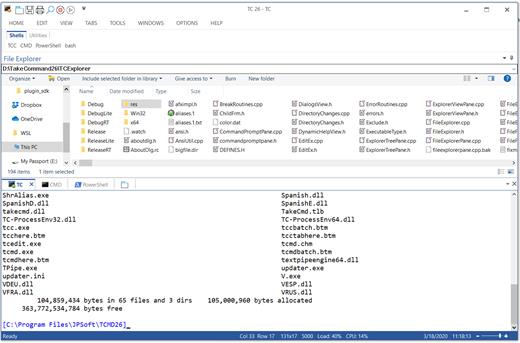
Take Command is a comprehensive interactive GUI and Windows command line toolkit that makes your command prompt windows easier to use and far more powerful. Take Command includes optional Windows Explorer integration, tabbed console windows, and major enhancements to standard Windows CMD commands such as COPY, DEL, DIR, FOR, MOVE, REN, SET, and START And it and adds more than 235 new commands, command dialogs, command line syntax coloring, vastly improved command line editing, programmable filename and directory tab completion, and thousands of other features.

Take Command is also a powerful batch file programming tool, including an integrated IDE with a sophisticated editor and batch debugger. Take Command offers extensions such as DO loops, SWITCH statements, error and exception handling, system monitoring and event triggers, and more than 780 built-in variables and functions. And you can extend that with 3rd-party plugins and user-defined functions.

12 Reasons Why You Should Replace Your Windows Console
The Windows console is responsible for running character-mode applications, including CMD, PowerShell, WSL bash, etc. It was introduced in Windows NT 3.1 in 1993, and some major internal architectural improvements were made in Windows 10 and 11.

Unfortunately, the improvements to the user interface were relatively minor, and though some efforts were made to improve the CMD console UI in Windows Terminal, they fall far short of what Take Command has been providing for years.

So why replace it with Take Command?

The Windows console is slow, and even slower when using Windows Terminal. Take Command's tab windows typically display output between 20% and 300% faster.
Take Command (like Windows Terminal) offers tabbed windows to run your character-mode applications. But Take Command takes it to another level by including vertical or horizontal tab groups and splitter windows.
Tabbed windows can be reordered, detached, or torn off, and existing console windows can be attached as new Take Command tab windows.
Take Command provides an optional embedded Windows File Explorer window that displays a tree view of the folders on your system and the contents of the selected folder (List View) on the right. You can drag folders and files from the Explorer window and drop them in a command prompt window.
Take Command can be easily configured for your preferences with its configuration dialogs.
Take Command has an optional tabbed tool bar that you can use to execute internal or external commands, aliases, or batch files with the click of a mouse (or an accelerator key). You can define up to 20 tabs, each with up to 50 toolbar buttons.
Take Command provides a configurable Status Bar that can display quick help for the current command, tooltips, and system information, including tab window size, CPU usage, memory usage, date & time, character values at the cursor location, and a slider control for window transparency.
Cut and Paste options are limited in the default CMD console or Windows Terminal. Take Command adds both line and column selection, double-click or triple-click selections, overwriting or appending to the Windows clipboard, and a variety of paste options.
Take Command windows can be styled with a choice of 18 themes.
Take Command and TCC offer a wide variety of colorization options, not just foreground and background colors.
Take Command includes invaluable tools, including a batch file debugging IDE, a regular expression creator / analyzer, search and replace in files, and a macro recorder / playback.
Extensive help (quick help, context sensitive help, and general help) is available in English, French, German, and Spanish at the touch of a button.

Release Name: JP Software Take Command 36.00.40
Size: 57.3 MB
Links: HOMEPAGE – NFO – Torrent Search

Download: RAPiDGATOR
6 Comments