Please REGISTER or RENEW your account on RAPiDGATOR.net and support us by doing through all RAPiDGATOR working download links on main posts...
June 6

Network LookOut Administrator Pro 5.5.4

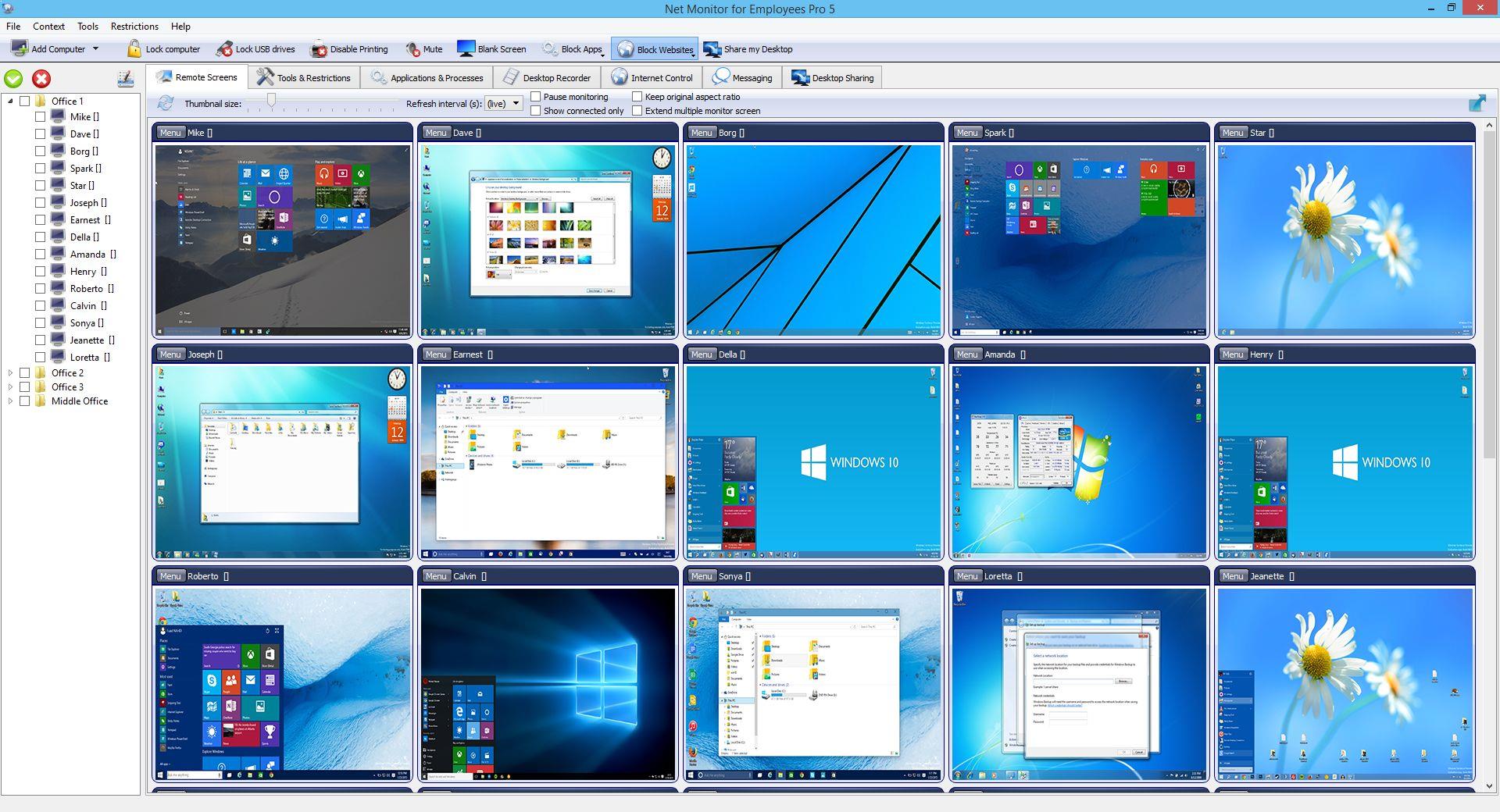
Description: Employee Monitoring Software for your Office. Stop employees wasting work time on illegal activity and keep records of such attempts.

Employee Monitoring Benefits
Employee monitoring is an established method used by many companies to help prevent and detect data breaches that can cost their business a fortune.
It is an effective way to boost workers engagement and optimize working processes.
Computer monitoring gives companies an overall picture of how work is done in and out of the office.

Employee Activity Tracking Will Help You
Workers may become disengaged when working remotely.
By using computer surveillance software an organization can lower risk and become more profitable.
Gathered data can be used for analyzing bottelnecks, unusual patterns, and other potential issues.
All this can help managers to improve the business process to gain productivity.

Release Name: Network LookOut Administrator Pro 5.5.4
Size: 111.5 MB
Links: HOMEPAGE – NFO – Torrent Search

Download: RAPiDGATOR

8 Comments
June 6

VideoForge AI Pro 1.0.3

Description: VideoForge AI Pro - AI video upscaling to 4K — pro features, fully offline. VideoForge AI Pro is the professional solution for AI-based video upscaling on Windows. Batch queue, multiple models, ProRes output — all directly on your GPU, no cloud, no subscription.

- Batch queue: process multiple videos in sequence
- Photo/Realistic + Anime/Illustration model selectable
- Output: 4K / 1080p / 720p / Custom — H.265, H.264, ProRes
- Denoise filter · audio preserved in full
- 100% offline · AMD, NVIDIA, Intel (Vulkan/GPU)

BATCH QUEUE
Drop multiple videos and process them all in one run. Each file shows live status: Queued → Processing → Done ✓. Perfect for processing complete Seedance or Kling projects in one go — start it before bed, wake up to 4K.

TWO AI MODELS
- Photo / Realistic — optimized for cinematic footage, people, real-world scenes
- Anime / Illustration — optimized for animated content, stylized AI art, illustrations

FLEXIBLE OUTPUT RESOLUTION
- 4K Native — full Real-ESRGAN 4× output
- FHD 1080p — 1920×1080 (landscape) or 1080×1920 (portrait)
- HD 720p — ideal for social media drafts and previews
- Custom — enter any width × height you need

PROFESSIONAL OUTPUT FORMATS
- H.265 (HEVC) — maximum quality, smallest file
- H.264 (AVC) — broadest compatibility
- ProRes 422 (.mov) — professional quality for DaVinci Resolve, Adobe Premiere, and Final Cut Pro

DENOISE FILTER
Optional hqdn3d pre-filter reduces noise in source footage before AI upscaling — useful for lower-quality source clips.

SAVE AI CREDITS — SCALE PROFESSIONALLY
Generate at 480p, upscale to 4K for free. Why pay 3× more per clip in Seedance when VideoForge AI Pro handles the quality overnight?

System Requirements
- Windows 10 (1809) and Windows 11
- GPU-accelerated — AMD, NVIDIA, Intel all supported

Release Name: VideoForge AI Pro 1.0.3
Size: 547.9 MB
Links: HOMEPAGE – NFO – Torrent Search

Download: RAPiDGATOR

7 Comments
June 6

Adobe Acrobat Pro DC 2026.001.21651

Description: Adobe Acrobat Pro DC is the leading PDF converter and much more. Adobe Acrobat Pro DC software lets you deliver professional PDF communications. It's packed with smart tools that give you even more power to communicate. Create and edit PDF files with rich media included, share information more securely, and gather feedback more efficiently.
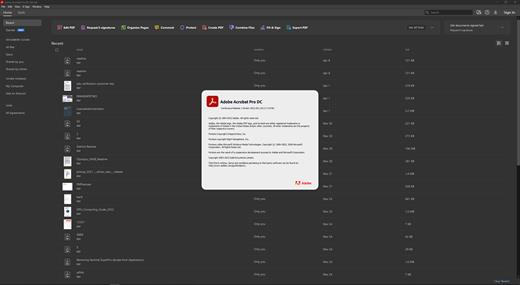
Adobe Acrobat Pro DC software is the advanced way for business professionals to create, combine, control, and deliver more secure, high-quality Adobe PDF documents for easy, more secure distribution, collaboration, and data collection.

Assemble electronic or paper files into reliable PDF documents that are easy to share with others using free Adobe Reader. You can assemble even Web sites, engineering drawings, and e-mail.

With Adobe Acrobat Pro DC you can manage document reviews, synthesizing feedback from multiple reviewers while preserving document format and integrity. Extend commenting capabilities to anyone using Adobe Reader. Windows users can design intelligent Adobe PDF forms that include business logic, such as calculations and data validations, to help increase the accuracy of data collection while reducing the costs of manual data entry.

Use Adobe Acrobat Pro DC to create high-impact PDF communications, collaborate more easily, and streamline reviews. Adobe Acrobat Dynamic PDF helps you get more done - easier, faster, better.

Edit PDF files
With Adobe Acrobat Pro DC, you can make minor edits to text and images right in your PDF file without requiring the original document or graphic. Edit text in a PDF. Fix a typo, change a font, or add a paragraph to your PDF as easily as you do in other applications using a new point-and-click interface. Edit images in a PDF. Resize, replace, and adjust images in your PDF with no need to track down the original file or graphic.

Export from PDF files
Reduce the time you spend retyping information stuck in PDF files. Convert PDF files to editable Microsoft Office documents. And save fonts, formatting, and effort.
Convert PDF files to Word. Save your PDF as a Microsoft Word document and take your fonts, formatting, and layouts with you. Convert PDF files to Excel. Turn your PDF or just part of it into an editable Excel spreadsheet you can use for data analysis right away. Convert PDF files to PowerPoint. Get a head start on new projects by saving a PDF file as a fully editable PowerPoint presentation.

Create PDF files
Stop worrying about whether the files you send will look right on other people's screens. Turn documents into PDF files anyone can reliably view with free Adobe Reader.
Convert Word, Excel, or PowerPoint to PDF. Right from your Office application in Windows, you can create PDFs, start a shared review, restrict PDF edits, and more. Print to PDF. Convert files to PDF from virtually any application that prints simply by selecting Adobe PDF as your printer. Scan to PDF. When you need to turn a paper document or form into a digital file, just scan it to create a searchable PDF file you can edit. Convert HTML pages to PDF. Save web pages as PDF files to archive web content, review the pages offline, or print them more reliably.

Create and analyze forms
Cut the time you spend creating forms, rekeying data, and correcting errors. Distribute forms online, and then collect responses and analyze results in real time.
Create new PDF and web forms. Customize professional templates or design from scratch with the Adobe FormsCentral desktop app included in Adobe Acrobat Pro DC. Collect form responses with FormsCentral. Easily collect responses by moving your PDF or web forms online with the Adobe FormsCentral online service. Convert existing forms to fillable PDFs. Type less, gather more. Quickly convert your paper, Word, or Excel forms to fillable PDF forms. Collect form responses using Adobe Acrobat tools. Compile returned forms into one PDF, or host forms using a network folder or Microsoft SharePoint server.

System Requirements:
Intel® or AMD processor; 1.5GHz or faster processor
Windows 11 (64 bit), Windows 10 (64 bit) version 1809 or later, Windows Server 2016 (64 bit), or Windows Server 2019 (64 bit)
2GB of RAM
4.5GB of available hard-disk space.
1024x768 screen resolution
Video hardware acceleration (optional)

Release Name: Adobe Acrobat Pro DC 2026.001.21651
Size: 1.6 GB
Links: HOMEPAGE – NFO – Torrent Search

Download: RAPiDGATOR

7 Comments
June 6

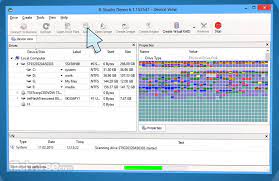
R-Studio Emergency Network 9.5 Build 0806 BootCD

Description: Disk Recovery Software and Hard Drive Recovery tool. Empowered by the new unique data recovery technologies, R-STUDIO is the most comprehensive data recovery solution for recovery files from NTFS, NTFS5, ReFS, FAT12/16/32, exFAT, HFS/HFS+ and APFS (Macintosh), XFS, Little and Big Endian variants of UFS1/UFS2 (FreeBSD/OpenBSD/NetBSD/Solaris) and Ext2/Ext3/Ext4 FS (Linux) partitions.

It also uses raw file recovery (scan for known file types) for heavily damaged or unknown file systems. It functions on local and network disks, even if such partitions are formatted, damaged or deleted. Flexible parameter settings give you absolute control over data recovery.

R-Studio utilities recover files:
Deleted without Recycle Bin, or when Recycle Bin has been emptied;
Removed by virus attack or power failure;
After the partition with the files was reformatted, even for different file system;
Recovering data if: VIRUS has invaded; FAT is damaged; MBR is destroyed; FDISK or other disk utilities have been run;
When the partition structure on a hard disk was changed or damaged;
Data recovery on damaged or deleted partitions;
From hard disk with bad sectors;
When necessary R-Studio can also wipe data on hard drives to prevent accidental data leaks when the drives are to be sold, given away, or disposed off in any other way.

Support for:
Basic(MBR), GPT, BSD(UNIX), APM(Apple partition map) partitions layout schemes;
Support for Bitlocker Drive Encryption, both for BitLocker Drive Encryption and BitLocker ToGo volumes;
Dynamic volumes, Windows Storage Spaces (Windows 2000-2022/8.1/10/11);
Apple software RAIDs, CoreStorage, File Vault, and Fusion Drive;
Linux Logical Volume Manager (LVM/LVM2) and mdadm RAIDs;
Intel Software RAIDs;
R-Studio can automatically recognize and assemble the components of these disk managers even if their databases are slightly damaged. Their components with severe corrupted databases can be added manually.
Support for VMDK/VHD/VHDX/VDI file formats. Read-only for all versions, creation for Technician/T80+ versions.
Read-only support for dmg files (Apple Disk Image: all versions ), E01/(EWF) files (Expert Witness File Format: R-Studio Technician/T80+), and AFF files (Advanced Forensic Format: R-Studio Technician/T80+).

Advanced data recovery algorithm:
to increase the quality of file recovery when the file system is not damaged;
to recover files that are not recognized in file system metadata and not found during a disk scanning procedure;
to fast search for lost partitions;
to recover files from devices with unknown file systems, including HD, CD, DVD, floppy disk, Compact-Flash Card, USB drive, ZIP drive, Memory Sticks and other removable media.

Support for specific file system features:
Recognitions of localized names;
NTFS encrypted files, NTFS alternative data streams, NTFS data deduplication, NTFS LogFile, NTFS Symbolic Links & Directory Junctions;
ReFS: symbolic links, directory junctions, deduplication;
HFS+ journal processing, HFS+ extended attributes, HFS+ compressed files;
Advanced APFS recovery: support for encryption;
Ext2/Ext3/Ext4 FS/UFS journal processing and extended attributes;
XFS extended attributes;
Recovery of names and paths for files deleted to Recycle Bin and Trash.

Release Name: R-Studio Emergency Network 9.5 Build 0806 BootCD
Size: 141.4 MB
Links: HOMEPAGE – NFO – Torrent Search

Download: RAPiDGATOR

7 Comments
June 6

4K YouTube to MP3 26.1.4

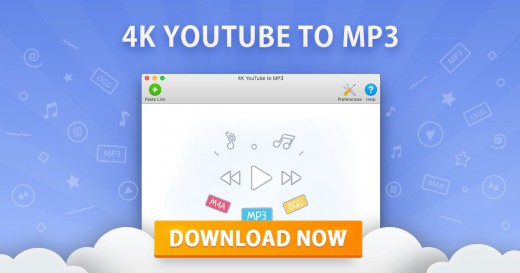
Description: Explore 4K YouTube to MP3. Save audio quickly and easily. Just paste the link into the application or search what you want to download in the built-in browser. Enjoy listening to music, audiobooks, podcasts and other audio content offline on all desktop and mobile devices.

Download YouTube Playlists and Channels
Save audio faster by grabbing multiple files in one go. Convert full YouTube playlists and even channels to MP3, M4A and OGG. Paste several links to single videos at once.

Save Audio from All Popular Websites
Download tracks from YouTube, SoundCloud, Bilibili, Niconico, Facebook, Vimeo, Twitch, and many other services.

YouTube Premium Download
Get access to higher-quality YouTube audio. Download tracks, playlists and channels in up to 256kbps. The feature is exclusively available to YouTube Premium members.

Download Speed Control
Increase the download performance with an in-app intensity regulator. Adjust the speed to the possibilities of your Internet connection. Safely download content even when your connection is slow.

Audiobooks Download
Download podcasts and audiobooks from YouTube. Play them on the go through your car stereo or on your iPod, iPad, iPhone, Samsung and other mobile devices.

Built-In Music Player
Convert video links to audio tracks and listen to them right then and there. Use the in-app player to enjoy music, no other applications are required.

Easy Proxy Setup
Change your IP address through the in-app proxy to access and download audio from YouTube and other sites restricted by your Internet service provider or workplace IT administrator.

Smart File Organization
Save playlists and channels into automatically created subfolders. Obtain audio tags based on the track name. Get .m3u files for downloaded playlists to quickly play them.

Private YouTube Playlists Download
Get native YouTube playlists saved to your computer. Download your ‘Watch Later’, ‘Liked videos’ and ‘My Mix’ playlists for permanent offline access.

Instant Search via Built-In Browser
Find the audio you want to download without leaving the application. Use the integrated browser to search for content on different sites and download it on the spot.

Mobile Audio Download
Download audio tracks, playlists and channels to your phone with the Android downloader app. Save content in a variety of formats from multiple sites, just like with the desktop version.

File Export and Import
Secure your downloads database. Export it as a JSON file before major software and hardware reinstallations. Restore all your audio downloads by importing the file.

Private Audio Download
Save private songs, audio tracks and playlists you’ve got access to. Download private audio from Facebook, Soundcloud, Bilibili, and many other sites.

Release Name: 4K YouTube to MP3 26.1.4
Size: 160.6 MB
Links: HOMEPAGE – NFO – Torrent Search

Download: RAPiDGATOR
6 Comments
June 6

FTPie Pro 2026.6.1

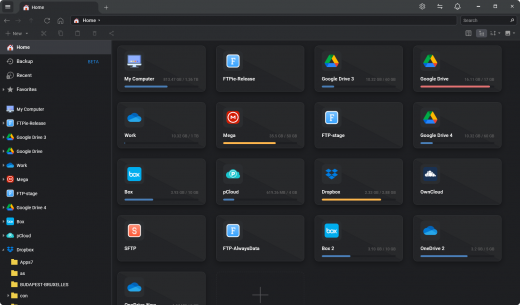
Description: Easy Cloud & FTP. A Powerful FTP and Clouds Client with Seamless Google Docs and Microsoft 365 Apps Integration.

Transfer Files
Easily transfer, upload, and manage files between your PC, cloud storage, and FTP

Embedded Apps
Manage files effortlessly with FTPie's built-in viewers and editors, all within the app.

Quick Share
Upload files and generate shareable URLs with a right-click using our shell extension.

Quick Upload
Right-click to upload files or folders to cloud storage or FTP with our shell extension.

Document Editing
Edit Google Docs and Microsoft Office files in FTPie, with seamless local app integration and automatic uploads.

Folder Shortcuts
Instantly create desktop shortcuts for cloud and FTP folders enabling quick access with a double-click.

Release Name: FTPie Pro 2026.6.1
Size: 197.6 MB
Links: HOMEPAGE – NFO – Torrent Search

Download: RAPiDGATOR
7 Comments
June 6

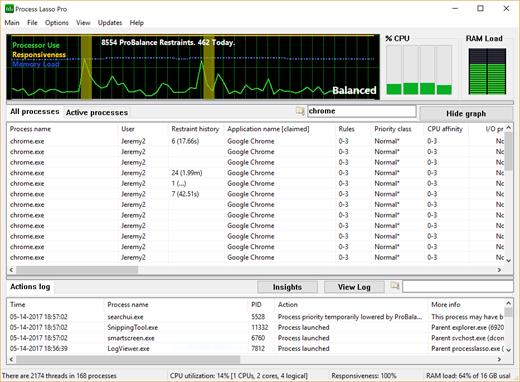
Bitsum Process Lasso Pro 18.2.2.10

Description: Process Lasso is Windows process automation and optimization software. From tuning algorithms like ProBalance to user-created rules and persistent settings such as CPU affinities and priority classes, Process Lasso gives you complete control over running applications!

Our novel ProBalance algorithm helps maintain system responsiveness during high CPU loads by dynamically adjusting the priorities of running programs to keep problematic background processes in check. With ProBalance, no longer will single, or multiple, processes be able to bring your system to a virtual stall. Process Lasso will let you keep interacting with your computer, even when it is under a heavy CPU load. Try our CPUEater Demo to experience ProBalance for yourself.

Process Lasso also allows users to automate and tweak how applications are run through a number of unique and helpful functions. These include persistent priority classes, persistent CPU affinities, disallowed processes, per-process power profiles, a process watchdog for advanced rules, process instance count limits, multiple instance balancing and much more!

Process Lasso is the ultimate Windows CPU affinity changer. The CPU affinity specifies the set of CPU cores an application is able to execute on. With Process Lasso, you can control this with a persistent setting that applies every time the application is run, or change it dynamically while the application is running once a threshold is met. The CPU affinity is commonly changed to limit CPU use or improve performance.

Many additional functions such as power plan automation, a system responsiveness metric and process activity logging are also available.

These features give you the ability to control how programs utilize your computer’s resources based on automatically applied settings. With Process Lasso, you can decide exactly how you want your processes to run.

For minimal resource use, all algorithms and process rules are enforced by a stand-alone background service called the Process Governor. The GUI is entirely optional.

Features
ProBalance
ProBalance is our famously efficacious algorithm to maintain PC responsiveness during high CPU loads.
CPU Affinities
Set permanent CPU affinities so that processes run on the desired set of CPUs every time they launch.
CPU Sets
A ‘softer’ form of CPU Affinities that are more like preferred cores.
Priorities
Set permanent priorities so that processes run with them every time.
Efficiency Mode
Control and persist Windows 11’s Efficiency Mode, which designates processes as not performance critical to help keep them out of the way.
Disallowed Processes
Immediately terminate any matched process, by your criteria.
Limit Instances
Limit the number of instances a process may have in a user session.
Instance Balancer
Spread CPU cores among running instances of application(s).
CPU Limiter
Dynamically, temporarily limit CPU utilization of a process when it reaches a threshold.
Group Extender
Enable processor group unaware applications to make full use of the CPU.
Power Profile Automation
Switch power plans while idle (IdleSaver), or when specified process(es) are found running, or by a manual timer (Keep Awake), etc…
Prevent Sleep (Keep Awake)
Process Lasso can prevent your PC from sleeping for a specified amount of time, or when select processes are running.
Disable Hyper-Threading or SMT
Dynamically disable Hyper-Threading or SMT on a per-process basis.
Advanced Watchdog Rules
Create advanced rules to perform a specified action when matched process(es) reach a certain threshold of resource consumption or other criteria.
Multi-select Operations
Perform an operation like terminate on multiple processes at once!
Configuration Profiles
Profiles allows for creation and use of multiple rule configurations.

Release Name: Bitsum Process Lasso Pro 18.2.2.10
Size: 6.4 MB
Links: HOMEPAGE – NFO – Torrent Search

Download: RAPiDGATOR

6 Comments
June 4

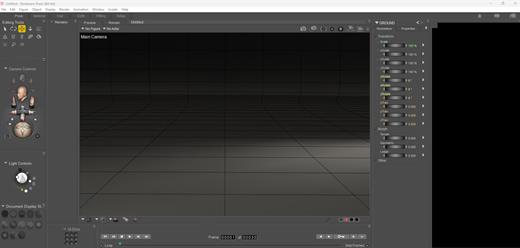
Bondware Poser Pro 14.0.372

Description: Poser 14 is the latest release of the world's leading 3D character design and animation software. It provides a powerful set of tools for artists, illustrators, and animators to bring their creative visions to life. Poser 14 comes packed with a host of features and improvements that make it easier to create stunning 3D artwork. It boasts a user interface that provides an intuitive and streamlined workflow, allowing users to focus on their creative process rather than getting bogged down in technical details.

One of the standout features of Poser 14 is the SuperFly rendering engine, which provides unparalleled realism and detail in your final renders. With SuperFly, you can achieve lifelike lighting and shadow effects that make your characters and scenes come to life.

Poser 14 also includes a vast library of pre-built content, including characters, clothing, props, and environments. These assets can be easily customized to fit your specific needs, or you can create your own assets from scratch using the powerful built-in tools.

Other features of Poser 14 include enhanced posing and animation tools, advanced rigging options, and support for industry-standard file formats like OBJ, FBX and GLTF/GLB.

Overall, Poser 14 is an essential tool for anyone looking to create high-quality 3D art and animation. With its powerful features and user-friendly interface, it's the perfect choice for artists and animators of all skill levels.

Notable With This Release
- SuperFly render engine upgraded to use latest stable version of Cycles
- Intel One API ARC GPU Card Support
- Material Room: Return of the Simple Material Tab provides an easier, faster way to make Physically Based Materials
- Scene Backgrounds: Consolidated and simplified on the Simple Material Tab and the Display Menu
- GLTF/GLB Figure export
- Removal of the Cloth Room simulation feature
- Windows-only distribution

Material Room Changes
The Simple Materials tab has returned after a long absence. It's role in Poser's workspace has been changed to assist with modern texturing methods. It's designed to simplify setting up Physically Based Render (PBR) materials. The new Simple Materials Tab gives you quick access to setup a Physical Surface with the same texture maps that are typically created with texturing tools like Substance Painter. In most case it's as easy as dragging and dropping texture maps exported from a texture painting app into Poser's Simple Material tab.

Scene Background Changes
Poser's interface for handling scene backgrounds has been extensively redesigned. All of the scattered menu options related to creating and managing the background of your scenes has been consolidated into 2 places, the Material Room's Simple Material Tab and the on the Display Menu. The Simple Background tab provides 4 clear choices for background styles: Simple color, static image, movie and HDRI Environment. This makes setting up a background more concise and faster. The Background Environment (BGEnvironment) also includes a real time preview of High Dynamic Range Image (HDRI) Environments. It's no longer necessary to use a prop for HDRI previews. For most cases it's as simple as selecting the background style and adding the imagery.

Returning Features
- Firefly render engine for compatibility with scenes from previous versions.
- Powerful non-photographic render modes including Cartoon, Comic Book and Sketch Renders.
- Python scripting support
- SuperFly shadow catcher objects and background transparency.
- Material manager allows you to quickly and intuitively copy materials.
- Continued support of LaFemme and L'Homme figures (versions 1 & 2)
- HiveWire3D's Dawn, Dusk feature updated SuperFly materials.
- Control handles provide interactive controls to make posing and animation more intuitive.
- Intuitive Library Search for internal and external content.
- Render layers for Firefly.
- All former Pro options are included in Poser
- 21-day full feature, free trial.

"Poserful" Features
- Unique user interface that makes 3D easier.
- Massive library of included content.
- Experienced and knowledgeable support team.
- Start making art the very first day.

System Requirements
- Windows 10 or later (64-bit OS required).
- 2 GHz Intel Core 2 or newer, Athlon X2 64 or newer (2.5 GHz or faster, 4 core or more recommended).
- 16 GB system RAM
- OpenGL enabled graphics card or chipset required for hardware accelerated preview.
- 24-bit color display, 1440 x 900 minimum resolution. (2k monitor recommended)
- 3 GB free hard disk space (30 GB required to install all included content).
- USB drive (physical USB product only)
- CUDA and Optix enabled device recommended for hardware accelerated final rendering (2 GB RAM minimum, Compute Capability 5.0 minimum).
- Optix-accelerated raytracing requires Nvidia RTX or Turing GPU, or newer.

Release Name: Bondware Poser Pro 14.0.372
Size: 564.9 MB
Links: HOMEPAGE – NFO – Torrent Search

Download: RAPiDGATOR
6 Comments
June 4

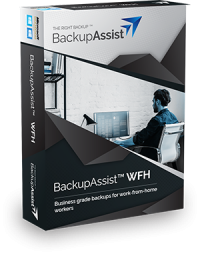
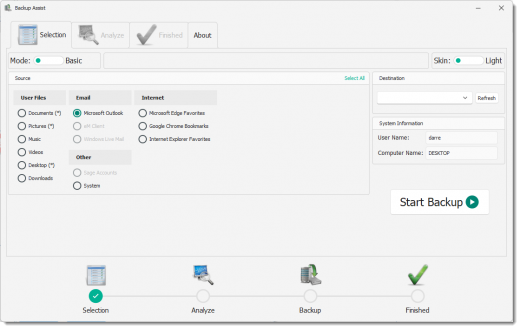
BackupAssist Desktop 15.0.4

Description: Easy, business grade backup protection for work from home computers. With millions now working from home, valuable company data can go unprotected. Now you can protect WFH computers – system and data – easily with BackupAssist WFH.

Featuring easy configuration, central monitoring, and affordable per-user pricing, it’s easy to back up your employees’ home computers. That’s easy cyber-resilience for your business and your employees!

With BackupAssist WFH
- Both data and systems are backed up, mitigating risk of data loss.
- Get running again quickly. Employees do their own file restores and system recovery.
- Company data gets backed up to company storage. Recordkeeping is easy. Security is assured.
- Centralized monitoring, maintenance and protection of data

System and file protection
- Flexible system and file protection
- System image to local USB HDD for fast system recovery
- File backups to cloud
- File backups to local USB HDD

Separate work from personal
- Work data is backed up to work-provided storage.
- Personal data can be excluded from the work backups.

Handles many WFH scenarios
- Company provided laptops.
- Employee owned, work-only computers
- Employee owned, mixed work/personal computers.

Business-grade protection
All cloud backups feature data deduplication, encryption and compression.

BYO storage = complete control
- Cloud storage – use a company Azure or AWS S3 storage account. Satisfy data sovereignty and handling requirements.
- Local USB HDD storage – use inexpensive, company-owned media for fast recovery.

Friendly for I.T. administrators
- Pre-configuration makes it easy for non-technical staff to install and use.
- Central monitoring for easy visibility.

Benefits for your business
- Ensure business continuity
- Ensure legal compliance with data handling
- Data sovereignty – company cloud account (AWS/Azure), choose where to store data
- Data secured with business grade encryption
- Multiple restore points
- Consistency of data protection

Supported Platforms

Microsoft Server Operating Systems
- Microsoft Windows Server 2022 family - Supported from v11.1.0
- Microsoft Windows Server 2019 family - Supported from v10.4.5
- Microsoft Windows Server 2016 family - Supported from v9.5 (not Nano Server)
- Microsoft Windows Server 2012 R2 family
- Microsoft Windows Server 2012 family

Microsoft Client Operating Systems
- Microsoft Windows 11 (64-bit) - Supported from v11.1.0
- Microsoft Windows 10 (64-bit)
- Microsoft Windows 8.1 (64-bit) (Professional, Enterprise) Not supported in v11 or later

Microsoft Application Servers
- Microsoft Exchange Server 2019 - Supported from v10.5*
- Microsoft Exchange Server 2016 - Supported from v9.2
- Microsoft Exchange Server 2013
- Microsoft Exchange Server 2010 Service Pack 3
- Microsoft SQL Server 2017 - Supported from v10.5
- Microsoft SQL Server 2016 - Service Pack 2
- Microsoft SQL Server 2014 - Service Pack 3
- Microsoft SQL Server 2012 - Service Pack 4

Release Name: BackupAssist Desktop 15.0.4
Size: 63.6 MB
Links: HOMEPAGE – NFO – Torrent Search

Download: RAPiDGATOR
5 Comments
June 4

PilotEdit Pro 20.9.0

Description: Edit and Compare Huge Files. PilotEdit can be used to edit large files of 400GB (40 billion lines) or compare large files of 100GB (10 billion lines).

Edit Big Files
Edit files larger than 400GB (40 billion lines).

Compare Big Files
Compare two files larger than 100GB (10 billion lines).

Simple Best File Editor
Support more than 30 file types and can be easily customized.

256-bit AES encryption
Encrypt big files and directories.

Sort Big Files
Sort huge files larger than 1GB.

PilotEdit Script
Replace strings automatically by running PilotEdit Scripts.

Find/remove duplicate lines
Find/remove duplicate lines in big files.

Bookmarks/Favorite Files
Save your favorite files in File Group/Bookmark Window.

Encryption
Edit encrypted files transparently.

Extract Strings
Extract target strings from a file based on regular expression.

Release Name: PilotEdit Pro 20.9.0
Size: 73.3 MB
Links: HOMEPAGE – NFO – Torrent Search

Download: RAPiDGATOR
5 Comments