Please REGISTER or RENEW your account on RAPiDGATOR.net and support us by doing through all RAPiDGATOR working download links on main posts...
June 3

Camiael Movie Studio 1.0.1.11

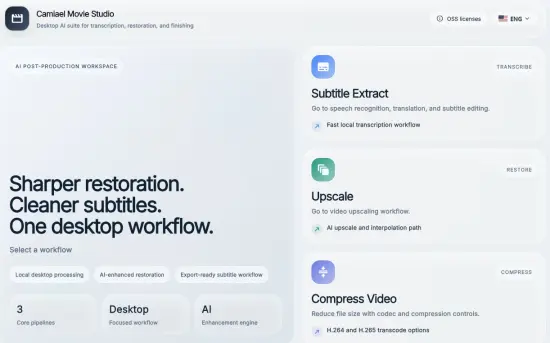
Description: Camiael Movie Studio - Create subtitles, translate, upscale, and smooth video locally. Camiael Movie Studio is a Windows desktop tool for creators who need subtitles and video cleanup in one workflow. Drop in a video or audio file, generate subtitles with a local AI engine, translate and edit the result, compress video when you need smaller files, then export subtitle files or burn captions directly into an MP4.

The app is built for hands-on post-production: review subtitle timing, edit text segment by segment, preview captions on the video, and save SRT, VTT, or SBV files for publishing. The video compression workflow supports H.264, H.265, and AV1 output with quality, audio, metadata, and resolution controls. For video restoration work, Camiael Movie Studio also includes AI upscaling, frame interpolation, batch processing, and GPU acceleration on supported NVIDIA systems.

Core Features
- AI subtitle generation for 20+ languages
- Subtitle translation with a bundled local model
- Timing edits and SRT/VTT/SBV export
- Burn subtitles into MP4 with font, color, and position controls
- Upscale low-resolution video by 2x or 4x
- Frame interpolation for smoother 24fps-to-60fps motion
- Batch processing for multiple videos

Key Features
- AI subtitle generation from video and audio
- Local speech recognition engine
- Subtitle editing with timing control
- SRT, VTT, and SBV export
- Burn subtitles into MP4 video
- Local subtitle translation
- Video compression with H.264, H.265, and AV1
- Quality, audio, metadata, and resolution controls
- AI video upscaling
- RIFE frame interpolation
- Batch upscaling workflow
- NVIDIA GPU and NVENC acceleration
- Local-first desktop processing
- Korean, English, Japanese, and Chinese UI
- Common video, audio, and subtitle formats
- Preview captions while editing
- Segment-by-segment subtitle review
- Export-ready MP4 workflow
- Designed for creators and editors

System Requirements
- OS: Windows 10 version 17763.0 or higher
- DirectX: Version 11 (Minimum), DirectX 12 API, Hardware Feature Level 12 (Recommended)
- Memory: 4 GB (Minimum), 16 GB (Recommended)
- Processor: Intel Core i5 or AMD Ryzen 5 (Minimum), Intel Core i7 or AMD Ryzen 7 (Recommended)
- Graphics Processor: Intel UHD Graphics or better (Minimum), NVIDIA GeForce RTX 3060 or better (Recommended)

Release Name: Camiael Movie Studio 1.0.1.11
Size: 2.5 GB
Links: HOMEPAGE – NFO – Torrent Search

Download: RAPiDGATOR

3 Comments
June 3

Camiael Audio Studio 1.2.0.9

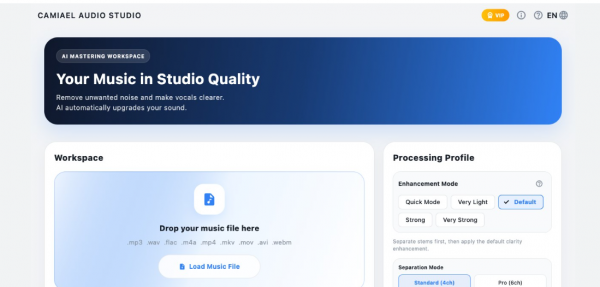
Description: Camiael Audio Studio - Separate tracks, mix stems, and restore clearer 48 kHz audio locally. Camiael Audio Studio is a local AI audio studio for splitting music into vocals, drums, bass, guitar, piano, and backing tracks, then shaping the result into the sound you want.

Use it for vocal removal, backing track creation, voice isolation, stem extraction, remastering, and 48 kHz AI HD restoration in one workflow. It is built for creators who work with covers, remixes, practice tracks, long mixes, podcasts, and batches of music files.

Your audio is processed on your PC and your working files are not uploaded to an external server. On systems with an NVIDIA GPU, AI HD restoration and accelerated processing can be used more effectively.

Dial in the result with genre presets such as Ballad, Rock, Pop/EDM, Hip-Hop, and Lo-Fi, plus space effects like Concert Hall and Lo-Fi Space, detailed EQ, and master level controls.

Core Features
- Auto stem split: vocals/drums/bass/guitar/piano
- AudioSR AI HD 48 kHz restoration
- Easy multi-track mixer
- EQ and spatial preset tuning
- Flexible export: mix/stems/BGM
- Queue processing for multiple files

Key Features
- AI audio separation: extract vocals, drums, bass, guitar, piano, and backing tracks
- Vocal remover and backing track maker for covers, practice, and remix workflows
- Local processing and privacy: working files are not uploaded to an external server
- Batch processing for multiple audio files
- Long audio support for mixes, live recordings, and podcasts
- AI HD restoration with 48 kHz output on supported NVIDIA GPU systems
- Genre presets for Ballad, Rock, Pop/EDM, Hip-Hop, Lo-Fi, and more
- Space effects and EQ, including Concert Hall, Lo-Fi Space, and detailed tone shaping
- Individual stem export for separated tracks or backing-only output
- Clean studio UI designed for creator workflows
- Ultimate Audio Enhancement: Flawlessly restores muffled AI audio and low-quality recordings into studio-grade Hi-Fi sound.
- Korean, English, Japanese, and Chinese UI

System Requirements
- OS: Windows 10 version 17763.0 or higher
- DirectX: Version 11 (Minimum), DirectX 12 API, Hardware Feature Level 12 (Recommended)
- Memory: 4 GB (Minimum), 16 GB (Recommended)
- Processor: Intel Core i5 or AMD Ryzen 5 (Minimum), Intel Core i7 or AMD Ryzen 7 (Recommended)
- Graphics Processor: Intel UHD Graphics or better (Minimum), NVIDIA GeForce RTX 3060 or better (Recommended)

Release Name: Camiael Audio Studio 1.2.0.9
Size: 7.7 GB
Links: HOMEPAGE – NFO – Torrent Search

Download: RAPiDGATOR

1 Comments
June 3

Blackmagic Design DaVinci Resolve Studio 21.0

Description: DaVinci Resolve is the world’s only solution that combines editing, color correction, visual effects, motion graphics and audio post production all in one software tool! Its elegant, modern interface is fast to learn and easy for new users, yet powerful for professionals. DaVinci Resolve lets you work faster and at a higher quality because you don’t have to learn multiple apps or switch software for different tasks.
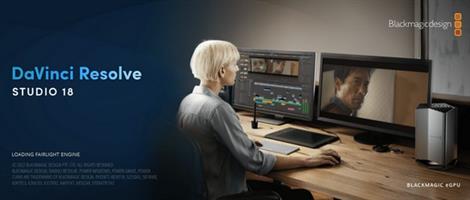
That means you can work with camera original quality images throughout the entire process. It’s like having your own post production studio in a single app! Best of all, by learning DaVinci Resolve, you’re learning how to use the exact same tools used by Hollywood professionals!

Hollywood's #1 Post Solution
High end professionals working on feature films and television shows use DaVinci Resolve more than any other solution! That’s because it’s known for incredible quality and creative tools that are light years beyond the competition. You get DaVinci’s Emmy™ award winning image technology with 32-bit float processing, patented YRGB color science and a massive wide gamut color space for the latest HDR workflows. You also get the legendary quality of Fairlight audio processing for the best sound in the industry! With DaVinci Resolve, you get the same tools professional colorists, editors, VFX artists and sound engineers use every day to finish your favorite films and streaming television shows!

What’s New in DaVinci Resolve 20
DaVinci Resolve 20 introduces more than 100 new features including powerful AI tools designed to assist you with all stages of your workflow. Use AI IntelliScript to create timelines based on a text script, AI Animated Subtitles to animate words as they are spoken, and AI Multicam SmartSwitch to assemble a timeline with camera angles based on speaker detection. The cut and edit pages introduce a dedicated keyframe editor and voiceover palettes, and AI Audio Assistant analyzes your audio and intelligently creates a professional audio mix. In Fusion, explore advanced multi layer compositing workflows. The Color Warper now includes Chroma Warp, plus Magic Mask and Depth Map have huge updates.

Multi User Collaboration
DaVinci Resolve is the only solution that lets you grow and build your own multi user post production studio! The project libraries are built for real time local and remote collaboration. While the Blackmagic Cloud website lets you host and access your projects and media from anywhere in the world. Now you can collaborate with editors, colorists, visual effects artists, and sound engineers all working together at the same time. Best of all, you no longer have to import and export files, translate projects, lose work, or conform and manage changes. DaVinci Resolve is the only application in the world that lets everyone work together in parallel on the same project and at the same time!

All In One Solution for Post Production
DaVinci Resolve is divided into "pages," each of which gives you a dedicated workspace and tools for a specific task. Editing is done on the cut and edit pages, visual effects and motion graphics on the Fusion page, color correction on the color page, audio on the Fairlight page, and media organization and output on the media and deliver pages. All it takes is a single click to switch between tasks!

Edit
The world's fastest and most advanced professional NLE
The edit page is the world’s most advanced professional non-linear editor. The familiar track layout, dual monitor design and traditional workflow makes it easy for new users to learn while still being powerful enough for professional editors. It’s perfect for larger projects such as feature films, television shows, streaming, commercials, documentaries and more. The edit page features drag and drop editing, context sensitive automatic trimming tools, fully customizable keyboard shortcuts so you can work faster, and a library full of hundreds of titles, transitions, and effects that you can add and animate. You also get complete media management, organization and timeline management tools.

Cut
Designed for editors to turn around work fast!
The cut page is perfect for projects with tight deadlines that you have to turn around quickly. The cut page has a streamlined interface that’s fast to learn and designed for speed. Features such as source tape, dual timelines, fast review, and smart editing tools help you work faster than ever. The sync bin and source overwrite tools let you quickly edit multicam programs. It’s also great for documentaries and now live broadcast editing and replay. Multi Source is the fastest way to see your cameras and edit to the timeline while the cameras are still recording! Everything on the cut page is action based so every click does something. That means you’ll spend more time editing and less time hunting for commands.

Color
Hollywood’s favorite color corrector!
The DaVinci Resolve color page is Hollywood’s most advanced color corrector and has been used to color and finish more high end feature films and television shows than any other system! It’s also approachable with features designed to make it easier for new users to get great results while they continue to learn the advanced tools. For example, primary control sliders will be familiar to anyone who’s used image editing software, making it easy to adjust contrast, temperature, midtone detail, saturation and more. The color page has an incredible range of primary and secondary color grading features including PowerWindows™, qualifiers, tracking, advanced HDR grading tools and more!

Fusion
Cinematic quality visual effects and motion graphics!
The Fusion page lets you create cinematic visual effects and broadcast quality motion graphics right inside of DaVinci Resolve! Fusion features a node based workflow that makes it faster and easier to create sophisticated effects and animations than you could ever create using a layer based approach. You get hundreds of 2D and 3D tools for visual effects and motion graphics, along with advanced animation curve and keyframe editors that allow you to create incredibly organic and realistic animations. Fusion has everything from point, planar and 3D camera tracking to rotoscope and keying tools for creating photorealistic composites, stunning animated titles, 3D particle systems and more!

Fairlight
Professional tools designed for audio post production
The Fairlight page features hundreds of pro tools for audio post production. It’s like having a professional digital audio workstation (DAW) built into your editing and color system! The Fairlight Audio Core lets you work with up to 2,000 tracks at a time with realtime effects, EQ, and dynamics processing! You get sample accurate editing tools, advanced ADR and Foley, and Fairlight FX such as reverb, de-esser, and hum remover, plus AI effects like Voice Isolation and Music Remixer and more. IntelliTrack AI tracking lets you use video to track the Fairlight audio panner and you can mix and master stereo, 5.1, 7.1, and even immersive 3D audio formats including 5th order ambisonics!

Media and Delivery
Incredibly wide format support, finishing and mastering!
The media and delivery pages have everything you need to import, manage and deliver final projects. The media page is a dedicated full screen workspace that lets you prepare footage, sync clips, organize media into bins and add metadata before you start editing. Use the clone palette to ensure every bit of data in the camera media cards is copied during backup. During edit or grading, stream video outputs to a remote client monitor via DeckLink. You can output and upload files to YouTube, Vimeo and X from anywhere page using the quick export tool. The deliver page gives you total control over all encoding options and formats, along with a render queue for exporting multiple jobs!

Resolve FX
DaVinci Resolve Studio 20 features over 100 GPU and CPU accelerated Resolve FX such as blurs, light effects, noise, image restoration, lens flair, stylize and more! Version 19 adds even more plugins such as background defocus for portrait shots and film look creator. Film look creator alters color shading, vibrance, hue and the luminance of an image so you can easily apply many film looks. You can even add film grain! There are improvements to the face refinement box and profile handling, additional controls for skin refinements, smoother sub pixel animation and finer control for directional blur. All Resolve FX effects can be applied and animated in the cut, edit, Fusion and color pages!

Release Name: Blackmagic Design DaVinci Resolve Studio 21.0
Size: 9.5 GB
Links: HOMEPAGE – NFO – Torrent Search

Download: RAPiDGATOR

2 Comments
June 3

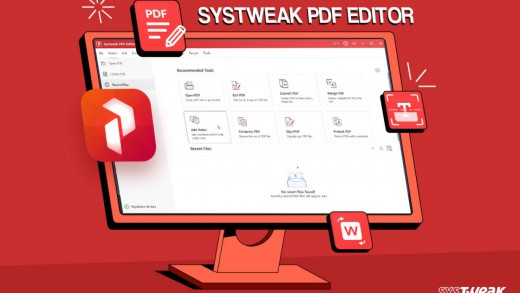
Systweak PDF Editor Pro 1.0.0.9166

Description: A quick and straightforward solution to edit, convert, sign, protect, compress PDFs, and make scanned PDFs searchable and selectable. Convert PDF files to Excel, Word, PowerPoint, images & vice versa. Edit, merge, split, compress, annotate, extract & stamp your PDFs. Sign, encrypt, unlock, rotate, split, bookmark & combine your PDFs.

Convert PDF
Converting PDF files to text documents, Word, Excel, Powerpoint, high-resolution images, HTML, EPUB, or any other format has been challenging. With the Systweak PDF Editor, swiftly convert your PDF files into various editable formats. Transforming PDFs to and from any MS Office file, image, e-book, webpage, and other formats gets easier.

What Else You Can Do With Systweak PDF Editor
To work & edit PDFs, Systweak PDF editor offers a range of features and tools. Using them, you can mark text for redaction, OCR PDF, sign, split, compress, batch convert, lock, unlock, and make other changes.

Advanced PDF Editing
Using Systweak PDF Editor, the comprehensive PDF editor for Windows, you can edit, compress, convert, and modify Portable Document Format (PDF) files.

Multiple Viewing Modes
Different viewing modes - Single View, Scrolling, Fit Page, Fit Width, and Actual Size offered by Systweak PDF Editor makes reading PDF files easy.

Convert PDF to Any Format
Transform PDF files into a different file type, such as Microsoft Word, Excel, or PowerPoint, without affecting the original content and formatting.

Electronically Sign PDF
Add a digital signature to your Portable Document Format (PDF) file, and save yourself from signing a load of physical documents.

All-In-One PDF Editing Solution for Everyone
The misconception that PDFs cannot be edited, merged, or manipulated still exists. With Systweak PDF Editor, debunk this myth and seamlessly edit PDF files. Using the powerful PDF editor, work with PDFs as you like.

Highlight Text
When working with long PDF documents, finding important information can be challenging. With Systweak PDF Editor’s Annotate feature, highlight important text and make it stand out, making interacting with your documents easier, thus speeding up workflow.

Release Name: Systweak PDF Editor Pro 1.0.0.9166
Size: 624.8 MB
Links: HOMEPAGE – NFO – Torrent Search

Download: RAPiDGATOR

6 Comments
June 3

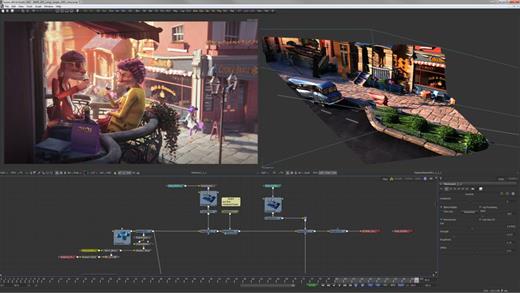
Blackmagic Design Fusion Studio 21.0

Description: The world’s most advanced visual effects, 3D, VR and motion graphics solution! Fusion is the world’s most advanced compositing software for visual effects artists, broadcast and motion graphic designers, and 3D animators. Over the last 30 years, Fusion has been used on thousands of Hollywood blockbuster movies and television shows.

Fusion features a powerful node based interface that lets you quickly and easily create sophisticated effects by connecting different types of image processing tools together! You get a massive range of tools, incredible VR and 3D support, GPU accelerated performance, unlimited network rendering and more! Fusion gives you everything you need to create exciting broadcast graphics, dramatic titles, and even major feature film visual effects!

What’s New in Fusion 20:
Compositions you create on the Fusion page can now be saved as a template and used on the edit or cut page! New animation curve modifiers can be used to automatically retime animations when you change their duration in an edit. Audio playback with waveform display makes it easier to create precisely timed animations, there are shared markers with the edit page and more. In addition, 27 GPU accelerated Resolve FX have been added to the Fusion page, including the noise reduction and sharpening tools from the color page! New node view bookmarks make it easy to navigate large comps, the toolbar can be customized with your favorite tools, and vertical layouts are supported in the node editor.

Build Your Own Effects with Customizable Templates
Fusion effect templates let you create any effect imaginable and apply them to clips on the edit and cut pages! Simply build a composition, save it as a macro, define the parameters you want to make visible, and save it in the correct location. Just drag Fusion effect from the library onto any clip!

Automatically Retime Animations
Animation curve modifiers let you easily stretch or squish keyframes and add bounce, mirror or loop animations that automatically change when the duration of the composition changes. When you drop Fusion titles or effects onto the timeline and change its duration, the animation adjusts accordingly!

Sync Audio. Animations
The Fusion page can now playback audio from the edit or cut page timeline. You can choose a mix down from the timeline, or you can listen to the source clip’s audio. Waveforms are displayed in the keyframe editor, allowing you to create precisely timed animations that are in sync with the audio!

Custom Vector Shapes
Vector shape tools make it easier to create motion graphics! You get ellipsis, rectangles, polygons and stars, along with boolean operators for combining shapes to create intricate designs. Grid, jitter, offset and transform, let you customize animations. Shapes can also be used as particle sources!

GPU Accelerated Resolve FX
The Fusion page has 27 new GPU accelerated Resolve FX. This includes the color page’s noise reduction and sharpening tools, along with lens blur, light effects, color effects, revival image restoration tools and more. You also get texture and stylize, temporal effects, warping and beauty tools.

Personalize Your Workflow
Node tree bookmarks let you quickly navigate to any part of the node tree in a large composition. Customizable toolbars let you quickly switch toolbars based on the current task. Vertical node tree layouts give you more room to view the spline and keyframe editors when creating animations, and more.

Hollywood’s Biggest Blockbusters
Thousands of Hollywood’s biggest blockbusters and hit television shows use Fusion to create their groundbreaking visual effects. Fusion has been used on feature films like Ant-Man, Red Sparrow and London Has Fallen, as well as hit television shows like Empire, NCIS and Emergence. Fusion also plays a major role in the development of cinematics for major video games such as Dawn of War III, Halo 5 and more!

Nodes are a Much Faster Way to Work!
Nodes are incredibly easy to use, especially as scenes become more complex. Fusion’s nodes are small icons that represent effects, filters and other image processing operations. Nodes can be easily connected together to build larger and more complex visual effects. Tools, images, and objects can be combined in any order to create unlimited visual effects. Simply click on a node to quickly adjust any single part of your project. That’s much faster than a timeline based tool because you don’t need to hunt through nested stacks of confusing layers and filters!

Get the most Powerful VFX Software Available!
Whether you need to pull a key, track objects, retouch images, animate titles, or create amazing particle effects, Fusion has a massive toolset that lets you tackle the most demanding jobs. You get a true 3D workspace along with tools for compositing, keying, painting, animation, virtual reality, stereoscopic 3D and more. Fusion combines effects and motion graphics, along with 3D modeling and rendering into a single toolset. That means you can import and render 3D models and scenes with the rest of your composite in Fusion. You don’t have to pre‑render assets or transfer between multiple applications!

And more…

Minimum System Requirements for Windows
Windows 10 Creators Update.
16 GB of system memory or 32 GB when using Fusion.
For monitoring, Blackmagic Design Desktop Video 12.9 or later.
Integrated GPU or discrete GPU with at least 4 GB of VRAM.
GPU which supports OpenCL 1.2 or CUDA 12.8.
AMD/Intel official drivers from your GPU manufacturer.
NVIDIA Studio driver 570.65 or newer.

Release Name: Blackmagic Design Fusion Studio 21.0
Size: 6.2 GB
Links: HOMEPAGE – NFO – Torrent Search

Download: RAPiDGATOR

1 Comments
June 3

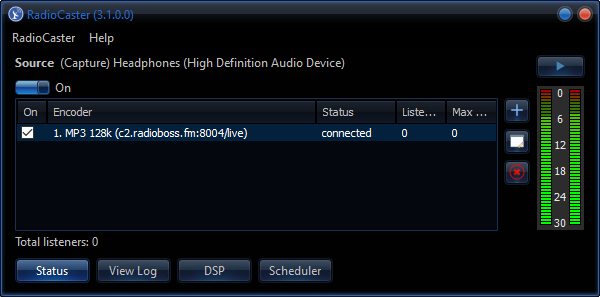
RadioCaster 3.7.1

Description: RadioCaster is a program for taking any audio - including analog - connected to your computer or playback device and broadcasting it online to the whole world. That means seamless use of old audio sources, existing radio broadcasts, and other materials while maintaining your own digital presence. Configuration is painless, while detailed statistics help you keep track of your audience.

Features:
Broadcast any audio that you have on your computer: support for audio capture from any computer input or playback device
Transcode network streams
Broadcast in MP3, AAC+, FLAC, OGG, OPUS, WMA
Works with Icecast 2, Shoutcast v1/v2, Windows Media Services and compatible servers; includes integrated streaming server
Integrated DSP: equalizer, compressor
Supports VST and Winamp DSP plugins
Broadcasting statistics (current listeners, peak listeners)
Easy to use interface and quick configuration

Release Name: RadioCaster 3.7.1
Size: 23.9 MB
Links: HOMEPAGE – NFO – Torrent Search

Download: RAPiDGATOR
4 Comments
June 3

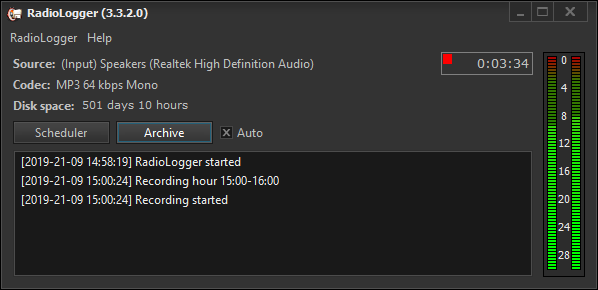
RadioLogger 4.1.5

Description:RadioLogger is a program used to record (archive) radio station broadcast on the computer hard drive. Archiving can be useful for example in disputes with the advertiser as a fact of advertising being broadcast or be useful for various checks. Recording can be performed 24 hours a day or in specified time intervals. The program uses leading sound compression technologies so the created files have very small size.

Features:
Scheduler - automatic start/stop of recording in specified hours
Encoding into mp3, ogg or other codec on the fly, without intermediate WAV
Recording directly from playback device: no need for Stereo Mix input
Records can be split into parts
Low CPU usage
Keeping history of records
Automatic deletion of old records
Flexible configuration options
Multilingual user interface
ASIO sound cards are supported
Silence detection and email notifications

Release Name: RadioLogger 4.1.5
Size: 20.1 MB
Links: HOMEPAGE – NFO – Torrent Search

Download: RAPiDGATOR

5 Comments
June 3

XML Blueprint 22.20260602

Description: The smart XML Editor in XMLBlueprint has full support for DTD, Relax NG, Schematron, XSD, XSLT (1.0, 2.0, 3.0) and XPath (1.0, 2.0, 3.1). Its unique combination of just the right features and an affordable price for both professionals as well as home users makes it the smart choice for all your XML-related work.

With XMLBlueprint you can edit and validate very large XML files (1GByte and larger). With its intuitive user interface, XMLBlueprint makes XML editing fast and easy. XMLBlueprint is the best choice for professional XML developers and home users alike.

XML Validator
The XML Editor automatically validates XML files against XSD, DTD, Relax NG Schema, and Schematron. All files are automatically validated as-you-type. XMLBlueprint provides wizards to associate your XML Document with a DTD, Relax NG schema or XSD. Supported Processors: Xerces, MSXML and Jing.

XML Catalogs
XML Catalogs lets you redirect schemas on the Internet to your local computer, which makes validating your XML files much faster and more reliable.

XML Tag Completion
Context-Sensitive XML Helpers, or IntelliSense, based on XSD, DTD, and Relax NG Schema, for element names, attribute names and attribute values. Closing tags are automatically added. Annotations are read from the XML Schema and presented as tooltips, to provide context sensitive help.

XML Refactoring
XMLBlueprint has an extensive range of XML editing features, such as: XML Refactoring helps you change the structure of your xml documents. Sometimes a simple find/replace of text is not powerful enough to make subtle changes in your XML Document. For instance, if want to change all <p> elements into <div> elements you cannot globally replace "p" into "div" because this would also change text such as "simple" into "simdivle". Nor could you change <p> into <div> because then the </p> would still remain. It's much faster to use the XML editor's refactoring functions for this type of changes.

XML Formatter
The XML Formatter lets you indent text, split long lines, remove whitespace, handle empty elements, format attributes. You can specify how XMLBlueprint should format your xml file. For instance, what to do with empty elements and where to place attributes and text. XMLBlueprint correctly handles whitespace (the xml:space attribute), and you can override this behavior for specific elements.

XML Generator
XML Generator to generate sample XML based on XSD, DTD, or Relax NG Schema. You can specify if you want XMLBlueprint to generate optional elements, optional attributes, attribute values, etc. XSD Generator to generate XSD, DTD, or Relax NG Schema from multiple sample XML files. Convert CSV to XML and Convert Excel to XML. Once you have created your scenario you can run it from the command line. To run conversions on a regular basis, you can use Windows' Task Scheduler. Schema Viewer.

XML Folding
To simplify working with large XML Documents, XMLBlueprint provides XML Folding.

Non-English Languages
XMLBlueprint supports languages such as French, Russian, Japanese, and Chinese.

FTPS, SFTP, and WebDAV
With XMLBlueprint you can edit files stored on a remote FTPS server, SFTP server or WebDAV server.

Large Files
XMLBlueprint is optimized for large files, up to 1GByte and larger. Even large files are open quickly without losing any of the XML features.

Outline View
The Outline View shows all XML elements and attributes. The outline is updated in real time as you type. Selecting an XML element in the outline automatically selects the corresponding XML in the editor.

Jump to element definition in XML Schema
While editing your XML file you can jump directly to the corresponding element definition in the associated XML Schema.

Breadcrumbs
The breadcrumbs tool displays the path from the root of your xml file to the current xml node.

Release Name: XML Blueprint 22.20260602
Size: 81.9 MB
Links: HOMEPAGE – NFO – Torrent Search

Download: RAPiDGATOR
4 Comments
June 3

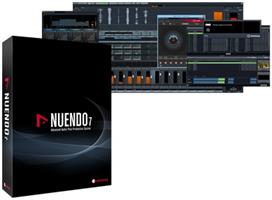
Steinberg Nuendo 15.0.30

Description: As the most advanced audio post-production solution available, Nuendo is the choice of film, TV, game audio and immersive sound industry professionals worldwide. Ever since its initial release, Nuendo has been a vital tool in creating the soundtrack to many high-profile productions, products and installations.

Upgrade to the future
Nuendo 14 is the new standard in audio post-production and game audio. New features include AI-powered speech-to-text technology, a powerful mixing assistant, enhanced event volume curves and range tool editing. Game audio designers can now preview sound effects from Audiokinetic’s Wwise before exporting them, and the list goes on with over 30 additional new features, plug-ins and other improvements. Upgrade your experience. Upgrade your workflow. Upgrade your business. Upgrade to the future!

Adaptive Background Attenuation (ABA) Mixing
The intelligibility of speech in film and television has long been a source of discussion. With Nuendo 14 you can easily automate the balance of your mix to ensure the dialogue is always intelligible. Using the dialogue stem as a reference, ABA will attenuate loud background sounds automatically by a selected dB value, ensuring the foreground sound is always clear. Once the process has been applied, you will still have full control over the overall mix, being able to review the changes and adjust levels as needed.

Dialogue Transcription ADR
Nuendo 14’s new AI-powered speech to text feature enables dialogue tracks to be transcribed into ADR cycle markers. Using a machine learning model for speech recognition and transcription, this will save hours of work by writing the transcription of the original soundtrack into existing markers or to create new markers with the transcribed dialogue inside, for example in a dubbing project.

Game Audio Connect 3
Game sound designers can now preview sound effects directly from Audiokinetic Wwise, without having to export the audio assets out of Nuendo first. Triggering a segment from the game itself will play back the audio from within Nuendo, letting adjustments be made before rendering the assets and transferring them into Wwise. Different sounds can also be tried out while playing the game, simply by changing the event selection in Nuendo.

Modulators Sound Design
A sound designers dream! The new modulators deliver the creative freedom of parameter-based automated sound variations, but with complete control over the results. With dynamic parameter control, which is based on material within the project, the modulators can create movement, add tension and much more to your sound effects and game sound design.

Event Volume Curves
Gain staging is now easier in Nuendo 14, using fast and flexible Event Volume Curves to adjust levels within audio events, without having to switch tools. Valuable for both dialogue clips and sound effects, this feature offers streamlined options to optimize your editing workflow.

Range Tool Improvements
The Range Selection tool has been improved to speed up the audio editing process, with flexible visualization and specific editing functions to selected regions while it is enabled, either with key commands or by modifier keys.

Release Name: Steinberg Nuendo 15.0.30
Size: 1.4 GB
Links: HOMEPAGE – NFO – Torrent Search

Download: RAPiDGATOR
3 Comments
June 3

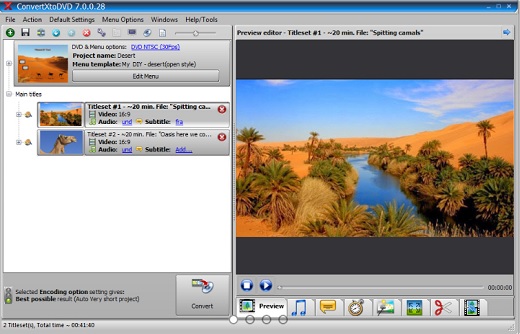
VSO ConvertXtoDVD 7.5.0.157

Description: Burn any medias to DVD disks! Convert and burn videos to watch on any DVD player.

Mini how to

1-click convert
Convert your video in ONE click

DVD menu editor
Creat your own menu

Easy subtitle and audio track management
Add your text easily

Editing video
Merge, cut, rotate, pad and crop your videos

What's unique? Creat your own and unique video

Easy to use
Works in 1 click: no experience needed

Edit
Merge video & photos. Cut, rotate, pad
and crop your video as you want!

Perfect Quality
Image enhancer wizard and quality advisor

Menu Creation
Use a pre-made or custom menu

Subtitles & Copyright
Text editor for extreme customization,
add copyright / watermark

Fast Conversions
Hardware decoding, simultaneous conversions, multi-core support

Pro Features
Audio normalisation, fullscreen or widescreen, 2 pass encoding

Burn or Save Anywhere
Save to PC / transfer to USB.
Burn Blu-rays, as AVCHD DVDs / ISO

Release Name: VSO ConvertXtoDVD 7.5.0.157
Size: 87.9 MB
Links: HOMEPAGE – NFO – Torrent Search

Download: RAPiDGATOR
5 Comments